Best AI Lecture Recording Devices: Top Picks
The best AI lecture recording devices capture clear audio, cut noise, and turn long classes into useful notes.
Have you ever left a lecture with pages of rushed notes but still missed the key idea? I have, and it is frustrating when a speaker moves fast or a room echoes. The best AI lecture recording devices help by saving the talk while you listen, review, or take part in class. Many include voice activation, noise reduction, large storage, or AI tools that help organize recordings later. In this guide, I compare five practical options for students, teachers, researchers, and busy professionals. I focus on sound quality, storage, ease of use, battery needs, and the limits you should know before buying.
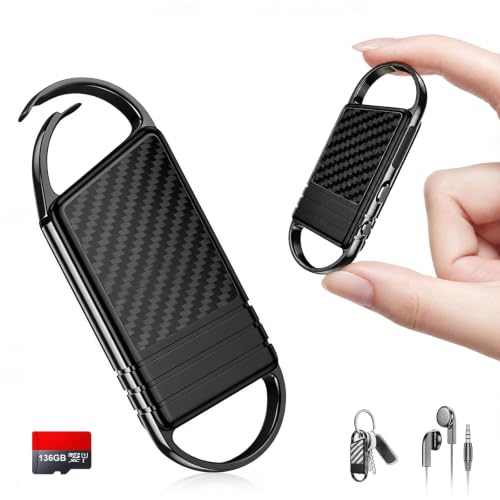
136GB(18800H) AI Noise Reduction Voice…
【136GB Massive Storage & 18800 Hours Capacity】 With 136GB built-in storage, this high-capacity voice recorder and spacious audio recorder holds 18800 hours of audio files. This roomy recording device eliminates…

132G (9800 Hour) Voice Activated…
9800 Hours Audio Storage: The digital voice recorder offers an enormous capacity with an impressive 128GB TF card to expand the memory for storing up to 9800 hours of audio…

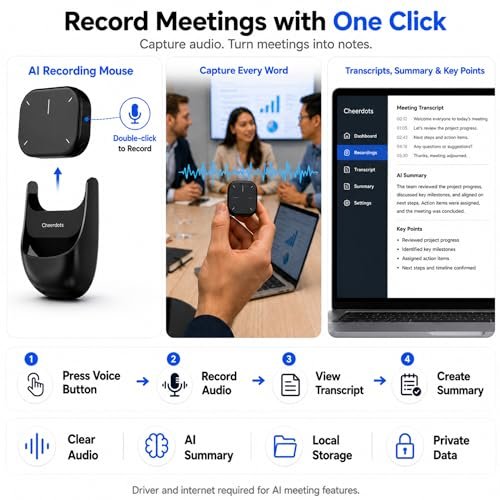
Comulytic Note Pro AI Voice…
| Comulytic AI Voice Recorder Notes Assistant | — Lifetime Free Starter Plan Comulytic Note Pro is a smart voice recorder, AI note taker, and AI recorder built for professionals,…
Pexqil 136GB AI Noise Reduction Voice Recorder

The Pexqil voice recorder is built for buyers who want a large amount of storage in a small device. Its listed 136GB capacity can hold a very large library of lectures, interviews, meetings, and study sessions. The 18800H label points to a high recording-hour claim, although real use can vary with file format, quality level, and available memory. I like this type of capacity for students who record many classes and do not want to transfer files after every session.
Its AI noise reduction and voice-activated recording are useful in busy places. Noise reduction may help make speech easier to hear when fans, hallway sounds, or nearby talk compete with the main speaker. Voice activation can reduce silent sections and make later review faster. The OTG transfer feature also gives users a direct way to move recordings to a compatible phone or device, but you should check phone support before relying on it.
Pros:
- Very large 136GB storage for long-term lecture archives
- AI noise reduction helps focus on spoken words
- Voice activation can reduce empty recording time
- OTG transfer may simplify file movement on compatible devices
- Useful for lectures, interviews, business talks, and meetings
- Portable size makes it easy to carry in a pocket or bag
Cons:
- Actual recording hours may differ from the advertised maximum
- OTG transfer may require a compatible phone, adapter, or app
- Noise reduction cannot remove every voice or room sound
My Recommendation
I recommend the Pexqil to students, researchers, and professionals who value storage above all else. It is a strong choice for people who record several classes each week or keep audio for later reference. The voice activation feature also suits users who want less dead air in their files. Among the Best AI Lecture Recording Devices, this model stands out for capacity and flexible file transfer.
It offers good overall value when you need a large digital archive in a compact recorder. Still, test the microphone in your usual classroom before recording an important event. Always ask for permission before recording, and protect files that contain private student, client, or workplace information.
Elasound 132GB AI Voice Activated Recorder

The Elasound recorder targets users who need long recording time and simple operation. It lists 132GB of storage and up to 9,800 hours of recording, while its 100-hour continuous recording claim focuses on extended use between charges. Those figures depend on settings and conditions, so I would treat them as maximum estimates rather than guaranteed classroom results. Even so, the storage level is more than enough for many semesters of audio files.
This model uses AI-intelligent triple noise reduction, which may help improve speech clarity in less-than-perfect rooms. Its voice activation feature can start recording when sound reaches a set level, which helps save storage during quiet pauses. I find that combination useful for lectures because it lets the user focus on the speaker instead of watching a recording timer. It can also fit work meetings, interviews, and personal notes.
Pros:
- 132GB memory provides room for many recordings
- Triple noise reduction is designed for clearer speech
- Voice activation helps limit long silent sections
- Long continuous recording claim suits extended sessions
- Works for lectures, meetings, interviews, and work notes
- Simple portable format is easy to carry between classes
Cons:
- Maximum recording claims depend on audio quality and file settings
- AI processing may change how background sounds are represented
- Users may need time to learn the menu and recording controls
My Recommendation
The Elasound is best for students who want a dependable recorder for a full school term. It is also a sensible pick for office users who record training sessions or frequent meetings. The blend of large storage, voice activation, and triple noise reduction gives it broad appeal. For buyers comparing the Best AI Lecture Recording Devices, it offers a practical balance between storage and hands-off recording.
I would choose it when long recording sessions matter more than advanced note software. Before a major lecture, make a short test recording and listen with headphones. That small step confirms that the microphone placement, volume, and storage settings work for your room.
Comulytic Note Pro AI Voice Recorder

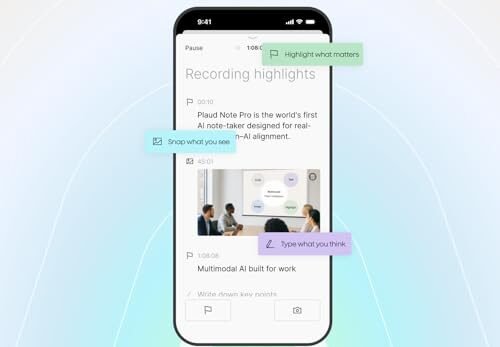
The Comulytic Note Pro takes a different approach from basic high-capacity recorders. Its name presents it as an AI voice recorder and meeting recorder, with a focus on turning spoken information into a more useful note-taking workflow. That can help people who want to stay engaged in a lecture instead of writing every sentence. It may also appeal to managers, tutors, writers, and anyone who needs to revisit spoken details.
An AI recording device is only as useful as its audio input and software support. Clear speech, a stable connection, and a simple export process matter as much as the recorder itself. I suggest checking the current app features, supported phones, language options, and any account or subscription terms before purchase. The Note Pro is most attractive to buyers who want a smarter review process rather than only a large memory chip.
Pros:
- Designed around AI-assisted note taking
- Useful for lectures, meetings, interviews, and spoken ideas
- May reduce the need to write detailed notes by hand
- Compact design should be easy to carry during a busy day
- Supports a more organized review process after a session
- Good fit for users who want recording and notes in one workflow
Cons:
- AI tools may depend on an app, account, or compatible phone
- Transcription quality can change with accents, echo, and mixed speakers
- Some advanced features may involve extra terms or service limits
My Recommendation
I recommend the Comulytic Note Pro for users who want more than a plain audio file. It suits college students, meeting-heavy professionals, tutors, and researchers who need to turn speech into organized notes. This is one of the Best AI Lecture Recording Devices for a digital study workflow, especially when quick review matters. It may be less appealing to someone who only wants the highest possible storage at the lowest cost.
Use it as a support tool, not as a replacement for checking important facts. AI notes can miss a word, merge speakers, or misunderstand technical terms. Its value comes from saving time while still letting you review the original recording when accuracy matters.
64GB Magnetic AI Noise Reduction Recorder

The 64GB magnetic voice recorder is made for buyers who want a smaller storage level with convenient placement. Its magnetic design can help secure the device to a suitable metal surface, desk area, or nearby object, depending on the room and the recorder’s position. That can be useful when you need both hands free for notes or lab work. The 64GB capacity should cover a large number of standard recordings, though exact hours depend on the selected quality.
Voice activation and AI noise reduction give this model two useful tools for lecture recording. Voice activation can help limit quiet gaps, while noise reduction aims to make speech easier to follow. Placement still matters more than many buyers expect; a recorder hidden under a notebook may capture weaker sound than one placed near the speaker. I would test the magnetic hold and microphone direction before using it during a graded class or important meeting.
Pros:
- Magnetic body can offer flexible hands-free placement
- 64GB storage is ample for routine lecture recording
- Voice activation may save space during silent pauses
- AI noise reduction targets common background sound
- Portable shape works well for students and office users
- Useful for classes, interviews, reminders, and meetings
Cons:
- Magnetic mounting is not useful on every desk or classroom surface
- 64GB offers less archive space than the 132GB and 136GB models
- Strong noise reduction may not preserve every background detail
My Recommendation
This recorder is best for students and professionals who want easy placement and moderate storage. The magnetic feature can help when a normal pocket or tabletop position is not ideal. I would place it on the shortlist of Best AI Lecture Recording Devices for hands-free use and everyday classes. It is a good fit for routine recording rather than building an enormous multi-year audio archive.
Its overall value depends on whether the magnetic design matches your habits. If you often move from classroom to classroom, the simple portable format is appealing. If you record many hours every day, choose a larger-capacity option and plan a regular backup routine.
Xelarvex 72GB AI Voice Activated Recorder

The Xelarvex digital voice recorder offers 72GB of storage and a listed 4,800 hours of recording capacity. That makes it a middle-ground option for buyers who want more space than a small basic recorder but do not need the largest memory level. It is designed for lectures, interviews, meetings, and other spoken events. I see it as a practical choice for regular users who want a simple recorder with extra recording features.
Its AI-intelligent noise reduction and voice activation are helpful for classroom use. A lecture may include air conditioning, chair movement, hallway noise, and low student chatter, so any tool that improves speech focus can help. However, no digital filter can fix a microphone that is too far from the speaker or blocked by clothing. Place the device where it has a clear path to the main voice, then make a short test before the session.
Pros:
- 72GB storage gives useful room for recurring recordings
- AI noise reduction may improve speech focus in busy rooms
- Voice activation can reduce unused silent sections
- Suitable for lectures, interviews, meetings, and personal notes
- Middle-size capacity keeps it practical for everyday carrying
- Can suit buyers who want more storage without choosing the largest model
Cons:
- Storage is lower than the 132GB and 136GB recorders
- Advertised recording hours may vary with quality and file format
- Voice activation may miss very soft speech or begin with a short delay
My Recommendation
The Xelarvex is best for students, interns, and office users who need a balanced everyday recorder. It offers useful storage without making capacity the only selling point. For many buyers comparing the Best AI Lecture Recording Devices, this model may hit a comfortable middle range. I would choose it for weekly lectures, interviews, and meeting notes that need regular backup.
It delivers solid practical value when you want voice activation and noise reduction in a portable device. Keep the recorder near the main speaker, and do not depend on AI processing to replace careful listening. Its availability and current price can change, so compare the live Amazon listing before ordering.
How I Chose the Best AI Lecture Recording Devices
A lecture recorder should do more than switch on and create a file. I look at the full ownership experience, from the first setup to the moment you search for an old recording months later. A device can have huge storage but still disappoint if the controls are confusing or the microphone struggles in a large room. I also consider whether its useful features match the needs of real students and working adults.
For this guide, I focused on storage, voice activation, noise reduction, portability, transfer options, and the intended use. I treated advertised recording hours as estimates because audio quality settings change file size. I also considered privacy, consent, battery planning, and the need to check recordings for accuracy. These points matter when choosing among the Best AI Lecture Recording Devices in 2026.
Storage and Recording Time
Storage determines how often you must move files. A 64GB or 72GB recorder can suit normal weekly classes, especially when you back up files often. A 132GB or 136GB model is better for a large archive, many interviews, or a full term of classes. Still, more storage does not automatically mean better sound.
Recording time also depends on the file type and quality level. High-quality audio uses more space but may make speech clearer. Low-quality settings can save memory but may reduce detail. I suggest using a moderate setting first, then checking how much space a one-hour recording uses.
Noise Reduction and Real Speech Clarity
AI noise reduction can help separate speech from steady sounds such as fans, traffic, and air systems. It cannot perform miracles. Loud nearby voices, heavy echo, and a distant speaker remain difficult for most small recorders.
In my view, microphone placement remains the first line of defense. Put the device on a stable surface with the microphone facing the speaker. Avoid covering it with a bag, sleeve, or notebook. A clean recording gives any later AI tool a better chance to create useful notes.
Voice Activation
Voice activation starts or continues recording when the device hears sound above a set level. This can reduce long silent sections and make file review faster. It may also save storage during pauses.
The feature needs the right sensitivity. If the level is too low, room noise may keep the recorder active. If it is too high, soft speech may not trigger it. Test voice activation before class, since a small setting change can affect the whole recording.
AI Notes and Transcription
Some devices focus on AI notes, while others mainly use AI to reduce noise. These are different functions. Noise reduction changes the audio signal, while transcription turns speech into written text. A note tool may summarize or organize content, but it can still mishear names, numbers, formulas, and technical words.
I treat AI notes as a first draft. I check important quotes against the original audio. This matters in lectures, research interviews, medical training, and business meetings. Never assume that an automated transcript is perfect just because it looks neat on a screen.
Battery and File Transfer
Battery life matters when a class lasts several hours or when you record more than one session in a day. Charge the device before leaving home. If the recorder supports continuous recording, remember that its real battery life may be lower than its maximum storage capacity.
File transfer should also be easy. USB and OTG features can save time, but compatibility varies. Check whether your phone supports the needed connection. I recommend keeping at least two copies of important recordings, such as one on a computer and one on secure cloud storage.
Privacy, Consent, and Responsible Use
Before recording a lecture, ask the instructor or event host whether recording is allowed. Rules can vary by school, workplace, state, and event. Some classes include private student comments or copyrighted material, so permission is important.
AI services may process audio outside the recorder. Read the privacy policy before uploading sensitive files. Use a screen lock or secure folder when recordings contain personal details. Responsible use protects you, the speaker, and everyone else in the room.
Which Type of Buyer Should Choose Each Recorder?
The right model depends on your daily routine. A student who records two short classes each week has different needs from a researcher who records interviews every day. Think about how close you sit to the speaker, how often you can charge the device, and whether you need written notes.
Choose a large-capacity model if you dislike file management. The Pexqil and Elasound offer the most listed storage in this group. Choose the Comulytic if AI note tools matter most. The magnetic 64GB recorder suits users who want flexible placement, while the Xelarvex gives a useful middle option.
| Best for | Why |
|---|---|
| Large lecture archives | Pexqil and Elasound offer high listed storage for many sessions. |
| AI-assisted notes and meetings | Comulytic Note Pro focuses on turning spoken content into useful notes. |
| Portable everyday recording | Xelarvex and the magnetic 64GB model balance useful features with easy carrying. |
Tips for Getting Better Lecture Recordings
Start with permission and a short test. Record ten seconds, then play it with headphones. If the voice sounds distant, move the device closer or place it on a clear desk.
Keep the recorder still. Touches, taps, and sliding noises can sound much louder than expected. A small case or soft surface can reduce handling noise, but never cover the microphone.
Name files after each class. Include the date, course, and topic. For example, “BIO101-2026-09-14-Cell-Respiration” is much easier to find than “REC0047.”
Back up important files on a regular schedule. Storage can fail, devices can be lost, and accidental deletion can happen. A simple backup habit protects hours of learning.
Use headphones during review. Speakers can hide low sounds and make echo seem less serious. Headphones help you notice missing words, background noise, and volume problems before you rely on the recording.
If the device offers transcription, review key terms. AI may confuse similar words or fail when several people speak at once. Keep the original audio as your source of truth.
FAQs Of Best AI Lecture Recording Devices
Can an AI lecture recorder capture clear audio in a large classroom?
It can, but placement matters. Put the recorder near the speaker with the microphone uncovered. Noise reduction may help with steady background sounds, but echo and distance can still lower clarity.
Do voice-activated recorders record every word?
Not always. Voice activation may miss very soft speech or the first word after a pause. Use normal recording mode when you need the most complete record.
Are advertised recording hours guaranteed?
No. Recording hours vary with file type, quality, battery condition, and storage space. Treat the listed figure as a maximum estimate and test your chosen settings.
Can AI transcription replace handwritten lecture notes?
It can reduce writing, but it should not replace review. AI may miss formulas, names, accents, or technical terms. Check important information against the original audio and class materials.
Is it legal to record a lecture?
Rules vary by school, instructor, workplace, and state. Ask for permission before recording. Do not share recordings without approval, especially when they include private comments or copyrighted material.
Final Verdict: Which Should You Buy?
For most buyers, the Pexqil 136GB recorder is the strongest choice because it combines large storage, voice activation, noise reduction, and OTG transfer. Choose Comulytic if AI notes matter more than archive size.
The Best AI Lecture Recording Devices can make classes easier to review, but good placement and responsible use still matter. Compare current features, price, and compatibility before ordering.