Best AR Glasses: Top Picks For Smart Viewing
The best AR glasses blend a sharp virtual screen, easy device support, clear sound, and comfort for long use.
Picture this: you are on a long flight, your laptop screen feels tiny, and your neck hurts from looking down. AR glasses can turn a phone, game console, or computer into a large private display without packing a portable monitor. I tested the key features that matter most, including image quality, refresh rate, 3DoF tracking, audio, comfort, and device support. This Best AR Glasses guide compares six strong options for movies, gaming, work, and travel so you can spend your money with confidence.

XREAL One Pro AR Glasses…
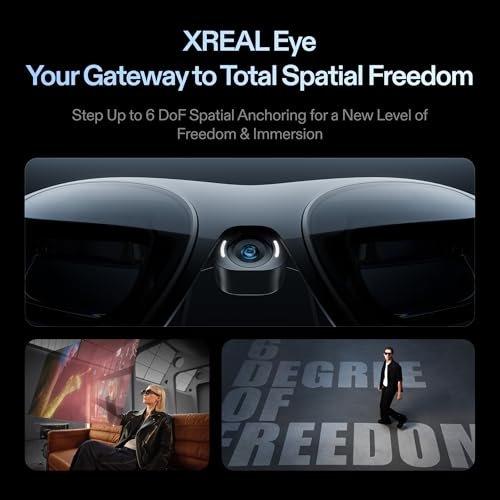
XREAL’s Self-Developed X1 Spatial Computing Chip: Delivers Native 3DoF tracking with ultra-low 3ms M2P latency, ensuring stable visuals even during rapid movements. With the optional XREAL Eye, full 6DoF spatial…

RayNeo Air 4 Pro AR/XR…
HDR10 AR Glasses with 201” Virtual Screen – Experience over 10 billion colors and ultra-deep contrast on a massive 201-inch virtual display. Compared to standard LCD screens, HDR10 delivers brighter…
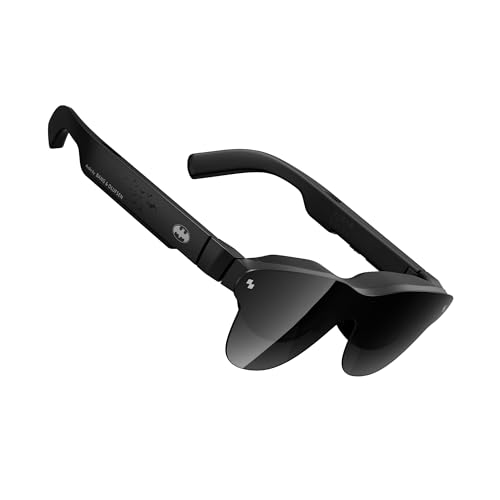
RayNeo Air 4 Pro ×…
[The Ultimate Batman Collector’s Piece] Step into Gotham with the first collector-grade superhero AR glasses. Featuring a premium vault and identity, this limited edition is designed for fans who demand…
XREAL One Pro AR Glasses

The XREAL One Pro stands out for its dedicated X1 chip and native 3DoF tracking. That means the virtual screen can stay in place as you move your head, rather than floating loosely in front of you. Its listed 171-inch virtual display and 120Hz refresh rate make it a strong fit for films, games, and a large desktop view. I especially like this setup for users who want a more natural screen experience without adding a separate processing box.
At 120Hz, motion should look smooth when the connected device and content support the mode. The glasses still depend on a compatible USB-C video source, so I would check your phone, tablet, handheld, or laptop before buying. The open-ear design also lets you hear your surroundings, which helps during travel or office use. As one of the Best AR Glasses choices, the One Pro focuses on a clean, high-end viewing experience instead of extra camera features.
Pros:
- Native 3DoF tracking helps keep the screen stable
- X1 chip reduces the need for an external processing device
- 120Hz refresh rate supports smooth motion
- Large 171-inch virtual display suits movies and games
- USB-C connection keeps setup simple with compatible devices
- Open-ear audio allows awareness of nearby sounds
Cons:
- Compatibility depends on USB-C video output
- Some phones may need an adapter or separate accessory
- A very large virtual screen may feel intense for new users
RayNeo Air 4 Pro AR/XR Glasses

The RayNeo Air 4 Pro aims at viewers who want a bright, cinematic display from a compact pair of glasses. Its HDR10 support is useful for compatible content because it can show a wider range of light and dark tones than standard video. The listed 201-inch virtual display gives films and games a theater-like feel. A 120Hz mode may also make fast game play and scrolling appear more fluid.
This model connects through USB-C and lists support for newer iPhones, Android devices, Switch 2, PS5, and Steam Deck. Still, support can vary by device, cable, operating system, and required adapter. I would treat the glasses as a portable display first, not a fully independent computer. For people who want plug-and-play viewing on several devices, this model is among the Best AR Glasses options worth considering.
Pros:
- HDR10 support can improve contrast in supported video
- 201-inch virtual display feels immersive for movies
- 120Hz refresh rate is useful for games and smooth video
- Works with a broad range of listed USB-C devices
- Compact design is easier to pack than a portable monitor
- Useful for private viewing during travel
Cons:
- Not every USB-C phone supports video output
- Some consoles may need a dock, adapter, or compatible cable
- Large-screen viewing can reduce awareness of your surroundings
RayNeo Air 4 Pro Batman Edition

The RayNeo Air 4 Pro Batman Edition uses the same broad idea as a portable XR display but adds a collector-focused design. It includes a special lens shade and Batman styling, so it will appeal to fans who want their tech to feel more personal. HDR10 support and the listed 201-inch display keep the main viewing experience focused on movies and games. Audio by Bang & Olufsen adds a premium touch for users who prefer not to wear separate earbuds.
I see this version as a gift-friendly choice rather than the most practical pick for every buyer. The design may matter as much as the display, and that is perfectly reasonable for a limited edition product. Before purchase, confirm that your source device can send video through USB-C and that the included shade suits your room lighting. Among the Best AR Glasses reviewed here, this one has the clearest appeal for Batman fans and collectors.
Pros:
- Distinct Batman limited-edition design
- Special lens shade adds a collector-friendly detail
- HDR10 support helps compatible content look more vivid
- 201-inch virtual display is well suited to films
- Bang & Olufsen audio branding suggests a premium sound focus
- Good gift option for fans of superhero memorabilia
Cons:
- Limited-edition styling may not suit a professional setting
- Collector value can raise the price over a standard model
- USB-C video compatibility remains essential
RayNeo Air 4 Pro with Vision 4000

This RayNeo Air 4 Pro version focuses on a high-end media setup with the Vision 4000 chip, HDR10, and a 201-inch virtual display. It is listed for use with iPhone, Android, Switch 2, Mac, and PlayStation systems. That wide device list makes it attractive to households with several types of screens and consoles. Audio by Bang & Olufsen is another useful feature when you want a simple setup with fewer accessories.
The glasses are best understood as a private display that receives video from another device. They do not replace a phone, game console, or computer, and the exact experience can change with each source. I would use this model for hotel rooms, flights, desk work, and console gaming when a large screen is not available. If strong media support matters more than a special design, this may be one of the Best AR Glasses choices in the RayNeo range.
Pros:
- Vision 4000 chip is designed for the display experience
- HDR10 support suits compatible movies and shows
- 201-inch virtual screen works well for private cinema use
- Listed support covers phones, computers, and consoles
- Bang & Olufsen audio keeps the kit simple
- Good fit for travel and small living spaces
Cons:
- Requires a separate source device for content
- Compatibility may differ across iPhone, Android, Mac, and consoles
- Some users may prefer stronger screen-position tracking
XREAL 1S AR Glasses

The XREAL 1S is built around a bold 500-inch virtual screen and the X1 chip. That screen size sounds huge, but the number describes the apparent display size from a set viewing distance, not a physical panel. In real use, the main benefit is simple: you can enjoy a big image while carrying something close to the size of ordinary glasses. Native 3DoF support can also make the screen feel more anchored during viewing.
This model makes the most sense for people who value scale and portability. It can turn a compatible phone, laptop, handheld, or other source into a private theater or game screen. I would not choose it only because of the 500-inch figure; comfort, fit, brightness, and source support still decide whether you enjoy it. Even so, the 1S earns a place in this Best AR Glasses list for users who want an expansive display without a bulky monitor.
Pros:
- Very large stated virtual screen for immersive viewing
- X1 chip supports a focused display experience
- Native 3DoF can help hold the virtual screen in place
- Portable alternative to a large monitor or television
- Useful for handheld gaming and travel
- Private screen helps in shared rooms and public spaces
Cons:
- The 500-inch figure does not mean a physical screen of that size
- Needs a compatible video source and suitable cable
- New users may need time to adjust to a very large virtual image
VITURE Beast XR/AR Glasses

The VITURE Beast takes a different route by emphasizing resolution, field of view, dimming, tracking, and sound. It lists a 1200p image, a 58-degree field of view, built-in VisionPair 3DoF, and dynamic dimming. A wider field of view can make the virtual screen feel less like a small window and more like a display that fills your view. Harman audio also supports a clean setup for games, films, and work.
The dynamic dimming feature may help control outside light when you want deeper contrast, while the listed device support covers iPhone, Android, Mac, PC, and Switch 2. As always, I would confirm the exact connection method for your device before ordering. This is a strong choice for users who care about image detail and a wide view more than the lowest price. For demanding media fans, the VITURE Beast could be the Best AR Glasses option in this comparison.
Pros:
- 1200p resolution can provide a detailed image
- 58-degree field of view aims for a more immersive view
- Built-in VisionPair 3DoF supports screen positioning
- Dynamic dimming can help manage bright surroundings
- Harman audio adds a polished entertainment setup
- Supports a broad range of listed phones and computers
Cons:
- Wide field of view may feel less natural to some new users
- High-end features may cost more than basic display glasses
- Device support still depends on USB-C video output and adapters
My Recommendation
After comparing these models, I would start with your main use rather than the biggest screen claim. The XREAL One Pro is my pick for users who want native 3DoF and a polished all-around display. The VITURE Beast suits viewers who value 1200p detail, a wide field of view, and dimming. For movie fans, the RayNeo Air 4 Pro models offer a large HDR10 display, while the Batman Edition adds special appeal for collectors.
The XREAL 1S is a good match for travelers and handheld gamers who want an especially large virtual image in a small package. The standard RayNeo Air 4 Pro is the safer choice for buyers who want broad listed support and a cinema-style view without collector styling. In every case, check your device’s USB-C video output, cable needs, power use, and return policy before purchase. The Best AR Glasses are not always the most expensive pair; they are the pair that fits your screen, comfort, and daily habits.
| Best for | Why |
|---|---|
| Best overall AR display | XREAL One Pro combines the X1 chip, 120Hz viewing, a large screen, and native 3DoF. |
| Best for high-detail viewing | VITURE Beast offers listed 1200p resolution, a 58-degree field of view, dimming, and 3DoF. |
| Best for movies and travel | RayNeo Air 4 Pro provides a large HDR10 display and support for many listed devices. |
How I Evaluate the Best AR Glasses
AR glasses can look similar in a product photo, but their daily use can feel very different. I first check the display type, image size, resolution, refresh rate, brightness, and contrast features. I then look at tracking, because a screen that stays steady is easier to use than one that shifts with every small head movement. These details matter more than flashy words on a box.
I also check how the glasses connect. Most display-focused AR glasses need a USB-C port that supports video output, often through DisplayPort Alt Mode. A USB-C port alone does not guarantee that feature. I also consider whether a phone, handheld, or console needs extra power, a dock, or an adapter.
Comfort is just as important as image quality. A sharp screen is not useful if the nose pads pinch or the arms feel heavy after 20 minutes. I look for adjustable fit, a useful light shield, lens options, cable placement, and open-ear sound. Those small details often decide whether a buyer uses the glasses every week or leaves them in a drawer.
What Can You Do With AR Glasses?
The simplest use is a private movie screen. Connect the glasses to a compatible phone, laptop, tablet, or handheld, and you can view content without taking up a television. This works well in a bedroom, hotel, airplane seat, or shared living room. It also helps when a child watches a show while another person uses the main TV.
Gaming is another strong use. A large virtual display can make a handheld console feel closer to a home setup. A high refresh rate may help motion look smoother, though the console and game must support the chosen mode. The glasses do not make a game run faster, but they can make the image feel much bigger and more engaging.
AR glasses can also support work. I can use a large virtual screen for a laptop without carrying a monitor. This is helpful when I need a private display in a small space. Still, text clarity, screen stability, and comfort matter more for work than a giant screen number, so users should favor resolution and fit over marketing size.
Some products include 3DoF tracking. In simple terms, 3DoF tracks head rotation, such as turning left, right, up, or down. It does not usually track your full position in a room like a more advanced spatial system. That distinction matters because many buyers expect a floating screen to behave like a complete mixed-reality headset.
Important Features to Check Before Buying
Display Resolution
Resolution affects how clear text, faces, game menus, and fine detail appear. A higher number can help, but the lens quality and field of view matter too. If you plan to work, read, or browse, clarity around the edges is important. If you mainly watch films, contrast and color may matter more than small text sharpness.
Refresh Rate
A 120Hz refresh rate can make scrolling and motion look smoother than 60Hz. It can also help games feel more responsive. However, the connected source must send the correct signal, and the content must support it. Do not assume every device will run the glasses at the highest listed refresh rate.
Field of View
Field of view describes how much of your sight the virtual display covers. A wider view can feel more immersive because the screen takes up more of your visual area. A smaller view may feel easier for text and casual use. I recommend beginners try a moderate view first if they are unsure how they will react to a large virtual image.
3DoF Tracking
3DoF can anchor a screen in a more natural way. Without it, the display may remain fixed to your face and move whenever you move your head. With it, you can often look around while the screen appears to stay in a chosen position. This feature is useful for work and longer movie sessions, but it is not the same as full room-scale tracking.
Device Compatibility
Compatibility is the most common source of disappointment. Check whether your phone or computer supports video over USB-C. Some iPhones require a specific adapter, and some Android phones have USB-C ports that do not carry video. Game consoles may need a dock, an HDMI-to-USB-C device, or an external power source.
Brightness and Dimming
Outside light can wash out a virtual screen. A light shield can help, and electronic dimming may offer more control. If you often use the glasses in bright rooms, these features can improve contrast. If you use them at night, you may prefer a softer setting that does not feel too harsh.
Audio
Most modern AR display glasses use open-ear speakers. They send sound toward your ears while leaving them uncovered. This helps you hear announcements, traffic, and people nearby. The trade-off is sound leakage and less bass than sealed headphones, so privacy and volume control still matter.
Prescription Support
If you wear glasses, check whether the product accepts prescription lens inserts. Do not force regular glasses under AR glasses unless the maker clearly supports that setup. Poor fit can cause blur, pressure, and eye strain. A proper insert may cost more, but it can make the entire experience much better.
AR Glasses vs. VR Headsets
AR display glasses and VR headsets serve different needs. AR glasses are lighter and often connect to a phone, computer, or console. They usually show a screen in front of your eyes while allowing some awareness of the room. VR headsets are larger, more enclosed, and better for full virtual worlds and room-scale games.
If you want a private screen for Netflix, a laptop, or a Steam Deck, AR glasses may be the better fit. If you want fitness games, virtual tours, or a fully enclosed 3D space, a VR headset may suit you more. The Best AR Glasses in this guide are portable screens with smart spatial features, not replacements for every type of headset.
How to Set Up AR Glasses
Start by checking the source device. Confirm that its USB-C port supports video output, then use the recommended cable. Connect the glasses and allow the device to recognize the display. Some systems mirror the screen at once, while others offer display settings for resolution, refresh rate, or extended desktop use.
Next, adjust the nose pads and arms. The image should look clear without forcing the glasses tightly against your face. Try the light shield if the room is bright. For 3DoF features, follow the on-screen calibration steps and keep your head level while the system sets the screen position.
Use a moderate brightness level at first. A very bright image may feel impressive for a few minutes but tiring over a long session. Keep the cable routed so it does not pull on one side of the frame. These simple steps can turn a good pair of AR glasses into a much better daily tool.
Are AR Glasses Safe for Long Use?
For most users, comfort is the main concern. Take regular breaks, blink often, and stop if you notice eye pain, dizziness, nausea, or a headache. A virtual screen can feel close even when the image appears far away, so new users may need short sessions while they adjust.
Never use display glasses while driving, cycling, or crossing a busy road. Open-ear audio does not remove the need for safe awareness. At home or during travel, keep the brightness at a comfortable level and make sure you can remove the glasses quickly when you need to focus on your surroundings.
Who Should Buy AR Glasses?
AR glasses are a smart buy for travelers, remote workers, handheld gamers, and people who share a television. They can provide a large private screen without adding much weight to a bag. They also suit users who want to watch content in a small room or use a laptop in a more flexible way.
They may not suit people who want a stand-alone computer, full room tracking, or a completely sealed virtual world. They also require careful checking before purchase because device support is not universal. If your phone lacks video output and you do not want an adapter, a portable monitor may be simpler.
FAQs Of Best AR Glasses
What are the Best AR Glasses for movies?
The RayNeo Air 4 Pro models are strong movie picks because they list a 201-inch HDR10 virtual display. The XREAL One Pro and VITURE Beast are also good choices for viewers who want tracking and a large private screen.
Do AR glasses work with every phone?
No. The phone usually needs USB-C video output, and some models need an adapter or extra power. Check the phone maker’s specifications and the glasses maker’s compatibility list before ordering.
Can AR glasses replace a computer monitor?
They can replace a monitor for some tasks, especially travel and private viewing. They still need a computer or another source device, and comfort may vary during long work sessions.
Are AR glasses good for gaming?
Yes, especially with a handheld, laptop, or compatible console. A large virtual screen and high refresh rate can improve the feel of games, but the source device must support the needed video mode.
Do AR glasses have built-in batteries?
Many display-focused models draw power from the connected device or cable. Power behavior differs by product and source, so check the product details before planning a long trip or gaming session.
Final Verdict: Which Should You Buy?
The XREAL One Pro is my top all-around choice because its X1 chip, 120Hz display, and native 3DoF create a polished viewing experience. Choose the VITURE Beast for high detail and a wide view, or RayNeo Air 4 Pro for HDR movie use.
The Best AR Glasses depend on your device, comfort needs, and main activity. Check USB-C support first, then choose the display and tracking features that match your daily life.