Best Smart Home Hub: Top Picks For Every Home
The best smart home hub brings lights, locks, sensors, and voice control into one simple system.
Picture this: you arrive home with full hands, the room is dark, and the thermostat still runs an empty house. A good smart home hub fixes that daily friction by linking devices, routines, and voice commands in one place. I tested these hubs with ease of setup, device support, automation power, and long-term value in mind. Some models suit beginners, while others reward users who want deep control. The right choice depends on your devices, wireless standards, privacy needs, and comfort with smart home setup.

Aeotec Smart Home Hub, Works…
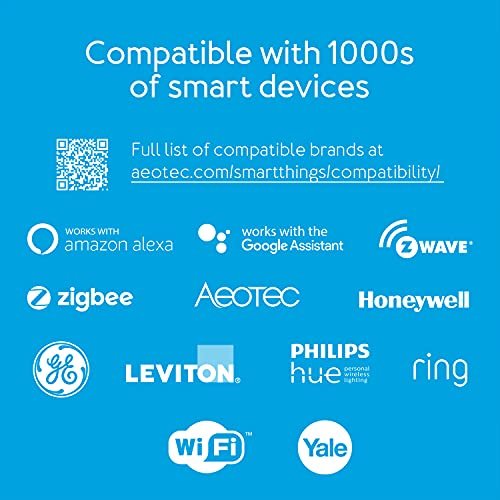
Connect & control your smart home — Easily link thousands of compatible devices from leading brands to create a connected home environment for lighting, comfort, voice assistants, energy use, and…

Aqara Smart Home Hub M3…
[Multi-Protocol Hub with Matter Bridge] The M3 is a versatile hub supporting Aqara Zigbee and Thread devices. It integrates third-party devices into the Aqara Home app. Supports advanced Matter bridge…

Home Assistant Green | Smart…
💡 EASIEST WAY TO GET STARTED WITH HOME ASSISTANT – With Home Assistant already installed, it only requires plugging the included power supply and Ethernet cable to get started. ✅…
Aeotec Smart Home Hub

The Aeotec Smart Home Hub is a strong choice for users who want broad device support without building a complex server. It works as a SmartThings hub and supports major protocols such as Z-Wave and Zigbee. That mix lets it connect with many sensors, switches, bulbs, locks, and other smart devices. It also works with Alexa and Google Assistant for simple voice control.
I like this hub because it can serve as the quiet center of a mixed-brand home. You do not need to replace every device just to create useful routines. Its Matter gateway role adds a path toward newer smart home products, though exact features can depend on the device and software used. For most homes, the Aeotec model offers a useful balance of range, flexibility, and cost.
Pros:
- Supports Z-Wave and Zigbee devices
- Works with SmartThings-based routines
- Offers Matter gateway support
- Works with Alexa and Google Assistant
- Good fit for mixed-brand smart homes
- Supports advanced home automations
Cons:
- Some features require a SmartThings account
- Setup may feel technical for first-time users
- Compatibility can vary by device model
In daily use, the biggest benefit is protocol choice. A Zigbee motion sensor and a Z-Wave door lock can take part in the same broader home plan. That can save money when you expand because you are not limited to one brand. It also helps homeowners who already own older smart devices.
The Aeotec hub is not the best pick if you want a screen-first control panel or a fully local system with no cloud services. Still, it gives many users the control they need without a large learning curve. I would place it near the top of any Best Smart Home Hub shortlist for a home with varied devices and serious automation goals.
Aqara Smart Home Hub M3

The Aqara Smart Home Hub M3 targets people who want fast routines, broad Aqara support, and a more modern Matter setup. It acts as a Matter controller and can connect compatible devices across supported smart home platforms. The built-in infrared feature also lets it control certain TVs, air conditioners, and other IR products. That makes it more than a basic bridge for sensors.
I found the M3 appealing for homes that rely on door sensors, leak sensors, buttons, and motion devices. Aqara products often use small sensors that are easy to place, and the hub gives them a central place to work. The M3 can help translate device events into useful actions, such as turning on lights after motion or sending an alert when a leak sensor trips. It is a smart option for users who enjoy detailed scenes but still want a polished app.
Pros:
- Works as a Matter controller
- Built-in IR control adds useful range
- Strong match for Aqara sensors and switches
- Supports detailed scenes and automations
- Can reduce the need for several device bridges
- Good choice for compact smart home sensors
Cons:
- Best results often come with Aqara devices
- Advanced setup can take time to learn
- Not every IR device has equal control support
The M3 stands out when you want one hub to handle both smart sensors and basic infrared gear. For example, a motion sensor can trigger a light scene while the hub also helps control an IR air conditioner. That can make a bedroom or office feel much more automatic. Matter support also helps keep the system relevant as more compatible products reach the market.
Still, I would not buy this hub only because it carries the Matter name. Matter support does not guarantee that every feature works across every platform. Check the device list and the features you need before ordering. If you already use Aqara products, the M3 may be one of the best smart home hub choices for extending that system.
Home Assistant Green Hub

Home Assistant Green is made for people who want deep control over their smart home. It runs the official Home Assistant platform in a ready-to-use box, so you do not need to build a small computer from scratch. The platform can bring many brands and device types into one dashboard. It also gives you powerful tools for scenes, schedules, conditions, and custom automations.
This hub feels like a workshop for smart home fans. You can build a simple routine today and create a much more advanced system later. Home Assistant focuses strongly on local control, which may improve response time and reduce reliance on remote cloud servers for supported devices. The trade-off is that setup and maintenance take more effort than they do on a basic voice assistant hub.
Pros:
- Powerful automation engine
- Excellent support for mixed-brand systems
- Strong local-control potential
- Official hardware simplifies installation
- Highly flexible dashboards and scenes
- Large community and integration base
Cons:
- Higher learning curve than simple hubs
- Some radios may need extra hardware
- Advanced features require regular maintenance
I recommend Home Assistant Green to users who care about privacy, control, and long-term flexibility. It can turn a set of unrelated devices into a system that reacts to presence, time, weather, energy use, and sensor data. You can also create dashboards for family members who prefer buttons over voice commands. That level of control is rare at this price level.
However, it is not a plug-in-and-forget product for every household. You may need an additional Zigbee or Z-Wave adapter, depending on the devices you own. You also need to spend time learning how integrations and automations work. For experienced users, Home Assistant Green can be the Best Smart Home Hub because it grows with your ideas rather than locking you into one brand.
Amazon Echo Hub 8-Inch

The Amazon Echo Hub takes a different approach from small, hidden hubs. It places an 8-inch touch screen on the wall or another easy-to-reach spot, giving you a visual control center for lights, cameras, plugs, locks, and routines. Alexa makes setup familiar for many households. The customizable display helps you see and manage devices without remembering a long list of voice commands.
I see the Echo Hub as a smart choice for busy homes with several family members. A child can tap a light button, a guest can check a camera view, and you can start a whole-house routine from one screen. It is also useful in kitchens, entryways, and bedrooms where a quick visual glance matters. The hub supports many compatible devices, but your experience will depend on the brands and services in your home.
Pros:
- Large, clear 8-inch control screen
- Easy voice control through Alexa
- Useful for shared family access
- Customizable smart home dashboard
- Supports many compatible devices
- Helpful for cameras and routines
Cons:
- Many functions depend on Alexa and cloud services
- Not ideal for users seeking deep local control
- Screen placement needs careful planning
The screen is the main reason to choose this model. Voice control is fast, but a tap can be easier when the room is noisy or someone is sleeping. I also like the visual feedback because it shows whether a light is on or a routine has started. That simple confirmation can make a smart home feel less like a guessing game.
The Echo Hub is less appealing if you want a hidden controller or a platform-neutral automation system. It works best inside an Alexa-centered home. It is also worth checking privacy settings and account options before installation, as with any cloud-connected voice device. For families that want a friendly control panel, this model deserves a place in a Best Smart Home Hub comparison.
Lutron Caseta Smart Hub

The Lutron Caseta Smart Hub is a focused solution for reliable lighting control. It connects compatible Caseta switches, dimmers, remotes, and shades, then links them with Alexa, Apple Home, Google Home, and other supported platforms. Lutron uses its own wireless system rather than relying only on crowded home Wi-Fi. That design can help lighting commands stay fast and dependable.
I often suggest Caseta to homeowners who care more about lights than about controlling every gadget. The switches work well in homes where wiring, range, or heavy walls make other systems frustrating. Caseta also offers practical features such as schedules, scenes, and away-style lighting routines. It is not a universal hub, but it does one important job very well.
Pros:
- Reliable lighting control
- Works with Alexa, Apple Home, and Google Home
- Uses a dedicated wireless system
- Good range for many home layouts
- Supports dimmers, switches, remotes, and shades
- Strong reputation for stable operation
Cons:
- Primarily designed for Lutron products
- Requires compatible Caseta switches or devices
- Less useful for broad sensor automation
The key advantage is consistency. Lights turn on when you expect them to, and the system does not require each switch to fight for a place on your Wi-Fi network. This can also help keep a busy router from handling too many small device connections. For a large lighting project, that practical benefit matters more than a long feature list.
Caseta costs more than some basic smart switches, so the starting price may surprise budget shoppers. You should also confirm switch compatibility with your home wiring before buying. If your goal is dependable lighting across a house, the Lutron hub may be the Best Smart Home Hub for that specific need. If you want cameras, locks, and mixed sensors, choose a broader platform instead.
Kasa Smart Plug Mini 4-Pack

The Kasa Smart Plug Mini is not a traditional hub, but it is an important option for shoppers who want a simple start. These compact plugs connect directly to 2.4GHz Wi-Fi and do not require a separate hub. They work with Alexa and Google Home, so you can control lamps, fans, and other suitable devices by voice or app. The four-pack also makes it easy to automate several rooms at once.
I like these plugs for renters, students, and first-time smart home users. You can turn a plain lamp into a scheduled light without changing wiring or installing a wall switch. The compact size may leave room for another plug on many outlets, although spacing varies by outlet and adapter. For basic on-and-off control, the Kasa pack offers a low-cost way to test whether smart home routines fit your life.
Pros:
- No separate hub required
- Four plugs provide strong starter value
- Works with Alexa and Google Home
- Compact design suits many outlets
- Useful for lamps, fans, and small devices
- Supports schedules and remote control
Cons:
- Uses 2.4GHz Wi-Fi only
- Not a full smart home hub
- Should not control devices above its rated load
These plugs solve small problems that add up. A lamp can turn on before you enter, a fan can shut off at bedtime, and a holiday light can follow a schedule. Since no hub is needed, setup feels less like a home project and more like adding a useful appliance. The four-pack also lets you build a routine across a room or apartment.
Remember that a smart plug only switches power. It cannot safely turn every appliance into a smart device, and you should follow the load rating and safety instructions. Wi-Fi congestion may also affect performance in a busy network. I would not call it the Best Smart Home Hub, but it is one of the easiest and best-value ways to begin a smart home.
What Makes the Best Smart Home Hub?
A smart home hub acts like an air traffic controller. It helps devices share commands without every product needing its own separate app. The best smart home hub can connect devices, run routines, and present control in a way that fits your home. Some hubs focus on broad protocol support, while others focus on voice control, lighting, privacy, or ease of use.
Before you buy, list the devices you own and the devices you may add later. Look for support for Wi-Fi, Matter, Thread, Zigbee, or Z-Wave when those standards match your needs. A hub may support a standard but still lack a specific feature for one product. I always check the exact device and platform combination rather than trusting a broad compatibility label.
Smart Home Hub Protocols Explained
Wi-Fi devices connect through your router. They are often easy to set up, but a large number of Wi-Fi products can add traffic to your network. Wi-Fi plugs, cameras, and displays commonly use this path.
Zigbee and Z-Wave use mesh networks. Powered devices can help pass signals across the home, which may improve range when the network has enough connected nodes. Z-Wave often offers strong device interoperability, while Zigbee appears in many low-power sensors and bulbs. You need a hub or adapter that supports the protocol.
Matter is a newer smart home standard designed to improve cross-brand control. It can help compatible devices work across platforms such as Alexa, Apple Home, Google Home, and SmartThings. Matter does not remove every compatibility limit, however. Features can vary, and some devices need a Matter controller or a Thread border router.
Thread is a low-power mesh network used by many newer sensors and smart home products. A Thread device may need a Thread border router to reach the wider home network. Some displays, speakers, and hubs include that function. Check the full product requirements before you plan a Thread-based system.
How I Evaluated These Smart Home Hubs
I looked at setup time, daily control, device support, automation depth, and overall value. I also considered how each product fits a real home rather than judging features in isolation. A hub can have a long feature list and still feel poor if routines fail or the app confuses new users.
Reliability matters most. A light that responds two seconds later is not a major issue, but a lock or alarm routine needs a stronger standard. I also considered privacy and local control because many readers want their home to keep working during an internet outage. Cloud services can add convenience, but they can also create account, subscription, and service risks.
Finally, I looked at room size and household needs. A renter may need a plug with no wiring work. A large home may need a mesh network. A power user may prefer Home Assistant, while a family may prefer a visible Echo Hub screen. There is no single winner for every house, but there is a best smart home hub for each type of user.
Which Hub Is Best for Different Users?
Choose Aeotec if you own a mix of Z-Wave, Zigbee, and newer compatible devices. It offers a broad path without forcing a full brand reset. Choose Aqara if you want compact sensors, detailed scenes, and IR control in an Aqara-friendly system.
Choose Home Assistant Green if you enjoy control and do not mind learning. It is the strongest fit for privacy-focused users and serious automation fans. Choose Echo Hub if your family wants a clear screen and simple Alexa commands.
Choose Lutron Caseta when lighting is your top goal. Its focused design can be a strength, not a weakness. Choose the Kasa four-pack if you want an affordable first step and only need basic on-and-off control.
My Recommendation
For most advanced users, I recommend the Aeotec Smart Home Hub as the Best Smart Home Hub in this group. Its support for Z-Wave, Zigbee, Matter gateway functions, Alexa, and Google Assistant gives it a wide working range. It is a good center for a home that already includes devices from several brands.
Home Assistant Green is my upgrade pick for people who want deeper control and local automation. It can do more, but it asks more from the owner. The Echo Hub is best for families that need a shared screen, while Lutron Caseta is best for reliable whole-home lighting. Aqara M3 suits sensor-heavy homes, and Kasa suits simple starter projects.
| Best for | Why |
|---|---|
| Mixed-brand automation | Aeotec supports Z-Wave, Zigbee, Matter gateway use, Alexa, and Google Assistant. |
| Advanced local control | Home Assistant Green offers powerful scenes, dashboards, and flexible integrations. |
| Simple family control | Amazon Echo Hub adds an easy touch screen and familiar Alexa voice commands. |
Prices and stock can change, so check the current listing before you buy. Also confirm device compatibility, required accounts, and any extra adapter needs. The right hub should make your home feel calmer, not turn every small task into a repair job.
Smart Home Hub Buying Guide
Check Your Current Devices
Start with a simple inventory. Write down your bulbs, switches, locks, sensors, cameras, speakers, and plugs. Note the brand and model, since two products from the same brand may use different standards.
Next, decide what you want to add. If you plan to use Z-Wave locks, pick a hub with Z-Wave support. If you want Thread sensors, check for a Thread border router or the correct add-on. This small step can prevent an expensive mistake.
Think About Internet Outages
Some smart home actions need a cloud server. Others can run inside the home. If a routine must work during an outage, look for local processing and local device support.
Do not assume that every function works offline just because a hub has local features. Voice assistants often need the internet for speech processing. Test key routines after setup so you know what will happen when the connection fails.
Consider Privacy
Smart home products can collect account data, usage data, and voice recordings. Review privacy controls before you install a hub. Use strong passwords and turn on two-factor authentication when available.
Home Assistant Green may appeal to users who want more local control. Cloud-based hubs may feel easier, but they need a trusted account and stable service. Pick the balance that feels right for your household.
Plan for Growth
A smart home often starts with one plug and grows from there. A hub that works for a lamp may not support your future lock, sensor, or shade. Buy for the next stage, not only for the first device.
At the same time, avoid paying for features you will never use. A simple apartment may not need a complex automation server. A large home with many brands may outgrow a basic voice speaker. The best smart home hub should match both your present needs and your likely next step.
Common Setup Mistakes to Avoid
Do not place a wireless hub inside a metal cabinet or behind a large stack of electronics. Give it open space and keep it away from major sources of interference. A central location often works better than hiding it beside the router in a corner.
Do not add every device at once. Add one device, test it, and then build a routine. This makes faults much easier to find. I also name devices clearly, such as “Hallway Lamp” instead of “Plug 3.” Clear names make voice control far less frustrating.
Keep routines simple at first. A motion sensor can turn on a light, and a door sensor can send an alert. Once those actions work, add time limits, presence checks, and conditions. Small steps create a strong system, like laying one brick at a time.
FAQs Of Best Smart Home Hub
What is the best smart home hub for beginners?
The Amazon Echo Hub is a friendly pick for beginners who want a touch screen and Alexa voice control. The Kasa Smart Plug is even easier if you only need basic plug automation.
Is Matter enough to guarantee compatibility?
No. Matter can improve cross-brand support, but devices may still differ in features, setup, and required hardware. Check the exact product and platform before buying.
Does a smart home hub work without Wi-Fi?
Some hubs can run selected local routines without internet access, but many cloud and voice features will stop working. Read the offline support details for your chosen hub.
Should I choose Home Assistant Green or Aeotec?
Choose Home Assistant Green for deep control, local automation, and a flexible system. Choose Aeotec for easier access to SmartThings-style control with Z-Wave and Zigbee support.
Do smart plugs need a hub?
Not always. The Kasa Smart Plug in this review connects directly to 2.4GHz Wi-Fi and does not need a separate hub. Other plugs may use Zigbee, Z-Wave, or Thread and require compatible hardware.
Final Verdict: Which Should You Buy?
The Aeotec Smart Home Hub is my top all-around pick for the Best Smart Home Hub. It offers broad protocol support and useful platform links without the complexity of a full DIY server.
Choose Home Assistant Green for advanced control, Echo Hub for family-friendly touch control, and Lutron Caseta for dependable lighting. Match the hub to your devices, then build routines one step at a time.