Can AI Translation Devices Translate Signs: What To Know
Yes, AI translation devices can translate signs by reading text with a camera and converting it into your chosen language.
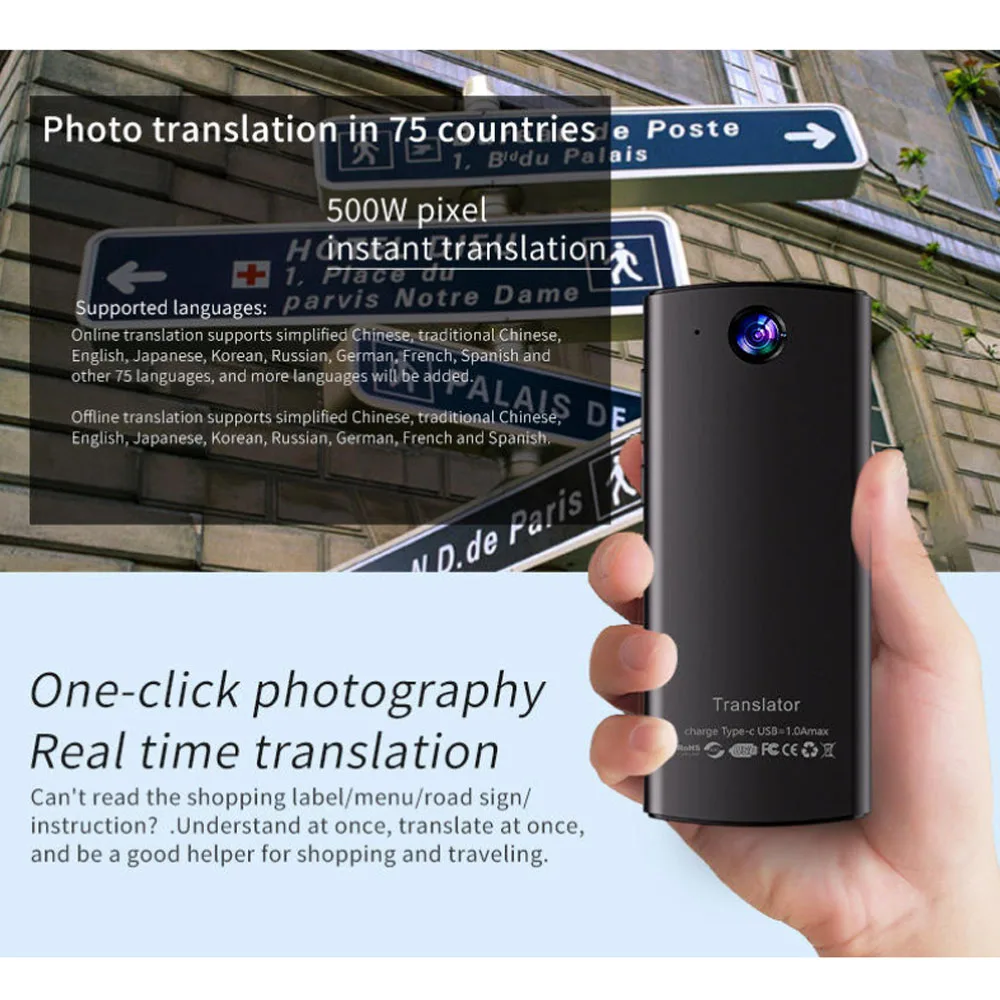
Can AI translation devices translate signs in real time? In many cases, yes. These tools combine a camera, optical character recognition (OCR), machine translation, and sometimes augmented reality to help travelers read menus, street signs, warnings, and public notices. Still, results depend on image quality, language support, internet access, and the complexity of the sign. This guide explains how the technology works, where it performs well, and how to avoid common mistakes.
How AI translation devices read signs
AI translation devices use several systems at once. The camera captures the sign, OCR identifies the written characters, and a translation engine converts the text into another language. Some devices then show the result on a screen, while others place translated words over the original sign through a phone app or smart glasses.
The process usually happens in four steps:
- The camera takes a picture or scans the sign.
- OCR detects letters, numbers, symbols, and word boundaries.
- AI translation software interprets the text.
- The device displays or speaks the translated result.
This is why the answer to “can AI translation devices translate signs” is usually yes, but not always perfectly. The device must first read the sign correctly. If the camera misunderstands one character, the translation may also be wrong.

What is OCR?
OCR means optical character recognition. It is the technology that turns text inside an image into digital text that software can process.
For example, OCR may read a Japanese station sign, identify the characters, and send them to a translation engine. Advanced systems can recognize many writing styles, but unusual fonts, faded paint, and handwritten text remain difficult.
What types of signs can they translate?
Most AI translation devices work well with clear, printed text, such as:
• Street signs
• Restaurant menus
• Train and bus schedules
• Hotel notices
• Museum labels
• Storefront signs
• Safety warnings
• Product packaging
• Airport information boards
• Tourist maps
Some devices can also read text from posters, brochures, labels, and documents. However, they may struggle with signs that use artistic lettering, heavy decoration, or very small print.
Can AI translation devices translate signs accurately?
AI translation devices can be accurate when the sign is clear and the sentence is simple. A large printed “No Entry” sign is easy to scan. A poetic slogan, local joke, or warning with missing context is much harder.
Translation accuracy depends on two separate tasks:
• Text recognition: Can the device read the words correctly?
• Language interpretation: Can the software understand and translate the meaning?
A device may succeed at one task and fail at the other. For instance, it may read every word on a sign but translate a local phrase too literally. This matters because signs often use short phrases that depend on culture and context.
In practical testing, the best results usually come from holding the camera steady, filling the frame with the sign, and checking the translated text against nearby clues. One common mistake is trusting the first result without looking at the original wording.
Factors that affect translation accuracy
Several conditions can improve or reduce the quality of sign translation:
• Lighting: Glare, shadows, and darkness can hide letters.
• Distance: Small text becomes difficult for the camera to detect.
• Angle: A tilted sign may distort the letter shapes.
• Font: Decorative or unusual fonts can confuse OCR.
• Damage: Cracks, stains, fading, and peeling paint may change characters.
• Language: Some languages have fewer digital translation resources.
• Context: Short phrases may have several possible meanings.
• Internet access: Cloud-based tools may need a data connection.
A useful habit is to scan the sign twice. First, take a wide image to understand the setting. Then, take a closer image of the exact text. This simple step often improves the result.
Which devices can translate signs?
Several types of technology can translate signs. The right choice depends on whether you want a phone app, a dedicated translator, or hands-free support.
Smartphone translation apps
A smartphone is often the easiest option. Many camera translation apps let you point your phone at a sign and view the translated text on the screen.
Phone apps are useful because they may offer:
• Large language libraries
• Camera translation
• Voice translation
• Offline language packs
• Text copying and sharing
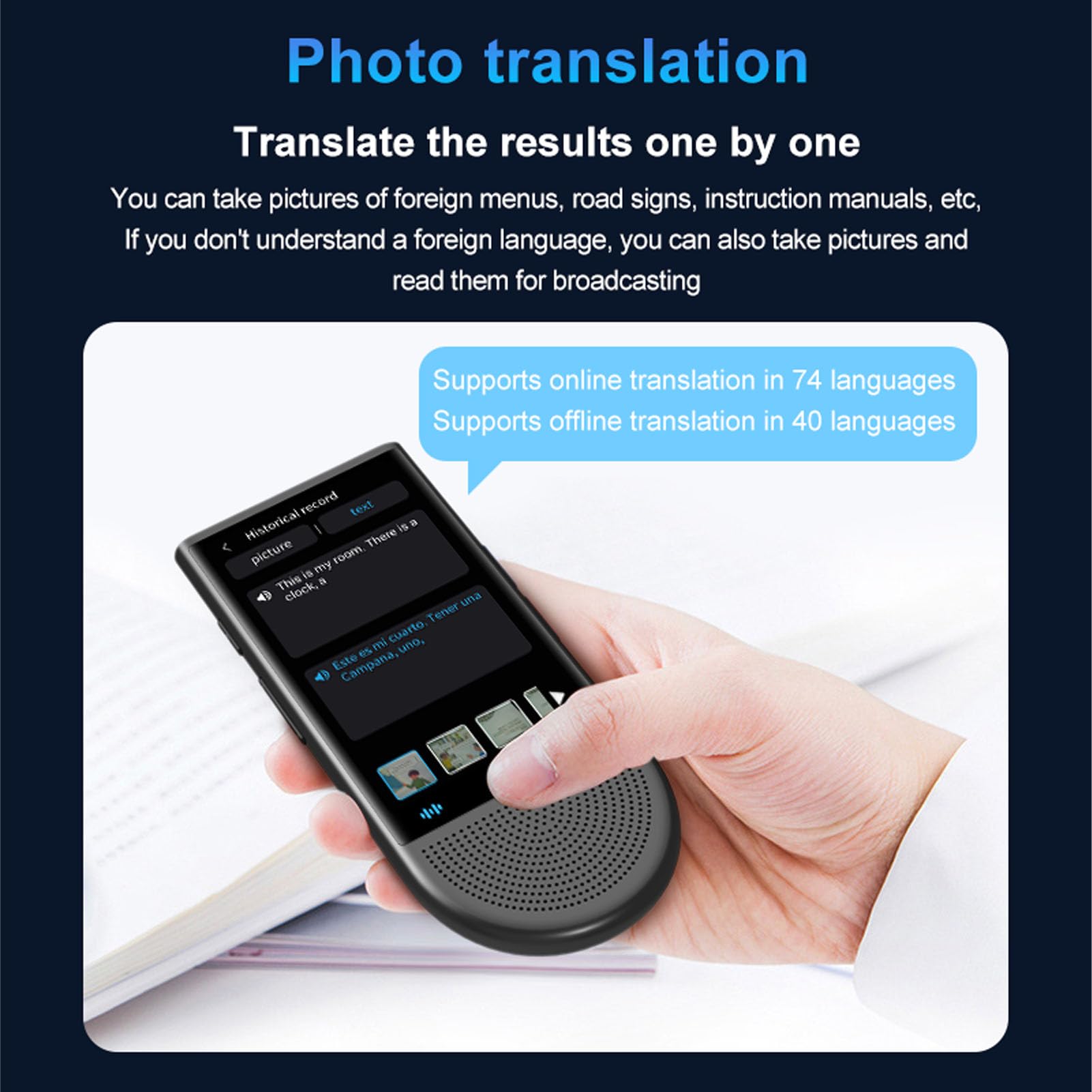
• Translation history
• Image upload features
Their main weakness is convenience. Holding up a phone in a busy station can feel awkward, and some apps work best with a strong internet connection.
Dedicated AI translation devices
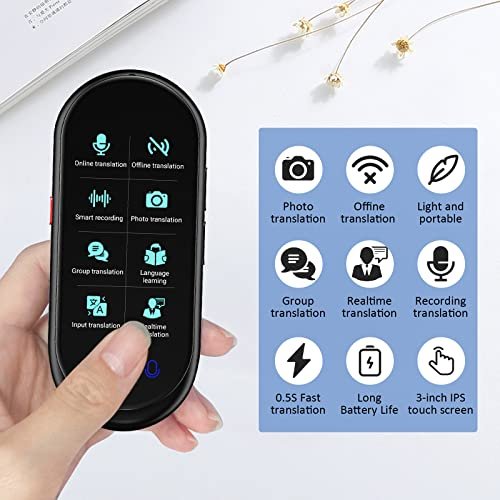
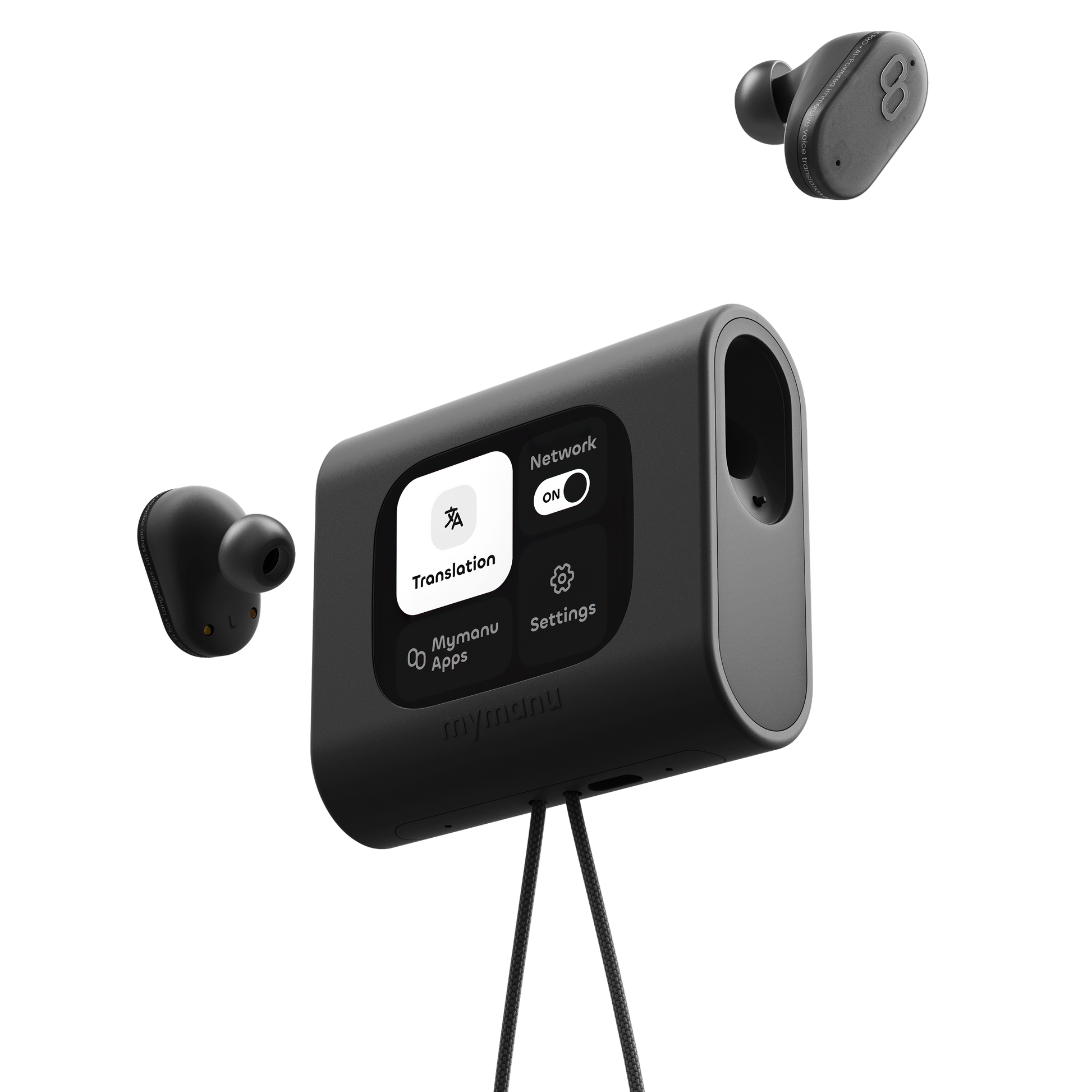
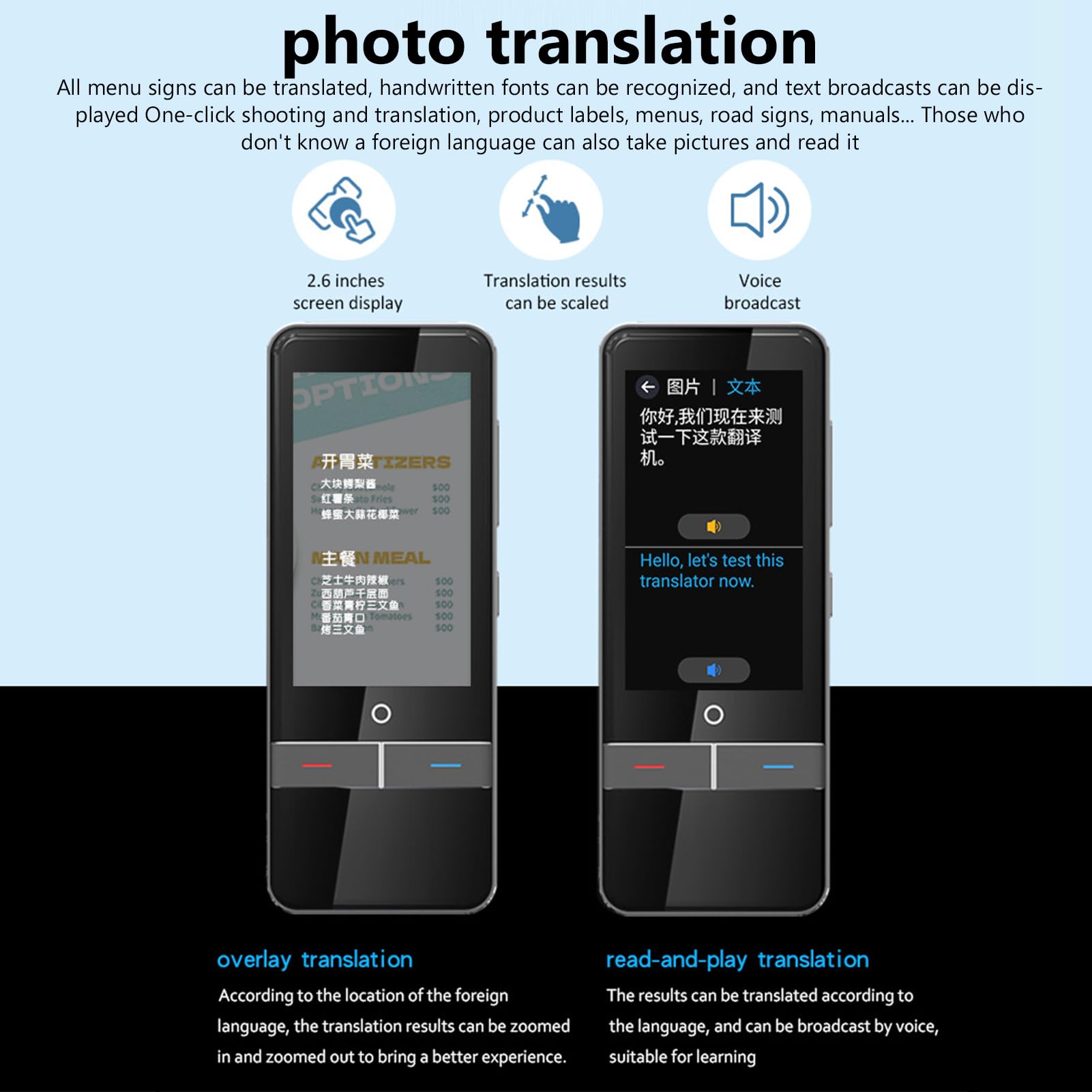
Dedicated devices are built for language use. They may include cameras, microphones, touch screens, and physical buttons. Some are easier to operate than a phone, especially for people who want a simple travel tool.
These devices may offer:
• Faster access to translation features
• Better microphones for speech
• Longer battery life than a heavily used phone
• Offline translation for selected languages
• A design made for travel
However, dedicated devices can cost more. Their camera translation features may also depend on the device’s software, language database, and update schedule.
Smart glasses and augmented reality tools
Smart glasses can show a translation near the original sign. This creates a hands-free experience that may help while walking or navigating a public space.
The technology is promising, but it still has limits. Text may appear slightly out of place, fast movement can affect scanning, and some glasses require a connected phone. For most travelers today, a phone or handheld device remains simpler and more reliable.

How to translate a sign with an AI device
You do not need advanced technical skills. Follow these steps for a better result.
- Open the camera translation feature.
- Choose the original language if the device does not detect it automatically.
- Select the language you want to read.
- Clean the camera lens.
- Move close enough for the words to fill the screen.
- Hold the device steady.
- Avoid glare from glass or bright lights.
- Capture the full sign before zooming in.
- Compare the translation with the original text.
- Rescan unclear words or phrases.
If the result looks strange, do not assume the sign itself is confusing. The camera may have missed a letter, punctuation mark, or accent. Try changing the angle, moving into better light, or taking a closer image.
A practical travel tip is to save important translations as screenshots. This can help when you need to show a driver, hotel worker, or local official what the sign says.

Can AI translation devices translate handwritten or complex signs?
They can sometimes translate handwritten or complex signs, but performance is less dependable. OCR works best with clean, printed letters that have clear spaces between words.
Handwriting creates several problems:
• Letters may be joined together.
• Personal writing styles vary widely.
• Words may lack clear spacing.
• Ink may fade or blend into the background.
• The camera may mistake marks for letters.
Complex signs can also include abbreviations, slang, symbols, and cultural references. A local warning may use a short phrase that has no direct match in another language.
For these signs, use AI translation as a first guide rather than a final authority. If the message affects safety, money, medicine, immigration, or legal rights, ask a fluent speaker or qualified professional to confirm it.
Benefits of using AI to translate signs
AI sign translation can make travel easier and reduce stress. You do not need to search for every word or carry a printed dictionary.
Key benefits include:
• Speed: A device can translate a sign in seconds.
• Convenience: You can scan text while walking or traveling.
• Access: Many tools support major world languages.
• Context: Some apps translate full phrases instead of single words.
• Pronunciation: Audio features can help you say important terms.
• Safety: Quick access to warnings and instructions can be valuable.
• Learning: Seeing the original and translated text can build language skills.
For travelers, this can feel like carrying a small guide in a pocket. It is especially useful in places where signs are not written in English or where staff may not speak your language.
The technology can also support students, international workers, and people with reading difficulties. In workplaces, it may help users understand equipment labels, basic instructions, or public notices. It should support human judgment, not replace it in high-risk situations.
Limitations and risks to understand
The answer to “can AI translation devices translate signs” should include an important warning: translation is not the same as full understanding.
AI tools may produce errors because they:
• Misread letters or characters
• Translate idioms word for word
• Miss regional meanings
• Ignore surrounding images or symbols
• Struggle with mixed languages
• Confuse similar scripts
• Omit small text
• Produce awkward grammar
• Require a working data connection
• Use battery power quickly
Privacy is another concern. Some services send images to remote servers for processing. Avoid scanning passports, private documents, medical records, or confidential workplace materials unless you understand the provider’s privacy terms.
There is also a safety risk. A wrong translation on a road sign, medicine label, or emergency notice could have serious consequences. When the message matters, scan it more than once and verify it with a reliable human source.

Offline sign translation versus online translation
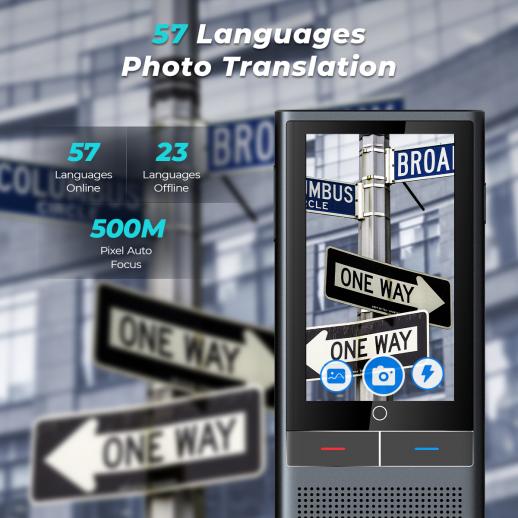
Some AI translation devices work offline after you download language data. This is useful on airplanes, in rural areas, or when roaming charges are high.
Offline tools can translate basic text, but they may offer fewer languages and less natural wording. Online services often use larger models and current language databases, so they may handle longer phrases better.
Before a trip, prepare by:
• Downloading the needed language packs
• Testing camera translation in advance
• Charging the device fully
• Carrying a power bank
• Saving key words and phrases
• Checking whether the device supports the local script
Do not wait until you arrive to discover that offline translation does not support the language you need. A short test at home can prevent a difficult moment abroad.
Examples of sign translation in real life
Imagine arriving at a train station in Seoul. You point an AI translation device at a platform sign. The tool recognizes the Korean text and gives you an English version. It may help you identify the platform number, train direction, or boarding time.
Now imagine scanning a small sign outside a restaurant in Italy. The device may translate the main sentence but miss a regional food term. In that case, the translation gives you a useful idea, but a local explanation may be needed to understand the dish fully.
A third example involves a warning sign near a hiking trail. The device may recognize the words, but it may not understand that a nearby symbol adds an important instruction. Always view the full sign, including colors, icons, arrows, and numbers.
These examples show why AI sign translation works best as a travel partner. It can open the door, but context helps you walk through it safely.
How to choose the best AI translation device
When comparing tools, look beyond the number of supported languages. A long list does not guarantee strong camera translation for every language.
Consider these features:
• Camera quality: A sharper camera can improve OCR results.
• OCR support: Confirm that the device reads the scripts you need.
• Offline mode: This matters for travel without reliable data.
• Screen size: A clear screen makes translated text easier to read.
• Battery life: Camera use can drain power quickly.
• Update policy: Regular updates may improve language performance.
• Privacy controls: Check how image data is stored and used.
• Ease of use: Simple controls matter when you are tired or rushed.
• Audio output: Speech can help with pronunciation and accessibility.
• Review quality: Look for real tests, not only marketing claims.
If you already own a modern smartphone, try its camera translation feature before buying another device. A dedicated translator may be worthwhile if you travel often, need offline use, or prefer a separate tool.
Tips for better sign translation results
Small changes can make a major difference. Think of the camera as a pair of eyes. Better light, a clear view, and a steady position help it see the message.
Use these practical tips:
• Wipe the lens before scanning.
• Stand directly in front of the sign.
• Keep the entire message inside the frame.
• Zoom only after the device detects the text.
• Turn off glare when possible.
• Scan one section at a time if the sign is large.
• Try language detection and manual language selection.
• Compare several translations if the wording seems unusual.
• Keep the original text visible for reference.
• Ask a local speaker when the message affects safety or legal matters.
One lesson is worth remembering: never judge a translation by how smooth it sounds. A polished sentence can still be wrong. Accuracy comes from checking the source text, the setting, and the likely meaning together.
Frequently Asked Questions About Can AI Translation Devices Translate Signs
Can AI translation devices translate signs without internet access?
Some can, but only for languages and features supported by their offline packs. Online translation often provides broader language support and better results for complex text.
Do AI translation devices translate street signs instantly?
Many camera translation tools can provide a result within seconds. Speed depends on the camera, connection, text size, lighting, and language pair.
Can AI devices translate signs from pictures?
Yes. Most camera translation tools can scan a live view or an existing photo. A clear, well-lit image usually produces a better result than a blurry or distant picture.
Can AI translation devices translate signs accurately?
They can be accurate for clear, printed signs with common phrases. Accuracy may drop with slang, damaged text, handwriting, unusual fonts, idioms, and messages that need local context.
Can these devices translate signs in any language?
No. Language support varies by device and app. Always check whether the tool supports both the sign’s writing system and the language you want to use.
Should I trust an AI translation device for an emergency sign?
Use it as a quick aid, but verify important information whenever possible. For emergency, medical, legal, or safety instructions, ask a qualified person or local authority to confirm the meaning.
Are AI translation devices better than translation apps for signs?
Not always. A dedicated device may be easier to use and offer useful offline features, while a smartphone app may support more languages and receive faster updates. The better choice depends on your travel needs.
Conclusion
Can AI translation devices translate signs? Yes, they can read and translate many printed signs in seconds. Their strongest results come from clear text, good lighting, supported languages, and simple wording.
These tools are helpful for menus, directions, transport notices, and everyday travel. They are not perfect, so treat them as a smart assistant rather than an unquestionable authority. Scan carefully, compare the original text, and seek human help when the message affects your safety or rights.
Before your next trip, test a translation app or device, download offline languages, and practice scanning a few signs. Explore more travel technology guides, share your experience, or leave a comment about the sign translation tool you use.