Can AI Translation Devices Translate Menus: What To Know
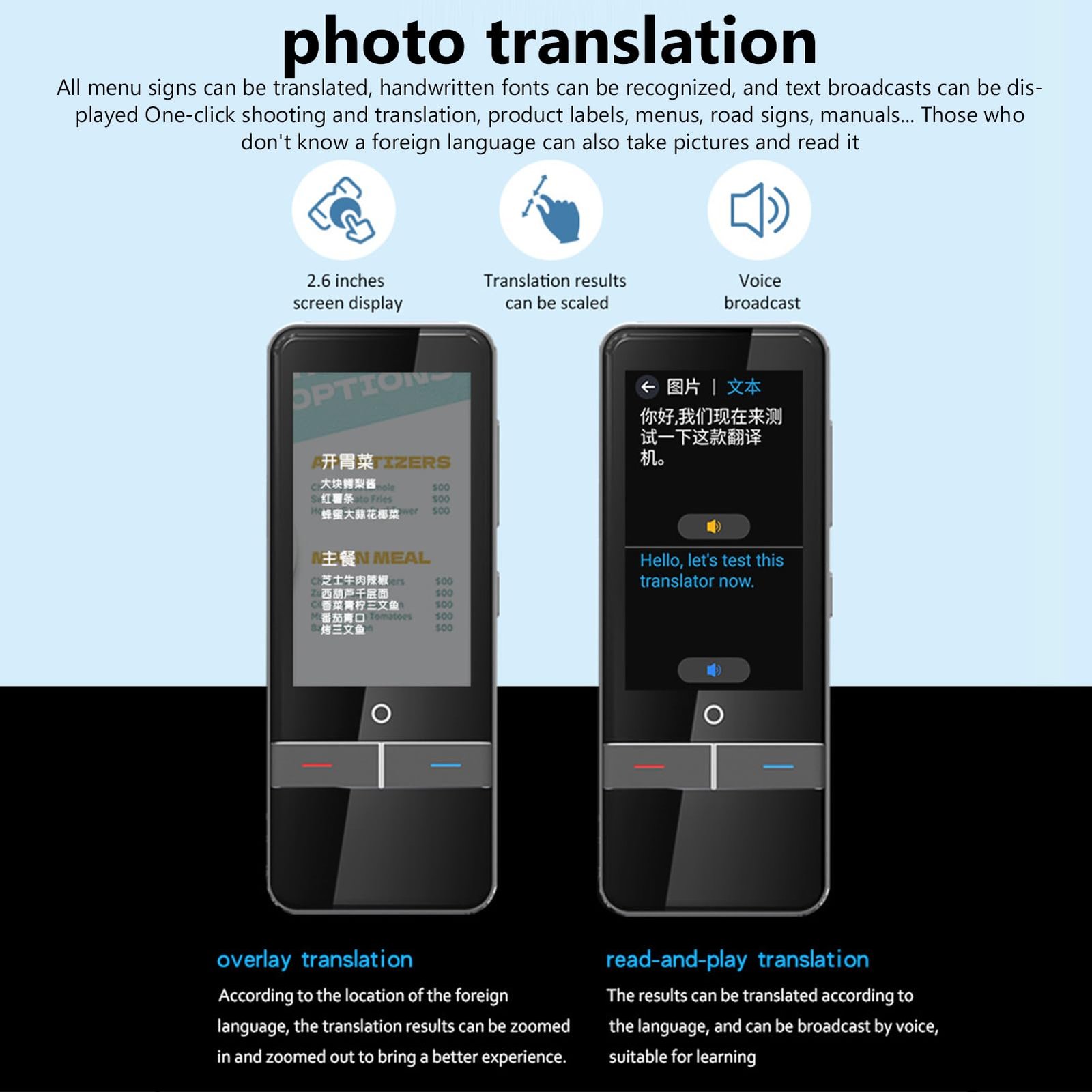
Yes, AI translation devices can translate many menus, especially when text is clear and the device has camera access.
Dining in another country can feel exciting until a menu arrives filled with unfamiliar words, local slang, or ingredients you cannot identify. So, can AI translation devices translate menus well enough to help you order with confidence? In most cases, yes. However, the results depend on image quality, language support, menu design, and the accuracy of the device’s food vocabulary.
Modern translation devices use optical character recognition, machine translation, and sometimes artificial intelligence to read printed text. This makes them useful for travelers, business visitors, and anyone managing food allergies abroad. The key is knowing what these devices can do, where they may fail, and how to check the result before placing an order.
How AI translation devices translate menus
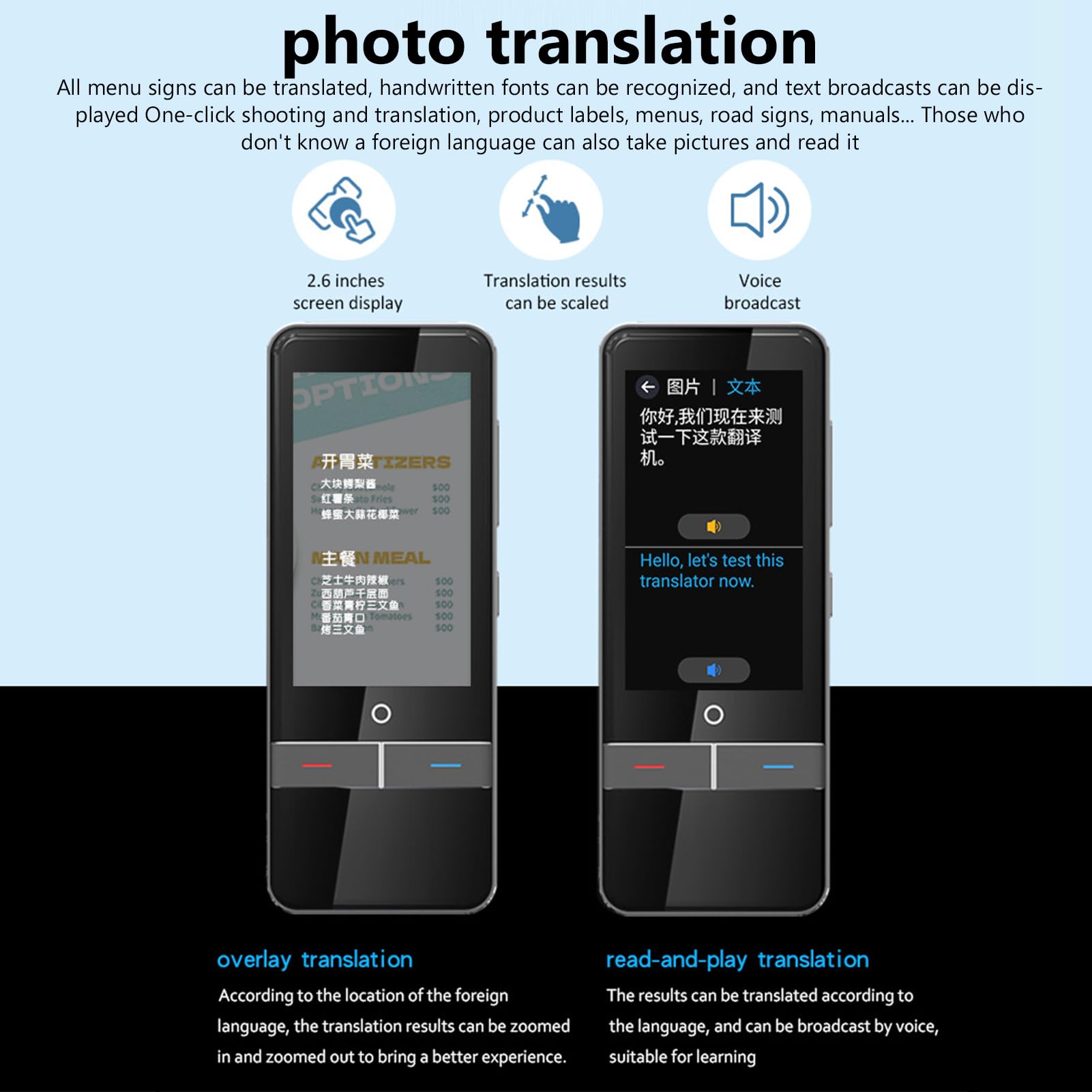
AI translation devices usuallytranslate menus through a camera. You point the device at the words, and its software identifies the letters before converting them into your chosen language.
This process has three main stages:
- The camera captures the menu.
- Optical character recognition, or OCR, reads the printed words.
- The translation engine converts the text into another language.
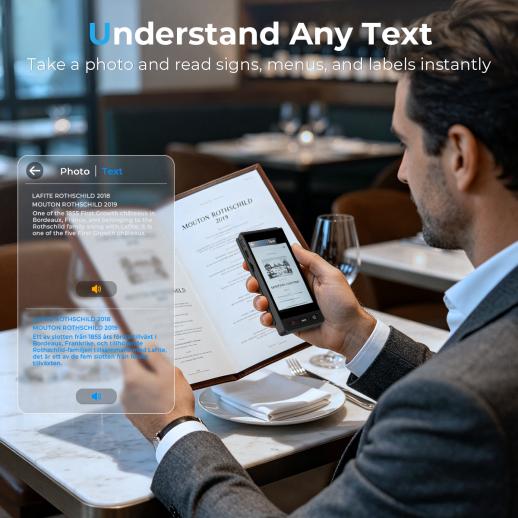
Some devices show the translation on a screen. Others read it aloud or connect to a mobile app. A few can place translated words over the original menu through augmented reality.
Whether can AI translation devices translate menus accurately depends on several factors. A clean, printed menu in a widely supported language is usually easy to read. A handwritten menu, dim restaurant lighting, or decorative script can create problems.
Most devices work best when you:
• Hold the camera steady
• Keep the full line of text in view
• Use bright, even light
• Avoid glare from plastic menu covers
• Select the correct source language
• Translate short sections instead of a full, crowded page

What types of menus can they translate?
AI translation devices can handle many common menu formats. They often work well with printed menus, digital menu screens, signs, and labels on packaged food.
They may translate:
• Dish names
• Ingredient lists
• Cooking methods
• Side dish descriptions
• Drinks and dessert menus
• Allergy warnings
• Restaurant notices
• Food labels in grocery stores
Still, menu language is not always simple. A dish name may be a cultural term rather than a direct description. For example, a literal translation may tell you that a dish contains “little shoes,” even though the name refers to a traditional dumpling.
This is one reason can AI translation devices translate menus is not a simple yes-or-no question. They can convert words, but they may not explain the history, taste, texture, or local meaning of a dish.
Regional expressions can also confuse an AI translator. A menu may use a short nickname that local diners understand at once. The device may translate each word correctly but miss the full meaning.
Printed menus
Printed menus offer the best conditions for translation. Clear fonts, strong contrast, and straight lines help OCR identify each word.
Older menus may use faded ink or unusual fonts. If the letters blend into the background, take a photo from a closer distance and translate one item at a time.
Handwritten menus
Handwriting is much harder. Some devices can read neat handwriting, but results vary widely.
If the text is unclear, ask the server to type the dish name into a translation app. A photo of the kitchen menu may also help if the restaurant has a clearer version.
Digital menus and QR codes
Many restaurants now use QR code menus. You can open the menu on your phone and use a camera translation tool or copy the text into a translation app.
This method often works better than photographing a screen. Copyable text gives the translation system cleaner input.

How accurate are AI menu translations?
AI menu translation can be very useful, but it is not perfect. Accuracy depends on the language pair, the translation model, and the type of text.
Common languages with large amounts of digital training data often produce smoother results. Less common regional languages may produce rough or incomplete translations.
Can AI translation devices translate menus accurately enough for everyday dining? Usually, yes, when you only need a general idea. They are less dependable when you need exact information about allergens, cooking methods, or religious dietary rules.
A translation may also confuse:
• Pork with ham or bacon
• Wheat with bread
• Nuts with peanuts
• Fish sauce with fish
• Fried with grilled
• Mild with spicy
• Vegetarian with vegan
These errors may seem small, but they can matter a great deal. A person with a severe allergy should never rely on an automated translation alone.
Research on machine translation shows that systems perform better with standard text than with short, informal phrases. Menu items are often short, missing verbs, and full of local terms. That makes them harder to translate than a complete sentence.
A good habit is to use the device as a first step, not the final authority. Confirm important details with restaurant staff.
Benefits of using AI translation devices at restaurants
The biggest benefit is speed. Instead of searching for every word, you can scan a menu and understand the basic choices within seconds.
AI translation devices also reduce stress. Ordering food in another language can feel uncomfortable, especially when the restaurant is busy. A translation device gives you time to review the menu quietly before you speak.
Other benefits include:
• Better access to local dishes
• Easier comparison of ingredients
• Support for travelers with basic language skills
• Help with pronunciation
• More independence when eating alone
• Faster translation without typing
• Useful support when staff speak limited English
In my evaluation of menu translation tools, the most useful feature is often not perfect translation. It is the ability to identify key words such as chicken, shellfish, milk, rice, spicy, fried, or raw. Those words help travelers make safer and faster choices.
The device can also help you learn. You may notice repeated words across menus and remember them during the rest of your trip. In that way, an AI translator becomes more than a tool. It becomes a small language tutor in your pocket.
Limits and risks to understand
The answer to can AI translation devices translate menus must include their limits. Technology can read text, but it may not understand the full dining context.
A device may translate “house special” correctly while giving you no useful information about what the dish contains. It may translate a local dish name word for word and create a strange phrase that sounds funny but gives little guidance.
Watch for these problems:
• Poor lighting can cause missing words.
• Curved menus can distort letters.
• Decorative fonts can confuse OCR.
• Background images can hide text.
• Dialects may not match the selected language.
• Brand names may be mistaken for ordinary words.
• Short dish names may have several possible meanings.
• Offline tools may support fewer languages.
Privacy is another concern. Some devices send images to cloud servers for processing. Avoid scanning personal documents or private information unless you understand the device’s privacy settings.
Battery life also matters. Camera translation can use more power than simple text translation. Download offline language packs before a trip, and carry a portable charger if you plan to eat far from reliable internet access.

How to translate a menu more reliably
You can improve results with a simple process. Do not rush the scan, especially when food safety matters.
- Clean the camera lens.
- Choose the correct source language.
- Place the menu on a flat surface.
- Use natural light or a bright lamp.
- Capture one section at a time.
- Compare the original text with the translation.
- Look up unfamiliar dish names separately.
- Ask restaurant staff to confirm important ingredients.
When asking for help, show the translated text and point to the exact dish. This is often easier than trying to pronounce a long food name.
For allergies, prepare a short message in the local language before you travel. Include the ingredient you must avoid and explain that even a small amount may cause harm. Show the message to the server and ask about shared cooking oil, sauces, and cross-contact.
This matters because “contains no peanuts” is not the same as “prepared in a peanut-free kitchen.” An AI translator may not explain that difference.
A practical lesson is to avoid translating an entire menu in one image. Large scans can produce mixed lines and confusing results. Smaller sections usually create cleaner translations.

Choosing the right AI translation device
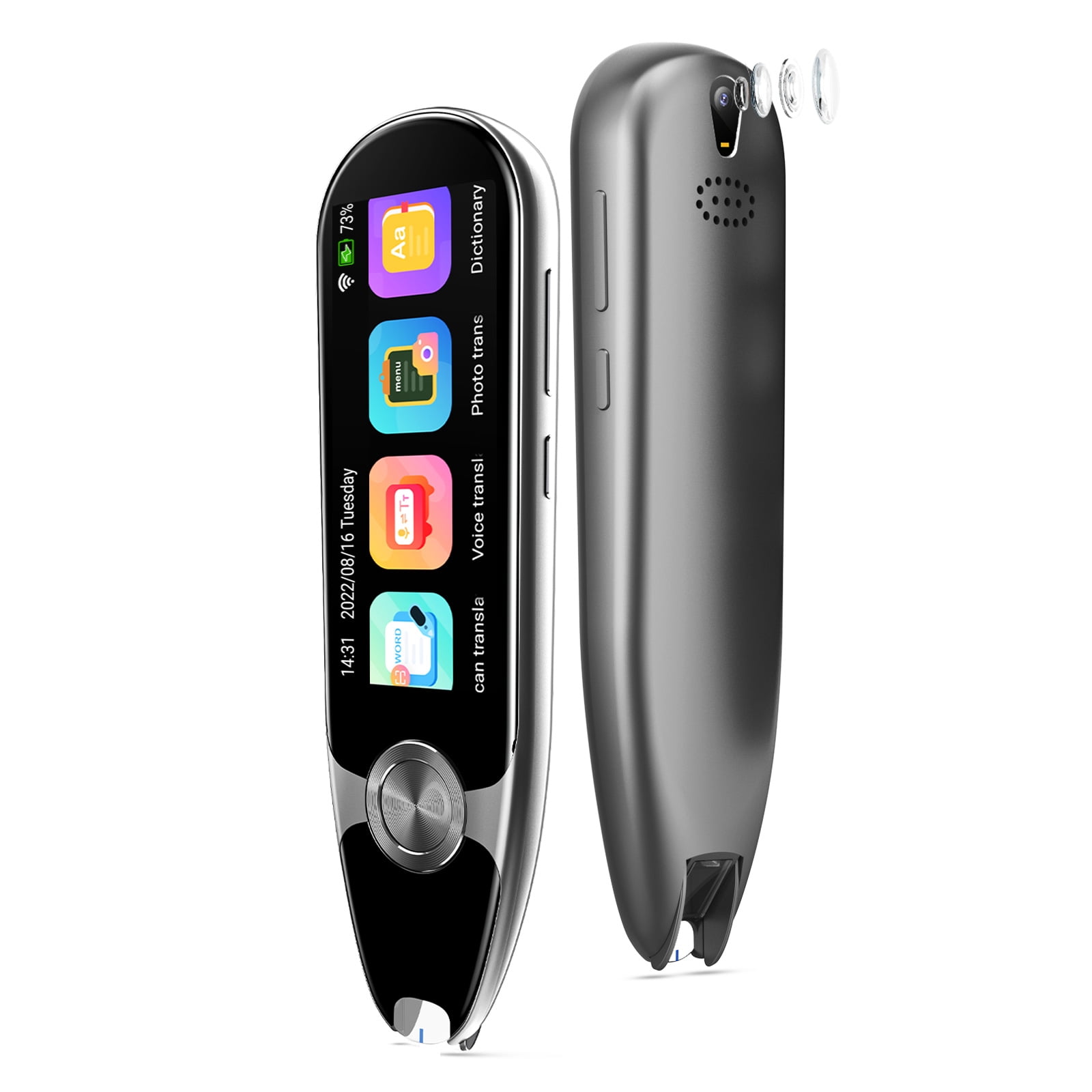
The best device depends on your travel style and language needs. A phone app may be enough for occasional trips. A dedicated translation device may be better for frequent travel or situations where you want a larger screen and simple controls.
Look for these features:
• Camera-based text translation
• Support for your destination language
• Offline translation
• Voice output
• Large, bright display
• Strong OCR performance
• Easy photo capture
• Clear privacy controls
• Long battery life
• Regular software updates
Before buying, test the device with real menus from your destination. Do not rely only on a product demonstration using large, clear English text.
Also check whether the device translates from the local language directly into English. Some tools perform better through an intermediate language, but that extra step can increase errors.
Can AI translation devices translate menus without an internet connection? Some can, but offline features are often more limited. Download the needed language pack and test it in airplane mode before leaving home.

AI translation devices versus phone apps
Dedicated devices and phone apps use similar core technologies. Both may rely on OCR, machine translation, and cloud-based language models.
A phone app has several advantages:
• It is usually less expensive.
• It can save translated photos.
• It may offer more languages.
• It can combine text, voice, and image translation.
• It is easy to update.
A dedicated device may be easier for someone who does not want to manage several apps. It may also have a larger translation screen, stronger microphones, or better support for two-way conversation.
For most travelers, a phone app plus a backup plan offers good value. For frequent international travelers, a dedicated device may provide greater comfort and faster access.
The important point is not the brand. It is the tool’s ability to recognize the language, work in the places you visit, and produce clear results under real restaurant conditions.
Practical menu translation examples
Imagine you are in Seoul and see a dish described in Korean. The device may identify the main name and translate nearby words such as beef, rice, soup, or spicy. That may help you decide whether to ask for more details.
Now imagine a small restaurant in rural Italy. The menu is handwritten, the ink is faint, and the dish uses a regional name. The device may identify only a few words. In this case, a photo, a dictionary search, and a conversation with the server may work better together.
A third example involves food allergies. You scan a menu and see that a sauce contains “nuts.” That result is useful, but you still need to ask whether the pan, fryer, or cutting board is shared.
These examples show how can AI translation devices translate menus in real life. They are excellent at reducing language barriers, but they do not replace human judgment.
A reliable travel strategy
Use translation technology as one part of a wider plan.
Before your trip:
• Learn the local words for common ingredients.
• Save a written allergy card.
• Download offline language packs.
• Practice with sample menus.
• Install a second translation app as backup.
• Carry a small power bank.
At the restaurant:
• Scan the menu in short sections.
• Check unusual translations.
• Ask about ingredients and preparation.
• Confirm allergy information with staff.
• Keep the original menu visible.
After ordering, check the meal when it arrives. If it looks different from the translation, ask before eating. A few extra seconds can prevent a costly mistake.
Frequently Asked Questions: Can AI translation devices translate menus?
Can AI translation devices translate menus in real time?
Yes, many devices can scan and translate menu text within seconds. Speed and accuracy depend on the camera, lighting, language, and internet connection.
Do AI translation devices work with handwritten menus?
They can sometimes read neat handwriting, but handwritten menus are much less reliable than printed ones. If the result looks unusual, ask the restaurant for a typed version or request help from a server.
Can AI translation devices identify food allergens?
They may identify common allergen words, but they cannot guarantee that a dish is safe. People with serious allergies should confirm ingredients, sauces, cooking oil, and cross-contact directly with restaurant staff.
Do menu translation devices need Wi-Fi?
Some devices need internet access for full translation features, while others offer offline language packs. Check the supported offline languages and test the device before traveling.
Are phone translation apps better than dedicated devices?
Neither option is always better. Phone apps often offer more features and languages, while dedicated devices may be simpler and easier to use during travel.
Can an AI translator explain local dishes?
It can provide a basic description, but it may miss cultural meaning, texture, or regional cooking methods. For a better explanation, combine the translation with a local food guide or ask the restaurant staff.
Conclusion
So, can AI translation devices translate menus? Yes, they can read and translate many printed menus, signs, labels, and digital food lists. They are fast, helpful, and often good enough to guide everyday ordering.
Their limits matter most with slang, handwritten text, regional dishes, and food allergies. Use clear photos, translate small sections, keep offline tools ready, and confirm safety details with restaurant staff.
Before your next trip, test your chosen device with real menu images and prepare a backup phrase in the local language. Explore more travel language tools, share your favorite menu translation tip, or leave a comment about your experience.

Similar Posts