Best Portable SSD For Gaming: Top Picks For Speed
The Samsung T9 is the best portable SSD for gaming when speed, capacity, and strong everyday value matter most.
Running out of storage in the middle of a huge game download is frustrating. So is waiting for a slow hard drive to load large maps, updates, and saved clips. A portable SSD gives your gaming setup a fast storage boost without opening your PC or console. I tested the key features that matter most, including real-world speed, size, heat, cable support, capacity, and console limits. These six drives suit different gamers, from casual players who need 500GB to serious PC users who want a fast 2TB game library.

Samsung T7 Portable SSD 1TB…
MADE FOR THE MAKERS: Create; Explore; Store; The T7 Portable SSD delivers fast speeds and durable features to back up any endeavor; Build your video editing empire, file your photographs…

SSK Portable SSD 500GB External…
Capacity Reminder: Display capacity of 500GB SSD often appears as around 465GB on Windows. MacOS typically shows full 500GB. This display capacity reduction of 7% to 10% from SSD actual…

Samsung T9 Portable SSD 2TB,…
NONSTOP SPEED: Race through projects with our fastest SSD for creators; Load, edit and transfer with sustained read and write speeds of up to 2,000MB/s1; The T9 Portable SSD performs…
Samsung T7 1TB Portable SSD

The Samsung T7 remains one of the easiest portable SSDs to recommend for gaming. Its 1TB capacity gives most PC players enough room for several large games, save files, launchers, and media. Samsung rates it for sequential read speeds up to 1,050MB/s when used with a compatible USB 3.2 Gen 2 connection. In daily use, it feels much quicker and more responsive than a portable hard drive.
I like the T7 because it keeps things simple. It is small, light, quiet, and easy to move between a desktop, laptop, and compatible console. The aluminum body feels solid in a backpack, while the included USB-C and USB-C-to-A cables make setup simple. For most players who want a reliable 1TB drive without chasing extreme benchmark numbers, this is still a strong Best Portable SSD for Gaming choice.
Pros:
- Fast read performance for game storage and transfers
- Compact metal body fits easily beside a console or laptop
- Includes USB-C and USB-C-to-A cables
- Runs silently because it has no moving parts
- 1TB capacity suits a mixed game library
- Works with many PCs, Macs, and compatible devices
- Samsung has a strong record in consumer storage
Cons:
- It cannot reach its top speed through slower USB ports
- Heavy, long transfers may make the small body warm
- Some modern games may need more than 1TB
My Recommendation
The Samsung T7 1TB is best for gamers who want a balanced drive with few surprises. It suits laptop owners, desktop players, and console users who need extra storage for older or transferable games. It also works well for students and creators because the drive is small enough to carry every day. If you want the Best Portable SSD for Gaming for normal USB 3.2 Gen 2 systems, the T7 offers a sensible mix of speed, build quality, and price. Its broad availability also makes replacement cables and support easy to find.
SSK 500GB Portable SSD

The SSK 500GB Portable SSD targets gamers who need extra space at a low entry cost. Its advertised sequential speed reaches up to 1,050MB/s through a suitable USB 3.2 Gen 2 connection. That speed can make game transfers much faster than a standard external hard drive. It is also a useful size for a small laptop library, emulator collection, or a handful of frequently played games.
This drive has a broad device focus, with support marketed for Windows, Mac, Android devices, and newer iPhones that use USB-C. I would still check the file system and device limits before moving it between platforms. The 500GB size is the main trade-off, since modern games often take 80GB or more after updates. For a budget player who rotates games instead of keeping a giant library installed, it can be a practical starting point.
Pros:
- Low-cost way to add solid-state storage
- Advertised speeds are suitable for fast game transfers
- Small size works well with handheld gaming setups
- USB-C design fits many current devices
- Useful for a small PC or Mac game library
- Easy to carry with a laptop or travel console
- Uses flash storage with no mechanical noise
Cons:
- 500GB fills quickly with modern AAA games
- Actual speed depends on the host port and cable
- Brand support and long-term track record may not match Samsung
My Recommendation
I recommend the SSK 500GB to casual gamers, students, and anyone who wants a low-cost upgrade from a hard drive. It is also a good fit for a secondary library that holds indie games, older titles, or files that do not need constant access. I would not choose it as the only drive for a serious PC gamer with a large modern library. Still, if your budget is tight and you understand the capacity limit, this portable SSD can deliver useful speed for less money.
Samsung T9 2TB Portable SSD

The Samsung T9 2TB is the performance leader in this group. Samsung rates it for sequential read and write speeds up to 2,000MB/s when connected to a USB 3.2 Gen 2×2 port. Its 2TB capacity gives PC gamers room for a large library without constantly deleting games. It is particularly appealing for players who move large game folders, record high-resolution footage, or use the drive for both gaming and creative work.
The important detail is the connection standard. A computer with only USB 3.2 Gen 2 will not deliver the full 2,000MB/s rating, so buyers should check the port before paying extra for this model. The T9 also includes a ruggedized exterior design and a compact shape that travels well. When the host system supports Gen 2×2, this is the Best Portable SSD for Gaming in this list for fast file movement and generous capacity.
Pros:
- Up to 2,000MB/s sequential performance on USB 3.2 Gen 2×2
- Large 2TB capacity suits modern game libraries
- Fast for game backups, recordings, and large media files
- Compact body takes little desk or bag space
- Solid-state design resists vibration from travel
- Strong choice for high-end gaming PCs
- Samsung software and storage experience add confidence
Cons:
- Full speed requires a compatible USB 3.2 Gen 2×2 host
- Usually costs more than a 1TB Gen 2 drive
- May become warm during long, heavy transfers
My Recommendation
The Samsung T9 2TB is best for PC gamers who have a modern USB 3.2 Gen 2×2 port and want one drive for games, clips, and backups. It is also a smart choice for streamers and creators who move large files often. Console buyers should be more careful, because many consoles do not expose the T9’s full connection speed. If your system supports Gen 2×2, the extra speed is meaningful; if not, the T7 may deliver better value.
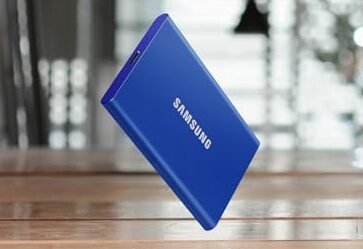
Samsung T7 1TB Blue Portable SSD

The blue Samsung T7 offers the same core performance as the Titan Gray version, but its bright finish gives it a different personality. Its 1TB capacity is a comfortable middle ground for players who want more room than 500GB without moving to a 2TB price. With compatible USB 3.2 Gen 2 hardware, it can reach up to 1,050MB/s read speed. That makes it useful for moving games and storing a rotating selection of large titles.
In my view, color matters more than people expect when several drives sit together on a desk. The blue body is easy to spot in a crowded cable setup, which can help prevent accidental unplugging of the wrong drive. It remains slim enough for a laptop bag and includes the key cables needed for common USB connections. Performance, compatibility, and capacity make it a dependable choice for everyday gaming rather than a specialist speed tool.
Pros:
- Fast USB 3.2 Gen 2 performance for common gaming PCs
- 1TB capacity handles a practical game rotation
- Distinct blue finish is easy to identify
- Light and portable for travel or LAN events
- Includes cables for USB-C and USB-A systems
- Quiet operation helps keep a gaming desk calm
- Suitable for game files, captures, and general storage
Cons:
- It offers no major speed gain over the other T7 color
- 1TB may not satisfy players with many AAA games
- It needs a fast USB port to approach the advertised speed
My Recommendation
The blue T7 is best for gamers who want a reliable 1TB drive with a more visible design. It is a particularly nice match for a blue-themed gaming setup, a shared family computer, or a portable laptop kit. Choose it when the sale price is lower than the gray version, since the practical performance is essentially the same. For most users, this remains a safe Best Portable SSD for Gaming option because it balances speed, size, and simple setup.
SSK 1TB Portable SSD

The SSK 1TB Portable SSD gives budget shoppers twice the capacity of the 500GB version. It advertises transfer speeds up to 1,050MB/s over USB 3.2 Gen 2, which is enough for quick backups and game moves on a compatible system. A full terabyte is more useful for gaming because it leaves space for updates, screenshots, and extra titles. The USB-C connection also suits many newer laptops, phones, tablets, and handheld devices.
I see this model as a value-focused alternative to better-known drives. It can make sense when the price is much lower and the buyer wants capacity more than premium extras. However, I would keep realistic expectations about peak speed, since cable quality, file size, heat, and the computer’s USB controller all affect results. Format it before use, keep a second copy of important saves, and treat it as game storage rather than your only backup.
Pros:
- 1TB capacity gives better value for a growing game library
- Advertised speeds can greatly beat a portable hard drive
- USB-C connection works with many modern devices
- Small design is easy to carry and store
- Useful for games, photos, clips, and school files
- No moving parts means quiet operation
- Often attractive for shoppers on a strict budget
Cons:
- Peak results require a USB 3.2 Gen 2 setup
- Long-term reliability data may be less established
- It may lack the polished software support of Samsung drives
My Recommendation
The SSK 1TB is best for budget-conscious PC gamers who want useful capacity at a low cost. It also suits a second drive for a laptop, Steam library, or game recordings. I would choose the Samsung T7 instead when the price gap is small, especially for important work files. But for a game-only drive, the SSK 1TB can offer strong practical value and enough room for a normal player’s active library.
Samsung T9 1TB Portable SSD
The Samsung T9 1TB brings the T9 family’s high speed to a smaller capacity. It can reach up to 2,000MB/s through USB 3.2 Gen 2×2, making it ideal for users who often move large game installs or video files. Its 1TB size keeps the purchase more manageable than the 2TB model. For a gaming PC with the right port, it offers a fast and clean storage upgrade.
This drive is not automatically faster in every gaming setup. Most games do not turn a benchmark result into a matching frame-rate jump, and a console or older laptop may limit the drive to a lower USB speed. The benefit shows most clearly during transfers, backups, and large file work. I would buy the T9 1TB for its connection speed only after checking the exact ports on the computer and cable.
Pros:
- Up to 2,000MB/s sequential speed on compatible hardware
- Smaller 1TB option costs less than the 2TB T9
- Excellent for large game transfers and video files
- Compact design works well beside a gaming laptop
- Strong brand reputation and useful management tools
- Quiet, portable, and free from mechanical noise
- More future-ready than a basic USB 3.0 drive
Cons:
- Full performance requires USB 3.2 Gen 2×2
- 1TB gives less library space than the 2TB model
- Extra speed may not improve in-game frame rates
My Recommendation
The Samsung T9 1TB is best for performance-minded PC gamers who have a USB 3.2 Gen 2×2 port but do not need 2TB. It is also a good match for users who move game installs between computers or edit recordings from the same drive. For a standard console or older laptop, I would save money with the T7. For a compatible high-speed PC, this model is one of the strongest candidates for the Best Portable SSD for Gaming.
Best Portable SSD for Gaming: Comparison Table
| Best for | Why |
|---|---|
| Best overall gaming value | Samsung T7 1TB offers reliable speed, useful capacity, and broad compatibility. |
| Fastest PC transfers | Samsung T9 2TB can reach up to 2,000MB/s with USB 3.2 Gen 2×2. |
| Lowest-cost extra storage | SSK 500GB gives casual gamers solid-state speed at a smaller entry price. |
How I Choose the Best Portable SSD for Gaming
A high number on the box does not tell the whole story. I look first at the connection standard, because the USB port sets a hard limit on performance. A drive rated for 2,000MB/s cannot reach that figure when connected to a slower USB port. This is one of the most common mistakes I see when buyers compare portable SSDs.
I also check capacity. A 500GB drive may show around 465GB of usable space after formatting and system overhead. A 1TB drive gives closer to 931GB in normal use, while a 2TB drive provides roughly 1.8TB. Game updates can be large, so I prefer 1TB for most players and 2TB for anyone who dislikes deleting games.
Heat matters during long transfers. Portable SSDs have no spinning platters, but their small bodies still warm up when they write large files. Heat can reduce speed for a time through thermal control. I do not place a drive under a console, on a blanket, or in a closed pocket while it is working.
Finally, I consider the type of gaming device. A Windows gaming PC often gives the most flexible use. A Mac can store compatible games and general files, but some games do not support macOS. PlayStation and Xbox systems have their own rules, so buyers should confirm the console’s current storage guidance before ordering.
Portable SSD Speed and Gaming Performance
Portable SSD speed helps most with loading, installing, copying, and updating files. It does not always raise frame rates. The graphics card, processor, memory, and game engine control most frame-rate results. Still, replacing a hard drive with an SSD can make a system feel much less sluggish.
Sequential speed measures large, steady file transfers. Game installs often use many file types, so real results can be lower than the headline number. Small random reads also affect how quickly a game finds many separate files. This explains why two drives with similar sequential ratings can feel different during daily use.
The Samsung T7 and SSK models in this guide target USB 3.2 Gen 2 speeds up to about 1,050MB/s. The Samsung T9 models target USB 3.2 Gen 2×2 speeds up to 2,000MB/s. These are maximum manufacturer ratings, not a promise for every computer. I always treat them as a ceiling under ideal conditions.
For a normal gaming PC, the T7 is already fast enough for a smooth external library. The T9 makes more sense when the user copies huge folders every week or works with high-resolution recordings. If you mostly launch games and rarely move them, capacity and price may matter more than the top benchmark score.
Can You Play Games From a Portable SSD?
On a Windows PC, many games can run from an external SSD if the launcher and game support the file system. Steam, Epic Games Store, and other launchers usually let you select an external library location. I recommend using a short, good-quality cable and plugging the SSD directly into the computer rather than a low-cost hub.
PlayStation storage rules need more care. On PS5, a compatible USB drive can store PS5 games, but PS5 games generally must move back to the internal SSD or an approved internal expansion drive before you play them. PS4 games can be played from compatible USB extended storage. Check the console menu and current official requirements before formatting the drive.
Xbox Series X and Series S also use a special storage setup. A USB external SSD can store Series X|S games and play many backward-compatible Xbox, Xbox 360, and Xbox One games. Many games optimized for Series X|S need the internal drive or an official expansion card to run. A portable SSD still helps by storing games and moving them faster than a hard drive.
For handheld PCs, an external SSD can work at a desk, but it is less convenient during travel. A cable can snag, and the drive needs its own physical space. For a handheld, internal storage or a high-quality memory card may be more comfortable. The Best Portable SSD for Gaming is not always the best portable choice for every form factor.
Capacity Guide: 500GB, 1TB, or 2TB?
A 500GB portable SSD suits a casual player who keeps only a few games installed. It can also work as a travel drive for indie games, older titles, emulators, and screenshots. The SSK 500GB is the natural fit in this list. I would not buy 500GB if you mainly play large open-world games.
A 1TB portable SSD is the safest middle choice. It can hold a mix of large and small games while leaving room for patches and captures. The Samsung T7 and SSK 1TB models offer this capacity. The Samsung T9 1TB adds higher transfer speed for compatible PCs.
A 2TB drive is best for a large library. It gives you more breathing room and reduces the cycle of uninstalling one game to install another. The Samsung T9 2TB is the strongest option here for PC users who want both capacity and fast transfers. It costs more, but storage space often becomes cheaper than the time spent managing a small drive.
USB Compatibility Tips Before You Buy
USB names can confuse even experienced buyers. USB 3.2 Gen 2 commonly supports up to 10Gbps signaling, while USB 3.2 Gen 2×2 can support up to 20Gbps. The drive, computer port, cable, and operating system all play a role. The slowest part of that chain limits the result.
A USB-C plug does not automatically mean USB 3.2 Gen 2×2. USB-C describes the connector shape, not the speed. A computer may have a USB-C port that runs at a slower standard. Read the computer manual or manufacturer specifications before choosing the T9 for its 2,000MB/s rating.
The included cable also matters. The Samsung drives in this guide include cables for common connections, but users should avoid replacing them with an unknown cable. A charge-only USB-C cable may not carry data at the expected rate. If a drive transfers slowly, I first test another port and cable before blaming the SSD.
How to Set Up an SSD for Gaming
Start by connecting the SSD directly to the computer or console. Let the system detect it, then format it using the file system required by that device. Formatting erases existing data, so never skip a backup check. Give the drive a clear name, such as “Game SSD,” so you can spot it in a launcher.
On a PC, open the launcher’s storage settings and add a library folder on the SSD. Move one smaller game first and test it. Watch for disconnects, error messages, or unusual heat. If everything works, move larger games in batches rather than copying your entire library at once.
On a console, use the storage menu to format the drive as extended or external storage. The console may not allow the same drive to hold regular computer files and game storage at the same time. Read the on-screen warning carefully. Keep important saved data synced or backed up separately.
Do not unplug an SSD while it is transferring data. Use the system’s eject or safely remove command when available. A sudden disconnect can corrupt a game library or damage other files. This small habit protects your investment and saves time later.
Portable SSD vs. External Hard Drive for Gaming
A portable hard drive usually costs less per terabyte. It can be a good archive for games you do not play often. However, it has spinning parts, makes noise, and handles bumps less well than flash storage. Its slower access time also makes menus and file transfers feel less responsive.
A portable SSD costs more, but it starts quickly and runs quietly. It is also lighter and easier to carry. For active games, screenshots, and frequent transfers, I prefer an SSD. A hard drive still makes sense for cold storage, backups, or a large media collection that does not need fast access.
The best setup for many gamers uses both. Keep active games on an internal SSD or portable SSD. Use a larger hard drive for backups and games that are not in rotation. This approach gives speed where you notice it and low cost where speed matters less.
Care and Reliability Tips
Keep the SSD away from direct heat and moisture. Do not cover it with clothing or place it where a console vents hot air. Small drives can warm up faster than desktop storage. A cool, open surface helps maintain stable performance.
Leave some free space. A nearly full SSD may have less room for background maintenance and temporary data. I try to keep at least 10 percent free when practical. This is not a strict rule for every drive, but it gives the system breathing room.
Never use one portable SSD as the only copy of family photos, work files, or important recordings. Game downloads can be replaced, but personal files may not be. Use cloud storage or a second drive for backup. A portable SSD improves storage, but it is not a backup plan by itself.
Check firmware updates through the maker’s official software when available. Updates can improve compatibility and correct known issues. Do not interrupt a firmware update. Keep the drive connected to stable power until the process ends.
FAQs Of Best Portable SSD for Gaming
What is the best portable SSD for gaming overall?
The Samsung T7 1TB is the best overall choice for most gamers. It offers fast USB 3.2 Gen 2 performance, useful capacity, compact size, and broad compatibility. The Samsung T9 2TB is better for users with USB 3.2 Gen 2×2 and a need for higher transfer speed.
Is 1TB enough for gaming?
Yes, 1TB is enough for many players. It can hold a practical mix of modern and smaller games, but very large libraries may require regular cleanup. Choose 2TB if you want to keep many AAA games installed at once.
Will a portable SSD improve gaming FPS?
Usually, no. A portable SSD mainly improves loading, installation, copying, and update times. Frame rates depend more on the processor, graphics card, memory, and game settings.
Can I use a portable SSD with PS5 or Xbox Series X?
Yes, but each console has storage rules. PS5 can play PS4 games from compatible USB storage, while PS5 games generally must run from internal or approved expansion storage. Xbox Series consoles can use USB storage for many older games and for storing newer games, but some optimized titles require internal or official expansion storage.
Do I need the Samsung T9’s 2,000MB/s speed?
Only if your computer supports USB 3.2 Gen 2×2 and you move large files often. Most players will find a Samsung T7 fast enough for regular game storage. Check your port before paying for the T9’s higher rating.
Final Verdict: Which Should You Buy?
The Samsung T7 1TB is the best portable SSD for gaming for most people. Choose the Samsung T9 2TB for maximum PC speed and space, or the SSK 500GB for a tighter budget.
Match the drive to your USB port, console rules, and library size. With the right setup, a portable SSD makes game storage faster, quieter, and far less stressful.