How To Calibrate A Smart Scale: Easy Step-By-Step Guide
Most smart scales calibrate through a reset, level surface, and a few steady readings.
Learning how to calibrate a smart scale helps you get more reliable weight and body composition data at home. The process is often simple, but small details such as uneven floors, low batteries, or stepping on too soon can affect results. This guide explains the steps, common errors, safety limits, and practical ways to check whether your scale is working well.
What Does Smart Scale Calibration Mean?
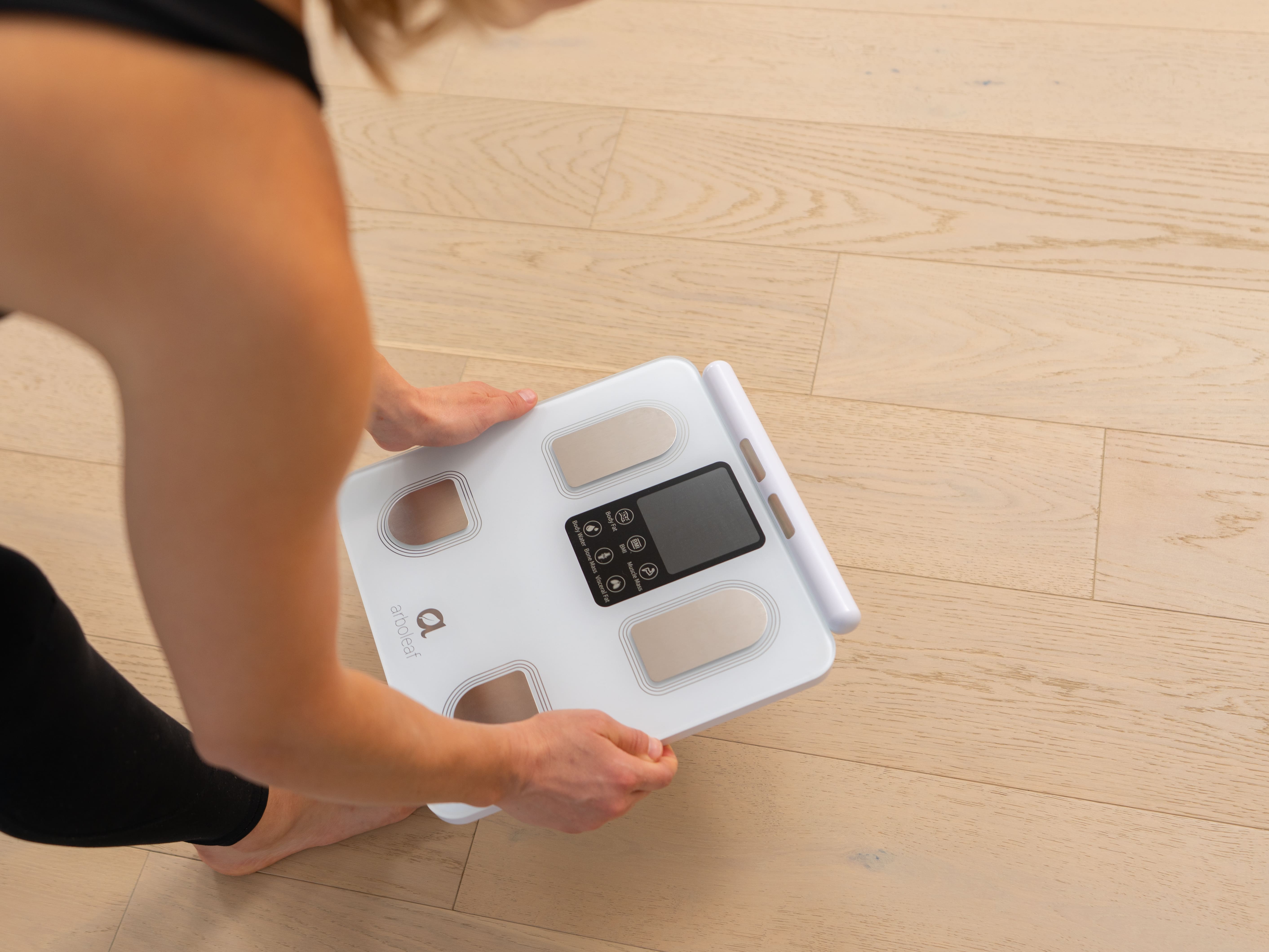
Smart scale calibration is the process of helping the scale measure from a correct zero point. It may also involve checking the scale against a known weight and allowing the sensors to adjust after moving or replacing the batteries.
Unlike laboratory scales, most home smart scales do not offer a manual calibration menu. They usually calibrate themselves when you place the scale on a firm floor, wake it, and let it return to zero.
When learning how to calibrate a smart scale, it helps to know that calibration is not the same as syncing. Calibration affects measurement accuracy. Syncing sends your weight and body composition data to a phone app.
A smart scale usually uses four pressure sensors. These sensors sit under the corners of the platform. If one corner rests on a soft rug or an uneven tile, the sensors may carry different loads and produce inconsistent readings.

How to Calibrate a Smart Scale Correctly
The exact process varies by brand, so check the user manual first. Still, these steps work for many digital bathroom scales and Bluetooth smart scales.
1. Place the scale on a hard, level floor
Use a solid surface such as:
• Ceramic tile
• Wood flooring
• Laminate
• Concrete
• A firm, level vinyl floor
Avoid carpet, bath mats, thick rugs, and uneven surfaces. Soft flooring can push the scale downward in different places and change the result.
2. Check the batteries
Weak batteries can cause unstable readings, connection problems, or a display that turns off too soon. Replace all batteries at the same time, and use the type listed in the manual.
After changing the batteries, wait a few seconds. Some models need a reset before they measure correctly.
3. Reset the scale
Many smart scales reset in one of these ways:
- Remove the batteries for 30 to 60 seconds.
- Press and hold the power or reset button if your model has one.
- Reinsert the batteries.
- Place the scale on a hard floor.
- Step on it briefly, then step off.
- Wait for the display to show zero or turn off.
This first reading may wake the sensors rather than record your actual weight.
4. Let the scale return to zero
Do not step on the scale while it is starting up. Wait until the display shows “0.0,” a zero symbol, or no active reading.
If the display does not return to zero, remove anything resting on the platform. Then repeat the reset process.
5. Take a test reading
Stand still in the center of the platform. Keep both feet in the marked areas, and avoid touching a wall, counter, or another person.
Wait until the number stops changing. Step off, wait for the scale to reset, and repeat the test two or three times.
6. Compare the readings
A properly set scale should give readings that are close together under the same conditions. A small difference may be normal. A large or repeated difference suggests a setup, battery, floor, or hardware problem.
This basic process is the safest starting point for how to calibrate a smart scale without damaging the sensors or changing settings you do not understand.

How to Calibrate a Smart Scale Using a Known Weight
A known weight can help you check accuracy, but it does not always let you change the scale’s internal settings. Most consumer smart scales do not support user adjustment with standard household items.
For a simple check, use an object with a verified weight, such as a sealed dumbbell or a certified calibration weight. Avoid using a person as the test weight because body position and movement can change the reading.
Follow these steps:
- Place the scale on a hard, level surface.
- Reset it to zero.
- Weigh the known object separately.
- Place the object in the center of the platform.
- Record the displayed result.
- Repeat the test three times.
- Compare the average reading with the object’s stated weight.
For example, a 20 pound dumbbell may show 19.8, 20.0, and 20.1 pounds. That pattern is more useful than one single reading. It shows the scale is close and repeatable.
If the reading is consistently far from the known weight, contact the manufacturer. Do not open the scale or adjust the sensor screws unless the manual specifically tells you to do so. An incorrect adjustment may make the scale less accurate.
Knowing how to calibrate a smart scale with a known weight is useful for checking performance, but it is not a replacement for professional calibration.

When Should You Recalibrate a Smart Scale?
Many smart scales calibrate automatically every time they wake. Even so, a reset may help after certain changes.
Consider recalibrating or resetting your scale when:
• You move it to another room
• You place it on a new type of flooring
• You replace the batteries
• The scale displays an unusual number
• The reading changes greatly between back to back tests
• The scale shows an error message
• The app and display show different results
• The scale has been stored for a long time
Moving a scale is one of the most common causes of inconsistent readings. Sensors can settle differently on a new surface. Give the scale time to wake and zero before using it again.
In my experience with home scales, users often reset the scale while standing on it. That defeats the process. The scale must first detect an empty platform so it can establish a zero point.
Learning how to calibrate a smart scale after moving it takes less than a minute and can prevent many false readings.

How to Improve Smart Scale Accuracy
Calibration is only one part of accurate weighing. Your daily routine also matters.
Weigh at the same time
Body weight changes during the day because of food, drinks, clothing, exercise, and water loss. For the most useful trend, weigh yourself at the same time each day.
Many people choose the morning, after using the bathroom and before eating. This creates a more consistent comparison.
Use the same floor
Do not compare a reading from a tile floor with one from a carpeted bedroom. The scale may perform differently on each surface.
Keep the scale in one location when possible. If you must move it, reset it before use.
Stand still and stay centered
Keep your feet in the same position each time. Do not lean forward, look down suddenly, or shift your weight from one leg to the other.
A stable posture helps the sensors share your weight more evenly.
Keep the platform clean and dry
Dust, hair, and moisture can affect the feet under the scale. Wipe the platform with a slightly damp cloth, then dry it fully.
Never pour water onto the scale. Most smart scales are not waterproof, even if they are used in bathrooms.
Keep your feet and the sensors in good condition
Some models use your bare feet to measure body composition through a small electrical signal. Very dry skin, wet feet, socks, or heavy lotion may affect those readings.
Weight readings may still work, but body fat and muscle estimates can become less reliable.
These habits make how to calibrate a smart scale more effective because they reduce variation before and after calibration.

How to Calibrate a Smart Scale With a Phone App
A phone app may include setup tools, but most apps do not provide a true manual calibration feature. They mainly help with user profiles, Bluetooth connections, data storage, and body composition trends.
Try this process:
- Open the scale’s official app.
- Confirm that the correct user profile is selected.
- Check for firmware updates.
- Remove the scale from the app if the connection is corrupted.
- Restart your phone and the scale.
- Pair the scale again.
- Complete a new measurement on a hard floor.
- Confirm that the app and scale show the same weight.
Do not rely on an app to correct a physical problem. If the scale is on carpet, has low batteries, or has a damaged sensor, a software update will not fix the measurement.
Some apps also estimate body fat, water, muscle, bone mass, and other values. These figures come from bioelectrical impedance analysis and personal details such as height, age, and sex. They are estimates, not direct medical measurements.
When exploring how to calibrate a smart scale through an app, focus on correct setup and repeatable readings rather than trying to force a particular body composition result.

Common Smart Scale Calibration Problems
The scale shows different numbers each time
Check the floor, batteries, and your stance. Reset the scale, wait for zero, and repeat three readings without moving it.
A difference of a few tenths of a pound may occur. Larger changes deserve further testing.
The scale does not turn on
Install fresh batteries and check their direction. Clean the battery contacts gently if they look dirty.
If the display remains blank, the scale may have an internal fault.
The scale is stuck at zero
Remove any object from the platform. Then take out the batteries, wait, reinstall them, and place the scale on a hard floor.
If it still shows zero while carrying weight, contact the manufacturer.
The app records the wrong user
Check the profile settings and user recognition options. Similar body weights can confuse automatic user selection.
You may need to select your profile manually before weighing.
Body fat readings change sharply
Body composition readings are sensitive to hydration, exercise, meals, skin contact, and foot placement. Measure under similar conditions and look at long term trends instead of one result.
A sudden body fat change in one day usually reflects measurement variation, not a true change in body tissue.
The scale gives an error code
Look up the code in the manual. Common causes include excess weight, low battery power, poor Bluetooth connection, or an unstable surface.
Avoid guessing when the manual gives a specific troubleshooting step.

How Accurate Are Smart Scales?
Smart scales can be useful for tracking weight trends at home. Their accuracy depends on the model, surface, battery condition, and how the user stands on the platform.
Weight measurement is usually more stable than body composition measurement. Research on consumer bioelectrical impedance devices has found that body fat estimates can differ from professional methods. Hydration and recent exercise can also affect the result.
For health decisions, treat smart scale data as a tracking tool rather than a diagnosis. A doctor, registered dietitian, or qualified health professional can provide a better assessment when medical accuracy matters.
A useful rule is simple: trust repeated patterns more than isolated numbers. If your scale shows a gradual trend over several weeks under similar conditions, that trend may be more meaningful than a single daily result.
How to calibrate a smart scale correctly can improve consistency, but no home scale can remove every source of measurement error.
Safety and Care Tips
Follow the manufacturer’s instructions before using any reset or calibration feature. Different brands may use different sensor systems and limits.
Keep these safety points in mind:
• Do not exceed the scale’s maximum weight
• Keep the scale away from standing water
• Do not drop it or place heavy objects on it
• Do not open the casing
• Keep batteries away from children
• Remove leaking batteries promptly
• Use caution if you have a medical device
Some smart scales send a small electrical current through the body for body composition estimates. People with implanted medical devices should ask a health professional whether this feature is appropriate. Many manufacturers advise against using the body composition function with pacemakers or similar devices.
The scale’s weight function may be separate from its impedance feature, but the manufacturer’s safety guidance should always come first.
A Simple Calibration Checklist
Use this checklist whenever your reading seems wrong:
- Confirm that the scale is on a hard, level floor.
- Remove rugs and bath mats.
- Check or replace the batteries.
- Remove objects from the platform.
- Reset the scale.
- Wait for a zero reading.
- Stand still in the center.
- Repeat the reading three times.
- Test with a known weight if needed.
- Contact the manufacturer if the error continues.
This checklist covers the most common causes without requiring special tools. It also helps you decide whether the problem is calibration, setup, software, or hardware.
If the scale fails a known weight test several times, stop relying on it for precise measurements. A replacement may be safer and more practical than repeated resets.
Frequently Asked Questions About How to Calibrate a Smart Scale
Do smart scales need manual calibration?
Most smart scales calibrate automatically when they wake and return to zero. You usually need to reset the scale only after moving it, changing batteries, or seeing inconsistent readings.
How do I reset a smart scale?
Remove the batteries for about 30 to 60 seconds, then reinstall them and place the scale on a hard, level floor. Some models use a reset button, so check the manual for the exact method.
Can I calibrate a smart scale with a dumbbell?
You can use a dumbbell with a verified weight to check the scale’s performance. However, most smart scales do not allow users to adjust the internal calibration manually.
Why does my smart scale give different readings?
Uneven floors, carpet, weak batteries, movement, and different foot positions can cause inconsistent readings. Reset the scale and repeat the test under the same conditions.
Should I calibrate my smart scale after moving it?
Yes. Moving the scale can change how its sensors sit on the floor. Place it on a firm surface, let it return to zero, and take two or three test readings.
Are smart scale body fat readings reliable?
They can help show general trends, but they are estimates rather than clinical measurements. Hydration, exercise, meals, and skin contact can change the result.
Does a bathroom mat affect smart scale accuracy?
Yes. A soft bath mat can press against the scale or prevent the sensor feet from sitting evenly. Always weigh on a firm floor.
Conclusion
A smart scale works best when it starts from zero, sits on a hard level floor, has fresh batteries, and is used in the same way each time. Reset it after moving, replacing batteries, or noticing unusual readings. Use a known weight to check performance, but remember that most home models do not support manual sensor adjustment.
The best way to use how to calibrate a smart scale is to focus on repeatable habits and long term trends. Set up your scale today, take three steady test readings, and share your experience or questions in the comments.