How To Install A GPS Tracker: Easy Step-by-Step Guide
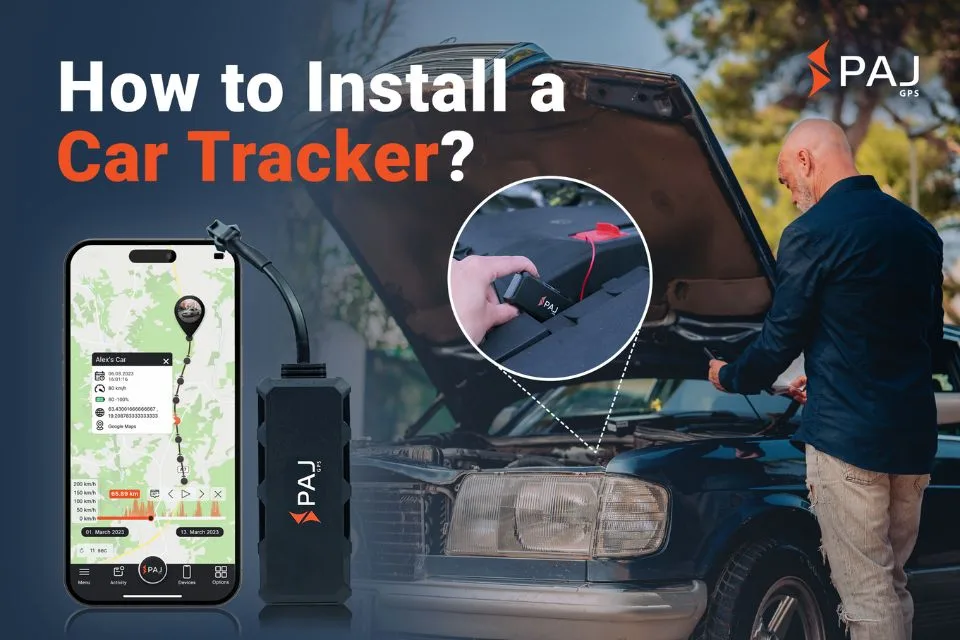
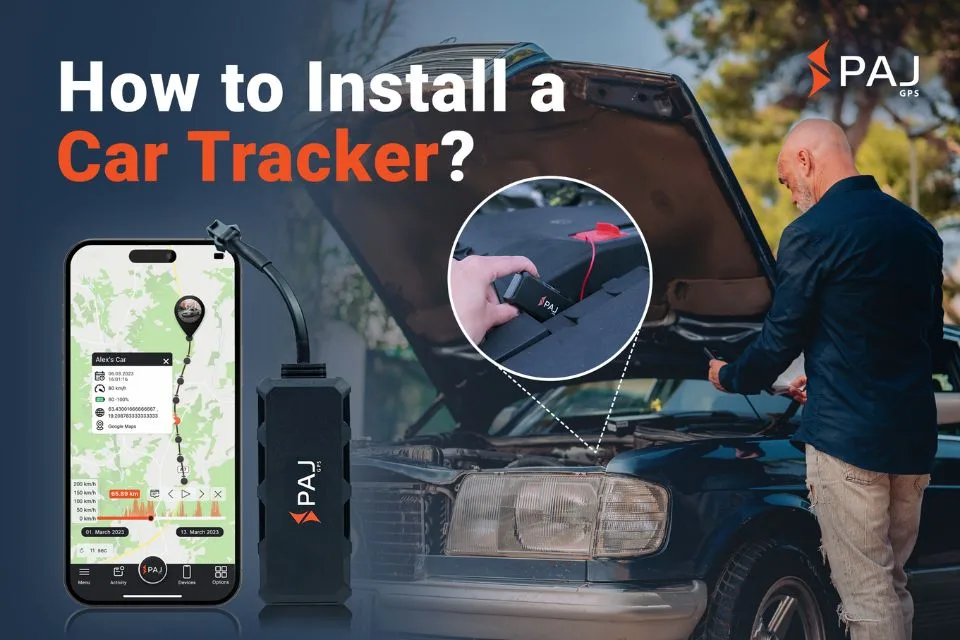
Install a GPS tracker by choosing a safe mount, connecting power correctly, and testing location data before regular use.
Learning how to install a GPS tracker is easier when you understand the device, your vehicle’s wiring, and local privacy laws. This guide explains each step in plain English, from choosing the right tracker to hiding wires, improving signal strength, and fixing common setup problems.
What Is a GPS Tracker?
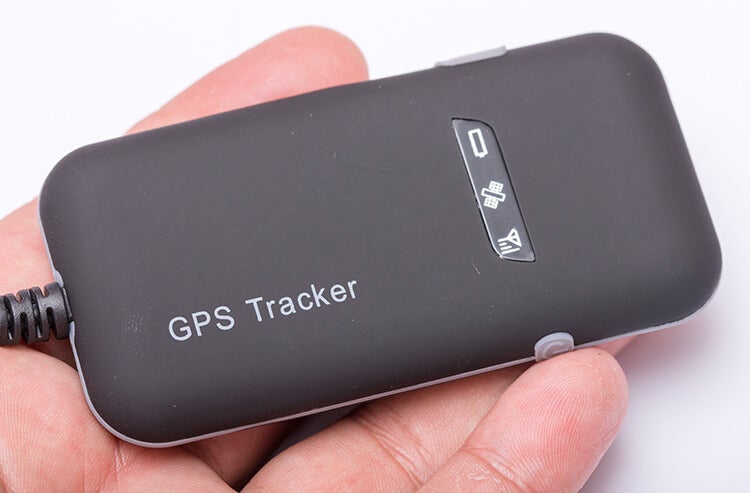
A GPS tracker is a small device that uses satellite signals to calculate its location. It then sends that location to an app or online dashboard through a cellular network, Bluetooth connection, or another communication method.
Most vehicle GPS trackers need three things:
• A clear view of the sky or a strong GPS signal
• Power from a battery or vehicle circuit
• A way to transmit data, such as a cellular SIM card
Some trackers are designed for cars and trucks. Others are made for motorcycles, trailers, boats, luggage, pets, or personal safety.
Before learning how to install a GPS tracker, check whether the device is:
• OBD plug-in
• Battery powered
• Hardwired
• Solar powered
• Magnetic and portable
• Designed for assets rather than people
The tracker type affects the installation time, mounting location, power source, and level of technical skill required.

Check Legal and Privacy Requirements First
GPS tracking can be useful for fleet management, theft recovery, mileage records, and family safety. However, tracking another person without proper permission may violate privacy, employment, stalking, or wiretap laws.
In the United States, rules can vary by state and situation. A business may need to tell employees about vehicle tracking. Parents may have different rights when tracking a minor’s vehicle. Tracking a spouse, partner, adult family member, or someone else’s property without consent can create serious legal problems.
Before you install a GPS tracker:
• Confirm that you own the vehicle or have clear permission
• Tell employees if company vehicles are being tracked
• Review state and local privacy laws
• Read the tracker’s terms of service
• Avoid placing a tracker where it could affect vehicle safety
• Protect location data with a strong account password
A safe rule is simple: track property you own, or get clear consent from the person who controls it. The device should support safety and accountability, not secret surveillance.

Choose the Right GPS Tracker
The best tracker depends on how you plan to use it. A tracker for a family car may not be the right choice for a trailer or a delivery van.
OBD GPS trackers
An OBD tracker plugs into the vehicle’s onboard diagnostics port. This port is usually under the dashboard near the steering wheel.
Advantages include:
• Very simple installation
• No wire cutting
• Easy removal
• Access to some vehicle data on supported models
The main weakness is visibility. A thief may notice and remove an OBD device. It may also use power while the vehicle is parked, which could drain the battery if the tracker is poorly designed.
Hardwired GPS trackers
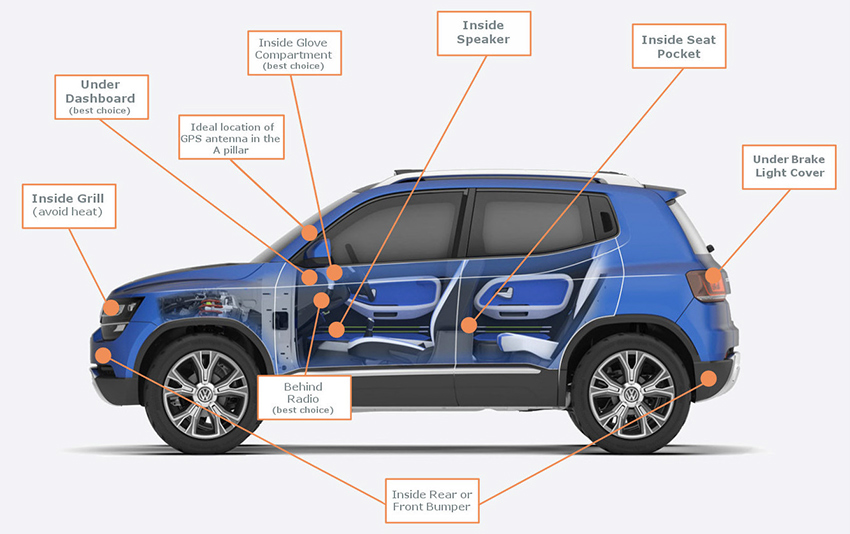
A hardwired tracker connects to the vehicle’s electrical system. It is often placed behind the dashboard, near a fuse panel, or inside another protected area.
Advantages include:
• A cleaner appearance
• Better theft resistance
• Reliable power
• Support for ignition status on many models
Hardwiring takes more care. A wrong connection can blow a fuse, damage electronics, or create a battery drain.
Battery-powered trackers
Battery trackers are useful when you do not want to access vehicle wiring. They work well for trailers, equipment, luggage, and temporary tracking.
Battery life depends on:
• Reporting frequency
• Cellular signal strength
• Temperature
• Battery size
• Motion detection settings
Frequent location updates use more power. A tracker that reports every few seconds may need charging far more often than one that reports every few minutes.
Solar-powered trackers
Solar units can work well on trailers, boats, and outdoor equipment. They need a spot that receives enough sunlight and should still include a backup battery for cloudy days.
Cellular network compatibility
Check whether the tracker works with the cellular networks in your area. A GPS tracker may receive satellite signals correctly but still fail to report its location if cellular coverage is weak.
Prepare the Tools and Information You Need
Good preparation makes learning how to install a GPS tracker much easier. Gather everything before touching the vehicle.
For an OBD or battery tracker, you may need:
• The tracker and its charging cable
• A smartphone
• The manufacturer’s app
• A SIM card, if required
• A subscription plan
• Cable ties or strong adhesive
• A cleaning cloth
For a hardwired tracker, you may also need:
• A digital multimeter
• Fuse taps that match the vehicle
• Wire strippers
• Crimp connectors
• Electrical tape or heat shrink tubing
• Plastic trim removal tools
• Cable ties
• A flashlight
• The vehicle owner’s manual
Do not guess which wire provides constant power or ignition power. Use a multimeter or the vehicle wiring guide. Wire colors are not universal, and modern vehicles may contain sensitive electronic control modules.
Park on a flat surface. Turn off the engine. Remove the key and keep it away from the vehicle while working. If the manufacturer requires it, disconnect the negative battery terminal before handling wiring.
How to Install a GPS Tracker in the OBD Port
An OBD installation is usually the easiest method. It often takes less than five minutes.
Find the OBD port under the dashboard.
Check the tracker’s instructions to confirm that the port is compatible.
Insert the tracker firmly into the port. Do not force it.
Turn the ignition on or start the vehicle, depending on the manufacturer’s instructions.
Wait for the device lights to show power, GPS, and cellular status.
Open the tracking app and create or sign in to your account.
Add the tracker by scanning its QR code or entering its device number.
Drive outside for several minutes so the tracker can obtain its first location.
Confirm that the app shows the correct vehicle position.
If the device hangs down where your foot could hit it, use a short OBD extension cable. Place the tracker in a secure area beneath the dashboard, but do not cover it with thick metal or place it near a source of heat.
An OBD tracker should fit snugly. If it feels loose, use an approved extension or mounting method rather than forcing the connector.
How to Install a GPS Tracker With Hardwiring
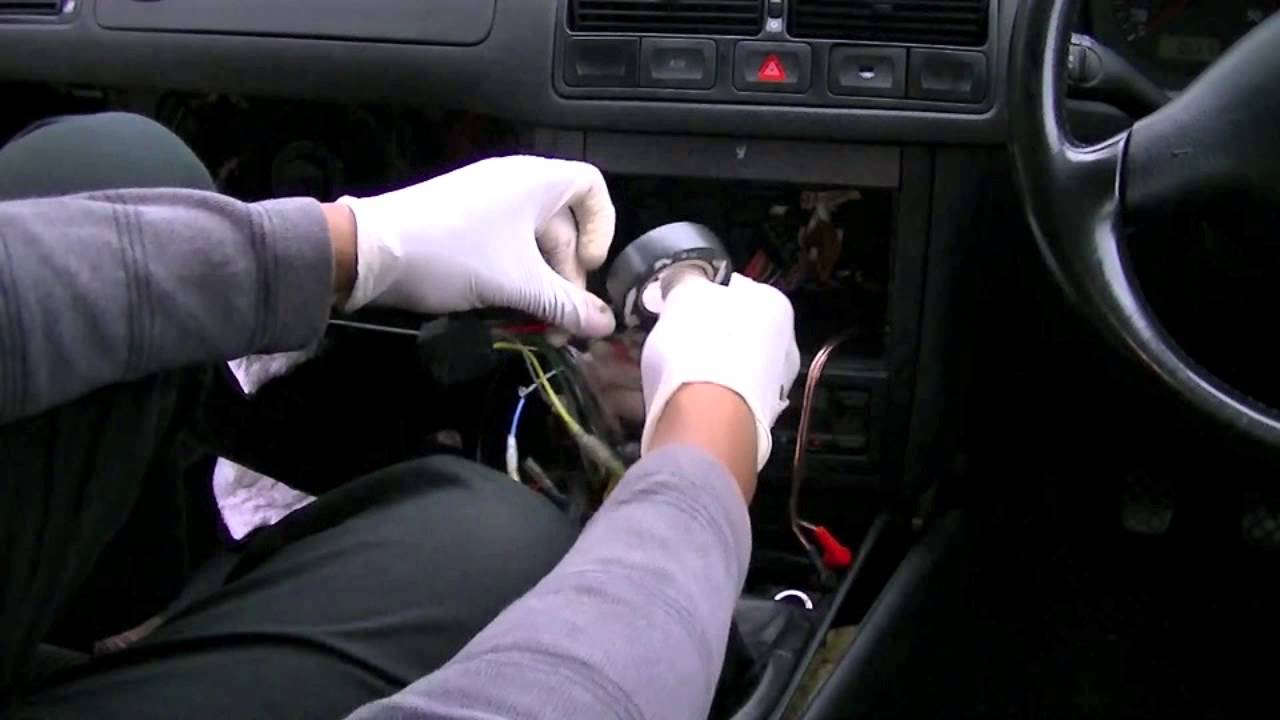
Hardwiring creates a more permanent installation, but it requires patience. If you are not comfortable testing circuits, ask a qualified automotive technician to do the work.
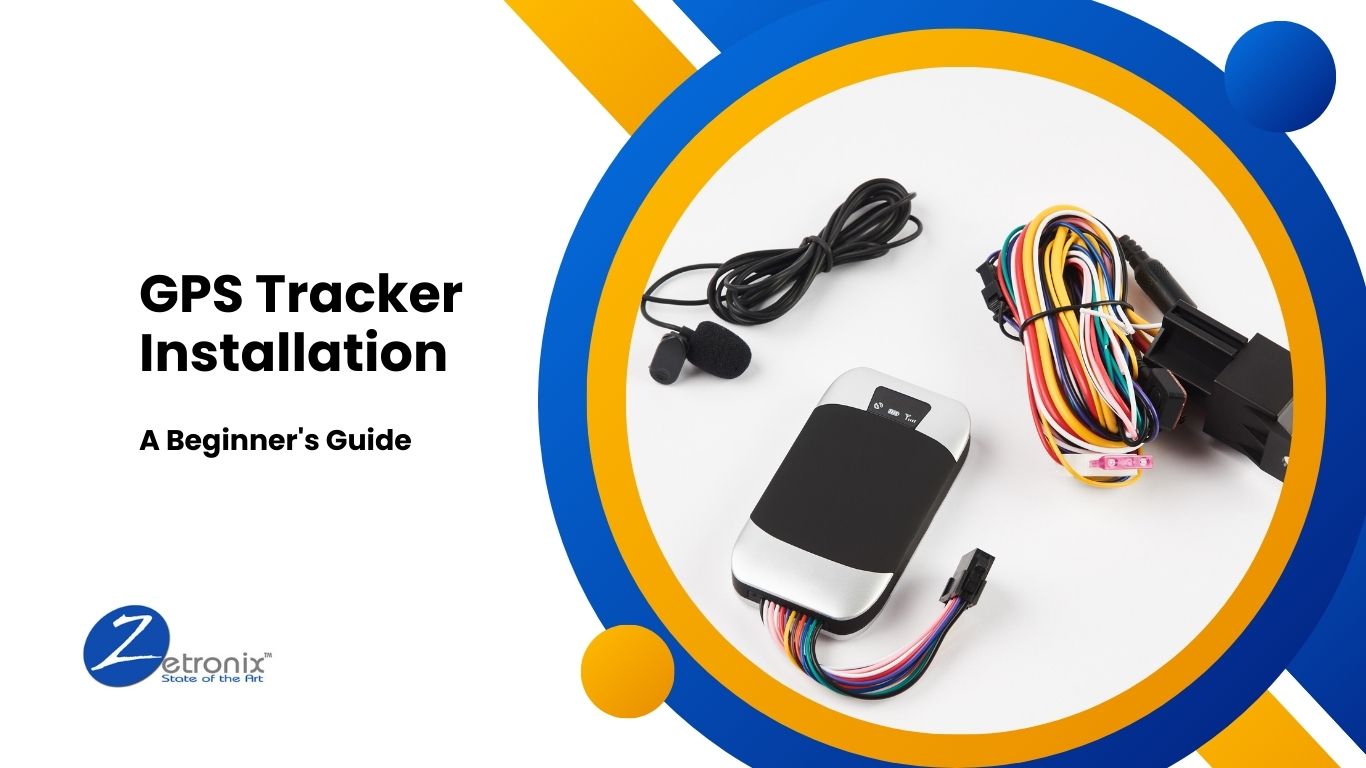
Most hardwired trackers have wires for:
• Constant positive power
• Ground
• Ignition or switched power
• Optional inputs or outputs
The exact wire colors differ by brand, so always follow the tracker manual.
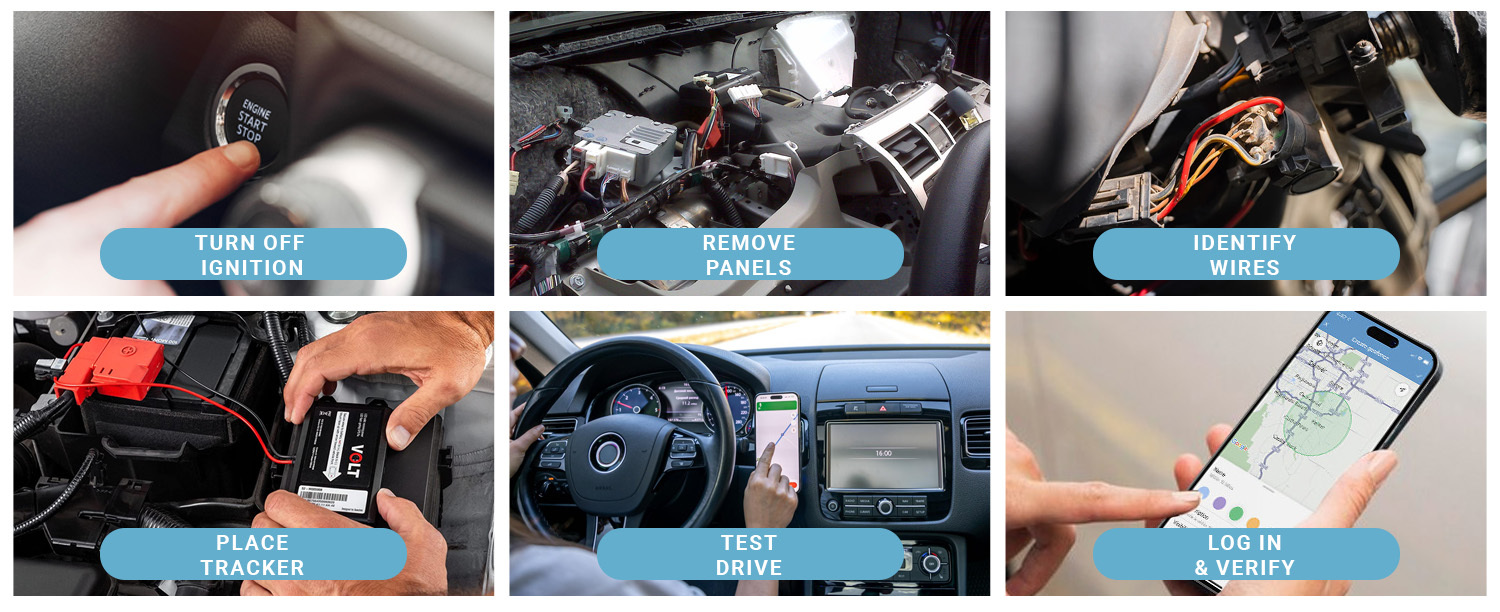
Step 1: Choose a mounting location
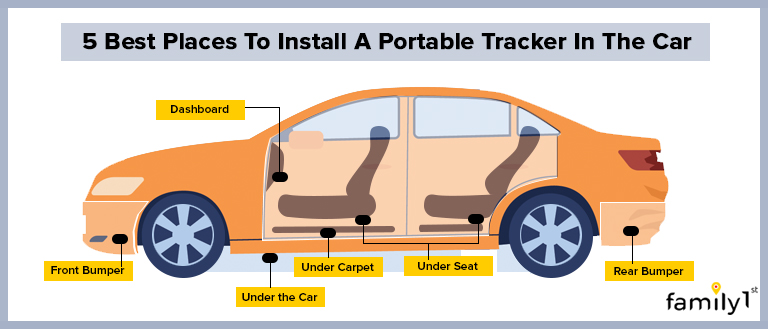
Select a dry, protected place behind the dashboard or inside a trim panel. The tracker should not interfere with airbags, steering parts, pedals, brakes, or vehicle controls.
The GPS antenna usually performs best when its label or antenna side faces upward. Avoid placing it inside a metal box or directly beside strong electrical noise.
Step 2: Find a suitable power source
Use a multimeter to identify a constant 12-volt circuit and, if needed, a switched ignition circuit. A constant circuit remains powered when the vehicle is off. A switched circuit receives power only when the ignition is on.
A fuse tap can provide a cleaner connection than wrapping wire around an existing fuse. Use the correct fuse size and follow the tracker maker’s instructions.
Never replace a fuse with one that has a higher rating. The fuse protects the wire and vehicle circuit from excess current.
Step 3: Connect the ground
Attach the ground wire to a clean, unpainted metal point on the vehicle body. The connection should be tight and free from rust, dirt, and loose paint.
A weak ground can cause random restarts, lost locations, or false ignition alerts.
Step 4: Protect every connection
Use crimp connectors, heat shrink tubing, or another approved method. Do not leave bare copper exposed. Keep wires away from sharp edges, hot surfaces, moving parts, and airbag paths.
Avoid using quick splice connectors in places that may vibrate or get wet. A poor splice may work at first and fail weeks later.
Step 5: Secure the tracker and wires
Use cable ties or a suitable mounting pad. Leave enough slack for service, but do not leave loose wire that can rattle or catch on moving parts.
One practical lesson from vehicle electronics is that a neat installation is also a safer installation. Loose wires are not just untidy. They can create noise, wear, and future faults.
How to Install a GPS Tracker on a Motorcycle or Trailer
Motorcycles and trailers need extra protection from water, vibration, and theft.
For a motorcycle:
• Choose a weather-resistant tracker
• Mount it away from the exhaust and engine heat
• Protect wires from steering movement
• Use waterproof connectors where needed
• Connect to a fused power circuit
• Test the tracker with the motorcycle running and parked
For a trailer:
• Mount the tracker inside a sealed, protected area
• Use a battery with the correct voltage
• Add an inline fuse close to the power source
• Check whether the battery is charged by the tow vehicle
• Consider a solar model for long-term outdoor use
Do not rely on a magnetic mount alone if the tracker is exposed to road spray, vibration, or theft. A strong mount can still fail when dirt, water, and temperature changes weaken the surface.
Activate and Configure the Tracker
Physical installation is only half the process. The tracker must also connect to its service.
Follow these steps:
Charge the tracker if it has an internal battery.
Insert and activate the SIM card if the device requires one.
Download the official tracking app.
Create an account with a unique password.
Enter the device identification number or scan its code.
Select the correct reporting interval.
Set time zone, vehicle name, and alert preferences.
Create safe zones if the app supports geofencing.
Set low-battery and tamper alerts.
Confirm that the subscription is active.
A shorter reporting interval gives more frequent updates but normally uses more battery and cellular data. For many personal vehicles, updates every one to five minutes are enough. Fleet operators may need different settings based on dispatch, safety, and compliance needs.
Use geofencing carefully. A geofence is a virtual boundary around a location. The app can send an alert when the tracker enters or leaves that area. Set the boundary wide enough to account for GPS error near tall buildings, trees, and covered parking.
Test the GPS Tracker After Installation
Testing helps catch mistakes before you depend on the device. Do not assume that a flashing light means the system is working correctly.
Test these functions:
• Current location
• Last known location
• Vehicle movement
• Ignition status
• Geofence alerts
• Speed alerts, if available
• Battery voltage
• Tamper alerts
• Cellular connection
• Location history
Take the vehicle outside and drive a short route. Compare the app’s position with the actual route. Then park in a garage or another difficult area and check how the tracker behaves.
GPS accuracy can change because of buildings, tunnels, trees, weather conditions, antenna placement, and satellite geometry. A small location difference is normal. A large or repeated error may point to poor placement, weak cellular coverage, or an installation problem.
Test the tracker again after a day or two. Some faults appear only after the vehicle enters sleep mode or remains parked overnight.
Common GPS Tracker Installation Problems
The tracker will not power on
Check the fuse, wiring, ground point, battery charge, and connector. For an OBD model, test another compatible vehicle if possible.
The app shows no location
The tracker may be indoors, under metal, or in an area with poor satellite visibility. Move it to an open area and allow several minutes for the first GPS fix.
The location is delayed
Cellular networks may delay data when coverage is weak. A long reporting interval, low battery, or inactive subscription can also cause delays.
The tracker keeps going offline
Inspect the power connection and ground. Hardwired devices may restart when voltage drops, especially during engine start or when the vehicle battery is weak.
The vehicle battery is draining
A tracker can consume power while parked. Lower the reporting frequency, enable sleep mode, or check whether the wiring uses the correct circuit. If the drain continues, measure the vehicle’s parasitic draw with professional equipment.
The ignition alert is wrong
The ignition wire may be connected to a circuit that remains powered after the vehicle shuts down. Test the circuit after the vehicle has been off and locked for several minutes.
The tracker cannot be found in the app
Confirm the device ID, account, SIM activation, subscription, and cellular coverage. Restart the tracker only after checking the manufacturer’s instructions.
GPS Tracker Safety and Maintenance Tips
A tracker should be checked like any other vehicle accessory. Inspect the wires and mount every few months, especially after repairs, extreme heat, or winter driving.
Keep the device firmware updated when the manufacturer provides a trusted update. Updates may improve compatibility, security, battery use, and location performance.
Protect your account as well:
• Use a long, unique password
• Turn on two-factor authentication if available
• Do not share login details by text
• Remove old users from the account
• Review location history regularly
• Delete data you no longer need
Location history is sensitive personal information. Store it only as long as necessary and limit access to people who have a valid reason to use it.
Also remember that GPS tracking has limits. It cannot guarantee theft recovery, prevent every theft, or provide perfect indoor accuracy. A tracker works best alongside good locks, insurance, vehicle alarms, and sensible security habits.
How Much Does GPS Tracker Installation Cost?
The cost depends on the tracker type and whether you install it yourself.
Typical cost factors include:
• Device price
• Cellular subscription
• Professional installation
• Fuse taps and wiring supplies
• Replacement batteries
• Cloud storage or advanced app features
An OBD tracker usually has the lowest installation cost because it plugs in directly. A hardwired tracker may cost more when installed by a professional, but it can offer a cleaner appearance and better tamper resistance.
Ask for a complete price before purchasing. Some services advertise a low device price but require a long subscription contract. Check cancellation terms, activation charges, data limits, warranty coverage, and support options.
Professional Installation or DIY Installation?
DIY installation makes sense when the tracker is plug-in or battery powered and the instructions are clear. It can save money and help you understand how the device works.
Professional installation is a better choice when:
• The device must be hardwired
• The vehicle has complex electronics
• The tracker connects to ignition or alarm circuits
• The vehicle is leased or under warranty
• You are unsure how to use a multimeter
• The tracker will be used in a business fleet
A professional should explain where the tracker is installed, which circuits were used, and how to remove it safely. Keep the receipt and installation details for future service work.
Frequently Asked Questions About How to Install a GPS Tracker
Where is the best place to install a GPS tracker in a car?
The best location is dry, secure, and away from heat, moving parts, airbags, and thick metal. The device should also have a reasonable view of the sky so it can receive GPS signals.
Can I install a GPS tracker without professional help?
Yes, many OBD and battery-powered trackers require little technical skill. Hardwired models are more complex, so professional help is wise if you are not comfortable testing vehicle circuits.
Does a GPS tracker need a SIM card?
Many real-time trackers need a SIM card or built-in cellular service to send location data to an app. A GPS receiver can find its position without cellular service, but it usually cannot report that position remotely.
Will a GPS tracker drain my car battery?
It can, especially if it reports often or remains active while the car is parked. Choose a model with sleep mode, use a suitable reporting interval, and check the vehicle’s battery condition.
Can a GPS tracker work inside a vehicle?
Yes, but metal roofs, garages, underground parking, and thick panels can weaken GPS signals. Mounting the device near a plastic dashboard area often works better than placing it inside a metal compartment.
How accurate is a vehicle GPS tracker?
Many outdoor GPS trackers can be accurate within several yards under good conditions. Buildings, trees, tunnels, poor antenna placement, and weak cellular service can reduce accuracy or delay updates.
Is it legal to install a GPS tracker on a vehicle?
You generally have stronger legal rights when tracking your own vehicle or property. Tracking another person or an employer’s vehicle without proper notice or permission may violate privacy laws, so check the rules that apply to your situation.
Conclusion
Learning how to install a GPS tracker involves more than plugging in a device. You must choose the right tracker, use a safe mounting point, connect power correctly, protect the wiring, activate the app, and test every important feature.
Start with a simple OBD or battery-powered model if you want an easy setup. For a clean, permanent installation, use a qualified technician and follow the vehicle and tracker manuals closely. Respect consent and privacy at every stage.
Choose a trusted tracker, complete the installation carefully, and test it before relying on it for safety or security. Explore your device’s support resources, and share your installation questions or experience in the comments.

Similar Posts
































