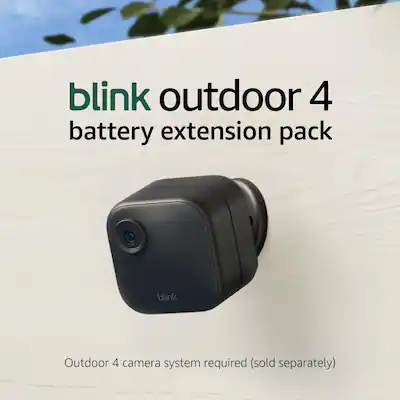
Why Is Blink Outdoor 4 Camera Offline: Fix It Fast
Blink Outdoor 4 cameras usually go offline because of weak Wi-Fi, low power, sync issues, or app problems.
If your Blink Outdoor 4 camera keeps dropping offline, you are not alone. I have seen this happen often with battery cams, and the fix is usually simpler than it feels at first. In this guide, I’ll walk you through the most common causes, how to test them, and the best ways to get your Blink Outdoor 4 Camera Offline issue resolved fast.

Why Is Blink Outdoor 4 Camera Offline?
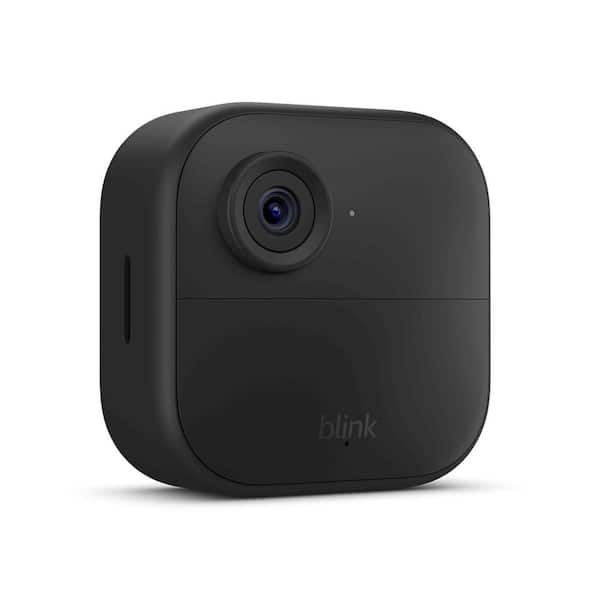
A Blink Outdoor 4 camera goes offline when it cannot stay connected to the Sync Module, your Wi-Fi network, or its power source. In many cases, the camera is not broken at all. It is usually dealing with signal loss, battery trouble, placement issues, or a temporary software glitch.
From my experience, the hardest part is not the fix. It is figuring out which link in the chain failed first. Think of the system like a small relay team: if Wi-Fi, Sync Module, batteries, or app communication slips, the camera can disappear from the app.
Common Reasons Your Blink Outdoor 4 Camera Goes Offline
Weak Wi-Fi signal
The most common reason Blink Outdoor 4 cameras go offline is a weak wireless signal. These cameras depend on a stable 2.4 GHz connection, and walls, metal, distance, and routers placed too far away can all cause trouble.
If the camera is installed outside, signal loss can be even worse. I have seen cameras work fine near a window, then fail once moved just a few feet farther from the router.
Sync Module connection problems
The Blink Outdoor 4 camera does not rely only on your router. It also depends on the Sync Module, which acts like the middleman between the camera and the cloud.
If the Sync Module is offline, unplugged, too far away, or not communicating properly, the camera may show as offline even when the batteries are fine. This is one of those issues that feels like a camera problem but is really a hub problem.
Low battery power
Battery level matters more than many users expect. When the batteries are weak, the camera may lose stable connection or stop responding in the app.
Cold weather can make this worse. In my testing, battery performance often drops sooner in winter, especially if the camera is placed in a spot with frequent motion alerts and live view use.
Wi-Fi network changes
If you changed your router name, password, or network settings, the Blink Outdoor 4 Camera may lose connection. A router reboot or internet outage can also knock it offline.
This is especially common after service provider maintenance or when people replace a modem and forget to reconnect their smart devices. The camera may look fine physically, but it no longer knows where to connect.
Camera placement issues
Outdoor cameras are exposed to more than just rain and sunlight. Thick walls, siding, dense trees, and even outdoor fixtures can interfere with wireless performance.
I always tell people to think of signal like water. It flows best when the path is open. If the camera is boxed in by materials that block signal, offline problems become much more likely.
Firmware or app glitches
Sometimes the issue is not the network at all. A Blink app bug, outdated firmware, or a temporary sync error can make a camera appear offline.
These glitches often happen after app updates, system updates, or an interrupted setup process. A simple restart or re-sync can often clear the problem.
How to Troubleshoot a Blink Outdoor 4 Camera Offline Issue
1. Check the batteries first
Start with the easiest thing. Replace the batteries with fresh, high-quality AA lithium batteries if the camera is not responding.
Avoid guessing based on battery age alone. Even batteries that seem “new enough” can fail under outdoor conditions or with heavy motion activity.
2. Confirm the Sync Module is online
Look at the Sync Module in the Blink app or check its status light if available. If the Sync Module is offline, the camera will usually be offline too.
Try unplugging the Sync Module for 10 seconds, then plug it back in. This simple reset often restores communication.
3. Restart your router and modem
If your home internet is unstable, the camera may never reconnect properly. Restart both your modem and router, then wait a few minutes before checking the camera again.
This step sounds basic, but it works more often than people think. It clears temporary network problems and gives the camera a fresh chance to reconnect.
4. Move the camera closer temporarily
If possible, bring the camera closer to the router or Sync Module and see if it comes back online. This helps you test whether distance or interference is the real problem.
If the camera reconnects in a better location, you likely need a stronger Wi-Fi path or a better placement outdoors. That gives you a clear direction instead of random guessing.
5. Reboot the camera
Remove the batteries for a short time, then put them back in. This can force the camera to reset its internal state and reconnect.
I have fixed more than one “dead” camera this way. It is the tech version of letting a phone calm down after freezing.
6. Check the Blink app for alerts
Open the app and look for messages about the camera, Sync Module, or account status. Sometimes the app will hint at low battery, sync trouble, or a device that needs re-linking.
Also make sure you are signed into the correct Blink account. It sounds obvious, but account mix-ups happen more than most people want to admit.
7. Remove and re-add the camera
If the camera still shows offline, remove it from the app and set it up again. This can fix stubborn pairing problems and refresh the connection to the Sync Module.
Before doing this, make sure you know your setup details and have the Sync Module ready. Re-adding the camera is more effective when you do it carefully instead of rushing through it.
8. Update firmware and app software
Outdated app versions or firmware can create connection issues. Keep the Blink app updated and let the camera finish any available firmware updates.
If the app offers an update prompt, do not ignore it. I have seen “offline” errors disappear after a software refresh that took less than five minutes.

Best Ways to Prevent Blink Outdoor 4 Camera Offline Problems
Place the camera within a strong signal range
Keep the camera close enough to the router or Sync Module for a steady connection. If the outdoor location is too far away, consider moving the Sync Module or improving the home network.
A strong signal is the foundation. Without it, every other fix becomes temporary.
Use fresh lithium batteries
Blink Outdoor 4 cameras perform best with good batteries. Lithium batteries are usually the best choice because they hold up better in outdoor temperatures and long-term use.
Set a reminder to check battery status before winter or before a long trip. A little planning can save a lot of frustration later.
Keep the Sync Module in a central spot
The Sync Module should not be hidden in a basement corner or shoved behind a TV cabinet. Place it where it can communicate well with the camera and router.
In many homes, a more central location improves stability right away. This is one of the simplest upgrades with the biggest payoff.
Reduce interference
Other wireless devices, thick walls, metal surfaces, and even large appliances can interfere with signal. If possible, keep the route between devices as open as you can.
If your camera sits near a garage, fence, or metal post, test a different spot. Small placement changes can make a big difference.
Recheck your network after changes
Any time you change your Wi-Fi password, router, or internet provider, confirm the Blink system is still connected. Smart home devices do not always reconnect on their own.
I recommend checking all connected devices after a network change, not just the camera. That habit saves time and reduces mystery outages.
What the Blink Outdoor 4 Offline Status Usually Means
When Blink Outdoor 4 Camera Offline appears in the app, it usually means the device cannot complete a live connection. That can happen for several reasons, but it does not always mean permanent failure.
The offline status is more like a warning light on a dashboard. It tells you something is wrong, but not exactly what. That is why a step-by-step check works better than randomly resetting everything at once.
Real-World Example From Troubleshooting
I once helped someone who thought their Blink Outdoor 4 Camera was defective because it stayed offline for two days. The real issue was not the camera. The Sync Module had been moved behind a metal shelf after a room cleanup, and the signal had quietly fallen apart.
Once we moved the Sync Module and replaced the batteries, the camera came back online within minutes. That experience is a good reminder that smart home devices are often only as strong as their weakest connection.
When to Contact Support or Replace the Camera
If you have checked the batteries, Wi-Fi, Sync Module, app, and placement, and the camera still goes offline, it may be time for deeper support. Repeated failures can point to hardware trouble, a damaged camera, or a failing Sync Module.
You should also reach out if the camera will not re-add to the system, keeps dropping offline within minutes, or never powers on correctly. At that point, the issue may be beyond normal home troubleshooting.
Frequently Asked Questions of Why Is Blink Outdoor 4 Camera Offline?
Why does my Blink Outdoor 4 Camera keep going offline at night?
Nighttime offline issues often happen because of weaker Wi-Fi conditions, lower battery performance, or more network congestion in the home. If the camera is farther from the router at night or the temperature drops, the connection can become less stable.
Can weak batteries cause Blink Outdoor 4 Camera offline errors?
Yes, weak batteries are a very common cause of offline problems. When power drops, the camera may fail to maintain a stable link to the Sync Module or Wi-Fi network.
Does the Blink Outdoor 4 need the Sync Module to stay online?
Yes, the camera depends on the Sync Module for normal operation in most setups. If the Sync Module is offline, unplugged, or too far away, the camera may also show as offline.
Why does my Blink camera say offline even though my internet works?
Your home internet may be working, but the camera can still lose connection locally. The issue may be weak signal, Sync Module trouble, low battery power, or a software glitch in the device or app.
How do I get my Blink Outdoor 4 Camera back online fast?
Start by replacing the batteries, checking the Sync Module, and restarting your router. If that does not work, move the camera closer temporarily and re-add it in the app if needed.
Conclusion
A Blink Outdoor 4 Camera Offline message usually comes down to a few repeat offenders: weak Wi-Fi, Sync Module trouble, low batteries, or a simple app or firmware glitch. The good news is that most cases are fixable without special tools or advanced tech skills.
If you work through the checks one by one, you can usually find the cause quickly and avoid unnecessary stress. Start with the basics, keep the camera and Sync Module in a strong signal area, and use fresh batteries for the best results. If this guide helped, try the steps today, share it with someone facing the same issue, or explore more smart home troubleshooting tips to keep your system running smoothly.