Maintain Electronic Gadgets: Tips For Longer Life
You can extend gadget life by controlling heat, using safe chargers, cleaning devices, updating software, and handling them with care.
Learning how to maintain electronic gadgets for longer life can save money, reduce electronic waste, and keep your devices working well. From phones and laptops to TVs, cameras, and game consoles, small habits often prevent costly damage. This guide combines practical care tips, safety advice, and expert-backed maintenance steps you can use at home.
Why Proper Gadget Maintenance Matters
Electronic gadgets are not built to last forever, but many fail early because of avoidable problems. Heat, dust, moisture, poor charging habits, drops, and outdated software can slowly reduce performance. Good maintenance acts like regular exercise for your devices. It helps them stay cooler, cleaner, safer, and more reliable.
Understanding how to maintain electronic gadgets for longer life also helps you spot early warning signs. A slow phone may need storage cleanup. A hot laptop may need better airflow. A tablet that shuts down may have a worn battery or a blocked charging port.
The main benefits include:
• Lower repair and replacement costs
• Better battery performance
• Faster and more stable operation
• Fewer security risks
• Longer product life
• Less electronic waste
• Safer use at home or work
The best approach is not complex. You need a simple care routine that matches the gadget, its power source, and its environment.
Keep Electronics Cool and Dry
Heat is one of the biggest enemies of electronic devices. High temperatures can affect batteries, processors, screens, circuit boards, and internal adhesives. A device may still work after overheating, but repeated heat stress can shorten its useful life.
Keep laptops on hard, flat surfaces when possible. Beds, couches, and blankets can block air vents. This forces the cooling fan to work harder and may trap hot air around the device.
Phones can also become hot during gaming, video recording, GPS use, or fast charging. If a phone feels unusually hot, remove its case for a short time and stop demanding tasks until it cools.
Use these simple habits:
• Keep gadgets away from radiators, stoves, and direct sunlight.
• Do not leave phones or laptops in a hot car.
• Avoid charging devices under pillows or blankets.
• Keep air vents clear of books, fabric, and dust.
• Let a wet device dry fully before turning it on.
• Avoid moving a device from a cold place to a warm, humid room too quickly.
Moisture can cause corrosion and short circuits. Steam from bathrooms and kitchens may also enter small openings over time. A dry, shaded, well-ventilated space is usually the safest home for your electronics.
Clean Your Devices the Safe Way
Dust and grime can block vents, cover speakers, damage ports, and make buttons stick. Cleaning is a key part of how to maintain electronic gadgets for longer life, but the wrong method can cause more harm than good.
Always turn off and unplug a device before cleaning it. Use a soft, dry microfiber cloth for screens and outer surfaces. For stubborn marks, slightly dampen the cloth with clean water or a product approved for that screen type. Never spray liquid directly onto a device.
For keyboards, ports, and vents, use gentle bursts of compressed air. Keep the can upright and avoid forcing dust deeper into the device. Do not use a vacuum nozzle directly on delicate ports unless the manufacturer permits it, since static or strong suction may cause damage.
A safe cleaning routine looks like this:
- Power off the device and disconnect cables.
- Remove cases, covers, and accessories.
- Wipe the exterior with a clean microfiber cloth.
- Use careful air bursts around vents and ports.
- Allow all surfaces to dry before switching the device on.
- Clean cases and accessories separately.
Avoid paper towels, abrasive cleaners, bleach, window spray, and rough cloths. These can scratch screens or remove protective coatings.
Protect and Maintain Batteries
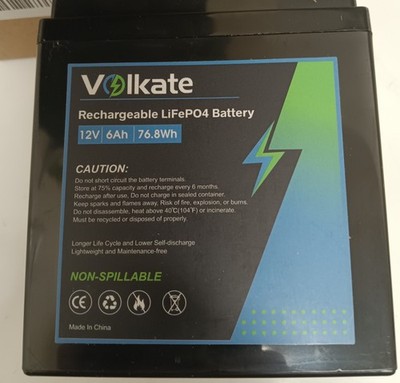
Most modern phones, tablets, laptops, earbuds, cameras, and smartwatches use lithium-ion or lithium-polymer batteries. These batteries work well, but extreme heat, physical damage, and poor-quality chargers can reduce their capacity.
One important part of how to maintain electronic gadgets for longer life is reducing battery stress. You do not need to drain a modern lithium battery to zero before charging it. In fact, frequent full discharges may add unnecessary wear.
Helpful battery habits include:
• Use the original charger or a certified replacement.
• Keep the battery away from high heat.
• Avoid charging with damaged cables.
• Do not use swollen, cracked, or leaking batteries.
• Turn on optimized charging if your device offers it.
• Store a device with a partial charge if you will not use it for months.
• Keep stored devices in a cool, dry place.
Many devices pause or slow charging near full capacity. This feature helps reduce stress, but it does not make heat harmless. Fast charging is generally safe when supported by the device and charger, yet it can create more heat than slower charging.
If a battery swells, lifts the screen, smells unusual, or becomes very hot, stop using the device. Do not press, puncture, or throw the battery in household trash. Contact an approved repair center or local battery recycling service.

Use Safe Chargers, Cables, and Power Strips
A charger is not just a simple plug. It controls voltage, current, and power delivery. Poor-quality chargers may lack proper protection against overheating, overcurrent, or short circuits.
Use chargers that match the device’s requirements. For USB-C products, check whether the charger supports the required power standard. A high-power laptop charger may work with some devices, but compatibility should not be assumed.
Inspect cables often. Replace any cable with:
• Exposed wires
• Burn marks
• Loose connectors
• Crushed sections
• Frayed insulation
• A plug that becomes hot during normal use
Do not yank a cable from the cord. Pull from the connector. This small habit protects both the cable and the charging port.
Surge protectors can help protect desktop computers, TVs, game consoles, and home office equipment from voltage spikes. They are not a perfect shield against every electrical event, and a basic power strip is not always a surge protector. For expensive equipment, consider a quality surge protector or an uninterruptible power supply.
Safe power use is a core part of how to maintain electronic gadgets for longer life. It also reduces the risk of fire and electrical injury.

Handle Screens, Ports, and Moving Parts Carefully
Screens are strong enough for normal use but can still crack under pressure. Avoid placing heavy objects on laptops, sitting with a phone in a back pocket, or carrying a tablet without a protective case.
A screen protector can reduce scratches, while a case can help absorb impact. These accessories cannot guarantee protection, but they can reduce damage from common drops and bumps.
Charging ports also need care. Do not force a connector into a port. If charging becomes unreliable, check for dust before assuming the port is broken. Use a light and inspect gently. Metal tools can scratch contacts or create a short circuit, so avoid using pins, needles, or paper clips.
For cameras, game controllers, printers, and other devices with moving parts:
• Store them in a clean, dry area.
• Avoid forcing stuck buttons, trays, or hinges.
• Close covers and ports when the design allows it.
• Use approved cleaning tools for lenses and sensors.
• Keep cables loose rather than sharply bent.
Gentle handling may seem slow, but it is usually faster than replacing a broken screen or damaged port.

Manage Software, Storage, and Security
Physical care alone cannot keep a device healthy. Software maintenance is another major part of how to maintain electronic gadgets for longer life.
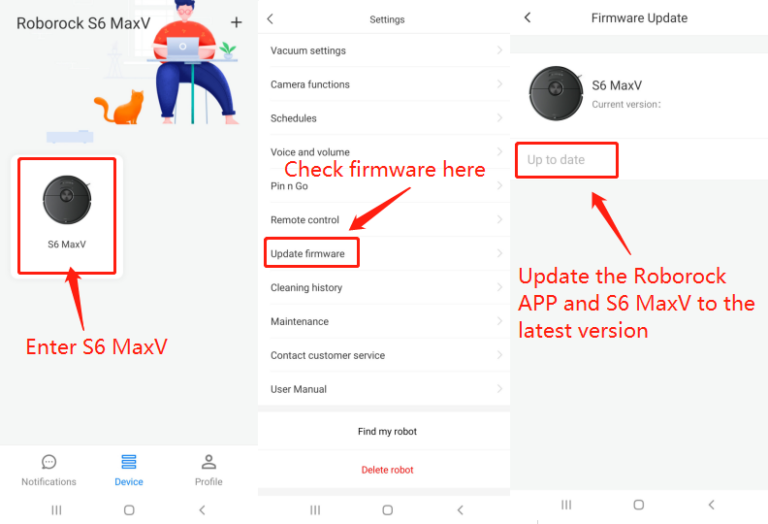
Install system and security updates from the device maker or trusted app store. Updates may fix bugs, improve compatibility, and close security weaknesses. However, keep backups before major operating system upgrades, especially on work computers or older devices.
Storage also affects performance. When a phone, tablet, or computer is nearly full, it may slow down. Keep enough free space for temporary files and system tasks.
Try these steps:
• Delete apps you no longer use.
• Remove duplicate photos and large videos.
• Move old files to an external drive or trusted cloud service.
• Clear downloads and temporary files.
• Review apps that run in the background.
• Use strong passwords and multi-factor authentication.
• Install apps only from trusted sources.
Backups protect more than files. They protect memories, work, contacts, and personal records. Use the 3-2-1 approach when the data is important: keep three copies, use two types of storage, and keep one copy in a separate place.
Give Each Gadget the Right Storage
Storage conditions can affect electronics even when they are not in use. A garage, attic, bathroom, or vehicle may expose devices to high heat, freezing temperatures, dust, or moisture.
Before storing a gadget for a long period, clean it and remove accessories. If it has a removable battery, follow the maker’s instructions. For devices with built-in lithium batteries, a partial charge is often better than leaving the battery empty for months.
Use these storage tips:
• Keep devices in a cool, dry room.
• Use a padded case for travel and long-term storage.
• Avoid stacking heavy items on top of electronics.
• Keep devices away from magnets when the manufacturer warns against them.
• Store cables without tight bends or knots.
• Label chargers so you do not use the wrong one.
For cameras and lenses, a dry cabinet may help in very humid areas. Silica gel packets can reduce moisture inside a case, but they do not repair water damage or replace proper climate control.

Restart, Inspect, and Service Devices Regularly
A restart can clear temporary system errors and release some memory. It is not a cure for every problem, but regular restarts can help devices that stay on for weeks at a time.
Inspect your gadgets once a month. Look for heat, swelling, loose parts, strange sounds, slow charging, flickering screens, or sudden shutdowns. Early signs are easier and safer to address than complete failure.
A simple monthly checklist can include:
- Check cables, plugs, and power adapters.
- Clean vents, speakers, screens, and ports.
- Review battery health and charging behavior.
- Install important software and security updates.
- Delete unwanted files and apps.
- Confirm that important data is backed up.
- Test accessories such as keyboards, remotes, and headphones.
Do not open a device unless you have the proper tools and training. Modern products may contain delicate cables, sealed batteries, and parts that require special safety steps. Professional service is the better choice for swollen batteries, liquid damage, electrical faults, and repeated overheating.
Avoid Common Gadget Maintenance Mistakes
Many electronic devices are damaged by good intentions. People use household cleaners on screens, charge devices with random adapters, or keep using products that show signs of battery failure.
Here are mistakes worth avoiding:
• Charging a device under bedding or clothing
• Using a damaged cable because it “still works”
• Cleaning ports with sharp metal objects
• Leaving electronics in direct sun
• Ignoring unusual heat, smells, or sounds
• Downloading untrusted apps or files
• Keeping storage almost completely full
• Storing devices in damp rooms
• Pulling cables by the cord
• Using rice as the main fix for water damage
Rice does not remove liquid from every internal component, and small particles can enter ports. If a device gets wet, turn it off, disconnect power, remove accessories, and seek model-specific guidance. Do not keep testing it, since electricity can worsen internal corrosion.
Knowing how to maintain electronic gadgets for longer life also means knowing when not to experiment. A careful decision can protect both the device and your safety.
Create a Simple Gadget Care Routine
The easiest way to maintain electronic gadgets for longer life is to build care into your normal routine. You do not need to spend hours cleaning and checking every product.
Use this schedule:
Every day
• Keep devices away from heat and liquids.
• Charge them on a hard, open surface.
• Carry phones and tablets in a protective case.
• Handle ports and connectors gently.
Every week
• Wipe screens and high-touch surfaces.
• Check cables for wear.
• Remove unwanted downloads and files.
• Review unusual battery or performance changes.
Every month
• Clean vents and ports carefully.
• Restart devices that stay on all the time.
• Install important updates.
• Confirm that important files are backed up.
• Check cases, stands, and power strips.
Every year
• Review battery health.
• Replace worn cables and weak accessories.
• Consider professional cleaning for dusty desktop computers.
• Recycle old batteries and electronics through approved programs.
This routine makes how to maintain electronic gadgets for longer life simple and repeatable. Think of it like caring for a car: small checks can prevent major repairs.
When to Repair, Replace, or Recycle
Maintenance can extend a gadget’s useful life, but every device has limits. A repair may make sense when the problem is small, the device still meets your needs, and replacement parts are available.
Repair may be suitable for:
• A worn charging cable
• A replaceable battery
• A damaged case or screen protector
• A dusty fan or blocked vent
• A software issue
• A loose accessory
Replacement may be more practical when the device has severe liquid damage, repeated failures, unsafe battery swelling, unavailable parts, or poor security support.
Before replacing a product, check whether a battery, screen, storage drive, or other part can be changed. Repairability varies by brand and model. Some thin devices are sealed, which can make repairs harder and more expensive.
Recycle unwanted electronics through an approved program. Batteries and circuit boards contain materials that should not go into regular trash. Proper recycling also helps recover valuable metals and reduces environmental harm.
Frequently Asked Questions About How to Maintain Electronic Gadgets for Longer Life
How often should I clean my electronic gadgets?
Wipe frequently touched surfaces once a week and clean vents and ports about once a month. Clean more often if you use devices in dusty, smoky, or humid areas.
Is it bad to leave a laptop plugged in all the time?
Modern laptops often manage charging automatically, so staying plugged in is usually safe. Heat can still reduce battery health, so use the manufacturer’s battery protection or charging limit feature when available.
Should I let my phone battery reach zero before charging it?
No. Lithium-ion batteries do not need regular full discharge cycles. Charging before the battery reaches zero is generally better for daily use.
What should I do if my electronic device gets wet?
Turn it off at once, unplug it, and remove detachable accessories. Do not use heat or keep turning it on to test it; seek professional help if liquid may have entered the device.
Can software updates make an old device slower?
Some updates may demand more from older hardware, but updates often improve security and fix important bugs. Check available storage, back up your data, and review the device maker’s support information before a major update.
How can I tell if a charger is unsafe?
Stop using a charger if it becomes unusually hot, makes noise, smells burnt, sparks, or has damaged insulation. Replace it with a compatible charger from a trusted brand or authorized seller.
Does a protective case really extend gadget life?
A good case can reduce damage from drops, scratches, and light pressure. It cannot prevent every failure, and thick cases may trap heat, so choose one that fits the device and allows normal ventilation.
Conclusion
Learning how to maintain electronic gadgets for longer life is mostly about simple habits. Keep devices cool and dry, use safe chargers, protect screens and ports, clean them gently, manage batteries, install updates, and back up important data.
Pay attention to warning signs such as swelling, overheating, odd smells, slow charging, and sudden shutdowns. Acting early can protect your device, your money, and your safety. Start with one small step today, then build a monthly care routine that keeps your gadgets useful for years.