Why Is Gopro Hero13 Black Battery Draining Fast: Fixes
The HERO13 Black battery drains fast mainly because high-resolution video, wireless features, heat, and power-hungry settings use energy quickly.
If you have ever picked up your GoPro HERO13 Black and seen the battery drop faster than you expected, you are not imagining it. I have seen this happen in real use too, especially during 5.3K recording, long action sessions, and cold-weather shoots. In this guide, I’ll break down why the GoPro HERO13 Black battery draining fast is such a common issue, what’s normal, what’s not, and how to stretch every charge without ruining the shooting experience.
Why the GoPro HERO13 Black Battery Drains Fast
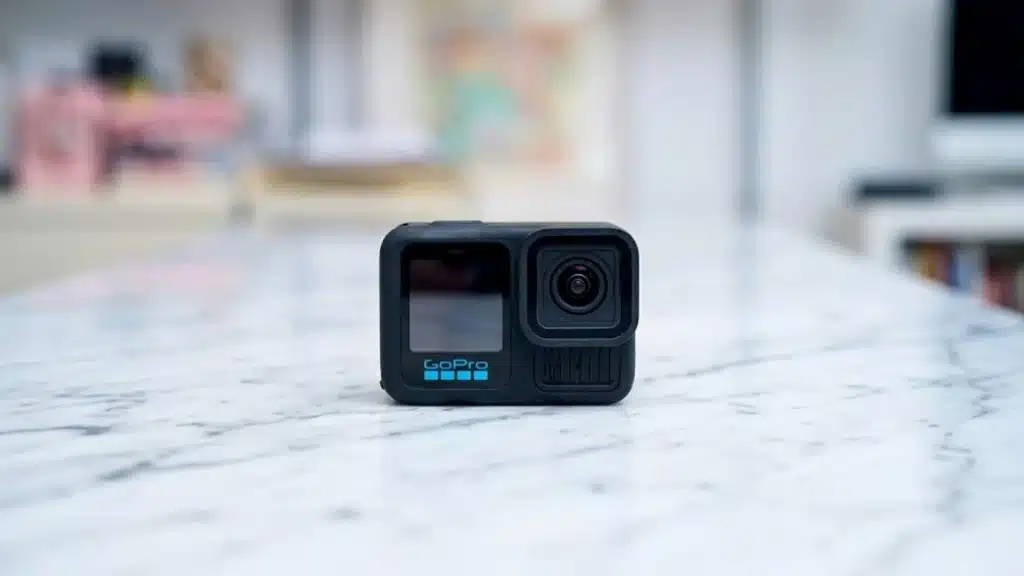
The biggest reason the GoPro HERO13 Black battery draining fast issue happens is simple: this camera is built to do a lot in a very small body. It is recording high-quality video, processing stabilization, powering a bright screen, and often keeping wireless features ready in the background.
That is a lot of work for a compact battery.
Here are the main reasons the battery drains quickly:
- High-resolution recording uses more power. Shooting in 5.3K or high frame rates like 60fps or 120fps needs more processing.
- HyperSmooth stabilization adds load. The camera works harder to smooth motion, especially in fast action scenes.
- Rear screen and front status display stay active. Bright screens can eat battery fast.
- Wi-Fi, Bluetooth, and GPS can keep drawing power. Even when you are not actively using them, some features stay on.
- Heat makes batteries less efficient. Like most lithium-ion batteries, GoPro batteries lose performance when the camera gets hot.
- Cold weather reduces battery life. In low temperatures, battery capacity drops noticeably.
- Older or damaged batteries hold less charge. If your battery has gone through many charge cycles, it may simply be worn out.
In my experience, the battery drain often feels worst when people combine several power-hungry settings at once. A 5.3K clip, max stabilization, a bright screen, and wireless on can turn a full battery into a short session very quickly.
What Is Normal Battery Life on the HERO13 Black?
Battery life depends on how you use the camera. There is no single number that fits every situation, because shooting settings change everything.
For example, these conditions usually drain the battery faster:
- 5.3K or 4K recording
- High frame rates
- HyperSmooth enabled
- Displays set to full brightness
- Long recording sessions
- Hot environments
- Live streaming or wireless transfer
Lower-power setups usually last longer:
- Lower resolution
- Short clips instead of continuous recording
- Screens dimmed or set to timeout quickly
- Wi-Fi and Bluetooth turned off when not needed
- Moderate temperatures
A lot of users expect action cameras to run like a phone in standby mode, but that is not how these cameras work. The HERO13 Black is more like a tiny sports car: fast, capable, and always hungry for fuel.

Common Causes of Fast Battery Drain
High video settings
The higher the video quality, the harder the camera works. Recording in 5.3K, 4K, or high frame rates creates more heat and uses more processing power.
If you only need social media clips or casual footage, lowering the resolution can make a big difference. Many users are surprised how much better battery life gets when they move from maximum settings to a balanced setup.
HyperSmooth and other stabilization features
Stabilization is one of the HERO13 Black’s best features, but it is not free. The camera must constantly analyze movement and correct the image in real time.
That extra processing uses battery. If you are filming steady scenes, try reducing the stabilization level or turning off extra features when you do not need them.
Wireless connections
Wi-Fi, Bluetooth, and app connections can drain battery even when you are not transferring files. If the camera is paired with your phone or waiting for remote commands, it may keep power in reserve.
This is one of the easiest things to overlook. I have seen users blame the battery when the real issue was a forgotten wireless connection running in the background.
Bright screen settings
The rear touchscreen and front display are useful, but they are also power hungry. Brightness at full level can shorten battery life more than many people expect.
If you are shooting outdoors and need the screen bright for visibility, that is understandable. But if you are indoors or already using the camera mount and know your framing, lowering brightness helps.
Heat buildup
Heat is a major factor in battery performance. When the camera gets warm, it may stop functioning efficiently and battery drain can feel even faster.
This is especially common in these situations:
- Long continuous recording
- Direct sunlight
- Poor airflow
- High resolution and frame rate settings
- Charging while recording
The battery itself may be fine, but the camera’s thermal load can make it seem like the battery is failing.
Cold weather
Cold weather can make any lithium-ion battery act weaker. On ski trips and winter shoots, I have seen batteries drop from “fine” to “nearly dead” much faster than expected.
That does not always mean the battery is broken. It often means the temperature is reducing usable capacity.
Old or faulty battery
A battery does not last forever. If your HERO13 Black battery has many charge cycles, it may not hold the same amount of power anymore.
Signs of battery wear include:
- Shorter runtimes than before
- Faster drops from 100% to low percentage
- Charging issues
- Camera shutting off earlier than expected
If a new battery lasts much longer than your old one, that is a strong sign the old battery has aged out.
Settings That Can Help Reduce Battery Drain
If your GoPro HERO13 Black battery draining fast issue is bothering you, the good news is that you can usually improve it with a few simple changes.
Try these battery-saving steps:
-
Lower resolution when possible
Use 4K or lower if you do not need maximum detail. -
Reduce frame rate
24fps or 30fps usually uses less power than 60fps or higher. -
Turn off wireless features
Disable Wi-Fi, Bluetooth, and app connections when not needed. -
Lower screen brightness
Set the display to a comfortable but not max brightness. -
Shorten screen timeout
Let the display sleep faster during idle moments. -
Use shorter clips
Start and stop recording instead of leaving the camera on nonstop. -
Avoid charging and recording at the same time
This can create more heat and stress the battery. -
Keep firmware updated
GoPro firmware updates often improve performance and battery behavior. -
Use Enduro-style batteries or official equivalents
Better batteries can perform better in cold and high-demand situations.
In practice, the best fix is usually not one single setting. It is a mix of small changes.
Real-World Scenarios Where the Battery Drops Fast
This is where the problem becomes easier to understand.
Travel vlogging
When I’ve used action cameras for travel, the battery tends to vanish fastest during a full day of stop-and-go recording. You turn the camera on, record a clip, review it, connect to the app, then leave it on again.
That constant switching can eat battery faster than one long clip.
Sports and biking
Fast movement, strong stabilization, high frame rates, and long outdoor sessions make battery drain much more obvious. The camera is doing real-time correction the whole time.
If you are filming a full ride or race, expect the battery to work harder than usual.
Action filming in hot weather
Sun, heat, and long recording sessions are a rough combo. The battery may drain fast, and the camera may also get warm enough to affect performance.
In this case, reducing resolution or splitting the shoot into shorter takes can help a lot.
Cold weather shooting
In winter, battery drop often feels sudden. You may think you started with a full charge, but the cold cuts that useful runtime down.
Keeping spare batteries warm in a pocket can help more than people realize.
How to Tell If the Battery Is the Real Problem
Sometimes the battery is not the main issue. The camera settings may be the real cause.
Check these things first:
- Are you recording at a very high resolution?
- Is HyperSmooth on?
- Is the screen brightness high?
- Are Wi-Fi or Bluetooth on?
- Is the camera hot?
- Is the battery old?
- Are you using an official battery?
If the battery drains fast only during heavy recording, that is probably normal. If it drains fast even while the camera is idle, something else may be wrong.
Possible causes of abnormal drain include:
- A battery that is worn out
- A firmware issue
- A camera setting left on in the background
- A bad charging cable or charger
- Moisture or dirt in the battery compartment
Best Ways to Extend HERO13 Black Battery Life
These are the habits that usually help the most.
- Carry spare batteries. This is the simplest fix for long shoot days.
- Turn the camera off between takes. Idle time still matters.
- Keep batteries at room temperature when possible.
- Use the GoPro app only when needed.
- Format the card regularly to avoid file or camera glitches.
- Clean the battery contacts gently if charging seems inconsistent.
- Update the camera firmware after major release updates.
I also recommend testing your own settings before a big trip or event. That way, you learn how long your battery really lasts under your exact setup, not someone else’s.
When to Replace the Battery
If you have tried the usual fixes and the GoPro HERO13 Black battery draining fast problem keeps happening, replacement may be the answer.
You should consider a new battery if:
- Runtime has dropped sharply over time
- The battery gets unusually warm
- It charges very slowly
- The camera shuts off early
- A different battery works much better in the same camera
Batteries are consumable parts. In other words, they wear out from normal use, just like tires on a car.
Frequently Asked Questions
Why is my GoPro HERO13 Black battery draining so fast even when not recording?
If the camera is on, the screen, wireless features, and background processes can still use power. A battery that seems to drain while idle may also be old or affected by a firmware issue.
Does 5.3K recording drain the HERO13 Black battery faster?
Yes, 5.3K recording uses more power because the camera must process more data. Higher frame rates make the battery drain even faster.
Can cold weather cause the HERO13 Black battery to die quickly?
Yes, cold weather reduces lithium-ion battery performance. In winter conditions, battery life can look much shorter even if the battery is healthy.
Should I keep Wi-Fi and Bluetooth off to save battery?
Yes, turning off Wi-Fi and Bluetooth when you do not need them can help extend battery life. These features can keep drawing power in the background.
How do I know if my GoPro battery needs replacing?
If the battery loses charge much faster than before, charges poorly, or causes shutdowns, it may be worn out. Testing with a new battery is often the fastest way to confirm it.
Conclusion
The GoPro HERO13 Black battery draining fast issue usually comes down to power-hungry settings, heat, wireless features, cold weather, or battery age. In most cases, the camera is not broken; it is simply doing a lot of work in a small body.
The good news is that you can often improve battery life with a few smart changes. Lower the resolution when you can, turn off wireless features when you do not need them, manage screen brightness, and keep an eye on temperature. If the battery still drains too fast after that, replacing an aging battery is a practical next step.
If this guide helped, try a few of these fixes on your next shoot and see what changes. For more helpful GoPro tips, keep exploring, subscribe, or leave a comment with your battery life results.