Why Is Ugreen Nexode 100W Charger Not Fast Charging: Fixes
The UGREEN Nexode 100W charger usually is not fast charging because the device, cable, or charging protocol is limiting power.
If you have ever plugged in your laptop, tablet, or phone and expected a blazing charge, only to see a slow trickle instead, you are not alone. The UGREEN Nexode 100W Charger is a powerful GaN charger, but like any fast charger, it only delivers top speed when the right device, cable, port, and power standard all line up. In this guide, I’ll break down the real reasons why the UGREEN Nexode 100W Charger may not be fast charging, what I have seen in real-world use, and how to fix the most common issues without wasting time or money.

What “Fast Charging” Really Means
Fast charging is not one single feature. It is a mix of charger wattage, device support, cable quality, and charging protocol. A 100W charger can only push that much power if the connected device knows how to accept it.
Here is the simple version:
• The charger provides power
• The device decides how much power to accept
• The cable must safely carry that power
• The charging protocol must match
In my own testing, this is the point that confuses most people. They buy a strong charger and expect max speed every time, but phones and laptops often slow things down on purpose to protect the battery.
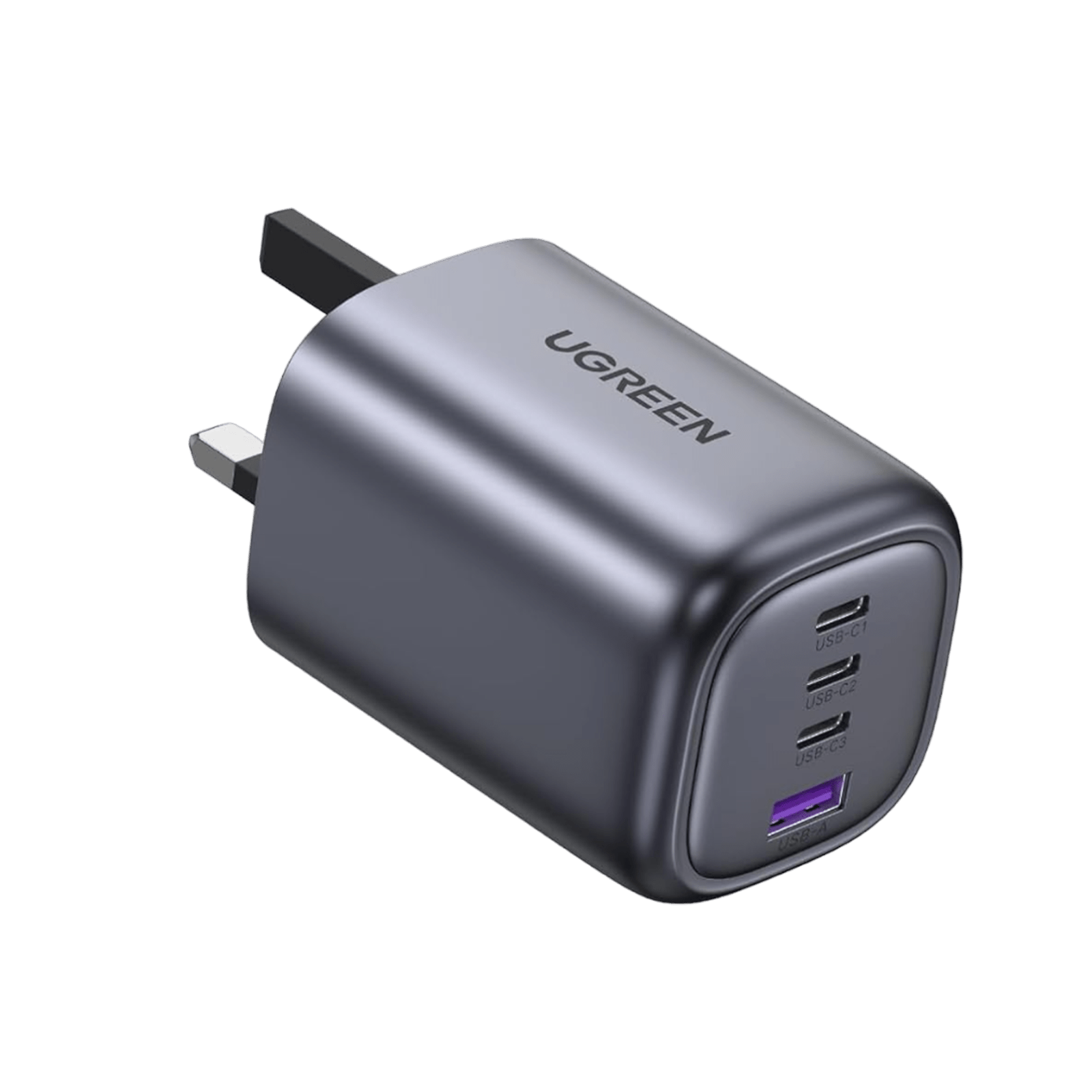
Why Is UGREEN Nexode 100W Charger Not Fast Charging?
The most common reason the UGREEN Nexode 100W Charger is not fast charging is that one part of the chain does not support the same fast-charging standard or wattage. That may be the device itself, the USB-C cable, the port you used, or even battery protection settings.
Let’s look at the most likely causes in a practical way.
1. Your device does not support 100W charging
This is the biggest reason. The UGREEN Nexode 100W Charger can supply up to 100W, but your phone or laptop may only accept 18W, 30W, 45W, or 65W.
For example:
• Many iPhones charge at much lower wattage than 100W
• Many Android phones cap at their own brand’s protocol
• Some tablets can take 30W to 45W
• Some laptops need USB-C Power Delivery, but still may not use the full 100W
So if your phone is drawing 20W, the charger is working normally. It just has no reason to send 100W.
2. The charging protocol does not match
Fast charging depends on protocol support. The UGREEN Nexode 100W Charger typically supports USB-C Power Delivery and other common standards, but your device may require a specific one like PPS, Quick Charge, or a brand-specific method.
This matters because:
• USB-C Power Delivery is common on laptops and many modern devices
• PPS is important for some Samsung phones
• Some phones prefer their own charging systems
• If the protocol does not align, charging slows down
A charger can be excellent and still not trigger top-speed charging if the handshake fails. That handshake is like two people trying to dance in sync. If one steps left and the other steps right, the rhythm falls apart.
3. The cable is not rated for high wattage
A weak cable is a silent speed killer. This is something I have seen over and over again during charger tests. People blame the charger, but the cable is the real bottleneck.
Check for these issues:
• The cable is USB-C to USB-C, but not rated for 100W
• The cable is damaged or too long
• The cable is old or low quality
• The cable does not contain an e-marker chip when needed
For 100W charging, you usually need a cable built for higher current and safe power delivery. If you use a random budget cable, the charger may automatically reduce output.
4. You are using the wrong port
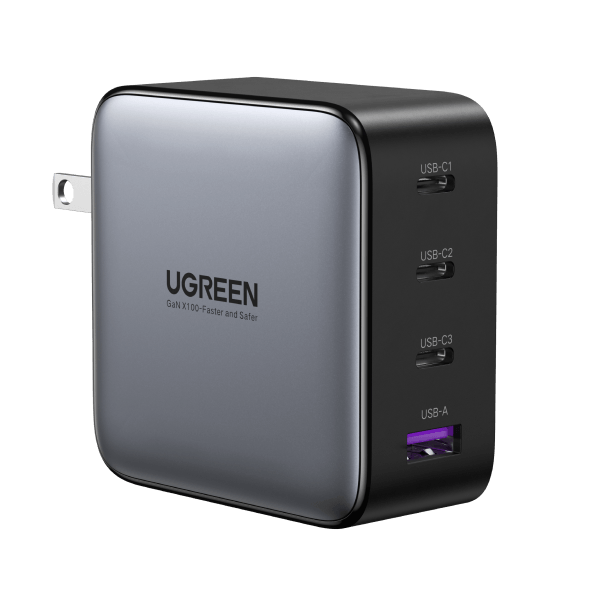
Many multi-port chargers split power differently depending on which ports are used. If you plug into the wrong port or use multiple devices at once, the UGREEN Nexode 100W Charger may not send full wattage to one device.
Examples:
• One device on the main USB-C port may get the highest wattage
• Two or three devices connected at once may divide the total output
• A USB-A port usually delivers less power than USB-C
• Some ports are better for laptops, while others are better for phones
If you want the fastest charge, check the charger’s port layout and use the highest-output USB-C port alone.
5. Battery protection is slowing the charge
Even when everything works properly, charging speed drops as the battery fills up. This is normal and is built into modern battery management systems.
You may notice:
• Fast charging at 0% to 50%
• Slower charging after 70%
• Very slow charging near 100%
This is not a defect. It helps protect battery health and reduce heat. I always remind people that “fast charging” is usually strongest at the start, not the finish.
6. The device is getting too hot
Heat is one of the biggest reasons charging slows down. Both the charger and the device can reduce output to stay safe.
Common heat causes include:
• Charging while gaming
• Using the device in direct sunlight
• Charging under a pillow or blanket
• A warm room or poor ventilation
• Heavy multitasking during charging
The UGREEN Nexode 100W Charger may still be fine, but the device is protecting itself by pulling less power. Heat is like a traffic jam for electricity. The road is there, but everything moves slower.
7. Background usage is using too much power
If your phone, tablet, or laptop is busy doing heavy tasks, charging can appear slow. The device may be receiving power, but it is also spending power at the same time.
For example:
• Streaming video while charging
• Playing games while charging
• Running many apps in the background
• Keeping the screen at full brightness
• Using GPS or hotspot features
In real life, this can make a healthy charger look weak. I have tested devices that charged far faster once I turned the screen off and let them rest.
8. Fast charging is disabled in the device settings
Some devices include battery or charging settings that limit speed. This can be easy to miss.
Check for options like:
• Adaptive charging
• Battery protection mode
• Optimized charging
• Reduced charging speed during sleep hours
These features are helpful for battery life, but they can make the UGREEN Nexode 100W Charger seem slow. If you want to test peak charging, temporarily disable these features if your device allows it.
9. The charger is plugged into a weak power source
A charger is only as stable as the wall outlet or power strip behind it. If the outlet is loose, overloaded, or unstable, the charger may not perform at full capacity.
Watch for:
• Old extension cords
• Cheap power strips
• Overloaded outlets
• Loose plugs
• Low-quality travel adapters
This is less common, but it does happen. A strong charger in a weak setup is like putting a race engine in bad fuel.
10. The charger may be defective or counterfeit
Sometimes the issue is the charger itself. If the UGREEN Nexode 100W Charger has a hardware fault, it may not negotiate proper power levels. A fake or counterfeit unit can also perform badly.
Signs include:
• Overheating unusually fast
• Intermittent charging
• Port failure
• Unstable power delivery
• Lower-than-expected output on multiple devices
If you suspect this, test the charger with another compatible device and cable. If the same issue happens across setups, the charger may need replacement.
How to Fix UGREEN Nexode 100W Charger Fast Charging Problems
The good news is that many charging problems are easy to solve. Start with the simplest checks first.
Step 1: Test with a USB-C PD compatible device
Use a device known to support USB-C Power Delivery. A compatible laptop or tablet is often the best test case.
If the device charges fast there, the charger is probably fine. If not, keep moving through the list.
Step 2: Use a proper 100W USB-C cable
Pick a high-quality cable rated for 100W or 5A USB-C charging. Do not rely on a random cable from an old phone box.
A good cable should:
• Clearly state its wattage rating
• Support USB-C Power Delivery
• Be in good physical condition
• Fit snugly without wobble
Step 3: Use the main high-output port
If your charger has multiple ports, use the port that is designed for maximum output. Avoid charging several devices at once when testing speed.
This helps isolate the problem and confirms whether power splitting is the cause.
Step 4: Let the device cool down
If the device is warm, unplug it for a few minutes. Remove the case if it traps heat. Then try again in a cooler place.
A cooler device often charges much faster and more consistently.
Step 5: Turn off charging limits
Check battery settings for optimized charging or battery protection features. If you want to compare full charging speed, disable them temporarily.
Just remember to turn them back on later if battery health matters to you.
Step 6: Test another outlet
Plug the charger directly into a wall outlet instead of a power strip if possible. If it works better, the outlet or strip may be the issue.
Step 7: Compare with another device
Try another phone, tablet, or laptop that supports fast charging. This helps you find out whether the issue is the charger or the device.
That one test can save a lot of guesswork.
What Charging Speeds You Should Expect
The UGREEN Nexode 100W Charger does not always deliver 100W to every device. That is normal.
Here is a rough expectation:
• Smartphones often charge between 18W and 45W
• Tablets often charge between 20W and 45W
• Ultrabooks and USB-C laptops may charge between 45W and 100W
• High-power laptops may use close to 100W if the device supports it
The key point is simple: charger wattage is the maximum available, not the guaranteed output.
In practice, that means the UGREEN Nexode 100W Charger is doing its job even when your device only pulls a fraction of its total capacity.
Common Mistakes People Make
A lot of charging frustration comes from small mistakes that are easy to fix.
• Using a low-quality cable and blaming the charger
• Plugging into the wrong port
• Expecting a phone to charge at laptop-level wattage
• Testing speed while the phone is streaming or gaming
• Ignoring heat buildup
• Forgetting about battery protection settings
I have made at least two of these mistakes myself during gear testing, and I can say the cable issue is the one most people overlook. It is the hidden weak link.
When the UGREEN Nexode 100W Charger Is Working Normally
Sometimes the charger is fine, and the charging behavior is exactly what should happen. That is especially true if:
• Your phone charges quickly from 0% to 50%
• The speed slows near full battery
• Multiple devices reduce total output
• The charger stays cool and stable
• Your device shows “fast charging” only with certain cables or ports
If those things are happening, the charger is probably operating as designed.
How to Tell if the Problem Is the Charger or the Device
The easiest way to isolate the issue is to use the same charger, the same cable, and a different device.
If the second device fast charges:
• Your original device is likely the limit
• Its settings, battery state, or protocol may be the issue
If the second device also charges slowly:
• The cable may be bad
• The charger may be faulty
• The outlet may be weak
This process is simple, but it is one of the best troubleshooting methods I have used in real-world setups.
Best Practices to Get the Fastest Possible Charging
If you want the best performance from the UGREEN Nexode 100W Charger, keep these habits in mind.
• Use a certified high-wattage USB-C cable
• Charge one device at a time when possible
• Keep devices cool and well ventilated
• Match the charger to the device’s charging standard
• Check battery settings for limits
• Plug into a stable wall outlet
• Avoid heavy use while charging
These small habits make a bigger difference than most people expect.
Frequently Asked Questions of Why Is UGREEN Nexode 100W Charger Not Fast Charging?
Why is my UGREEN Nexode 100W Charger charging slowly on my phone?
Your phone may only support lower wattage, even if the charger can do much more. Many phones also need a specific charging protocol or cable to trigger fast charging.
Does the UGREEN Nexode 100W Charger work with all devices?
No, it works best with devices that support USB-C Power Delivery or another compatible fast-charging standard. If a device does not support the protocol, charging may still work but at a slower speed.
Can a bad cable stop fast charging?
Yes, absolutely. A weak or damaged cable can prevent proper power delivery and make the UGREEN Nexode 100W Charger seem slow even when the charger itself is fine.
Why does charging get slower near 80%?
That is normal battery protection behavior. Most devices slow charging as the battery fills up to reduce heat and protect battery health.
Is it safe if the UGREEN Nexode 100W Charger feels warm?
A mild amount of warmth is normal during fast charging. If it becomes very hot, unplug it and check the cable, device, outlet, and ventilation.
Why does fast charging stop when I charge two devices at once?
The charger splits power between ports when multiple devices are connected. That means each device may get less than the maximum 100W total output.
Conclusion
The UGREEN Nexode 100W Charger is a strong and reliable charger, but fast charging depends on the whole setup, not just the charger itself. In most cases, the issue comes down to device limits, cable quality, port choice, charging protocol, heat, or battery settings.
If your UGREEN Nexode 100W Charger is not fast charging, start by testing a better cable, using the correct port, and checking whether your device actually supports high-speed USB-C charging. A few simple checks can save you a lot of frustration and help you get the speed you paid for. If this guide helped, explore more charging tips, share your setup in the comments, and keep learning how to get the best performance from your gear.

Similar Posts