Why Is Sony DualSense Wireless Controller Drifting: Fixes
Sony DualSense drifting usually comes from worn analog sticks, dust, or sensor wear inside the controller.
If you have been asking why Sony DualSense Wireless Controller drifting happens, you are not alone. I have seen this issue show up after long gaming sessions, light spills, and even on controllers that never took a hard hit. The tricky part is that DualSense drift can start small, then slowly turn into a real headache, so let’s break down what causes it and how you can fix or reduce it.
What DualSense stick drift actually is
Stick drift is when your controller registers movement even when you are not touching the analog stick. On a DualSense Wireless Controller, that can mean your character walks on its own, your camera keeps turning, or menu highlights jump around.
The issue often feels random at first. One day the controller is fine, then a week later it starts drifting during a game like Call of Duty, FIFA, or Spider-Man. That is why people keep searching why Sony DualSense Wireless Controller drifting happens in the first place.
In simple terms, the controller’s stick sensors are sending the wrong signal. Instead of reading “centered,” they detect slight movement. It is like a compass that no longer points true north.
Why Sony DualSense Wireless Controller drifting happens
There is no single cause. In my experience, DualSense drift usually comes from a mix of wear, dirt, and daily use. The analog stick is a physical part that moves a lot, so it naturally ages over time.
Here are the most common reasons:
- Dust and debris inside the analog stick module can block smooth sensor readings.
- Normal wear on the potentiometers or sensors can make the stick misread center position.
- Moisture, sweat, or residue can affect contact points over time.
- Heavy pressure from long sessions can wear parts faster.
- Manufacturing tolerances can make one controller more prone to drift than another.
The important thing to know is that Sony DualSense Wireless Controller drifting is usually a hardware wear issue, not just a software glitch. That said, software bugs, calibration issues, and game dead zone settings can sometimes make the problem look worse than it really is.
The main hardware cause: analog stick wear
The DualSense uses analog stick components that detect movement through physical contact. Over time, those parts can wear down. This is one reason drift is so common across many modern controllers, not just Sony’s.
I have tested controllers that were fine for months, then started drifting after daily use in fast-paced games. The sticks were still clickable and responsive, but the center point was no longer stable. That tiny error is enough to make your character move on its own.
Signs the issue is hardware-related:
- Drift happens in multiple games
- The stick moves even in the console menu
- Recalibrating or restarting does not help
- The issue gets worse with time
If this sounds familiar, Sony DualSense Wireless Controller drifting is probably tied to physical wear inside the stick module.
Dirt, dust, and grime can trigger false movement
Even if you never spill anything on the controller, dust can still get inside the stick housing. Skin oils, crumbs, and sweat can also collect around the base of the analog stick.
This buildup can interfere with the sensor or the spring movement. Think of it like a door hinge that no longer swings cleanly because debris is stuck in the gap.
What can make this worse:
- Playing in dusty rooms
- Eating while gaming
- Storing the controller uncovered
- Using the controller with sweaty hands for long sessions
A lot of people assume Sony DualSense Wireless Controller drifting means the controller is ruined. Sometimes it is just dirty and needs careful cleaning.
Software settings that can make drift feel worse
Not every drift problem comes from broken hardware. Sometimes the controller is only showing a small sensor error, and the game makes it feel much bigger.
Many games use dead zones, which are small input areas around the center of the stick. If the dead zone is too low, even a tiny sensor wobble can cause movement. If the dead zone is too high, the stick may feel sluggish.
You may notice this in:
- First-person shooters
- Racing games
- Sports games
- Open-world games with free camera movement
This does not always cause Sony DualSense Wireless Controller drifting, but it can expose it faster. I have seen controllers that felt fine in one game and terrible in another just because of different dead zone settings.
Battery, firmware, and connection issues
Less often, the problem can be linked to firmware or connection instability. The DualSense is a wireless controller, so signal issues can sometimes create odd behavior that looks like drift.
A few examples include:
- Outdated controller firmware
- Interference from nearby wireless devices
- Low battery causing unstable input behavior
- Bluetooth glitches after long play sessions
These are not the most common reasons for Sony DualSense Wireless Controller drifting, but they are worth checking before assuming the stick is dead. I always recommend ruling out simple causes first.
How to tell real drift from a game setting problem
This is one of the biggest mistakes people make. They blame the controller right away when the game may be the real issue.
Try this quick test:
- Go to the PlayStation home screen.
- Move the controller and stop touching the stick.
- Watch whether the cursor or selection keeps moving.
- Test the controller in another game.
- Check whether the drift happens in the same direction each time.
If the movement appears everywhere, the controller is probably drifting. If it only happens in one game, the game’s dead zone or sensitivity settings may be the real cause.
That little test can save you a lot of stress. I have made the mistake of opening a controller before checking the game settings, and that was not a fun waste of time.
How to reduce the chance of drift
You cannot prevent every case of Sony DualSense Wireless Controller drifting, but you can slow it down.
Helpful habits include:
- Keep the controller clean and dry
- Wash hands before long gaming sessions
- Store it in a case or drawer
- Avoid pressing the sticks too hard
- Do not leave the controller on dusty surfaces
- Update controller firmware when available
You should also rotate controllers if you game for many hours a day. That reduces wear on a single unit. In real life, this small habit can extend the life of your DualSense more than people expect.
Cleaning fixes that may help
If the drift is light, a careful cleaning may improve it. This will not fix worn-out parts, but it can help if dust or grime is the cause.
Try these steps:
- Turn off the controller.
- Use a dry microfiber cloth around the stick base.
- Gently move the stick in circles while cleaning.
- Use a small amount of compressed air around the edges.
- Let the controller dry fully before using it again.
Avoid soaking the controller or using too much liquid. Too much moisture can create a bigger problem than the one you started with. If you are not comfortable opening the controller, keep the cleaning external and gentle.
When repair is the better option
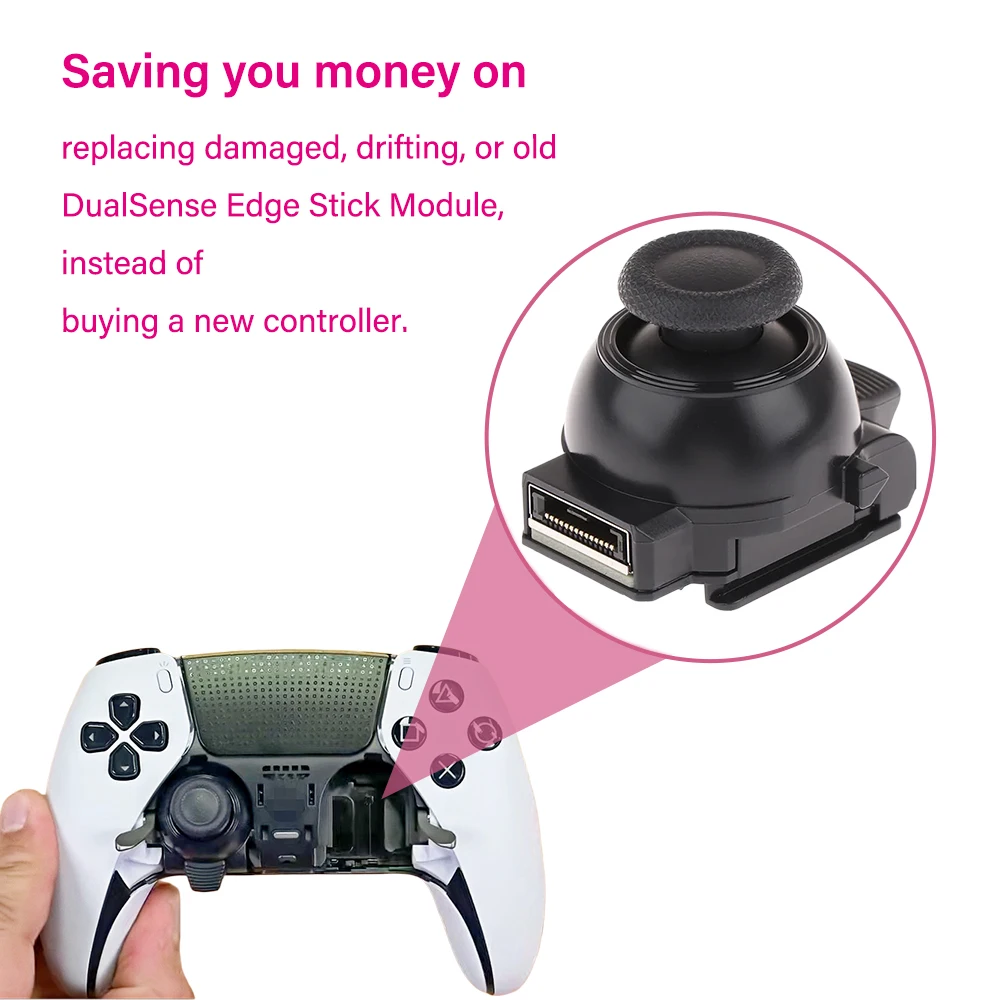
If Sony DualSense Wireless Controller drifting keeps coming back, repair may be the smart move. The stick module can sometimes be replaced, but that usually requires tools and experience with electronics.
Repair makes sense when:
- The controller is out of warranty
- Drift is severe and constant
- Cleaning does not help
- You want to keep using the controller instead of replacing it
Some users try DIY fixes, but that can void warranty or damage the board if done badly. In my experience, if the controller is still under warranty, contacting Sony support first is the safest path.
When replacement is the smarter choice
Sometimes the best answer is to replace the controller. That can feel frustrating, but it is often the most practical option if the stick module is heavily worn.
Replacement may be better when:
- The controller has major drift and multiple issues
- Repair costs are close to a new controller
- You use the controller daily and need reliability
- You do not want to risk a DIY repair
It is annoying, sure. But if you keep fighting severe Sony DualSense Wireless Controller drifting, the time and money can add up fast. A new controller can sometimes be the simpler long-term fix.
What Sony and industry testing suggest
Controller drift is not unique to Sony. It affects many modern gamepads that use similar analog stick technology. Industry discussions and durability testing often point to stick wear as a common weak point across several brands.
That matters because it shows the issue is not just one bad batch or one console generation. It is a broad hardware challenge tied to analog stick design. Sony DualSense Wireless Controller drifting fits that pattern, which is why users across platforms often report similar symptoms.
How to test your DualSense more accurately
If you want a clearer answer, do a proper test.
Use this checklist:
- Test in the PS5 home menu
- Test in at least two different games
- Compare wired and wireless input
- Check the stick in different directions
- Note whether the drift is constant or only occasional
If the issue stays the same across tests, that points strongly to hardware wear. If it changes a lot, the problem may involve software, dead zones, or wireless interference. This step matters because it helps you avoid guessing.
Frequently Asked Questions
Why is my Sony DualSense Wireless Controller drifting after only a few months?
Early drift can happen because of a manufacturing flaw, heavy daily use, or debris getting into the analog stick. Even a small defect in the sensor can show up fast if you play a lot of fast-moving games.
Can I fix Sony DualSense Wireless Controller drifting without opening it?
Yes, sometimes. Cleaning the stick area, updating firmware, and testing different dead zone settings can help if the issue is minor. If the drift is caused by worn internal parts, though, software fixes will not fully solve it.
Does resetting the DualSense fix drift?
A reset may help if the issue is caused by a temporary firmware or connection glitch. It will not fix worn analog stick parts, so if the drift returns right away, the problem is likely hardware-related.
Is Sony DualSense Wireless Controller drifting covered by warranty?
It can be, depending on your region and the age of the controller. If the controller is still within warranty, it is worth contacting support before trying a repair on your own.
What games make drift easier to notice?
Games with camera control, free movement, or low dead zone settings make drift easier to spot. First-person shooters and racing games are usually the first places people notice the problem.
Can dust really cause stick drift?
Yes, dust and grime can interfere with the analog stick’s movement and sensor reading. A small amount may not seem like much, but over time it can create false input and make drift worse.
Conclusion
Sony DualSense Wireless Controller drifting usually comes down to stick wear, dust, or a small hardware fault that grows over time. In some cases, settings or firmware issues make it seem worse, but the analog stick is still the most common source of the problem.
The good news is that you can often slow drift down with better care, regular cleaning, and smart testing before you blame the controller. If the drift is severe, repair or replacement may be the most reliable fix. Take a few minutes to test your controller today, and if you want, leave a comment or explore more repair tips to keep your setup working smoothly.