Why Is Nintendo Switch Pro Controller Drifting: Fixes Explained
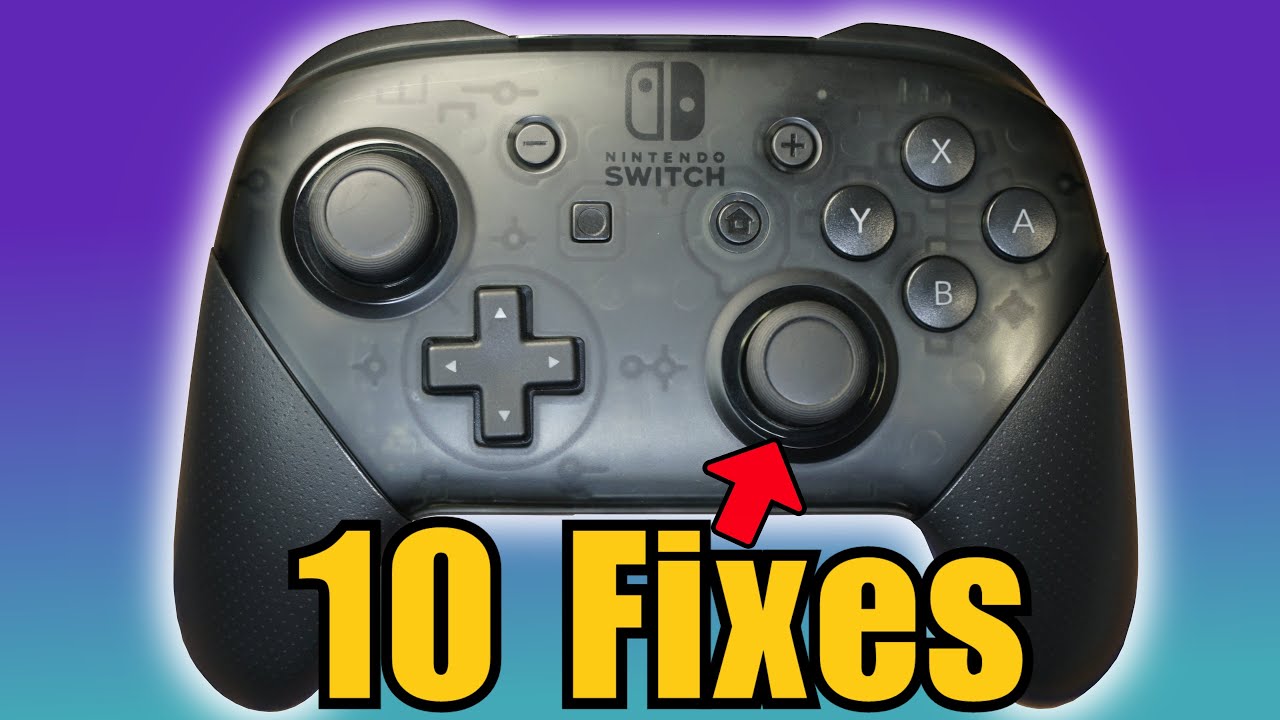
Nintendo Switch Pro Controller drifting usually comes from worn sticks, dust buildup, and sensor wear over time.
If you have ever moved the stick and watched your character wander on its own, you are not imagining it. Nintendo Switch Pro Controller drifting is a real issue, and it often comes down to a mix of physical wear, grime, and how the analog stick reads motion. In this guide, I’ll break down why it happens, what signs to look for, and what you can do to fix or reduce it with practical steps that actually help.
What Is Nintendo Switch Pro Controller Drifting?
Nintendo Switch Pro Controller drifting happens when the control stick sends movement signals even when you are not touching it. That can make a game camera turn by itself or a character slowly walk off in one direction.
At its core, the stick is supposed to rest at a neutral point. When that neutral point becomes unstable, the controller may think the stick is tilted. Over time, this can happen from wear, dirt, or sensor trouble.
Why Nintendo Switch Pro Controller Drifting Happens
The most common reason for Nintendo Switch Pro Controller drifting is wear inside the analog stick module. The stick uses small internal parts that rub together every time you play, and those parts do not last forever.
Here are the main causes:
- Dust and debris inside the stick housing can block smooth movement and confuse the sensor.
- Wear on the stick’s contact parts can make the controller misread the neutral position.
- Moisture and hand oils can seep into the stick area over time.
- Heavy use, especially in games with constant movement like racing or shooters, speeds up wear.
- Loose internal calibration can make the controller act off-center.
- Manufacturing variation can make some units more prone to drifting than others.
I have seen this pattern many times in real use: a controller works fine for months, then starts acting a little “slippery” near the center. At first it feels random, but that early wobble is often the first clue that the stick is no longer reading cleanly.

How the Analog Stick Works
The Nintendo Switch Pro Controller uses analog sensors to measure stick position. When you push the stick, the controller tracks direction and distance from the center point.
Think of it like a compass needle that should always point to true north when untouched. If the center shifts, the controller thinks you are still moving. That is why drifting can happen even when the stick looks physically fine.
Signs Your Nintendo Switch Pro Controller Is Drifting
You do not need to guess. There are clear signs that point to Nintendo Switch Pro Controller drifting.
Common symptoms include:
- Your character moves without input.
- The game camera turns slowly on its own.
- Menu selection moves by itself.
- Movement feels shaky or inconsistent.
- The stick does not return to a true center.
A good test is to open a game with free movement or use the controller test screen on the Switch. If the on-screen cursor or input graph moves while the stick is untouched, drift is likely present.
Is Nintendo Switch Pro Controller Drifting Common?
Yes, it is common enough that many players have experienced it at some point. While the Pro Controller is widely respected for comfort and battery life, analog sticks are still mechanical parts, and mechanical parts wear out.
That does not mean every controller will drift quickly. Some last a long time, especially with lighter use and good care. But if you game a lot, especially in fast-paced titles, stick wear becomes more likely.
Can Dust and Dirt Really Cause Drifting?
Yes, and this is one of the easiest causes to overlook. Tiny dust particles can get into the stick opening and interrupt the sensor’s movement path.
Even sweat, skin oils, and crumbs from a gaming setup can build up over time. I have personally seen controllers improve after a careful cleaning, especially when the drifting was mild rather than severe. It is a small issue that can act like sand in a gear.
Does Calibration Fix Nintendo Switch Pro Controller Drifting?
Sometimes, but not always. Calibration can help if the stick’s center point is slightly off, but it will not fix worn hardware.
Try calibration if:
- The drift is minor.
- The controller recently started acting strange.
- The issue seems inconsistent.
Calibration usually will not help if the stick module itself is worn down. In that case, the controller may need cleaning, repair, or replacement.
How to Reduce Nintendo Switch Pro Controller Drifting
You may not always be able to stop drifting forever, but you can lower the chance of it getting worse.
Try these steps:
- Clean the stick area gently with compressed air or a small amount of isopropyl alcohol on a swab.
- Avoid forcing the stick if it feels sticky or rough.
- Keep food, drinks, and dust away from your setup.
- Store the controller in a dry place.
- Recalibrate the controller in the Switch settings.
- Update the system and controller firmware when available.
A light cleaning can go a long way. Just be careful not to flood the stick with liquid, because too much moisture can create a new problem.

When Cleaning Helps and When It Does Not
Cleaning helps most when the drift comes from dirt, dust, or residue. It can also help when the stick feels gritty or does not spring back smoothly.
Cleaning will not usually solve:
- Severe internal wear
- Broken stick springs or contacts
- Long-term sensor damage
- Physical damage from drops or impact
That is the frustrating part. If the problem is inside the stick module, cleaning may only buy you time rather than fully solve it.
Why Some Controllers Drift Faster Than Others
Not every Nintendo Switch Pro Controller drifts at the same speed. A lot depends on how the controller is used and stored.
Factors that can speed up wear include:
- Long daily play sessions
- Games that require constant stick pressure
- Rough handling or repeated drops
- Exposure to dust or smoke
- High humidity
- Natural wear from years of use
This is why one player may never see drift while another runs into it much sooner. The controller itself matters, but so does the environment around it.
Repair Options for Nintendo Switch Pro Controller Drifting
If the drift is bad enough, you may need a repair.
Your options include:
- Recalibration through system settings
- Careful cleaning of the stick area
- Professional repair service
- DIY stick replacement if you have technical skill
- Controller replacement if repair costs too much
For most users, professional repair or replacement is the safest path. DIY repair can work, but it takes patience, the right tools, and comfort with tiny parts.
Is Nintendo Switch Pro Controller Drifting a Design Problem?
It can feel that way, and many gamers have asked the same question. The honest answer is that analog stick drift is not unique to Nintendo, but the issue has been widely discussed because so many people notice it during normal play.
Industry testing and repair trends show that stick modules across modern controllers can wear out with time. That means the issue is partly about design limits of analog tech itself, not just one brand. Still, the real-world experience for players matters, and if a controller drifts too early, that is understandably frustrating.
How to Protect Your Controller for the Long Term
A little care can extend controller life.
Helpful habits include:
- Wash your hands before long gaming sessions.
- Wipe the controller after use.
- Keep it in a case or drawer when not in use.
- Avoid eating over your gaming area.
- Use moderate stick force instead of pushing hard.
These habits sound simple, but they add up. Like protecting a camera lens, the goal is not to baby the controller forever, just to keep small problems from turning into bigger ones.

Frequently Asked Questions
What causes Nintendo Switch Pro Controller drifting the most?
The biggest cause is usually wear inside the analog stick module. Dust and grime can also make the problem show up sooner or feel worse.
Can I fix Nintendo Switch Pro Controller drifting without opening it?
Yes, sometimes. Recalibration and gentle cleaning can help if the issue is minor or caused by debris.
Does updating the Switch fix drifting?
An update will not fix worn hardware, but it can sometimes improve controller behavior or calibration support. If the drift is physical, software updates alone will not solve it.
Is drifting worse in certain games?
Yes, games that use the sticks heavily can expose drift more clearly. Fast action games, shooters, and movement-heavy titles often make the issue easier to notice.
Should I replace the controller if drifting starts?
Not always right away. Try calibration and cleaning first, but if the drift keeps coming back, replacement or repair is usually the most reliable option.
Conclusion
Nintendo Switch Pro Controller drifting usually comes down to wear, dirt, and stick sensor problems that build up over time. The good news is that minor drift can sometimes be reduced with cleaning or calibration, and good habits can slow future wear.
If your controller is starting to act up, do not ignore the early signs. Test it, clean it carefully, and decide whether repair or replacement makes the most sense for your setup. If this guide helped, take a minute to check your controller now and leave a comment with what worked for you.

Similar Posts