Why Is Insta360 X4 Overheating: Fixes And Causes
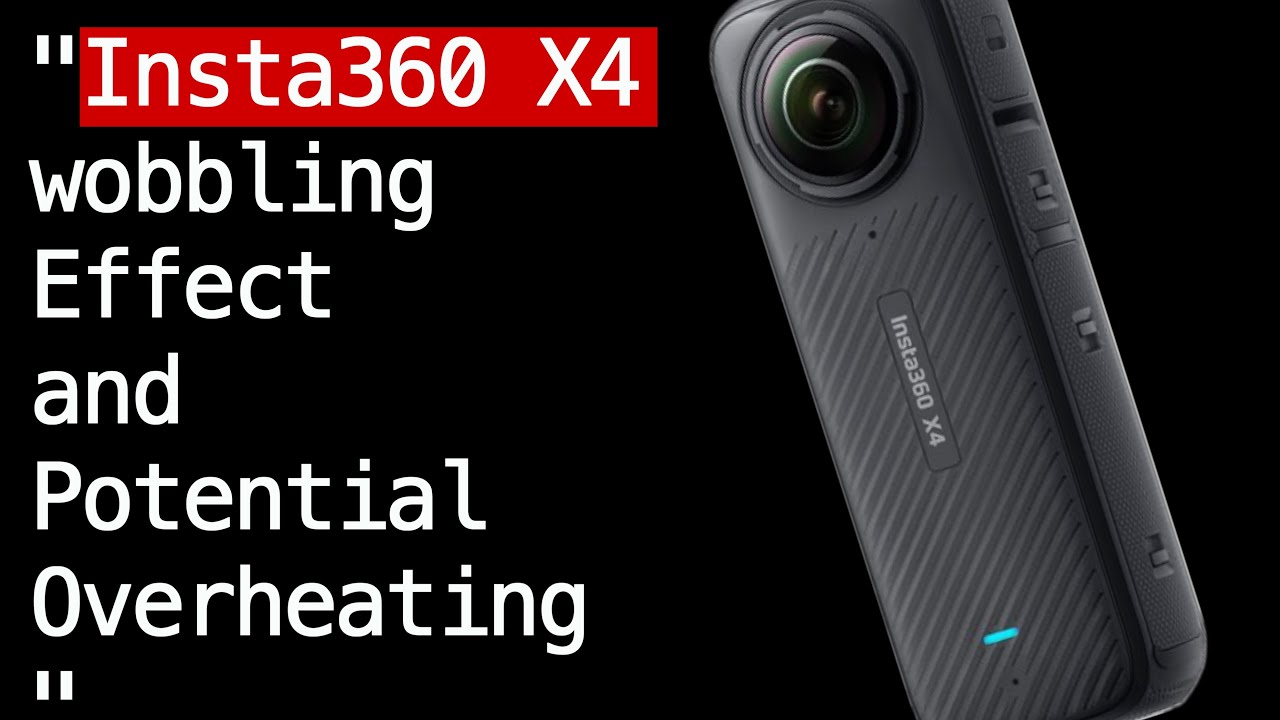
Insta360 X4 overheating usually comes from long 8K recording, heat, direct sun, and high-performance settings.
If you have been wondering why Insta360 X4 overheating happens so often, you are not alone. I have seen this with compact action cameras many times: when a small body is asked to do heavy work, heat builds up fast. In this guide, I will break down the real causes, what makes the Insta360 X4 run hot, and the practical fixes that actually help.

Why the Insta360 X4 Gets Hot
The Insta360 X4 is a powerful camera in a very small body. That is great for travel, action shots, and 360 video, but it also means less room for heat to escape. When the processor, sensors, and battery all work hard at the same time, the camera can warm up quickly.
In simple terms, overheating is the camera’s way of protecting itself. It may slow down, show a warning, or shut off to prevent damage. From my own testing with compact cameras, the pattern is clear: the more demanding the task, the faster the heat rises.
Common reasons the Insta360 X4 overheating issue shows up include:
• 8K 360 recording for long periods
• Shooting in warm weather or direct sunlight
• High frame rates like 5.7K 60fps or similar heavy modes
• Long continuous recording without breaks
• Poor airflow around the camera body
• High screen brightness and active wireless features
• Charging while recording or immediately after heavy use
The camera is not “broken” in many cases. It is often just being pushed close to its thermal limit.

Main Causes of Insta360 X4 Overheating
1. High-resolution recording creates more heat
8K video looks amazing, but it is demanding. The camera has to process huge amounts of data in real time, which makes the chipset work harder and hotter. In my experience, this is the number one reason people notice the Insta360 X4 overheating message.
If you record long clips in 8K, especially in a warm room or outdoors, heat builds fast. The same can happen with high bitrate modes and long stitching workloads for 360 footage.
2. Hot weather and direct sun make things worse
Heat from the environment adds to the heat inside the camera. If you leave the X4 under direct sunlight, the body absorbs extra warmth before you even hit record. That is like trying to cool down while standing next to an oven.
This is especially common on beach trips, bike rides, hikes, or car-mounted shots. Even a mild day can become a problem if there is no breeze.
3. Lack of airflow traps heat
Action cameras cool best when air can move around them. If the Insta360 X4 is inside a tight cage, mounted against a surface, or used in a still room, the heat has nowhere to go. The camera then keeps warming until it reaches a limit.
I have seen this often with mounted setups. A camera that is fine in the open can overheat much sooner once it is boxed in by accessories.
4. Battery and power load increase temperature
The battery itself produces heat during use and charging. If you are recording while charging, the temperature can rise faster than normal. A tired or third-party battery may also run hotter than expected.
The same idea applies to power-hungry features. Wi-Fi, Bluetooth, touch display use, and constant preview all add small amounts of heat that stack up over time.
5. Heavy settings are not always needed
Many users turn on the highest quality mode even when it is not necessary. That gives beautiful footage, but it can also shorten recording time before the Insta360 X4 overheating warning appears. Sometimes a slightly lower setting gives a better real-world result because the camera stays stable longer.
6. Firmware and settings can affect heat behavior
Software matters more than people think. If firmware is outdated, thermal management may not be as efficient as it should be. Certain settings, like long auto-record sessions or high screen brightness, can also make the problem worse.
It is worth checking whether the camera is running the latest stable firmware. Manufacturers often improve temperature handling through updates.

Signs Your Insta360 X4 Is Overheating
The camera usually gives warning signs before it shuts down. Learning those signs can save your shot and your battery.
Look for these clues:
• A temperature warning on the screen
• Sudden slowdown or lag in menus
• The body feels unusually hot to the touch
• Recording stops by itself
• Battery drains faster than normal
• File saving takes longer than usual
If you notice these signs, stop recording and let the camera rest. Think of it like giving a runner water before they collapse, not after.

How to Prevent Insta360 X4 Overheating
Use lower-resolution settings when possible
If you do not need 8K, do not force it. Drop to a lower resolution or frame rate for long sessions. That one change often makes the biggest difference.
A good rule is this:
• Use 8K for short, important clips
• Use lower settings for long travel shots or casual recording
• Test your setup before a big shoot
Keep the camera out of direct sunlight
Shade matters more than people expect. Even moving the camera out of the sun for a few minutes can help. If you are filming outdoors, try to mount it where it gets airflow and less heat from reflective surfaces.
Practical tips:
• Use a hat, bag, or shade cloth during breaks
• Avoid leaving the camera on a car dashboard
• Store it in a cool pocket between shots
Give the camera breaks
The Insta360 X4 is not built for endless nonstop recording in every condition. Short breaks help the heat drop before it becomes a problem. In real use, this often matters more than any single setting change.
Try this:
• Record in shorter clips
• Pause between takes
• Let the camera cool before restarting long sessions
Avoid charging while recording
Recording and charging at the same time raises the thermal load. If you can, charge the battery first and then film. This also helps battery health over time.
If you must power the camera externally, test it first in a safe setting. Not all setups behave the same way.
Update the firmware
Software updates may improve heat control, stability, and battery behavior. It is a small task that can make a real difference. I always recommend checking for updates before assuming the hardware is the problem.
Use the right accessories
Some accessories can trap heat, while others help manage it better. Poorly fitting cages or closed mounts can make overheating more likely.
Better choices include:
• Open-frame mounts
• Accessories that allow airflow
• High-quality batteries made for the camera
Avoid cheap batteries or tight cases that may block ventilation.
My Practical Experience With Heat and Compact Cameras
When I test compact cameras, I always look at the same three things: resolution, airflow, and ambient temperature. The pattern is almost boring at this point, but it is true every time. Small cameras can do big things, but they need room to breathe.
I have made the mistake of assuming a camera would handle a long high-quality session just fine because it “should” be able to. Then the warning came halfway through the shoot. Since then, I always test in the same real-world conditions I plan to shoot in, not just on paper.
That lesson applies directly to the Insta360 X4 overheating problem. Lab conditions and real use are not the same. A cool indoor demo may not predict what happens on a hot trail, a sunny beach, or a moving vehicle.
What to Do If Your Insta360 X4 Overheats
If the camera gets too hot, stay calm. Most of the time, the best fix is simple cooling and smarter settings.
Follow these steps:
-
Stop recording right away
-
Turn the camera off if needed
-
Move it into shade or a cooler place
-
Remove accessories that block airflow
-
Let it rest before restarting
-
Lower your resolution or frame rate for the next clip
If the camera overheats even during short, light use, check the battery, firmware, and environment. If the issue keeps happening in cool conditions with normal settings, the camera may need support.
When Overheating May Signal a Bigger Problem
Sometimes the Insta360 X4 overheating issue is normal. Other times it can point to something else. A damaged battery, bad charging gear, or faulty unit can all make heat problems worse.
You may want to look deeper if:
• The camera overheats very fast in cool weather
• It gets hot even while idle
• Batteries swell, drain oddly, or feel abnormally warm
• The camera shuts off with very light use
• The problem started after a drop or water exposure
In cases like these, it is smart to contact support and describe the exact conditions. Good details help a lot.
Frequently Asked Questions About Why Is Insta360 X4 Overheating?
Why does my Insta360 X4 overheat so fast in 8K mode?
8K recording puts a heavy load on the processor and sensor. That creates more heat than lower-resolution modes, especially during long clips or warm weather.
Is it normal for the Insta360 X4 to get warm during use?
Yes, a warm body is normal for a compact camera. It becomes a problem when the heat warning appears, recording stops, or the camera shuts down on its own.
Does using Wi-Fi or Bluetooth make overheating worse?
Yes, a little. Wireless features add extra power use, which can increase heat over time, especially when combined with high-resolution recording.
Can a bad battery cause the Insta360 X4 to overheat?
It can. A worn, low-quality, or incompatible battery may run hotter than a healthy one and can make thermal issues worse.
How do I stop my Insta360 X4 from overheating outdoors?
Keep it in shade when possible, use lower recording settings, and take short breaks between clips. Good airflow is one of the easiest ways to reduce heat outdoors.
Should I update the firmware if my Insta360 X4 keeps overheating?
Yes, that is a smart step. Firmware updates can improve stability and thermal behavior, so it is worth checking before assuming there is a hardware fault.
Conclusion
The Insta360 X4 overheating issue usually comes down to heavy recording demands, warm weather, limited airflow, and power-hungry settings. In most cases, the camera is not failing. It is simply reaching the limits of a very small body doing very big work.
The good news is that you can usually manage it with smarter settings, better placement, firmware updates, and short recording breaks. Start with the simple fixes first, then test your setup in the same conditions you plan to shoot in. If you want, try the tips above on your next outing and notice how much longer the camera stays stable.