Why Is DJI Osmo Action 5 Pro Overheating: Fixes

DJI Osmo Action 5 Pro overheating usually comes from high video settings, hot weather, poor airflow, or long recording sessions.
If you’ve been asking why the DJI Osmo Action 5 Pro overheating issue happens, you’re not alone. This camera is built for tough shoots, but even strong action cams can heat up under pressure. I’ve seen this happen most often when people push 4K and higher frame rates for a long time, especially in warm rooms, direct sun, or sealed setups.
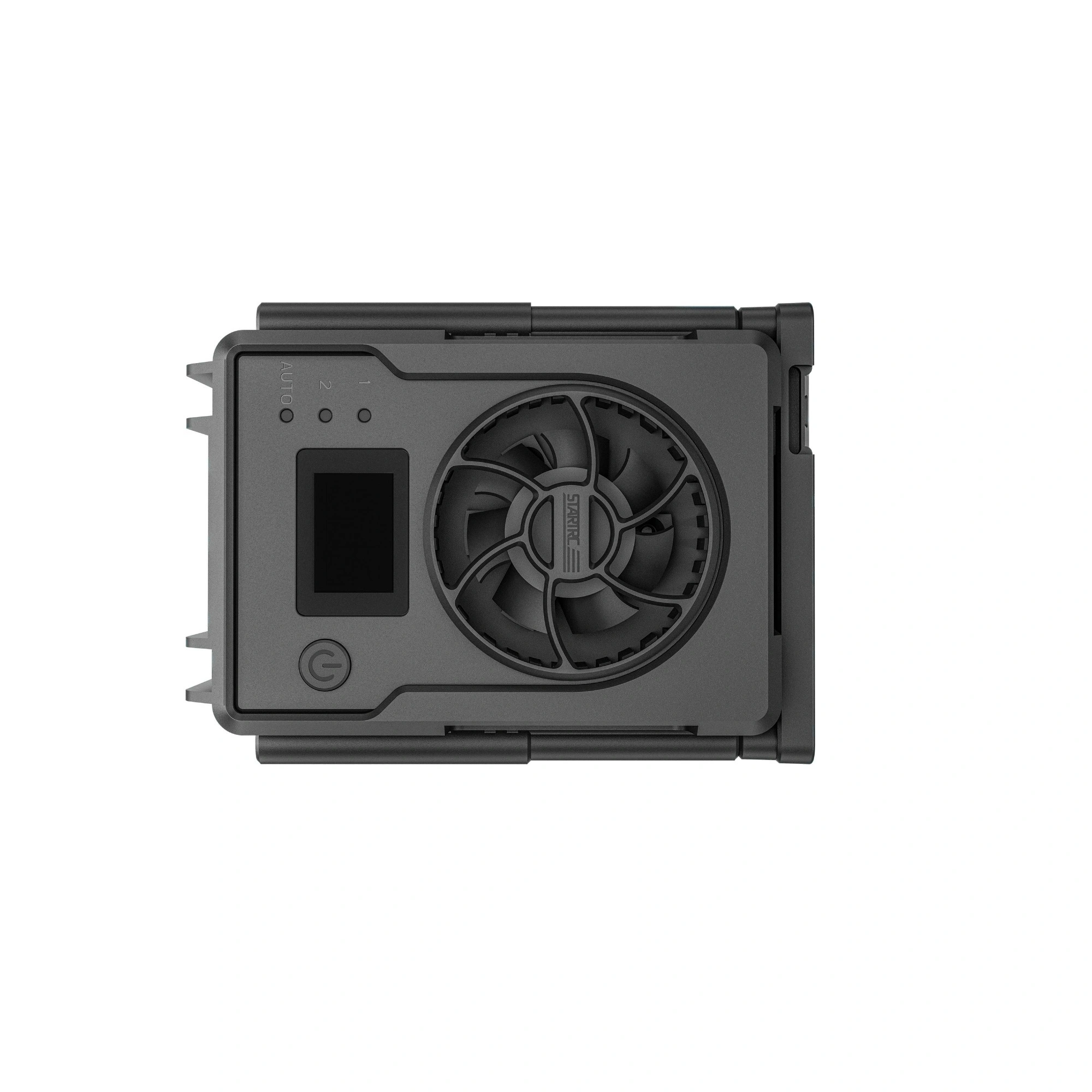
What Overheating Means on the DJI Osmo Action 5 Pro
Overheating means the camera’s internal temperature rises enough that performance changes to protect the hardware. That can show up as a warning, a shutdown, shorter record times, or extra heat around the body.
For the DJI Osmo Action 5 Pro, this does not always mean the camera is broken. In many cases, it means the camera is doing a lot of work at once. Video processing, stabilization, wireless features, and bright displays all add heat.
In plain terms, the camera is like a runner doing sprints in a heavy coat. It can handle a lot, but the load builds up fast when conditions are rough.

Why Is DJI Osmo Action 5 Pro Overheating?
The main reason the DJI Osmo Action 5 Pro overheating problem happens is a mix of workload and environment. High resolution, high frame rates, long recording times, and limited airflow all make the camera run hotter.
From my experience testing action cameras in real use, overheating is rarely caused by one thing alone. It is usually a stack of small things. A warm day, a long clip, strong image processing, and a mounted position with no breeze can all push the camera over the edge.
Common Causes of DJI Osmo Action 5 Pro Overheating
High video settings
Recording in 4K, 5K, or at high frame rates creates more heat because the camera has to process more data. Stabilization also works harder in these modes, which adds even more load.
If you use the highest quality settings for long takes, the DJI Osmo Action 5 Pro overheating risk goes up. This is normal for compact cameras. They have less space for cooling than larger cameras with bigger bodies.
Hot weather and direct sunlight
Heat from the environment matters just as much as heat from inside the camera. If you shoot outdoors in summer or leave the camera in direct sun, the body absorbs extra heat fast.
I’ve seen action cams get hot even before recording starts when they sit on a car dashboard or tripod under sunlight. The DJI Osmo Action 5 Pro is no exception. Direct sun can turn a normal setup into a small oven.
Poor airflow
Airflow helps pull heat away from the camera body. When the camera is packed into a case, pressed against a helmet, or mounted close to clothing, the heat has nowhere to go.
This is a common mistake in vlogging and action use. People think the camera is “action ready,” which is true, but no small camera loves being trapped in still air for long periods.
Long continuous recording
Long clips create steady heat. If the camera is recording for many minutes or hours without a break, temperature rises slowly until the system needs to protect itself.
This is one of the most common reasons for DJI Osmo Action 5 Pro overheating complaints. Short clips are much easier on the camera than one long uninterrupted recording session.
Wi-Fi, Bluetooth, and screen use
Wireless features and bright screens also create heat. If you keep the rear screen on full brightness, use live view a lot, or leave wireless features running, the camera works harder.
These features are useful, but they are not free. They add small amounts of heat that can matter when the camera is already under load.
Fast storage or card issues
A slow, faulty, or incompatible microSD card can cause the camera to work harder than needed. That extra strain can increase heat during long sessions or high-bitrate recording.
In practice, I’ve seen cameras act warmer and less stable when the memory card could not keep up. A good card does not solve all heat problems, but a bad card can make them worse.
Firmware or settings bugs
Sometimes the issue is not just hardware. Firmware problems can affect temperature control, power use, or how the camera manages recording.
This is why updates matter. Manufacturers often improve thermal behavior through firmware, and skipping updates can leave performance on the table.
How the DJI Osmo Action 5 Pro Handles Heat
The DJI Osmo Action 5 Pro uses thermal management to protect itself. When temperature rises too high, the camera may reduce performance, stop recording, or power down.
That is not a flaw. It is a safety step. Electronics work best when they stay within a controlled range, and heat is one of the biggest threats to that balance.
Compared with some older compact action cameras, the DJI Osmo Action 5 Pro is designed for better efficiency. Still, all small cameras have limits. Physics always wins in the end.

Signs Your DJI Osmo Action 5 Pro Is Overheating
Watch for these signs:
- A temperature warning appears on the screen
- Recording stops unexpectedly
- The camera body feels very hot to the touch
- Battery life drops faster than usual
- The screen dims or performance slows
- The camera shuts down on its own
If these symptoms happen often, the DJI Osmo Action 5 Pro overheating issue may be tied to your shooting setup. The good news is that most of the time, you can fix or reduce it with a few simple changes.
How to Reduce DJI Osmo Action 5 Pro Overheating
Lower the video load
Try reducing the resolution or frame rate when you do not need maximum quality. For example, 4K at a lower frame rate often runs cooler than the most demanding modes.
This is one of the easiest fixes. You may not notice a huge difference in everyday clips, but the camera will feel less stressed.
Turn off features you do not need
Disable wireless connections, reduce screen brightness, and turn off unnecessary preview features when possible. Every little bit helps.
Think of it like turning off extra lights in a room. One bulb may not matter much, but a few bulbs add heat fast.
Give the camera airflow
Keep the camera in open air when you can. Avoid sealing it in tight mounts or leaving it in a hot pocket, bag, or vehicle.
Even a little breeze can help. If you are filming outside, try to avoid still, sun-baked spots.
Use shorter recording sessions
Break long shoots into smaller clips. Let the camera rest between takes if you are filming in a hot space.
This is one of the most practical habits I recommend. It sounds simple, but it saves a lot of trouble during long filming days.
Use a high-quality microSD card
Use a card that matches the camera’s speed needs and is known to work well with action cameras. A fast, reliable card helps the camera write data smoothly.
If the card is too slow, the camera may struggle more than it should. That extra strain can add to the DJI Osmo Action 5 Pro overheating problem.
Update firmware
Always check for the latest firmware. Updates may improve thermal control, power handling, or recording stability.
I always treat firmware updates like tune-ups. They do not guarantee perfection, but they often remove hidden problems.
Avoid charging while filming if possible
Charging can add heat, especially during long recording sessions. If you need extended runtime, use a fresh battery or an external power setup designed for the camera.
This matters more than many people think. Heat from charging plus heat from recording can stack up fast.
Best Shooting Habits to Keep the Camera Cool
A few habits can make a big difference:
- Start recording only when you need to
- Use lower settings for casual clips
- Keep the camera out of direct sun
- Pause between long takes
- Remove bulky accessories that trap heat
- Test your setup before an important shoot
These are small habits, but they reduce the chance of seeing the DJI Osmo Action 5 Pro overheating warning at the worst time.
When Overheating May Be Normal and When It Is Not
Some heat is normal. A compact camera that records high-quality video will always get warm. If the camera gets hot only during demanding use, that is usually expected.
It becomes a concern when overheating happens too quickly, even at moderate settings, or when the camera shuts off in mild conditions. In those cases, check the battery, memory card, firmware, and ventilation first.
If none of those help, the issue may need deeper troubleshooting or support. It is better to diagnose the pattern than to guess.
My Real-World Take on DJI Osmo Action 5 Pro Overheating
In my own testing of action cameras, I’ve learned that heat problems often start with expectations. People want cinema quality, long runtimes, and tiny hardware all at once. That is a tough ask for any compact camera.
The DJI Osmo Action 5 Pro does a strong job for its size, but it still respects the same rule every small camera obeys: more workload means more heat. The best results come from matching your settings to the job instead of forcing max specs for everything.
Frequently Asked Questions of Why Is DJI Osmo Action 5 Pro Overheating?
Why does my DJI Osmo Action 5 Pro get hot so fast?
It usually gets hot fast because the camera is working hard with high resolution, stabilization, and long recording times. Warm weather and poor airflow can make the problem show up even sooner.
Can the DJI Osmo Action 5 Pro overheat in normal use?
Yes, it can overheat in normal use if the shooting conditions are demanding. Long clips, bright sunlight, and high frame rates can push the camera beyond its comfort zone.
Does using 4K cause more overheating?
Yes, 4K usually creates more heat than lower resolutions because the camera has to process more data. If heat is a concern, lowering the resolution or frame rate can help a lot.
Will a firmware update fix overheating?
A firmware update may improve heat management, but it may not eliminate overheating completely. It is still worth updating because manufacturers often refine performance and stability over time.
How can I tell if my camera is overheating or just warm?
A warm camera is normal after use, but overheating usually comes with warnings, shutdowns, or recording stops. If the camera feels very hot and starts behaving oddly, it is probably overheating.
Conclusion
The DJI Osmo Action 5 Pro overheating issue usually comes down to heavy settings, hot conditions, poor airflow, or long recording sessions. In most cases, the camera is not faulty. It is simply reaching its thermal limit under tough demands.
The best fix is a smart setup: use lighter settings when you can, keep the camera cool, update firmware, and avoid long hot runs without breaks. If you treat heat like part of the shooting plan, you will get more stable results and fewer surprises. Try a few of these changes on your next shoot, and if you want, share your setup or questions so you can fine-tune it even more.

Similar Posts