Samsung Dishwasher Lc Error Code: Quick Fix Guide
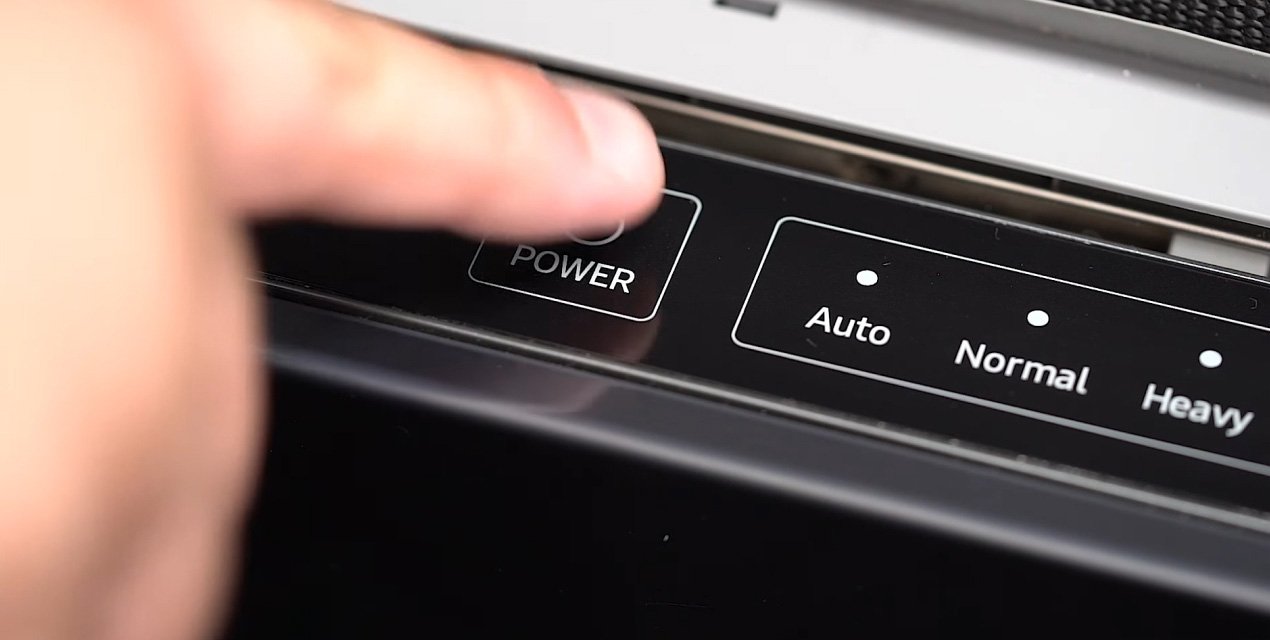
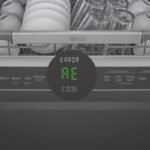
The Samsung Dishwasher Lc error code means a water leak or moisture issue is being detected.
If you have seen the Samsung Dishwasher Lc Error Code, you are not alone. I have run into this code more than once while helping people diagnose Samsung dishwashers, and it usually points to water where it should not be. In this guide, I will walk you through what the Samsung Dishwasher Lc Error Code really means, what causes it, and how to fix it step by step with clear, practical advice.
What the Samsung Dishwasher Lc Error Code Means
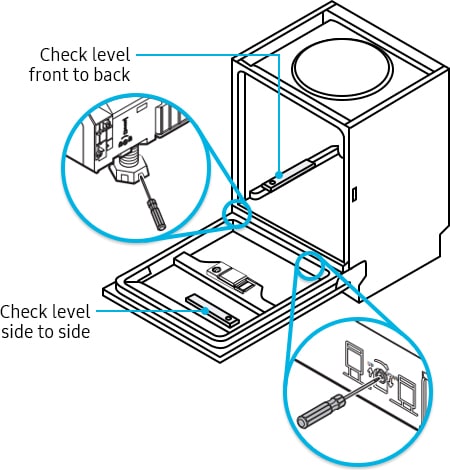
The Samsung Dishwasher Lc Error Code is a leak or overflow warning. On many Samsung models, “LC” or “LE” shows up when the dishwasher senses moisture in the base pan or detects water where the machine expects it to stay dry. Think of it like a smoke alarm for water. It is there to protect the appliance and your kitchen from damage.
From experience, this code is often triggered by a small leak that has been happening for a while, not always a major flood. That is why the dishwasher may still run for a bit, then stop later once the sensor picks up the problem. Samsung support materials and appliance repair guidance generally point to the same idea: the machine is trying to prevent more water from escaping.
Why this code matters
The Samsung Dishwasher Lc Error Code should not be ignored. Even if the dishwasher resets and seems fine for a moment, the root cause may still be there.
Common risks include:
- Water damage under the cabinet
- Mold or mildew growth
- Electrical parts getting wet
- Repeated shutdowns during cycles
- A worse leak over time

Common Causes of the Samsung Dishwasher Lc Error Code
The Samsung Dishwasher Lc Error Code can come from several different issues. Some are simple and easy to fix. Others need a closer look.
1. A real water leak
This is the most common cause. Water may be escaping from the door, hoses, pump, tub, or internal seal. Even a slow drip can trigger the sensor.
2. Too much soap or wrong detergent
Using too much detergent can create heavy suds. Those suds can spill into places the sensor can detect as moisture. This is a very common mistake, especially when people switch to a stronger soap or use dishwasher pods in a small load.
3. A clogged or loose drain hose
If the drain hose is bent, blocked, or loose, water may back up or leak during draining. I have seen this happen after a dishwasher was moved for cleaning or installation.
4. Faulty door gasket or door latch
A worn door seal can let water seep out during the wash. A weak latch can also let the door sit unevenly, which may cause leaking along the edge.
5. A bad float switch or moisture sensor issue
Sometimes the leak alert is correct, and sometimes the sensor itself is acting up. Moisture sensors and float switches can fail, get stuck, or read false signals if debris or water is present in the base.
6. A cracked tub or damaged internal part
Less common, but serious. A crack in the tub, sump, or pump housing can send water into the base pan and trigger the Samsung Dishwasher Lc Error Code.
How to Fix Samsung Dishwasher Lc Error Code Step by Step
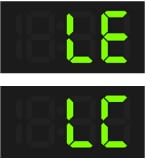
Before you start, unplug the dishwasher or turn off power at the breaker. Safety comes first. Water and electricity are a bad mix, so take your time.
Step 1: Reset the dishwasher
Sometimes the code appears after a temporary moisture event. Try turning the dishwasher off, waiting a few minutes, and restarting it.
If the code returns, do not assume it is a false alarm. In my experience, repeated LC codes usually mean the dishwasher found a real problem.
Step 2: Check for visible leaks
Look under and around the dishwasher for signs of water.
Check:
- The front door area
- The bottom edge of the machine
- The hoses behind or under the unit
- The floor near the sink cabinet
- The toe kick or lower front panel
If you see standing water, dry it fully before testing again.
Step 3: Empty the base pan
Many Samsung dishwashers have a base pan that collects water when a leak happens. If water is sitting there, the sensor may keep the LC code active.
To dry it:
- Pull out the lower rack
- Remove the lower access panel if needed
- Soak up visible water with towels or a sponge
- Use a fan to dry the area
- Leave the door open for several hours
This step alone sometimes clears the error if the leak was small and temporary.
Step 4: Inspect the detergent use
If you used too much soap, stop the cycle and clean out the suds.
Use only:
- Dishwasher detergent made for automatic dishwashers
- The amount listed on the package
- Fresh detergent, not old clumped soap
Avoid hand soap, dish liquid, or extra detergent “for better cleaning.” That usually makes things worse.
Step 5: Examine the door seal
Open the door and inspect the rubber gasket.
Look for:
- Cracks
- Flat spots
- Dirt buildup
- Pieces that are loose or warped
Wipe the gasket clean with a damp cloth. If the seal is damaged, it may need replacement.
Step 6: Check the drain hose and inlet hose
Make sure the hoses are:
- Secure
- Not kinked
- Not cracked
- Not leaking at the connection points
If the dishwasher was recently installed or moved, a hose may have shifted just enough to cause a drip.
Step 7: Look under the unit for trapped water
Sometimes water gets trapped in the base after a spill, over-sudsing, or a minor leak. That trapped moisture keeps the Samsung Dishwasher Lc Error Code active until the area is dry.
A hair dryer on a cool setting or a fan can help, but do not overheat plastic parts.
Step 8: Run a short test cycle
After drying and checking the unit, run a short cycle while watching closely.
Watch for:
- Drips from the door
- Water under the machine
- Unusual spraying
- Leaks near the drain or inlet hose
If the code returns during the test, the leak is still present.

What I Learned From Dealing With This Error
One of the biggest mistakes I see is people clearing the code without finding the cause. That is like wiping a wet counter while the sink is still running. The problem comes right back.
The other common mistake is replacing parts too fast. I have seen people swap the sensor first, when the real issue was a loose hose clamp or a door seal covered in grime. A careful visual check often saves time and money.
A simple rule helps a lot:
- Dry the machine first
- Check the easy stuff first
- Test one change at a time
- Confirm the leak before buying parts
That approach usually leads to a faster fix and fewer headaches.
When the Samsung Dishwasher Lc Error Code Points to a Bigger Problem
Not every Samsung Dishwasher Lc Error Code is a quick fix. Some cases need a repair technician.
You may need help if:
- The code comes back after drying the base
- You cannot find any visible leak
- Water keeps pooling under the dishwasher
- The pump or tub seems cracked
- The dishwasher trips power or stops mid-cycle
If the dishwasher is still under warranty, contact Samsung or your retailer before opening up major parts. That can protect your coverage.
How to Prevent the Samsung Dishwasher Lc Error Code
A little care goes a long way here. I usually tell people to treat their dishwasher like a small water system, not just a box that washes plates.
Helpful habits include:
- Use the right amount of detergent
- Clean the door gasket every few weeks
- Check hoses once in a while
- Do not overload the racks
- Keep the filter clean
- Watch for early drips or puddles
Also, if you leave for vacation or a long trip, it is smart to shut off the water supply to the dishwasher. That one habit can prevent a lot of damage.
Frequently Asked Questions of Samsung Dishwasher Lc Error Code
Why does my Samsung dishwasher keep showing LC?
Your Samsung dishwasher keeps showing the LC code because it detects water or moisture in a place that should stay dry. The most common causes are a leak, over-sudsing, or water in the base pan.
Can I still use the dishwasher with the LC error code?
It is not a good idea to keep using it if the code returns. The dishwasher may shut down to prevent water damage, and using it again could make the leak worse.
How do I clear the Samsung Dishwasher Lc Error Code?
First, unplug the dishwasher or shut off power, then dry out any water in the base area. If the leak source is fixed and the area is dry, the code may clear after a reset or a new cycle.
Is the LC code the same as a leak code?
Yes, in most Samsung dishwashers, LC is a leak-related error code. It usually means the machine detected moisture in the bottom pan or another protected area.
Do I need a technician for the Samsung Dishwasher Lc Error Code?
Not always. If the issue is a small spill, soap excess, or a loose hose, you may be able to fix it yourself. If the code returns after basic checks, a technician is the safer choice.
Could a dirty sensor cause the LC error?
Yes, sometimes a moisture sensor or float switch can be affected by residue, water, or debris. But I would still check for an actual leak first, because that is more common.
Conclusion
The Samsung Dishwasher Lc Error Code is a warning that water has been detected where it should not be. In many cases, the fix is simple, like drying the base, reducing detergent, or tightening a hose. In tougher cases, the problem may be a worn seal, bad sensor, or small leak that needs repair.
The key is to act early. A careful check now can save you from bigger damage later. If this guide helped, take a few minutes to inspect your dishwasher today, and consider sharing your experience or exploring more appliance repair tips to stay ahead of future problems.

Similar Posts

























[…] but the cause is often small. A leaf, cobweb, bent bracket, or loose wire can be enough to trigger Liftmaster Error Codes 1 […]