Can AI Translation Devices Translate Text: What To Know
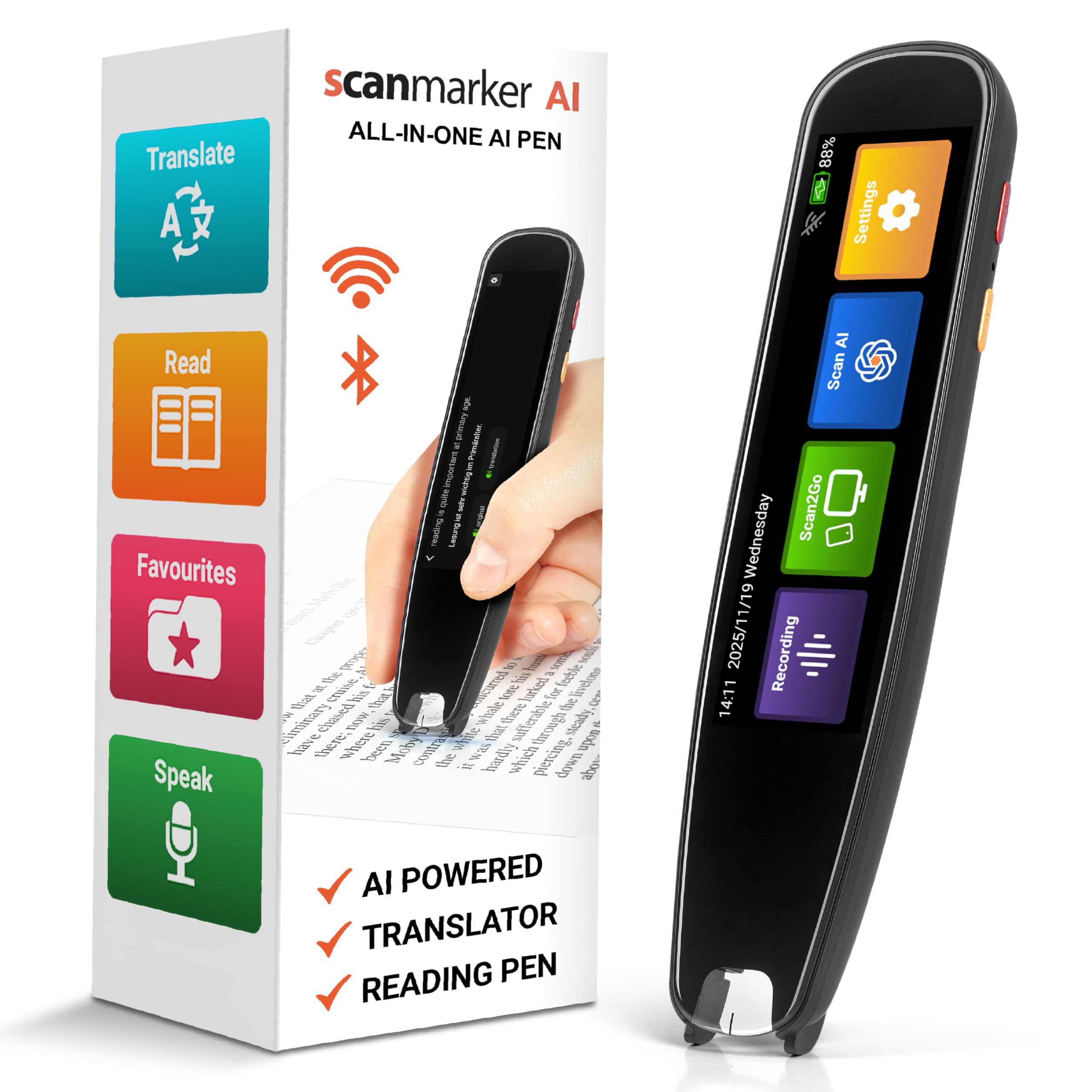
Yes, AI translation devices can translate text by reading words through cameras, OCR, and language translation software.
AI translation devices can now turn menus, signs, forms, labels, and short messages into your chosen language in seconds. The best models combine optical character recognition, machine translation, and artificial intelligence to understand printed words and show or speak the result. This guide explains how the technology works, where it performs well, and where human judgment still matters.
How AI translation devices translate text
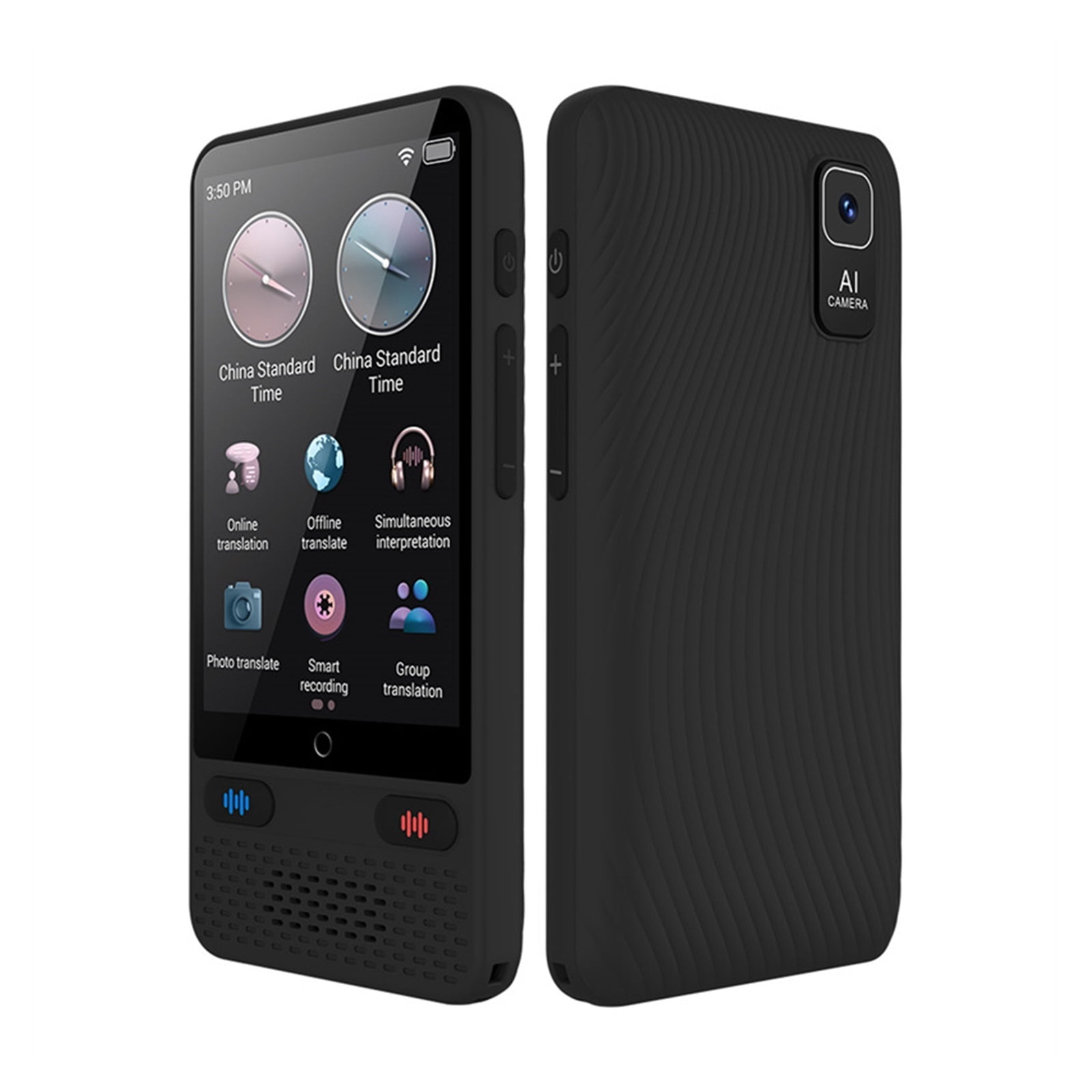
The answer to “can AI translation devices translate text” depends on the device’s features. Some devices use a built-in camera to scan printed words. Others connect to a phone app, cloud service, or smart display.
The process usually follows four steps:
- The device captures an image of the text.
- Optical character recognition, or OCR, identifies letters and words.
- An AI translation engine changes the text into another language.
- The device displays, reads, or saves the translated result.
Think of the device as a small team. The camera takes the picture, OCR reads it, and the translation engine acts like a language expert. If the image is clear and the language is supported, the result can be fast and useful.
AI translation devices can translate text from many common sources, including:
• Street signs and public notices
• Restaurant menus
• Product labels
• Hotel information
• Travel brochures
• School worksheets
• Short printed letters
• Digital text shown on another screen
Some devices translate text directly on the screen. Others place the translated words over the original image. This feature is often called augmented reality translation.

What technology makes text translation possible?
Optical character recognition
OCR is the first major part of the process. It detects shapes in an image and turns them into digital text.
Modern OCR can read many fonts, writing styles, and text layouts. It can also recognize some handwriting. However, it may struggle with faded ink, unusual fonts, curved surfaces, or text that is partly covered.
For example, a device may read a clean restaurant menu with high accuracy. It may make mistakes when scanning a handwritten note under dim light.
Machine translation
After OCR extracts the words, a machine translation system analyzes them. Older systems often translated word by word. Newer AI systems examine the full sentence and use context to produce a more natural result.
This matters because many words have more than one meaning. The word “bank,” for example, could mean a financial institution or the side of a river. AI translation systems use nearby words to estimate the correct meaning.
Language and vision models
Some newer translation tools use vision-language models. These systems can examine both the image and the words within it. As a result, they may better understand headings, tables, signs, and the relationship between text and pictures.
Still, AI does not understand culture in the same way a fluent human does. It predicts the most likely meaning from patterns in data. That prediction can be strong, but it is not always correct.
Offline and cloud processing
AI translation devices may work in two ways:
• Offline translation runs on the device and can work without internet access.
• Cloud translation sends the image or text to a remote server for processing.
Offline tools are helpful during flights, hikes, or travel in areas with weak service. Cloud tools may support more languages and provide stronger results, but they can require a stable connection and may raise privacy concerns.
What types of text can AI translation devices read?
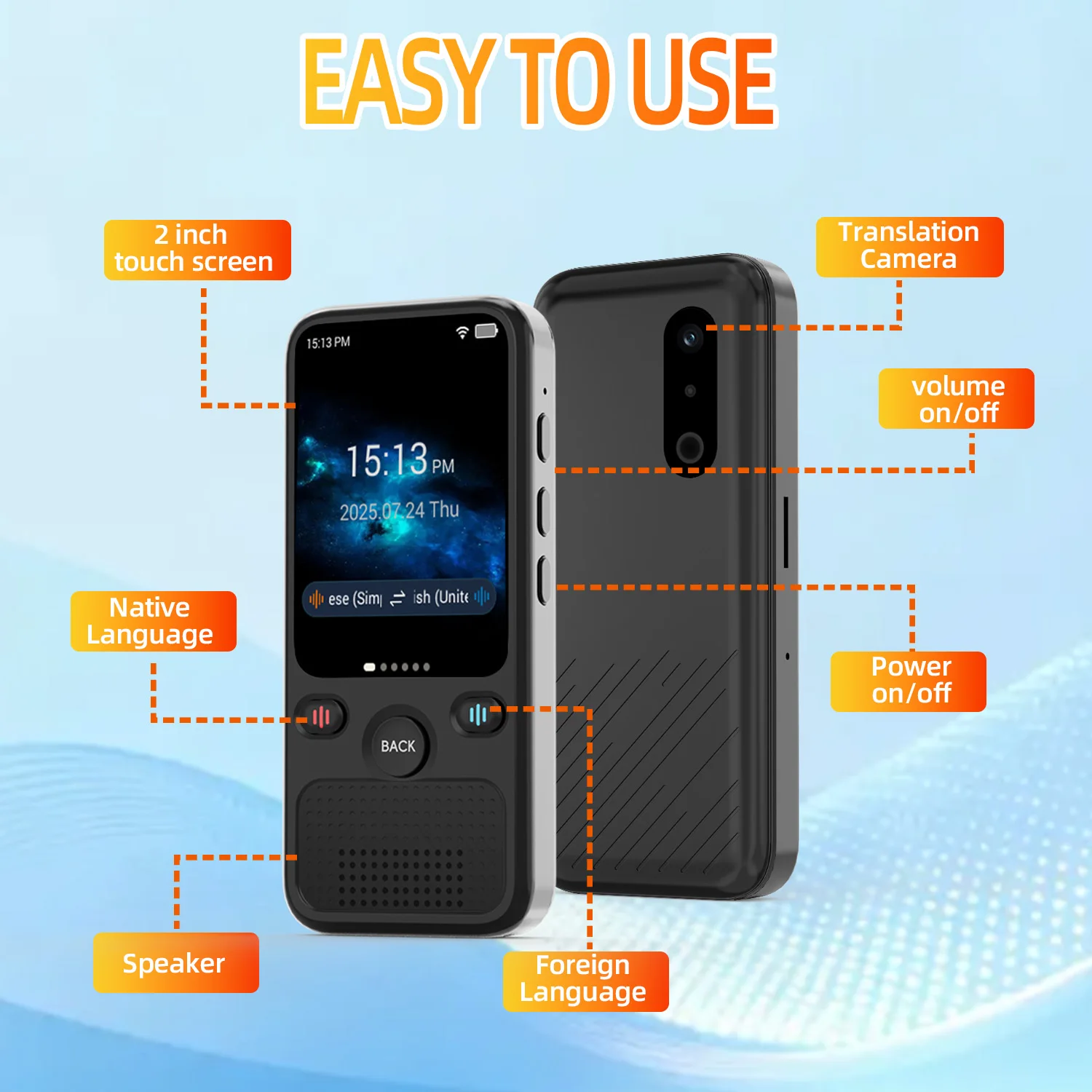
AI translation devices can translate text in many everyday situations. Their success depends on image quality, language support, and sentence complexity.
Printed text
Printed text is usually the easiest type for a translation device to read. Books, menus, signs, and labels often have clear spacing and strong contrast.
A flat page with black letters on white paper gives the device the best chance of producing an accurate result. Hold the camera steady and keep the words inside the scan area.
Text on screens
Many devices can scan text on phones, tablets, computers, and televisions. This can help when a website or app does not offer your preferred language.
Screen glare can cause problems. Lowering the screen brightness or changing the viewing angle may improve the scan.
Handwriting
Some AI tools can read simple handwriting. Neat notes with clear letters may translate well. Cursive writing, rushed notes, and personal abbreviations are much harder.
Do not rely on a device for a legal note, medical instruction, or official form if the handwriting is unclear. Ask a fluent speaker to check the result.
Signs and labels
Travelers often use AI translation devices to read road signs, warning labels, and store notices. These short phrases are usually easy to process, but local slang and cultural references can confuse the software.
A sign may also use a very formal or shortened style. The translation may give the basic meaning without fully explaining the social context.
Complex documents
AI translation devices can scan contracts, bills, school papers, and government forms. However, scanning a document is not the same as producing a certified translation.
Important documents may contain legal terms, technical language, or hidden conditions. Use AI for a first look, then seek a qualified translator when accuracy has serious consequences.

Can AI translation devices translate text without the internet?
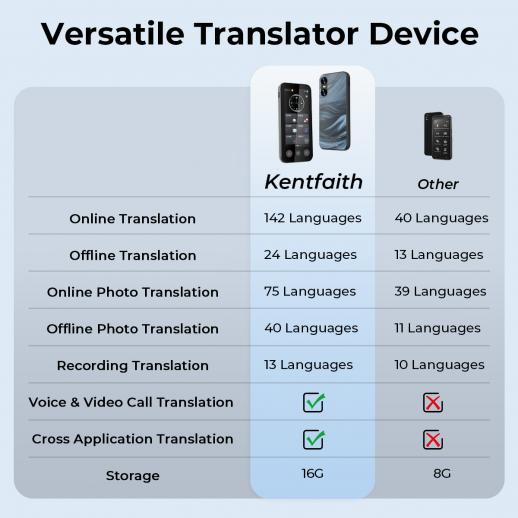
Yes, some AI translation devices can translate text offline. They store language packs on the device and process the scanned words without sending data to a server.
Offline translation is useful when:
• You are traveling without mobile data
• You are in a remote area
• You want to reduce data use
• You are handling private text
• You need a quick result on a plane
Offline tools may have fewer languages and less advanced translation quality. They may also struggle with long sentences, rare words, and complex grammar.
Cloud-based tools often receive regular updates and use larger language models. They may provide more natural results, but the device needs internet access. Before traveling, download the required language packs and test them in advance.
How accurate are AI translation devices?
The accuracy of AI translation devices varies widely. A clear sentence in a widely supported language may receive an excellent translation. A blurry image, local dialect, or technical document may produce a weaker result.
Accuracy often depends on these factors:
• Image brightness and focus
• Text size and font style
• Language pair
• Sentence length
• Spelling and grammar
• Background noise, if speech is involved
• Slang, humor, and cultural context
• Internet connection and software quality
In practical tests, short and direct phrases tend to work best. A menu item such as “grilled fish with rice” is easier to translate than a joke, poem, or legal clause.
AI translation devices can also make confident mistakes. The output may look smooth even when the meaning is wrong. This is one of the most important lessons for users: natural wording does not always equal accurate wording.
For travel, shopping, and basic reading, the technology is often very helpful. For medical, legal, financial, or safety information, verify the result with a qualified person.
Benefits of using AI translation devices for text
The main advantage is speed. A traveler can point a device at a sign and understand its general meaning without typing every word.
Other benefits include:
Convenient travel support
A translation device can help you read menus, train signs, museum notes, and product labels. This reduces stress and makes it easier to explore places where you do not speak the local language.
Better access to information
Students, immigrants, travelers, and multilingual families can use text translation tools to understand more content. The technology can support learning without replacing the value of studying a language.
Helpful visual translation
Some devices translate text directly over the camera view. This makes it easier to connect the original words with their meaning.
Support for many languages
Popular translation platforms support dozens of languages. Some also support different writing systems, such as Arabic, Chinese, Japanese, Korean, Cyrillic, and Devanagari scripts.
Support is not equal across all languages. A device may offer strong results for English, Spanish, or French but weaker results for a less common language.
More privacy with offline features
An offline device does not need to upload every image. This can be useful when reading personal notes, private messages, or workplace material.
Check the product’s privacy policy before use. Some devices may still collect diagnostic data, location information, or usage statistics.
Limitations and common mistakes
The question “can AI translation devices translate text” should always include a second question: “How safely can they do it?”
Poor image quality
Blur, shadows, glare, and low light can cause OCR errors. The translation engine can only work with the text it receives. If OCR reads the wrong word, the final translation may also be wrong.
Mixed languages
A sign may contain two or more languages. Brand names, local terms, and borrowed words can confuse the device.
Idioms and humor
Expressions rarely translate word for word. “Break a leg” does not mean that someone should injure themselves. A good translation must understand the expression’s intended meaning.
Cultural meaning
Some phrases depend on local customs, honorifics, or social rules. AI may provide a literal translation but miss the feeling or level of politeness.
Privacy risks
Do not scan passports, financial records, private medical papers, or confidential business documents unless you understand how the device handles the data.
Overconfidence
The biggest mistake is trusting every result without checking it. Use the translation as a helpful guide, not as unquestionable authority.
My practical advice is simple: scan twice when the meaning matters. First, use the device for speed. Then compare the result with a trusted dictionary, a second translation tool, or a fluent speaker.

How to get better text translations
You can improve the result with a few simple habits.
- Clean the camera lens before scanning.
- Use bright, even light.
- Hold the device parallel to the page.
- Keep the whole sentence in view.
- Avoid shadows from your hand.
- Scan one paragraph or sign at a time.
- Select the correct source language when possible.
- Check names, numbers, dates, and measurements.
- Review the original text beside the translation.
- Confirm important information with a human expert.
Do not crop away headings or nearby words too quickly. Context can help the AI choose the correct meaning.
If the device produces a strange result, rewrite the sentence in simple words or scan a smaller section. A second attempt often works because the issue may be image quality rather than language ability.

AI translation devices compared with phone apps
AI translation devices and phone apps use similar core technology. Both may rely on OCR, machine translation, speech tools, and cloud services.
A dedicated device may be easier to use because it has a simple design and fewer distractions. It may also offer a longer battery life or physical buttons.
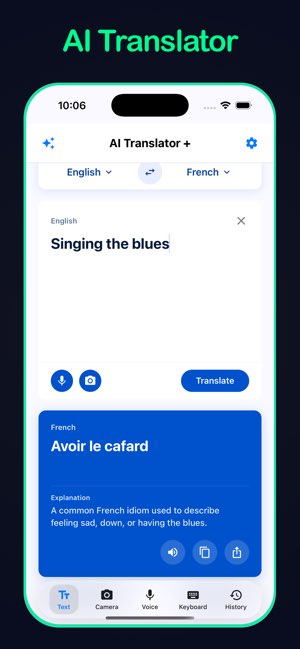
A phone app can be more flexible. It may provide camera translation, text entry, voice translation, saved history, pronunciation help, and access to several translation engines.
Choose a dedicated device if you:
• Travel often
• Want a simple tool for signs and menus
• Need a separate device for children or older adults
• Prefer not to hand your phone to another person
• Need certain offline language packs
Choose a phone app if you:
• Want one tool for text, voice, and images
• Already own a modern smartphone
• Need frequent software updates
• Want to compare several translation options
In many cases, the best choice is not about the word “AI.” It is about camera quality, supported languages, offline access, privacy, battery life, and ease of use.
Are AI translation devices useful for learning languages?
Yes, AI translation devices can support language learning when used with care. They let learners compare an original sentence with its translation and hear how words are pronounced.
Try using the device as a study partner:
• Read the original sentence first.
• Guess the meaning before scanning it.
• Check the AI result.
• Save useful words and phrases.
• Review them later without the device.
Avoid translating every word. That habit can slow learning and prevent you from understanding meaning through context.
The best use of AI is active practice. Treat the device like training wheels on a bicycle. It can help you move forward, but you still need to build your own balance.
Frequently Asked Questions about can AI translation devices translate text
Can AI translation devices translate text from a picture?
Yes, many devices can scan a picture and translate the words it detects. Clear focus, good lighting, and strong contrast improve the result.
Can AI translation devices translate text offline?
Some can translate text offline after you download language packs. Offline tools may support fewer languages and may be less accurate with complex sentences than cloud-based systems.
Can AI translation devices translate handwritten text?
Some AI tools can read neat handwriting, but results vary. Cursive writing, unclear letters, and personal shorthand often lead to OCR and translation errors.
Are AI translation devices accurate enough for travel?
They are often accurate enough for basic travel needs, such as menus, signs, and directions. Do not rely on them alone for medical warnings, legal documents, or urgent safety instructions.
Can AI translation devices translate text from a phone screen?
Yes, a camera-based device can often scan text shown on a phone or computer screen. Glare, screen brightness, and small font size may reduce accuracy.
Do AI translation devices need Wi-Fi?
Not always. Some models work with offline language packs, while others need Wi-Fi or mobile data to process text through a cloud service.
Can an AI translation device replace a human translator?
No. It can provide fast, useful support, but it may miss tone, cultural meaning, legal details, or specialized terms. A human translator remains important when accuracy has serious consequences.
Conclusion
So, can AI translation devices translate text? Yes. They use cameras, OCR, and AI language systems to read and translate signs, menus, labels, screens, and other written material.
The technology is most useful when the image is clear, the language is supported, and the message is simple. It becomes less reliable with slang, handwriting, poor lighting, legal language, and sensitive information.
Use an AI translation device as a smart guide, not a perfect authority. Test the device before you travel, download offline languages, protect private data, and verify important translations with a qualified person. Explore trusted translation tools and share your experience with others who are learning or traveling across languages.