Why Is JBL Live Beam 3 Not Connecting: Fix It Fast

JBL Live Beam 3 not connecting usually comes down to Bluetooth pairing issues, app settings, or a simple reset fix.
If your JBL Live Beam 3 is acting stubborn, you are not alone. I have seen this happen with true wireless earbuds often enough to know the problem is usually small, but annoying. In most cases, the issue is not a broken earbud at all, but a connection glitch, old pairing data, low battery, or a phone setting that quietly blocks the link.
Why JBL Live Beam 3 Not Connecting Happens
When JBL Live Beam 3 not connecting becomes the problem, the earbuds are usually trying to tell you something simple. The Bluetooth handshake may have failed, the earbuds may still be tied to another device, or your phone may be holding on to a bad pairing record.
From real-world use, I can say this kind of issue often shows up after switching phones, updating software, or moving between multiple devices. Think of it like two people trying to shake hands while one still has their hand busy with someone else. The connection cannot start cleanly until both sides are ready.
Common causes include
• The earbuds are still connected to a different device
• Bluetooth on the phone is turned off or unstable
• The earbuds are not in pairing mode
• The JBL Headphones app has outdated settings
• The earbuds need a reset
• Firmware is outdated
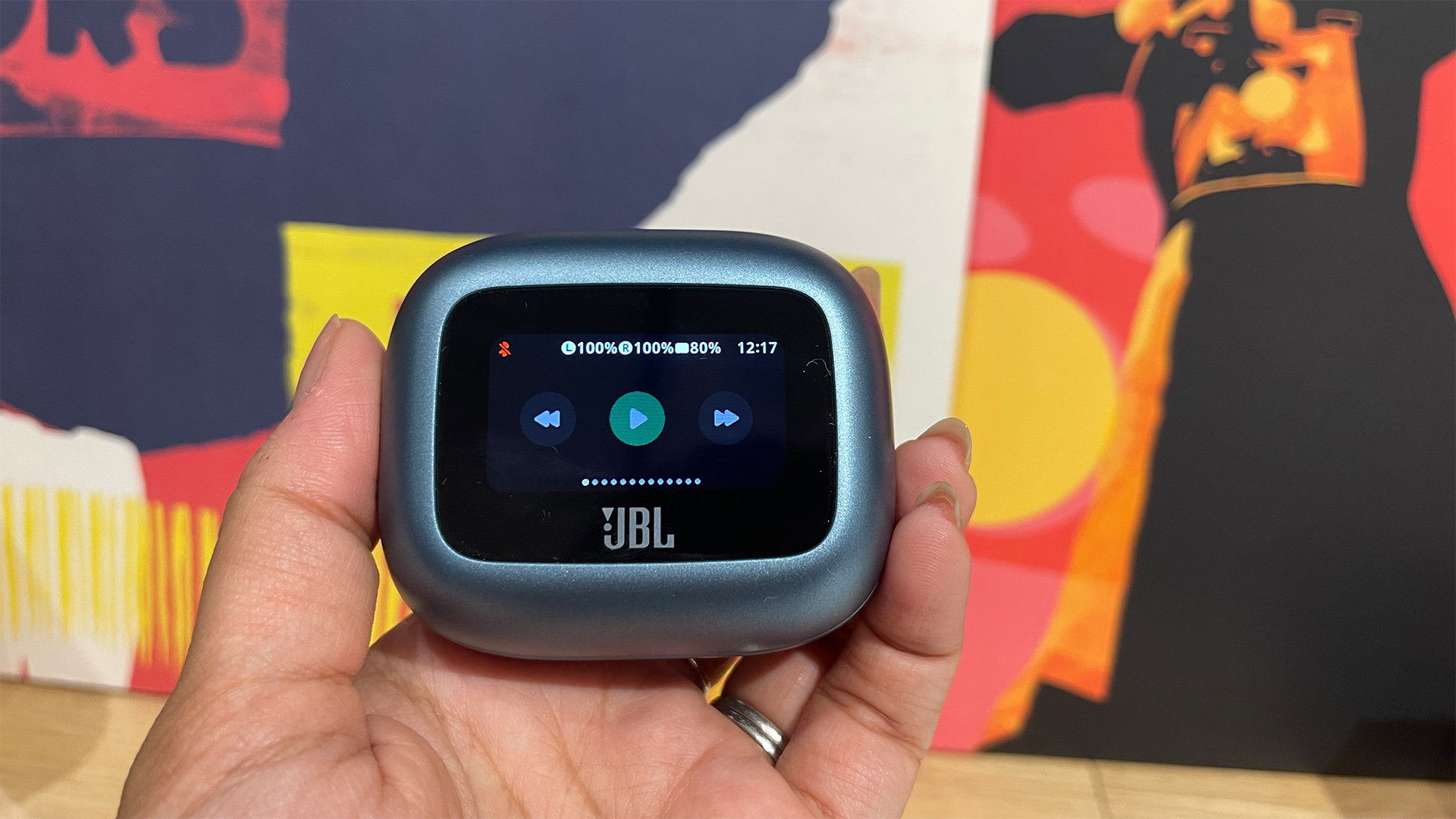
• The charging case or earbuds do not have enough battery
• Interference from nearby wireless devices

First Things to Check When JBL Live Beam 3 Not Connecting
Before you dive into advanced fixes, start with the basics. Many pairing problems disappear after a simple check, and that saves time and stress.
1. Confirm the earbuds are charged
Low battery can stop pairing or make the earbuds disconnect right away. Place both earbuds in the case and make sure the case itself has power too.
2. Make sure Bluetooth is on
It sounds obvious, but I have seen this mistake more times than I can count. On your phone or laptop, turn Bluetooth off and back on again to refresh the radio signal.
3. Check if the earbuds are already paired elsewhere
If JBL Live Beam 3 not connecting started after you used them with a tablet, smartwatch, or another phone, they may be auto reconnecting there. Turn Bluetooth off on nearby devices to stop the conflict.
4. Stay close during pairing
Bluetooth range is short during setup, so keep the earbuds and phone within a few feet of each other. Walls, crowded rooms, and other wireless devices can make the signal weaker.

How to Fix JBL Live Beam 3 Not Connecting
Most connection issues can be fixed with a simple step-by-step process. I like to work from the easiest fix to the more complete ones, because that is usually the fastest path back to music.
1. Remove the old Bluetooth pairing
Old pairing records can get corrupted. Go into your phone’s Bluetooth settings and forget the JBL Live Beam 3, then try pairing again from scratch.
2. Put the earbuds into pairing mode
Open the case and follow the normal pairing process. If the earbuds do not appear, make sure both earbuds are seated correctly and the case is open long enough for discovery mode to start.
3. Restart your phone or device
A restart clears background Bluetooth bugs more often than people expect. It is a simple fix, but in my experience, it solves a surprising number of JBL Live Beam 3 not connecting cases.
4. Reset the earbuds
If the earbuds still refuse to pair, a factory reset is often the best move. This wipes bad settings and gives the earbuds a clean start.
A common reset approach for many JBL true wireless models is:
• Place both earbuds in the case
• Keep the lid open
• Hold the touch controls or follow the model-specific reset sequence
• Wait for the LED indicator to confirm the reset
• Pair the earbuds again from your device Bluetooth menu
Because button timing can vary by model, it is smart to check the Live Beam 3 instructions before repeating the reset.
5. Update the firmware
Outdated firmware can cause pairing bugs, unstable audio, or random disconnects. Open the JBL Headphones app and look for updates if the earbuds connect long enough to be recognized.
6. Test on another device
If JBL Live Beam 3 not connecting only happens on one phone, the earbuds may be fine. Try pairing them with another phone, tablet, or laptop to find out whether the issue is the earbuds or the original device.

Phone and Device Settings That Can Block Connection
Sometimes the earbuds are not the real problem. The device you are trying to connect to may have a setting that quietly gets in the way.
Check Bluetooth permissions
Some phones limit app access to Bluetooth scanning or device discovery. Make sure the JBL Headphones app has the correct permissions, especially on Android devices.
Turn off battery saver modes
Battery saver can restrict background Bluetooth activity. If your phone keeps ignoring the earbuds, temporarily disable power saving and try again.
Clear Bluetooth cache on Android
If you use Android, a stale Bluetooth cache can cause pairing trouble. Clearing the Bluetooth cache or network settings can help when JBL Live Beam 3 not connecting keeps repeating.
Update your operating system
An outdated phone OS may not handle newer Bluetooth behavior well. Keeping iOS or Android updated reduces the chance of connection bugs.
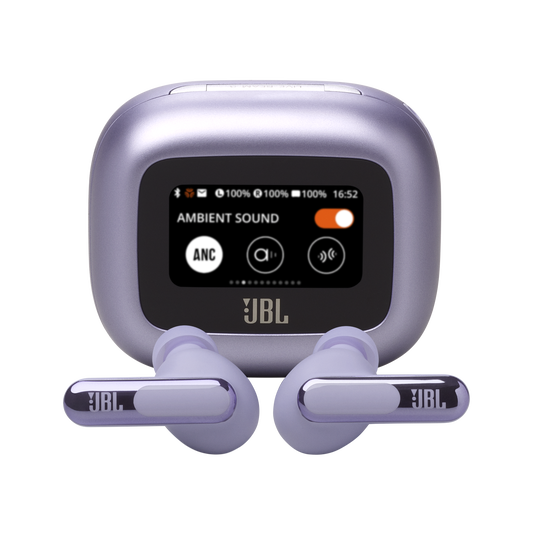
Why the JBL Headphones App Matters
The JBL Headphones app is not just a bonus feature. It helps manage firmware updates, touch controls, and sound settings. If the app is out of sync, the earbuds may seem connected but still behave strangely.
I have seen situations where the earbuds paired fine through Bluetooth, but the app could not find them. That usually means the app, firmware, or phone permissions need a refresh.
What to do in the app
• Sign out and sign back in if needed
• Check for firmware updates
• Reinstall the app if it keeps crashing
• Allow all required permissions
• Re-pair the earbuds after clearing old data

Hardware Issues to Rule Out
If software fixes do not help, the problem may be physical. This is less common, but it does happen.
Charging contacts may be dirty
Dust or skin oil can stop one earbud from charging fully. Gently clean the case contacts and earbud pins with a dry, soft cloth.
One earbud may not be seating correctly
If one earbud is not charging, the pair may not enter normal pairing mode. Make sure both earbuds sit firmly in the case.
Case battery may be too low
A weak charging case can cause strange behavior. Charge the case fully before trying again.
Hardware fault
If the earbuds have never connected properly, or they fail on every device, the issue may be a defect. At that point, support or warranty service is the next best step.

Best Practices to Prevent JBL Live Beam 3 Not Connecting
Prevention is easier than repeated troubleshooting. A few small habits can save a lot of frustration later.
Keep firmware current
Firmware updates often fix Bluetooth bugs and improve stability. Check for updates now and then, especially after major phone updates.
Avoid pairing with too many devices at once
Bluetooth earbuds can remember multiple devices, but too many active connections can create confusion. Remove old devices you no longer use.
Store the earbuds properly
Always return them to the case when not in use. That helps them reset, charge, and avoid accidental pairing attempts.
Keep your phone updated
OS updates often include Bluetooth fixes. A well-updated phone and well-updated earbuds work better together.

My Real-World Troubleshooting Approach
When I troubleshoot JBL Live Beam 3 not connecting, I follow the same order every time. First I forget the device on the phone. Then I restart the phone. After that, I reset the earbuds and try a fresh pairing.
That simple sequence solves most cases fast. The biggest mistake I see people make is jumping straight to advanced fixes before clearing old Bluetooth data. It is like trying to fix a locked door by replacing the whole house before checking the key.
Frequently Asked Questions
Why is my JBL Live Beam 3 not showing up in Bluetooth?
This usually happens when the earbuds are not in pairing mode or are still connected to another device. Turn off Bluetooth on other nearby devices, place the earbuds in the case, and try pairing again from scratch.
Why do my JBL Live Beam 3 keep disconnecting?
Frequent disconnects often come from weak battery, Bluetooth interference, or outdated firmware. Moving closer to your device and updating both the app and earbuds usually helps.
How do I reset JBL Live Beam 3?
A reset typically involves putting both earbuds in the case and following the model’s reset sequence until the LED confirms it. After that, remove the earbuds from your Bluetooth list and pair them again.
Can the JBL Headphones app fix connection issues?
Yes, it can help by updating firmware and restoring proper settings. If the app cannot detect the earbuds, reinstalling the app or refreshing permissions may solve the problem.
Why does only one JBL Live Beam 3 earbud connect?
This often means one earbud is not charging correctly or is not seated well in the case. Clean the charging contacts, fully charge the case, and try a reset if the issue continues.
Conclusion
JBL Live Beam 3 not connecting is frustrating, but the fix is usually within reach. Most problems come from old Bluetooth records, pairing conflicts, low battery, or a needed reset rather than a serious hardware failure.
If you work through the simple steps first and stay patient, you will usually get the earbuds connected again. Try the fixes in order, keep your firmware updated, and remove devices you no longer use. If the issue still will not go away, reach out for support or warranty help and share your experience so others can learn from it too.

Similar Posts