Are AI Translation Devices Good For Travel: The Travel Truth
Yes, AI translation devices are good for travel when used as helpful tools, not perfect replacements for human communication.
If you are wondering are AI translation devices good for travel, the answer depends on your destination, phone access, language pair, and comfort with technology. Modern translators can help you order food, ask for directions, read signs, and manage simple conversations. However, they still struggle with accents, slang, noise, weak internet, and sensitive topics. This guide explains what they do well, where they fail, and how to use one wisely on your next trip.
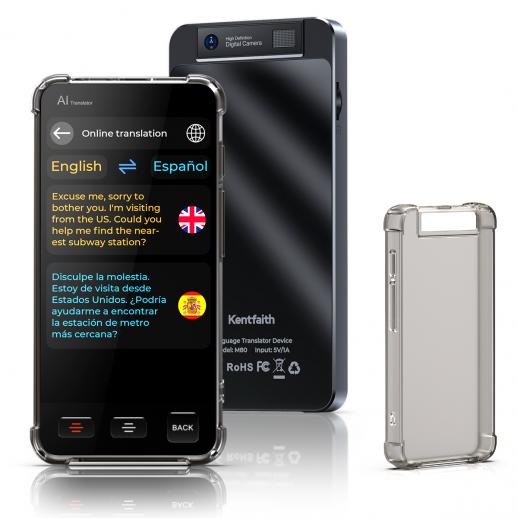
Are AI translation devices good for travel in real life?
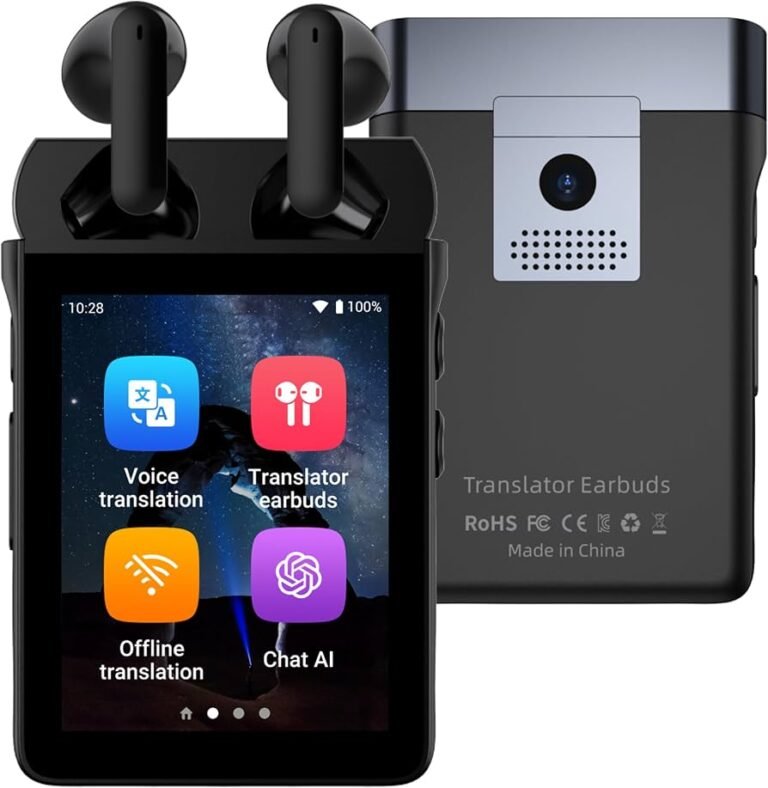
AI translation devices are small tools that convert spoken or written words from one language into another. Some are handheld gadgets, while others are mobile apps that use your phone’s camera, microphone, and internet connection.
So, are AI translation devices good for travel? In many common travel moments, yes. They can reduce stress when you need quick help but do not share a language with someone.
They are useful for tasks such as:
• Asking for directions
• Ordering meals
• Checking train or bus information
• Reading menus and signs
• Explaining food allergies
• Speaking with hotel staff
• Understanding basic questions
• Translating short messages
Think of an AI translator as a bridge. It helps you cross a language gap, but it may not carry every detail safely across.
A device can translate “Where is the train station?” quite well. It may have more trouble with a fast local accent, a joke, or a phrase with two meanings.

How AI translation devices work
AI translation devices usually combine speech recognition, machine translation, and text-to-speech technology. Some also use optical character recognition, which lets them read printed words through a camera.
The process often works like this:
- You speak into the device.
- The device changes your speech into written text.
- An AI translation system converts the text into another language.
- The device reads the translated sentence aloud or displays it on the screen.
Many translation apps and gadgets use cloud-based systems. This means your speech travels to a remote server for processing. The device then sends the translated result back to you.
Some products also offer offline language packs. These packs are useful on airplanes, in rural areas, or in countries where mobile data is costly. Offline translation may support fewer languages and produce less natural results, but it can still handle basic needs.
Camera translation is another valuable feature. You can point your phone at a menu, road sign, or ticket. The app then places translated text over the original words or displays it in a separate window.
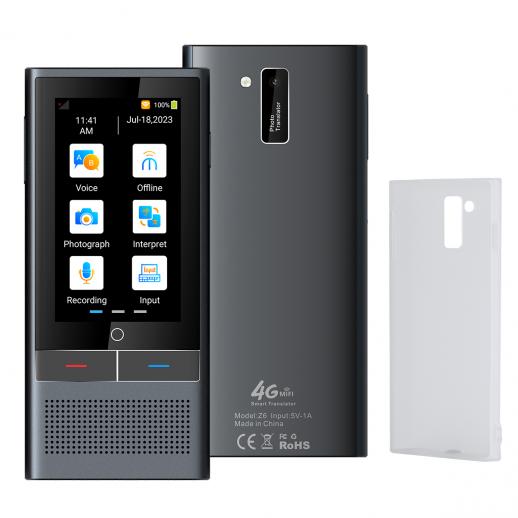
The main benefits of AI translation devices for travelers
The strongest reason are AI translation devices good for travel is their ability to provide fast help during ordinary situations. They are especially useful when you need a simple answer and no human translator is nearby.
They reduce travel stress
Language barriers can make small tasks feel difficult. A translation device gives you a way to ask for help instead of guessing.
You can type a hotel address, show a translated sentence, or play a question aloud. This can make a new place feel more welcoming and less confusing.
They support two-way conversations
Many devices let both people speak into the same unit. One person talks, the device translates, and the other person replies.
This works well during short conversations with:
• Taxi drivers
• Shop workers
• Hotel employees
• Restaurant servers
• Tour guides
• Local residents
It can also encourage friendly contact. People often enjoy helping visitors, especially when the visitor makes an effort to communicate.
They help with menus and signs
Camera translation can save time. It can help you understand food labels, train notices, museum signs, and street directions.
This feature is valuable for travelers with food allergies or dietary needs. Still, you should not rely on it alone for serious allergies. Translation errors can create real health risks.
They may work without a phone plan
A standalone translation device may include built-in data service or offline language support. This can be useful if you do not want to buy a local SIM card or use international roaming.
Before buying one, check whether the device requires a monthly plan. Some products include limited global data, while others charge extra after a trial period.
They can improve accessibility
Travelers who have trouble reading small text may prefer audio translation. Travelers with hearing difficulties may benefit from large text, written transcripts, or camera tools.
The best device is not always the one with the most languages. It is the one you can use comfortably and clearly.

Limitations of AI translation devices
Are AI translation devices good for travel in every situation? No. Their limits become clear when a conversation is complex, emotional, noisy, or important.
Translation errors still happen
AI systems do not understand every sentence in the same way a skilled human does. They predict meaning based on patterns. A short error can change the tone or purpose of a sentence.
Problems often occur with:
• Slang
• Humor
• Sarcasm
• Local sayings
• Names and places
• Unclear speech
• Mixed languages
• Strong accents
For example, a phrase that sounds polite in English may sound too direct in another culture. A literal translation may also miss the social meaning of a greeting.
Noise can affect speech recognition
Busy airports, markets, train stations, and restaurants are hard places for voice translation. Background noise can cause the device to hear the wrong word.
Speak slowly and clearly. Use short sentences. If the device gives a strange result, type the message instead of repeating it louder.
Internet access may be weak
Cloud translation often needs a strong connection. Rural roads, underground stations, mountain areas, and crowded events may have slow or unreliable service.
Download offline language packs before leaving your hotel. Also save key addresses and phrases as screenshots.
Privacy may be a concern
Voice translation can involve sending recordings or text to a company’s servers. Privacy policies differ between products.
Avoid entering sensitive details such as passport numbers, financial information, medical records, or private work data. Review the device’s data settings before your trip.
Devices can create false confidence
The biggest danger is assuming that a translation is always correct. A device may produce a fluent sentence that still has the wrong meaning.
For legal, medical, immigration, or safety matters, ask for a qualified human interpreter whenever possible.
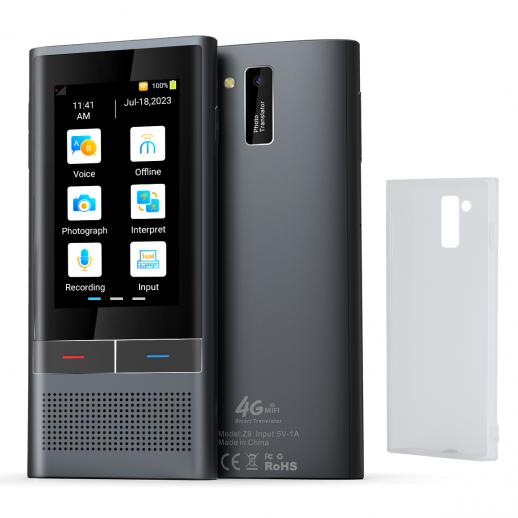
AI translation devices versus translation apps
Many travelers ask are AI translation devices good for travel when compared with phone apps. In most cases, both options can work well. The better choice depends on your travel habits.
Benefits of a dedicated translation device
A standalone translator may offer:
• Easier one-handed use
• A larger speaker
• A simpler interface
• Longer battery life
• Fewer phone distractions
• Built-in travel data
• Better support for two-way conversations
A dedicated device can also feel less awkward than passing your personal phone to a stranger.
Benefits of a translation app
A smartphone app may provide:
• Camera translation
• Map access
• Text translation
• Voice translation
• Phrase saving
• Better update support
• Lower upfront cost
Your phone is already part of your travel kit, so an app may be the most practical choice for a short trip.
Which option should you choose?
Choose a dedicated device if you travel often, visit places with weak phone service, or want a tool made mainly for conversation.
Choose an app if you want camera translation, quick text tools, and a low-cost option. Before your trip, test the app with the language you need. Do not assume that every app supports the same features offline.

What to look for in a travel translation device
Knowing are AI translation devices good for travel is only part of the decision. Product quality varies, so check the features that matter in real travel conditions.
Supported languages and dialects
Check both the input and output languages. A product may support a language for text but not for speech. It may also support a standard language without handling local dialects well.
Look for information about:
• Voice translation
• Text translation
• Camera translation
• Offline support
• Regional accents
• Two-way conversation mode
Offline translation
Offline support is one of the most important travel features. Confirm which languages work offline and whether voice, text, and camera tools are included.
Download the language packs before departure. Test them by turning on airplane mode.
Battery life
A translator with a weak battery will not help when you need it most. Look for a device that can last through a full day of sightseeing.
Carry a small power bank. Cold weather, bright screens, and frequent voice use can drain batteries faster than expected.
Microphone and speaker quality
A clear microphone matters in noisy places. A strong speaker helps when speaking with someone outdoors or across a service counter.
Read reviews that mention real travel use. Laboratory claims do not always match crowded streets or busy stations.
Ease of use
You should be able to start a translation within a few seconds. Complex menus can become frustrating when you are tired or under pressure.
Look for large buttons, clear language settings, and a visible replay option.
Data and subscription costs
Some devices need a data plan. Others offer free basic service but charge for wider coverage.
Add the purchase price, subscription cost, roaming charges, and replacement accessories before comparing products.
How to use an AI translator effectively
Are AI translation devices good for travel when used with the right habits? They are much more useful when you guide the conversation.
Use short sentences
Say one idea at a time. Instead of saying, “Could you possibly tell me if there is a quiet restaurant nearby that serves food without nuts?” use two or three simple sentences:
• “Is there a restaurant nearby?”
• “I have a peanut allergy.”
• “Can you recommend a safe meal?”
Short sentences give the system less room to misunderstand.
Avoid slang and jokes
Use plain words. Slang may translate into something strange or confusing.
Instead of saying, “I’m starving,” say, “I am very hungry.” Clear language may feel less natural, but it is often safer.
Confirm important information
For a train time, price, or hotel address, repeat the information. You can ask the person to type it or write it down.
Use maps, official websites, tickets, and signs as a second check.
Learn a few local phrases
Technology works best when combined with basic human effort. Learn how to say:
• Hello
• Please
• Thank you
• Excuse me
• Do you speak English?
• I do not understand
• Help
• Where is the bathroom?
A simple greeting can change the mood of an interaction. People often respond warmly when visitors try.
Prepare key messages in advance
Save translations for common needs before your trip. Useful messages may include:
• “I am allergic to shellfish.”
• “Please take me to this address.”
• “Is this train going to the city center?”
• “I need a pharmacy.”
• “I cannot eat dairy products.”
This preparation helps if your battery dies or your connection drops.

A practical travel test before you leave
A simple test can show whether are AI translation devices good for travel with your chosen language pair. Complete the test at home before you pack.
- Download the required language packs.
- Turn off mobile data and Wi-Fi.
- Translate five basic questions.
- Use the camera to scan a menu or sign.
- Test two-way conversation mode.
- Check the battery after one hour of use.
- Try the device in a noisy room.
- Save important phrases and addresses.
- Confirm how to contact customer support.
- Pack a backup method, such as a phrasebook or translation app.
This test can reveal problems early. You may discover that offline speech is not supported or that the device needs a subscription.
One mistake travelers often make is testing only at home in a quiet room. A translator that works perfectly at a desk may struggle at a loud airport gate.
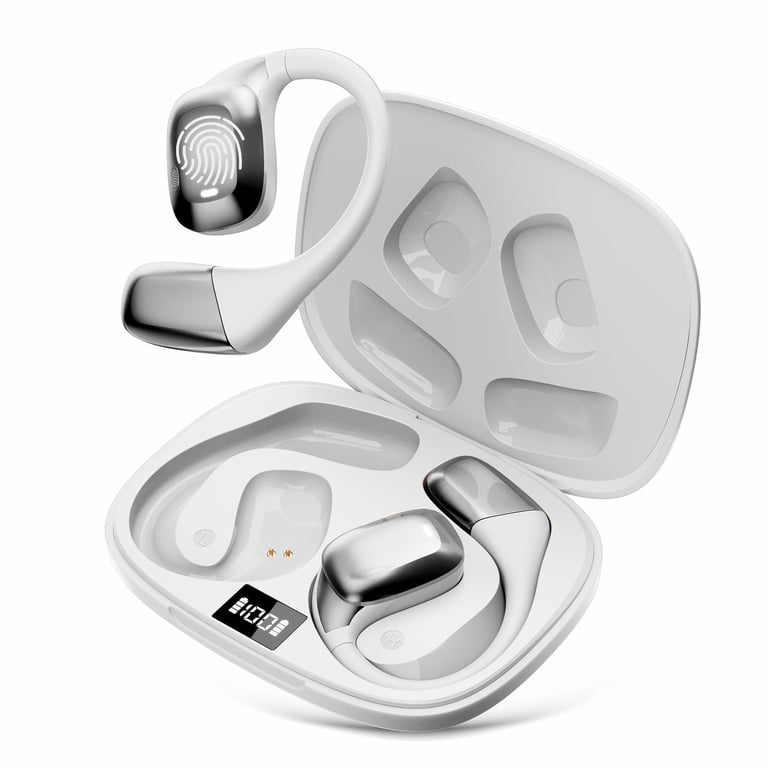
Real travel situations where AI translators help
Are AI translation devices good for travel in everyday moments? These examples show where they can add real value.
At a restaurant
You can translate a menu, ask about ingredients, and confirm whether a dish contains meat or dairy. For serious allergies, show a written message in the local language and ask the staff to confirm it.
Do not depend on a device for medical safety without checking with a person who understands the ingredients.
In a taxi
You can show the driver a saved address and play a short request. This is often easier than trying to pronounce an unfamiliar street name.
Keep the address written in the local script when possible. Maps can provide an extra layer of protection.
At a hotel
A translator can help explain a missing towel, a broken air conditioner, or a late arrival. These are simple needs that do not require advanced language skills.
For a serious complaint or refund dispute, ask for a staff member who speaks your language or use a human interpreter.
At a pharmacy
The device may help you identify a general product or ask where to find basic supplies. It should not replace medical advice.
For symptoms, allergies, or prescription drugs, write down the medicine name and speak with a qualified professional.
During cultural activities
A translator can help you ask respectful questions and understand basic instructions. It can also help you connect with local people beyond the usual tourist path.
Remember that cultural meaning is more than words. Watch local behavior and follow signs, dress rules, and quiet areas.
How accurate are AI translation devices?
Accuracy depends on the language, sentence length, audio quality, device, and context. Major languages with large training datasets often receive stronger support, while less common languages or dialects may have fewer features.
Speech recognition may also be more accurate than the final translation. In other words, the device may correctly hear your words but choose the wrong meaning.
Independent research on machine translation shows that performance varies by language pair and topic. Results are usually better for clear, everyday sentences than for legal, medical, or highly technical language.
Treat accuracy as a range, not a fixed score. A device may be excellent for ordering coffee but poor at explaining an insurance problem.
Common mistakes to avoid
Are AI translation devices good for travel if you use them without preparation? They can still help, but these mistakes may cause trouble.
• Forgetting to charge the device
• Failing to download offline languages
• Speaking too fast
• Using slang or sarcasm
• Trusting a strange translation
• Ignoring privacy settings
• Using translation for medical decisions
• Not checking regional language support
• Relying on one device only
• Handing your unlocked phone to a stranger
Keep a backup plan. Carry a written hotel address, emergency contacts, and a few basic phrases.
If a translation sounds unusual, pause. Reword it with simpler words, type it, or ask someone else to confirm the meaning.
Are AI translation devices good for travel for families and solo travelers?
For families, a translator can help children and parents communicate with hotel staff, drivers, and restaurant workers. It can also reduce pressure when one person in the group does not speak the local language.
For solo travelers, the device may offer reassurance during transport, check-in, and emergencies. It can make it easier to ask for help without depending on another traveler.
Still, technology should support good judgment. Keep your belongings secure, avoid sharing private information, and use official services for transport, money, and medical care.
Frequently Asked Questions
Are AI translation devices worth buying for travel?
They can be worth buying if you travel often or visit places where you do not speak the local language. For one short trip, a free or low-cost translation app may provide enough support.
Do AI translation devices work without Wi-Fi?
Some devices work offline after you download language packs. Offline tools usually support fewer languages and may offer less accurate speech translation than online systems.
Can an AI translator replace a human interpreter?
No. AI translators are useful for simple travel conversations, but they can miss tone, context, and cultural meaning. Use a qualified human interpreter for medical, legal, immigration, or safety matters.
Are translation apps better than handheld devices?
Neither option is always better. Apps often offer strong camera and text features, while handheld devices may provide easier conversation tools, better speakers, and built-in data service.
Can AI translators handle food allergies?
They may help you explain an allergy, but do not rely on them as your only safety measure. Carry a written allergy card in the local language and confirm ingredients with restaurant staff.
How can I improve translation accuracy?
Speak slowly, use short sentences, avoid slang, and choose the correct language and region. Repeat important details and confirm them with signs, maps, written text, or another person.
Should I use an AI translator in an emergency?
Use it if no better option is available, but also contact local emergency services or ask nearby people for help. Save emergency numbers and key phrases before your trip.
Conclusion
Are AI translation devices good for travel? Yes, they can be excellent travel helpers for directions, meals, hotels, signs, and simple conversations. Their value is highest when you have offline support, a charged battery, clear speech, and a backup plan.
They are not perfect interpreters. They can misunderstand accents, slang, humor, and serious information. Use them as a bridge to local communication, not as a substitute for human judgment.
Test your device before departure, save important phrases, and learn a few words in the local language. With those steps, you can travel with more confidence and fewer language worries. Explore your translation options today, and share your own travel experience with AI translation tools in the comments.