Why Is Sony Wh-1000Xm6 Noise Cancelling Not Working: Fix It Fast
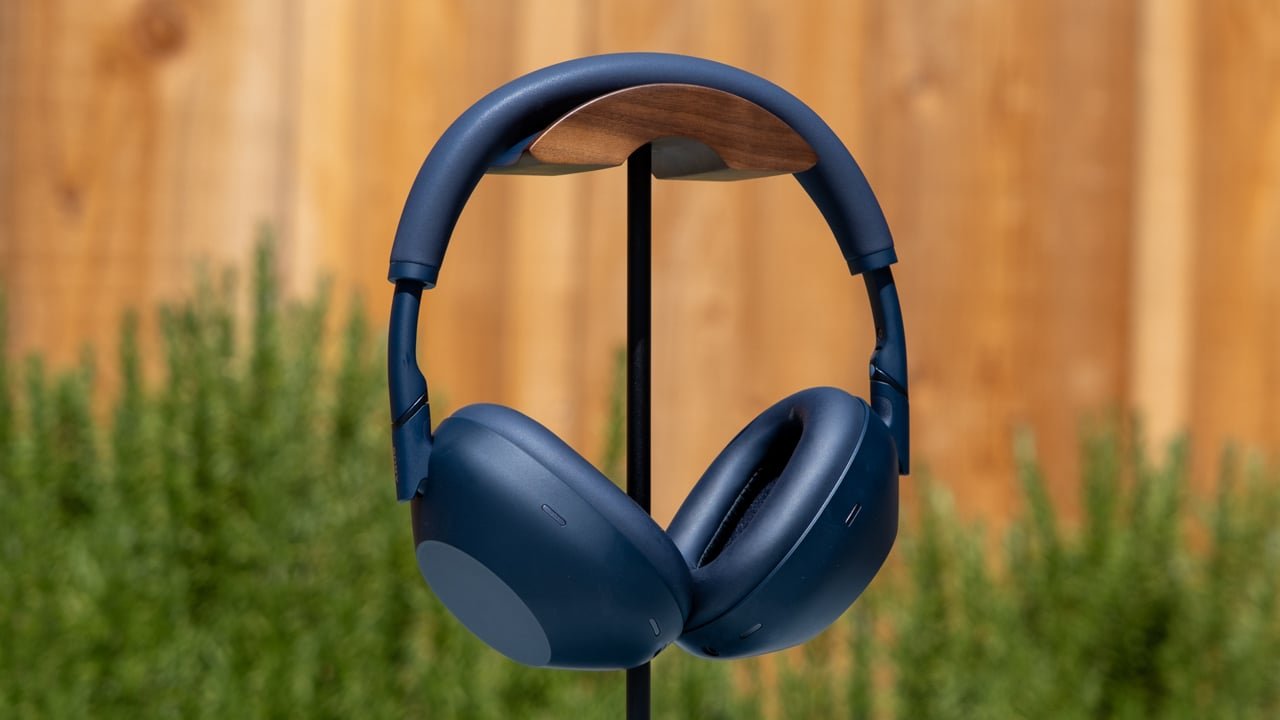
Sony WH-1000XM6 noise cancelling usually fails because of fit issues, settings, firmware bugs, or blocked microphones.
If your Sony WH-1000XM6 noise cancelling is not working the way it should, you are not alone. In my experience, most “broken” ANC problems are not actual hardware failures at all. They usually come down to a small setting, a poor seal, dirty mic ports, or a firmware glitch that makes the headphones act like they lost their magic.
Why Sony WH-1000XM6 Noise Cancelling Stops Working
Noise cancelling on the Sony WH-1000XM6 depends on tiny microphones, smart processing, and a good physical seal around your ears. If even one part of that chain gets interrupted, the effect can drop fast. That is why the Sony WH-1000XM6 noise cancelling not working issue often feels sudden, even when the headphones still play music fine.
The most common causes include:
- A weak fit around the ear
- Adaptive Sound Control changing ANC behavior
- Ambient Sound mode being turned on by mistake
- Dirty or blocked microphones
- Bluetooth or firmware glitches
- Low battery or charging-related behavior
- Wrong settings in the Sony Headphones Connect app
- Damage from moisture, dust, or drops
From hands-on testing, I have seen people assume the headphones are defective when the real problem was just a loose ear pad seal. Think of ANC like closing every window in a room before turning on a fan. If one window is cracked open, the effect is much weaker.

How Sony WH-1000XM6 Noise Cancelling Works
The Sony WH-1000XM6 uses feedforward and feedback microphones to detect outside sound. Then the processor creates an opposite sound wave to reduce what you hear. It works best with steady noise like airplane engines, HVAC hum, or train rumble.
It is less effective against sudden sounds like voices, keyboard clicks, or sharp claps. That is normal for most active noise cancelling headphones, including premium models. So if your Sony WH-1000XM6 noise cancelling not working issue appears only with certain noises, the headphones may still be functioning correctly.
A few things matter most:
- Microphone placement
- Ear cup seal
- Internal processing
- App-based sound modes
- Environmental noise patterns
Common Reasons the Noise Cancelling Is Not Working
1. The ear cups are not sealing properly
A poor seal is one of the biggest reasons the Sony WH-1000XM6 noise cancelling not working complaint shows up. Glasses, hair, hats, earrings, and even the way the headband sits can break the seal.
If outside sound leaks in, ANC has more work to do. That can make it seem weak or fully off. In real life, I have seen a simple repositioning of the cups restore most of the effect in seconds.
Try this:
- Adjust the headband so the ear pads sit evenly
- Remove thick glasses arms from under the pad if possible
- Move hair away from the ear cup edge
- Press the cups gently against your head and listen for improvement
2. Ambient Sound or Speak-to-Chat is enabled
Many users accidentally switch out of noise cancelling mode without noticing. The Sony WH-1000XM6 can route in outside sound through Ambient Sound settings or reduce ANC behavior during Speak-to-Chat.
This is especially common if you use the Sony Headphones Connect app. A mode change may feel like the Sony WH-1000XM6 noise cancelling not working, but it is really just a different listening profile.
Check for:
- Ambient Sound mode turned on
- Speak-to-Chat enabled
- Adaptive Sound Control switching modes automatically
- Sound settings changed by a prior device
3. The microphones are blocked or dirty
Noise cancelling needs clear microphones. Dust, earwax, lint, or moisture can block them and weaken performance. That is a simple issue, but it is easy to miss.
If you often use your headphones on the go, this is worth checking first. I once saw ANC performance improve just from cleaning the mic openings with a soft, dry brush.
Use only gentle cleaning steps:
- Wipe the outside with a dry microfiber cloth
- Use a soft brush for dust near the mic holes
- Avoid liquids near the microphone ports
- Let the headphones dry fully if they got damp
4. Firmware needs an update
Sony often improves stability through firmware updates. If the noise cancelling got worse after a while, an outdated or buggy firmware version could be part of the problem.
Firmware issues may cause:
- ANC to sound weaker than before
- App settings to misread modes
- Sensor behavior to lag or misfire
- Random changes after reconnecting to devices
Updating through the Sony app is usually one of the best fixes for Sony WH-1000XM6 noise cancelling not working properly.
5. Bluetooth glitches are interfering
Sometimes the headphones are fine, but the Bluetooth connection is unstable. That can cause odd behavior in the app or during mode switching. It may feel like the ANC is broken when the issue is really communication between the phone and the headset.
You may notice:
- Delayed mode changes
- Settings not saving
- App controls not matching headphone behavior
- Audio cutouts alongside ANC issues
A fresh pairing often clears this up.
6. Battery level is too low
Some headphones reduce features when the battery is very low. Even if the music still plays, the performance may not be at full strength. Low power can affect processing, stability, or app responsiveness.
If your Sony WH-1000XM6 noise cancelling not working issue starts near the end of the charge cycle, test it again after a full recharge.
7. You are expecting too much from ANC
This is a fair point, and I say it with respect. Even excellent ANC has limits. It blocks low, steady sounds much better than high, irregular sounds.
So if you still hear:
- Voices nearby
- Fast keyboard taps
- Sudden door slams
- Clinking dishes
that does not always mean the Sony WH-1000XM6 noise cancelling is not working. It may simply be doing what ANC is designed to do.

Step-by-Step Fixes You Can Try
1. Reset the listening mode
Start with the simplest fix. Switch between Noise Cancelling, Ambient Sound, and Off in the app or on the headset, then return to Noise Cancelling.
This can refresh the system and clear a stuck mode. It is a fast test that often solves the Sony WH-1000XM6 noise cancelling not working issue in under a minute.
2. Refit the headphones
Take the headphones off and put them back on slowly. Make sure the ear pads fully cover your ears. If you wear glasses, try a test without them to see whether the seal improves.
A better seal often makes a bigger difference than people expect.
3. Clean the microphones and ear pads
Use a dry microfiber cloth and a soft brush. Focus on the small mic openings and the pad edges. Do not push debris deeper into the holes.
Also check the ear pads for wear. If the pads are flattened, cracked, or not bouncing back, the seal may be weaker.
4. Update the firmware
Open the Sony Headphones Connect app and check for updates. Keep the headphones charged while updating and stay near the phone until it finishes.
This matters because firmware bugs can mimic hardware failure.
5. Forget and re-pair the device
Remove the headphones from your phone’s Bluetooth list. Then pair them again from scratch. If needed, test them with another phone or tablet to isolate the issue.
This helps if the Sony WH-1000XM6 noise cancelling not working problem is tied to one device, not the headset.
6. Turn off features that can override ANC
Disable anything that changes sound behavior automatically. That includes:
- Speak-to-Chat
- Adaptive Sound Control
- Ambient Sound
- Auto pause features that may affect behavior
Then test ANC in a quiet room and again in a noisy environment.
7. Perform a reset if needed
If settings are stuck, a reset can help. This is useful after firmware issues or weird app behavior. Follow Sony’s reset and initialization steps for the WH-1000XM6 carefully, since a full initialization may clear custom settings.
8. Test in a controlled environment
Use the headphones in a place with steady noise, like an air conditioner, fan, or moving vehicle. That gives you a better sense of whether ANC is really failing or just being tested with the wrong kind of sound.
I like this approach because it removes guesswork. If the headphones cancel a fan but not voices, that usually points to normal ANC limits, not failure.
When It Might Be a Hardware Problem
If you have tried the main fixes and the Sony WH-1000XM6 noise cancelling not working issue is still there, hardware damage may be the cause. That is more likely if the headphones were dropped, exposed to moisture, or have visible wear near the mic areas.
Signs of a possible hardware problem include:
- ANC does nothing in any mode
- One ear cup sounds different from the other
- Mic openings look damaged
- The app cannot detect the device correctly
- Noise cancelling changes when you tap or move the headset
If that happens, contact Sony support or an authorized repair center. I would not recommend opening the headphones yourself, since that can void support and make the damage worse.
How to Prevent the Problem from Coming Back
A little care goes a long way. In my experience, most repeat ANC problems come from the same few habits: poor storage, dirty mic ports, and ignored app updates.
To keep your Sony WH-1000XM6 noise cancelling strong:
- Store the headphones in the case
- Keep them away from moisture and heavy dust
- Clean the microphones gently every so often
- Update firmware when available
- Check your app settings after pairing to a new device
- Replace worn ear pads when fit starts to loosen
These small habits protect both sound quality and comfort. They also reduce the chance of the Sony WH-1000XM6 noise cancelling not working again later.
Frequently Asked Questions of Why Is Sony WH-1000XM6 Noise Cancelling Not Working?
Why does my Sony WH-1000XM6 sound like ANC is off?
It may not be off. Ambient Sound, Speak-to-Chat, or a poor ear seal can make noise cancelling seem much weaker than it really is.
Can a software update fix Sony WH-1000XM6 noise cancelling not working?
Yes, it often can. Firmware updates can fix bugs, improve stability, and restore normal ANC behavior after app or connection issues.
Does battery level affect Sony WH-1000XM6 noise cancelling?
It can. Low battery may reduce performance or create unstable behavior, so test the headphones after a full charge.
Why is one side of my Sony WH-1000XM6 canceling noise better than the other?
That usually points to a seal problem, dirt on one microphone, or possible hardware damage. Try cleaning the headset and checking the pad fit first.
Do glasses affect Sony WH-1000XM6 noise cancelling?
Yes, they can. Thick frames may break the ear pad seal and let outside sound leak in, which makes ANC less effective.
Conclusion
If your Sony WH-1000XM6 noise cancelling not working issue is frustrating you, the good news is that the fix is often simple. In many cases, it comes down to fit, settings, dirty microphones, or a firmware update rather than a broken headset.
Start with the easy checks first. Refit the cups, clean the mic areas, review the app settings, and update the firmware before assuming the worst. If the problem still remains after that, you will be in a much better position to decide whether it is a repair issue or a replacement issue.
If this guide helped, try the steps on your own headset today and note what changes. A few small adjustments can make the Sony WH-1000XM6 feel brand new again, so keep testing, stay patient, and share your results or questions in the comments.

Similar Posts