AI Translation Devices Vs Google Translate: Which Wins?
AI translation devices can outperform Google Translate for live travel talks, but Google Translate wins on price and convenience.
The answer to “are AI translation devices better than Google Translate” depends on the setting. A dedicated device may offer faster conversations, better microphones, offline language packs, and a smoother hands-free experience. Google Translate remains hard to beat for quick text, signs, menus, and occasional trips. This guide compares accuracy, speed, privacy, cost, offline use, language support, and real-world travel needs so you can choose with confidence.

Are AI translation devices better than Google Translate?
AI translation devices are not automatically better than Google Translate. They are better at some tasks, while Google Translate is better at others.
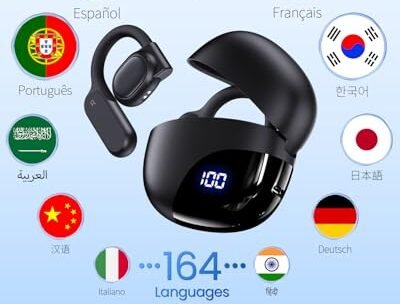
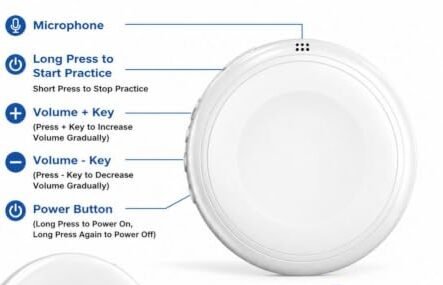
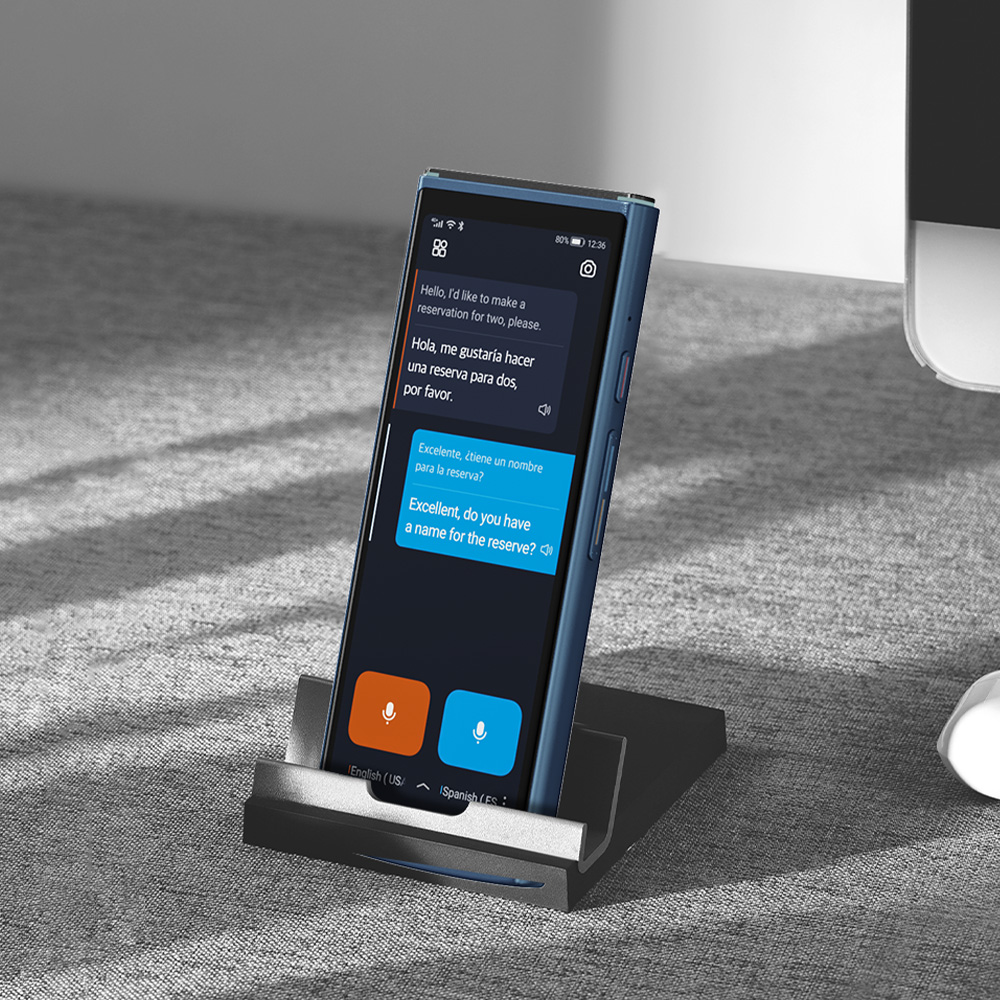
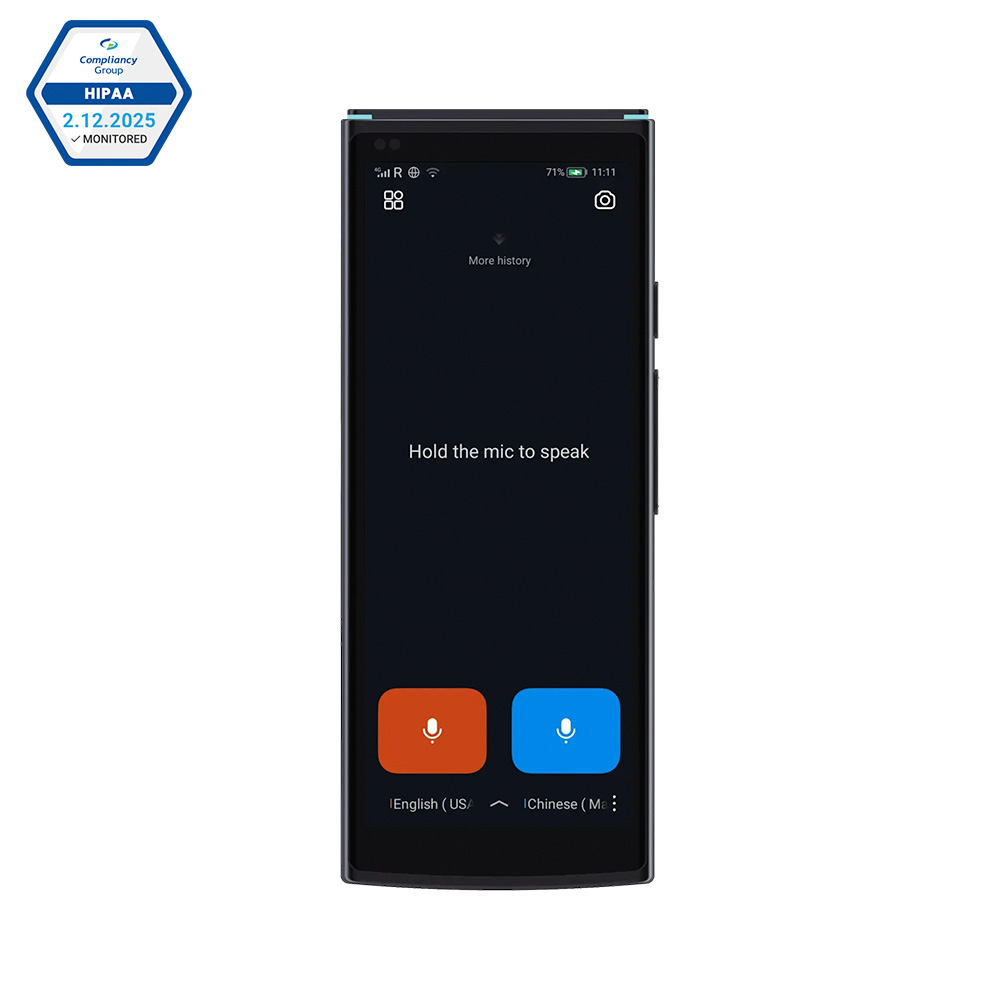
A translation device is built for spoken conversation. It often has strong microphones, noise control, a speaker, and a simple interface. Many models let two people speak in turn without passing around a phone.
Google Translate is a mobile app. It can translate speech, text, images, websites, and handwriting. It also supports many language pairs and works on a device most people already own.
The key difference is purpose:
• AI translation devices focus on live, hands-free conversations.
• Google Translate focuses on flexible, low-cost translation.
• A translation device may feel more natural in a busy market or airport.
• Google Translate may be more useful for reading a menu or checking a phrase.
So, are AI translation devices better than Google Translate? For frequent travelers, guides, and business users, they can be. For casual travelers, students, and people on a budget, Google Translate often offers better value.
How AI translation devices work
Most modern translation devices use automatic speech recognition, machine translation, and text-to-speech technology.
First, the device listens to spoken words. Its speech recognition system turns those sounds into text. A machine translation model then changes the text into another language. Finally, the device reads the translated sentence aloud.
This process sounds simple, but several steps happen within seconds. Each step can create errors. A poor microphone may misunderstand a word. The translation system may miss the speaker’s meaning. The voice output may sound unnatural or use the wrong level of politeness.
Many devices now use neural machine translation. This system studies patterns in large amounts of language data. It often understands full sentences better than older word-for-word systems.
Still, AI does not truly understand every cultural detail. It predicts the most likely meaning based on context. Slang, jokes, local accents, and unclear speech can still confuse it.
Common features in translation devices
Useful features may include:
• Two-way conversation mode
• Automatic speaker detection
• Noise reduction
• Offline language packs
• Touchscreen text display
• Camera translation
• Voice playback
• Mobile app control
• Bluetooth or cellular connection
• Saved phrases and travel vocabulary
A device with many features is not always the best device. A simple model with a clear interface may work better than one filled with settings you never use.

How Google Translate works
Google Translate uses several translation tools in one app. You can type a sentence, speak into the microphone, scan a printed sign, or point your camera at text.
Its camera feature is especially useful. Imagine arriving at a train station in Tokyo and seeing a sign filled with Japanese characters. You can hold up your phone and receive a rough translation within seconds.
The app can also translate conversations. Each person speaks into the phone, and the app displays or reads the result. This works well in quiet places where both people can take turns.
Google Translate also supports downloaded language files for some languages. These files allow basic translation without mobile data. Offline translation may be less complete than online translation, but it can help when you have no signal.
One major benefit is constant improvement. Cloud-based systems can receive updates without requiring you to buy a new phone or device. However, results can change based on your internet connection, phone microphone, language pair, and the complexity of the sentence.

AI translation devices versus Google Translate: a direct comparison
The best way to answer are AI translation devices better than Google Translate is to compare the tools by task.
Accuracy
Both options can produce accurate results for common phrases. Neither option is perfect for legal, medical, or highly technical content.
A dedicated device may perform better in conversation because it is designed to capture speech. Some models use several microphones and reduce background noise. This can help in a restaurant, street, or train station.
Google Translate may perform better when you type a clear sentence. Typed input removes some of the problems caused by accents, noise, and unclear speech.
Accuracy also depends on the language pair. Translation between widely used languages often works better than translation involving regional dialects or less common languages.
Speed
Translation devices can feel faster during a live conversation. You press a button, speak, and wait for the translation. Some models automatically detect when one person stops speaking.
Google Translate can also work quickly, but you may need to unlock your phone, open the app, choose the language, and tap the microphone. That extra effort matters when a conversation is moving fast.
A few seconds can feel like a long pause when you are asking for directions from a busy stranger.
Ease of use
A translation device usually has one main job. This makes it easy to hand to another person.
A phone has many distractions. A call, alert, low battery warning, or weak signal can interrupt the exchange. On the other hand, most people already know how to use a smartphone.
For older travelers or people who dislike complex apps, a dedicated device may feel calmer and more practical.
Language support
Google Translate generally offers broader language coverage than most dedicated devices. It also gives you access to text, image, speech, and handwriting tools in one place.
A device may support fewer languages, especially offline. Before buying one, check the exact languages and dialects it supports. “Supports 100 languages” may mean that only a smaller number work offline or in two-way speech mode.
Cost
Google Translate is free for most basic use. You only need a compatible phone and, in some cases, mobile data.
AI translation devices can cost from less than $100 to several hundred dollars. Some also require a subscription, a SIM card, or paid data access.
The price may be justified if you travel often or need a reliable business tool. For one vacation, a free app may be enough.
Privacy
A translation tool may send speech or text to remote servers for processing. This can create privacy concerns, especially during business meetings or sensitive conversations.
Privacy rules vary by app, device, language, and connection mode. Read the product’s privacy policy before using it for confidential information.
Offline translation can reduce data sharing, but it may also offer fewer languages and lower accuracy.
Battery life
A separate device can save your phone battery. This matters when your phone is also your map, camera, boarding pass, and emergency contact.
However, the device itself needs charging. A traveler may end up carrying two devices instead of one.
Google Translate uses the battery you already carry. If your phone has a large battery or portable charger, this may not be a serious issue.
When AI translation devices are better
AI translation devices can be the stronger choice in several situations.
Frequent international travel
If you travel across countries several times a year, a dedicated device may quickly become part of your regular kit. You do not need to keep opening an app or handing over your personal phone.
The device can sit in your pocket and remain ready for a hotel check-in, taxi ride, or restaurant order.
Two-way conversations
Dedicated devices often make turn-taking easier. One person speaks, the device translates, and the other person responds.
This can feel more respectful than passing a phone back and forth. It also keeps the conversation focused on people rather than screens.
Noisy environments
Some devices use multiple microphones and sound processing. These features may help in airports, markets, and busy streets.
They cannot remove every problem. Loud music, several speakers, and strong accents can still reduce accuracy. Even the best device needs the speaker to talk clearly.
Hands-free use
A device may be easier when your hands are full. You can use it while carrying luggage, checking into a hotel, or walking with a guide.
Some models connect to earbuds. Others include a wearable design. These features can make short exchanges feel more natural.
Limited phone access
Some workplaces, schools, and secure sites limit smartphone use. A small translation device may be easier to approve than a personal phone.
It may also help children, older adults, or travelers who are not comfortable with smartphone apps.

When Google Translate is better
Google Translate remains the better choice for many everyday needs.
Reading signs and menus
The camera feature is one of its biggest strengths. You can scan a menu, label, street sign, or train notice without speaking to anyone.
A dedicated voice translator may not handle this task as well unless it includes a camera and text recognition.
Quick phrase checks
If you want to learn how to say “Where is the nearest pharmacy?” or “I have a peanut allergy,” Google Translate is quick and convenient.
You can save useful phrases in advance. You can also show the translated text instead of relying on voice output.
Rare travel
Buying a device for one short vacation may not make financial sense. Download the app, save offline language files, and carry a power bank instead.
This approach gives you a useful backup without adding another device to your luggage.
Broad language needs
If you move between many countries, Google Translate may cover more of the languages you need. Dedicated devices often limit the number of languages available in offline or conversation modes.
Always check the language list before your trip. A device may support a language for text but not for voice translation.
Accessibility
Large phone screens, screen readers, adjustable text, and familiar controls can make Google Translate helpful for some users. A device may have a smaller display or limited accessibility settings.
The best choice depends on your vision, hearing, speech, and mobility needs.
Accuracy limits you should know
People often ask are AI translation devices better than Google Translate because they expect one tool to deliver perfect speech. No consumer translator can guarantee that result.
Translation systems struggle with:
• Strong accents
• Regional slang
• Sarcasm and humor
• Background noise
• Fast speech
• Multiple people speaking at once
• Names and place names
• Medical terms
• Legal language
• Words with several meanings
For example, the English word “charge” can refer to a fee, a battery, an accusation, or an instruction to attack. The system needs context to choose correctly.
A translated sentence can also sound polite while carrying the wrong level of respect. This matters in cultures where formal and informal speech differ.
Use translation technology as a bridge, not as a perfect human interpreter. For surgery, immigration documents, contracts, court matters, or serious business negotiations, hire a qualified human translator or interpreter.
A practical accuracy check
When the message matters, use back translation. Ask the tool to translate the result back into your language. If the meaning changes, simplify the original sentence.
You can also:
• Speak in short sentences.
• Avoid slang and jokes.
• Use common words.
• Pause between ideas.
• Confirm names, dates, and numbers.
• Show important information in writing.
• Ask the listener to repeat key details.
These habits often improve results more than switching from one app to another.

Real-world examples
Example 1: Ordering food
You want to explain a food allergy at a small restaurant. Google Translate may be enough if you type the message and show the screen.
A dedicated device may help if the server needs to ask follow-up questions. Still, you should carry a printed allergy card in the local language. Do not rely on a machine alone when a mistake could cause a severe reaction.
Example 2: Finding a train platform
Google Translate is useful for scanning signs and translating written instructions. You may not need a separate device at all.
If a station worker gives spoken directions, a translation device can help you ask questions and listen without stopping to type.
Example 3: Business meetings
Neither tool should replace a professional interpreter for a high-stakes meeting. A translation device can help with informal introductions or basic logistics.
For confidential information, check privacy settings and avoid sending sensitive content to a cloud service without approval.
Example 4: Long-term travel
A traveler spending several months abroad may benefit from a dedicated device. It can provide a consistent conversation tool and preserve phone battery.
Google Translate may still be needed for documents, photos, maps, and language study. In this case, the best answer to are AI translation devices better than Google Translate may be “use both.”
Personal lessons from using translation technology
A common mistake is speaking to a translation tool as if it were a human listener. People often use long sentences, local slang, and several ideas at once. The result can sound strange or leave out the most important detail.
A better method is to speak in short blocks. Say, “I need a doctor.” Wait for the translation. Then add, “I have chest pain.” This gives the system less room to misunderstand your meaning.
Another lesson is to prepare before leaving home. Download the required languages, charge every device, and save important phrases. Test the microphone and speaker before you reach the airport.
It also helps to show patience. A local person may feel embarrassed when a machine produces an odd sentence. Smile, repeat the idea in simpler words, and use gestures or written text when needed.
The most useful backup is not another app. It is a small list of essential phrases stored offline:
• Help
• Hospital
• Police
• I need a pharmacy.
• I do not understand.
• Please speak slowly.
• I am allergic to this food.
• Where is the train station?
These simple phrases can protect you when your battery dies, your connection fails, or the translation system gets confused.
How to choose an AI translation device
If you decide that AI translation devices are better than Google Translate for your needs, compare products carefully.
Check language modes
Look for separate details about:
• Online speech translation
• Offline speech translation
• Camera translation
• Text translation
• Two-way conversation
A product may advertise many languages but offer full features in only a few.
Test the microphone
A strong microphone can matter more than a long feature list. Read independent reviews that test the device in cafés, airports, and outdoor areas.
Watch for comments about delayed audio, missed words, and poor performance with accents.
Review payment terms
Some devices include free service for a limited time. Others require a monthly plan or charge for mobile data.
Calculate the total cost over one or two years. A low purchase price may become expensive if the service fee is high.
Study privacy controls
Find out whether the device stores audio, how long it keeps data, and whether you can delete conversation history.
For personal travel, this may be a minor concern. For work, healthcare, or education, it should be a major factor.
Consider repair and support
A phone app receives updates through the app store. A dedicated device depends on the manufacturer for software support.
Check the warranty, return policy, update history, and customer service before buying.
Best setup for travel translation
For most travelers, a combination works better than choosing only one tool.
Use Google Translate for:
• Menus and signs
• Saved phrases
• Written addresses
• Camera translation
• Backup language support
Use a dedicated device for:
• Frequent spoken conversations
• Hands-free use
• Better audio in busy places
• Longer trips
• Situations where passing around a phone feels awkward
Before departure, follow these steps:
Install the latest version of your translation app.
Download offline language files.
Save your hotel address and emergency phrases.
Charge your phone and translation device.
Carry a portable battery.
Test both tools with a friend.
Keep a paper backup for medical needs.
This setup reduces stress. Technology should feel like a safety net, not another problem to solve.
Are AI translation devices worth the money?
AI translation devices can be worth the money when they solve a regular problem.
They may offer value to:
• Frequent travelers
• Tour guides
• Flight and hotel staff
• International sales teams
• Medical outreach workers
• Teachers in multilingual settings
• Families with language barriers
They may not be worth it for someone taking one short trip to a country where Google Translate supports the needed language.
Think about how often you will use the device, not how impressive its specifications look. A tool that stays in a drawer is not a good investment.
Also consider the cost of human help. If a device helps you handle dozens of simple conversations, it may save time. If the situation is important or sensitive, professional language support remains the safer choice.
How to improve translation results
Good input leads to better output. You can improve both AI translation devices and Google Translate with a few simple habits.
• Face the microphone.
• Speak at a steady pace.
• Use one idea per sentence.
• Avoid idioms such as “break a leg.”
• Say numbers twice.
• Spell unusual names.
• Confirm dates and times.
• Reduce background noise.
• Select the correct regional language when possible.
• Use text when speech fails.
Do not assume that a fluent-sounding sentence is accurate. Listen for missing details. Check whether the translation kept the subject, time, quantity, and negation.
For example, “I do not need a taxi” must not become “I need a taxi.” A single missing word can reverse the meaning.
Frequently Asked Questions
Are AI translation devices more accurate than Google Translate?
Not in every case. A device may capture spoken language better because of its microphone and conversation design, while Google Translate may work better for typed text or images.
Do translation devices work without Wi-Fi?
Some do, but offline features vary by model and language. Check whether the exact language pair supports offline speech, since offline text support may be broader than offline conversation support.
Is Google Translate good enough for travel?
For many basic travel tasks, yes. It works well for menus, signs, directions, and common phrases, but you should use a human interpreter for medical, legal, or highly sensitive matters.
Can AI translation devices translate conversations in real time?
Many can translate conversations with a short delay. They do not usually provide perfectly continuous interpretation, and noise, accents, pauses, and overlapping speech can affect the result.
Which is cheaper, an AI translation device or Google Translate?
Google Translate is usually cheaper because the basic app is free. A dedicated device may cost more and may also require a subscription or mobile data plan.
Do AI translation devices need a phone?
Some devices work independently, while others rely on a phone app or Bluetooth connection. Read the product details carefully before buying if you want a fully standalone tool.
Can I trust a translation device for medical information?
You should not rely on a consumer translation device alone for serious medical information. Use a qualified interpreter when possible, and carry written medical details in the local language as a backup.
Conclusion
So, are AI translation devices better than Google Translate? Dedicated devices usually win for frequent, spoken, hands-free conversations. Google Translate usually wins for price, camera translation, written text, broad access, and occasional travel.
The smartest choice is based on your situation. Try Google Translate first if you need a low-cost tool. Consider a dedicated device if you travel often, work across languages, or need a simpler conversation experience. Whichever option you choose, prepare offline phrases, speak clearly, and use human language support when the stakes are high.
Test your preferred tool before your next trip, and share your own translation experience or travel tips in the comments.

Similar Posts