Why Is Apple Airtag Chirping Randomly: Fixes And Causes
Apple AirTags chirp randomly when they detect movement, separation, low power, or safety alerts.
If you’ve ever heard an Apple AirTag chirping randomly, it can feel confusing and a little worrying. I’ve tested AirTags in bags, cars, and around the house, and the sound almost always points to a specific trigger, not a mystery glitch. In this article, I’ll break down the real reasons Apple AirTag chirping randomly happens, how to tell normal alerts from a problem, and what you can do to stop the noise without guessing.

Why Apple AirTag Chirping Randomly Happens
Apple designed the AirTag to make sound in a few clear situations. The chirp is not just a random beep. It is usually a safety feature, a connection signal, or a warning that something is off.
Most of the time, Apple AirTag chirping randomly means one of these things is happening:
- The AirTag has been separated from its owner for a while
- It is moving with someone who is not the registered owner
- The battery is low
- It is being used in a way that triggers Apple’s anti-stalking alerts
- It may be reacting to a setup or firmware issue
From my own use, the most common cause is simple: the AirTag is trying to get attention. Apple built the device to avoid silent tracking, so sound is part of the design. That is why Apple AirTag chirping randomly is often a feature, not a flaw.
How Apple AirTag Sounds Work
An AirTag does not make noise all the time. It only chirps in certain situations. The sound is meant to help you find it or alert nearby people that an unknown tracker may be close.
Here is how the sound system generally works:
- A lost AirTag can play a sound through the Find My app
- An unknown AirTag moving with someone for a while can chirp on its own
- A low battery may cause odd behavior, including weaker or repeated alerts
- If the AirTag is separated from its owner, it may start making noise after a period of movement
Apple uses these alerts to protect privacy. That is why Apple AirTag chirping randomly often relates to movement rules built into the product. In other words, the chirp is part of the AirTag’s safety design.

Most Common Reasons Apple AirTag Chirping Randomly
There are several common causes. Some are normal. Some need a fix.
1. The AirTag Is Not With Its Owner
If an AirTag is away from the person who registered it, it may start to chirp after some time. This helps prevent unknown tracking.
This is especially common when:
- The AirTag is left in a car
- The AirTag is inside a borrowed bag
- The AirTag is packed with luggage
- The AirTag is near someone who is not the owner for long periods
I once left an AirTag in a backpack I had loaned to a friend. After some movement, it started making noise. That was not a bug. It was the AirTag doing exactly what Apple intended.
2. The Battery Is Low
A weak battery can cause strange behavior. The CR2032 coin cell battery usually lasts about a year, but if it is near the end, the AirTag may behave less reliably.
Low battery signs can include:
- Random chirping
- Weak sound
- Delayed alerts
- Find My warnings that the battery is low
If you suspect battery trouble, replace it first. It is the easiest fix and one of the most common reasons Apple AirTag chirping randomly becomes more noticeable.
3. The AirTag Is Triggering Anti-Stalking Alerts
Apple built AirTags to warn people if an unknown tracker is moving with them. If the device is not linked to the nearby iPhone’s owner, it may chirp after being separated from its registered owner for a while.
This can happen if:
- You put an AirTag in a car that is used by different people
- You leave an AirTag in a shared bag
- Someone else carries it for too long
- The AirTag is traveling with a person who does not own it
This is one of the most important reasons Apple AirTag chirping randomly happens. It is a privacy feature, not a defect.
4. The AirTag Needs Attention in Find My
Sometimes the AirTag is not truly “randomly” chirping. It may be asking for attention through the Find My app. If it is marked as lost, disconnected, or out of range, the device may behave differently when it reconnects.
Check for:
- Lost Mode status
- Battery warnings
- Alerts about unknown items
- Connection issues in the app
5. The Speaker May Be Stuck or Damaged
Less often, the speaker itself can be the problem. Dirt, moisture, or physical damage can make the speaker sound odd. It may chirp at the wrong time or repeat sounds that seem random.
This is more likely if:
- The AirTag was exposed to water
- It was dropped hard
- It got packed tightly with metal objects
- The speaker opening has dust or debris
If the device sounds distorted, that is a clue the hardware may need a close look.
How to Tell Normal Chirping From a Problem
Not every chirp means something is broken. That part matters.
Normal chirping often happens when:
- You ask the AirTag to play a sound in Find My
- It has been separated from the owner and moved over time
- The AirTag is helping locate itself in a lost item search
A problem is more likely when:
- It chirps too often without reason
- The sound happens even when it stays still
- The battery is new but the issue continues
- The speaker sounds broken or very faint
A useful rule I follow is this: if the chirp matches movement, location changes, or battery alerts, it is probably normal. If it happens out of nowhere with no pattern, then it is time to troubleshoot Apple AirTag chirping randomly step by step.
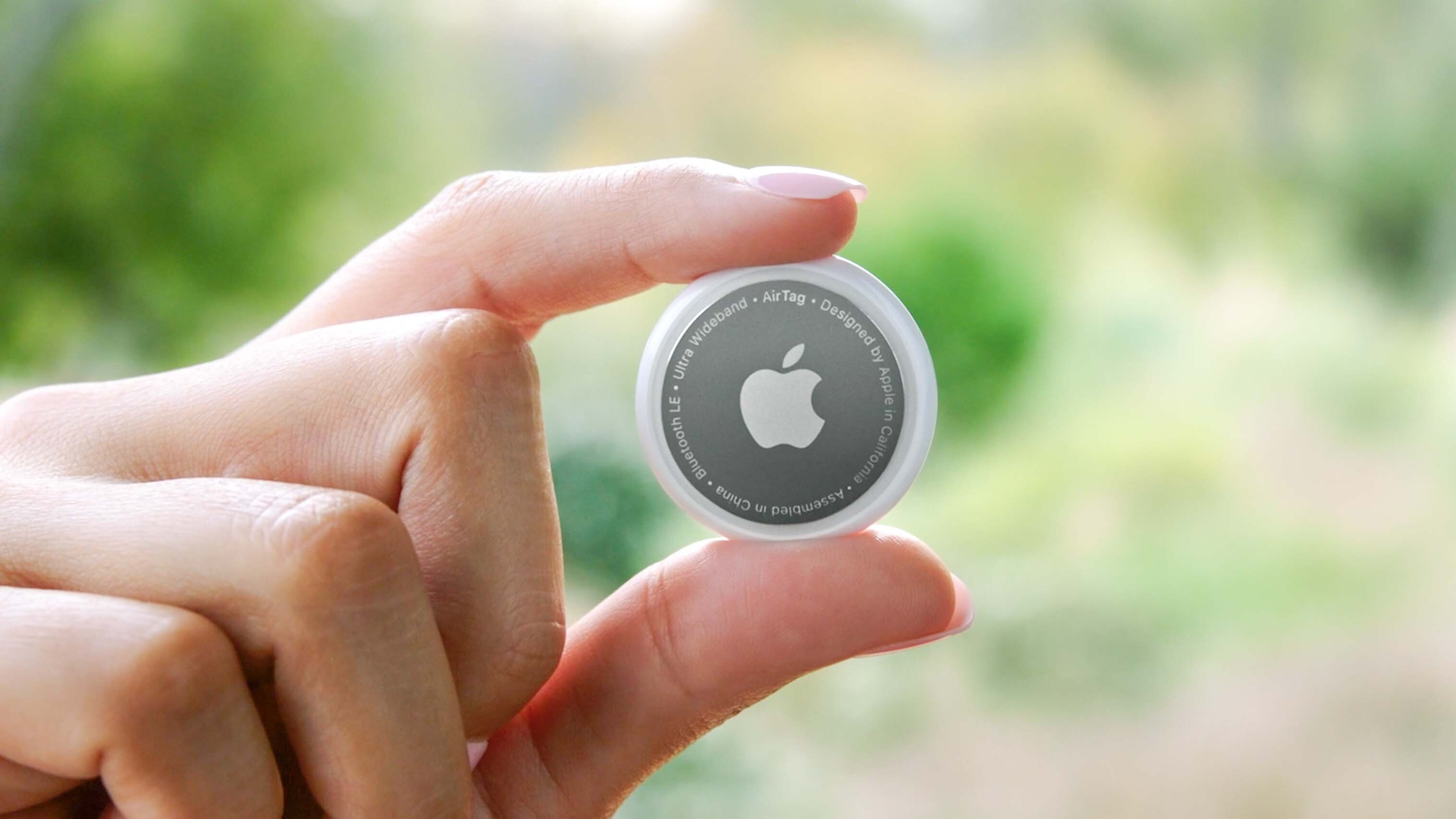
How to Stop Apple AirTag Chirping Randomly
You usually can fix the issue with a few simple checks.
Replace the Battery
Start here. It is fast and cheap.
Steps:
- Press down and twist the stainless-steel back counterclockwise
- Remove the cover and battery
- Insert a fresh CR2032 battery
- Make sure the positive side is facing up
- Reattach the cover until it clicks
A fresh battery solves many cases of Apple AirTag chirping randomly, especially when the device has been in use for months.
Check the Find My App
Open the Find My app and look at the AirTag’s status. See whether it is marked as lost, nearby, or disconnected.
Look for:
- Low battery alerts
- Unknown item warnings
- Separation alerts
- Notifications that help explain movement-related chirps
Remove and Re-Pair the AirTag
If the noise keeps happening, reset and re-add the AirTag.
Try this:
- Remove the battery
- Put it back in and press until you hear a sound
- Repeat this process five times
- On the fifth sound, the AirTag should reset
- Reconnect it through the Find My app
This can clear weird glitches that make Apple AirTag chirping randomly seem worse than it is.
Keep It With the Right Owner
If the AirTag is being shared, that may be the real issue. AirTags work best when tied to one Apple ID and one main user.
Avoid:
- Putting one AirTag in a shared car without understanding the alert behavior
- Leaving it in a bag passed between people
- Using one AirTag for long-term tracking of multiple owners
Clean the Speaker Area
Use a dry, soft cloth to remove dirt. If the speaker holes are blocked, the sound may seem distorted or inconsistent.
Do not:
- Use harsh liquid cleaners
- Submerge the AirTag
- Poke the speaker opening with metal tools
When Apple AirTag Chirping Randomly Is a Privacy Alert
This part is worth taking seriously. If an AirTag is chirping and you do not recognize it, it may be warning you that an unknown tracker is nearby.
On modern iPhones, the system may also show alerts such as:
- “AirTag Found Moving With You”
- Unknown item notifications
- Alerts in Find My
If this happens, do not ignore it. Check the item carefully, especially in:
- Bags
- Coats
- Cars
- Child carriers
- Travel luggage
Apple’s safety system is there to prevent misuse. So if Apple AirTag chirping randomly is happening on an item you do not control, investigate it right away.
Real-Life Examples of Why the Chirp Happens
A few real-world situations come up again and again.
- A traveler puts an AirTag in checked luggage, then hears chirping after a long trip. That is usually normal movement behavior.
- A parent uses an AirTag in a school bag that gets carried by different family members. That can trigger alerts.
- A driver leaves an AirTag in a shared vehicle. The device may start chirping if Apple detects it is moving away from the owner.
- A person keeps hearing a faint sound from an old AirTag with a near-dead battery. A battery swap often fixes it.
These examples show why Apple AirTag chirping randomly is usually tied to use patterns, not just hardware failure.
Best Practices to Prevent Random Chirping
A little care goes a long way.
- Use a fresh battery once a year or sooner if needed
- Keep the AirTag attached to one main owner’s Apple ID
- Avoid sharing one AirTag across many people
- Check Find My regularly
- Store the AirTag away from moisture and heavy impact
- Test the sound after battery replacement or reset
In my experience, most complaints about Apple AirTag chirping randomly come from shared use, old batteries, or confusion about Apple’s anti-stalking alerts. Once users understand those rules, the device makes much more sense.
Frequently Asked Questions
Why is my Apple AirTag chirping randomly at night?
It may be reacting to movement, low battery, or a privacy alert. If it is on a bag, pet item, or shared object, nighttime movement can trigger sound when the item shifts.
Can a low battery make an AirTag chirp randomly?
Yes, a weak battery can cause unreliable behavior and odd sounds. Replacing the CR2032 battery is one of the first fixes to try.
Why is my AirTag chirping when it is not moving?
That can point to a battery issue, a speaker problem, or a software glitch. If it keeps happening, try resetting the AirTag and rechecking it in Find My.
Is Apple AirTag chirping randomly a sign someone is tracking me?
Sometimes, yes. If the AirTag is not yours and you see an unknown item alert, treat it as a privacy warning and inspect your belongings.
How do I stop my AirTag from chirping?
Replace the battery, check Find My, and reset the device if needed. If it is being shared or moved by different people, that use pattern may be the real cause.
Does Apple AirTag chirping randomly mean the AirTag is broken?
Not always. Most of the time it is a normal alert tied to movement, separation, or battery life. If the sound is distorted or constant, hardware damage is more likely.
Conclusion
Apple AirTag chirping randomly is usually not random at all. It often points to a low battery, a separation alert, a privacy warning, or a small hardware issue. Once you know how AirTags are designed to behave, the sound becomes much easier to understand and fix.
The best next step is to check the battery, review the AirTag in Find My, and think about how and where the device is being used. If you handle those basics, you can usually solve the problem fast and avoid the same mistake later. If this helped, share it with someone who uses AirTags, or leave a comment with the exact chirping behavior you are hearing.