Why Is Sandisk Extreme Portable Ssd Disconnecting: Fixes
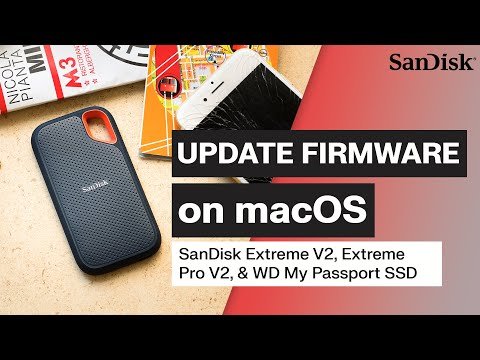
SanDisk Extreme Portable SSD usually disconnects because of bad cables, unstable power, driver issues, or overheating.
If your SanDisk Extreme Portable SSD keeps dropping out, you are not alone. I have seen this problem come up in real use, and most of the time it is not a dead drive. It is usually a connection, power, or compatibility issue that can be fixed with the right steps.

Why a SanDisk Extreme Portable SSD keeps disconnecting
A SanDisk Extreme Portable SSD is built for speed and convenience, but it still depends on a stable USB connection. When that link gets shaky, the drive may disconnect, freeze, or vanish from File Explorer or Finder.
In plain terms, the drive is often fine. The problem is usually the path between the SSD and your device. That path includes the cable, port, hub, operating system, power settings, and sometimes the drive firmware itself.
Common reasons the SanDisk Extreme Portable SSD disconnects
There are a few main causes behind this issue. Some are simple, while others need a deeper look.
Faulty or loose USB cable
This is one of the most common reasons. A worn cable, a weak connector, or even a cable that is not fully seated can cause random drops.
I have personally seen SSDs act broken when the real problem was just a slightly loose USB-C cable. The drive works, then disconnects when the cable bends or gets bumped. That is frustrating, but also good news, because it is easy to test.
USB port problems
Not all USB ports are equal. Some ports deliver less stable power, especially front-panel ports on desktops, old USB hubs, or cheap adapters.
If the SSD works on one port but not another, that is a strong clue. A direct port on the computer is usually more reliable than a hub or dock.
Power management settings
Modern laptops try to save battery by turning off devices they think are idle. That can be a problem for external SSDs.
Windows USB selective suspend and sleep settings can interrupt the drive. On macOS, aggressive power saving or sleep behavior can also lead to disconnections.
Overheating
Portable SSDs are fast, and speed creates heat. If the drive gets too warm during large file transfers, it may throttle or disconnect to protect itself.
This is more likely during long writes, video editing, backup jobs, or big transfers. Heat does not always mean failure, but it does mean the drive may need a break or better airflow.
Driver or firmware issues
Sometimes the computer needs a better USB, chipset, or storage driver. In other cases, the SSD firmware itself may need an update.
I have learned that firmware problems often show up after an OS update. The system changes, and the drive suddenly starts acting strange even though it was fine before.
File system corruption
If the drive was unplugged without ejecting, the file system can get damaged. That may cause disconnects, slow performance, or read errors.
This is especially common after a crash, power loss, or unsafe removal. The drive may still show up, but it behaves unpredictably.
Incompatible adapters, docks, or hubs
USB-C adapters and docking stations are convenient, but not all are built well. Some do not pass enough power or do not handle high-speed storage properly.
If the SSD works when plugged in directly but fails through a hub, the hub is likely the weak link. This is a classic case of the middleman causing the trouble.

How to fix a SanDisk Extreme Portable SSD disconnecting issue
The best approach is to start simple and move step by step. Do not assume the drive is dead right away.
1. Try a different cable
Use the original cable if you still have it. If not, test with a high-quality USB-C cable that supports data transfer, not just charging.
A lot of USB-C cables look the same but behave very differently. A cheap cable can be fine for charging a phone and still fail with a fast SSD.
2. Plug the SSD directly into the computer
Skip hubs, docks, and adapters for now. Connect the drive straight to a known good USB port.
If the problem stops, you have narrowed it down fast. That means the SSD may be fine and the hub or adapter is the real issue.
3. Test another USB port
Try another port on the same device. Then test the SSD on a second computer if possible.
This helps you separate a drive problem from a computer problem. If the SSD behaves the same everywhere, the issue is more likely with the SSD or its cable.
4. Check power settings
On Windows, look at USB selective suspend and power-saving options. On laptops, try setting the device to a more performance-friendly mode.
On macOS, review sleep settings and test while the computer stays awake. A drive that disconnects during sleep is often being cut off by the system, not by the SSD itself.
5. Update drivers and firmware
Install the latest chipset, USB, and storage drivers from your computer maker. Then check whether the SSD has a firmware update available.
This step matters more than many people think. Small updates often fix stability bugs that show up only with external storage.
6. Let the drive cool down
If the SSD gets hot during long transfers, pause and let it rest. Move it to a cooler spot and avoid stacking it on a laptop that is already warm.
Heat is like a pressure valve for portable drives. Once it builds up, the drive may protect itself by slowing down or dropping the connection.
7. Back up your data and check the file system
If the drive contains important files, back them up first if you can still access them. Then run a disk check or repair tool for your operating system.
This can help if corruption is causing instability. Do not skip the backup step if the data matters.
8. Test on a different computer
This is one of the best diagnostics. If the SanDisk Extreme Portable SSD disconnecting issue happens on another PC or Mac too, the drive may need service.
If it works fine elsewhere, your original machine is the more likely problem. That saves time and avoids blaming the wrong device.

Signs the problem is cable or port related
A few patterns often point to a simple connection issue. These clues can save you hours.
- The SSD disconnects when you move the cable
- The drive works in one port but not another
- The drive fails only through a hub or dock
- The disconnects happen during light movement or desk vibration
- The drive reconnects when you unplug and plug it back in
These are classic symptoms of a weak physical link. In my experience, the more the issue changes when you touch the cable, the less likely it is that the SSD itself is damaged.
Signs the problem may be the SSD itself
Sometimes the drive really is the source of the trouble. That is less common than cable or port issues, but it does happen.
Watch for these warning signs:
- The SSD disconnects on multiple computers
- The drive makes the same failure happen with different cables
- The device is not recognized at all, even after a restart
- Transfers fail at the same point every time
- The drive gets unusually hot very fast
If several of these show up together, the SSD may need replacement or warranty support. At that point, the goal is data recovery and safe diagnosis, not repeated retries.
How I would troubleshoot this in real life
When I test an external SSD that keeps disconnecting, I use a simple order. It keeps me from jumping around and making the situation worse.
- Swap the cable first
- Connect directly to the computer
- Try a different USB port
- Test on another computer
- Check for overheating
- Review power settings
- Update drivers and firmware
- Back up data and repair the file system if needed
This sequence works because it separates the easy fixes from the serious ones. It also reduces the chance of unnecessary reformatting, which people often rush into too soon.
How to prevent future disconnects
A little care goes a long way with portable SSDs. These drives are fast, but they still need a stable setup.
- Use a certified, high-quality data cable
- Avoid cheap USB hubs and adapters
- Do not yank the drive out while files are moving
- Safely eject the SSD before unplugging
- Keep the drive cool during big transfers
- Update your OS, drivers, and firmware regularly
- Store the SSD where the connector will not be bent or strained
Think of the SSD like a race car. It can perform beautifully, but only if the road is smooth and the fuel line is steady.
When to contact support or replace the drive
If the SanDisk Extreme Portable SSD disconnecting issue continues after basic troubleshooting, it is time to go deeper. Support can help confirm whether the drive is within warranty or if there is a known issue.
You should contact support if:
- The drive disconnects on multiple devices
- The drive is not detected at all
- You hear unusual behavior after a fall or physical damage
- The issue started suddenly and nothing else helps
- Your files are at risk and you need recovery guidance
If the data is valuable, avoid repeated risky attempts. Too much trial and error can make recovery harder.
Frequently Asked Questions
Why does my SanDisk Extreme Portable SSD keep disconnecting on my laptop?
This usually happens because of a bad cable, weak USB port, or power-saving settings. Laptops often manage power more aggressively than desktops, so the SSD can drop out when the system tries to save battery.
Can overheating make the SanDisk Extreme Portable SSD disconnect?
Yes, heat can absolutely cause instability. If the drive gets too warm during long transfers, it may slow down or disconnect to protect itself.
Is my SSD broken if it disconnects only with one computer?
Not necessarily. If it works on another computer, the issue is probably with the original machine, its USB port, drivers, or power settings.
Should I reformat the SanDisk Extreme Portable SSD if it keeps disconnecting?
Not right away. Reformatting can erase files and may not solve the real cause if the issue is hardware, cable, or power related.
What is the safest first step if my SSD keeps dropping?
Start by changing the cable and plugging the SSD directly into the computer. That simple test fixes a surprising number of disconnect problems.
Conclusion
The SanDisk Extreme Portable SSD disconnecting issue is usually caused by something fixable, like a weak cable, unstable port, power settings, overheating, or driver trouble. In many cases, the drive itself is still healthy and just needs a better connection path.
The smartest move is to troubleshoot step by step, protect your data, and avoid quick guesses. If you apply the fixes above, you can often get the drive stable again and keep it that way. If the problem keeps coming back, back up what you can and contact support before the situation gets worse.

Similar Posts