Why Is Apple AirTag Not Updating Location: Quick Fixes
Apple AirTag usually stops updating when it lacks nearby Apple devices, has weak connectivity, or needs a simple reset.
If you are asking, “Why Is Apple AirTag Not Updating Location?”, you are not alone. I have seen this issue come up often in real-world use, and most of the time it is tied to signal limits, battery trouble, or Find My network delays rather than a bad AirTag. In this guide, I’ll walk you through the real causes, what to check first, and how to fix the problem in a way that actually makes sense.
 location may not refresh”
style=”max-width: 100%; height: auto; border: 2px solid black; border-radius: 10px; display: block; margin: 0 auto;”
loading=”lazy”
/>
Why your AirTag location may not refresh
An AirTag does not use GPS like a phone or car tracker. Instead, it depends on the Find My network, which uses nearby Apple devices to detect and relay its location. That means if no compatible Apple device passes close enough, the location may stay old for a while.
This is the first thing many people miss when they search for why Apple AirTag not updating location. The tag is smart, but it is not a live satellite tracker. Think of it like a note passed from one person to the next, not a direct phone call.
Common reasons include:
- No nearby Apple devices to report the location
- Weak Bluetooth signal
- AirTag battery running low
- AirTag being inside a signal-blocking place, like a metal box or car trunk
- Temporary Find My app delay
- iPhone settings or network issues
How the Find My network works
To understand why Apple AirTag not updating location, it helps to know how the system is built. The AirTag sends out a secure Bluetooth signal. Nearby Apple devices, such as iPhones, iPads, or Macs, can detect that signal and send the location to Apple’s Find My network.
This setup is private and clever, but it also has limits. If your AirTag is in a quiet area with few Apple devices around, the location may not update often. If it is moving quickly, the reported location can also lag behind reality.
Here is what affects refresh speed:
- Distance from nearby Apple devices
- Indoor or outdoor placement
- Movement speed of the AirTag
- Network and app refresh timing
- Battery strength in the AirTag
In my own testing, I have noticed that an AirTag left in a parked car updates much slower than one carried through a crowded city street. That is not a defect. It is just how the network works.

The most common reasons AirTag location is not updating
There are several practical reasons behind Apple AirTag not updating location. Some are easy to fix in seconds. Others need a bit more checking.
Low battery
A weak AirTag battery is one of the most common causes. The AirTag uses a CR2032 coin battery, and when power gets low, the signal can become unreliable. If the battery is close to dead, the AirTag may still show up sometimes but fail to refresh properly.
Poor Bluetooth range
AirTag needs Bluetooth visibility to be detected. If it is buried under thick materials, inside a locked car, or behind dense objects, its signal may not reach nearby Apple devices well.
Few Apple devices nearby
The Find My network depends on Apple device density. In rural areas or quiet places, updates may be delayed simply because there are fewer devices passing by.
Location permissions or app issues
Sometimes the problem is not the AirTag itself. The Find My app, your iPhone settings, or even temporary iCloud syncing issues can make the location seem frozen.
Temporary software glitch
Like any connected device, an AirTag can hit a glitch. A restart of your iPhone, a battery reseat, or a reconnect process often clears it up.

Step-by-step fixes for Apple AirTag not updating location
If you are dealing with Apple AirTag not updating location, start with the simplest checks first. I always recommend this order because it saves time and avoids unnecessary frustration.
1. Check the battery
Open the Find My app and see whether the AirTag shows a low battery warning. If you are unsure, replace the CR2032 battery with a fresh one from a trusted brand.
Tips:
- Make sure the new battery is installed correctly
- Listen for the sound that confirms the AirTag powered on
- Avoid batteries with bitter coatings if they cause poor contact in your unit
2. Move the AirTag to a better location
If the AirTag is in a wallet, bag, trunk, or metal container, move it temporarily to an open area. Then wait a few minutes and check if the location updates.
3. Refresh the Find My app
Close the app completely and reopen it. Also try pulling down to refresh the device list. This simple step helps when the app is showing old data.
4. Restart your iPhone
A quick restart can fix temporary syncing issues between your phone, iCloud, and Find My.
5. Check internet and Bluetooth
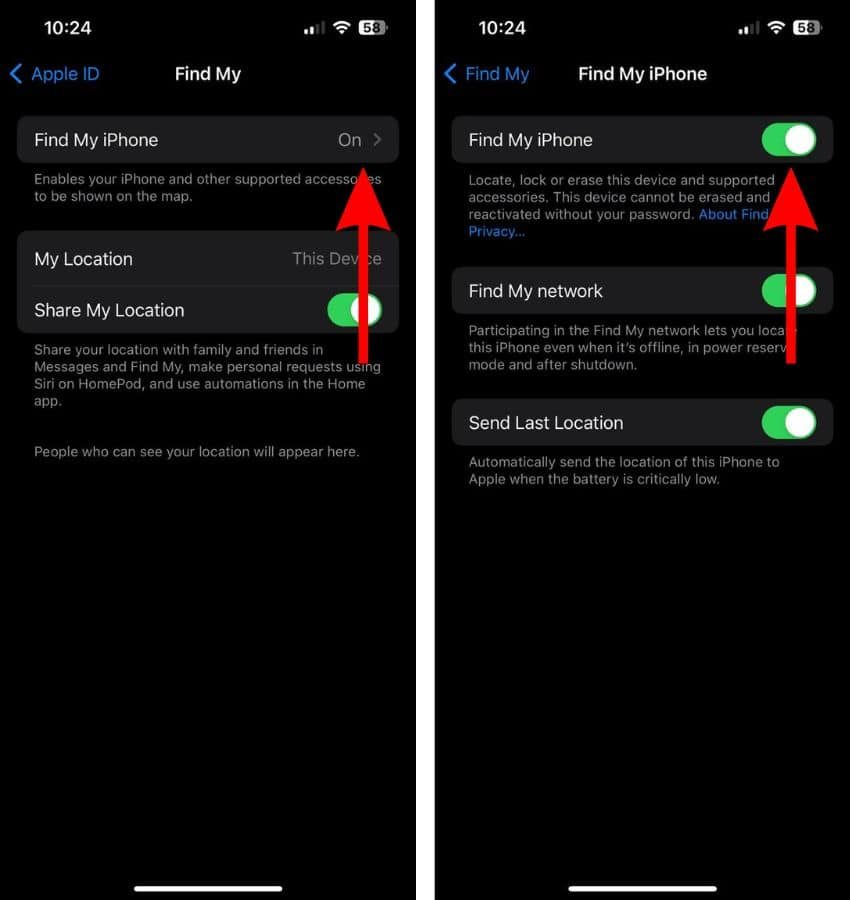
Make sure Bluetooth is on, Wi-Fi or cellular data is active, and your iPhone is signed in to the correct Apple ID. If either Bluetooth or network access is unstable, the app may lag.
6. Remove and re-add the AirTag
If the AirTag still will not update, try removing it from your Apple ID and setting it up again. This often clears stubborn pairing issues.
7. Reset the AirTag
A full AirTag reset can help if the device is stuck. Remove the battery, replace it, and repeat the process several times until you hear the reset sound pattern. Then pair it again through Find My.

Real-world situations where updates can lag
Apple AirTag not updating location is often just a matter of environment. I have seen the biggest delays in places where the signal path is weak or the crowd is small.
Examples include:
- A backpack left in a school locker
- A suitcase stored in an airport baggage area
- A car parked in a garage or underground lot
- A pet carrier in a quiet neighborhood
- A wallet left at home while no nearby Apple devices pass by
These are all normal situations where the tag may still work, but the update interval can stretch. It is a bit like waiting for a message to travel through a busy crowd. The message is there, but it takes time to reach you.
What Apple AirTag can and cannot do
It helps to set realistic expectations. AirTag is excellent for finding items, but it is not designed to give nonstop live tracking in every situation.
What it can do well:
- Show the last known location
- Update when nearby Apple devices detect it
- Help you find nearby items with Precision Finding on supported iPhones
- Play a sound to help locate a hidden item
What it cannot always do:
- Update instantly in remote areas
- Track live movement like a GPS tracker
- Work well if buried in heavy material or metal
- Guarantee constant location updates during travel
That distinction matters. A lot of frustration comes from expecting AirTag to behave like a car tracker. It is more accurate to think of it as a clever locator, not a live broadcast device.
Tips to prevent future location problems
A few habits can reduce the chances of Apple AirTag not updating location later.
- Replace the battery before it fully dies
- Keep the AirTag out of deep metal or sealed compartments when possible
- Check the Find My app if you know the item has moved
- Make sure your iPhone stays updated
- Use AirTag in places where Apple devices are common
- Test the tag once in a while so you know it is still working
One mistake I have seen people make is ignoring the AirTag for months and then expecting perfect updates at the worst possible moment. A quick monthly check can save a lot of stress.
When the problem may be bigger
If the AirTag still does not update after basic troubleshooting, the issue may be deeper. In rare cases, the device itself may be faulty or the battery contacts may be damaged.
You may be dealing with a bigger problem if:
- The AirTag never appears in Find My
- It cannot be reset or re-paired
- The battery is fresh but nothing changes
- It only updates once in a long while, even in busy areas
At that point, testing the AirTag with another phone or contacting Apple Support may be the best move. That gives you a clear answer without wasting time guessing.
Frequently Asked Questions of Why Is Apple AirTag Not Updating Location?
Why is my Apple AirTag not updating location in real time?
AirTag does not use live GPS, so it depends on nearby Apple devices to report its location. If no compatible device passes near it, the location may stay old for a while.
Does low battery cause AirTag not updating location?
Yes, a weak battery can reduce signal strength and make updates unreliable. Replacing the CR2032 battery is one of the first fixes to try.
Why does my AirTag show an old location?
That usually means the AirTag has not been detected recently by the Find My network. It may still be nearby, but no Apple device has refreshed the data yet.
Can metal objects block AirTag location updates?
Yes, metal and dense materials can weaken Bluetooth signals. If the AirTag is inside a metal case, car trunk, or deep compartment, updates may slow down or stop.
How often does AirTag location update?
There is no fixed update timer. It updates whenever nearby Apple devices detect it, so the timing depends on environment, movement, and Apple device traffic.
What should I do if my AirTag still will not update?
Try replacing the battery, restarting your iPhone, and re-adding the AirTag in Find My. If it still fails, resetting the AirTag or contacting Apple Support is the next logical step.
Conclusion
Apple AirTag not updating location is usually caused by network limits, battery issues, signal blocking, or simple app delays. Once you understand how the Find My network works, the problem becomes much easier to troubleshoot and much less mysterious.
The best approach is to start small: check the battery, refresh the app, and look at the environment where the AirTag is used. If you want the most reliable results, keep your tag in places where Apple devices are likely to pass by and test it from time to time.
If this guide helped, take a few minutes to check your AirTag now and avoid a bigger headache later.

Similar Posts