Why Is Samsung Galaxy Buds3 Pro Not Connecting: Fixes
Samsung Galaxy Buds3 Pro usually fail to connect because of pairing, Bluetooth, app, battery, or software issues.
If your Samsung Galaxy Buds3 Pro are not connecting, you are not alone. I have seen this happen after fresh unboxing, after a phone update, and even after the buds were working perfectly the day before. The good news is that most connection problems are simple to fix once you know where to look, and this guide walks you through the most common causes and the best solutions in a clear, practical way.
Why Samsung Galaxy Buds3 Pro Not Connecting Happens
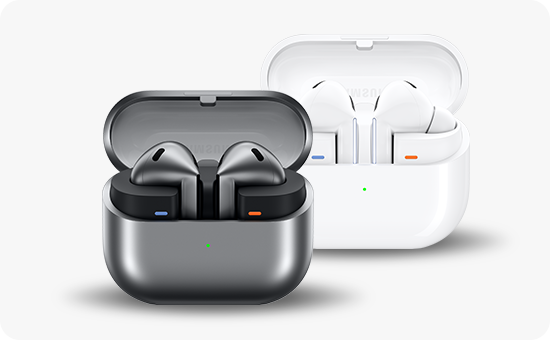
When Samsung Galaxy Buds3 Pro not connecting becomes the problem, it usually means the earbuds are not completing the Bluetooth handshake with your phone, tablet, or laptop. That handshake can fail for many small reasons, like low battery, stale pairing data, interference, or a software glitch.
In my experience, connection issues often look worse than they are. The earbuds may still be fine, but the device has remembered an old pairing state and gets stuck like two people talking over each other. Once you reset that state, the connection usually comes back fast.
Common reasons include:
- The buds are not in pairing mode
- Bluetooth is turned off or unstable on the device
- The Galaxy Wearable app is outdated or not installed
- The earbuds need a reset
- The phone has too many saved Bluetooth devices
- Battery is too low on the case or earbuds
- Interference from other wireless devices
- Firmware or OS compatibility issues

Most Common Reasons Your Galaxy Buds3 Pro Will Not Connect
Samsung Galaxy Buds3 Pro not connecting is often tied to one of a few recurring issues. Knowing the cause helps you fix it faster instead of trying random steps.
1. The earbuds are not in pairing mode
If the buds are already linked to another device, they may not show up for a new one. This happens a lot when users switch from a phone to a tablet or between an old phone and a new one.
Try putting the earbuds back into pairing mode and check whether the LED indicator responds as expected. If they are still connected somewhere else, disconnect them there first.
2. Bluetooth is confused by old pairing data
Bluetooth stores a lot of memory. Sometimes that memory gets messy, especially after updates or repeated connect and disconnect cycles.
If your Samsung Galaxy Buds3 Pro not connecting issue started after the buds were used with another device, forget the earbuds from Bluetooth settings and pair them again from scratch.
3. Low battery is blocking the handshake
I have seen earbuds appear “dead” when the real issue was just weak battery in the case or one bud. Charging problems can interrupt pairing and make the device seem invisible.
Make sure both the earbuds and the case have enough charge before troubleshooting further. Even a short charge can help stabilize the connection.
4. The Galaxy Wearable app is missing or outdated
Samsung accessories work best when the Galaxy Wearable app is current. If the app is old, missing, or not allowed to run properly, pairing can fail or stop halfway.
This is especially important on Android. The app manages settings, firmware prompts, and device recognition, so it plays a bigger role than many people realize.
5. Interference is breaking the Bluetooth link
Bluetooth works in a busy wireless space. Wi-Fi routers, smart TVs, crowded offices, and nearby earbuds can all create signal noise.
When Samsung Galaxy Buds3 Pro not connecting seems random, move closer to the device and step away from other wireless gear. A simple location change can solve what looks like a major issue.
How to Fix Samsung Galaxy Buds3 Pro Not Connecting
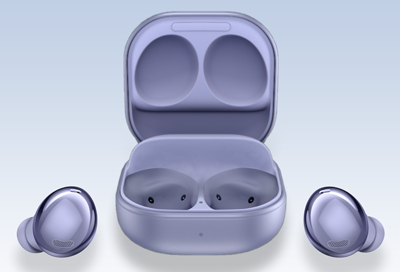
Here is the fix process I use when troubleshooting Samsung Galaxy Buds3 Pro not connecting problems. Start with the easy steps first. They solve most cases without much effort.
1. Check battery levels first
Before doing anything else, charge the earbuds and case for at least 15 to 20 minutes. A weak battery can prevent proper pairing and reset functions.
Then reopen the case and check whether the lights behave normally. If one bud is not charging, clean the contacts gently with a dry, soft cloth.
2. Turn Bluetooth off and back on
This sounds basic, but it often works. Bluetooth can get stuck after a failed pairing attempt or after a system update.
Do this on your phone or tablet:
- Turn Bluetooth off
- Wait 10 seconds
- Turn Bluetooth back on
- Try pairing again
If the problem continues, restart the device as well.
3. Remove the earbuds from saved devices
If the buds were paired before, delete the old connection. This clears stale data that may block a fresh link.
On your phone:
- Open Bluetooth settings
- Find Galaxy Buds3 Pro
- Tap Forget or Unpair
- Restart the phone
- Pair the earbuds again
This step fixed the issue for me more than once after switching between Android phones.
4. Reset the Galaxy Buds3 Pro
A reset often solves stubborn connection issues. It clears temporary bugs and returns the buds to a clean state.
Use the Galaxy Wearable app if it is available. If not, follow the reset method supported by your earbuds and phone setup. After the reset, pair them again like new.
5. Update the Galaxy Wearable app and firmware
Outdated software can cause connection failure, battery drain, or unstable Bluetooth behavior. Samsung regularly pushes firmware updates to improve performance and compatibility.
Check these areas:
- Galaxy Wearable app updates
- Earbuds firmware updates
- Phone operating system updates
If your Samsung Galaxy Buds3 Pro not connecting issue started after an update, the reverse can also happen. In that case, a reboot or repair often helps.
6. Restart the phone and earbuds
A restart clears temporary memory. It is one of the easiest ways to fix a device that seems stuck.
Turn off your phone, close the earbuds in the case, wait a minute, then start everything again. Try pairing after both devices have fully restarted.
7. Move to a quiet Bluetooth environment
If you are near a packed office, gym, train station, or home with many smart devices, interference may be the real problem. Bluetooth does not like crowded wireless spaces.
Move to a quieter place and try again. If the earbuds connect there, the issue is environmental, not hardware-related.
8. Test the earbuds with another device
This helps you narrow down the cause. If the earbuds connect to one phone but not another, the problem is likely with the original device.
If Samsung Galaxy Buds3 Pro not connecting happens on every device, then the earbuds may need a deeper reset or service check. That test saves time and avoids guessing.

Device and Compatibility Issues That Can Block Connection
Sometimes Samsung Galaxy Buds3 Pro not connecting is not really about the earbuds. It is about the phone, tablet, or computer on the other side.
Older phones, unsupported Bluetooth versions, or buggy operating systems can create pairing problems. Even if the device technically supports Bluetooth, the software may not play nicely with newer earbuds.
Things to check:
- Your phone OS is up to date
- Bluetooth is supported and enabled properly
- The Galaxy Wearable app is compatible with your device
- Power-saving mode is not limiting Bluetooth activity
- Your device is not already overloaded with paired accessories
I have noticed that low-power mode can sometimes interfere with fast reconnection. It acts like a traffic light stuck on red for background tasks.

When the Problem Is the Earbuds Themselves
Not every connection issue comes from settings. Sometimes the earbuds or charging case have a physical problem.
Watch for these signs:
- One earbud never appears in pairing mode
- The case light does not respond normally
- The earbuds charge inconsistently
- The buds connect, then disconnect right away
- The connection works only when very close
If Samsung Galaxy Buds3 Pro not connecting continues after resets, app updates, and device testing, there may be a hardware fault. Dirt on charging pins, water damage, or internal wear can all cause trouble.
A gentle cleaning of the charging contacts can help. Use a dry cotton swab or soft cloth, and avoid liquids.

Best Practices to Prevent Future Connection Problems
Once your Samsung Galaxy Buds3 Pro are working again, a few habits can keep them stable. Prevention is much easier than repeating the same repair every week.
Keep firmware and apps updated
Updates often include Bluetooth fixes and stability improvements. They matter more than people think.
Charge the case regularly
A case with a weak battery can cause odd pairing failures. Keep it topped up before long trips or workdays.
Avoid switching between too many devices at once
Frequent switching can confuse Bluetooth memory. If possible, disconnect cleanly before moving to another device.
Store the buds properly
Keep the earbuds in the case when not in use. This protects them and helps the system stay in sync.
Clean the contacts
Dust and skin oil can affect charging and pairing. A quick cleaning every so often helps more than most people expect.

Frequently Asked Questions of Why Is Samsung Galaxy Buds3 Pro Not Connecting?
Why won’t my Samsung Galaxy Buds3 Pro show up in Bluetooth?
This usually happens when the earbuds are not in pairing mode or are still connected to another device. Turn Bluetooth off and on again, then forget the buds from old devices and try pairing fresh.
Why do my Galaxy Buds3 Pro connect and then disconnect?
That usually points to low battery, interference, or a software mismatch. Restart both devices, charge the buds fully, and make sure the Galaxy Wearable app and firmware are updated.
Do I need the Galaxy Wearable app to connect Galaxy Buds3 Pro?
You can pair them through Bluetooth in many cases, but the app gives you better control and more reliable setup. It also helps with updates, settings, and troubleshooting.
Can a phone update cause Samsung Galaxy Buds3 Pro not connecting?
Yes, it can. A system update may temporarily affect Bluetooth behavior or stored pairing data, so restarting the phone and re-pairing the earbuds often helps.
What should I do if only one Buds3 Pro earbud is connecting?
That can happen if one bud has a charging or syncing issue. Clean the charging contacts, put both buds in the case, reset them, and try pairing again.
Conclusion
Samsung Galaxy Buds3 Pro not connecting is frustrating, but it is usually fixable with a few smart steps. Most of the time, the problem comes down to pairing mode, battery, Bluetooth memory, app issues, or software conflicts rather than a serious defect.
The best approach is to work from the simplest fix to the most advanced one: charge the buds, restart your device, clear old pairings, update the app and firmware, then reset the earbuds if needed. If the problem still does not go away, testing the buds on another device can tell you whether the issue is with the earbuds or your phone.
If this guide helped, try the steps in order and pay attention to what changes along the way. That little bit of troubleshooting discipline can save you a lot of time, and if you want, leave a comment or explore more Bluetooth troubleshooting guides next.