Why Is Seagate One Touch External Hard Drive Clicking: Fixes
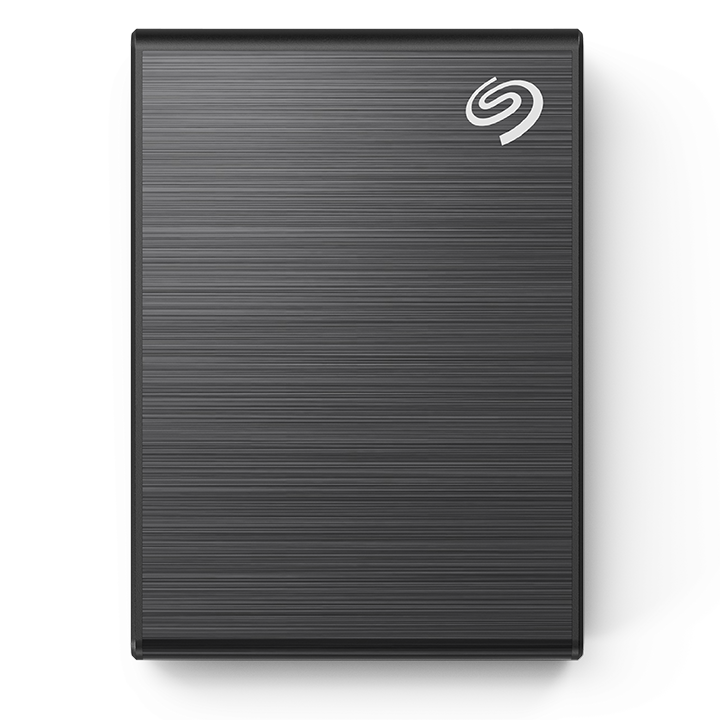
A Seagate One Touch usually clicks from head movement issues, power problems, or failing internal parts.
If your Seagate One Touch external hard drive is clicking, it is usually trying to tell you something is wrong inside. I’ve seen this same symptom on drives that were fine one day and unreadable the next, and the cause is often more serious than a simple cable issue. In this guide, I’ll walk you through the most likely reasons your Seagate One Touch external hard drive is clicking, what it means for your data, and what to do before the problem gets worse.

Why a Seagate One Touch External Hard Drive Clicking Should Not Be Ignored
A clicking sound from a hard drive is not normal. It usually means the read/write heads are having trouble finding or reading data on the platters.
Sometimes the issue is minor, like weak power or a bad USB connection. But in many cases, the Seagate One Touch external hard drive clicking is a warning sign of internal mechanical trouble. If you keep using the drive, you may make the damage worse and increase the chance of data loss.
I’ve had clients assume the sound was just “startup noise.” In reality, the drive was repeatedly trying to spin up, fail, reset, and try again. That looping sound is often the hard drive version of a car engine sputtering before it dies.
Common Reasons a Seagate One Touch External Hard Drive Is Clicking
The phrase Seagate One Touch external hard drive clicking can point to several different issues. The sound itself is only the symptom, not the diagnosis.
1. Read/Write Head Failure
The most common mechanical cause is a failing head assembly. The heads float just above the platters and read data with extreme precision.
If they are damaged, misaligned, or can’t lock onto the data tracks, the drive may click as it retries. This is one of the clearest signs that the Seagate One Touch external hard drive clicking may be hardware-related.
2. Insufficient Power
Portable external drives depend on stable power from the USB port. If the port cannot provide enough current, the drive may spin up, click, reset, and spin down again.
This can happen with:
- A weak USB port on a laptop
- A loose cable
- A damaged USB hub
- Power-saving settings that limit output
In my experience, a surprising number of “failed” drives were really suffering from bad power delivery.
3. Bad USB Cable or Port
A failing cable can interrupt data and power at the same time. That interruption can cause repeated reconnection attempts, which often sound like clicking or ticking.
Try a different cable and a different USB port before assuming the drive is dead. It is a simple step, but I have seen it save people a lot of stress.
4. Firmware or Controller Problems
Inside the enclosure, the drive has a controller board that helps manage communication with your computer. If the firmware is corrupted or the board is malfunctioning, the drive may not initialize properly.
This can lead to the Seagate One Touch external hard drive clicking because the drive keeps trying to start, but never fully succeeds.
5. Stiction or Spindle Issues
The platters inside a hard drive must spin smoothly. If the spindle motor struggles or the heads get stuck, the drive may click while attempting to initialize.
This is more serious than a cable issue. It often means the drive needs professional recovery if the data matters.
6. Physical Shock or Drop Damage
A small drop can do real damage. Even if the enclosure looks fine, the internal heads or platters may be affected.
A drive that clicked after being moved, dropped, or bumped should be treated as a physically damaged drive. The Seagate One Touch external hard drive clicking in this case is often a sign of internal contact or alignment problems.
7. File System Corruption
Sometimes the drive hardware is still okay, but the file system is corrupted. The drive may struggle to mount properly and make odd sounds during access attempts.
That said, pure file system problems usually do not create repeated hard clicking on their own. If you hear clicking, I would still suspect a hardware issue first.
What the Clicking Sound Usually Means in Practice
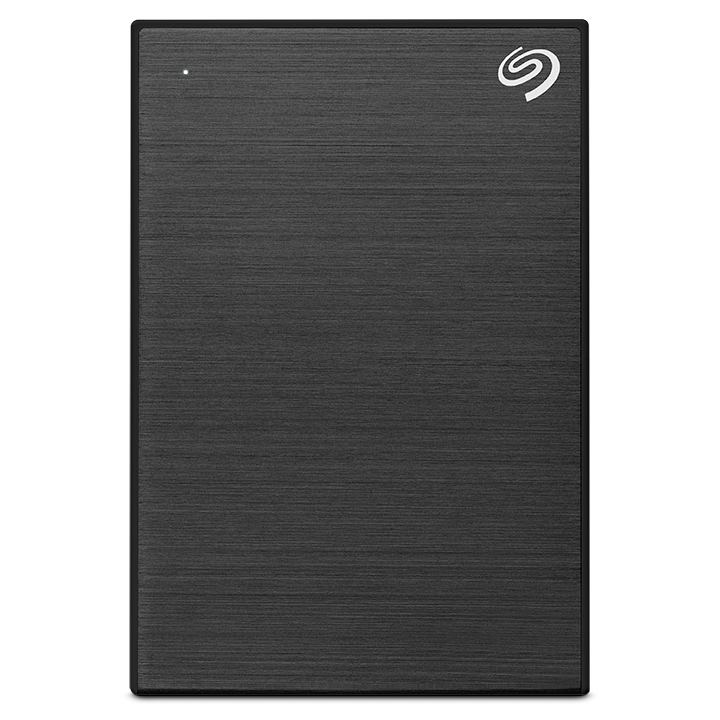
Not all clicks mean the same thing. A single click at startup can be normal on some drives, but repeated clicking is not.
Here is how I usually read the pattern:
- One soft click, then normal operation: often harmless or brief head movement
- Repeated clicking every few seconds: often power, head, or spindle trouble
- Clicking with no drive detection: likely hardware failure
- Clicking plus slow access and freezing: possible impending drive failure
When a Seagate One Touch external hard drive clicking becomes repetitive, stop using it right away if the files are important. Every extra attempt can increase wear on damaged parts.
What You Should Do First
If your drive is clicking, do not panic. But do act fast and calmly.
Step 1: Stop Repeatedly Replugging It
Do not keep reconnecting the drive over and over. That can stress failing components and make recovery harder.
Step 2: Try a Different Cable and USB Port
Use a short, known-good cable. Then test a direct USB port on the computer, not a hub.
Step 3: Check for Power Issues
If your model uses only USB power, test another computer or powered hub. If the drive behaves differently, the issue may be power-related rather than catastrophic.
Step 4: Listen Carefully
A drive that clicks once and spins normally is different from one that clicks in a loop. That pattern helps narrow down whether the issue is startup-related or failure-related.
Step 5: Back Up Data Immediately if the Drive Is Still Accessible
If the drive mounts and opens, copy your most important files first. Do not waste time organizing folders or running heavy scans.
I always tell people to save the irreplaceable files before anything else:
- Photos
- Work documents
- Tax records
- Videos
- Project files
Step 6: Avoid Running Repair Tools Too Soon
Disk repair tools can sometimes make things worse on a physically unstable drive. If the Seagate One Touch external hard drive clicking is clearly mechanical, software repair is not the first move.
When the Problem Is Likely Hardware Failure
A hardware problem is more likely if you notice any of these:
- The drive clicks and never appears in File Explorer or Finder
- The drive spins up and then shuts down
- The computer freezes when the drive is connected
- The drive is not recognized in Disk Management or Disk Utility
- The clicking gets louder or more frequent over time
These are classic red flags. In my work, this usually means the safest path is data recovery, not DIY repair.
When the Problem Might Be Recoverable at Home
Some Seagate One Touch external hard drive clicking cases are less severe. You may still have a chance at home if:
- The cable was clearly damaged
- The port was loose
- The drive works on another computer
- The drive appears after a power-related restart
- The clicking stops after using a better power source
If the drive becomes stable after changing cable or port, copy your files right away. Even if it seems fixed, treat it as a warning sign and replace the drive soon.
What Not to Do
When a drive starts clicking, bad advice spreads fast online. I’ve seen people make recovery much harder by trying risky tricks.
Avoid these mistakes:
- Do not open the drive enclosure
- Do not freeze the drive
- Do not drop it or tap it
- Do not keep powering it on for long periods
- Do not run aggressive repair tools on a physically failing drive
- Do not format it if the data matters
A hard drive is not like a stuck drawer you can jiggle open. Inside, the parts are measured in tiny fractions of a millimeter. One wrong move can turn a recoverable problem into a permanent one.
Data Recovery Options If the Drive Keeps Clicking
If the Seagate One Touch external hard drive clicking continues and the files matter, professional recovery is the safest path. Data recovery labs use clean-room tools and specialized imaging methods to work with damaged heads, platters, and firmware problems.
A recovery specialist may:
- Clone the drive sector by sector
- Replace failed components in a controlled environment
- Repair firmware-level issues
- Recover readable files from a partial image
This is not cheap, but it is often the best shot when the drive has important data. If the files are replaceable, replacing the drive may be more practical than recovery.
How to Prevent Clicking Problems in the Future
A little care goes a long way. External drives are convenient, but they are still mechanical devices with limits.
Use these habits:
- Safely eject the drive before unplugging it
- Keep it away from heat, dust, and moisture
- Avoid moving it while it is active
- Use a reliable cable and direct USB port
- Do regular backups to another drive or cloud storage
- Replace aging drives before they fail
I also recommend the 3 2 1 backup rule for anything important:
- Keep 3 copies of your data
- Store 2 copies on different devices
- Keep 1 copy offsite or in the cloud
That habit has saved people more times than I can count.
Why Seagate One Touch External Hard Drive Clicking Is a Warning, Not a Final Diagnosis
The important thing to remember is that clicking is a symptom. It can come from power issues, cable trouble, firmware problems, or mechanical failure.
That is why the Seagate One Touch external hard drive clicking should never be treated as a normal noise. The sooner you narrow down the cause, the better your chances of protecting your files. If the drive is still readable, act fast. If it is not, stop troubleshooting and think about recovery.
Frequently Asked Questions of Why Is Seagate One Touch External Hard Drive Clicking?
Why is my Seagate One Touch external hard drive clicking but still showing up?
It may have a weak cable, unstable power, or a developing mechanical issue. Even if it shows up now, the drive could fail at any time, so back up your data right away.
Is clicking always a sign that the Seagate One Touch drive is broken?
No, not always. Sometimes the issue is as simple as a bad USB cable or not enough power, but repeated clicking often points to a more serious problem.
Can I fix a clicking Seagate One Touch drive myself?
You can try a new cable, another USB port, or a different computer. If the clicking continues, stop there, because opening the drive or using repair tools can make things worse.
Will a clicking hard drive lose data?
It might. The clicking can mean the drive is struggling to read data or that the internal heads are failing, which puts your files at risk.
Should I keep using the drive if the clicking stops?
Only long enough to copy your files if you can do it safely. Even if the sound stops, the drive may still be unstable and should be replaced soon.
Can software fix a Seagate One Touch external hard drive clicking problem?
Software can help with file system issues, but it cannot repair damaged heads or spindle problems. If the clicking is mechanical, software will not solve the root cause.
Conclusion
A Seagate One Touch external hard drive clicking sound is usually a warning that something is wrong with power, the cable, the controller, or the internal mechanics. The key is to move quickly, stay calm, and avoid actions that could make the damage worse.
If the drive still works, back up your files immediately. If it keeps clicking, stop using it and consider professional recovery, especially if the data matters. The smartest move is to treat the sound as an early alarm, not background noise, and protect your files before the problem gets bigger.
If this guide helped, keep exploring practical storage tips and back up your data before the next surprise comes along.

Similar Posts