Artfox Sky Beam 7r Manual Troubleshooting
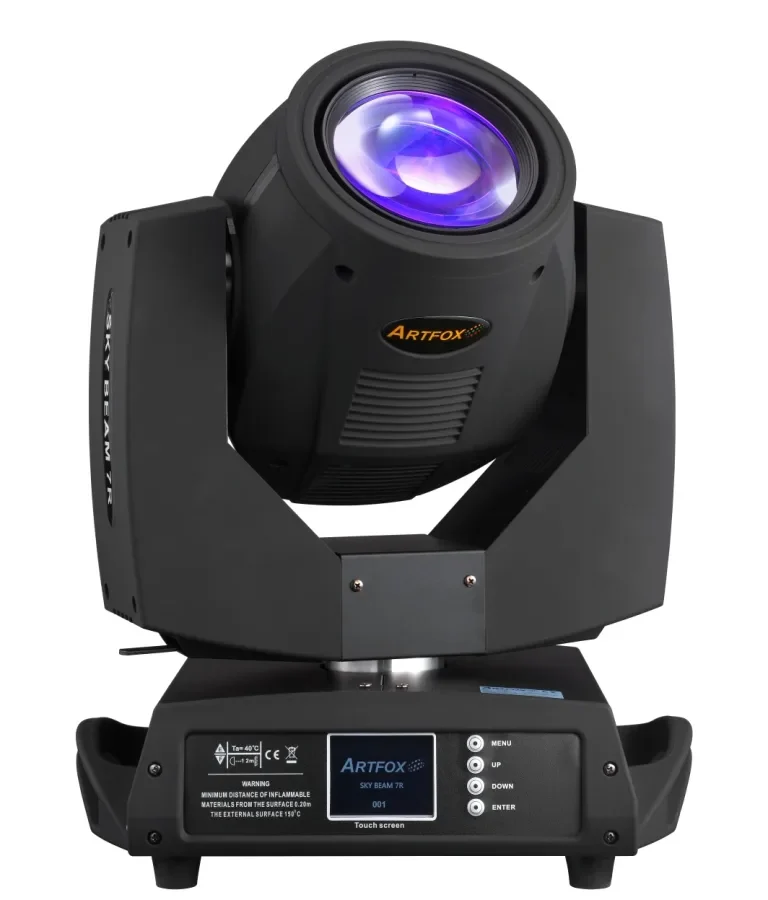
If your Artfox Sky Beam 7r has stopped working mid-show or won't strike its lamp, you don't need a technician for most fixes. Artfox Sky Beam 7r manual troubleshooting covers the common problems you can solve yourself with basic tools and a methodical approach. Most issues fall into three categories: power and lamp problems, DMX control failures, and mechanical calibration errors.
Manufacturer specs for the Sky Beam 7r confirm a 350W MSD lamp and a 20-channel DMX mode. Understanding these core specs helps narrow down what's wrong. This guide walks you through the most common faults and the steps to fix them.
Quick Answer
The most common Artfox Sky Beam 7r problems are lamp ignition failure and DMX addressing errors. Check the power supply and fuse first. Then verify the DMX address matches your controller.
Use the factory reset from the menu if the fixture acts erratically. Calibrate pan and tilt manually if the head drifts off position.
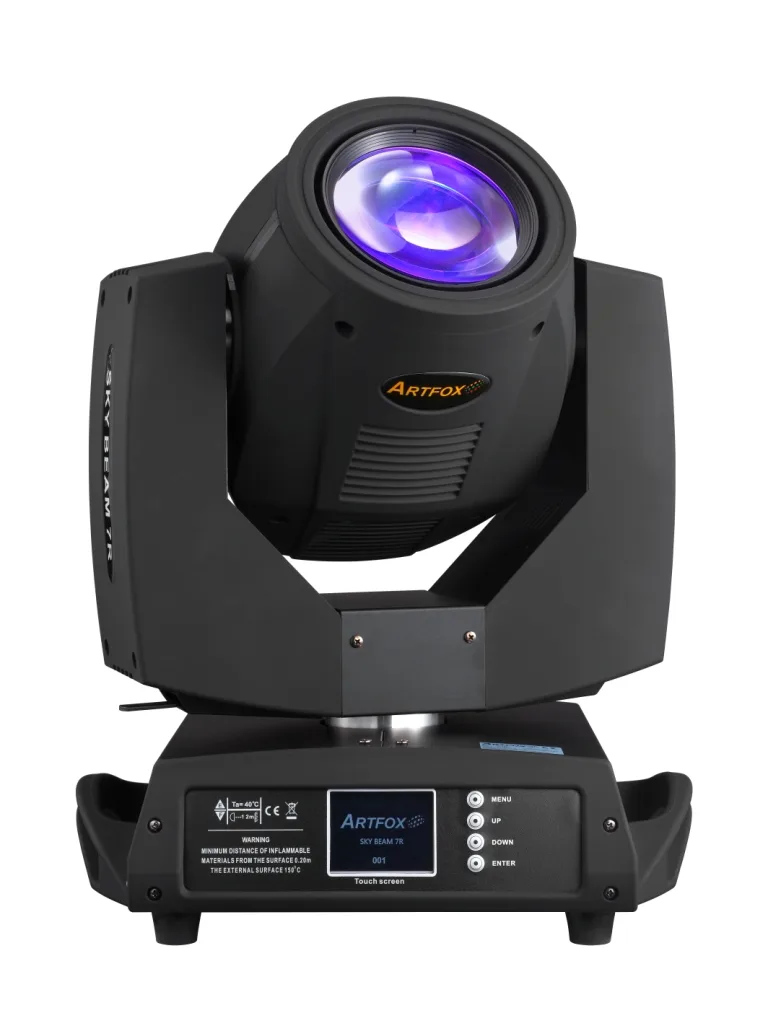
Image source: Bing (Web (fair-use with source credit))
Before You Start: Safety, Tools, and Ground Rules
Troubleshooting a moving beam fixture means working with high voltage and a hot discharge lamp. The Sky Beam 7r runs on 100-240V AC and contains capacitors that hold a charge even after unplugging. Always disconnect power before opening any panel.
Let the lamp cool for at least 15 minutes before touching it. This isn't optional, it's the difference between a quick fix and a trip to the ER.
You'll need a few tools for most repairs:
| Tool | Purpose |
|---|---|
| Phillips screwdriver | Opening access panels |
| Multimeter | Checking fuse continuity and power output |
| 5A/250V T5 fuse (spare) | Replacing blown fuses |
| DMX cable (known good) | Testing signal issues |
| Safety cable | Temporary securing during bench work |
One critical rule: only open the lamp housing or power supply area if you're comfortable with electronics. The ballast can deliver a painful shock even when off. If you're unsure, stop and call a qualified technician.
This fixture is designed for professional use, and there's no shame in recognizing your limits.
Manufacturer documentation from Artfox specifies that all internal servicing should follow OSHA lockout/tagout guidelines for electrical equipment. Follow that standard even for quick checks.
The Quick Fault-Finder: Match Your Sky Beam 7r Symptom to the Fix
You don't need to memorize every error code. Match your symptom to the table below and jump to the right section. This saves time and prevents you from chasing the wrong issue.
| Symptom | Likely Cause | Jump To |
|---|---|---|
| Fixture has no power, display dark | Blown fuse, bad power cable, or failed PSU | Power, Lamp, and Ignition Issues |
| Fixture powers on but lamp won't strike | Cold lamp, bad ignitor, or overheating shutdown | Power, Lamp, and Ignition Issues |
| Lamp strikes then shuts off within seconds | Overheating, fan failure, or dirty filter | Power, Lamp, and Ignition Issues |
| Fixture receives DMX but does nothing | Wrong DMX address, bad cable, or mode mismatch | DMX and Control Problems |
| Fixture acts randomly or moves on its own | DMX address conflict, bad termination, or signal interference | DMX and Control Problems |
| Pan or tilt is jerky or drifts off position | Stepper motor issue, loose belt, or needs calibration | Pan, Tilt, Color, and Gobo Errors |
| Color wheel or gobo wheel is stuck | Jammed mechanism or misaligned sensor | Pan, Tilt, Color, and Gobo Errors |
If your problem doesn't match any of these, start with the most basic check: power cycle the fixture, wait 30 seconds, and try again. That fixes many intermittent issues.
Power, Lamp, and Ignition Issues: When the Fixture Won't Turn On or Strike
Fixture has no power at all
Check the power cable first. Swap it with a known good cable. If that doesn't work, locate the fuse holder near the power input.
The Sky Beam 7r uses a T5A 250V fuse. Use a multimeter to check continuity. If it's blown, replace it with the exact same rating.
Never use a higher amperage fuse.
If the fuse blows again immediately, you have a short inside. This usually means a failed power supply. That's a repair bench job.
Lamp won't strike
The Sky Beam 7r has a thermal protection circuit. If the fixture is too hot or too cold, the lamp won't fire. Wait for the internal temperature to settle.
Try again after 10 minutes.
If it still won't strike, check the lamp itself. Remove the lamp cover and inspect for cracks or blackening. A burned-out lamp needs replacement.
The MSD 7R 350W has a rated life of about 1500 hours. Track your lamp hours through the fixture menu.
Another common cause is a bad ignitor. The ignitor sends the high voltage pulse to fire the lamp. If you hear a click from the ballast but no light, the ignitor may have failed.
This is a component-level repair best left to a pro.
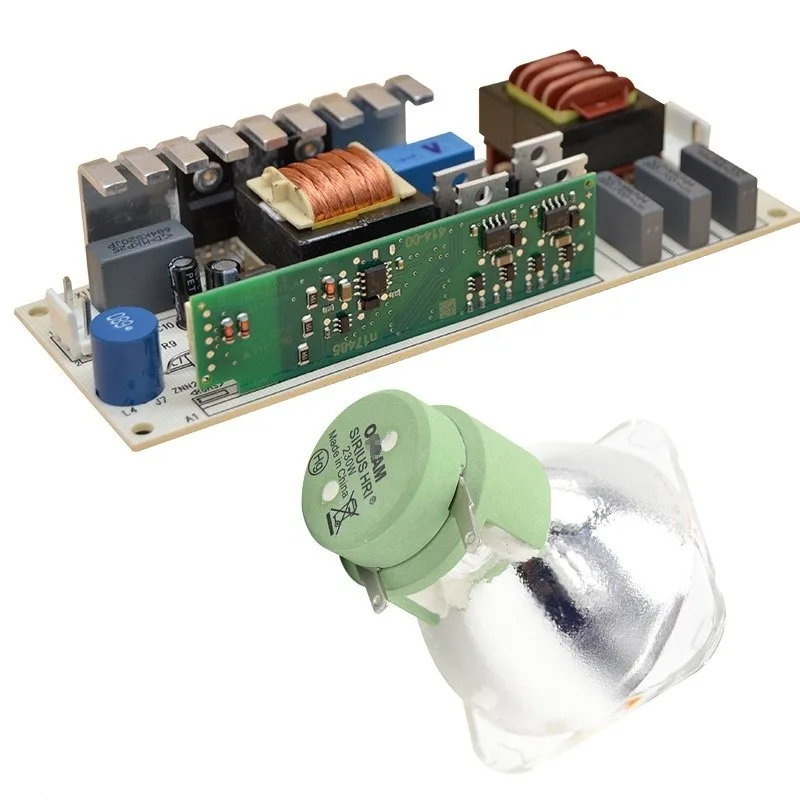
Image source: Bing (Web (fair-use with source credit))
Lamp strikes then shuts off
This usually means the fixture is overheating or a cooling fan has failed. Check the fan grilles and the air filters. Smoke fluid residue builds up fast in club environments.
Vacuum the filters gently. If a fan isn't spinning, replace it before the heat damages the electronics.
DMX and Control Problems: When the Light Ignores the Signal or Acts on Its Own
DMX issues feel more confusing because the light powers on but won't cooperate.
Fixture receives DMX but does nothing
The most likely cause is a wrong DMX address. The Sky Beam 7r defaults to address 001. If your controller is sending data to address 033, the fixture won't respond.
Use the LCD menu to set the address correctly. Write it down and double-check.
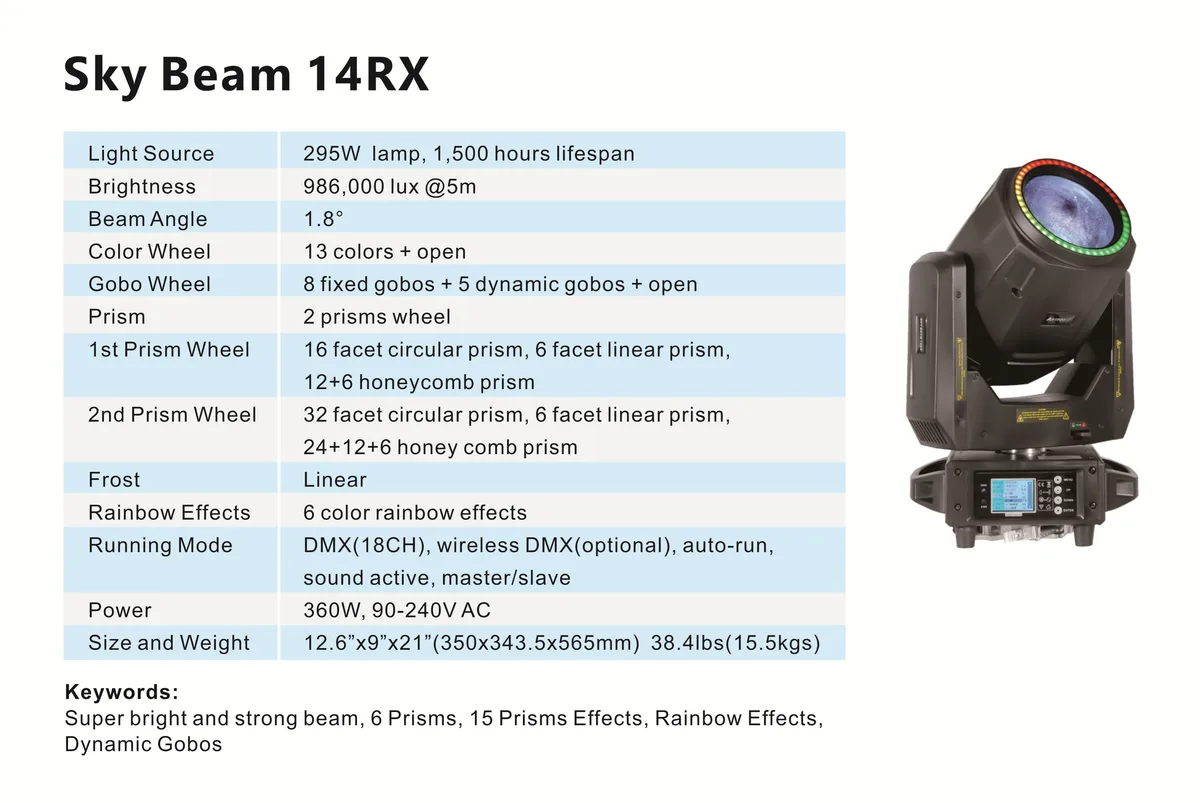
Image source: Bing (Web (fair-use with source credit))
Fixture acts randomly or moves on its own
This points to a DMX address conflict. Two fixtures on the same channel will fight each other. Verify every fixture has a unique start address.
If you're daisy-chaining, make sure the last fixture has a DMX termination plug, a 120-ohm resistor across pins 2 and 3. Without termination, signal reflections cause chaos.
Bad cables are another culprit. Swap the DMX cable with one you know works. Check the connectors for bent pins or corrosion, especially after outdoor events.
Moisture in the connectors creates intermittent shorts.
Fixture ignores DMX but works in standalone mode
This confirms the controller or cable path is the problem. Try a different DMX output on your controller. If that works, the original output may be damaged.
If not, test with a different controller entirely. Sometimes the issue is a protocol mismatch. Ensure your controller is set to standard DMX-512 and not Art-Net or sACN unless that's intentional.
Pan, Tilt, Color, and Gobo Errors: Calibration and Mechanical Fixes
Mechanical problems feel alarming because they look expensive. Many are simple fixes.
Pan/tilt is jerky or drifts
The Sky Beam 7r has stepper motors that can lose their position calibration over time. Go into the menu and select the auto-calibration option. The fixture will run through its full range of motion and reset its home position.
This fixes 90% of drift issues.
If calibration doesn't help, check for a loose belt or pulley inside the head. Dust and wear cause slipping. Open the head cover with power off and inspect the belts.
If they feel loose or frayed, they need replacement.
Color wheel or gobo wheel is stuck
A stuck wheel usually means the mechanism hit its end stop during transport. Do a manual reset from the menu. If that doesn't work, power off the fixture and gently rotate the wheel by hand to free it.
Don't force it, you can snap the plastic gear.
If the wheel moves freely but still won't index, the sensor that reads its position may be misaligned. Check the optical sensor on the wheel assembly. Clean it gently with compressed air.
Dust blocks the signal.
Ongoing Maintenance: Keeping Your Artfox Reliable (and Knowing When to Call a Pro)
Preventive maintenance stops most troubleshooting before it starts. Clean the fan grilles and air filters every month if the fixture runs in a club or dusty venue. Smoke fluid residue clogs fans quickly, which leads to overheating shutdowns.
Aggregate reviews show this is the single most common preventable failure.
Clean the lens and gobos gently with a microfiber cloth and isopropyl alcohol. Check all DMX pins and power connectors for corrosion, especially after outdoor gigs. A quick visual inspection takes five minutes and prevents mid-show failures.
Track your lamp hours through the fixture menu. The MSD 7R 350W lamp is rated around 1500 hours. Replacing it on schedule beats the surprise of a mid-show failure.
Keep a spare lamp and fuse in your road case.
Firmware updates occasionally become available for the Sky Beam 7r. As of 2026, the fixture remains common in club and rental fleets, so support is easy to source. Check with your Artfox dealer or the manufacturer's official site.
Outdated firmware can cause glitchy stepper behavior or RDM issues.
So when do you call a professional? If the power supply, ballast, or ignitor fails, hand that to a qualified tech. These parts carry lethal voltages even after unplugging.
The same goes for mainboard failures beyond a factory reset. Know your limits and you'll keep the fixture alive longer.
Frequently Asked Questions
How do I factory reset my Artfox Sky Beam 7r?
Power on the fixture and press the Menu button until you reach the reset option. Select it and confirm. The fixture will run through its full calibration cycle and return to default settings.
If it freezes during reset, power cycle and try again.
Why won't the lamp strike on my Sky Beam 7r?
Check the thermal state first. The lamp won't fire if the fixture is too hot or too cold. Wait 10 minutes and retry.
If it still fails, inspect the lamp for cracks or blackening, then check all internal cable connections. A failed ignitor is the next suspect.
What fuse rating does the Sky Beam 7r use?
The fixture uses a T5A 250V fuse. Replace it only with the same rating. Never install a higher amperage fuse, as that creates a fire risk.
If the new fuse blows immediately, you have a short in the power supply.
How do I set the DMX address?
Press Menu on the LCD display, find the DMX Address setting, and enter the starting channel from your controller. For example, if the light is second in line, set it to 001 plus the channel count of the first fixture. Confirm and exit.
How often should I replace the lamp?
Replace the lamp every 1500 hours of use or sooner if it shows signs of wear. Monitor lamp hours in the fixture menu. Running a lamp past its rated life increases the chance of mid-show failure or a rare burst event.

Similar Posts