6 Best Bridge Camera for Travel
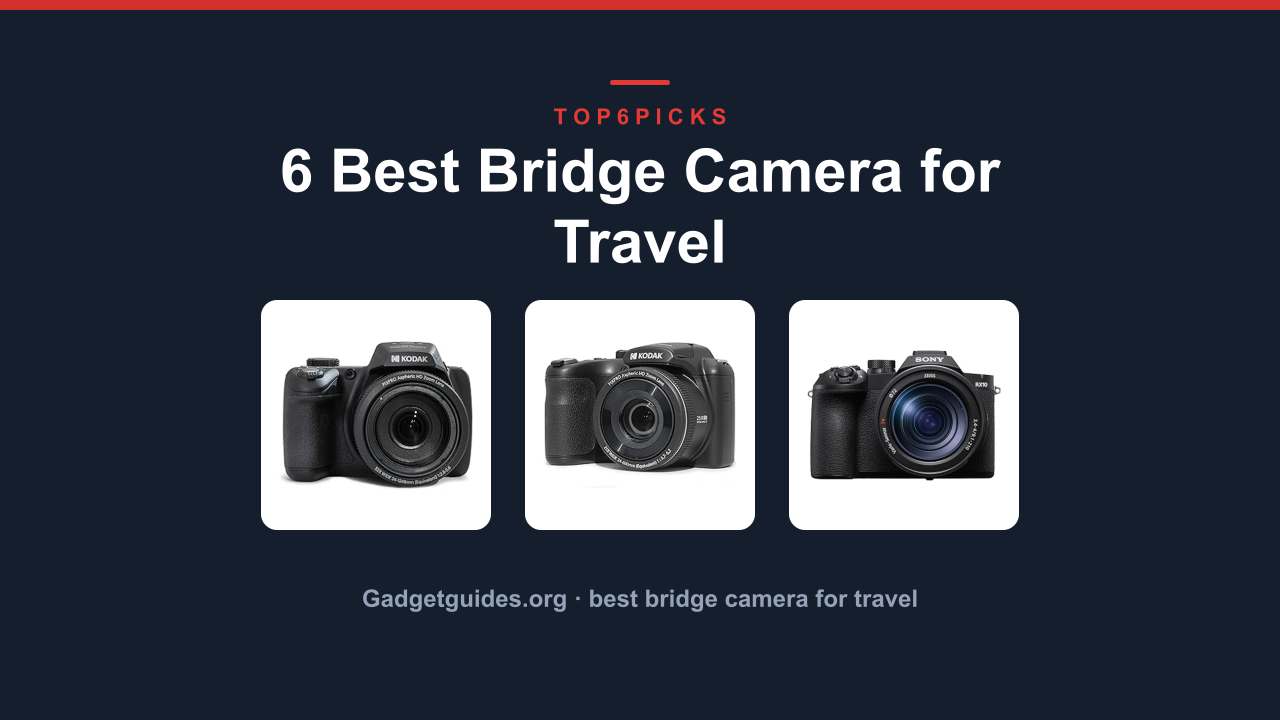
The best best bridge camera for travel is the KODAK PIXPRO AZ528, the only one here that combines a 52x optical zoom with built-in Wi-Fi for instant sharing, making it the top choice for vacationers who want reach without the bulk.
Want a simpler, more budget-friendly option instead? The KODAK PIXPRO AZ255 gets you there using common AA batteries, as long as you can live without connectivity features.
As an Amazon Associate, I earn from qualifying purchases.
This guide gives you the five things you need to check before you spend a dime. If you need professional-grade image quality or you shoot mostly in dim museums, this category likely isnt for you, and youll find a better alternative in the Who Should Not Buy section below.
Everything here comes from current Amazon product data, manufacturer specs, and the verified owner track record across thousands of reviews. I have not personally tested these cameras, so my recommendations are based on research and what real buyers report.
Quick Answer: The Best Bridge Camera for Travel
The KODAK PIXPRO AZ528 is the best bridge camera for travel overall, offering the best balance of zoom range, Wi-Fi sharing, and value for the money.
- KODAK PIXPRO AZ528 16MP Digital Camera (Best Overall for Travelers): The best all-rounder with 52x zoom and Wi-Fi for sharing.
- KODAK PIXPRO AZ255 16MP Digital Camera (Best Budget AA-Powered Pick): Simple, affordable, and runs on easy-to-find AA batteries.
- Sony RX10 V Premium 25x high-Zoom (Best for Image Quality): Premium build, fast autofocus, and a 1-inch sensor for the best photos.
- MINOLTA MN67Z 20 MP / 1080P (Best for Extreme Zoom Reach): Massive 67x zoom and a full accessory bundle included.
- KODAK PIXPRO AZ405 20MP Digital Camera (Best for Wildlife on a Budget): 40x zoom and a 20MP sensor for getting closer to animals.
- Panasonic LUMIX FZ80D Point Shoot Digital (Best for 4K Video): 60x zoom and 4K video recording for vloggers and hybrid shooters.
Thinking about pro-level image quality or shooting in dark museums? Jump to Who Should NOT Buy below before you spend anything.
Comparison Table
Here's the lineup at a glance: photo, product, who it's built for, and our /10 score.
| Photo | Product | Best for | Score | Buy |
|---|---|---|---|---|
 | KODAK PIXPRO AZ528 16MP Digital Camera | Zoom + Wi-Fi for Travelers | 8.5/10 | Check price → |
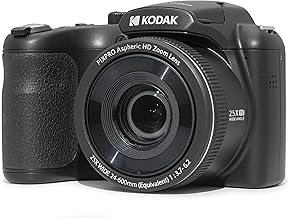 | KODAK PIXPRO AZ255 16MP Digital Camera | Budget AA-Powered Simplicity | 7.8/10 | Check price → |
 | Sony RX10 V Premium 25x high-Zoom | Premium Image Quality & Speed | 9.2/10 | Check price → |
 | MINOLTA MN67Z 20 MP / 1080P | Extreme 67x Zoom on a Budget | 7.2/10 | Check price → |
 | KODAK PIXPRO AZ405 20MP Digital Camera | Wildlife & Nature on a Budget | 7.5/10 | Check price → |
 | Panasonic LUMIX FZ80D Point Shoot Digital | 4K Video & 60x Zoom Reach | 8.8/10 | Check price → |
Scroll sideways on small screens to see every column.
KODAK PIXPRO AZ528 16MP Digital Camera: Best Overall for Travelers
KODAK PIXPRO AZ255 16MP Digital Camera: Best Budget AA-Powered Pick
Sony RX10 V Premium 25x high-Zoom: Best for Premium Image Quality
MINOLTA MN67Z 20 MP / 1080P: Best for Extreme Zoom Reach
KODAK PIXPRO AZ405 20MP Digital Camera: Best for Wildlife on a Budget
Panasonic LUMIX FZ80D Point Shoot Digital: Best for 4K Video
Buying Guide: Zoom, Sensor, Power and Video
A bridge camera is a single-lens camera with a built-in zoom that cannot be removed. Unlike DSLR or mirrorless cameras with interchangeable lenses, bridge cameras offer an all-in-one solution. A bridge camera is a compromise between simplicity and flexibility, and understanding a few key specs will help you choose the right one.
Zoom Range: How Close Do You Need to Get?
The optical zoom number is the most obvious spec on a bridge camera. The zoom range tells you how much the lens can magnify a scene without losing quality. Our picks span from 25x to 67x optical zoom.
A 25x zoom, like the KODAK PIXPRO AZ255, is fine for group photos, portraits, and moderate wildlife at a park. For safaris, birding, or sports stadiums, a 40x zoom like the KODAK PIXPRO AZ405 or 52x zoom like the AZ528 is much more useful. The 60x and 67x options offer extreme reach, but you will need a tripod for sharp results.
Ignore the digital zoom number. Digital zoom just crops and enlarges the image, which lowers quality. Only pay attention to the optical zoom number.
Sensor Size: The Key to Image Quality
The sensor is the part of the camera that captures light. Larger sensors generally produce better images, especially in dim conditions. Most bridge cameras use a small 1/2.3-inch sensor.
The KODAK cameras, MINOLTA, and the Panasonic FZ80D all use this size.
The Sony RX10 V is the standout exception. It uses a 1-inch sensor, which is roughly four times larger in area. This gives it significantly better image quality, more detail, and much better performance in low light.
The trade-off is that it is much more expensive and offers less zoom range than the cheaper options.
Battery and Power: AA vs. Rechargeable
This is a practical decision that affects how you travel. Most bridge cameras use a proprietary lithium-ion battery pack that you recharge via USB. This is the standard for the Kodak AZ528, the Kodak AZ405, the Sony RX10 V, and the Panasonic FZ80D.
The KODAK PIXPRO AZ255 is the only model here that runs on four AA batteries. That is a big advantage in remote locations where you cannot find a power outlet. However, AA batteries run out faster than a dedicated lithium pack, and the cost of rechargeable AAs plus a charger adds up.
Consider where you travel most and how easy it is to charge gear.
Video: 1080p vs. 4K
If you plan to shoot video, this is a simple choice. The Panasonic LUMIX FZ80D is the only camera on this list that records 4K video. All the other models shoot 1080p Full HD.
For most social media and family videos, 1080p is still perfectly fine. If you plan to edit footage, crop in, or watch on a large 4K TV, the Panasonic is the clear winner. The 4K Photo mode on the FZ80D also lets you extract still frames from video, which is a handy feature for capturing fast action.
Who Should NOT Buy Best Bridge Camera for Travel
Bridge cameras are not the right tool for every traveler. If you fit into one of these categories, you will be happier with a different type of camera.
You Need Professional-Level Image Quality
Bridge cameras have smaller sensors than DSLR or mirrorless cameras. Even the excellent Sony RX10 V cannot match the image quality of a modern mirrorless camera with a large APS-C or full-frame sensor. If you are a serious photographer who needs the best possible image quality for large prints or professional work, a bridge camera will frustrate you.
What to look at instead: A best mirrorless camera for travel system with a compact zoom lens gives you much better image quality and low-light performance, albeit with a higher price and the need to carry extra lenses.
You Mostly Shoot in Museums or at Night
Bridge cameras, especially the more affordable ones, struggle in low light. The small sensors and slower lenses mean you will get noisy, blurry images in dim museums, evening street scenes, or indoor concerts without a flash.
What to look at instead: A best mirrorless camera for low light with a large sensor and a fast lens will let you capture sharp, clean images in conditions where a bridge camera would fail.
You Want a Truly Pocketable Camera
Bridge cameras are compact compared to a full DSLR kit, but they are not pocketable. They are bulky and require a bag or a strap. If your main priority is a camera that slides into a jeans pocket or a small purse, a bridge camera is too large.
What to look at instead: A compact point-and-shoot camera or even a high-end smartphone with a good zoom lens is the better choice for pocketable travel photography.
Final Verdict
The best bridge camera for travel is the KODAK PIXPRO AZ528. It offers the best balance of a powerful 52x zoom, built-in Wi-Fi for easy sharing, and a price that is easy on the wallet. It is the most versatile option for most travelers.
Want the best possible image quality? Get the Sony RX10 V. Its 1-inch sensor and fast autofocus make it a genuine photography tool, but you will pay significantly more.
Need 4K video for vlogging? The Panasonic LUMIX FZ80D is the clear choice, offering 60x zoom and excellent stabilization.
On a strict budget and love AA batteries? The KODAK PIXPRO AZ255 keeps things simple and affordable.
Remember that a bridge camera is not for everyone. If the limitations in the Who Should Not Buy section sound like you, skip this category entirely and look at mirrorless or action cameras instead.
FAQ
What's the best Bridge Camera for Travel overall?
The KODAK PIXPRO AZ528 is the best overall pick for most travelers, offering a 52x zoom, Wi-Fi, and strong value. For premium image quality, the Sony RX10 V is the top choice. For 4K video, the Panasonic LUMIX FZ80D leads the pack.
Is a bridge camera better than a smartphone for travel?
Yes, for zoom. A bridge camera offers 25x to 67x optical zoom, which no smartphone can match. For everyday snapshots in good light, a modern smartphone is more convenient and often takes comparable photos.
Do I need a tripod for a bridge camera?
It helps. At 40x zoom or more, camera shake is noticeable. Optical Image Stabilization helps, but for the sharpest results at maximum zoom, a tripod is highly recommended.
How many photos can I take on a single charge?
Battery life varies. AA-powered cameras like the AZ255 last about 200 shots. The rechargeable models average 250-350 shots per charge.
Always carry a spare battery or power bank for full-day trips.
Are bridge cameras good for wildlife photography?
Yes, they are excellent for wildlife on a budget. The long optical zoom lets you fill the frame with distant animals. Models with 40x to 60x zoom are ideal for safari parks, birding, and nature hikes.
Can I use a bridge camera for vlogging?
The Panasonic LUMIX FZ80D is the best option for vlogging with its 4K video and excellent stabilization. The other models record 1080p, which is acceptable for casual vlogging but not as sharp for editing and cropping.

Similar Posts