Blu M8l Tablet Free Government Not Working
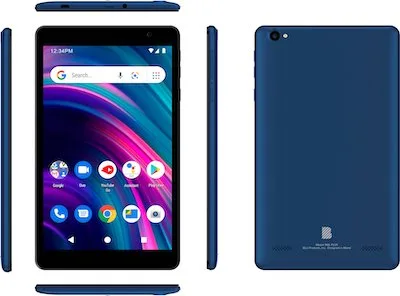
If you've searched "Blu M8L tablet free government not working," you're in the right place. You received a Lifeline-subsidized tablet, and something went wrong. Maybe it won't power on.
Maybe it turns on but shows no signal. Let's fix it step by step.
The BLU M8L runs Android 10 Go Edition, a lightweight OS built for low-memory devices. It carries 1GB of RAM, 16GB of storage, and a 3,000mAh battery. As of 2026, the federal ACP subsidy has ended, so Lifeline rules now govern how these tablets stay connected.
That change affects activation, carrier locks, and whether your service stays active.
Image source: Bing (Web (fair-use with source credit))
Quick Answer
A BLU M8L free government tablet not working usually needs one of three fixes. Check the battery and charging setup first. Then verify the SIM card and APN settings.
If those look fine, your Lifeline account likely needs reprovisioning by your provider. Most problems resolve in under ten minutes with this order.
First, Identify Your Exact Symptom
Grab the tablet and ask yourself one question. What is it actually doing? The right fix depends on the symptom.
Jumping straight to a factory reset can erase settings you need.
Here is the symptom map that matters:
| Symptom | Most Likely Cause | Where to Go |
|---|---|---|
| Won't power on at all | Dead battery or bad charger | Power section |
| Stuck on the BLU logo | Corrupt system cache | Recovery mode / factory reset |
| Wi-Fi works, no mobile data | Missing APN settings | APN setup below |
| "No SIM" or "Invalid SIM" | SIM not seated correctly | Reinsert the SIM card |
| No signal bars at all | Account not provisioned | Contact your provider |
One detail changes everything: did this tablet ever work? A tablet that worked for months then dropped service has a different root cause than one that never turned on after unboxing. Use that clue to choose your branch.
Another quick check: look at the bundled charger. Many BLU M8L units ship with a 5W brick. That's slow, so a fully drained battery can take 30-plus minutes to show any sign of life.
Don't assume the tablet is dead just because nothing happens in the first five minutes.
If the Tablet Won't Power On, Charge, or Boot
Start with the boring stuff. Plug the tablet into the wall charger, not a USB port on your computer. Laptop ports often deliver too little power.
Leave it alone for 30 minutes. Then hold the power button for 15 seconds. The BLU M8L sometimes sleeps so deeply that a quick press does nothing.
If it vibrates or shows the logo, let go and wait.
Still nothing? Try a different cable and brick. Micro USB cables fail constantly.
A frayed cord could be the whole problem. Many "broken" tablets are just broken chargers.
If the tablet turns on but boot loops, or gets stuck on the Android logo, that's a software issue. Boot into recovery mode by holding Power and Volume Up together until the menu appears. Use the volume keys to scroll and Power to select.
Wipe the cache partition first. That fixes most boot loops without losing your files. If it's still stuck, choose Factory Reset from the same menu.
Yes, this wipes your data. Yes, it's worth it. A clean install almost always cures a boot-looping BLU M8L.
The BLU Products official support page has the full user manual if you want the specific key combo.
When nothing works, hardware failure is the real culprit. Dead charging ports and failed batteries happen, especially on refurbished units. Ask your Lifeline provider about a replacement.
If the Tablet Turns On but Has No Service or Data
Your screen lights up, Wi-Fi connects, but there are no signal bars. That means the cellular side isn't working. First, check the SIM card.
Pop out the SIM tray and check the card. It should click in firmly and sit flush with the tray. A half-seated SIM causes exactly this symptom.
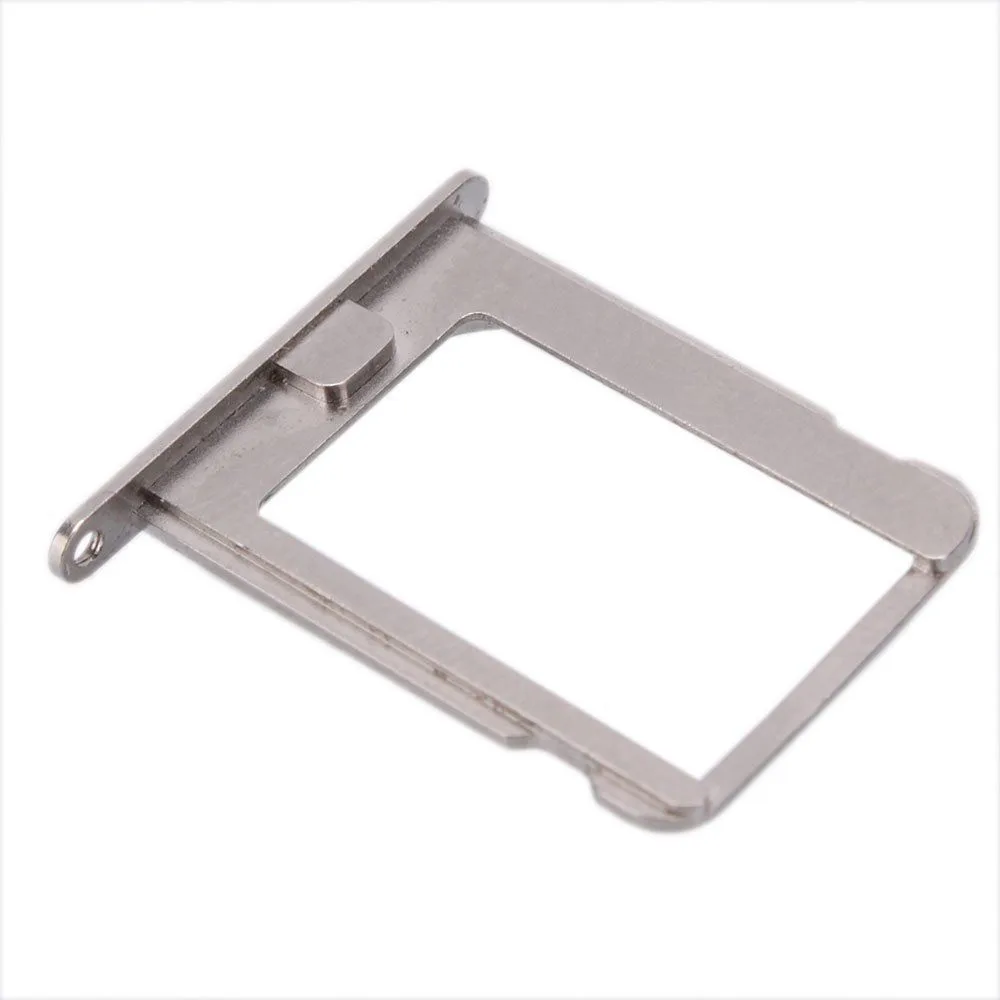
Image source: Bing (Web (fair-use with source credit))
Toggle airplane mode on and off afterward. That forces the modem to re-register with the network. If bars appear, you're done.
No bars? Check the APN settings. The APN, or Access Point Name, tells the tablet how to connect to your carrier's data network.
If it's blank or wrong, you get zero data even with full bars.
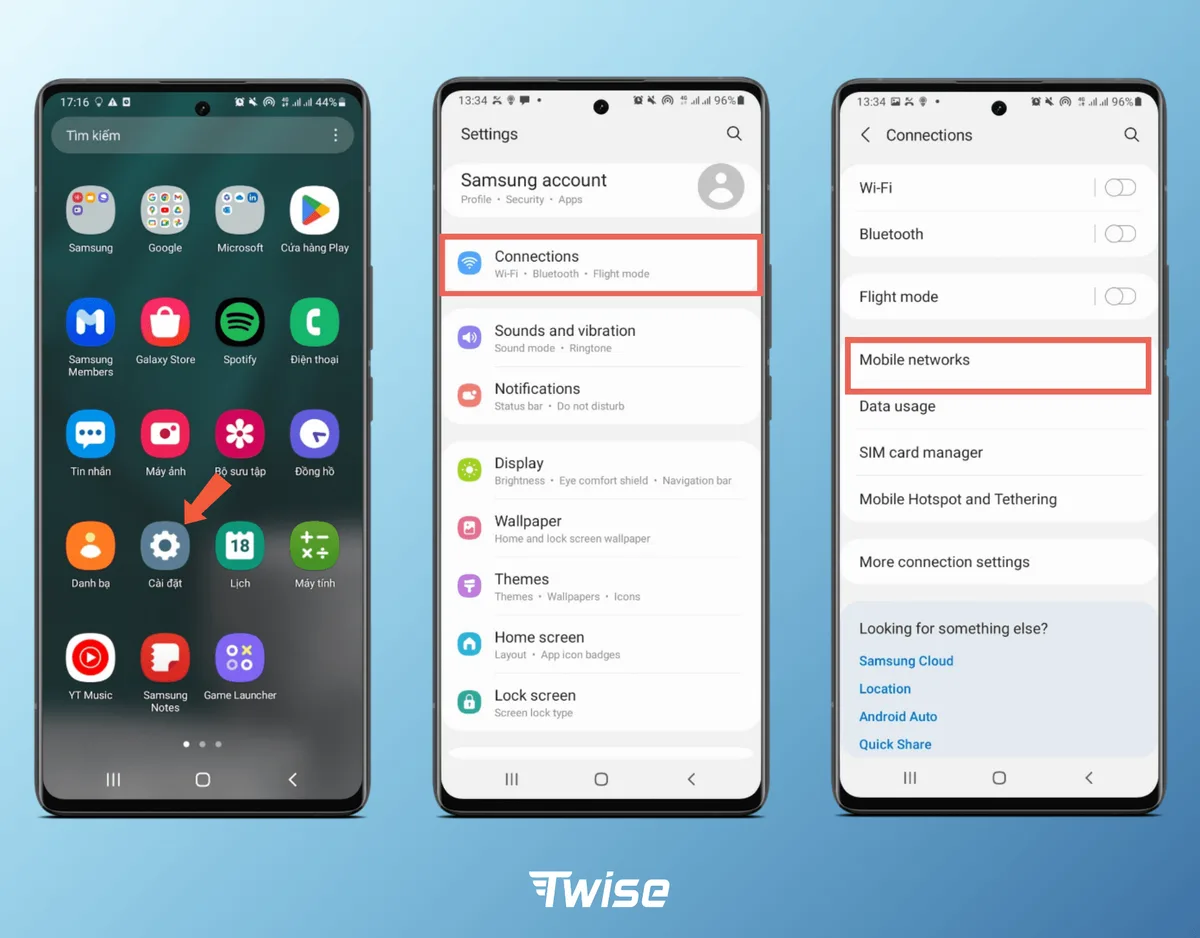
Image source: Bing (Web (fair-use with source credit))
Head to Settings, then Network & Internet, then Mobile Network, then Access Point Names. Many BLU M8L units ship without the APN preconfigured. That's a massive source of "government tablet not working" complaints.
Common APN values for Lifeline providers:
| Carrier | APN Name | APN Field Value |
|---|---|---|
| T-Mobile-based (Assurance, Q Link) | T-Mobile US LTE | fast.t-mobile.com |
| AT&T-based providers | AT&T NXTGENPHONE | nxtgenphone |
| Verizon-based providers | Verizon Internet | VZWINTERNET |
Tap the plus icon to add a new APN. Type the values exactly, case-sensitive. Save it, then restart the tablet.
Data usually kicks in within 30 seconds of booting.
If the Problem Is Activation, Eligibility, or Your Account
Sometimes the tablet is fine and the account is the problem. If you see no signal, get a "SIM not registered" message, or the provider website shows an inactive account, this branch is yours.
First, understand what governs your device. Lifeline is the FCC program that provides discounted phone or internet service to eligible households. The ACP program, which once subsidized internet for low-income households, officially ended in June 2024.
As of 2026, the FCC's official Lifeline page is the rulebook for who gets free or discounted service. Lifeline gives one benefit per household, and your tablet is tied to that benefit.
Check your National Verifier status. The National Verifier is the FCC's system for confirming eligibility. If your application lapsed, the provider may have suspended your line.
Log in at the National Verifier portal and look at your status.
If it says "Ineligible" or "Expired," you'll need to reapply with updated proof documents. SNAP, Medicaid, or SSI benefits work. Keep copies of your approval letters.
Next, confirm your device isn't locked to the wrong carrier. Most BLU M8L tablets are locked to a specific provider for 12 months. If you switched carriers and popped in a new SIM, the tablet will reject it.
Call your current provider and ask them to check the IMEI.
You can find the IMEI in Settings, then About Phone, then Status. Give that number to support. They can tell you if the device is still locked or barred.
Finally, request reprovisioning if everything else checks out. Ask the provider to re-send the activation signal, sometimes called a "provision" or "OTA update." That reprocesses the SIM and registers the device on the network. It fixes a surprising number of stuck-out-of-network tablets.
One more thing: if you're planning to sell or give away the tablet, stop. The device remains tied to your Lifeline account. Selling it can trigger a violation of program rules.
Worst case, you lose eligibility entirely.
What to Do When Troubleshooting Fails
You've checked the battery, reseated the SIM, entered the right APN, and confirmed your Lifeline account is active. The tablet still shows no bars or flat refuses to power on. Now what?
At this point, the issue is almost certainly a hardware defect or a provider-side block. Don't keep factory resetting the device. That wastes time and rarely fixes a dead radio or a failed charging port.
Here's the shortlist of realistic next steps, ranked by likelihood of success:
Request a replacement from your Lifeline provider. Many carriers offer a one-year warranty on subsidized tablets. Call their support line and ask specifically for a warranty replacement. Be ready with your IMEI and the date you received the device. Expect the process to take 7 to 14 business days.
Check if your provider still supports the BLU M8L. Providers update their approved device lists over time. Ask support directly whether the BLU M8L is still supported. If they say no, you may need to switch providers.
File a complaint with the FCC. If you've been paying for service you can't use, or the provider refuses a replacement for a clearly defective unit, the FCC's consumer complaints division can intervene. You can submit online through the FCC's consumer complaint portal.
Confirm the tablet isn't blacklisted. A small number of returned or refurbished BLU M8L units end up on carrier blacklists. You can check the IMEI status through databases carriers use. A blacklisted device will never get service, no matter what you do.
Switch Lifeline providers entirely. This is more work but often solves chronic issues. You can transfer your benefit to a different carrier that supports the BLU M8L or offers a better tablet. Call the new provider first and ask whether the BLU M8L works on their network before you initiate the transfer.
One reality check worth mentioning: these tablets are built to a very low price point. Aggregate user reviews report more hardware failures than typical consumer tablets. If you've gone through two replacements and still have issues, consider switching models when you port your benefit.
Don't throw the tablet away. If it won't work for cellular but powers on over Wi-Fi, you can still use it for streaming, video calls, and reading. It's a functional Android tablet even without mobile data.
Frequently Asked Questions
Why did my BLU M8L stop working after the ACP ended?
The Affordable Connectivity Program funded service for these tablets. When it ended in June 2024, many providers deactivated lines. If you don't have active Lifeline coverage, the tablet loses data.
You must reapply through the National Verifier to restore service.
How do I know if my BLU M8L is carrier locked?
Go to Settings, then About Phone, then Status. The IMEI shows there. Call your provider and ask them to check the IMEI against their lock policy.
Most Lifeline tablets stay locked to the issuing carrier for 12 months after activation.
Can I use a different SIM card in my free government BLU M8L?
Probably not. The BLU M8L is typically SIM-locked to the provider that issued it. Popping in a T-Mobile or Verizon SIM from another account will show "Invalid SIM" or no signal.
An unlock is rarely granted before the 12-month mark.
What's the factory reset key combination for the BLU M8L?
Hold Power and Volume Up together while the tablet is off. Keep holding until the recovery menu appears. Use Volume Down to scroll to "Wipe data/factory reset." Press Power to select.
Confirm with Volume Down and Power again.
My tablet turns on but the screen stays black. What gives?
The backlight may have failed while the device still powers up. Hold the tablet at an angle under a bright light. If you see a faint image, the display is working but the backlight died.
This is a hardware issue and requires a replacement from your provider.
How long do I have to request a replacement for a defective BLU M8L?
Most Lifeline providers offer a 12-month warranty from the ship date. Contact them within that window. After a year, replacements are rarely free.
Check your provider's warranty policy on their website or call support to confirm your coverage.

Similar Posts