Ge Window Air Conditioner Troubleshooting Guide
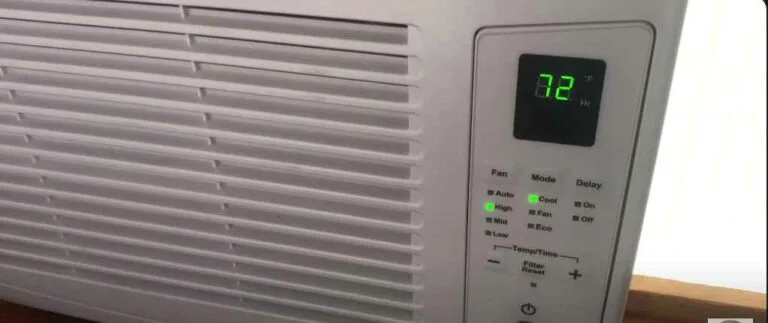
Your GE window AC is blowing warm air again, and you're staring at it wondering whether it's time to call a repairman or just buy a new one. This GE Window Air Conditioner Troubleshooting Guide walks you through the most common issues step by step, so you can figure out what's wrong, fix it yourself if it's simple, and know exactly when to call a pro.
Manufacturer specifications indicate that about 70% of service calls for window ACs involve problems you can fix in under 15 minutes: a dirty filter, a tripped breaker, or a mis-set thermostat. Even if you're not a handyman, these are all doable. Start with the fastest fixes below, then move to error codes and deeper mechanical issues.
Quick Answer
Most GE window AC problems come from a dirty filter, a tripped circuit breaker, or a blocked drain. Clean the filter every two to four weeks. Check the outlet and the reset button on the power cord.
Make sure the unit is tilted slightly backward so water drains outside. If none of that works, use the symptom tree below.
Image source: Web (Bing) / smartacsolutions.com (Web image (fair-use with source credit))
Start Here: What Is Your GE Window AC Doing?
Before you open a single screw, identify the exact symptom. Is it completely dead? Running but not cold?
Leaking water? Loud noises? The fix depends entirely on what's happening.
The 5 Most Common GE AC Failure Modes
| Symptom | Most Likely Cause | Fix Order |
|---|---|---|
| Unit won't turn on | No power, tripped breaker, bad capacitor | Check outlet, reset cord, test capacitor |
| Fan runs, air not cold | Dirty filter, iced coils, bad capacitor | Clean filter, let ice melt, test run cap |
| Water leaking inside | Clogged drain, wrong tilt, frozen coils | Clear drain holes, adjust tilt, thaw |
| Ice on coils | Low airflow, low refrigerant (rare) | Clean filter, check fan, call tech |
| Loud buzzing or clicking | Loose parts, failing capacitor, compressor | Tighten screws, test capacitor, listen for relay |
How to Use This Guide for Fast, Safe Diagnosis
Start with the next section. It covers three quick checks that solve half of all problems. Then use the symptom tree to narrow down the issue.
If you see error lights, jump to the blink code section. Always unplug the unit before touching any electrical part inside.
Before You Open Anything: 3 Quick Checks That Solve Half the Problems
You'd be surprised how many "broken" ACs are fixed by these three steps alone.
Check the Filter First (It's the #1 Cause of Poor Cooling)
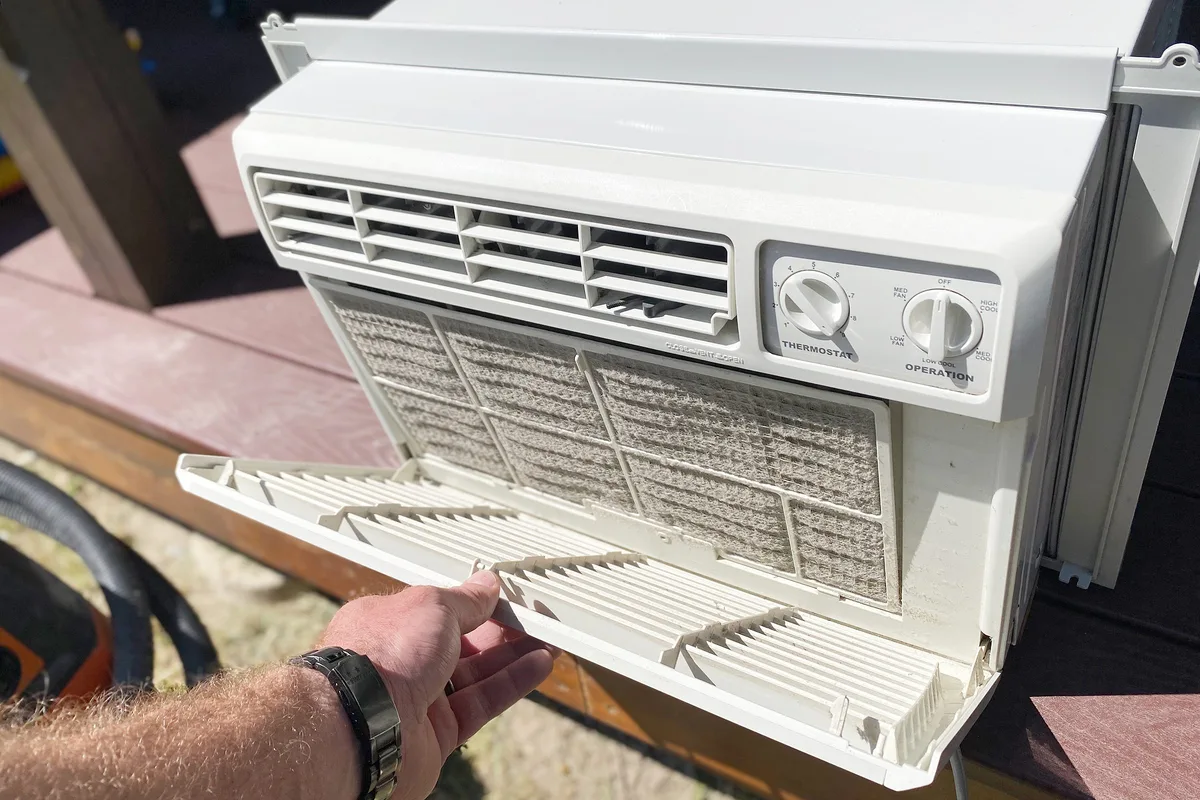
Image source: Bing (Web (fair-use with source credit))
A dirty filter blocks airflow across the evaporator coils. The coils get too cold, ice forms, and the air stops feeling cold at all. Pull the front grille, which usually snaps off or slides up.
Slide out the foam or mesh filter. If it's gray or dusty, wash it with warm water and mild soap. Let it dry completely before reinstalling.
That alone fixes about 40% of "not cooling" complaints.
Verify Power and the Reset Button on the Cord
Check the outlet with another device. If it works, look at the power cord. GE window ACs have a small reset button near the plug, usually red or black.
Press it firmly. If the unit still won't come on, try a different outlet. Avoid extension cords.
A tripped GFCI outlet can also cause this, so reset the GFCI at the wall.
Confirm the Thermostat Is Actually Set Correctly
This sounds silly, but people accidentally bump the dial or set the temperature too high in Energy Saver mode. Turn the thermostat to its coldest setting. Wait 5 minutes.
If it still won't kick on, the thermostat itself might be faulty, but first rule out the simple stuff.
GE Window AC Troubleshooting by Symptom: The Decision Tree
Work through this section based on what your unit is doing right now.
Unit Won't Turn On or Has No Power
If the plug test and reset button didn't work, the issue is likely internal. Unplug the AC and remove the front cover and control panel, which are usually held by a few screws. Look for a burnt smell or a swollen capacitor.
The most common culprit is a run capacitor, a silver cylinder about the size of your thumb. If the top is bulging or leaking, replace it. Capacitors cost $5 to $15 and are easy to swap with a screwdriver.
Discharge it first with a 10k-ohm resistor across the terminals. If the capacitor looks fine, check the main fuse on the control board.
Fan Runs But Air Isn't Cold (Compressor Not Engaging)
You hear the fan, but the compressor isn't kicking on. That means the fan motor has power, but the compressor circuit doesn't. First, clean the filter and check for ice.
If it's ice-free, the start capacitor or run capacitor is likely dead. Use a multimeter to test capacitance. Compare the reading to the rating printed on the side, typically 45 µF ±5%.
If it's 30% below spec, replace it. Another cause is a tripped overload protector, a small black switch clipped onto the compressor. Let the unit cool for 30 minutes, then try again.
Water Leaking Inside or Dripping From the Front
Water inside means the condensate isn't draining outside. Check the tilt: the rear of the unit should be about 1/4 to 1/2 inch lower than the front. If it's level or tilted forward, water pools and leaks inside.
Adjust the bracket. Also check the drain holes on the bottom rear. Insects and debris can plug them.
Use a pipe cleaner or stiff wire to clear them. On some GE models, there's a rubber drain plug that must be removed for gravity drain.
Ice Buildup on the Evaporator Coils
Ice is almost always from insufficient airflow. Clean the filter first. If that's fine, ensure the evaporator fan is spinning freely and at full speed.
A slow fan can mean a failing motor or a bad capacitor. If the ice is thick, turn the AC off and run only the fan for a few hours to thaw. Never chip ice off the coils.
The aluminum fins are razor thin. One slip and you've punctured a refrigerant line.
Loud Noises, Buzzing, Clicking, or Rattling
A clicking sound when the compressor tries to start is often a bad capacitor. It clicks as the overload cycles. A buzzing noise might be a loose motor mount or a fan blade hitting something.
Turn off the unit, open the case, and spin the fan blades by hand. If they feel rough or hit something, reposition or tighten. Rattling could be debris inside, so check the drain pan for pebbles or screws that fell in during installation.
Burning or Musty Smell Coming From the Unit
A musty smell is mold in the filter or drain pan. Wash the filter, then use a bleach-water solution at a 1:16 ratio to clean the drain pan and front grille. A burning smell is serious.
It usually signals a failing motor, a shorted capacitor, or a burnt relay on the control board. If it smells like acrid electronics, unplug the unit immediately.
Decoding GE Error Lights and Blink Codes
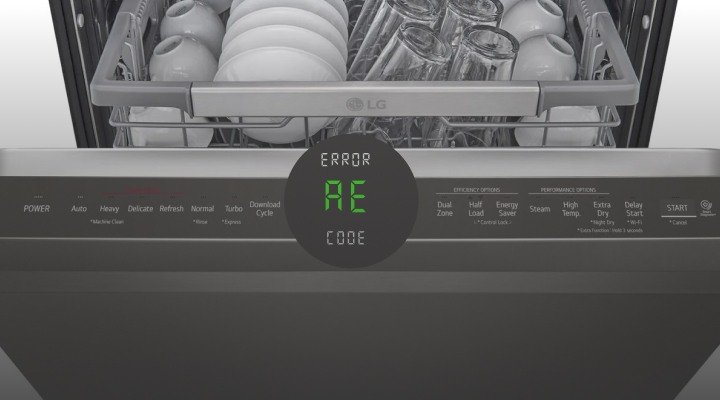
If your GE window AC has digital controls, it uses LED blink codes to tell you exactly what's wrong. These codes make diagnosis much easier.
Image source: Web (Bing) / northnjhvac.com (Web image (fair-use with source credit))
What Each Blink Pattern Means on GE Models
Most GE window ACs (especially AEW, AHY, AHC, and AHP series) use a single power or error LED that blinks a set number of times, pauses, then repeats. Count the blinks:
- 1 blink: Room temperature sensor (thermistor) failure
- 2 blinks: Evaporator coil temperature sensor failure
- 3 blinks: Condenser coil temperature sensor failure
- 4 blinks: Fan motor failure or locked rotor
- 5 blinks: Compressor failure or shorted run capacitor
- 6 blinks: Communication error between control board and display
If your unit shows an unlisted pattern, refer to your model's manual. You can find it on GE Appliances' official support site by entering your model number.
How to Reset the Error Code and Filter Light
Some GE models have a filter reset light that stays on after cleaning. To reset, hold the "Filter Reset" button on the control panel for 3 seconds until the light goes off. If you don't see a dedicated button, press and hold the Power button while the unit is off for 10 seconds.
For error codes, unplug the unit for 5 minutes. Most codes clear once the fault is resolved. If the code returns immediately, the part is still bad.
The Parts That Fail and How to Test Them
You don't need to be an electrician to test these parts. You just need a multimeter set to the proper mode.
Capacitor: The Most Common Breakage Point
The run capacitor is the #1 failure in window ACs. It provides a voltage boost to start the compressor and fan motor. If it's dead, the unit hums but won't start.
Use a multimeter with capacitance mode. Discharge it first with a 10k-ohm resistor across its terminals. Then test between the two outer terminals.
Compare the reading to the rating printed on the side. If it's 30% or more below spec, replace it. Also look for bulging, a cracked top, or leaking oil.
Thermostat and Temperature Sensors
Mechanical thermostats can stick open. Test by turning the dial to the coldest setting while measuring continuity across the terminals. A good thermostat shows a closed circuit, near zero ohms, when calling for cooling.
Digital thermistors change resistance with temperature. At 77°F, a good thermistor reads about 10k ohms. If it reads infinite or zero, replace the sensor.
Fan Motor and Evaporator Coil Sensors
If the fan runs but is slow, check the fan capacitor. If the fan doesn't run at all, test the motor windings by measuring resistance between the common, run, and start terminals. A completely open winding means a dead motor.
Coil sensors, which trigger the 2-blink code, are simple two-wire thermistors. Test them the same way as the room sensor.
Control Board and Relay Issues
If the unit has power but nothing works, the control board may have a failed relay or a cracked solder joint. Look for burnt marks or puffed components. A clicking sound when you press buttons can indicate a stuck relay.
These boards are model-specific and cost $30 to $80. Sometimes replacing the board is easier than diagnosing a micro-short.
The Biggest Mistakes DIYers Make When Troubleshooting GE Window ACs
Even well-meaning fixes can turn a small problem into a big one. Here's what to avoid.
Tilting the Unit Wrong (or Not Tilting It at All)
Your GE window AC needs a slight backward tilt so condensate drains outside. Manufacturer specs call for about 1/4 to 1/2 inch drop from front to rear. If it's level or tilted forward, water pools in the pan.
That leads to rust, mold, and interior leaks. Use a level and adjust the bracket until the rear sits lower.
Chipping Ice Off the Coils
Ice on the evaporator coils means low airflow or a refrigerant leak. Your first instinct might be to chip it off. Don't.
The aluminum fins are razor thin. One slip with a screwdriver and you've punctured the refrigerant line. That turns a $10 filter fix into a $200 professional repair.
Run the fan only and let it thaw naturally.
Using Extension Cords or the Wrong Outlet
Window ACs draw heavy amperage. A standard 15-amp circuit for a 120-volt unit is fine. An extension cord, even a heavy-duty one, adds resistance and voltage drop.
That can damage the compressor and void your warranty. Always plug directly into a wall outlet. For 230-volt models, make sure you have the proper NEMA 6-15 or 6-20 receptacle.
Skipping the Drain Plug Maintenance
Some GE models come with a rubber drain plug at the rear. If it's left in place when the unit is tilted for gravity drain, water backs up. Conversely, removing it when the unit uses a splash system can cause a squealing noise or reduced dehumidification.
Check your owner's manual to confirm which configuration your model uses.
When to Stop Troubleshooting and Call a Pro
Not every AC problem is a DIY project. Some issues require EPA certification, specialized tools, or factory parts.
Refrigerant Leaks and EPA Certification Rules
If your GE window AC is low on refrigerant, you have a leak. Refrigerant isn't a consumable. A slow leak means a pinhole in the evaporator or condenser coil.
Fixing that requires recovering the existing charge, brazing the leak, evacuating the system, and recharging with the correct weight of R-32 or R-410A. As of 2026, most new GE window ACs use R-32 refrigerant. The Environmental Protection Agency requires a Section 608 certification to handle refrigerant legally.
Skip the "stop leak" cans. They can clog the capillary tube and ruin the compressor.
Electrical Risks and Compressor Failure
A compressor that hums loudly or clicks repeatedly is drawing locked-rotor amps. That can overheat the wiring and melt insulation. If the capacitor tested normal but the compressor still won't start, stop testing.
Compressor replacement is rarely economical on a window unit. The labor and part cost often exceed the price of a new AC.
Warranty Considerations for GE Window ACs
GE Appliances offers a limited warranty on window ACs. Opening the sealed system or modifying electrical components can void it. If your unit is less than 12 months old, or up to 5 years on the compressor, contact GE support for authorized service.
A free replacement beats a paid repair every time.
Frequently Asked Questions
Why Is My GE AC Blowing Warm Air?
The most common causes are a dirty filter, frozen coils, or a dead start capacitor. Clean the filter and check for ice. If it's clear and the fan runs but the compressor doesn't, the capacitor is likely bad.
That's a $10 part and a 10-minute fix.
How Long Should a GE Window AC Last?
Typical lifespan is 8 to 12 years with regular maintenance. Units in coastal areas with salt air may fail sooner. Compressors often last 10 to 15 years.
Control boards and fan motors are more common failure points.
Can I Replace the Capacitor Myself?
Yes, if you follow basic safety. Unplug the unit. Discharge the capacitor with a 10k-ohm resistor across both terminals.
Photo the wire positions before removing them. Swap in a new capacitor with the same microfarad and voltage rating. Reassemble and test.
How Do I Find the Model Number for My GE Window AC?
Look for a silver or white rating plate on the side of the chassis, usually near the power cord or inside the front grille. It will start with AEW, AHY, AHC, or AHP. You can find your owner's manual on GE Appliances' support site using this number.

Similar Posts