Hyundai Sonata Key Fob Not Working
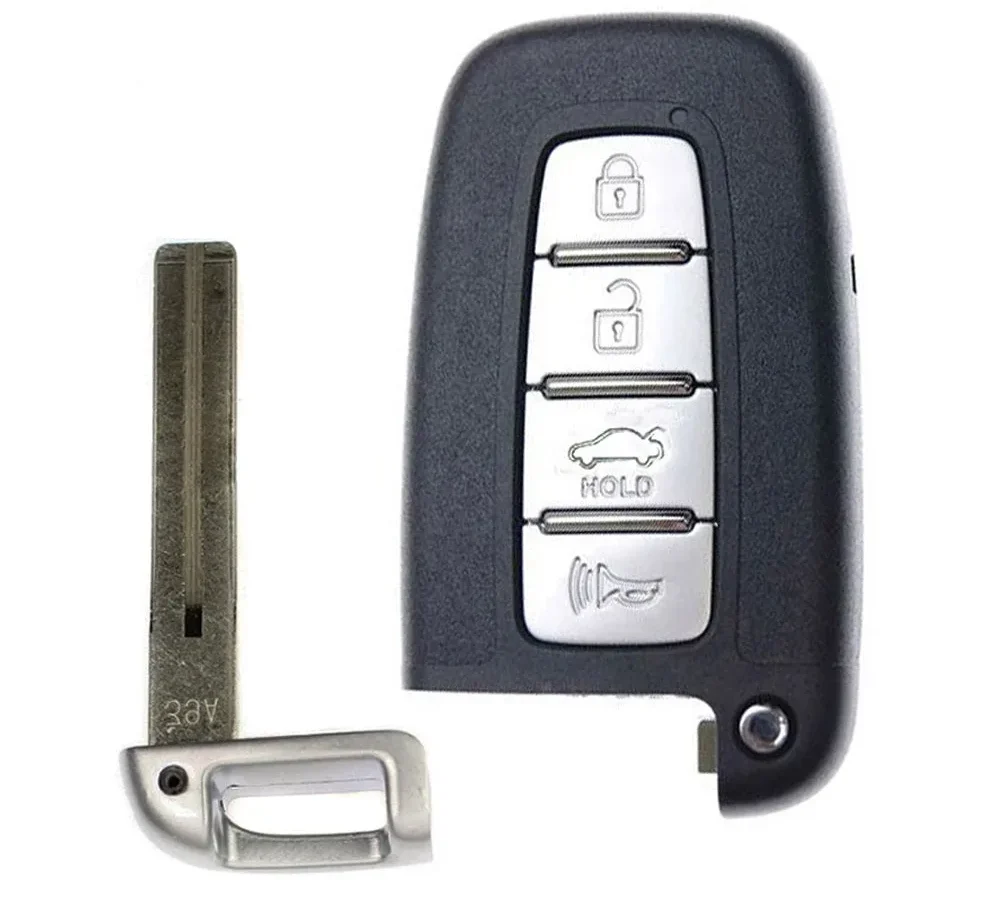
Your Hyundai Sonata key fob not working doesn't mean you're facing a costly dealership visit. Most of the time, the problem is a dead CR2032 coin battery or a simple pairing hiccup. The symptoms might look dramatic, but the fix usually takes under 15 minutes.
You just need to know what to check first.
Hyundai's Smart Key system uses a short-range radio signal to communicate with your Sonata's body control module. In North America, the fob transmits at 315 MHz, which is the same frequency family used by most modern keyless entry systems. As of 2026, that hardware has not changed across current Sonata trims.
The trick is isolating whether the fault lives in the fob, the car battery, or the receiver. That's exactly what we'll walk through.
Quick Answer: The 15-Minute Sonata Key Fob Fix
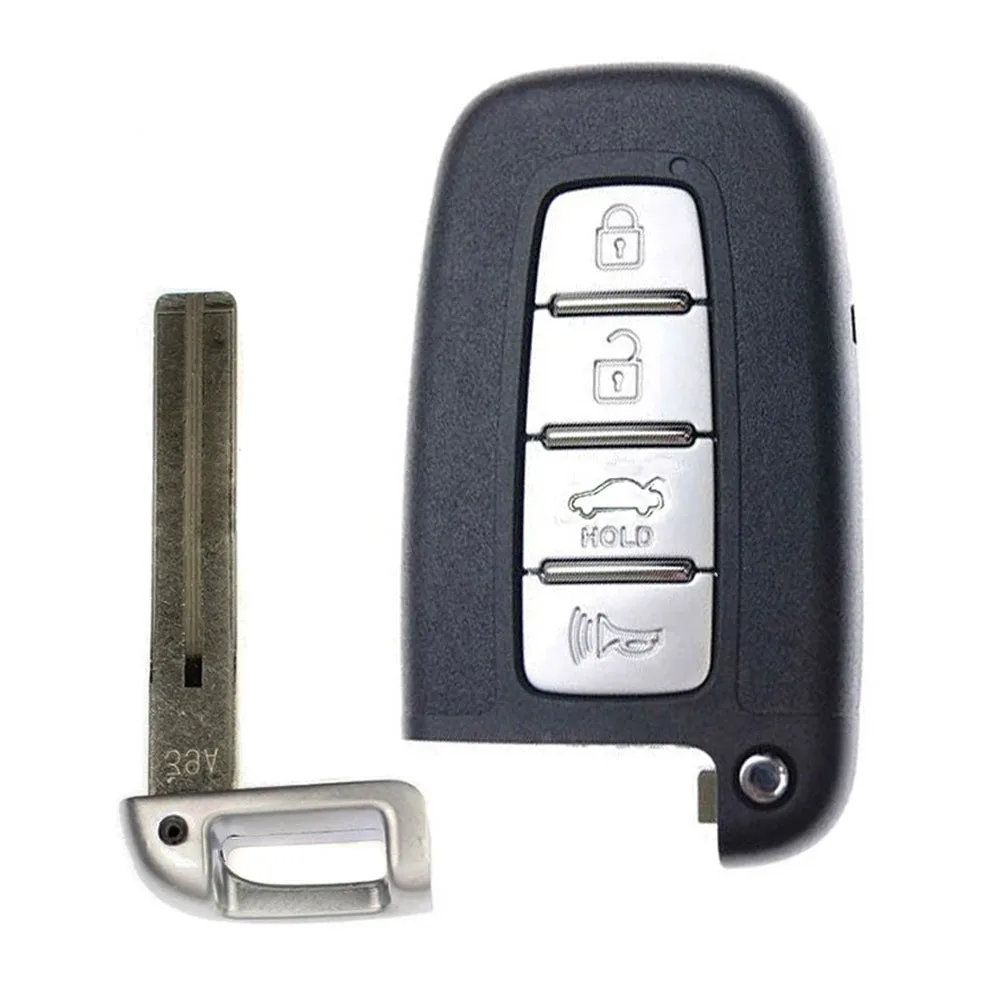
Image source: Bing (Web (fair-use with source credit))
Most Sonata key fob failures come down to a dead battery. Pop out the CR2032 coin cell and swap in a fresh one. That solves most cases in under five minutes.
If the fob still won't work, test the car's 12V battery. Then move to the diagnostic workflow below.
Why the Hyundai Smart Key System Fails: What Those Symptoms Actually Mean
The Hyundai Smart Key system works on a simple handshake. The fob sends a coded radio signal, and the car's body control module checks that code against its memory. If the codes match, the fob is allowed to unlock doors and authorize the engine to start.
When that handshake fails, the car throws up warnings.
Here's what your symptoms actually tell you:
- Fob buttons do nothing and the LED doesn't blink. This points to a dead fob battery, a cracked circuit board, or water damage.
- Fob works at close range but fails from the driveway. A weak CR2032 battery or radio interference is the usual culprit.
- "Key not detected" appears on the dash. This often means the car isn't receiving the fob's signal at all. Causes include a dead fob battery, a dying 12V car battery, or a faulty receiver antenna.
- Car only starts when you press the fob against the start button. That's the emergency backup loop, and it usually means the fob battery is nearly empty.
- Intermittent failures. Look for signal interference from a phone charger, keychain electronics, or a recently installed dash cam.
Most Sonata trims have receiver antennas hidden in the door handles, the trunk, and the center console. If one receiver fails, you might notice remote start works but the doors won't unlock from a distance. These modules all talk to the same body control module, so a single electrical fault can produce confusing symptoms.
Understanding which symptom you're dealing with cuts the diagnostic time dramatically. You won't waste money replacing the wrong part.
The Diagnostic Workflow: From "Key Not Detected" to Driving Again
Work through these branches in order. Each step eliminates likely causes and moves you closer to the fix.
Step 1: Try Your Spare Fob First
Grab your spare fob and test it. If the spare works, your primary fob is the problem. If both fail, the issue is likely in the car's battery or receiver.
Step 2: Replace the CR2032 Battery
Flip the fob over and slide out the emergency key blade. Pry open the seam with a small flathead screwdriver. Remove the old CR2032 coin battery and check the polarity markings inside the slot.
Drop in a fresh battery with the + side facing up, then snap the fob back together.
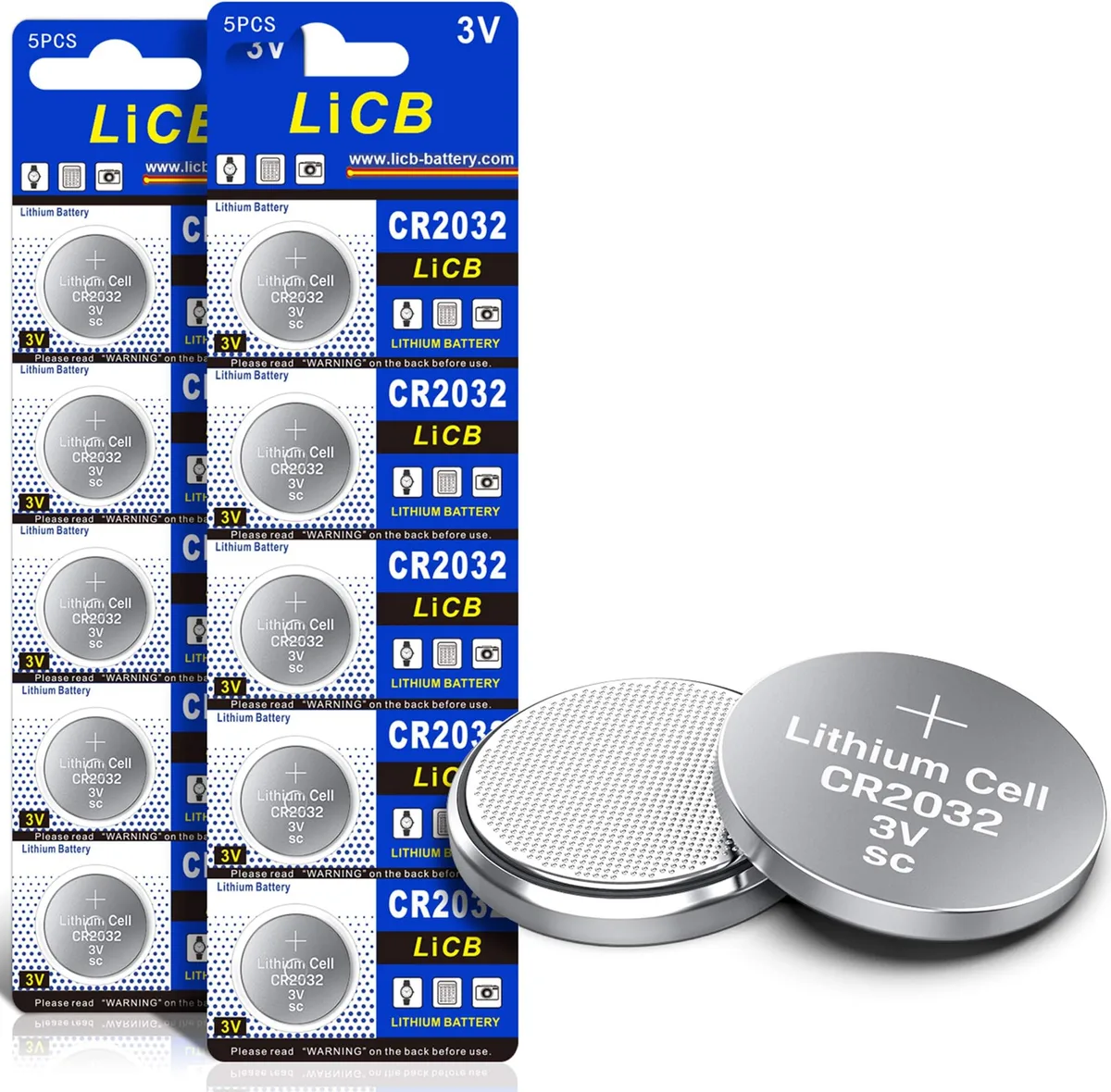
Image source: Bing (Web (fair-use with source credit))
Step 3: Check the Car's 12V Battery
If the fob is fine, check the Sonata's main battery. A weak 12V battery causes all kinds of electrical gremlins, including key detection failures. Look for dim interior lights or a slow chime when opening the door.
If the battery reads under 12.4V with the car off, it needs charging or replacement.
Step 4: Use the Emergency Key and Touch-to-Start Override
Pull out the mechanical key blade from the fob. Use it to unlock the driver's door manually. Then press the fob flat against the start button while pushing the brake pedal.
This triggers an RFID backup antenna behind the button, letting the car read the fob's chip without a working fob battery.
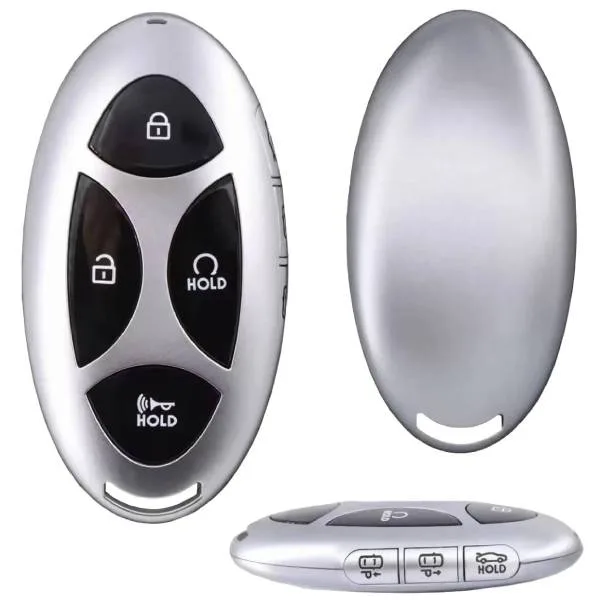
Image source: Bing (Web (fair-use with source credit))
Step 5: Resync or Reprogram the Fob
Sometimes the fob simply loses sync with the car. To resync, sit inside with both fobs and press the start button with each fob near the button. If that doesn't clear the error, you'll need a dealer or locksmith to reprogram the fob with a scan tool.
To confirm you're buying the right replacement, check the fob's FCC ID against the FCC's equipment authorization database.
Step 6: When to Call a Dealer or Locksmith
If you've reached this point with no luck, the receiver module or the fob itself is likely faulty. Dealerships can run a full diagnostic, program a new fob, and check for related recall work. The Hyundai owner support portal can help you locate a certified service center.
An automotive locksmith with Hyundai-compatible programming equipment can often do the same job for less.
Mistakes That Cost Sonata Owners Time, Money, and Frustration
The biggest mistake is buying a new key fob before checking the battery. A new OEM fob runs $150 to $400, and the fix you needed was often a $5 CR2032. Do the free checks first, and you'll save yourself a lot of money.
Aggregate reviews report a few other common errors:
- Using cheap aftermarket batteries. Some knockoff coin cells ship with weak voltage or inconsistent performance. Stick with name-brand CR2032s from a reputable store.
- Skipping the car battery test. A dying 12V battery mimics a dead fob perfectly. Check the dash lights, dome light brightness, and central locking behavior before you touch the fob.
- Forcing the emergency key blade. It only turns one way. Prying too hard can snap the blade or damage the door lock cylinder.
- Assuming the fob needs programming. A simple battery swap doesn't erase the pairing. If the fob worked before it died, it should work again. Reprogramming is only needed after a lost fob or a system reset.
- Calling a dealer first. Dealership programming fees run $50 to $175 on top of parts. A mobile locksmith with the right tools often handles the same job for less.
- Ignoring water damage. Dropping the fob in a puddle or washing it in your jeans can corrode the circuit board. Even if it dries out, the contacts may be ruined beyond repair.
- Ignoring the low fob battery warning on the dash. That warning appears weeks before total failure. Waiting around only guarantees you get stranded.
If you hit a dead end, walk away and reassess. Replacing a receiver module is a bigger job, and throwing parts at the problem without diagnosis gets expensive fast. Step back, recheck the simple stuff, and call a professional if you're truly stuck.
It's a cheap lesson for most owners, but only if you work through the steps in order.
What Repairs Actually Cost: DIY vs. Locksmith vs. Dealership
Before you panic-buy a new fob, know what you're actually paying for. A CR2032 battery costs pocket change. A full replacement fob with programming is a different ballgame.
That's why we always run through the free diagnostics before recommending any purchase.
Here's the pricing picture as of 2026:
| Option | Cost | Best For |
|---|---|---|
| DIY battery replacement | $3–$10 | The most common fix. Works when the fob is physically fine. |
| Aftermarket fob + self-programming | $30–$120, plus programming risk | Budget buyers who own a spare working fob for manual programming. |
| Locksmith replacement + programming | $100–$250 | Fast local service without a dealership appointment. |
| Hyundai dealership replacement | $200–$400+ | Guaranteed OEM fit and diagnostic checks. |
Your actual price depends on three things: your Sonata's model year, whether you need a brand-new fob, and your local labor rates. Hybrid trims and higher trim packages sometimes require extra programming steps, which adds time and cost. Also, if the real issue is a dead receiver module, expect another $100 to $300 for the part plus labor.
Always ask for a written quote before authorizing any work.
The cheapest path is always the right diagnosis. If you replace the fob battery first and confirm the fob itself is a problem, then a locksmith or dealer is a justified expense. If you skip the battery, you might pay $200 for what was a $5 fix.
That's why the workflow in this article saves real money.
And here's a useful rule of thumb: if the fob's LED blinks when you press a button, the battery probably has some life left. No LED at all usually means a dead cell or broken contacts.
Frequently Asked Questions
How do I start my Sonata if the key fob battery is dead?
Press the fob flat against the engine start button while pressing the brake pedal. The car reads the fob's RFID chip through a backup antenna. This bypasses the need for a working fob battery.
Drive normally and replace the CR2032 when you get home.
Can a weak car battery cause the key fob to stop working?
Yes, it absolutely can. The body control module needs steady 12V power to communicate with the fob. A dying car battery drops below 12.4V and causes intermittent detection failures.
If the interior lights seem dim, test your 12V battery before touching your fob.
Why does my Sonata key fob work sometimes but not others?
Intermittent failures usually come from a borderline CR2032 battery or radio interference. Phone chargers, dash cams, and even LED lights near the receiver can disrupt the 315 MHz signal. Replace the coin cell first.
If the problem persists, check for nearby electronics.
Can I program a new Hyundai Sonata key fob myself?
Yes, if you have two working fobs already. Insert both fobs and follow the manual's resync procedure. Without a second working fob, you cannot self-program.
You will need a dealership or a locksmith with a compatible scan tool for the newer rolling-code systems.
How much does it cost to replace a lost Hyundai Sonata key fob?
A replacement OEM fob from a dealership runs $200 to $400 plus programming. An automotive locksmith charges $100 to $250 with a compatible aftermarket fob. Verify the FCC ID on your old fob before ordering any replacement to ensure frequency compatibility.
Does Hyundai cover key fob replacement under warranty?
Yes, during the bumper-to-bumper warranty period, typically 3 years or 36,000 miles. The warranty covers a faulty fob, not a dead battery or a lost fob. Check your owner's manual or contact Hyundai support for your specific coverage details.
Your Decision Guide: Match Your Symptom to the Right Fix
Here is a quick reference based on your most likely symptom. Pick the one that matches.
Symptom: Fob does nothing, no LED blink. Fix: Replace the CR2032 battery. If that fails, check for corrosion or water damage inside the fob.
Symptom: "Key not detected" on the dash. Fix: Try the spare fob. If both fail, test the car battery.
Then try the touch-to-start override with the fob on the button.
Symptom: Works close to the door but not from a distance. Fix: Replace the fob battery. Also check for interference from a nearby radio transmitter or phone charger.
Symptom: Intermittent failure, works then stops. Fix: Replace the battery and clean the contacts. If it keeps happening, the fob circuit board or the car's receiver antenna is failing.
Symptom: Fob works, but the car won't start with the brake and button. Fix: Make sure you are pressing the brake firmly enough. If the brake light switch fails, the car will not recognize the start command.
Check both brake lights with a helper.
Symptom: After dropping the fob in water. Fix: Remove the battery immediately. Let the fob dry completely in rice or a desiccant bag for at least 48 hours.
If it still fails, the circuit board is corroded and the fob needs replacement.
Work through these in order, and you will almost always land on the right fix without overspending. The diagnostic workflow works because it matches real electrical behavior, not guesses. If you get stuck, a quick call to a trusted locksmith is often cheaper than a dealership trip.
But nine times out of ten, a fresh CR2032 battery and a press against the start button gets you back on the road.

Similar Posts