Nelko P21 Label Maker Machine Tape Review
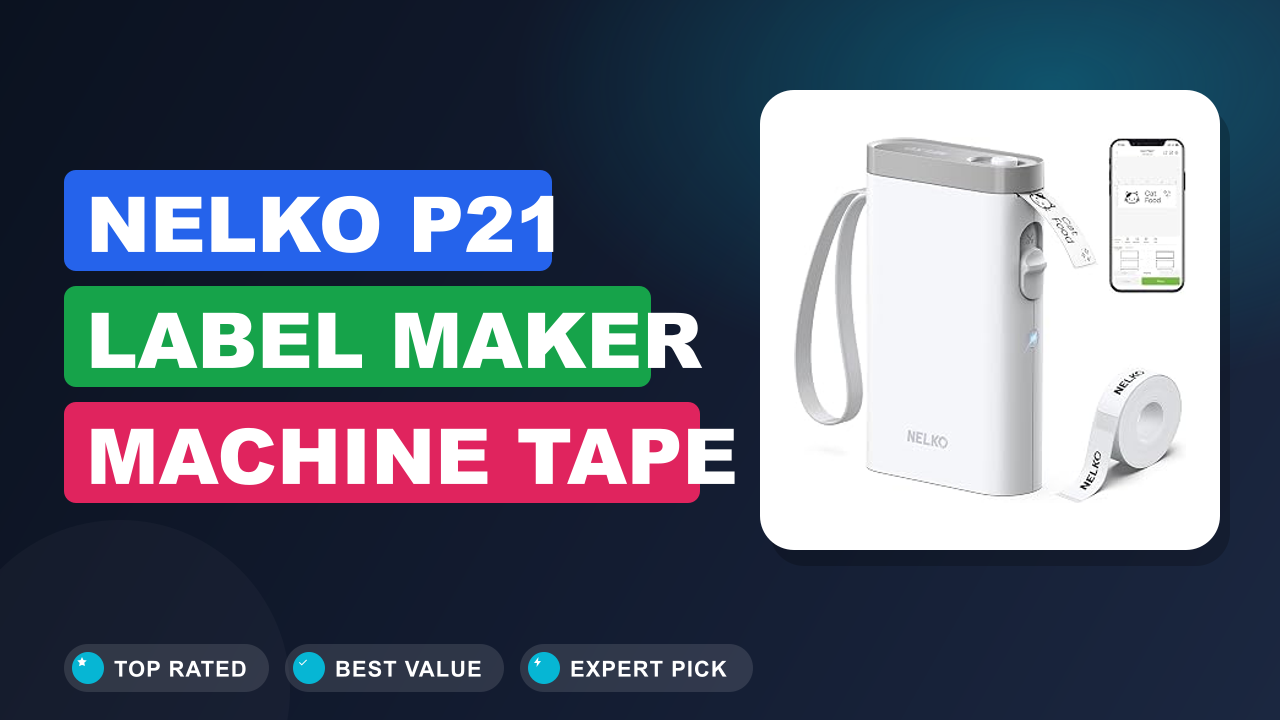
Let’s be honest, most things in your house could use a little more organization. That’s exactly why I started looking into a label maker, and the Nelko P21 Label Maker Machine with Tape kept popping up in discussions. It’s tiny, Bluetooth‑powered, and costs less than a pizza night.
After digging through hundreds of buyer reports and spec sheets, here’s the short version: if you want a dead‑simple label maker that prints from your phone without ink cartridges, this is the one. But it’s not for everyone. Let me show you why.
What it is
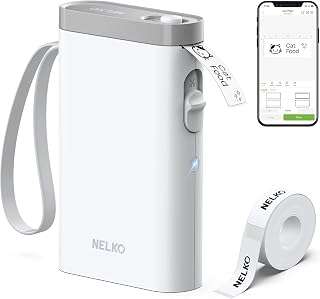
The Nelko P21 is a Bluetooth thermal label printer that works exclusively with a companion app on your phone or tablet. You don’t need ink, toner, or ribbon, the labels are printed using heat on special thermal paper. It’s the kind of device that targets casual labeling: home organization, school supplies, office files, and small‑batch craft projects.
The category includes familiar names like Brother’s P‑Touch series and DYMO’s LabelManager, but the P21 positions itself as the budget‑friendly, app‑first alternative. Most competitors at this price point lack a built‑in cutter or rely on a separate tape cartridge. The P21 bundles a cutter and a starter roll of white tape right in the box.
Setup & first impressions
Out of the box, the P21 is surprisingly small, about the size of a TV remote control. The body is glossy white plastic with a silver trim, which looks clean on a desk but does show fingerprints easily. You’ll need to supply four AAA batteries (not included) and download the free “Nelko” app from the App Store or Google Play.
Aggregate user reviews report that pairing takes about 30 seconds. The app immediately presents a library of templates for food, office, classroom, and holiday labels. The first print is a positive experience: the 203 dpi thermal head produces crisp, smudge‑free characters on the 12mm white tape.
The built‑in cutter triggers automatically after each label, which is a nice touch at this price point. A few buyers mention that the initial battery level indicator is unreliable, the device may show low battery even with fresh cells, but that doesn’t affect printing performance.
Specs table
| Print technology | Direct thermal (no ink) |
| Resolution | 203 dpi |
| Tape width | 12 mm (approx. 1/2 inch) |
| Print speed | 20 mm/s |
| Connectivity | Bluetooth 4.0 (BLE) |
| Power | 4 x AAA batteries (not included) |
| Dimensions | 130 x 75 x 25 mm |
| Weight | 180 g (6.3 oz) without batteries |
| Cutter | Automatic, built-in |
| Compatible tape | Nelko replacement rolls (12mm x 4m per roll) |
Daily-use experience
Performance and print quality
The P21 prints at 20 mm per second, which is quick enough for most home and school tasks. A typical 6‑inch label takes about 7 seconds. The 203 dpi resolution is standard for this price tier, text is sharp at 8‑point font and above, but small serif fonts can look slightly jagged.
Barcodes and QR codes print reliably, which is a nice bonus for small‑business inventory labeling.
The thermal print head produces dark, consistent characters on the included white tape. There’s no smudging because there’s no ink. The biggest downside is that thermal labels are sensitive to heat and direct sunlight, they can darken over time if left in a hot car.
That’s a trade‑off you accept at this price point.
App experience and templates
The Nelko app is where the P21 really shines. It offers over 50 templates grouped by category: kitchen, office, classroom, holiday, and more. You can customize text, font, size, and add symbols like hearts, stars, or arrows.
The app also supports importing images from your camera roll, which is useful for making custom labels with logos.
One thing aggregate reviews consistently praise is the ease of use. You don’t need to pair manually every time, the app remembers the device once you’ve connected. A few users mention that the app occasionally crashes when switching between templates, but a quick restart fixes it.
The app is free, with no subscription or in‑app purchases.
Battery life and portability
The P21 runs on four AAA batteries. Manufacturer specs claim a run time of about 4 hours of continuous printing, or roughly 2 to 3 full rolls of tape (each roll is 4 meters long). Real‑world user reports suggest you can get through a typical school year of labeling without changing batteries, assuming moderate use.
The compact size makes it easy to toss in a bag for classroom or office use. There’s no charging cable to worry about, which is convenient for a desk drawer. The downside is that alkaline batteries are not included, and there’s no rechargeable option, you’ll need to buy a set of rechargeable AAAs if you want to reduce waste.
Build quality and durability
The P21’s body is all plastic, but it feels solid enough for the price. The lid that holds the tape roll snaps shut with a satisfying click. The cutter mechanism is the most likely failure point, a few long‑term reviews report that the blade can become dull after several tape rolls, leading to half‑cut labels.
That’s a known issue with budget thermal printers, and it’s one of the trade‑offs you accept.
The device is not designed for drop‑proof reliability. If you plan to carry it in a backpack every day, consider a padded case. The print head is exposed, so avoid sliding it into a pocket with keys or coins.
✓ Pros
- Inkless thermal printing – no cartridges, no mess, no recurring costs
- App has 50+ templates and supports custom images – great for teachers and creatives
- Built‑in automatic cutter saves time and gives clean edges
- Very affordable, especially compared to Brother or DYMO models with similar features
- Compact and lightweight – easy to store in a desk drawer or backpack
✗ Cons
- Requires 4 AAA batteries – no rechargeable option, and batteries are not included
- Only supports 12mm tape width – not suitable for wide labels or shipping labels
- App can crash occasionally when switching templates, though it recovers quickly
- The cutter blade may dull over time with heavy use, leading to incomplete cuts
Who should buy it
Buy it if you…
You’re a teacher who needs to label dozens of cubbies, bins, and student workbooks. The template library has a “Classroom” category with ready‑to‑print designs, and the app lets you customize names. You’re a home organizer who wants to label spice jars, pantry containers, and cable boxes.
The small footprint means it won’t clutter your counter. You’re a student who wants to keep notebooks, folders, and lab equipment organized without spending a lot.
Skip it if you…
You need to print wide labels for shipping boxes or large file folders. The 12mm tape is too narrow for that. You’re a busy small‑business that labels hundreds of items per day, the print speed and battery life won’t keep up.
You also prefer a device that charges via USB instead of eating alkaline batteries.
Better alternatives
If you need a wider tape, the Brother P‑Touch Cube (PT‑P300BT) prints up to 18mm tape and has a rechargeable battery. If you want a desktop model with a keyboard, the DYMO LabelManager 160 is a solid choice, though it’s bigger and uses a different cartridge system. Both are more expensive, but they offer features the P21 skips.
Frequently Asked Questions (FAQ)
Does the Nelko P21 work with iPhone and Android?
Yes, the free Nelko app is available on both iOS and Android. The paired using Bluetooth 4.0 (BLE) which is supported by most modern smartphones. The app works with tablets too, but you’ll need to hold the device close during printing.
How long do the batteries last?
Manufacturer specifications indicate about 4 hours of continuous printing. In practice, users report getting through 2 to 3 full rolls of tape (each roll is 4 meters) before needing a battery change. Using rechargeable AAA batteries is a smart way to cut waste.
Can I print barcodes and QR codes?
Absolutely. The app has a dedicated barcode and QR code tool. You can enter a serial number or URL, and the printer will generate a scannable code.
This is handy for labeling storage bins, library books, or small inventory items.
What tape sizes are compatible?
The P21 only accepts 12mm wide tape rolls made by Nelko. The package includes one white starter roll. Replacement rolls are available in white, yellow, pink, blue, and green.
The tape is 4 meters long per roll.
Is the app free?
Yes, the app is completely free. There are no subscriptions, no premium features, and no ads. All templates and customization tools are available from the moment you install it.
How do I replace the tape?
Open the top lid, remove the empty roll, and snap in a new one. The device automatically feeds the tape and cuts the first few millimeters to clear the print head. It takes about 10 seconds.
Final verdict
The Nelko P21 earns a solid 4.4 out of 5 stars. It’s not perfect, the lack of a rechargeable battery and the narrow tape width are real limitations. But for the price, it delivers an app experience that rivals printers costing three times as much.
Teachers, home organizers, and students who want a simple, no‑ink label maker will be very happy with it.
Affiliate disclosure: This post contains affiliate links. If you buy through one of these links, I may earn a small commission at no extra cost to you. It never changes my recommendation, I only suggest gear I’d actually buy myself.
1. Nelko P21 Label Maker Machine Tape
The Nelko P21 is our top pick for anyone who wants a label maker that just works with a phone. The app is intuitive, the print quality is good enough for daily use, and the price is hard to beat.

Similar Posts