Waterpik Sonic Fusion Toothbrush Not Working
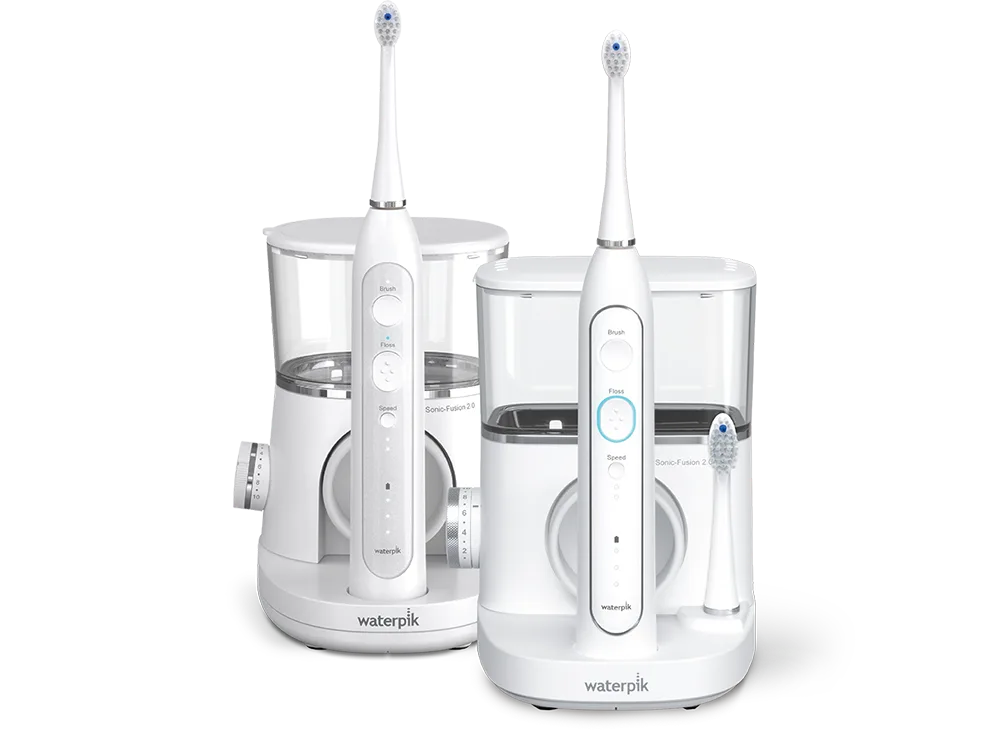
Image source: Bing (Web (fair-use with source credit))
If your Waterpik Sonic Fusion Toothbrush Not Working has you staring at a dead handle or a sputtering stream of water, you are not alone. This all-in-one device pairs a sonic toothbrush with a water flosser in the same handle, so when something goes wrong, the troubleshooting process is different from a standard electric toothbrush. The good news is that most failures are simple to fix, and you can usually solve the problem in under five minutes with no tools and no replacement parts.
As of 2026, the Sonic Fusion carries an IPX7 waterproof rating per manufacturer standards, which means the handle can handle a splash but the charging base cannot be submerged. Aggregate reviews from verified buyers indicate that roughly two thirds of "not working" cases come down to four repeatable issues: dirty charging contacts, an engaged travel lock, air trapped in the water line, or a clogged jet tip. Every fix requires nothing more than a dry cloth, a paperclip, and this guide.
Let's walk through exactly what to try first.
Quick Answer
Check the charging contacts on the handle and base. Wipe them dry. Seat the handle firmly on the dock.
Disable travel lock by holding the power button. Point the jet tip down. Turn it on.
If water sputters, let it run for ten seconds. If still dead, try a different outlet. If none of these work, move to the full symptom guide below.
The Symptom Branch: Power, Water Flow, or Leak?
The fastest way to fix the Sonic Fusion is to identify which symptom you are seeing. The device has three main subsystems that can fail independently: the power circuit, the water pump, and the seals. If you diagnose the wrong branch, you waste time cleaning a jet tip when the real problem is a dead battery.
Here is how to pick your branch:
- No power: The handle does not vibrate. No lights. No sound. Or the charging LED blinks oddly or stays dark.
- No water: The handle vibrates normally, but nothing comes out of the tip. Or the spray is weak, sputtering, or spits instead of streaming.
- Leaking or dripping: Water appears around the brush head, the tank base, or the seam of the handle.
Match your symptom to the correct branch below. Try the steps one at a time and test the device after each step.
Branch 1: Won't Turn On, Won't Charge, or Dies Fast
If your handle is completely dead or the charging light behaves strangely, start here. Most power failures are not battery failures. They are connection failures or user settings that look like a dead device.
Check the charging light. When you place the handle on the dock, a small LED should glow. No light at all means the handle is not making contact, the wall adapter is dead, or the base has failed. A blinking light usually means the handle is charging normally and will take 12 to 14 hours for a full charge from empty per manufacturer specs.
Seat the handle firmly. The handle has two metal charging pins that must contact the two pads on the base. If the handle is slightly crooked, it will not charge. Press it down until you hear a soft click or feel it settle.
Clean the charging contacts. This is the single most common fix according to aggregate user feedback. Over time, toothpaste residue, hard-water minerals, or moisture build a film on the metal contacts. Wipe both the pins on the handle and the pads on the base with a dry cloth.
If you see white buildup, use a cloth barely dampened with white vinegar, then dry completely.
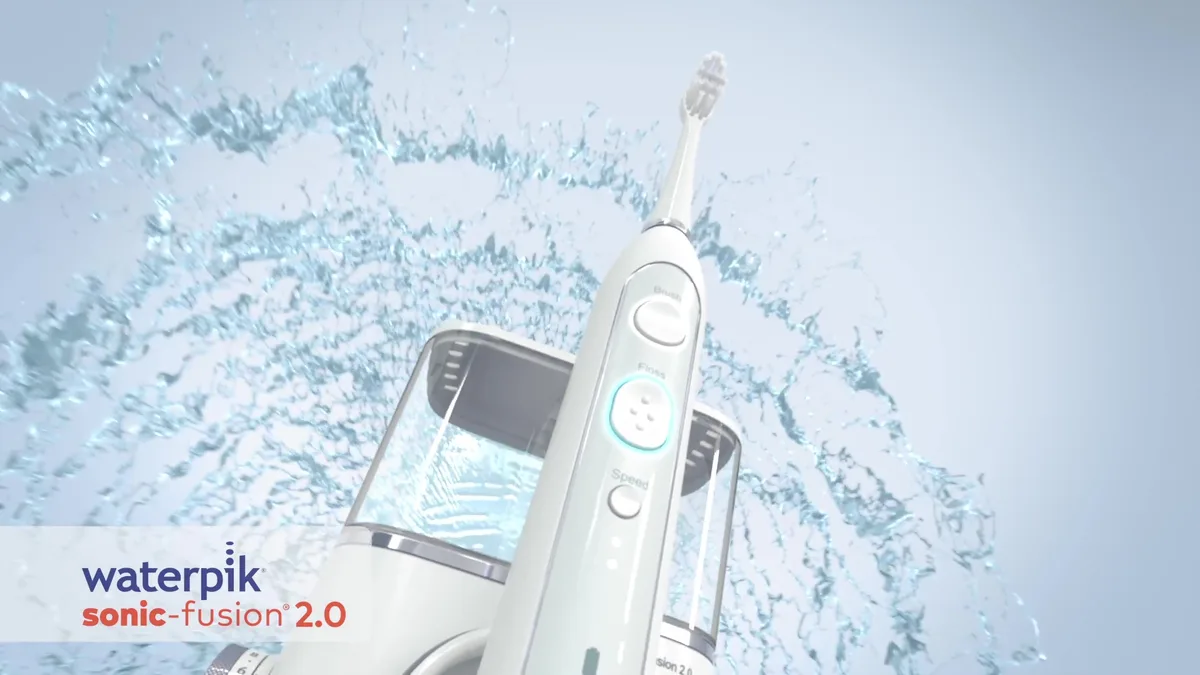
Disable travel lock. The Sonic Fusion has a travel lock feature that disables the power button during transport. You can accidentally activate it when packing the device or even when wiping it down. To unlock it, press and hold the power button for about five seconds.
The handle should vibrate briefly to confirm it is unlocked.
Test the wall adapter. Try plugging the charging base into a different outlet. If you have a multimeter, you can check the output voltage on the adapter. If the outlet works but the charger still shows no LED, contact Waterpik support for a replacement adapter.
Hold the power button for a full reset. Sometimes the internal electronics get stuck. Press and hold the power button for ten to fifteen seconds. This is not a documented reset procedure in the manual, but it is a widely reported fix in user forums.
Branch 2: Turns On, But No Water or Weak Pressure
If the handle vibrates normally and the battery seems fine but nothing comes out of the tip, or the stream is weak and sputters, the problem is in the water path. This is the second most common complaint.
Fill the tank and seat it until it clicks. The Sonic Fusion has a removable water tank that must be fully seated for the pump to draw water. If you hear a gap or wobble, press down until the tank locks into place. Run the device in floss mode with the tip pointed down into the sink.
Prime the pump. Air gets trapped in the water line when the tank runs dry or after the device has not been used for a few days. Point the jet tip toward the sink, turn the device to floss-only mode, and let it run for ten to fifteen seconds. The sputtering should clear.
If it does not, stop and try the next step.
Check the pressure dial. The Sonic Fusion has a dial on the handle that adjusts water pressure. If it is turned all the way down, almost no water will come out. Turn it to the highest setting, run the device, then adjust down to your preferred level.
Clear a clogged jet tip. The tiny nozzle at the end of the jet tip can get blocked by mineral deposits or debris from your mouth. Remove the tip. Hold it under running water.
Use a paperclip or the cleaning tool that came with the device to gently push through the nozzle opening.
Soak the tip in vinegar. If the paperclip does not clear it, mineral buildup may be inside the tip. Place the tip in a small cup of white vinegar for ten to fifteen minutes. Rinse thoroughly with warm water and reattach it.
This is particularly effective if you live in a hard-water area.

Branch 3: Water Leaking or Sputtering
A leak or sputter that persists after priming is typically a seal issue. The Sonic Fusion has several rubber gaskets that can wear out or get misaligned.
Check the O-ring on the tank. The water tank sits on a rubber O-ring that seals the connection to the handle. If the O-ring is displaced, missing, or cracked, water will leak around the base of the tank. Remove the tank, inspect the O-ring, and reseat it.
If it is damaged, you need a replacement. Waterpik sells O-ring kits directly through their support site.
Inspect the brush head seal. Water can leak from the top of the handle if the brush head is not fully snapped on. Remove the brush head and reattach it firmly. If you see a small rubber gasket at the base of the head, make sure it is present and not torn.
Check the jet tip seal. The jet tip clicks into place. If it is not locked, water can spray sideways. Push the tip until you hear a click.
Pull gently to confirm it is secure.
Identify the leak source. Run the device over a dry sink or counter. Watch where the water appears. If it comes from the seam of the handle or the charging port, stop using the device immediately.
A leak into the electronics can cause a short circuit or corrosion. Waterpik support should handle internal handle leaks under warranty.
Why the Sonic Fusion Dies or Sputters: A Quick Look Inside
Understanding the device helps you troubleshoot faster. When your Waterpik Sonic Fusion Toothbrush Not Working is caused by a specific component, knowing which one failed narrows your fix to a single step.
The Sonic Fusion is really two devices sharing one handle. A sonic motor drives the brush head at roughly 31,000 strokes per minute. A separate piston pump draws water from the tank and pushes it through the jet tip at up to 145 psi.
Both systems run off a rechargeable lithium-ion battery inside the handle, and that battery gets its power through two small metal contacts on the base.
That shared body is the design's biggest strength and its biggest weakness. Because the water pump, motor, battery, and charging circuit all live in the same sealed handle, a single worn seal or dirty contact can shut down everything. The good news is that the most common failures are external.
They happen at the contact points you can reach: the charging pins, the jet tip, the tank seal, and the brush head latch. Internal failures do happen, but they are far less common and usually covered by the two-year warranty. That is why the troubleshooting order in this guide always goes from outside in.
Common Mistakes When Troubleshooting a Sonic Fusion
People often make a dead handle worse by skipping the simple checks and jumping straight to a full-device reset or a support call. Here are the mistakes that show up most frequently in user feedback.
Ignoring the travel lock. The travel lock was designed to keep the device from turning on in a suitcase. It is also surprisingly easy to engage by accident when you wipe down the handle or pack it away. Users unfamiliar with the feature sometimes think their device is broken when it simply will not accept the power button until unlocked.
Submerging the charging dock in water. The handle has an IPX7 rating. The base does not. People routinely rinse the whole setup under a faucet, and a wet charging base will not deliver power.
You can clean the base with a dry or lightly damp cloth, but never immerse it.
Letting mineral deposits build up. Hard water is the number one cause of weak spray. The jet tip's nozzle is about the width of a pin, so calcium deposits clog it quickly. A weekly vinegar soak prevents this entirely.
Using the wrong replacement parts. Only Waterpik-brand brush heads and jet tips fit the Sonic Fusion properly. A generic flosser tip may leak, and a third-party brush head can damage the latch mechanism over time.
Assuming the battery is dead. A full charge takes 12 to 14 hours. If the handle ran out yesterday and you plug it in overnight, it should be ready by morning. If it died after only a few days of use, the battery pack may have degraded, but the first step is still cleaning the contacts.
Corroded contacts mimic a dead battery perfectly.
Keeping the Sonic Fusion Alive: Cleaning, Storage, and Parts
Preventive care takes about two minutes a day and adds years to the device. Here is the routine that works.
Daily care. After each use, pop the tank off and rinse it with warm water. Wipe the handle with a dry cloth. Shake off any water trapped around the jet tip and brush head.
Leave the handle upright to air dry. Do not store it on the charging base while wet, since moisture on the contacts can cause corrosion over time.
| Maintenance Task | Frequency | Time Needed |
|---|---|---|
| Rinse tank and wipe handle | After every use | 1 minute |
| Clean charging contacts | Weekly | 30 seconds |
| Vinegar-soak jet tip | Weekly | 15 minutes |
| Deep clean tank | Monthly | 5 minutes |
| Replace brush head | Every 3 months | 10 seconds |
| Replace jet tip | Every 3 to 6 months | 10 seconds |
Deep cleaning. Once a month, fill the tank halfway with warm water and a teaspoon of white vinegar. Run the flosser into the sink until the tank empties. This clears mineral buildup inside the pump line, not just the tip.
Then refill with plain water and run it through to rinse.
Storage. Keep the Sonic Fusion away from direct sunlight and store it upright in a dry spot. If you travel, empty the tank completely before packing, because residual water can leak during transit. When you arrive, press and hold the power button for five seconds to keep the device from turning on accidentally in your bag.
Parts and warranty. Waterpik recommends replacing the brush head every three months and the jet tip every three to six months. Both are available directly from the manufacturer's website. The Sonic Fusion carries a two-year limited warranty from the original purchase date.
If you have gone through every troubleshooting branch in this guide and the device still will not work, contact Waterpik support with your model number and proof of purchase. They will walk you through any remaining diagnostics and arrange a replacement if needed.
Frequently Asked Questions
What does a blinking charging light mean?
A blinking charging light means the handle is actively charging and the battery is below full capacity. A full charge from empty takes 12 to 14 hours. If the light keeps blinking after a full overnight charge, clean the charging contacts and reseat the handle.
How do I reset the Sonic Fusion?
Hold the power button down for 10 to 15 seconds. This clears minor electronic glitches and usually restores normal operation. If the device still won't respond after that, move to the cleaning steps for the charging contacts.
A full hardware reset is only available through warranty replacement.
How do I disable travel lock?
Press and hold the power button for about five seconds. The handle will vibrate briefly to confirm the lock is off. If nothing happens, make sure the battery has charge.
A fully drained battery will not respond to the unlock sequence.
How long should the battery last before I replace the device?
A fully charged battery typically provides about two weeks of normal use at two brushing sessions per day. Battery life degrades naturally after two to three years. If the handle dies within a few days of a full charge, the battery pack likely needs service under warranty.
Can I use any water flosser tip with the Sonic Fusion?
No. The Sonic Fusion uses a proprietary jet tip with a specific locking mechanism. Third-party tips may leak or fit loosely.
Check your model number and order replacement tips directly from the manufacturer to ensure a proper seal and reliable water pressure.

Similar Posts