Why Bathroom Fan Heater Is Not Working
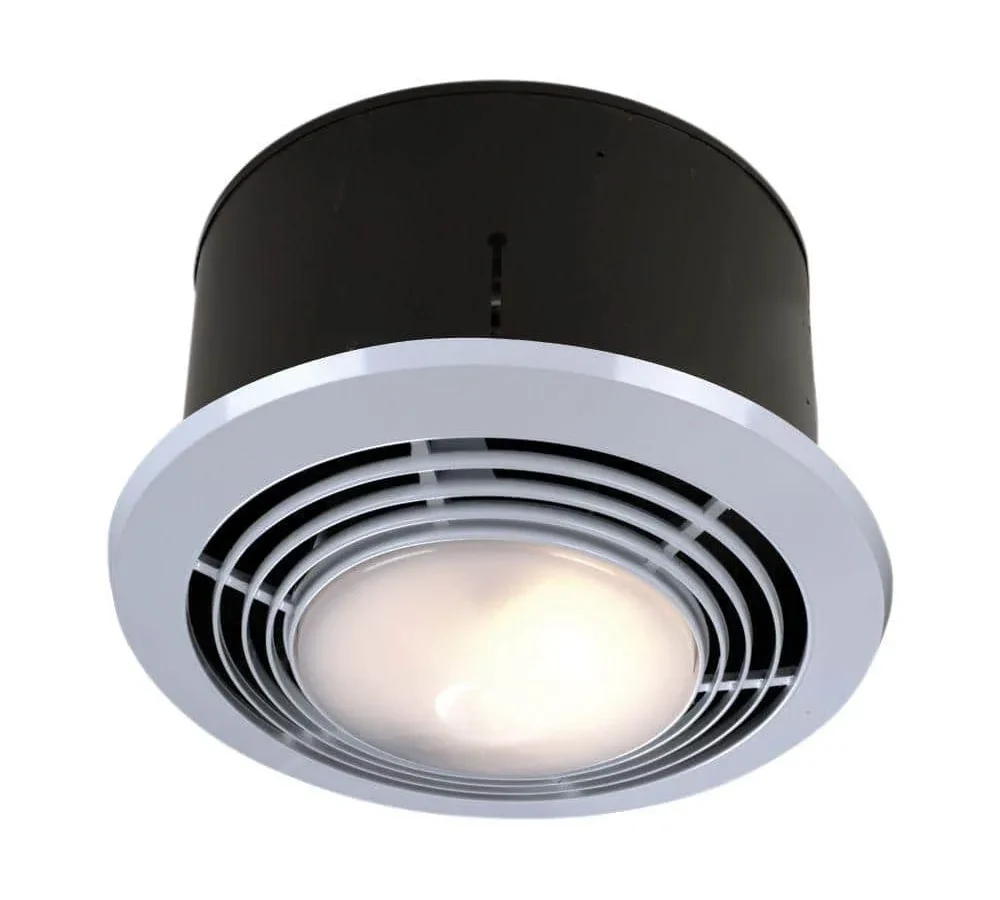
If you’re here because “why bathroom fan heater is not working” is suddenly your most pressing question, take a breath. You’re probably standing in a cold, steamy room with a switch that does nothing. Most failures come down to one of two things: the unit has lost power, or an internal part has failed.
We’ll sort out which one you’re dealing with, safely and without guesswork.
Before you pull a single screw, understand the basics. Per the U.S. National Electrical Code, a fixed bathroom heater must shut off automatically if the fan motor fails.
That safety interlock means a dead fan can also look like a dead heater. Let’s start at the breaker, not the toolbag.
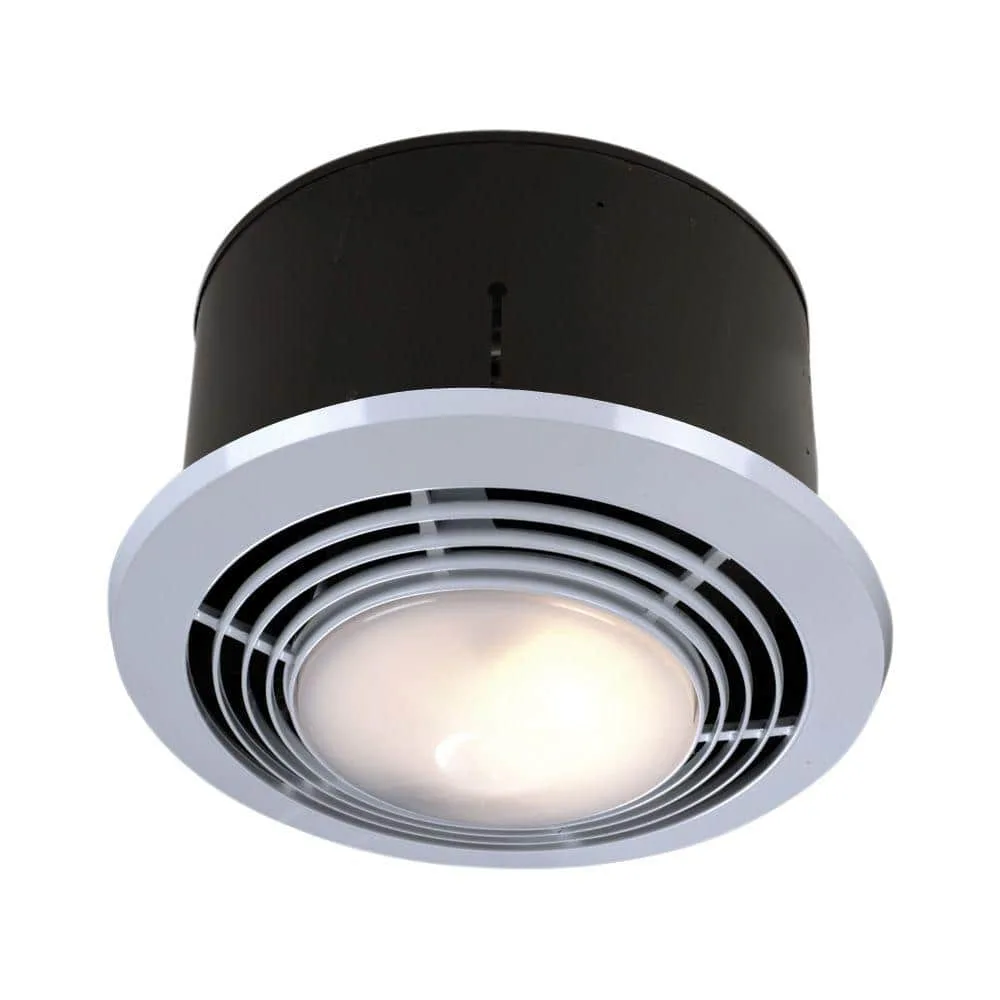
Image source: Bing (Web (fair-use with source credit))
Quick Answer
Power loss, a tripped safety switch, or a failed component kills a bathroom fan heater. Check the breaker and GFCI first. Fan runs but no heat?
Inspect the thermal cutoff and heating element. Nothing runs? Test the switch, wiring, and motor.
First, Rule Out the Obvious (Before You Open Anything)
Always treat the unit as live, even when it looks dead. The fan can stop spinning while the wiring inside still carries voltage. Flip the circuit breaker off and tape it so nobody flips it back.
Then use a non-contact voltage tester to confirm power is truly gone.
If you spot burnt wires, sparking, melted plastic, or water inside the housing, stop. Call a licensed electrician. Those are fire hazards, not DIY repairs.
Most failures fall into two camps. The unit gets no power at all. Or power arrives fine, but a component like the motor, capacitor, or heating element has failed.
Your specific symptom tells you which camp you’re in.
| Symptom | Likely Cause | Quick Check |
|---|---|---|
| Nothing works | Tripped breaker, GFCI, bad switch | Reset breaker, press GFCI test/reset |
| Fan runs, no heat | Thermal cutoff or heating element | Check thermal cutoff continuity |
| Hums but no spin | Dead capacitor or seized motor | Inspect capacitor for bulging |
| Runs then stops | Overheating, blocked duct | Clean impeller and check duct |
Before you pull the unit down, check everything visible without a ladder. A tripped breaker is the number one cause of a completely dead fan heater. Reset it and see what happens.
If it trips again, you have a short or an overloaded circuit, and that’s a serious warning sign.
GFCI outlets in bathrooms often share the same circuit as the fan heater. Press the reset button on every GFCI in the room. A single ground-fault trip can kill power to the whole circuit.
Manufacturer specs show many thermal cutoffs trip around 150°F and reset once things cool down. That’s why a unit that failed after ten minutes might work again an hour later. The National Electrical Code also requires that a bathroom space heater only runs when the fan operates.
If the fan motor dies, the heater circuit is disabled too.
How a Bathroom Fan Heater Actually Works
A bathroom fan heater is two appliances stacked in one housing. The fan motor moves air out of the room. The heating element warms that air before it gets blown away.
Each circuit is separate, which means one can fail while the other keeps working.
Power travels through a predictable path. It starts at the wall switch. From there, it feeds the motor and the heating element.
Before the heating element, though, power passes through a thermal cutoff. That’s a small temperature-sensitive switch designed to kill the heat if the unit gets too hot.
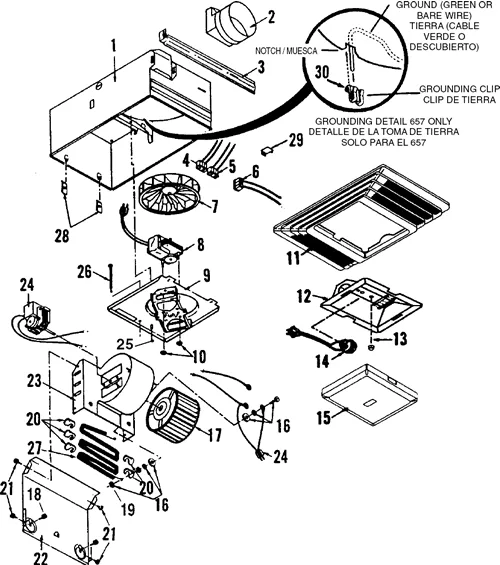
Image source: Bing (Web (fair-use with source credit))
The thermal cutoff is the unsung hero here. When the fan slows down, a duct gets blocked, or lint builds up on the impeller, the heat rises. The cutoff trips before the wiring can melt.
Some cutoffs reset themselves once the unit cools. Others are one-time fuses that need replacing.
Manufacturer schematics show the heater relay or high-limit switch sitting between the fan motor and the heating element. That’s how the fan interlock works. If the motor chokes, the heat circuit opens too.
| Component | Function | Typical Failure |
|---|---|---|
| Fan motor | Moves air through the housing | Seized bearings, dead winding |
| Capacitor | Gives the motor a starting kick | Bulged or shorted, no spin |
| Thermal cutoff | Kills heat if temperatures spike | Tripped or blown, no heat |
| Heating element | Warms the air | Open circuit, cold airflow |
Here’s the practical takeaway. If the fan spins but the air is cold, the fan motor is fine. The problem sits somewhere in the heat circuit.
If nothing runs at all, you’re looking at a supply problem or a dead motor. Narrowing it down this way saves you hours.
Diagnose by Symptom: The Fastest Path to the Real Problem
Case 1: The unit is completely dead
No fan, no heat, no noise. Start with the breaker and every GFCI in the bathroom. Then check the wall switch.
Our research into common service calls shows that a bad connection at the switch terminals causes more dead units than a motor failure does.
If power is present at the switch but the unit stays dark, test the wire connections inside the junction box. You should see 120 volts line-to-neutral with a multimeter. No voltage means a broken wire between the switch and the fan unit.
Case 2: The fan runs, but the air is cold
The fan motor is happy, so the problem is in the heating circuit. The thermal cutoff is your first suspect. A tripped cutoff is common after months of heavy winter use.
If it won’t reset when cool, replace it.
The heating element is the second suspect. Measure its resistance with a multimeter. A healthy element reads around 10 to 20 ohms.
An open circuit, reading infinite resistance, means the element is burned out.
Case 3: The unit hums but the fan won’t spin
A hum with a frozen blade is a classic motor startup problem. The capacitor gives a single-phase motor the torque it needs to spin. When the capacitor fails, the motor just sits there and hums.
Check the capacitor for bulging, leaking, or a swollen top. A capacitance meter will confirm the diagnosis. You can also spin the fan blade by hand with a pencil.
If it spins freely and takes off, a weak capacitor is to blame.
Case 4: The unit runs for a few minutes, then shuts off
This is your thermal cutoff working exactly as designed. Something is overheating. The most overlooked cause is a blocked or collapsed flexible duct.
If air can’t escape, heat builds up fast.
Clean the impeller and housing while you’re at it. A thick layer of lint traps heat and makes the motor work harder. If everything looks clean, check that the duct diameter matches the unit’s CFM rating.
Standard bathroom fans range from 50 to 150 CFM.
Safe DIY Checks You Can Do Right Now (With the Power Off)
These checks require basic hand tools and a digital multimeter. You can do all of them without removing the entire housing. Just remember the rule: power off, verify dead, then touch anything.
Step 1: Kill power and verify it
Turn off the breaker that feeds the bathroom. Place a piece of tape over the breaker handle. Use a non-contact voltage tester on the unit’s cover and wires.
The tester should stay silent.
Step 2: Inspect the grille and impeller
Pop the grille off. Look for a thick layer of dust, hair, or lint wrapped around the fan blade. Clean it gently with a soft brush and a vacuum attachment.
A clogged impeller is a common cause of weak airflow and overheating.
Step 3: Check the ductwork
Reach inside the housing and feel the duct connection. Flexible ducts can kink or sag over time. Look for a crushed section, a bird’s nest, or a heavy dust clog.
Restricted airflow forces the motor to strain and can trip the thermal cutoff.
Step 4: Test the wall switch
Remove the switch cover and pull the switch from the box. Use a multimeter set to continuity mode. With the switch in the on position, the meter should beep.
If it doesn’t, the switch is bad. This is a five-dollar fix that often gets misdiagnosed as a motor failure.
Step 5: Reset the thermal cutoff
Some units have a small red reset button near the heating element. If the unit cooled down for 20 to 30 minutes, press it and try again. One reset is fine.
If it keeps tripping, you have a symptom, not a cure.
Resetting a thermal cutoff without cleaning the unit is a temporary fix. Aggregate reviews show that people who skip the cleaning step end up resetting the same switch again within weeks. Treat the reset as a diagnostic event.
Always clean the unit first, then test again.
The Parts That Fail: What They Do, What They Cost, and When to Replace Them
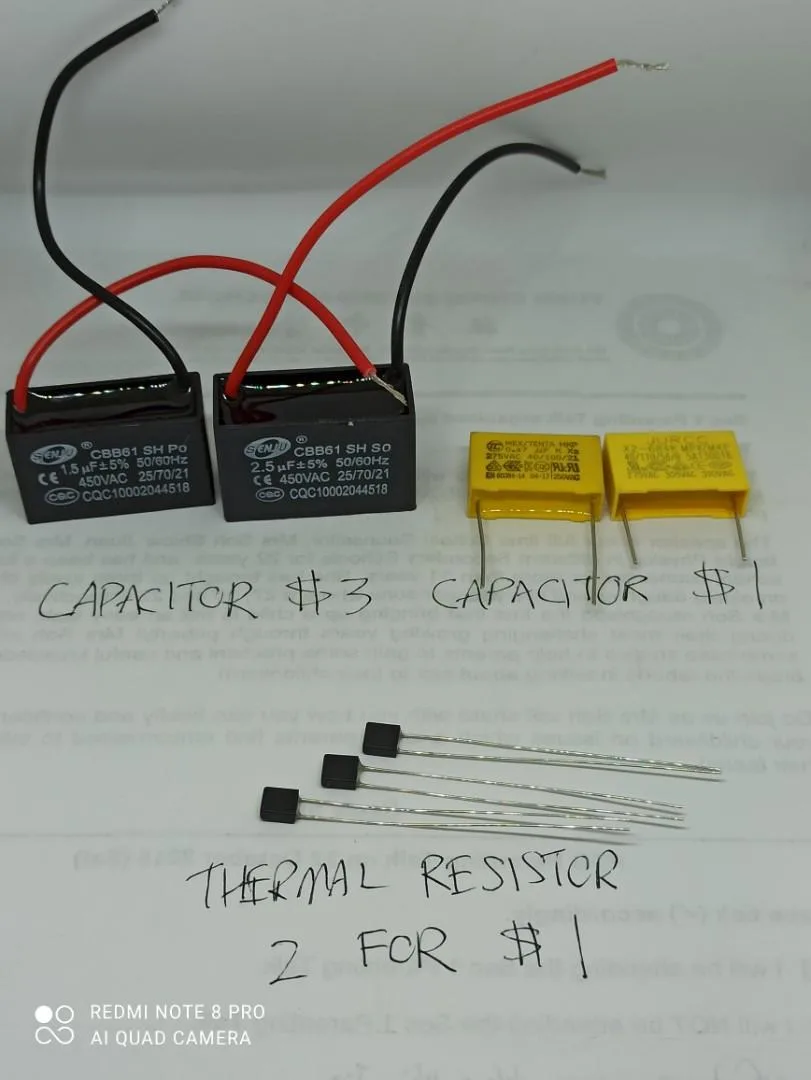
Image source: Bing (Web (fair-use with source credit))
When you’ve isolated the faulty component, your next question is always the same. Is it worth repairing, or should you replace the whole unit? Here’s what you need to know about the four parts that fail most often.
Capacitor. This small cylindrical part stores energy and gives the motor its startup kick. It costs $8 to $15 and takes about ten minutes to swap. Capacitor failure is the most common cause of a humming fan.
If the motor still runs after replacing it, you just saved yourself a $200 replacement.
Thermal cutoff. Sometimes called a thermal fuse or high-limit switch, this part protects the unit from overheating. It costs $5 to $12. Replacing it is straightforward, but you must address the overheating cause first.
Otherwise, the new part will trip again, or worse, a real fire hazard develops while you’re away from the unit.
Heating element. This is the wire coil that produces warmth. It’s usually integrated into the housing and can cost $25 to $60 as a service part. Replacing it requires more disassembly, but it’s doable for a careful DIYer.
An open circuit reading on your multimeter confirms the failure.
Fan motor. The motor is the most expensive single component. It’s also the one most likely to push you toward a full replacement. A replacement motor can run $75 to $150, and a whole new fan heater unit typically costs $100 to $300.
As of 2026, that price gap is small enough that most professionals recommend swapping the entire unit.
| Part | Function | Failure Symptom | Cost | DIY Difficulty |
|---|---|---|---|---|
| Capacitor | Motor startup kick | Humming, no spin | $8–$15 | Easy |
| Thermal cutoff | Overheat protection | Fan runs, no heat | $5–$12 | Easy |
| Heating element | Warms air | Cold air | $25–$60 | Moderate |
| Fan motor | Moves air | Dead unit, burning smell | $75–$150 | Advanced |
Here’s the honest math. If the motor is dead and the unit is more than ten years old, replace the whole thing. Newer models run quieter, use less energy, and have better humidity sensors.
A repair only makes sense when the failed part is cheap and the rest of the unit is in good shape.
Common Mistakes and Red Lines: When to Call a Professional
Some DIY repairs turn into expensive mistakes because the diagnosis was wrong. The most common one is replacing a motor without checking the capacitor. A humming motor often needs a $12 capacitor, not a $150 motor.
Test first, replace second.
Resetting a thermal cutoff repeatedly is another trap. That cutoff is a symptom indicator, not the root cause. If the unit trips again after a reset, something is still overheating.
Clean the impeller, check the duct, and measure the motor’s current draw before assuming the part is faulty.
Many dead units need no replacement at all. A tripped GFCI, a failed wall switch, or a loose wire at the terminal causes plenty of service calls. These are five-minute fixes if you look for them early.
Now for the red lines. If the breaker trips every single time you turn the unit on, stop. If you smell burnt plastic or see melted wire insulation, stop.
If there is moisture anywhere near the wiring, stop. These situations are fire hazards.
Repeated breaker trips point to a short circuit or an overloaded circuit. Burnt plastic means heat has already damaged the wiring. Water in the housing means you have a code violation that needs immediate attention.
In these cases, call a licensed electrician.
A professional will charge $150 to $300 for a service call plus parts. That is expensive. But it is far cheaper than repairing fire damage.
When in doubt, spend the money on a qualified electrician.
Frequently Asked Questions
Why does my fan heater work sometimes and stop randomly?
A loose wire connection or an overheating thermal cutoff causes intermittent operation. When the unit cools down, the cutoff resets, and the heater works again. Check for loose terminals at the switch and inside the unit.
If the problem keeps coming back, the motor may be dragging and generating excess heat.
Can a dirty filter cause the heater to shut off?
Yes. A lint-clogged filter traps heat inside the housing and restricts airflow, which forces the thermal cutoff to trip. Clean or replace the filter at least twice a year.
If your unit has a washable grille, vacuum it gently with a soft brush attachment.
Is it safe to use a space heater in the bathroom while the fan is broken?
No. Portable space heaters are not rated for damp bathroom conditions unless they are specifically designed for that use. Even then, a broken ventilation fan means humidity and heat stay trapped, creating a mold risk.
Fix the fan heater first, or open a window and keep the door cracked while you shower.
How do I know if my fan heater is under warranty?
Check the manufacturer’s label inside the housing. Most brands offer a 1 to 3 year parts warranty. If the unit is less than three years old, contact the manufacturer with the model number and purchase date.
They can offer replacement parts or a full unit replacement.
Should I repair a 10-year-old fan heater or replace it?
Replace it. A 10-year-old unit likely needs a motor, capacitor, or heating element. Those parts cost $100 or more.
A new unit with better airflow and lower noise costs $120 to $300. The installation is the same, and the new warranty is worth it.
Can I replace a bathroom fan heater myself?
Yes, if you are comfortable working with household wiring. You need a model that matches your current electrical ratings and duct size. Local building codes may require a permit or a licensed electrician, so check with your local building department before starting.
If you have any doubts about the wiring, hire a professional.

Similar Posts