5 Best AI Baby Monitoring Cameras: Top Smart Picks
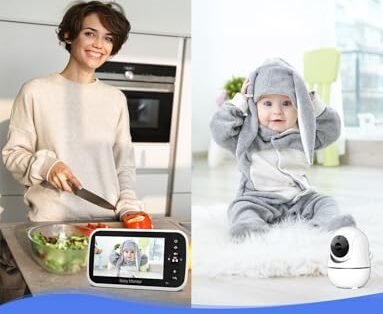
The best AI baby monitoring cameras blend clear video, smart alerts, night vision, and simple controls for safer sleep.
A baby monitor should do more than show a tiny picture on your phone. It should help you tell a real cry from a soft sigh, see clearly in a dark room, and check in without waking your child. I know how stressful it feels to hear a sound from the nursery and wonder if your baby needs you. The right camera acts like a calm extra set of eyes. In this guide, I compare the best AI baby monitoring cameras and practical no-Wi-Fi monitors for different homes, budgets, and sleep routines.

GoodBaby 5″ Baby Monitor with…
TOTAL COVERAGE & 5” HD DISPLAY – Monitor your nursery with a large 5-inch LCD screen providing a crystal-clear view. This video baby monitor features a remote 355° pan, 120°…
eufy Security 4K Indoor Camera…
【𝟒𝐊 𝐔𝐥𝐭𝐫𝐚-𝐂𝐥𝐞𝐚𝐫, 𝟐𝟒/𝟕 𝐑𝐞𝐜𝐨𝐫𝐝𝐢𝐧𝐠】 Capture every detail, day or night, with crystal-clear 4K recording. Stay connected with family, baby, nanny and pets using the built-in two-way audio for real-time communication….

HelloBaby No WiFi Baby Monitor…
HelloBaby No WiFi Baby Monitor with 2 Cameras and Audio HB6550-2: See two rooms on one large 5” IPS screen with auto/one-tap switching (single view, not split-screen). Dual cameras with…
GoodBaby 5-Inch No-Wi-Fi Baby Monitor

The GoodBaby 5-inch monitor is made for parents who want a direct video link without home Wi-Fi. The camera sends the picture to its included parent screen, so setup is simple and fast. I like this style for a nursery because it avoids app accounts, phone alerts, and a busy list of cloud settings. The large screen also makes it easy to check a sleeping baby from a nightstand or kitchen counter.
This monitor is not an AI camera in the strict sense, so it does not replace smart person or cry detection. Still, it can be a strong choice for parents who value privacy and fewer points of failure. The local connection may also feel more dependable during an internet outage. For many families, that basic approach is more useful than a long list of features they may never use.
Pros:
- No home Wi-Fi is needed for everyday monitoring
- Large 5-inch screen is easy to view across a room
- Dedicated parent unit keeps your phone free
- Video and audio monitoring work without a cloud account
- Simple setup suits new parents and grandparents
- Useful choice for homes with weak or busy Wi-Fi
Cons:
- Does not offer the smart AI alerts found on connected cameras
- Local monitor range can vary with walls and floor plans
- A dedicated parent screen must be charged and carried
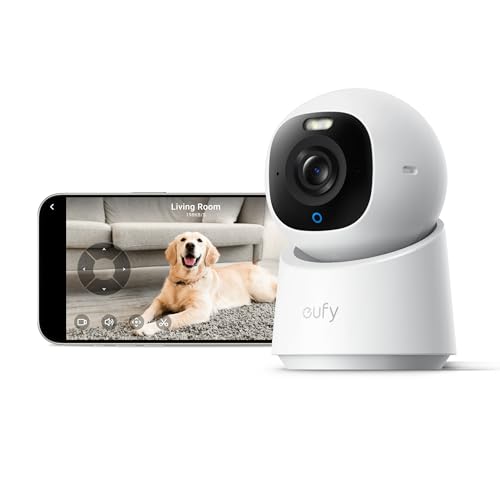
eufy Security 4K Indoor Camera E30

The eufy Security Indoor Camera E30 brings a sharper, more flexible view to a nursery. Its 4K resolution can reveal useful detail, such as whether a pacifier is still near your baby or whether a blanket has shifted. The indoor pan-and-tilt design helps you follow movement around a room. I also see value in its ability to serve as a pet camera or general home camera after the baby grows.
This model needs Wi-Fi, unlike the GoodBaby monitor. That connected design can provide remote viewing, smart notifications, and easier access when you are away from home. The product is promoted as subscription-free, which may appeal to parents who prefer local control and fewer monthly costs. Before using any connected camera, I recommend enabling strong account security, updating its firmware, and placing it where the lens cannot capture more private areas than needed.
Pros:
- 4K video can show fine detail in a well-lit nursery
- Pan-and-tilt movement helps cover a wider indoor space
- Connected access supports checks from outside the home
- No required subscription is a major long-term value
- Can work as a pet or room camera after the nursery stage
- Two-way communication can help soothe a child from another room
Cons:
- Requires a stable Wi-Fi network and app setup
- 4K video may use more storage and network bandwidth
- A phone is needed for viewing instead of a separate parent screen
HelloBaby HB6550 Two-Camera Monitor
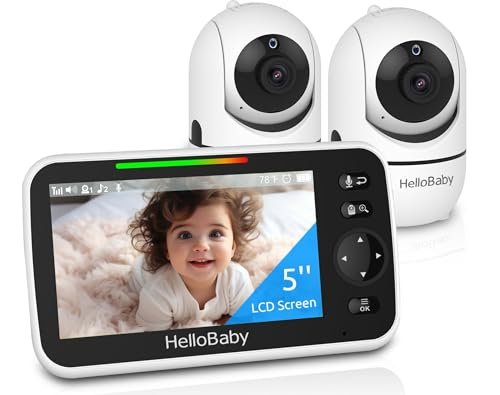
The HelloBaby HB6550 is a useful fit for families who need to watch two spaces. It includes two cameras and a 5-inch video screen, so parents can monitor a nursery, playroom, or second child from one parent unit. The no-Wi-Fi design keeps the experience direct and avoids cloud storage. I find this type of setup especially practical for twins, siblings in nearby rooms, or a baby and a caregiver area.
The second camera adds flexibility that a single-camera kit cannot match. You can switch views or keep an eye on more than one room without opening an app. Like the GoodBaby option, this is a traditional monitor rather than a full AI baby camera with cloud-based recognition. That trade-off is worth considering if your top goals are local viewing, ease of use, and lower privacy exposure.
Pros:
- Two cameras help cover two rooms or sleeping areas
- Included 5-inch screen provides a dedicated viewing station
- No Wi-Fi or internet account is required
- Useful for twins, siblings, or a nursery and playroom
- Local video reduces reliance on cloud services
- Simple controls are friendly for extended family caregivers
Cons:
- It lacks advanced AI recognition and smart phone alerts
- Two-camera kits may need careful placement to avoid blind spots
- The parent unit adds another device that needs regular charging
SensForge 2.5K Pan-Tilt AI Camera

The SensForge indoor camera is the most directly aligned with the smart-camera side of this guide. It offers 2.5K video, pan-and-tilt coverage, dual-band Wi-Fi, and free AI human and pet detection according to its product listing. Those alerts can help separate a person entering the room from a small pet moving near the camera. The 360-degree movement is also helpful when a child changes position or when you want to check a wider room.
A 64GB SD card is included, which gives parents a local recording option without forcing a monthly plan. I appreciate that balance because video storage can become an overlooked cost after the first few months. The camera also includes two-way talk, so you can speak softly before walking into the room. Detection is not perfect, and parents should treat every alert as a prompt to check rather than a guarantee that the camera understood the scene.
Pros:
- AI human and pet detection can reduce irrelevant alerts
- 2.5K resolution offers more detail than basic 1080p video
- Pan-and-tilt movement helps scan a broad indoor area
- Dual-band Wi-Fi may improve connection flexibility
- Included 64GB SD card supports local recording
- No subscription is required for the listed core storage setup
- Two-way audio supports quick reassurance from another room
Cons:
- It requires Wi-Fi and a compatible app for smart features
- AI alerts can miss events or create false alerts
- Pan-and-tilt movement may not cover a blocked corner
TP-Link Tapo C100 Indoor Baby Camera

The TP-Link Tapo C100 is a compact 1080p indoor camera that can serve as a baby monitor, dog camera, or general room camera. It includes motion detection, night vision, two-way audio, and a siren. The lower resolution is not as detailed as 2.5K or 4K, but 1080p remains practical for checking whether a baby is awake or moving. Its small size can make placement easier on a shelf or secure mount.
This camera supports cloud and microSD storage options, plus Alexa and Google Home compatibility as listed by the manufacturer. Those features suit parents who already use a smart home system. However, it is a Wi-Fi camera, so performance depends on router strength and app access. The motion feature is useful, but the listing does not make it the same as a camera with advanced AI human recognition, so I would choose it for value and basic smart monitoring rather than highly refined alerts.
Pros:
- 1080p video is clear enough for routine room checks
- Night vision supports monitoring in a dark nursery
- Motion detection can send useful activity alerts
- Two-way audio allows quick communication
- Cloud and microSD storage offer recording choices
- Works with Alexa and Google Home ecosystems
- Compact design fits many shelves and small rooms
Cons:
- It needs Wi-Fi and app access for remote viewing
- Basic motion detection may not understand every type of movement
- 1080p video shows less detail than 2.5K and 4K models
How I Compare the Best AI Baby Monitoring Cameras
When I compare the best AI baby monitoring cameras, I start with the needs that matter at 2 a.m. Video quality is important, but a sharp picture does not help if the connection drops. I look at how the monitor sends alerts, where video is stored, and whether the parent can check the child quickly. I also consider how much work the system creates for a tired caregiver.
AI features can be useful, but the term “AI” covers many different tools. Human detection may reduce alerts caused by a pet or a changing shadow. Cry detection may listen for a sound pattern, while smart tracking may follow movement across the room. These tools can assist a parent, but they cannot replace direct supervision, safe sleep habits, or a physical check when something seems wrong.
Video Quality and Night Vision
Resolution tells only part of the story. A 4K camera can show more detail in good light, yet a well-placed 1080p camera may still provide a clear view of a crib. Night vision matters more during sleep hours. Infrared images should show the baby’s face and body without bright glare, while the camera should sit at a safe distance from the crib and its cords.
For most nurseries, 1080p is enough for basic checks. A 2.5K or 4K model makes more sense when the camera sits farther away, covers a large room, or doubles as a home camera. Higher resolution can also require more storage and bandwidth. I would not pay for extra pixels if the home network is weak or the camera placement creates a poor angle.
AI Alerts and Motion Detection
Smart alerts can cut down on needless phone checks. Human detection may tell a parent that an adult entered the room, while pet detection can ignore a cat walking past the lens. Motion detection is simpler. It may trigger when a curtain moves, sunlight changes, or a toy swings. That does not make basic motion detection bad, but it can produce more alerts.
I suggest setting alert zones and sensitivity after the first few days. Start with a low number of alerts, then adjust based on real use. Place the camera so it sees the crib or sleep area, not a busy doorway or window. The SensForge model offers a more advanced detection package than the no-Wi-Fi models and the basic Tapo C100, but every AI system still needs a human check.
Wi-Fi Versus No-Wi-Fi Monitoring
A no-Wi-Fi baby monitor creates a direct link between the camera and its parent unit. It usually starts faster and keeps video away from cloud accounts. It also works when the internet is down. The trade-off is limited remote viewing, fewer smart alerts, and a range that depends on the home’s walls and layout.
A Wi-Fi camera can send video to a phone from nearly anywhere with internet access. It may offer smart detection, shared access, recording, and smart home support. Yet it needs a good router, secure account settings, and regular software updates. I consider no-Wi-Fi models best for simple local viewing, while connected cameras suit parents who want remote access and alert tools.
Storage and Subscription Costs
Storage affects the real price of a camera. Some models rely on a paid cloud plan for longer clips or advanced detection. Others accept a microSD card and let the user keep recordings locally. A subscription may be worth it for a family that wants cloud backup, but it can become expensive over several years.
The SensForge camera includes a 64GB SD card in its listed package, which gives it a useful advantage for local recording. The Tapo C100 offers cloud and SD card choices. The no-Wi-Fi GoodBaby and HelloBaby monitors focus on live viewing instead of the broader recording system found in connected cameras. Always check current storage terms before purchase because app features and plan details can change.
Privacy and Safe Placement
Baby cameras sit in one of the most private rooms in a home. I recommend using a unique password, turning on two-factor authentication when available, and keeping the app and camera firmware current. Choose a brand that explains how it handles video. Local storage can reduce cloud exposure, but an internet-connected camera still needs careful account protection.
Placement matters just as much as privacy. Keep the camera and power cord far from the crib, bassinet, and changing area. Do not place a loose camera on a surface where it could fall into the sleep space. Follow the manufacturer’s mounting directions and check the view from the baby’s level. A wide picture is useful, but safety always comes before a perfect angle.
Audio, Two-Way Talk, and Room Sound
Clear audio often matters more than parents expect. A good microphone can help you hear a cough, cry, or restless movement before the video shows much change. Two-way talk lets you answer with a calm voice, though I would not use it as a substitute for entering the room when the baby needs care.
Keep speaker volume low enough to avoid startling the child. Test the talk feature from several rooms because walls can affect sound. The GoodBaby and HelloBaby units focus on direct audio through their parent screens. The eufy, SensForge, and Tapo options use connected apps and may suit parents who want to talk through a phone.
Battery Life and Daily Use
A monitor is only helpful when it is ready to work. Charge a portable parent unit before naps and overnight use. Keep the camera’s power adapter secure and inspect cords from time to time. A phone-based system adds another concern because alerts may be muted, blocked by focus mode, or lost when the battery is low.
Dedicated screens have a clear benefit: they remain separate from calls, texts, and other phone tasks. Wi-Fi systems offer greater range because the phone can be anywhere with internet access. I prefer a dedicated monitor for parents who want a simple nightly routine and an app camera for parents who travel or share access with trusted caregivers.
My Recommendation
For parents who want the strongest mix of smart detection, local storage, and room coverage, I would start with the SensForge 2.5K camera. Its listed AI human and pet detection can make alerts more useful, and the included 64GB card helps control ongoing costs. The eufy E30 is a strong alternative for buyers who place high value on 4K detail, pan-and-tilt movement, and a subscription-free connected camera.
The GoodBaby and HelloBaby monitors are better choices when privacy, simple setup, and no Wi-Fi matter most. I would choose HelloBaby for two rooms or two children, and GoodBaby for a straightforward single-camera setup. The Tapo C100 is a practical budget option for parents who want basic smart access, night vision, storage choices, and smart home support without moving to a higher-priced camera.
| Best for | Why |
|---|---|
| Best smart alerts | SensForge adds listed AI human and pet detection, 2.5K video, and local SD storage. |
| Best no-Wi-Fi setup | GoodBaby offers a direct camera-to-screen connection for simple local monitoring. |
| Best for two rooms | HelloBaby includes two cameras and a 5-inch parent screen without home Wi-Fi. |
FAQs Of Best AI Baby Monitoring Cameras
What makes a baby camera an AI baby monitor?
An AI baby monitor uses software to identify patterns or objects, such as a person, pet, movement, or possible cry. The exact features vary by model. Some cameras use basic motion alerts rather than advanced AI recognition.
Are no-Wi-Fi baby monitors safer than Wi-Fi cameras?
No-Wi-Fi monitors reduce internet and cloud exposure because they use a local connection. Wi-Fi cameras can still be secure when you use strong passwords, updates, and account protection. Safety depends on both the technology and how you set it up.
Do I need 4K video for a nursery?
Most parents can monitor a nursery well with 1080p video. Higher resolution helps when the camera sits far away or covers a large room. It may also use more storage and network bandwidth.
Can AI alerts replace checking on my baby?
No. AI alerts can help you notice activity, but they can miss events or create false alerts. Use them as an extra tool, not as a replacement for safe sleep practices and direct care.
Should I choose local SD storage or cloud storage?
Local SD storage can reduce monthly costs and keep recordings in your home. Cloud storage may make remote access and backup easier. Review privacy terms, fees, and recording limits before choosing a plan.
Final Verdict: Which Should You Buy?
Among the best AI baby monitoring cameras, I recommend the SensForge for smart alerts, 2.5K video, pan-and-tilt coverage, and included local storage. Choose HelloBaby or GoodBaby if you want no Wi-Fi, while eufy suits buyers who want sharper 4K connected video.
The right baby camera should fit your room, network, budget, and comfort with smart features. Check current Amazon pricing and availability before ordering, then place the camera securely and protect every connected account.

Similar Posts
































