Best AI Speech-to-Text Devices: Top Picks For 2026
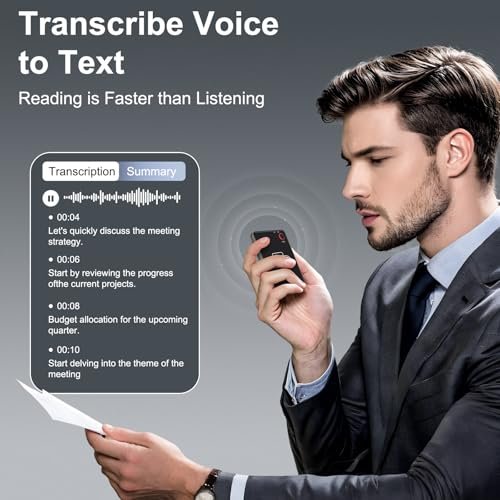
The best AI speech-to-text devices turn spoken words into clear notes, summaries, translations, and searchable records.
Missing key points during a meeting is frustrating. Writing notes while someone talks can also make you miss the next idea. I tested and compared these AI voice tools for meetings, calls, lectures, travel, and daily notes. The best AI Speech-to-Text Devices can act like a quiet second brain. They record sound, convert speech into text, and often create short summaries. Some also translate languages or scan printed words. Still, each device serves a different user, so the right choice depends on storage, app support, language needs, privacy, and how often you record.

Portable AI Voice Recorder, Wireless…
Magnetic & Voice-Activated Hands-Free Design – Your True Pocket Voice Recorder This magnetic voice activated recorder is the ultimate hands-free note taker. The built-in magnetic ring securely attaches to your…

AI Note Taker Device, Smart…
AI Transcription & Smart Summaries : Convert conversations into accurate text and AI-generated summaries in seconds. Perfect for meetings, interviews, lectures, brainstorming sessions, and daily note-taking. Support for 152+ Languages…

AI Language Translator Device, 3-in-1…
[Advanced AI Translation Technology, Support 146 Languages]Supporting 140+ languages, Language Translator Device easily breaks down language barriers. It ensures clear, real-time communication. Perfect for travel, business, and cross-cultural exchanges, Language…
Portable AI Voice Recorder for Smart Notes

This portable AI voice recorder is made for people who want one small tool for recording, transcription, and note help. Its listed features include wireless use, AI transcription, summaries, a built-in ChatGPT function, and support for up to 59 languages. That mix makes it useful for work talks, interviews, phone calls, and quick personal reminders. Instead of holding a phone during a conversation, I can keep a separate recorder close by and stay focused.
The main appeal is its broad feature set. A meeting recording can become searchable text, while an AI summary can help reduce a long discussion to key points. The translation feature may also help travelers and multilingual users, though results can change with accents, background noise, and internet access. I recommend checking the current app terms, supported languages, privacy settings, and subscription details before purchase.
Pros:
- Combines recording, transcription, and summaries in one device
- Supports a wide range of listed translation languages
- Useful for meetings, calls, lectures, and interviews
- Wireless design is easier to carry than a larger recorder
- Built-in AI tools may reduce manual note work
- Can help users stay engaged instead of writing every word
Cons:
- AI features may require an app or active internet connection
- Transcription quality can drop in noisy rooms
- Privacy settings and service terms need careful review
My Recommendation
I recommend this model for busy workers, students, interviewers, and travelers who want several smart tools in one compact recorder. It is a strong fit when summaries and translation matter as much as basic speech-to-text. It may not be the best pick for someone who wants a simple offline recorder with no app. Among the Best AI Speech-to-Text Devices, this one offers strong everyday flexibility, subject to the seller’s current software and service support.
AI Note Taker with 64GB Storage

This AI note taker focuses on recording long talks and turning them into useful text. It is listed with 64GB of storage, which gives users more room for meetings, classes, interviews, and phone calls. The app-controlled design can make it easier to start recordings, manage files, and review transcripts from a phone. For anyone who dislikes juggling a voice recorder and a note app, this design feels more direct.
Storage is one of its clearest strengths. A student can save lectures, while a professional can keep several project discussions in one place before sorting them later. The device still needs good microphone placement for the best results, and a transcript should be checked before it becomes an official record. Names, numbers, technical words, and fast speech can confuse almost any automatic transcription system.
Pros:
- Large 64GB storage capacity for many audio files
- Designed for meetings, lectures, and phone calls
- AI transcription can save time after long recordings
- App control helps with file management and playback
- Useful for students who need to revisit spoken lessons
- Separate device keeps a phone free for other tasks
Cons:
- App setup may take time for first-time users
- Automatic transcripts still need proofreading
- Long recordings can use battery faster than short notes
My Recommendation
This is one of the Best AI Speech-to-Text Devices for students, researchers, office workers, and anyone who records often. I would choose it when storage matters and when I want to keep many audio files without clearing the device every day. It is less appealing for a casual user who only records short reminders. Its value comes from combining generous storage with app-based transcription and simple file access.
AI Translator and Speech Recorder

This pocket translator takes a different path from a standard transcription recorder. It is marketed as a 3-in-1 device with real-time translation, recording, and photo translation. The listed language support reaches up to 146 languages, which gives travelers and multilingual users a broad range of options. It can also help during meetings, lectures, and simple conversations where language creates a barrier.
The photo translation function is useful for signs, menus, labels, and printed pages. Real-time translation can make travel less stressful, but users should remember that machine translation is not perfect. Short, clear phrases usually work better than slang, jokes, or complex legal terms. I also suggest confirming whether the selected language packs work offline or require a data connection before relying on the device abroad.
Pros:
- Supports a large listed range of translation languages
- Combines voice translation, recording, and photo translation
- Compact format suits travel and daily carry
- Helpful for multilingual meetings and classroom use
- Can translate printed signs, menus, and labels
- May reduce the need to switch between several phone apps
Cons:
- Real-time features may depend on internet access
- Translation accuracy varies by language and speech style
- It is less focused on detailed long-form transcription than a note taker
My Recommendation
I recommend this device for travelers, international students, hospitality workers, and families who often communicate across languages. It is among the Best AI Speech-to-Text Devices for users who place translation above advanced meeting notes. It is not my first choice for a journalist who needs highly detailed, searchable transcripts. For travel, though, its small size and mix of voice and camera tools can offer excellent convenience.
AI Voice Recorder with ChatGPT-4o Tools

This wireless AI voice recorder is aimed at people who want more than a plain audio file. Its listed features include ChatGPT-4o access, transcription, summaries, translation, and support for up to 59 languages. It can record lectures, meetings, calls, and everyday ideas, then help turn those recordings into shorter notes. That workflow may be useful when a full hour of audio feels like a heavy load to review.
The AI assistant is the feature that sets this model apart. A transcript can provide the raw material, while a summary may highlight tasks, decisions, and main themes. I would still review important facts before sharing the result, especially in health, legal, school, or business settings. AI can save time, but it should support human judgment rather than replace it.
Pros:
- Includes listed access to ChatGPT-4o AI functions
- Can transcribe and summarize spoken content
- Supports translation for multilingual conversations
- Wireless design is convenient for mobile recording
- Useful for lectures, meetings, calls, and personal notes
- May turn long recordings into quicker action lists
Cons:
- AI access may depend on account, app, or service terms
- Summaries can leave out details or misunderstand context
- Users should confirm how recordings and transcripts are stored
My Recommendation
This is a good option for managers, creators, students, and professionals who want AI help after recording. I see it as one of the Best AI Speech-to-Text Devices for turning spoken ideas into summaries and task lists. It is best for users who accept a connected app workflow and who will proofread important output. If you want the most helpful AI layer rather than the largest storage space, this model deserves attention.
NEWYES AI Reading Pen and Text Scanner

The NEWYES AI Pen is different from the voice recorders in this guide. It is a reading pen that scans printed text, uses optical character recognition, and reads words aloud through text-to-speech features. The listed design also includes translation, Bluetooth, and 16GB storage. For a student or adult who works with books and paper documents, it can make printed information easier to access.
This pen may be especially helpful for dyslexia support, language learning, reading practice, and quick word checks. It does not replace a full meeting recorder because its main job is scanning text rather than capturing every spoken sentence. Scan speed and accuracy can depend on print quality, page layout, lighting, and how steadily the pen moves. I would treat it as a helpful reading companion, not as the main choice for long speech transcripts.
Pros:
- Reads scanned printed words aloud
- Useful for reading support and language learning
- Can translate selected text from printed materials
- 16GB storage provides room for saved content
- Bluetooth adds flexibility with compatible devices
- Compact pen shape is easy to carry in a school bag
Cons:
- Not designed as a full meeting or lecture recorder
- Scanning may be difficult on curved, small, or poor-quality text
- Users may need practice to move the pen at the right speed
My Recommendation
I recommend the NEWYES AI Pen for students, readers with dyslexia, language learners, and adults who need quick help with printed text. It belongs in a wider Best AI Speech-to-Text Devices guide because text-to-speech and OCR solve a related access problem, even though it is not a standard speech recorder. Choose it for reading support, not for meeting minutes. Its value is highest when paper remains part of your daily work.
How I Compare the Best AI Speech-to-Text Devices
I look at more than a long feature list when comparing AI recording tools. A device must be easy to carry, simple to start, and useful after the recording ends. A perfect transcript is not helpful if the file is hard to find or the app feels confusing. I also consider microphone use, storage, battery habits, language tools, and the level of human checking that the device requires.
Speech recognition works best when the speaker is clear and the microphone is near the sound source. A quiet office may produce a cleaner transcript than a busy café, even with the same device. Several people speaking at once can also reduce accuracy. Before buying, I suggest checking whether the device supports speaker labels, punctuation, export formats, and searchable text.
Privacy deserves equal attention. Audio recordings may contain names, private plans, customer data, or health details. Users should ask where files go, whether cloud processing is used, how long data is kept, and whether recordings can be deleted. In a workplace, always follow company policy and get permission before recording people. A small recorder should never become an excuse to ignore consent.
Key Features to Check Before Buying
Transcription accuracy
Accuracy is the heart of any speech-to-text device. Look for clear microphone placement and a system that handles punctuation well. If you work with names, product terms, or medical words, test those terms before trusting the device. Even the Best AI Speech-to-Text Devices need a final review when the transcript affects grades, contracts, or business decisions.
Microphone performance
A good microphone helps more than a flashy AI label. Think about where you will record. A desk meeting, classroom, car call, and outdoor interview all create different sound problems. A recorder placed in the center of a table may capture a group better than one hidden in a pocket.
Storage and file access
Storage matters if you record every day. A device with more memory can hold more audio before you need to transfer files. App access also matters because a large file is less useful when moving it to a computer is difficult. Check whether the product exports common formats and whether the app works with your phone.
Battery life and charging
AI processing can use more power than simple recording. A device may last through short notes but need charging before a full day of lectures. I prefer a clear battery indicator and a charging method that fits my routine. A backup power bank can help during travel, but it adds another item to carry.
Language and translation support
Language claims need careful reading. “Supports” may mean transcription, translation, text scanning, or only a limited feature. Some languages may work online but not offline. If you need Spanish, Mandarin, French, Arabic, or another language for work, confirm the exact mode before purchase.
AI summaries and smart actions
Summaries can save time after long talks. They may find themes, tasks, dates, or questions in a transcript. However, a summary is an interpretation, not a legal record. I use it as a first draft, then compare it with the original audio when details matter.
Privacy and consent
Recording laws vary by state and situation. Some places require all people in a conversation to agree before recording. Ask for consent when needed, and avoid recording sensitive discussions without clear permission. Also review the company’s data policy before uploading private audio to an online AI service.
Which Device Fits Your Daily Routine?
For general meeting notes, the first portable AI recorder offers a balanced feature set. It combines transcription, summaries, and translation without focusing on only one task. For heavy recording, the 64GB AI note taker makes more sense. More storage can reduce the stress of deleting files before you have reviewed them.
For international travel, the dedicated translator is the natural choice. Its camera feature gives it an edge when you need to understand a sign or menu. The ChatGPT-enabled recorder suits users who want help turning raw speech into tasks and summaries. It is a better fit for people who enjoy an AI-assisted workflow.
The NEWYES pen serves a separate group. It helps readers work with printed words, so it can support study and access needs. It should not be compared with a meeting recorder on equal terms. Instead, think of it as a pocket reading assistant that complements the other devices.
| Best for | Why |
|---|---|
| Meetings and daily notes | The portable AI voice recorder combines speech-to-text, summaries, and translation. |
| Long lectures and frequent recording | The 64GB AI note taker offers more room for saved audio and app-based review. |
| Travel and reading support | The translator handles language tasks, while the AI pen scans and reads printed text. |
Practical Tips for Better AI Transcripts
Start by placing the device near the main speaker. Do not cover the microphone with clothing, a hand, or a thick case. Ask people to speak one at a time when possible. These simple steps often help more than changing an advanced setting.
Record a short test before an important event. Say a few names, numbers, and terms that you expect to hear. Then check the transcript and learn how the device handles your voice and room. A two-minute test can prevent a long and painful surprise later.
Use short labels for your files. Include the date, topic, and speaker or class name. This habit makes a growing audio library easier to search. If the app offers folders, use them from the start rather than waiting until hundreds of files pile up.
Review important transcripts while the discussion remains fresh. Correct names, dates, prices, and action items first. Then listen to unclear sections at a slower speed if the app allows it. AI should act like a fast assistant, not an unquestioned witness.
Keep sensitive files secure. Use a phone lock, a strong account password, and updated software. Delete recordings when you no longer need them. If you share a transcript, remove private details that the reader does not need.
Who Should Buy an AI Speech-to-Text Device?
Students can use these devices to revisit lectures and create study notes. Reporters and interviewers can save time during the first draft of an article. Office workers can capture ideas without stopping a meeting to type. People with limited hand movement may also find voice recording easier than constant handwriting.
Travelers can benefit from translation tools, especially when a device also reads printed signs. Families who speak more than one language may use a translator during trips or daily tasks. Readers with dyslexia may prefer a scanning pen that speaks printed words aloud. The right product depends on the problem, not just the number of AI features on the box.
These devices are less useful for people who rarely record audio. If you only need an occasional voice memo, a phone may already meet your needs. A dedicated tool becomes more valuable when you record often, need hands-free use, or want transcripts and summaries without extra manual work.
Common Mistakes to Avoid
Do not assume every language claim means full offline speech transcription. Read the feature details for the exact function you need. Translation, transcription, and text scanning are not the same thing. A device may support a language for one task but not another.
Do not judge accuracy from a quiet product demo alone. Real life includes fans, traffic, side talk, echo, and soft voices. If possible, test the device in the place where you expect to use it. This gives a more honest idea of its value.
Do not ignore ongoing costs. Some AI tools may include limited free use and charge for more transcription or advanced summaries. Check the current plan, renewal terms, and account rules before committing. A low purchase price can feel less attractive when monthly fees grow.
Do not record people without considering consent. Rules differ by location, and workplace policies may be stricter than local law. Tell participants when a recording starts if the situation calls for it. Good technology use begins with respect.
FAQs Of Best AI Speech-to-Text Devices
What is an AI speech-to-text device?
It is a recorder or smart tool that captures spoken audio and converts it into written text. Many models also offer summaries, translation, search, or task lists. The exact features depend on the device and its companion app.
Are AI transcripts always accurate?
No. Accuracy can change with noise, accents, distance, poor microphones, fast speech, and several people talking at once. Always check important names, numbers, dates, and decisions.
Do these devices need Wi-Fi?
Many AI features use a phone app or cloud service, so Wi-Fi or mobile data may be needed. Some products offer limited offline functions. Confirm the current offline support before using one during travel.
Can I use an AI recorder for phone calls?
Some listed devices are designed to record calls, but the method may vary by phone and connection type. Check compatibility before buying. Also follow all local recording and consent rules.
Are AI voice recordings private?
Privacy depends on the device, app, account, and cloud service. Review data storage and deletion controls before recording sensitive information. Use consent and workplace policies as your guide.
Final Verdict: Which Should You Buy?
The portable AI voice recorder is the best all-round pick for most users. It blends transcription, summaries, wireless use, and translation in one compact tool. For heavy storage, choose the 64GB model; for travel, choose the translator.
The Best AI Speech-to-Text Devices can make meetings, classes, calls, and travel easier. Choose by your real routine, then verify app costs, privacy rules, and language support before ordering.

Similar Posts
































