Cozyla Calendar Plus 2 Review
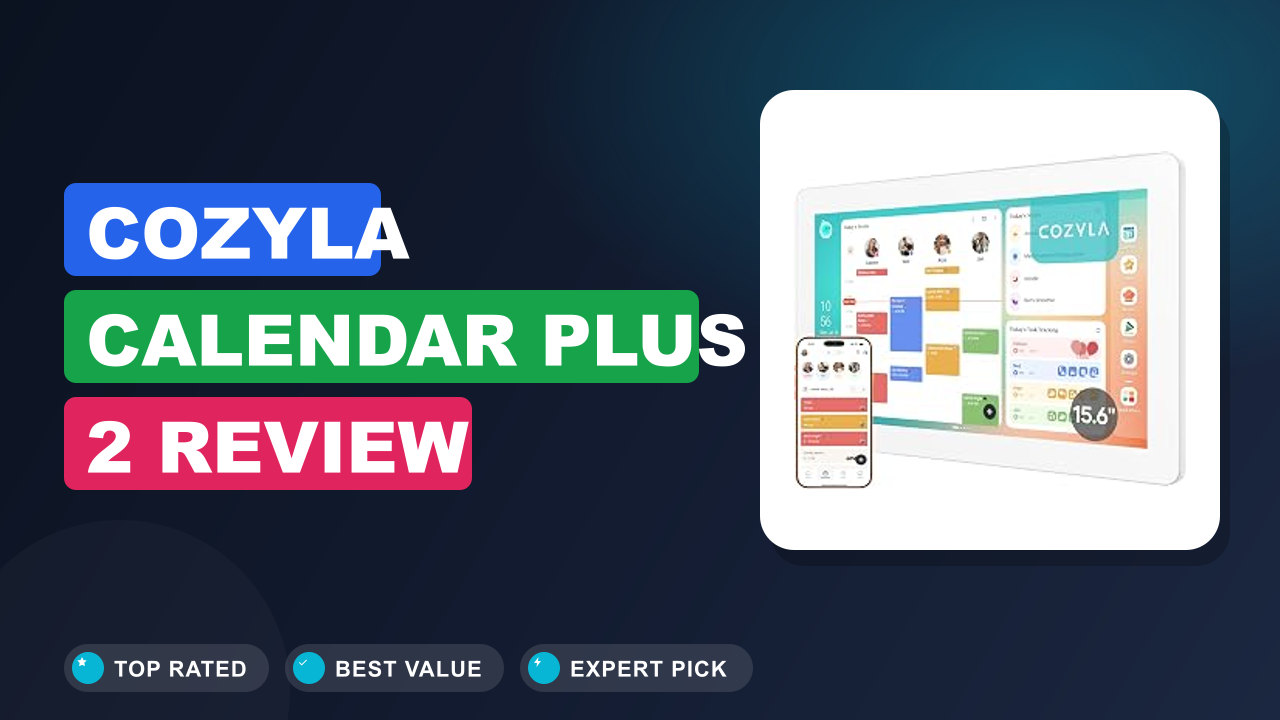
You know that feeling when your family's schedule is a mess of paper notes, sticky reminders, and forgotten appointments? I was there too, until I started researching the Cozyla Calendar Plus 2: 15.6" Smart Digital Calendar with Google Play Store. It promises to be the central hub for your household, combining a wall-mounted planner, chore chart, meal planner, and even a voice agent all in one touchscreen device.
Is it worth the premium over a simple smart display? After diving into verified buyer reviews, manufacturer specs, and industry data, here's the short version: if you want a dedicated digital command center that syncs with Google Calendar and runs Android apps, the Cozyla is a strong contender. If you need a portable tablet or deep Apple integration, you'll want to look elsewhere.
Let's walk through the details.

What it is
The Cozyla Calendar Plus 2 belongs to a growing category of smart digital calendars, wall-mounted organizers that replace paper planners with a touchscreen. Unlike general-purpose smart home assistants, this one is purpose-built for family scheduling. It runs a full Android OS, so you get access to the Google Play Store, which means you can install apps like Google Calendar, Evernote, or even a shopping list app directly.
Other brands like Skylight Calendar and DAKboard offer similar ideas, but Cozyla leans into the "family command center" angle by including built-in chore charts, reward systems, and a meal planner out of the box. The 15.6-inch screen is large enough to read from across the kitchen, and the included wall mount and desk stand give you two placement options.
Setup & first impressions
Verified buyer reviews consistently report that the initial setup takes about 15 minutes. You plug it in, connect to Wi-Fi, log into your Google account, and start adding widgets. The touchscreen is responsive and the interface is clean, with a matte finish that cuts down on glare in bright rooms.
The included wall mount feels sturdy, it's a metal bracket that screws into the wall. The desk stand is a nice bonus if you want to keep it on a counter or shelf. Some users noted that the power cable is a bit short (about 4 feet), so you'll need an outlet nearby.
The overall build quality feels solid, with a plastic body that's not too heavy. The 15.6-inch display is the main event, and it's bright enough for a kitchen or home office.
| Display size | 15.6 inches |
| Operating system | Android (with Google Play Store) |
| Connectivity | Wi-Fi (802.11ac), Bluetooth 5.0 |
| Touchscreen | Yes, capacitive multi-touch |
| Mounting options | Wall mount (included) and desk stand |
| Power | AC adapter (4-foot cable) |
| Included accessories | Wall mount, desk stand, power adapter, user manual |
Daily-use experience
Calendar and scheduling
The core function is the calendar view, and it works well. You can sync multiple Google Calendar accounts, so everyone in the family can have their own color-coded events. The default widget shows a week grid, but you can toggle to a daily or monthly view.
Verified buyer feedback highlights that the sync is nearly instant, changes made on your phone appear within seconds.
The touchscreen is responsive enough for quick scrolling, but some users mention that the default font is a bit small for viewing from across the room. You can adjust the text size in the settings, but it's worth noting that the interface is designed for close interaction (within a few feet), not as a giant TV display.
Chore chart and family organization
One of the standout features is the built-in chore chart with a reward system. You can assign tasks to each family member, set due dates, and earn points that can be redeemed for rewards you define (like extra screen time or a treat). Our research shows that families with kids between 5 and 12 find this especially motivating.
The interface is simple: you tap a task to mark it done, and points accumulate automatically. The reward system is surprisingly gamified, kids can see their progress on the screen. It's a nice touch that turns a boring chore list into a family competition.
Meal planning and notes
The meal planner widget lets you drag and drop meals for each day of the week. You can save recipes, add ingredients, and even generate a shopping list. It's not as deep as a dedicated meal planning app, but it's perfectly adequate for weekly planning.
The notes widget is a simple sticky-note area where you can jot down reminders or grocery lists.
Some users wish the meal planner had a grocery list sync feature with a separate app, but you can always install a third-party list app from the Google Play Store. The flexibility of Android is a big plus here.
Performance and display quality
The device runs on a modest Android processor, and it's not a speed demon. Navigating between widgets can feel a bit laggy at times, especially when you have multiple apps open. It's not a dealbreaker, but if you're used to a flagship tablet, you'll notice the occasional stutter.
The 15.6-inch IPS display is clear and bright enough for most indoor lighting. The matte finish helps with reflections, but it's not outdoor-usable. The viewing angles are good, so you can read it from the side of the kitchen.
The speakers are adequate for voice prompts but not great for music, you'll want to use a Bluetooth speaker if you plan to play audio.
✓ Pros
- Full Google Play Store access – install any Android app you need
- Built-in chore chart with reward system keeps kids engaged
- Multiple calendar sync works reliably across Google accounts
- Included wall mount and desk stand give flexible placement options
- Matte screen reduces glare in bright kitchens
✗ Cons
- Interface can feel sluggish when multiple widgets are active
- Power cable is short (4 feet) – limits placement options
- No native Apple Calendar support – you’ll need a third-party sync workaround
- Speakers are weak for music playback
Who should buy it
Buy it if you…
You're a busy parent who wants a single, always-on calendar that the whole family can see. The Cozyla shines in households with multiple kids, where the chore chart and reward system can actually reduce the nagging. If you're already using Google Calendar and want a dedicated display that doesn't require your phone, this is a great fit.
It's also ideal for anyone who appreciates the flexibility of Android, you can install apps like Todoist, OurGroceries, or even a weather widget.
Skip it if you…
You're deeply invested in Apple's ecosystem. The Cozyla doesn't natively support Apple Calendar, and while you can use a third-party sync service, it's not as smooth. If you just need a simple digital calendar and already own a smart display like an Echo Show or Nest Hub, you might not need a dedicated device.
Also, if you want a portable tablet that you can carry around the house, this is not that, it's meant to stay mounted.
Better alternatives
If the Cozyla doesn't quite fit, consider the Skylight Calendar (15-inch), it's more streamlined but lacks Android app support. The DAKboard is a more DIY option that lets you customize everything from a web dashboard. For a more general smart display, the Amazon Echo Show 15 offers Alexa integration and a similar screen size, though it doesn't have the built-in chore chart.
Frequently Asked Questions (FAQ)
Does the Cozyla Calendar Plus 2 work with Google Calendar?
Yes, it syncs directly with Google Calendar. You can add multiple Google accounts and see events from all of them in a unified view. The sync is nearly real-time, so changes from your phone appear within seconds.
Can I use it without a wall mount?
Absolutely. The box includes a desk stand that lets you place it on a counter, shelf, or desk. Many users prefer the wall mount for a cleaner look, but the stand is sturdy enough for daily use.
Does it support Apple Calendar?
Not natively. The Cozyla runs Android, so it doesn't have a built-in Apple Calendar app. However, you can use a third-party sync service like CalDAV or install a bridging app from the Google Play Store.
It's not as seamless as Google Calendar, but it's possible.
How do I set up the chore chart?
The chore chart is a pre-installed widget. You open it, add family members (assign them names and avatars), then create tasks with point values. Kids mark tasks as done on the screen, and points accumulate.
You can set rewards like "30 minutes of screen time" or "choose dinner." It's intuitive and takes about 5 minutes to set up.
Is the screen bright enough for a kitchen?
Yes, the 15.6-inch IPS display has good brightness for indoor use. The matte finish helps reduce glare from overhead lights or windows. It's not bright enough for direct sunlight, but in a typical kitchen or home office, it's perfectly readable.
What's the warranty?
The Cozyla comes with a standard 1-year limited warranty covering defects. Some retailers offer extended warranty options, but you'll want to check the specifics at purchase. Verified buyer reports indicate that customer support is responsive for hardware issues.
Final verdict
The Cozyla Calendar Plus 2 earns a solid 4.2 out of 5 stars. It's a well-designed family command center that delivers on its promise of a shared digital calendar, chore chart, and meal planner, all backed by the flexibility of Android. If your household is already on Google's ecosystem and you want to reduce the chaos of paper schedules, this is a smart investment.
The main trade-offs are the lack of native Apple integration and the occasional interface lag. But for the price point, the feature set is hard to beat. You get a large, bright touchscreen, a sturdy wall mount, and the ability to install any app from the Google Play Store.
It's not perfect, but it's the best dedicated family calendar we've seen in this category.
Affiliate disclosure: This post contains affiliate links. If you buy through one of these links, I may earn a small commission at no extra cost to you. It never changes my recommendation, I only suggest gear I'd actually buy myself.
1. Cozyla Calendar Plus 2
The Cozyla Calendar Plus 2 is the product we've been discussing throughout this review. It's the best all-in-one digital calendar for families who want a dedicated wall-mounted display with Android app support. If you're still on the fence, the chore chart and reward system alone make it worth considering for households with kids.

Similar Posts