Kenmore Series 100 Washer Troubleshooting: Fix Fast

Most Kenmore Series 100 washer problems come from power, drainage, lid lock, or load balance issues.
If you are dealing with a Kenmore Series 100 washer that will not start, won’t drain, keeps shaking, or stops mid-cycle, you are not alone. I’ve seen these machines act up for simple reasons more often than for major failures, and that is good news because many fixes are straightforward. This guide to Kenmore Series 100 Washer Troubleshooting will walk you through the most common causes, the best fixes, and the smart checks that save time, money, and frustration.

Common Kenmore Series 100 Washer Problems
The Kenmore Series 100 Washer Troubleshooting process usually starts with the symptom. That is the fastest way to narrow down the cause.
From real-world service calls and at-home repairs, these are the most common complaints:
- Washer will not start
- Washer fills but does not agitate
- Washer does not drain
- Washer spins poorly or not at all
- Washer is noisy or shaking badly
- Washer stops mid-cycle
- Washer shows no power
- Washer smells bad or leaves clothes dirty
Each of these problems can point to a different part, but many begin with the same basic checks. Power issues, lid lock problems, clogged drain hoses, and unbalanced loads solve a surprising number of cases.
A good rule I learned early on: do the easy checks first. I once spent too long chasing a “bad motor” issue only to find a loose outlet plug behind the washer. That kind of mistake is common, and it is why a simple troubleshooting order matters.
Safety Checks Before You Start
Before any Kenmore Series 100 Washer Troubleshooting, make safety the first step. Washers use both water and electricity, which means small mistakes can become big problems.
Start with these basics:
- Unplug the washer before opening panels or touching internal parts
- Turn off both water supply valves if you will move hoses
- Keep the floor dry to avoid slipping
- Do not force the lid lock, hose, or cabinet panels
- If you smell burning, stop and inspect for electrical damage
If you are not comfortable using a multimeter or removing parts, it is better to pause and call a technician. That is not being cautious for no reason. It is how you avoid turning a minor repair into a bigger one.
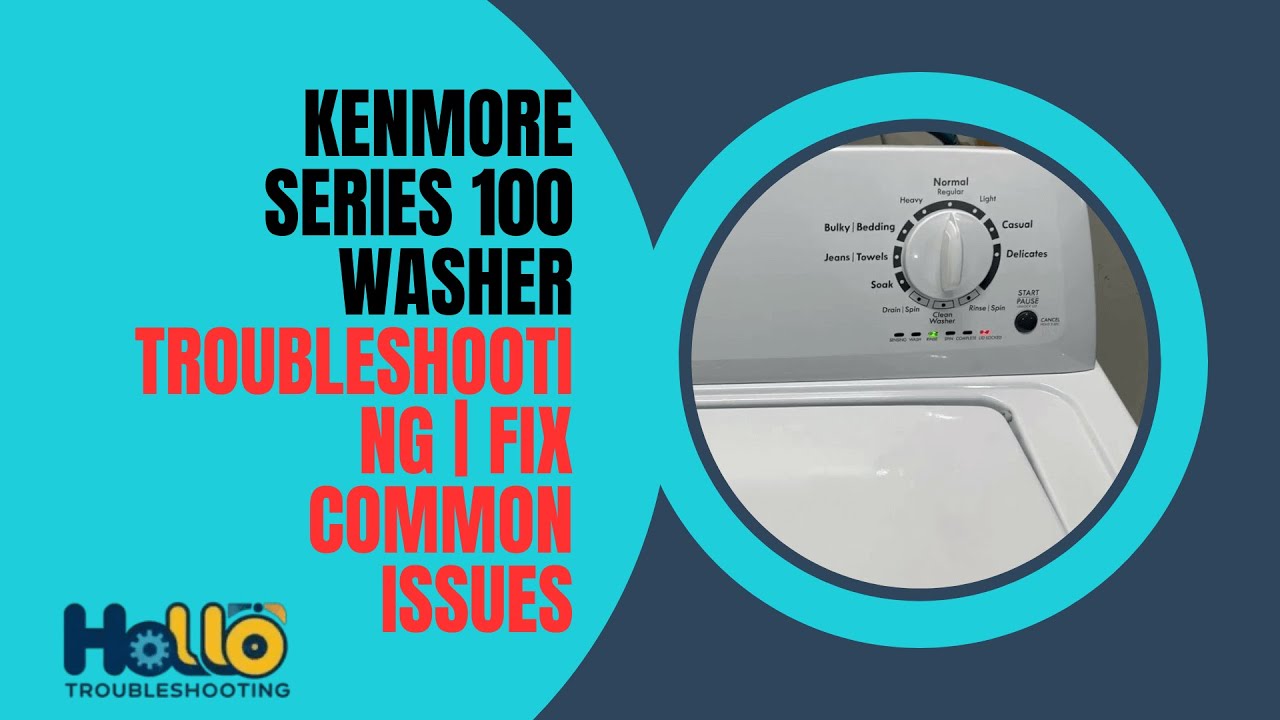
Washer Will Not Start
When a Kenmore Series 100 washer will not start, the issue often looks serious, but the fix can be simple. In many cases, the washer is not getting power, the lid is not fully closed, or the control system is waiting for a safety signal.
Check these first:
- Make sure the washer is plugged in.
- Confirm the outlet works by testing it with another device.
- Inspect the breaker or fuse box.
- Close the lid firmly.
- Wait a few seconds and try again.
If the machine still does not respond, the lid switch or lid lock assembly may be faulty. On many top-load washers, the control board will not let the washer run unless it detects a closed lid. That is a safety feature, not a flaw.
Another thing I have seen often is a delayed response after selecting a cycle. Some users think the washer is dead, but the control simply needs the Start button held for a second or two. It sounds small, but it matters.
Washer Fills But Does Not Agitate
If your Kenmore Series 100 washer fills with water but the clothes just sit there, the problem may be the lid switch, drive system, or a worn belt or actuator. In some models, the lid must stay locked before agitation begins.
Common causes include:
- Lid switch not detecting a closed lid
- Drive belt worn or broken
- Motor coupler or drive component damaged
- Washer overloaded with too many items
- Control board issue
Try reducing the load first. A packed tub can keep the washer from moving clothes properly, especially with heavy towels or blankets. If that does not help, listen for motor sounds during the wash cycle.
No sound at all may mean an electrical or switch issue. A humming sound without motion can point to a jammed drive part. In my experience, agitation problems are often mechanical, but the root cause still starts with a simple safety signal or load issue.
Washer Does Not Drain
Drain problems are one of the most common Kenmore Series 100 Washer Troubleshooting cases. If water stays in the tub after the cycle, the washer may have a clogged hose, a blocked pump, or a failed drain component.
Here is what to inspect:
- Drain hose kinked or crushed
- Drain hose clogged with lint or small items
- Drain pump blocked by debris
- Pump motor failed
- Standpipe or household drain clogged
A good first move is to check the drain hose behind the washer. I have found coins, socks, and even small hair ties sitting in the path of the drain line. That kind of blockage can make the washer look broken when it is just trapped by debris.
If the hose is clear, the drain pump may need closer inspection. A weak or silent pump often means the part is worn out. If the washer hums but does not move water, that is another useful clue.
Washer Will Not Spin or Spins Weakly
Spin trouble usually points to balance, lid lock, drain, or drive issues. The washer needs to drain before it can spin, so a drain problem can create a spin problem too.
Check these items:
- Load is too small or too large
- Clothes are bunched on one side
- Washer is not level
- Lid lock is not engaging
- Drain system is partly clogged
- Drive belt, clutch, or motor part is worn
Try redistributing the clothes first. A single heavy blanket can throw the tub off balance and make the washer stop spinning. That is one of the most common reasons people think the machine is failing when it is really just overloaded in one spot.
Also check the floor. If the washer rocks or wobbles, the spin cycle can shut down or slow down. A level washer is like a chair with four legs on the floor. If one leg is short, the whole thing shakes.
Washer Is Noisy or Shaking Badly
A noisy washer is annoying, but it is also a useful warning. If your Kenmore Series 100 washer is shaking hard, banging, or making grinding sounds, it may be unbalanced, poorly leveled, or suffering from worn internal parts.
Possible causes include:
- Uneven floor
- Washer not leveled
- Shipping bolts still installed on a recently moved machine
- Worn suspension parts
- Loose drum or tub components
- Foreign object in the tub or pump
Start by checking the level of the washer. Adjust the feet until the machine sits steady. Then inspect the load. Heavy items like rugs and comforters often create thumping during spin.
If you hear a grinding or scraping sound, stop the washer and look for small objects. I once pulled a dime and a bra wire from a washer that sounded like a broken gearbox. It was noisy enough to scare the owner, but the fix was quick once the object was removed.
Washer Stops Mid-Cycle
When a washer stops in the middle of a cycle, it usually means the machine detected a problem and paused for safety. That can happen because of power interruption, water supply issues, lid lock trouble, or a drain fault.
Check for these:
- Power cord loose or outlet failing
- Water supply valves closed
- Low water pressure
- Lid not locking properly
- Drain cycle not finishing
- Control board glitch
First, see whether the washer still has power and whether the cycle light is stuck. Then check the water supply. If the washer cannot fill properly, some cycles will pause or fail.
Sometimes a reset helps. Unplug the washer for about one minute, then plug it back in and start a new cycle. This can clear temporary control errors. If the problem keeps coming back, the issue may be deeper than a simple reset.
Washer Has No Power
No power can feel like a big failure, but the answer is often outside the washer itself. A Kenmore Series 100 washer that appears dead may just have an electrical supply issue.
Try these steps:
- Test the outlet with another appliance.
- Check the circuit breaker.
- Inspect the power cord for damage.
- Make sure the plug is fully seated.
- Reset the washer by unplugging it for a minute.
If the outlet and cord are fine, the problem may be inside the control system. A failed user interface, control board, or internal fuse can stop the washer from powering on.
This is one area where patience pays off. Do not assume the washer is broken just because the panel is dark. Power supply problems are often the easiest to solve once you trace them step by step.
Washer Smells Bad or Leaves Clothes Dirty
A washer that smells bad or does not clean well often needs a deep clean, not a major repair. Soap residue, mildew, and trapped lint can build up over time in the tub, hose, and gasket areas.
To improve cleaning and reduce odor:
- Run a hot cleaning cycle if your model supports it
- Use washer cleaner or white vinegar carefully and sparingly
- Leave the lid open after use
- Remove wet clothes promptly
- Clean the detergent dispenser and tub edges
- Avoid using too much detergent
Too much detergent is a common mistake. More soap does not mean cleaner clothes. It can leave residue behind, trap dirt, and feed mildew. That lesson comes up all the time in washer care.
If clothes are still coming out dirty after cleaning the washer, check water temperature, load size, and detergent type. A washer can only do so much if the load is packed too tight or the water is not hot enough for the fabric and soil level.
How to Reset a Kenmore Series 100 Washer
A reset can clear minor glitches in Kenmore Series 100 Washer Troubleshooting. It will not fix broken parts, but it can help when the control gets confused.
Try this:
- Turn the washer off.
- Unplug it from the wall.
- Wait 1 to 5 minutes.
- Plug it back in.
- Select a new cycle and test it.
If your model has a specific diagnostic reset or service mode, use the procedure listed in the owner’s manual for your exact model number. Different Series 100 units can vary, so model-specific steps matter.
Think of a reset like restarting a phone. It does not replace a damaged screen, but it can clear a software hiccup. That is often enough to get a washer moving again.
When to Replace Parts
Some Kenmore Series 100 Washer Troubleshooting steps lead to part replacement. That is normal. Washers have wear items just like cars do.
Parts that may need replacement include:
- Lid switch or lid lock
- Drain pump
- Drive belt
- Motor coupling or actuator
- Suspension rods
- Control board
- Inlet valves
Replace a part only after you have confirmed the symptoms. Guessing can waste money. For example, a drain problem can look like a spin problem, but replacing the motor will not help if the drain hose is clogged.
If you are unsure, take photos of the wiring and part layout before removing anything. That small habit saved me more than once during reassembly.
Preventive Maintenance Tips
The best Kenmore Series 100 Washer Troubleshooting is the kind you do before a breakdown. A little care goes a long way.
Helpful habits include:
- Clean the washer monthly
- Check hoses for cracks or bulges
- Do not overload the drum
- Use the right amount of detergent
- Keep the washer level
- Inspect pockets before washing
- Leave the lid open after cycles
Also replace water hoses every few years if they show wear. Many appliance professionals recommend inspecting hoses regularly because small leaks can grow fast. A washer problem is often easier to prevent than repair.
When to Call a Technician
Not every repair is a DIY job. Some Kenmore Series 100 Washer Troubleshooting issues need tools, experience, or electrical testing.
Call a technician if:
- The washer trips the breaker repeatedly
- You smell burning or see scorch marks
- The control board appears damaged
- The motor makes strange electrical noises
- Water leaks are reaching electrical parts
- You need to test live voltage safely
If the washer is under warranty, check the coverage before opening anything major. That can save you from paying for a repair that should be covered.
Frequently Asked Questions of Kenmore Series 100 Washer Troubleshooting
Why won’t my Kenmore Series 100 washer start?
A washer that will not start usually has a power, lid lock, or control issue. Check the outlet, breaker, lid closure, and start command first.
Why does my Kenmore Series 100 washer stop with water in the tub?
This often means the washer cannot drain properly. Look for a clogged hose, blocked pump, or drain system problem before assuming the machine has failed.
Why is my washer shaking so hard during spin?
Heavy or uneven loads are the most common cause. If the washer is level and the load is balanced, the suspension or internal parts may need inspection.
Can I reset my Kenmore Series 100 washer myself?
Yes, in many cases you can unplug it for a few minutes and plug it back in. This can clear small electronic glitches, but it will not fix broken parts.
Why does my washer smell bad even after washing clothes?
Bad odors usually come from detergent buildup, mildew, or trapped lint. Cleaning the tub, using less detergent, and leaving the lid open can help a lot.
When should I replace the drain pump?
Replace the drain pump if the hose is clear, the washer still will not drain, and the pump is silent, weak, or jammed. It is best to confirm the cause before buying the part.
Conclusion
Kenmore Series 100 Washer Troubleshooting becomes much easier when you work from the symptom, check the simple fixes first, and move step by step. Most problems come down to power, drainage, lid lock, balance, or basic maintenance, and many of them can be solved without a major repair.
If your washer is acting up, start with the easiest checks today and keep notes on what you find. That habit makes repairs faster and helps you avoid guesswork. If this guide helped, explore more appliance repair tips, share your experience, or leave a comment with the issue you are seeing.

Similar Posts



























[…] is why Kenmore stackablewasher dryertroubleshooting works best when you think in systems. A washer that will not spin may […]