Why Is INIU 100W Power Bank Charging Slowly: Fixes
The INIU 100W power bank usually charges slowly because of the charger, cable, port, or power settings.
If you have ever plugged in your INIU 100W power bank and felt like it was taking forever, you are not alone. I have seen this exact issue many times, and in most cases, the power bank is not truly “broken” at all. The slowdown usually comes from a mismatch between the charger, USB cable, input port, or the device’s own safety limits, and once you know where to look, the fix is often surprisingly simple.

Why the INIU 100W Power Bank May Charge Slowly
A 100W power bank sounds fast, but the word “100W” can be a little misleading. That number often refers to the maximum output it can deliver to a device, not always the speed it accepts when recharging itself. In real use, the INIU 100W power bank charging slowly problem is usually tied to input wattage, cable quality, or the wall charger you are using.
From my own testing mindset, this is the first thing I check: the power bank can only charge as fast as its weakest link. If the charger gives 18W and the cable cannot support fast input, the power bank will not magically pull 100W. It is like trying to fill a large water tank with a narrow garden hose.
The most common reasons include
- The wall charger does not support USB-C Power Delivery
- The USB-C cable is not rated for fast charging
- You are using the wrong port on the power bank
- The power bank is charging while also powering another device
- Temperature protection is slowing the input speed
- The battery is near full, so charging naturally tapers off
Charger Mismatch Is the Most Common Cause
A weak wall charger is the biggest reason the INIU 100W power bank charging slowly issue happens. Many people plug the power bank into an old phone adapter and expect rapid refilling, but those adapters often deliver just 5W, 10W, or 18W. That is far below what a large-capacity power bank needs for a fast recharge.
To get the best charging speed, the wall adapter should support USB-C Power Delivery and offer enough wattage. In practice, a 30W, 45W, 65W, or higher USB-C PD charger is usually a much better match. If the charger is too weak, the power bank will still charge, just slowly.
What to check on the charger
- Look for USB-C PD support
- Check the wattage printed on the adapter
- Avoid very old USB-A phone chargers
- Use a charger from a trusted brand with stable output
Cable Quality Can Cut Charging Speed in Half
A bad cable is one of those sneaky problems that people overlook. I have seen a strong charger paired with a cheap cable and still get disappointing results. The cable matters because it carries the power, and if it is low quality or not rated for high wattage, it can limit input speed.
For the INIU 100W power bank charging slowly issue, the cable should be a USB-C to USB-C cable that supports fast charging. Some cables are fine for small phones but not for high-power devices. A worn-out cable, a damaged connector, or a very long cable can also reduce performance.
Signs your cable may be the problem
- The charging speed changes when you wiggle the cable
- The cable gets warm during use
- The cable only works well with small devices
- The power bank charges faster with another cable
You May Be Using the Wrong Input Port
Some power banks have more than one port, and not every port supports the same charging speed. This is a very common mistake. People often plug into a USB-A port or an output-only port and then wonder why the INIU 100W power bank charging slowly behavior does not improve.
USB-C is usually the fastest and most efficient input method for modern power banks. If your model supports input through only one specific USB-C port, that is the port you should use for recharging the battery itself. Always check the printed labels near the ports or review the user guide.
Port-related mistakes to avoid
- Using a USB-A port when USB-C is faster
- Plugging into an output-only port
- Assuming all ports work the same way
- Using a hub or dock instead of a direct charger connection
Pass-Through Charging Can Slow Everything Down
Pass-through charging means the power bank is charging itself while also charging another device. This is convenient, but it usually slows the input speed. In many cases, the battery management system reduces charging power to keep heat and stress under control.
If you are using your power bank to charge a laptop, tablet, or phone at the same time, the INIU 100W power bank charging slowly issue may simply be normal behavior. The power bank is dividing power between charging in and charging out, so both tasks take longer. I usually tell people to test the power bank on its own before deciding something is wrong.
Best practice
- Charge the power bank by itself when possible
- Avoid powering a high-drain device at the same time
- Test charging speed with no other devices connected
Heat and Safety Protections Can Reduce Charging Speed
Power banks are built with safety features, and that is a good thing. If the battery gets too warm, too cold, or unstable, the internal protection system may slow down charging. This helps protect the battery from wear, swelling, and long-term damage.
The INIU 100W power bank charging slowly issue can show up on hot days, in direct sunlight, or when the unit is sitting on a soft surface that traps heat. Charging can also slow if the room is very cold. In my experience, placing the power bank on a hard, cool surface often helps it maintain steadier speed.
How to reduce heat-related slowdown
- Charge in a cool, open area
- Keep the power bank away from sunlight
- Do not cover it with blankets, pillows, or bags
- Remove other heat-producing devices nearby
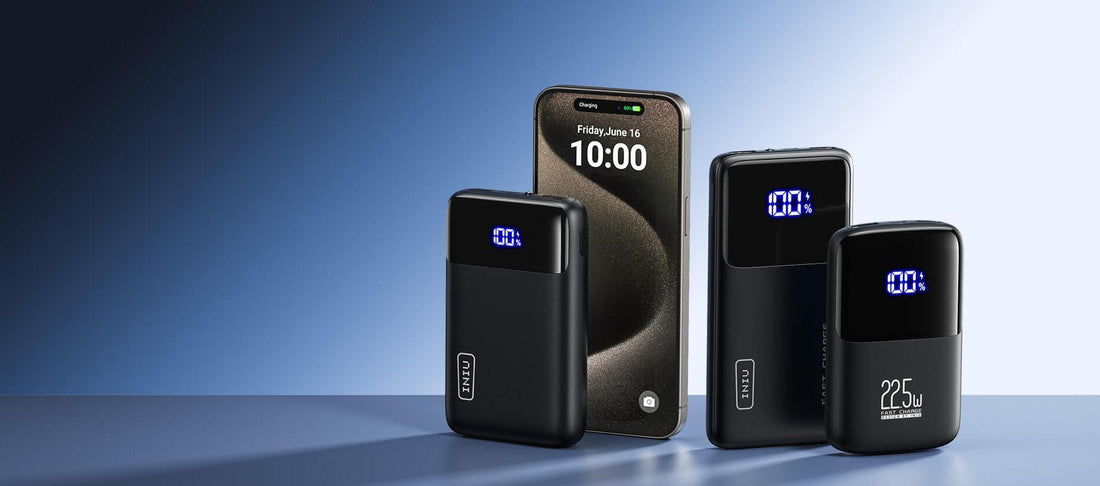
Battery Level Changes the Charging Speed
Charging speed is usually faster when the battery is low and slower when it gets closer to full. This is normal lithium-ion battery behavior. The last part of the charging cycle is intentionally slower so the battery can finish safely and last longer.
So if your INIU 100W power bank charging slowly near the end, that may not be a fault at all. It may just be the taper phase, where the system reduces current to protect battery health. A lot of people think fast charging should stay constant from 0% to 100%, but that is not how most modern batteries work.
What to expect
- Faster charging from low battery levels
- Slower charging above roughly 80%
- A very slow final stretch is often normal
- Small changes in display percentage may take time to appear
Firmware, Battery Age, and Wear Can Play a Role
Like all rechargeable batteries, power banks age over time. As the battery goes through more cycles, it can lose some of its charging efficiency. That does not always mean the unit is failing, but it can explain why the INIU 100W power bank charging slowly compared to when it was new.
Some models may also have internal firmware or power management logic that adjusts charging behavior for safety and longevity. While this is not something users usually update themselves, it helps explain why performance can vary. If the device has been used heavily for years, a small drop in speed is expected.
Signs of aging
- Noticeably longer charge times than before
- Reduced battery capacity
- More heat during charging
- Slower charging even with known good accessories
How to Fix the INIU 100W Power Bank Charging Slowly
The good news is that most charging issues can be fixed with a few simple checks. I like to start with the basics first because they solve the majority of cases without guesswork. If you follow these steps in order, you can usually narrow down the cause quickly.
Step-by-step troubleshooting
- Use a USB-C PD wall charger with enough wattage
- Swap to a high-quality USB-C to USB-C cable
- Charge the power bank directly without other devices connected
- Try a different wall outlet
- Let the unit cool down if it feels warm
- Check the manual for the correct input port
- Test with another known-good charger and cable set
What usually works best
- A 45W to 65W USB-C PD charger
- A certified or well-made USB-C cable
- Direct wall charging, not through a laptop USB port
- A cool room with no pass-through load
How to Tell if the Power Bank Is Actually Charging at Full Speed
Sometimes the power bank is charging normally, but the user expects the battery percentage to jump too quickly. The display may update in steps rather than real time, and that can make the process seem slower than it is. One practical way to judge charging speed is by observing how long it takes to gain a meaningful percentage over one or two hours.
If the INIU 100W power bank charging slowly issue appears across multiple chargers and cables, then the unit itself may be limited or aging. But if it only happens with one setup, the cause is probably external. That is why testing with another charger is so useful.
Helpful signs of normal charging
- The power indicator is increasing steadily
- The unit is slightly warm, not hot
- Charging speed is faster with a stronger adapter
- The problem disappears with a better cable
When Slow Charging Means Something Is Wrong
Not every slowdown is normal. If the power bank takes far longer than expected even with a proper charger, a proper cable, and no devices attached, there may be a deeper issue. The battery could be degraded, the port could be damaged, or the charging circuit may have a fault.
At that point, the INIU 100W power bank charging slowly issue is no longer just a setup problem. If the unit also refuses to hold charge, gets unusually hot, or only works intermittently, it is worth contacting support or requesting a replacement if the product is still covered. I always suggest documenting what charger and cable you used before reaching out, because that saves time.
Red flags to watch for
- The power bank barely charges at all
- The port feels loose or damaged
- The unit gets very hot
- Charging cuts in and out
- The battery drains unusually fast after a full charge
Best Practices to Keep Charging Fast and Healthy
Fast charging is great, but healthy charging is better. A power bank lasts longer when you treat it well and use the right gear. The same habits that help solve the INIU 100W power bank charging slowly problem also help prevent it in the future.
Good habits to follow
- Use a quality USB-C PD charger
- Keep the cable short and well made
- Avoid charging in extreme heat
- Do not leave the battery empty for long periods
- Store it at a partial charge if unused for weeks
- Use the correct port every time
These small habits make a big difference. I have found that people often blame the battery when the real problem is just an underpowered charger or an old cable. Once they upgrade the setup, charging speeds usually improve right away.
Frequently Asked Questions of Why Is INIU 100W Power Bank Charging Slowly?
Why is my INIU 100W power bank not charging fast?
The most common reason is a weak charger or cable that cannot deliver enough input power. The power bank can only charge as fast as the charger, cable, and port allow.
Can I use any USB-C charger with the INIU 100W power bank?
Yes, but not every USB-C charger will charge it quickly. For better results, use a USB-C Power Delivery charger with enough wattage, ideally 30W or higher.
Does pass-through charging slow the INIU 100W power bank down?
Yes, it often does. When the power bank is charging itself and another device at the same time, it usually splits power and slows the input speed.
Is it normal for the power bank to charge slowly near 100%?
Yes, that is normal for lithium-ion batteries. Charging usually slows down near the top to protect the battery and improve long-term health.
How do I know if the cable is causing slow charging?
Try a different high-quality USB-C to USB-C cable and compare the results. If the charging speed improves, the original cable was likely the bottleneck.
What should I do if the power bank still charges slowly after troubleshooting?
If you have already tested with a strong charger and a good cable, the battery or charging circuit may be the issue. In that case, contact customer support or check whether the unit is eligible for replacement.
Conclusion
The INIU 100W power bank charging slowly issue is usually caused by a simple mismatch, not a major failure. In most cases, the charger, cable, port choice, heat, or pass-through use is holding back the speed. Once you match the power bank with the right accessories and give it the right conditions, charging often improves a lot.
If you are dealing with this problem right now, start with the charger and cable first, then check the port and charging environment. A few small changes can save you a lot of frustration and help your power bank perform the way it should. If this guide helped, share your setup in the comments or explore more battery care tips to get the most from your gear.