5 Best AI Wearable Devices: Top Smart Tech Picks
The best AI wearable devices capture ideas, translate speech, and simplify daily tasks without keeping your hands busy.
You may have faced the same small problems I have: a great idea disappears before you can write it down, a meeting leaves you with pages of notes, or a trip becomes harder when language gets in the way. The best AI wearable devices aim to fix those moments. They sit close to you, listen when needed, and turn speech, images, or movement into useful digital help. I reviewed the key features, design goals, and likely use cases of the devices below. This guide focuses on practical value, ease of use, privacy, and the type of person each wearable may suit best.

Plaud NotePin S Wearable AI…
Plaud Intelligence: Capture conversations in 112 languages and generate accurate transcripts with the Plaud App and Web. Plaud Intelligence uses leading models like GPT-5.5, Claude Sonnet 4.6, and Gemini 3.1…

Wearable Voice Activated AI Recorder…
【One-Tap AI Transcription】Press record and let the AI do the rest — this voice recorder turns speech into text with up to 95% accuracy across 109 languages, labels each speaker,…

SHAPERME Smart AI Wearable Translator,…
Real-Time 160+-Language Translation Instant two-waytranslation between Mexican Spanish & English with 0.5s lowlatency, perfect for restaurant, retail, hotel and dailycommunication.Breaks language barriers at work and lifeseamlessly. As a portable Bluetooth…
Plaud NotePin S: Best AI Voice Recorder

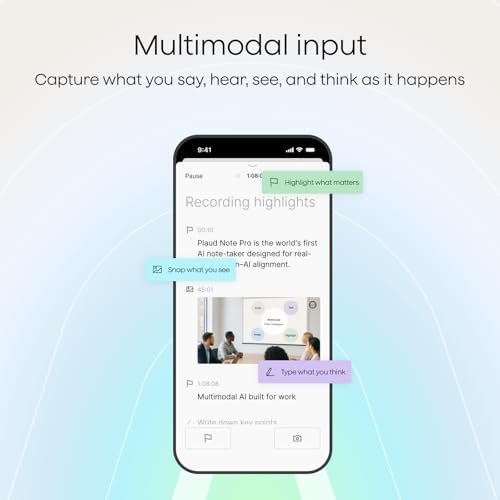
The Plaud NotePin S is made for people who want to save spoken thoughts without holding a phone. Its wearable format can be useful during meetings, interviews, study sessions, and quick voice notes. Rather than forcing you to type every detail, it aims to record audio and use AI tools to create a written transcript or summary. That makes it one of the most focused options among the Best AI Wearable Devices for voice-based work.
I like the basic idea because it removes friction. You can start with a spoken thought, then review the result later when you have more time. Still, the final quality will depend on voice clarity, background noise, language support, app features, and the service plan connected to the device. I would always tell users to check local recording laws and ask permission before recording another person.
Pros:
- Small wearable design keeps hands free
- Useful for meetings, interviews, and voice notes
- AI transcription can reduce manual typing
- AI summaries help reveal key points faster
- Black finish looks simple and work-friendly
- Can help users capture ideas before they fade
Cons:
- Transcription accuracy may drop with noise or overlapping voices
- Some advanced software tools may depend on a paid plan
- Users must manage privacy and consent during recordings
Wearable AI Recorder with Fitness Tracking

This wearable voice recorder combines two popular ideas: hands-free audio capture and basic fitness tracking. Its voice-activated design may appeal to users who do not want to press a button each time they need to save a thought. The transcription feature can help turn spoken words into text, while the activity functions add a health-focused layer. It is a flexible choice for shoppers who want more than a single-purpose recorder.
In daily use, a hybrid device can feel convenient because one small product handles several tasks. You might use it to remember a work note in the morning and check activity data later in the day. However, buyers should not confuse fitness tracking with medical monitoring. Metrics from consumer wearables can support personal awareness, but they should not replace advice from a qualified health professional.
Pros:
- Voice activation can make recording quick and simple
- Transcription may save time after conversations
- Fitness features add value beyond audio recording
- Hands-free design suits walking and active routines
- One device can reduce the need to carry extra gadgets
- Useful for people who want both notes and activity data
Cons:
- Voice commands may react poorly in loud places
- Fitness readings may not match medical-grade equipment
- Battery life can vary with recording and tracking use
SHAPERME AI Translator for 160+ Languages

The SHAPERME Smart AI Wearable Translator targets travelers, students, and business users who need language help on the move. Its listing highlights support for more than 160 languages, along with Spanish and English practice. A wearable translator can be easier to reach than a phone when your hands are full at an airport, market, hotel, or meeting. That makes it a strong travel-focused entry in this Best AI Wearable Devices guide.
Translation technology works best as a bridge, not a perfect replacement for a human speaker. Short, clear sentences usually produce better results than slang, jokes, or complex terms. Connection quality may also affect performance if the device relies on online language services. I would treat the language count as a starting point and confirm the exact dialects, offline functions, and data terms before buying.
Pros:
- Broad language support may help during international travel
- Wearable form keeps translation access close at hand
- English and Spanish practice can support learners
- Useful for travel, business, and basic daily exchanges
- Can reduce the need to constantly unlock a phone
- Portable size should fit easily into a travel setup
Cons:
- Accuracy can change with accents, slang, and noise
- Some functions may require an internet connection
- Important legal or business language still needs human review
AI Wearable Translator for English and Spanish

This white AI wearable translator focuses on English and Spanish voice translation. Its narrower language target may be a benefit for people who do not need a large list of languages. A focused device can feel less confusing for a family, student, traveler, or worker who moves between these two languages often. It may also serve as a simple conversation aid for everyday situations.
I see this product as a practical tool for basic communication rather than a full language expert. It could help with directions, greetings, shopping, and simple questions. The best results should come from speaking at a steady pace and using plain words. Before a trip, I would test the setup, learn how the controls work, and confirm whether translation needs a phone app or an active connection.
Pros:
- English and Spanish focus keeps the purpose clear
- Voice translation can support fast conversations
- Wearable design may be easier than sharing one phone
- Helpful for travel, family communication, and work
- Simple language focus may suit new learners
- White finish offers a clean and low-key appearance
Cons:
- Limited language focus will not suit every traveler
- Speech errors may occur with noise or fast talking
- Users should confirm app, network, and charging needs
Looki L1 AI Multimodal Wearable

The Looki L1 takes a wider approach to wearable AI. The listed design weighs 32 grams and includes 1080p video, three microphones, 32GB of storage, AI vlog tools, comics, and proactive intelligence features. This makes it more like a compact life-logging and creative device than a simple voice recorder. For creators, travelers, and people who want hands-free content capture, it stands out among the Best AI Wearable Devices.
A multimodal wearable can collect more than sound, but that also raises more questions. Video, voices, and stored files deserve careful handling, especially in public or private places. The privacy-first storage claim is useful to note, yet I would still study the full privacy policy and sharing controls. I also recommend checking local laws before recording people, and testing how the device manages battery life during longer video sessions.
Pros:
- Light 32-gram design may feel comfortable for daily wear
- 1080p video supports hands-free visual capture
- Three microphones may improve voice pickup
- 32GB storage provides space for saved media
- AI vlog tools can help shape short-form content
- AI comic features add a creative use beyond recording
- Multimodal design supports sound, images, and AI tasks
Cons:
- Video recording can use battery faster than audio capture
- People nearby may feel uncomfortable around a camera
- AI features may require an app or online processing
- More functions can create a steeper learning curve
My Recommendation
I recommend the Plaud NotePin S to professionals, students, journalists, and anyone who often needs accurate notes from spoken ideas. It has a clear purpose and may be easier to learn than a device packed with unrelated features. Choose the voice recorder with fitness tracking if you want one wearable for notes and basic activity awareness. It offers broader daily utility, but I would buy it for convenience rather than medical tracking.
The SHAPERME translator is the better match for frequent international travelers and language learners who value broad language support. The English-Spanish translator makes more sense for users with a specific bilingual need and a simpler goal. For creators who want video, microphones, storage, and AI media tools, the Looki L1 is the most versatile option. In my view, the Best AI Wearable Devices are not the same for every buyer; the right choice depends on whether you need notes, fitness data, translation, or content capture.
| Best for | Why |
|---|---|
| Meetings and voice notes | Plaud NotePin S focuses on wearable recording, transcription, and summaries. |
| Travel and language support | SHAPERME offers broad language coverage, while the English-Spanish model suits a focused bilingual need. |
| Hands-free creative capture | Looki L1 combines video, microphones, storage, and AI creative features in a light wearable. |
How I Evaluate the Best AI Wearable Devices
AI wearables can look similar in a product photo, but their daily value can differ greatly. I start with the main task each device promises to perform. A recorder should make capture simple. A translator should make conversation less stressful. A camera wearable should make hands-free content easier without creating privacy risks.
I also look at comfort because a wearable that feels awkward may stay in a drawer. Weight, placement, controls, charging, and app setup all matter. A product can have strong AI features, but those features lose value if the user needs several steps to start them. The Best AI Wearable Devices should feel like quiet helpers, not extra chores.
AI Accuracy and Real-World Limits
Artificial intelligence can save time, but it can also misunderstand speech. Noise, accents, low volume, fast talking, and two people speaking at once can lower accuracy. Translation may also miss humor, cultural meaning, or a word with several possible meanings.
I suggest treating AI output as a first draft. Check important names, dates, prices, medical details, and business terms. This simple habit helps you gain the speed of AI without trusting every result blindly. In 2026, this remains one of the most important rules for using smart devices well.
Privacy and Recording Etiquette
Wearable recorders and cameras can capture people who do not know they are being recorded. Laws differ by state and country, so buyers should learn the rules where they live and travel. In many situations, asking for consent is both the safest and the kindest choice.
I also recommend reviewing storage and sharing settings before the first use. Find out where recordings go, how long they remain there, and whether the app sends files to cloud servers. Use a strong account password, update the software, and delete old files you no longer need. These steps matter as much as battery life.
Battery Life and Charging Habits
AI tasks can use more power than basic timekeeping. Recording, video, wireless connections, and cloud processing may shorten runtime. A device that works well for short notes may need more frequent charging during a full day of travel or filming.
Before leaving home, I would charge the wearable and carry the proper cable or case. If you plan to record for hours, test the real battery result first. Product listings often describe best-case conditions, while your actual result depends on settings, signal strength, and how often you use the main feature.
Comfort and Wearability
Look at how the product attaches to clothing, a lanyard, a collar, or another part of the body. The best placement keeps the microphone or camera useful without making the device swing or rub. It should also be easy to remove when you enter a private space.
For long meetings or travel days, even a small amount of discomfort can become annoying. A lightweight design, such as the listed 32-gram Looki L1, may help. Still, weight is only one part of comfort. Shape, clip strength, heat, button position, and clothing choice also affect the experience.
What Can AI Wearable Devices Do?
The most useful AI wearables handle small tasks that interrupt your day. They can help capture a thought, create a rough transcript, summarize a talk, translate a short sentence, or save a moment for later. These tools do not replace judgment. They simply move some work from your hands to a device that stays close.
For work, a wearable recorder may help you remember action points. For school, it may help organize spoken lessons, subject to school rules and consent. For travel, a translator can reduce the fear of asking for help. For content creators, a camera wearable may capture a point-of-view clip without requiring a phone in your hand.
The phrase “AI wearable” covers many product types. Some devices record audio. Some track movement. Some use cameras and microphones together. Others focus on translation. When comparing the Best AI Wearable Devices, I recommend ignoring flashy terms at first and asking one clear question: What problem do I need this device to solve most often?
Key Buying Factors for 2026
Choose the Main Use Before the Extra Features
Start with your most common need. If you attend many meetings, a voice recorder may offer the best return. If you travel often, language support may matter more. If you create videos, hands-free capture and storage should lead your list.
Extra features can be fun, but they may raise the cost and make setup harder. A focused product often feels better because it does one job with less confusion. The Best AI Wearable Devices should match your routine instead of asking you to change your whole routine.
Check Phone and App Support
Many smart wearables depend on a companion phone app. The app may control settings, show transcripts, export files, update firmware, or manage an account. Check whether it supports your phone’s operating system and whether important features work without a phone nearby.
Also review permissions. A recorder may ask for microphone, storage, Bluetooth, and network access. A camera wearable may need even more. Give only the access needed for the feature you plan to use, and revisit those permissions after major updates.
Review Subscription Costs
AI transcription and summaries can involve cloud computing. Some brands include a limited amount of processing, while others may charge for larger use. The device price alone may not show the full cost of ownership.
Before buying, check the plan details, limits, export rules, and cancellation terms. If you record only a few short notes each month, a subscription may not offer good value. If you create many transcripts, the added cost may be reasonable if the results save you time.
Think About Data Storage
Storage affects how often you must move or delete recordings. The Looki L1 listing includes 32GB, which may help users who save media on the device. Audio usually takes less space than video, so the type of files matters.
Do not assume that local storage means total privacy. Apps, backups, and exports can still send files elsewhere. Read the product terms, use secure accounts, and delete sensitive data when you no longer need it.
Who Should Buy an AI Wearable?
AI wearables suit people who often need information captured while their hands are busy. A manager may want a quick record of ideas while moving between rooms. A student may want help organizing permitted study material. A traveler may need translation without staring at a screen.
They can also help people who think aloud. Speaking a rough idea is often faster than typing it. Later, AI can help turn that rough thought into a note, list, or summary. The process feels like putting a basket under a waterfall: you catch more before the moment passes.
However, these devices are not ideal for everyone. If you rarely record audio, never travel, or dislike managing apps, a phone may be enough. People who need medical-grade health data should use certified equipment and professional guidance instead of relying on general fitness features.
Who May Want to Wait?
Buyers who expect perfect AI results should set lower expectations. Speech tools can make errors, and translation tools can miss context. The technology improves, but it still needs a human check for important information.
You may also want to wait if the privacy model feels unclear. A wearable with microphones or cameras deserves more thought than a basic accessory. If you cannot explain where recordings go or who can access them, do not rush the purchase.
Finally, compare the device with your existing phone. A phone may already offer voice memos, live captions, translation, health tracking, and camera tools. An AI wearable earns its place when it makes those tasks faster, easier, or more natural in your actual day.
FAQs Of Best AI Wearable Devices
What are the Best AI Wearable Devices used for?
They can record voice, create transcripts, summarize speech, translate languages, track basic activity, and capture video. The exact functions depend on the model. Choose based on your main daily need.
Are AI wearable translators always accurate?
No. Accuracy may change with noise, accents, slang, speed, and internet access. Use simple speech and confirm important details with a person or trusted source.
Do AI wearables need a phone?
Many use a phone app for setup, storage, updates, or AI processing. Some functions may work alone, but buyers should check the specific product requirements before ordering.
Is it legal to record people with a wearable?
Laws vary by location. Always follow local recording rules and ask for consent when appropriate. Avoid recording in private or sensitive settings without clear permission.
Which AI wearable is best for travel?
The SHAPERME translator is the strongest fit for broad language support. The English-Spanish model may be better for users with a focused bilingual need. Test the device before travel and confirm connection requirements.
Final Verdict: Which Should You Buy?
For most people who need hands-free notes, I would choose the Plaud NotePin S. Travelers should consider SHAPERME, while creators may prefer Looki L1. The Best AI Wearable Devices depend on the task you repeat most.
Compare privacy, battery needs, app support, and subscription terms before buying. The right AI wearable should remove daily friction, not add another complicated gadget to manage.

Similar Posts

































[…] comparing these five options, I would choose based on the way you plan to use the translator. The SHAPERME wearable model stands out for travelers and business users who want broad language coverage in a hands-free […]
[…] translator only helps when you carry it. Small handheld devices fit in a pocket, but you must hold them during a conversation. Wearable devices may keep your hands […]