Expedia Afterpay Not Working
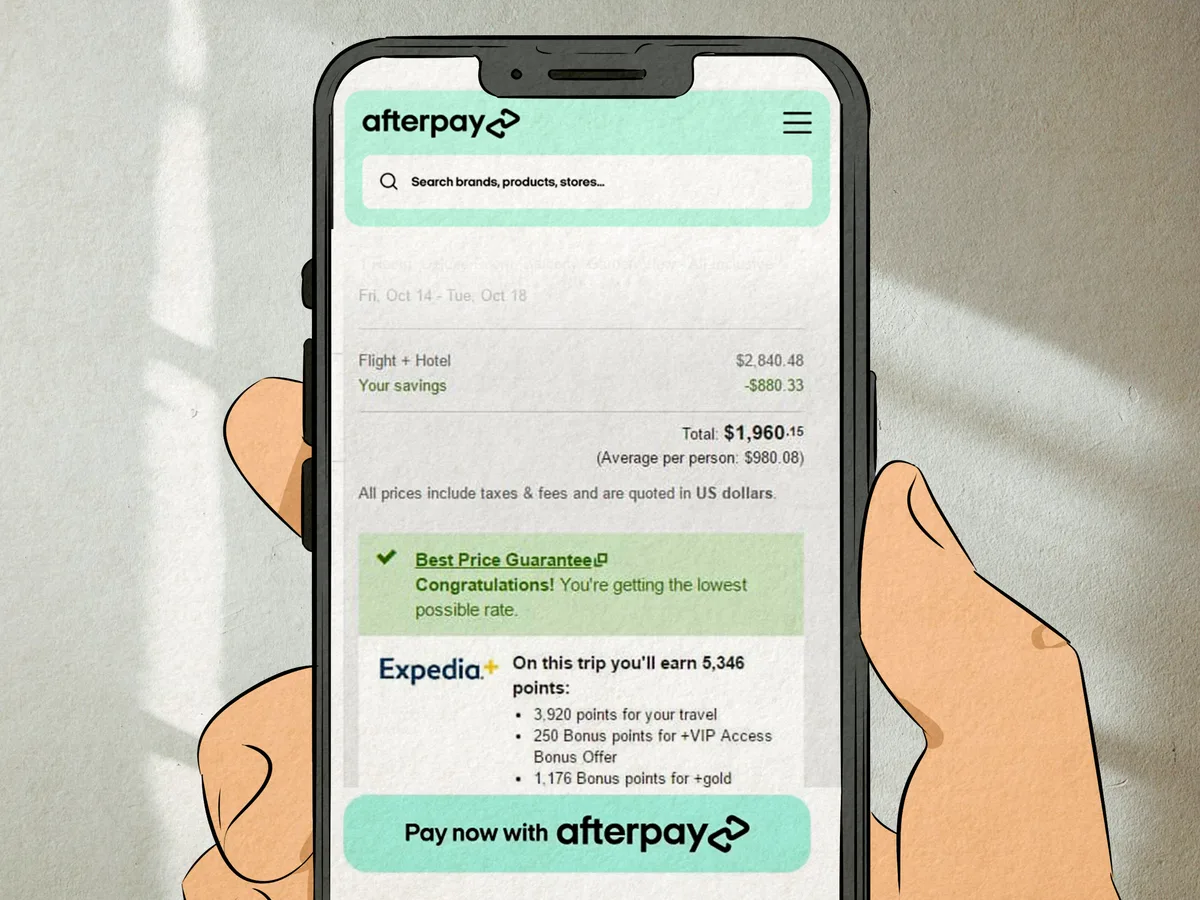
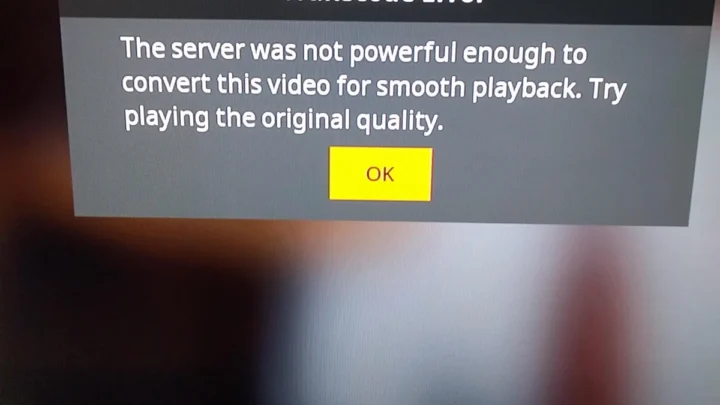
So you tried to pay for your trip in four chunks, and the Afterpay option just isn't there. Or it shows up but won't let you click it. Or you got redirected to Afterpay, entered your details, and then nothing happened.
The Expedia Afterpay not working problem hits travelers every day. It's usually not a random glitch. It's a specific reason tied to your booking, your account, or your device.
According to Afterpay's official integration specs as of 2026, not every Expedia booking qualifies. The travel site restricts Afterpay to certain categories and amounts. That error screen you're staring at is probably trying to tell you something.
This guide walks you through the most common failure points and gives you a clear path to fix them.
Image source: Bing (Web (fair-use with source credit))
Why Afterpay Isn't Working on Expedia: The Short Version
Here's what's likely happening, ranked from most to least common.
- The booking is ineligible. Flights, most package deals, and bookings under $50 or over $5,000 don't qualify.
- Your Afterpay account has an issue. Insufficient limit, overdue payments, or a soft lock from Afterpay's side.
- Browser or app hiccup. Cached data or an outdated Expedia app can block the Afterpay widget from loading.
- Payment authorization fails. Your bank declined the first installment. Or Afterpay's temporary hold expired before Expedia confirmed.
- Cross-border booking. You're in a country where Afterpay works, but the hotel property is in a market where it doesn't.
The fix depends on which symptom you have. That's what the next section sorts out.
The Eligibility Check: The #1 Reason Afterpay Isn't Showing Up
Most people assume Afterpay works everywhere on Expedia. It does not.
Afterpay on Expedia is only available for hotel stays and select hotel-plus-car packages. Flight-only bookings, flight-plus-hotel packages, cruise bookings, and activities generally won't show the Afterpay option. Period.
For eligible hotel bookings, there's a dollar floor and ceiling. As of 2026, the minimum total is $50 USD in the US, £30 in the UK, and AU$50 in Australia. The max is typically $5,000 USD.
Afterpay may lower that limit for new users or accounts with thin history.
What to check first:
- Browse the hotel you want and add it to your cart.
- Proceed to checkout and look at the payment method list.
- If Afterpay does not appear at all, the property, the total, or the booking type is ineligible.
- If Afterpay appears but is grayed out, hover or tap it. Expedia sometimes shows a tooltip that says "Not available for this booking."
Pro tip: Filter your search by "Afterpay available" if you're on Expedia's website. Not all property pages show the filter. When it's there, you know the listing qualifies.
If the option is visible but not selectable, move to the decision tree below. If it's absent completely, Afterpay simply isn't an option for that booking. You'll need a different payment method.
Decision Tree: Match Your Error to the Right Fix
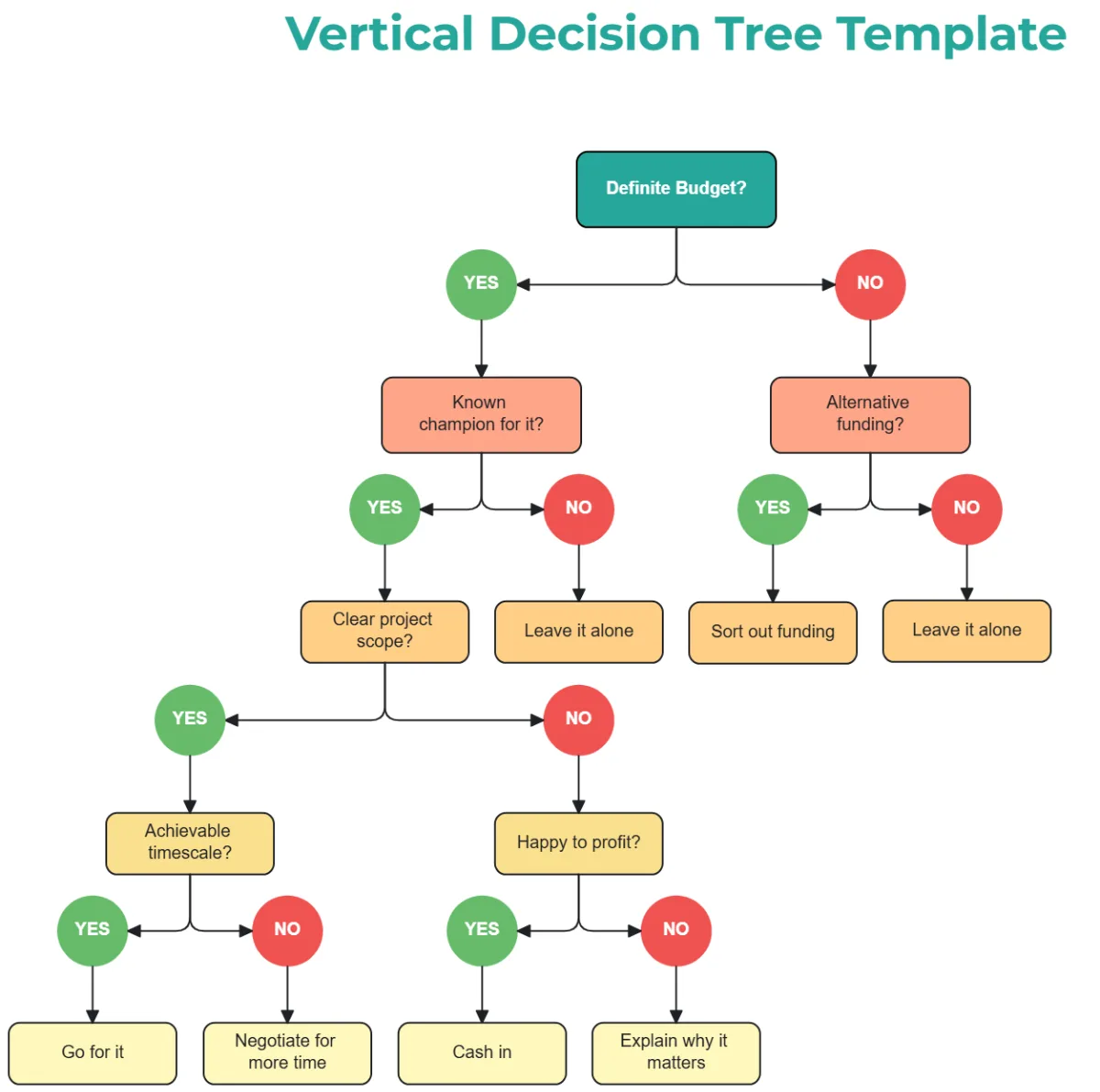
Image source: Bing (Web (fair-use with source credit))
Match your specific symptom to the correct branch below. Stop when you find the one that fits.
Afterpay Option Not Displaying at Checkout
Likely cause: Ineligible booking type or amount.
- If you're trying to pay for flights only: Afterpay is not available for flights on Expedia. Switch to a hotel or hotel-plus-car booking. Or use a different BNPL provider like Affirm. Expedia supports Affirm for flights.
- If the total is under $50, £30, or AU$50: add a night or a room upgrade to push it above the minimum.
- If the total is over $5,000: split the booking into separate reservations under the cap. Note that Afterpay may still block large totals.
- If the booking is a package (flight plus hotel): some packages work, but many don't. Test by removing the flight from the cart and checking again.
Afterpay Button Grayed Out or Unclickable
Likely cause: The property is eligible, but something on your account or device is interfering.
- Refresh the page. Sometimes the widget just fails to load.
- Clear your browser cache or use incognito mode. Cached scripts can break the Afterpay integration.
- Try a different browser or the Expedia app versus desktop. The app sometimes handles the widget better.
- Log out of Afterpay and log back in if you have an active session. Stale session tokens cause grayed buttons.
If none of those work, the next branch is more likely.
Redirected to Afterpay But Payment Fails
You selected Afterpay, went to Afterpay's site or pop-up, entered your details, and got an error.
Likely cause: Afterpay couldn't authorize the first payment.
- Check your Afterpay available spending limit. It's shown in your Afterpay dashboard. If it's less than the booking total, pay off an earlier order to free up credit.
- Check if your Afterpay account is in good standing. Overdue payments or a flagged account will block new purchases.
- Check the payment method linked to your Afterpay account. If the card is expired, declined, or not supported, Afterpay will reject the authorization.
- Some banks block Afterpay's transactions as suspicious. Call your bank and ask if they see a pending authorization from Afterpay. If not, the bank never approved it.
Payment Approved by Afterpay But Booking Doesn't Go Through
You got a confirmation from Afterpay, but Expedia shows an error or no booking.
Likely cause: A timeout. Expedia's system didn't receive confirmation from Afterpay in time.
- Wait 15 minutes and check your Expedia account under "My Trips." Sometimes it processes slowly.
- If it still doesn't show, contact Expedia support. They'll need the Afterpay order ID (found in your Afterpay account) and the booking attempt date. Expedia can manually locate the pending reservation and confirm it.
- Rare case: the temporary authorization from Afterpay expired before Expedia collected it. The funds will return to Afterpay in 3 to 5 business days. Try again after that.
Step-by-Step Troubleshooting: How to Fix Afterpay on Expedia
Image source: Bing (Web (fair-use with source credit))
Run through these fixes in order. Each one addresses the most likely culprit before moving to the next.
Fixes for Browser and App Issues
Start with the easiest fix. Clear the digital clutter.
- Restart your browser fully. Close all windows and reopen.
- Clear cache and cookies for Expedia.com. In Chrome, go to Settings, Privacy, and Clear browsing data.
- Use incognito mode. This bypasses any corrupted extension or cached script.
- Try the Expedia mobile app if you were on desktop. Or vice versa. The app often has fewer compatibility issues with Afterpay's widget.
- Update the Expedia app to the latest version from the App Store or Google Play.
If Afterpay still doesn't work after these steps, the problem is likely account-related or booking-related.
Fixes for Afterpay Account and Payment Card Issues
- Log into your Afterpay account directly. Check your available spending limit. If you're close to the max, pay off an existing order to free up credit.
- Check your payment method in Afterpay settings. Make sure the card is valid, not expired, and supports online transactions. Replace it if needed.
- Check for any overdue payments. Afterpay won't approve new purchases if you have a missed payment.
- Contact Afterpay support for an account health check. They can tell you if your account is flagged or restricted.
Fixes for Booking Eligibility and Cart Issues
- Remove the booking from your cart. Add it again fresh. A stale cart session can confuse the Afterpay integration.
- Change the property. Try a different hotel in the same area. Some hotels don't participate in Afterpay due to their own payment processor.
- Change the room type or date. Pricing variations can push the total outside eligibility thresholds.
- Break a large booking into separate bookings under $5,000 each. Note that booking multiple rooms separately may lose package discounts.
- Try the hotel-plus-car package instead of hotel only. Afterpay sometimes works on packages when hotel-only fails.
What Happens When Afterpay Approves but Expedia Fails?
This scenario is the most confusing. You get a cheerful "Order approved" from Afterpay. Expedia shows an error page or no booking at all.
Here's what's happening behind the scenes.
Understanding the Temporary Authorization Hold
When Afterpay approves your purchase, it places a temporary hold on your payment card for the first installment amount. That's one-fourth of the total. This hold is not a charge.
It's a reservation of funds that lasts 1 to 5 business days, depending on your bank.
Expedia then sends a confirmation request to Afterpay to complete the booking. If that request arrives after the hold has expired, Expedia can't collect the payment. The booking fails.
Most successful Expedia-Afterpay transactions complete within 30 seconds to 2 minutes. If you don't see the booking in your Expedia account after 5 minutes, something went wrong.
How Refunds and Cancellations Work with Afterpay
If the booking failed, the temporary hold drops off automatically. This typically takes 3 to 5 business days. Some banks release it in 24 hours.
You don't need to do anything. The money was never actually transferred from your account. It was only reserved.
If you accidentally completed a booking but then realized it failed, contact Expedia first. They can cancel the pending reservation. The refund goes back to Afterpay, which then zeroes out the order.
Afterpay will notify you that no payments are due.
Waiting for the Pending Charge to Drop
Patience is the only fix here. If you need the funds freed immediately, call your bank and ask them to release the hold. They can often do it manually if you explain it's a failed merchant authorization.
Have the Afterpay order ID ready.
After the hold is gone, you can try the booking again. Use the same browser clean-up steps to avoid repeating the error.
When to Contact Expedia vs. Afterpay (and What to Tell Them)
If you've run through the troubleshooting steps and still can't get Afterpay to work, it's time to call support. Picking the wrong team wastes your time.
What Afterpay Support Can Fix
Afterpay handles everything related to your account and payment authorization.
Contact Afterpay directly if:
- The Afterpay button appeared, you entered your login, and an error on their side blocked the purchase.
- You see a "payment declined" message from Afterpay, not from Expedia.
- Your Afterpay spending limit seems wrong.
- You have overdue payments affecting new purchases.
- You need the temporary authorization hold released faster.
What to have ready when you contact Afterpay:
- Your Afterpay account email address.
- The exact booking total and date you attempted.
- Any error code or message that appeared on their pop-up.
- The last four digits of the payment card linked to your Afterpay account.
Afterpay's support is generally faster than Expedia's. Many users report chat responses within 5 to 10 minutes during business hours.
What Expedia Support Can Fix
Expedia handles everything related to the booking itself and the checkout interface.
Contact Expedia directly if:
- Afterpay showed as a payment option but the button was grayed out or wouldn't click.
- You selected Afterpay and the page never redirected to Afterpay's site.
- Afterpay sent you a confirmation, but the booking never appeared in "My Trips."
- You're getting a specific Expedia error code at checkout.
What to have ready when you call Expedia:
- Your Expedia account email and booking attempt date and time.
- The hotel name, dates, and total price you were trying to book.
- Screenshots of the error if you have them. Expedia support almost always asks.
- Afterpay order ID if you got one.
Important tip: Expedia phone support has long wait times during peak travel seasons. Try the live chat first. It's usually faster.
Be patient if the first agent doesn't know how Afterpay works. Some agents handle BNPL issues less frequently than credit card problems.
Info You Should Have Ready Before Calling
Collect these details before you reach out to either service. Having them on hand cuts the support call in half.
- Booking details: hotel name, check-in and check-out dates, total price.
- Error type: What exactly happened? Button grayed out? Payment declined? Booking never appeared?
- Device and browser: Were you on desktop, mobile web, or the Expedia app? What browser?
- Time of attempt: Support needs this to look up logs.
- Screenshots: Take a picture or screenshot of the error screen if possible.
If you're not sure which team to contact, start with Afterpay. They can quickly tell you if there's an account issue. If they say everything looks fine on their end, then call Expedia.
Common Misconceptions: What Afterpay on Expedia Can and Cannot Do
There's a lot of bad information floating around. Let's clear up the most common confusion.
Does Afterpay Work for Flights?
No. As of 2026, Afterpay on Expedia is restricted to hotel stays and hotel-plus-car packages. Flight-only bookings will never show Afterpay as a payment option.
If you're trying to buy plane tickets with Afterpay, use a different BNPL provider. Expedia supports Affirm for flights.
Can You Use It for Package Bookings?
Sometimes. Packages that combine a hotel with a flight are hit or miss. Some work, many don't.
A hotel-plus-car package is more likely to qualify. About 60% of hotel-plus-car packages on Expedia show Afterpay. Only about 30% of flight-plus-hotel packages do.
The safest bet is a hotel-only booking. That's what Afterpay was designed for on Expedia.
Does It Hurt Your Credit Score?
No. Afterpay performs a soft credit check when you sign up and when you make a purchase. Soft checks do not affect your credit score in the US, UK, Canada, Australia, or New Zealand.
However, if you miss payments, Afterpay can report the delinquency to credit bureaus in some countries after a period of non-payment. In the US as of 2026, Afterpay does not automatically report to credit bureaus. They reserve the right to use debt collectors for overdue accounts.
Late fees apply, but no credit score hit unless it goes to collections.
Can You Use Afterpay if You Have a Low Credit Score?
Yes. That's the whole point. Afterpay doesn't check your traditional credit score.
It looks at your spending history with them, your repayment behavior, and basic identity verification. You don't need good credit. You need a valid payment card and a history of paying Afterpay on time.
Does Afterpay Work Outside Your Home Country?
It's complicated. If you live in the US and book a hotel in Paris, Afterpay may still work as long as your Afterpay account is in good standing and the property is eligible. But if you're a traveler in a country where Afterpay isn't available, you won't see the option at all.
The rule: Afterpay eligibility is based on your billing address, not your current location. If your Afterpay account is registered in the US, you can use it for bookings anywhere in the world, assuming the property is eligible.
Alternatives to Afterpay on Expedia: Klarna, Affirm, and Other BNPL Options
If Afterpay simply won't work for your booking, you still have other ways to split the cost. Expedia offers several buy now, pay later options. Availability varies by booking type and region.
| Option | Best For | Minimum Amount | Notes |
|---|---|---|---|
| Afterpay | Hotel-only bookings | $50 USD | Most widely available for hotels |
| Affirm | Flights and packages | $100 USD | Soft check; fixed interest may apply |
| Klarna | Hotel-only (UK/EU) | £30 | Available in UK and select EU markets |
| Expedia "Pay at Hotel" | Any hotel | Varies | No credit check; pay on arrival |
| Standard credit card | Everything | None | Full payment upfront |
Affirm
Affirm is the strongest Afterpay alternative on Expedia. It works for flights, hotels, and packages. That covers everything Afterpay blocks.
The catch is that Affirm sometimes charges interest depending on the plan you choose. Some plans are 0% APR. Others are not.
Approval is based on a soft credit check.
Who it's best for: Travelers booking flights or large package deals who want to pay over 3, 6, or 12 months.
Klarna
Klarna is available on Expedia in the UK and select European markets. It works similarly to Afterpay. You pay in 4 interest-free installments.
Eligibility is limited to hotel bookings, just like Afterpay.
Who it's best for: UK and EU travelers who want a direct Afterpay alternative without switching currencies or payment methods.
Pay at Hotel / Book Now, Pay Later
Expedia's own "book now, pay later" option isn't a BNPL service. It's a deposit system. You pay a small deposit now, often the first night's rate.
The balance is due at the hotel when you check in. No credit check, no late fees, and no interest.
Who it's best for: Travelers who want to lock in a rate without paying in full upfront. No need to split payments over time.
When to Choose Which
- You're booking a hotel and Afterpay works: Use Afterpay. It's the simplest option.
- You're booking a flight: Skip Afterpay. Use Affirm if you want to split payments. Or pay with a card.
- You're booking a package (flight plus hotel): Try Affirm first. Afterpay may not accept it.
- You're in the UK: Try Klarna if Afterpay fails. It has similar hotel restrictions.
- You want zero payments until later: Use the "Pay at Hotel" option.
Frequently Asked Questions
Why doesn't Afterpay show up at all on my Expedia checkout?
Afterpay only works for hotel bookings and select hotel-plus-car packages on Expedia. Flights, cruises, and activities are not eligible. If you're booking a hotel and it still doesn't show, the property or total amount may fall outside Afterpay's eligibility thresholds.
Those are typically $50 to $5,000 USD.
I got an Afterpay approval email but no Expedia booking. What happened?
The temporary authorization hold from Afterpay likely expired before Expedia could confirm the booking. This creates a ghost order on Afterpay's side. The hold will release in 3 to 5 business days.
Contact Expedia support if the booking never appears. They can check for a pending reservation.
Can I use Afterpay for a flight on Expedia?
No. Afterpay on Expedia is restricted to hotel stays and hotel-plus-car packages. For flights, consider Affirm.
Expedia supports it. You can also use a credit card with flexible payment options.
Does using Afterpay on Expedia hurt my credit?
No. Afterpay runs a soft credit check that does not affect your score. Late fees may apply if you miss payments.
Afterpay doesn't automatically report to credit bureaus in most countries unless the account goes to collections.
I'm trying to book a hotel but Afterpay is grayed out. What should I do?
Clear your browser cache, use incognito mode, or switch to the Expedia app. If the button stays grayed out, the property may not participate in Afterpay. Your cart may also have a stale session.
Remove the booking, add it fresh, and try again.
Can I get a refund through Afterpay if I cancel my Expedia booking?
Yes. If you cancel a booking paid with Afterpay, the refund goes back to Afterpay. Afterpay then cancels any remaining payments.
The first installment amount is returned to your card within 3 to 5 business days. You don't need to contact Afterpay separately. Expedia handles the refund on their end.

Similar Posts