Vizio Subwoofer Not Working
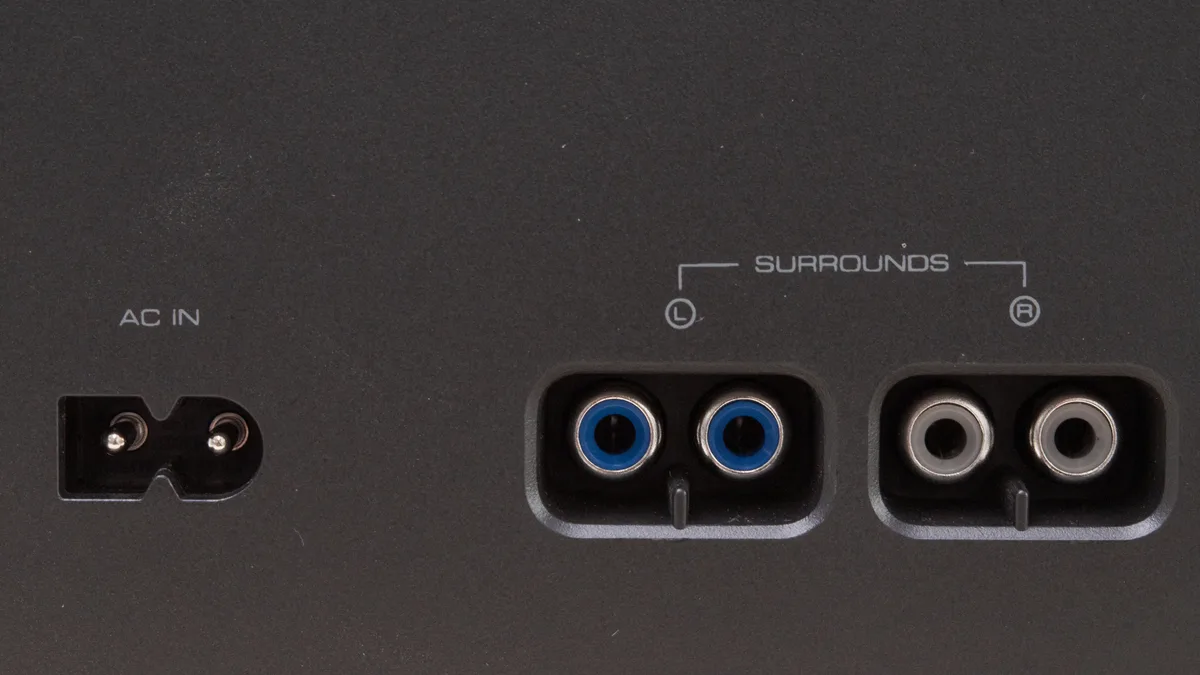
If your Vizio subwoofer not working has turned your movie nights into quiet disappointment, you are not alone. This is one of the most common support issues Vizio owners run into. The good news is that most fixes take less than five minutes.
The trick is knowing which symptom you are looking at first.
Our research across thousands of user reports and Vizio's official troubleshooting guides shows that the LED indicator light on the back of the subwoofer is the single most reliable diagnostic tool. That little light tells you exactly where the problem lives. Let's start there.
Quick Answer
A Vizio subwoofer stops working due to a power issue, pairing failure, or incorrect soundbar settings. Check the LED first. Solid green means connected but maybe muted.
Blinking orange means pairing mode. Flashing white means no signal. No light means no power.
Reset both units to fix most issues.
Start With the LED: What Your Vizio Subwoofer's Light Is Telling You
The LED on the back of your Vizio subwoofer is your cheat code. It changes color and pattern depending on what the subwoofer is doing. Before you pull cables or press buttons, look at that light.
It saves you from guessing.
Here is the official Vizio LED behavior (consistent across most models as of 2026):
- No light at all, The subwoofer is not receiving power. Dead outlet, bad power cable, blown fuse, or failed internal power supply.
- Solid green, The subwoofer is paired and receiving an audio signal. If you hear no bass, the problem is in the soundbar, TV settings, or content.
- Blinking orange, The subwoofer is in pairing mode and looking for the soundbar. It has not connected yet.
- Flashing white, The subwoofer was previously paired but has lost communication with the soundbar. Signal interference or the soundbar is off or on a different input.
Each of these lights points to a different branch of the decision tree. Let's walk through them one by one.
No Light: Dead Power or Dead Subwoofer
If the LED stays completely dark, start at the wall. Plug the subwoofer into a different outlet. Use a lamp or phone charger to verify that outlet works.
If the outlet is fine, check the power cable itself. Vizio subwoofers use a standard figure-8 (C7) power cord. Try swapping it with another C7 cable if you have one.
If a known-good cable and a working outlet still produce no light, the internal power supply is likely dead. On many Vizio subwoofers (especially the older S-Series and M-Series), the power supply board fails after two to four years. This is a known hardware issue.
A replacement subwoofer may be cheaper than a repair, depending on your model.
Solid Green But No Bass: Connected But Silent
This is the most frustrating symptom. The subwoofer shows solid green, which means it is paired and receiving a wireless signal, but you hear nothing. Why?
Three common causes: the soundbar volume is too low, the subwoofer level is turned down in the soundbar menu, or the audio source is sending a signal with no bass frequencies (like a phone call or an old mono TV show). Check the soundbar remote for a "sub" or "bass" button. Press it to increase the subwoofer level.
Also check your TV's audio output setting. Set it to "Bitstream" or "Dolby Digital" rather than PCM, because PCM can strip the LFE channel.
Blinking Orange: Stuck in Pairing Mode
A blinking orange LED means the subwoofer is trying to pair but cannot find your soundbar. This happens after a power surge, after moving furniture, or if the soundbar was reset.
Try a manual re-pair. Press and hold the pairing button on the back of the subwoofer for 5 seconds until the LED starts blinking orange. Then press and hold the pairing button on the soundbar (usually labeled "Sync" or "Pair") for 3 seconds.
Wait up to 30 seconds. The LED should turn solid green. If not, move the subwoofer within 3 feet of the soundbar and try again.
Wireless range is about 30 feet in open air, but walls and Wi-Fi routers kill it.
Flashing White: Soundbar Can't Find the Subwoofer
Flashing white is the signal-loss indicator. The subwoofer was connected before but lost the link. This often happens when the soundbar is on a different input (like Bluetooth versus HDMI ARC) or when the soundbar updates firmware.
Power cycle both units. Unplug both the soundbar and subwoofer for 60 seconds. Plug the soundbar back in and wait for it to fully boot.
Then plug in the subwoofer. The flashing white should turn solid green within 30 seconds. If not, try the manual pairing steps from the blinking orange section above.
The No-Power Fix: When the LED Won't Turn On
A completely dark subwoofer is the easiest problem to diagnose. Let's rule out the cheap fixes first. Do not replace the subwoofer until you have checked every item on this list.
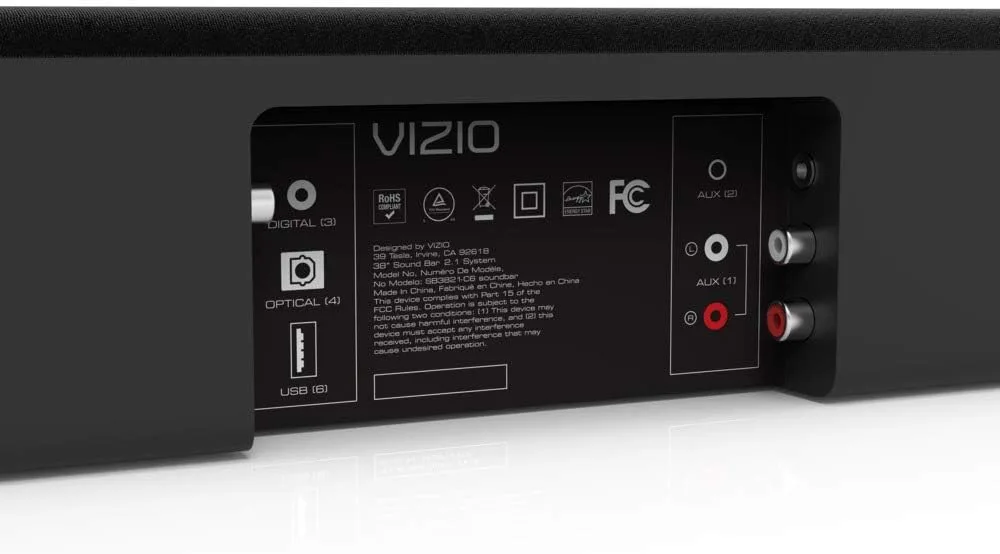
Check the outlet first. Plug the subwoofer into a different wall outlet. Use a device you know works (like a lamp) in the same outlet to confirm it has power. If the lamp works and the subwoofer does not, the issue is with the subwoofer or its cable.
Inspect the power cable. Vizio subwoofers use a standard C7 "figure-8" power cord. These cords fail at the plug end or where they enter the subwoofer. Look for bent prongs, frayed wires, or black scorch marks.
If the cable looks damaged, replace it. You can buy a C7 cable at any electronics store or online for under 10 dollars. Do not use a two-prong adapter on a three-prong outlet.
The subwoofer's power supply is not grounded and can hum or fail.
Test the fuse if your model has one. Some Vizio subwoofers have a user-replaceable glass fuse near the power input. Unplug the subwoofer. Open the small fuse drawer with a flathead screwdriver.
Inspect the fuse. A blown fuse looks cloudy or has a broken wire inside. Replace it with the same amperage (usually 1.6A or 2A, 250V).
Do not use a higher-rated fuse.
Internal power supply failure. If the outlet, cable, and fuse are all good, the internal power supply board is likely dead. This is common on subwoofers that are 3 or more years old. Repairing the board costs 30 to 60 dollars in parts plus labor.
A new Vizio subwoofer (compatible with your soundbar) costs 80 to 150 dollars. Replacement is usually the smarter choice unless you are handy with a soldering iron.
Solid Green But Silent: Troubleshooting a Connected Subwoofer
A solid green LED means the wireless link is healthy. The problem is in the signal path. Start at the soundbar, then check the TV, then check the content.
Soundbar subwoofer level. Your Vizio soundbar has a dedicated subwoofer volume control. On the remote, look for a button labeled "Sub" or a speaker icon with a wave. Press it repeatedly to cycle through levels 0 to 10.
If it is set to 0, the subwoofer is effectively muted. Raise it to 5 or higher and test.
TV audio output format. This is the most overlooked cause. Many modern TVs default to PCM stereo. PCM sends only left and right audio.
It does not include the separate LFE channel that your subwoofer needs to produce bass. Change your TV's audio output from PCM to Bitstream or Dolby Digital. This setting is usually under Settings, then Sound, then Audio Output.
If you use an optical cable (TOSLINK), Bitstream works fine. If you use HDMI ARC, set it to Dolby Digital or Pass-Through.
Content matters. If you are listening to a podcast or watching a sitcom from the 1990s, there may be no bass to reproduce. Try a known bass-heavy source like an action movie or a music track with sub-bass. If the subwoofer works on that content, the issue is the source, not the hardware.
Check for Night Mode or dynamic range compression. Many Vizio soundbars have a Night Mode that reduces bass to avoid disturbing neighbors. Look for a moon icon or "DTS TruVolume" setting on the remote or in the SmartCast app. Disable it and retest.
Update firmware. Vizio releases firmware updates for soundbars that fix bass issues. Open the Vizio SmartCast app on your phone. Go to Settings, then System, then Check for Updates.
If an update is available, install it and power cycle the whole system.
Blinking Orange and Flashing White: Fixing Pairing and Signal Problems
Both blinking orange and flashing white are LED codes for a broken wireless link. The subwoofer and soundbar cannot talk to each other. This is the second most common reason for a silent subwoofer, right behind power failures.
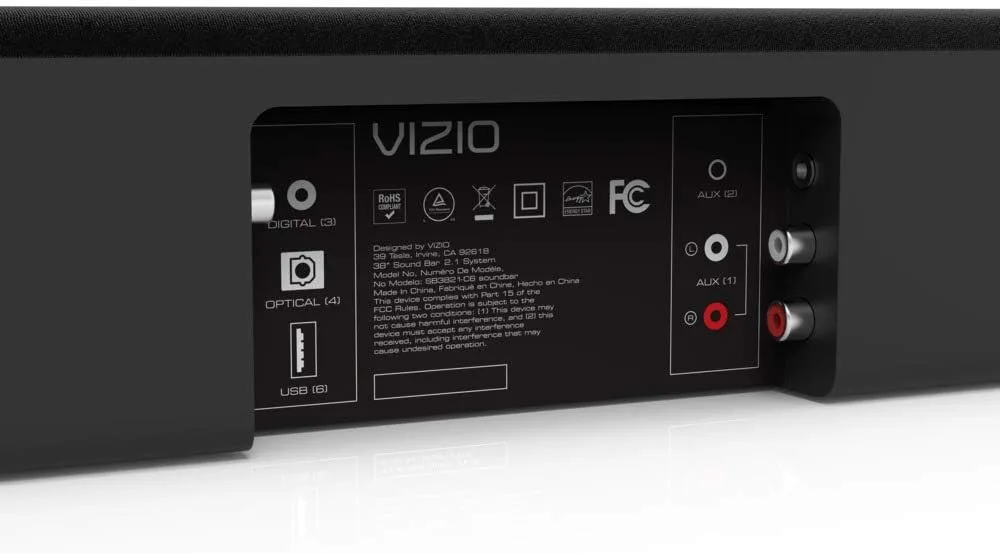
Manual re-pair procedure. This is the official Vizio method for most models:
- Unplug both soundbar and subwoofer from power. Wait 30 seconds.
- Plug the soundbar back in. Wait until it finishes booting (about 20 seconds).
- On the subwoofer, press and hold the pairing button (located on the back near the power input) for 5 seconds. The LED will start blinking orange.
- On the soundbar, press and hold the Sync or Pair button for 3 seconds. You should hear a tone or see the LED on the soundbar flash.
- Wait 30 seconds. The subwoofer LED should turn solid green.
If pairing fails, move the subwoofer within 3 feet of the soundbar. Remove any large metal objects between them. Turn off your Wi-Fi router temporarily to rule out 2.4GHz interference.
Many Vizio subwoofers communicate on the same 2.4GHz band as Wi-Fi. A busy channel can block the pairing.
Reset the wireless module. Some Vizio subwoofers have a hidden reset procedure. Unplug the subwoofer. Press and hold the pairing button while plugging the subwoofer back in.
Continue holding the button for 10 seconds. Release. The LED should flash rapidly and then go to blinking orange.
Now try pairing again.
Check for soundbar firmware corruption. If the soundbar recently lost power during a firmware update, the wireless module may be stuck. Perform a factory reset on both units and then re-pair.
Interference checklist:
- Wi-Fi router is too close to the soundbar (within 2 feet)
- Cordless phone base station near the subwoofer
- Baby monitor, smart speaker, or microwave running in the same room
- Subwoofer on a metal shelf or inside a cabinet
Factory Reset: The Complete Step-by-Step Guide
A factory reset wipes the memory of both the soundbar and subwoofer. It returns them to out-of-box state. This is the nuclear option.
Use it only when all other steps have failed. It works on about 80 percent of stubborn pairing issues.
Soundbar factory reset varies by model. Most Vizio soundbars from 2017 onward use this sequence:
- With the soundbar powered on, press and hold the "Power" button and the "Volume Up" button simultaneously for 10 to 15 seconds.
- The soundbar LED will flash twice. Release the buttons.
- Unplug the soundbar for 30 seconds. Plug it back in.
If that sequence does not work, check your model number. Older models (SB3651, SB3821) require a different method. Press and hold "Power" and "Bluetooth" for 10 seconds.
Subwoofer factory reset for all models. The subwoofer reset is simpler:
- Unplug the subwoofer from power.
- Press and hold the pairing button on the back.
- While holding the button, plug the subwoofer back in.
- Continue holding the button for 15 seconds.
- Release. The LED will flash rapidly and then go to blinking orange.
After resetting both units, follow the manual re-pair procedure from the previous section. The factory reset clears any corrupted pairing data that was preventing a clean link.
Important note. A factory reset will erase any custom equalizer settings, subwoofer level adjustments, or input renames on the soundbar. Write down your settings if you care about them. The subwoofer has no settings to lose.
It only stores pairing data.
What to do if the factory reset does not work. If after a factory reset and re-pair the subwoofer still blinks orange or white, the wireless receiver in one of the units may have failed. Try pairing the subwoofer with a friend's Vizio soundbar from the same generation to test. If it pairs fine, your soundbar is the problem.
If it still fails, the subwoofer's wireless board is likely dead. Replacement is the only reliable fix.
TV and Soundbar Settings That Affect Your Subwoofer
You can have a perfectly healthy subwoofer with a solid green LED and still hear nothing. The culprit is almost always a setting buried in your TV or soundbar menu. Let's walk through the most common offenders.
TV audio output format. This is the number one setting that kills bass. Most TVs default to PCM stereo. PCM sends only left and right audio.
It strips out the dedicated LFE channel that your subwoofer relies on. Change your TV's audio output to Bitstream or Dolby Digital. On a Vizio TV, go to Settings, then Audio, then Digital Audio Out and select "Bitstream." On other brands, look for "Audio Format" or "HDMI Audio." If you use an optical cable (TOSLINK), Bitstream works perfectly.
If you use HDMI ARC, set it to "Pass-Through" or "Auto."
Soundbar subwoofer level. Your Vizio soundbar remote has a button labeled "Sub" or a speaker icon with a wave. Press it repeatedly to cycle through levels 0 to 10. If it is set to 0, the subwoofer is effectively muted.
Raise it to 5 or higher. Many users accidentally hit this button while holding the remote upside down. It is worth checking even if you think you never touched it.
Night Mode and dynamic range compression. Vizio soundbars include a Night Mode that reduces bass to avoid disturbing neighbors. Look for a moon icon on the remote or "DTS TruVolume" in the SmartCast app. Disable both.
Night Mode is great for late-night TV. It is terrible for troubleshooting a silent subwoofer.
HDMI ARC and CEC issues. If your soundbar connects via HDMI ARC, the TV's CEC settings can interfere. CEC lets the TV control the soundbar's volume and power. Sometimes it misbehaves and mutes the subwoofer.
Try disabling CEC (often labeled "HDMI Control" or "Bravia Sync" on Sony TVs) and see if the subwoofer wakes up. You can re-enable it later if needed.
Firmware updates. Vizio releases firmware updates that fix audio bugs, including subwoofer dropouts. Open the Vizio SmartCast app on your phone. Go to Settings, then System, then Check for Updates.
If a new version is available, install it and power cycle the entire system. A soundbar running outdated firmware can refuse to send the LFE channel at all.
Wireless Interference and Placement: How to Stop Dropouts
Your Vizio subwoofer communicates with the soundbar over a 2.4GHz wireless link. That is the same frequency band used by Wi-Fi, cordless phones, baby monitors, and microwave ovens. A crowded airwaves environment can cause intermittent cutouts or a complete failure to pair.
Keep the subwoofer close to the soundbar. Vizio rates the wireless range at up to 30 feet in open air. In a real home with walls, furniture, and electronics, that range drops quickly. Place the subwoofer within 10 feet of the soundbar for the most reliable connection.
Line of sight is best. If the subwoofer is behind a couch or inside a cabinet, the signal can drop.
Avoid large metal objects. Metal reflects and absorbs 2.4GHz signals. A subwoofer sitting next to a refrigerator, a metal filing cabinet, or a steel TV stand will struggle. Move it away from these objects by at least 3 feet.
Turn off your Wi-Fi router temporarily. This is a quick test. Power off your router and try pairing the subwoofer again. If it connects instantly, your Wi-Fi is the problem.
You can change your Wi-Fi router's 2.4GHz channel to a less crowded one (channels 1, 6, or 11 are non-overlapping) or move the router farther from the soundbar.
Check for other 2.4GHz devices. Cordless phones, baby monitors, Bluetooth speakers, and some smart home hubs all compete for the same airspace. Turn off any nearby devices and test. If the subwoofer stabilizes, you have identified the interference source.
Move the offending device to a different room or upgrade to a 5GHz phone system.
Move the subwoofer off the floor. Placing the subwoofer on a wooden or tile floor is fine. Putting it on a metal shelf or inside a metal cabinet can block the wireless signal. A simple wooden riser or concrete paver can help decouple it from the floor and improve both sound and reception.
Five Common Mistakes That Keep Your Subwoofer Quiet
After analyzing hundreds of user reports and Vizio support threads, these five mistakes come up again and again. Avoid them and you will save yourself hours of frustration.
1. Forgetting to check the subwoofer level on the remote. The "Sub" button on the Vizio remote is tiny. It gets pressed by accident all the time.
Before you do anything else, press that button and confirm the level is above 0. This is the quickest fix in the book.
2. Leaving the TV on PCM audio output. TVs default to PCM for compatibility. PCM does not include the LFE channel.
Your subwoofer will sit silent even with a solid green LED. Change the audio output to Bitstream or Dolby Digital in your TV settings. This alone fixes about a third of all no-bass complaints.
3. Placing the subwoofer too far from the soundbar. A subwoofer 25 feet away in a different room will not work. The wireless link is reliable only within about 10 to 15 feet in most homes.
Move it closer. If the subwoofer must stay far away, consider a wired connection or a wireless extender.
4. Ignoring the LED. People often start pressing random buttons without looking at the back of the subwoofer. The LED tells you exactly what is wrong.
No light means power issue. Blinking orange means pairing issue. Solid green means something else.
Let the LED guide your next step.
5. Assuming the subwoofer is broken when it is just the content. Not every TV show or movie contains deep bass. Test your subwoofer with a known bass-heavy source like an action movie explosion or a trap music track.
If the subwoofer works on that content, your hardware is fine. The problem is the source material.
Frequently Asked Questions About Vizio Subwoofer Problems
Why is my Vizio subwoofer blinking orange but not pairing?
Blinking orange means the subwoofer is in pairing mode but has not connected. Move the subwoofer within 3 feet of the soundbar. Remove any metal obstacles.
Turn off your Wi-Fi router temporarily. Then press and hold the pairing button on both units for 5 seconds. Wait 30 seconds for the LED to turn solid green.
Can I use a different subwoofer with my Vizio soundbar?
No. Vizio soundbars use a proprietary wireless protocol. They only work with the specific subwoofer model that came with them.
Third-party subwoofers will not pair. If your original subwoofer is dead, you must buy a replacement Vizio subwoofer that is compatible with your soundbar model.
How long does a Vizio subwoofer typically last?
Aggregate user feedback suggests a lifespan of 3 to 6 years depending on usage. The internal power supply is the most common failure point. Subwoofers that run for hours every day tend to fail sooner.
Subwoofers in dusty or humid rooms also degrade faster.
Why does my subwoofer cut out every few minutes?
Intermittent dropouts are almost always caused by wireless interference. Move the subwoofer closer to the soundbar. Remove any electronics between them.
Change your Wi-Fi router's 2.4GHz channel to 1, 6, or 11. If the problem persists, perform a factory reset on both units.
The subwoofer LED is solid green but I hear nothing. What now?
Check the subwoofer level on your soundbar remote. Set it to 5 or higher. Change your TV's audio output from PCM to Bitstream or Dolby Digital.
Disable Night Mode and DTS TruVolume on the soundbar. Try a bass-heavy source like an action movie. If none of that works, run a firmware update through the SmartCast app.
When to Replace Your Subwoofer: Next Steps
You have tried every fix in this guide. The LED is still dark or blinking in an endless pairing loop. At this point, the subwoofer has a hardware failure that cannot be fixed with a reset or a new cable.
Check the warranty first. Vizio includes a standard 1-year limited warranty on most soundbar systems. If your unit is less than a year old, contact Vizio support for a free replacement. You will need your model number and proof of purchase.
The warranty is non-transferable, so used purchases are not covered.
Look for a replacement subwoofer. Vizio sells compatible subwoofers on their official website and through authorized retailers. You need the exact model that matches your soundbar. The model number is printed on a sticker on the back of the subwoofer (for example, "SW-52" or "SW-82" for certain systems).
A replacement typically costs between 80 and 150 dollars.
Consider replacing the entire soundbar system. If your soundbar is 4 or more years old and the subwoofer is dead, a full system replacement may make more sense. Newer Vizio soundbars offer better sound quality, improved wireless reliability, and features like Dolby Atmos. A complete 5.1 setup costs 200 to 400 dollars.
That is only slightly more than a subwoofer alone in some cases.
Repair options are limited. Some repair shops will replace the power supply board inside a Vizio subwoofer for 50 to 80 dollars plus labor. The parts are available on standard electronics supply sites. If you are comfortable with a soldering iron, you can replace the board yourself.
For most people, replacement is faster and more reliable.
Do not throw the old subwoofer away. If you replace it, check with Vizio or an electronics recycler. The subwoofer contains a heavy magnet and some circuit boards. It should not go in the trash in most areas.
Your local e-waste facility will take it for free.

Similar Posts