Phonak Hearing Aids Problems
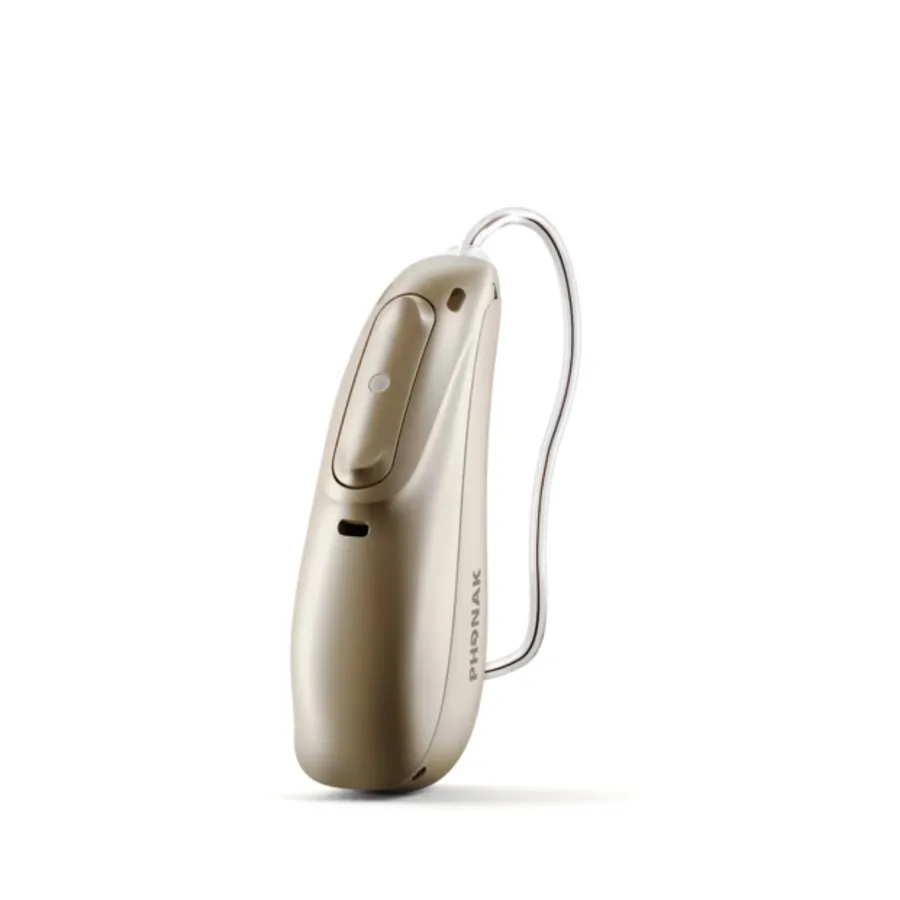
If you own a pair of Phonak hearing aids and something has gone wrong, you are not alone. Phonak Hearing Aids Problems are some of the most searched topics in the hearing aid community. These are sophisticated devices that combine tiny electronics with daily exposure to sweat, earwax, and moisture. Even the best engineered gear has weak points.
Manufacturer specifications indicate that most current Phonak models carry an IP68 rating for dust and water resistance. That is solid protection, but it is not a license to ignore maintenance. The vast majority of issues people face are predictable and fixable.
Let's walk through what typically goes wrong and what you can actually do about it.
Quick Answer
Phonak hearing aids have six main problem categories. Feedback or whistling tops the list. Bluetooth disconnects are very common.
Batteries fail to last or charge properly. Moisture causes intermittent sound or dead units. Most issues are fixable, but some need an audiologist.
Image source: Bing (Web (fair-use with source credit))
Honest Overview: The Real Story About Phonak Problems
Phonak builds solid hearing aids. They are the flagship brand for Sonova, one of the largest hearing aid manufacturers globally. Their Audéo line consistently ranks among the top selling hearing aids worldwide.
But solid does not mean flawless. Every electronic device has weak points.
Aggregate user reviews and audiology forums report five common patterns. Feedback or whistling is the number one complaint. Bluetooth connectivity trouble comes second.
Battery problems rank third, especially for rechargeable models. Moisture damage quietly takes out many devices that could have lasted years longer.
Most of these issues have straightforward fixes. Some you can do yourself in under five minutes. Others require a trip to your audiologist.
A few mean sending the device back for repair. Knowing which is which saves you time, frustration, and money.
The trick is distinguishing minor nuisances from real hardware failure. A clogged wax guard is not the same as a dead receiver. A Bluetooth drop after a phone update is not the same as a broken antenna.
This article walks through the most common problems and gives you a clear way to diagnose each one.
Wax and ear debris cause more hearing aid problems than any other factor. Phonak's fine mesh wax guards help, but they need regular replacement. Domes also collect debris and harden over time.
Skipping weekly cleaning is the fastest way to invite sound distortion or complete silence from your device.
On the electronics side, the charging contacts on rechargeable models are a known vulnerability. Sweat, humidity, and skin oils corrode them. Once corroded, the aid might not charge reliably or might stop charging entirely.
This is one of the most common service requests at repair centers.
Manufacturer specifications indicate the rechargeable battery lasts roughly four to five years before capacity drops noticeably. After that, replacement is the only option. That timeline aligns with the lifecycle of most lithium ion hearing aid batteries.
Understanding Your Phonak Model: Why Knowing Matters
Not all Phonak hearing aids are built the same. The problems you face depend heavily on the model and form factor you use. Knowing your specific device helps you diagnose issues faster.
The Audéo family is Phonak's most popular line. These are receiver-in-canal (RIC) devices. They are small and discreet.
Their small size means the receiver sits close to the ear canal. Wax buildup is the main problem here. The receiver port clogs easily.
The Naída line is a behind-the-ear (BTE) powerhouse. These devices are larger. They have a traditional earhook and tubing.
The problems shift here. Tubing cracks and hardens over time. Moisture accumulates inside the earhook.
Sweat damages the external casing because these are often worn by active users.
The Virto line is custom in-the-ear (ITE) models. They are molded to fit your ear shape. The problem with Virto models is that they are sealed inside the ear.
Earwax and moisture have nowhere to go. They frequently require professional cleaning to keep internal components safe.
The Sky line is designed for children. These are BTE models with tamper resistant battery doors. Common issues involve physical damage from drops or rough handling.
Parents also report that pediatric domes need more frequent replacement as children grow.
Roger accessories add another layer. These wireless microphones and streamers connect to Phonak aids. They have their own pairing and battery problems.
If your Roger device stops connecting, the issue is often a low battery on the Roger unit itself, not the hearing aid.
Form factor matters for repair costs too. RIC models are generally easier and cheaper to service. BTE models with a separate receiver and tubing can have parts replaced individually.
ITE custom models are harder to work on because the shell is one piece.
The Most Common Phonak Problems (and What They Actually Mean)
Sound Issues: Feedback, Distortion, and Weak Volume
Feedback is that high pitched squeal you hear when the hearing aid amplifies its own sound. It usually means the dome or ear mold is not seated properly. A crack in the tubing can also cause it.
Check the fit first. If the feedback is new, inspect the dome for wax or damage.
Distortion or crackling sound often points to a clogged receiver port. This is the most common fixable issue. Replace the wax guard.
If the sound is still distorted, the receiver itself may be failing.
Weak volume can mean the battery is low or the volume setting was accidentally changed. On rechargeable models, weak output can also mean the battery is aging and cannot deliver enough power. Try a full charge cycle before assuming the device is broken.
Connectivity Issues: Bluetooth Drops and App Problems
Bluetooth drops are frustrating but common. The myPhonak app works with both iOS and Android, but not every phone is equally compatible. If your connection drops frequently, start with the phone.
Forget the device in Bluetooth settings and re-pair it.
Interference is another cause. Other wireless devices, metal objects, or thick walls can disrupt the signal. Move closer to your phone.
Remove any metal between the phone and the aid.
If the app does not detect your hearing aids at all, check that Bluetooth is enabled on your phone. Restart both the phone and the aids. If that fails, uninstall and reinstall the app.
Battery and Power Issues: Short Life, No Charge, Dead Units
Rechargeable batteries are convenient until they stop holding a charge. Phonak's integrated lithium ion batteries last about four to five years. After that, you will notice the aids dying before the day ends.
The only fix is a battery replacement service from an authorized center.
For disposable battery models, sometimes the battery door contacts get dirty. Clean them with a dry cotton swab. If the aid powers on but dies quickly, you might be using old batteries.
Check the expiration date.
If the aid does not power on at all, check the battery orientation. It is easy to put the battery in upside down. Also check if the battery door closes completely.
A partially open door cuts power.
Moisture and Physical Damage: The Silent Killers
Moisture is the biggest hidden threat to any hearing aid. IP68 rating means the device is dust tight and can survive immersion in one meter of water for 60 minutes. Real world moisture exposure is different.
Sweat, humidity, and condensation inside the charging port cause corrosion over time.
If your hearing aid starts acting intermittently, moisture is often the cause. Use a drying container or a hearing aid dehumidifier overnight. Never put a wet aid directly on a charger.
Physical damage from drops is straightforward. Cracked casings need shell replacement. Broken receiver wires require a new receiver assembly.
Never try to glue a cracked casing yourself. The seal matters for moisture protection.
What You Can Safely Fix Yourself (Step-by-Step Guide)
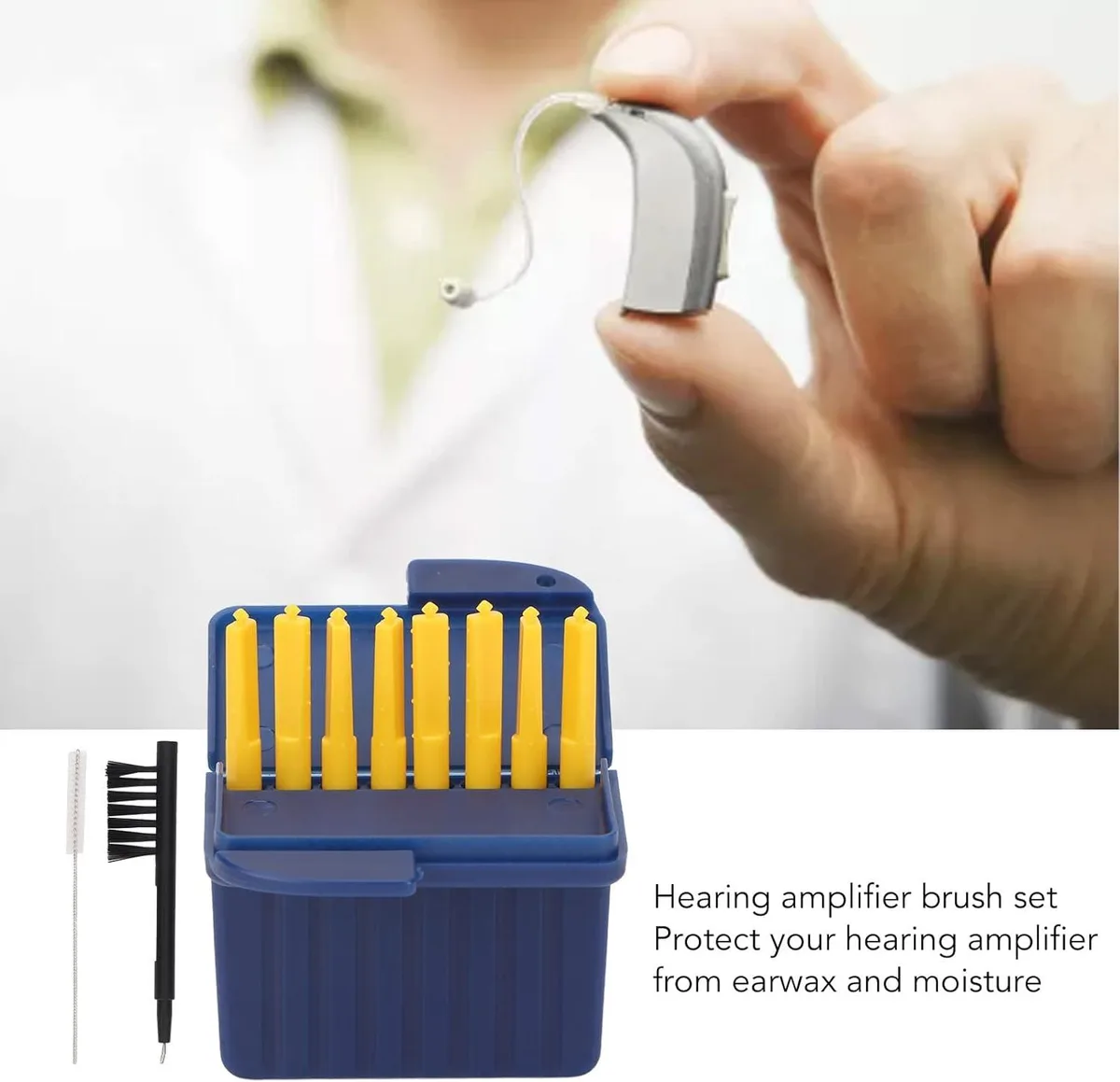
Image source: Bing (Web (fair-use with source credit))
Quick Checks Before You Panic
Before you assume the worst, run these three checks. Is the battery charged or fresh? Is the volume turned up?
Is the earwax filter clear? You would be surprised how often the simplest thing is the culprit. Check these before calling your audiologist.
How to Clean Domes, Wax Guards, and Receiver Ports
Cleaning is the most effective DIY fix. You need a small brush, a wax pick, and replacement wax guards. Phonak's cleaning kit includes these tools.
First, pop off the dome from the receiver. Use the brush to remove visible wax. Thread the wax pick through the receiver port to clear any blockage.
Replace the wax guard if the pick comes out wax covered. Finally, reattach the dome. Do this weekly if you produce heavy earwax.
How to Reset and Re-Pair Bluetooth
When Bluetooth acts up, a full reset is the first step. Take the batteries out or turn off rechargeable models if possible. Wait 15 seconds.
Reinsert batteries and close the door. On your phone, go to Bluetooth settings and select Forget This Device. Open the myPhonak app and follow the pairing prompts.
Hold the hearing aids near the phone during pairing. If that does not work, restart the phone itself.
How to Handle Charging Contact Corrosion
Charging contacts on the hearing aid and the charger can develop a greenish or white buildup over time. This is oxidation from sweat and humidity. Clean the contacts gently with a dry, lint free cloth.
For stubborn corrosion, use a soft pencil eraser. Rub lightly. Do not use water, alcohol, or abrasive cleaners.
They can damage the sealing gasket around the contacts.
When You Need a Professional (and What That Costs)
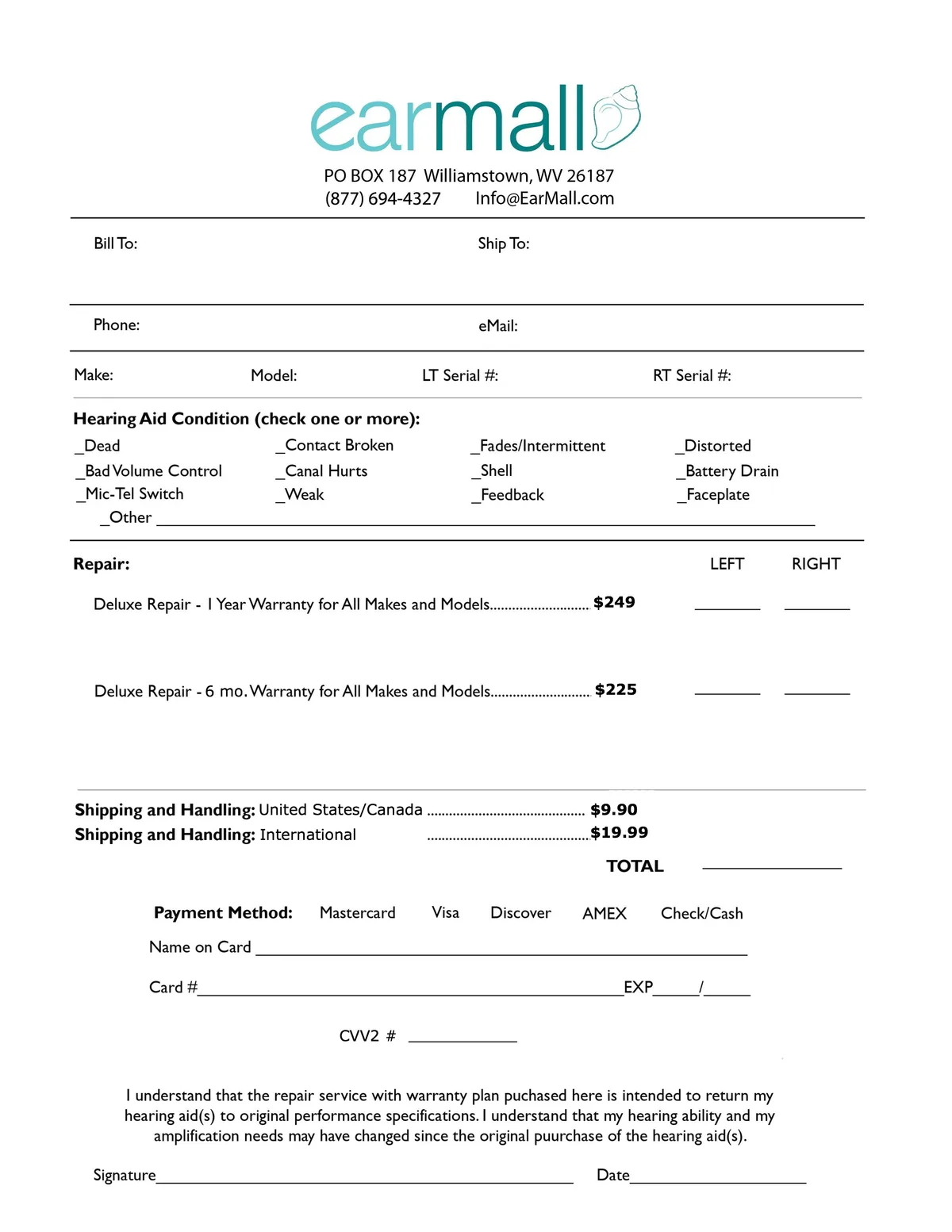
Image source: Bing (Web (fair-use with source credit))
Signs It's a Receiver or Internal Component Failure
Some problems never respond to DIY fixes. If the sound is permanently weak or distorted after cleaning, the receiver is damaged. If the aid powers on but makes no sound at all, the receiver is likely dead.
If the aid does not power on even with fresh batteries, the internal electronics have failed.
Intermittent behavior that persists after drying and cleaning points to internal damage. Hearing aids that got wet and then show garbled or fading sound need professional attention. The corrosion may have reached the circuit board.
Warranty Claims Versus Out-of-Pocket Repairs
Phonak provides a standard two year warranty on most models. Some extended warranties go up to three or four years. Check your purchase paperwork.
If the device is under warranty and the damage is not from physical trauma or water, repairs are usually free.
Damage from moisture, drops, or pet chewing is not covered. For those, you pay out of pocket. Some audiologists offer a loss and damage plan at purchase time.
If you have that, it may cover accidental damage for a deductible fee. Phonak's official support page provides model specific warranty information and service center locations.
Typical Repair Costs and Turnaround Times
Out of warranty repairs range from $200 to $600 per hearing aid. The cost depends on the damage. A simple receiver replacement might be $200.
A full electronics board replacement can exceed $500.
Turnaround time through Phonak's USA service center is usually three to seven business days. Your audiologist may charge an additional handling fee to send the device in. Some offer loaner aids during the repair period.
Ask before you send yours.
| Repair Type | Estimated Cost | Typical Time |
|---|---|---|
| Receiver replacement | $200 – $300 | 3-5 business days |
| Electronics board repair | $400 – $600 | 5-7 business days |
| Shell/casing replacement | $250 – $350 | 5-7 business days |
| Battery replacement (rechargeable) | $300 – $400 | 3-5 business days |
Repair, Replacement, or Upgrade? How to Decide
When a Phonak hearing aid stops working properly, you have three paths. You can repair the current device. You can replace it with the same or similar model.
You can upgrade to a newer generation. The right choice depends on the age of the aid, the cost of repair, and your hearing needs.
When Repair Makes Sense
Repair is usually the best option when the aid is less than three years old. The internal electronics are still current. A simple fix like a receiver swap or a new battery can restore full function.
If the repair cost is under half the price of a new device, go for it.
Warranty coverage changes the math. If your aid is still under warranty, professional repair costs you nothing beyond shipping. Always check your warranty status before paying out of pocket.
Some audiologists can check this in minutes.
Repair also makes sense for custom ITE models. These are molded to your ear. Replacing them means a new earmold impression and a wait.
If the internal components are sound, repairing the existing shell is faster and cheaper.
When It's Time to Replace or Upgrade
Replace the aid if the repair cost exceeds half the price of a new one. A $500 repair on a $900 hearing aid is not worth it. You also need to consider the age of the technology.
A Phonak model from five years ago does not have the same sound processing as current models.
Upgrade makes sense when your hearing has changed. A newer Phonak model may offer better noise reduction, more channels, or improved Bluetooth stability. If you find yourself struggling in background noise more than you used to, the upgrade may improve your quality of life significantly.
Consider upgrade timing. Phonak releases major platform updates roughly every two to three years. The Audéo Lumity launched in 2022.
The Audéo Paradise launched in 2020. If you have a Paradise or older, the jump to a newer platform brings meaningful improvements in automatic sound processing.
How to Spot a Genuine Phonak versus a Lookalike or Refurbished Unit
Counterfeit Phonak hearing aids are rare but they exist. They are most common on online marketplaces. Always buy from an authorized audiologist or directly from Phonak.
If the price seems too good to be true, it probably is.
Refurbished units are different from counterfeits. Some clinics sell ex-demo or returned devices at a discount. These come with a limited warranty.
Ask for the serial number and verify it with Phonak before purchasing. Also ask how many hours the device was used. Aggressive refurbishment with worn receivers is not a bargain.
How to Prevent the Most Common Problems
Prevention is cheaper than repair. A few minutes of daily care keeps your Phonak hearing aids running smoothly for years. Most problems people face are avoidable with simple habits.
Daily and Weekly Cleaning Routine
Clean your hearing aids every evening. Use the brush from your cleaning kit to remove wax and debris from the microphone ports and the receiver. Wipe the entire device with a dry, lint free cloth.
Never use alcohol or cleaning wipes. They can damage the protective coating.
Weekly, remove the dome from the receiver. Clean the receiver port with the wire loop tool. Replace the wax guard if it looks clogged.
Inspect the dome for cracks or hardening. A fresh dome costs less than a dollar and fixes many feedback problems.
Proper Storage and Drying Habits
Store your hearing aids in a dry container every night. A simple jar with a desiccant packet works. Better options include electric drying boxes that use gentle heat or UV light.
Phonak recommends the PerfectDry or similar products for optimal moisture removal.
Never store hearing aids in the bathroom. Humidity from showers accelerates corrosion. Keep them in a cool, dry place away from direct sunlight.
If you live in a humid climate, a drying box is essential hardware.
Battery Care for Rechargeable Models
Charge your rechargeable Phonak aids fully each night. Do not leave them on the charger all day. Overcharging can stress the battery over time.
If you do not use the aids for a week, charge them to about fifty percent before storing.
Do not expose rechargeable aids to extreme temperatures. Lithium ion batteries degrade faster in heat. Leaving them in a hot car or near a radiator shortens battery life.
Also avoid charging in very cold rooms.
When to Replace Domes and Wax Guards
Replace domes every one to three months. Replace wax guards every two to four weeks. If you produce heavy earwax, change guards weekly.
A clogged wax guard is the most common cause of sound loss. Keeping a supply of replacement filters at home saves you urgent trips to the audiologist.
Frequently Asked Questions
Why does my Phonak hearing aid keep whistling?
Whistling feedback usually means the fit is not good or the dome is blocked. Check that the dome is seated correctly and is not cracked. Replace the wax guard.
If the problem persists, see your audiologist for a fit check.
How long do Phonak rechargeable batteries last before replacement?
Manufacturer specifications indicate four to five years of normal use. After that, the battery capacity drops noticeably. If your aids no longer last a full day, battery replacement from an authorized center is the only fix.
Can I clean my Phonak hearing aid with alcohol wipes?
No. Alcohol damages the protective coating and seals on the device. Use only dry brushes and cloths from a hearing aid cleaning kit.
For stubborn debris, consult your audiologist.
My Phonak Bluetooth keeps disconnecting. What should I try?
Forget the device and re-pair it. Restart your phone and the hearing aids. Check for phone OS updates.
If drops continue, interference from other devices may be the cause. Move closer to your phone and test.
Is it worth repairing an out-of-warranty Phonak hearing aid?
It depends. If the repair costs less than half the price of a new device and the aid is under four years old, go ahead. For older aids or expensive repairs, replacement or upgrade is usually better value.
How often should I have my Phonak hearing aids professionally cleaned?
Every three to six months is standard. If you produce heavy earwax or live in a humid area, go every three months. Professional cleaning removes internal debris that DIY cleaning cannot reach.
Final Takeaway
Phonak hearing aids are well engineered devices with known weak points. Feedback, Bluetooth drops, battery failure, and moisture damage dominate user complaints. Most issues are fixable with basic cleaning and proper habits.
A handful require professional service.
The smartest thing you can do is establish a daily cleaning and drying routine. That single habit prevents the majority of problems. For rechargeable users, pay attention to charging contact hygiene.
For disposable battery users, keep fresh batteries on hand.
When something does break, do not panic. Check the simple things first. Inspect the wax guard.
Verify the battery. Clean the contacts. If none of that works, call your audiologist.
They can diagnose the issue quickly and tell you if it falls under warranty.
Avoid cheap online bargains for replacement parts. Stick with genuine Phonak domes, wax guards, and accessories. The small premium saves you from compatibility problems and poor performance.
Your hearing aids are a significant investment. They are also medical devices that directly affect your quality of life. Treating them with consistent care costs little effort and saves hundreds of dollars in repairs.
You have everything you need to keep them running well.

Similar Posts