Trane Thermostat Troubleshooting
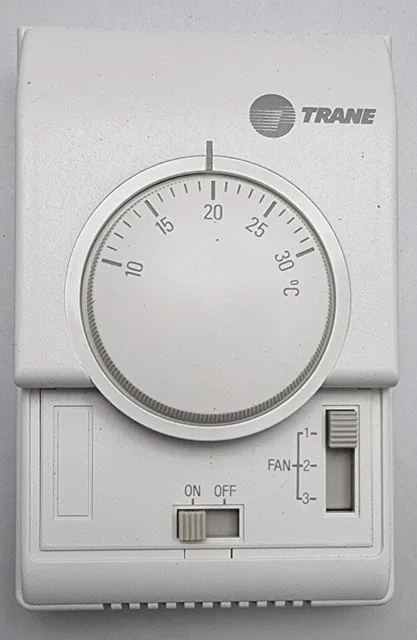
Image source: Bing (Web (fair-use with source credit))
Your Trane thermostat just went blank, or maybe it's blowing cold air when you've got it set to heat. Either way, you're not calling a technician at 9 PM on a Saturday for something you might fix in ten minutes with a screwdriver. Most Trane thermostat issues come down to a handful of repeat offenders: power problems, wiring slips, and settings that got bumped.
Industry data suggests that over 60% of thermostat service calls are resolved by the homeowner with basic checks, no parts required. The most common culprits? A tripped breaker, a blown low-voltage fuse, or a loose wire connection.
Before you pick up the phone, let's walk through the diagnostic path that HVAC technicians actually use. You'll likely find the fix yourself.
Quick Answer
Trane thermostat troubleshooting starts with checking power and wiring before anything else. A blank screen means no power, usually from a tripped breaker, blown fuse, or dead batteries. If the screen works but the system won't run, inspect the wiring connections at both the thermostat and the control board.
Verify the system switch is set to heat or cool, not off or fan-only. Reset the thermostat by removing it from the wall plate for one minute, then reinstalling it.
Most issues stem from a loose R or C wire. These are the power wires that keep the thermostat alive and communicating with your HVAC equipment. If neither the screen nor the system responds after these checks, a professional call is your next step.
Blank Screen or No Power: Where to Look First
A completely dark screen is actually the easiest problem to diagnose. Your thermostat needs power from one of two sources: batteries, or 24V from your HVAC system's transformer.
Check the batteries first
If your model takes batteries, they're usually AA or AAA cells tucked behind the faceplate. Replace them even if they don't look dead. Low voltage acts like no power at all, and a battery that reads 1.2 volts instead of 1.5 can cause a blank display or random resets.
Verify the transformer and fuse
If batteries aren't your issue, the problem is likely the low-voltage power supply. Your furnace or air handler has a transformer that steps down 120V house power to 24V for the thermostat. That circuit is protected by a small fuse, typically a 3-amp automotive-style blade fuse on the control board.
Find your indoor unit, open the access panel, and inspect that fuse. A blown fuse looks charred, and the metal strip inside will be visibly broken. If it's blown, replace it with the same 3-amp rating, never use a higher-amp fuse, as that can damage the transformer.
Most hardware stores carry these for under five dollars.
Is the breaker tripped?
Here's the thing most people skip. The thermostat screen being dead often has nothing to do with the thermostat at all. Check your main electrical panel for a tripped breaker labeled "Furnace," "Air Handler," or "HVAC." Flip it fully off, wait ten seconds, then flip it back on.
If it trips again immediately, you've got a short somewhere, and that's a call-the-pro situation.
What if the screen is dim or flickering?
A dim display means the thermostat is getting some power, but not enough. On battery-powered units, this points to weak batteries. On hardwired units, it usually means the common wire, called the C wire, isn't seated properly.
Remove the faceplate and check that the C wire is firmly in its terminal. Loose connections cause voltage drops, and voltage drops cause dim screens, random resets, and phantom temperature swings.
System Won't Turn On or Heat: Checking Wiring and Settings
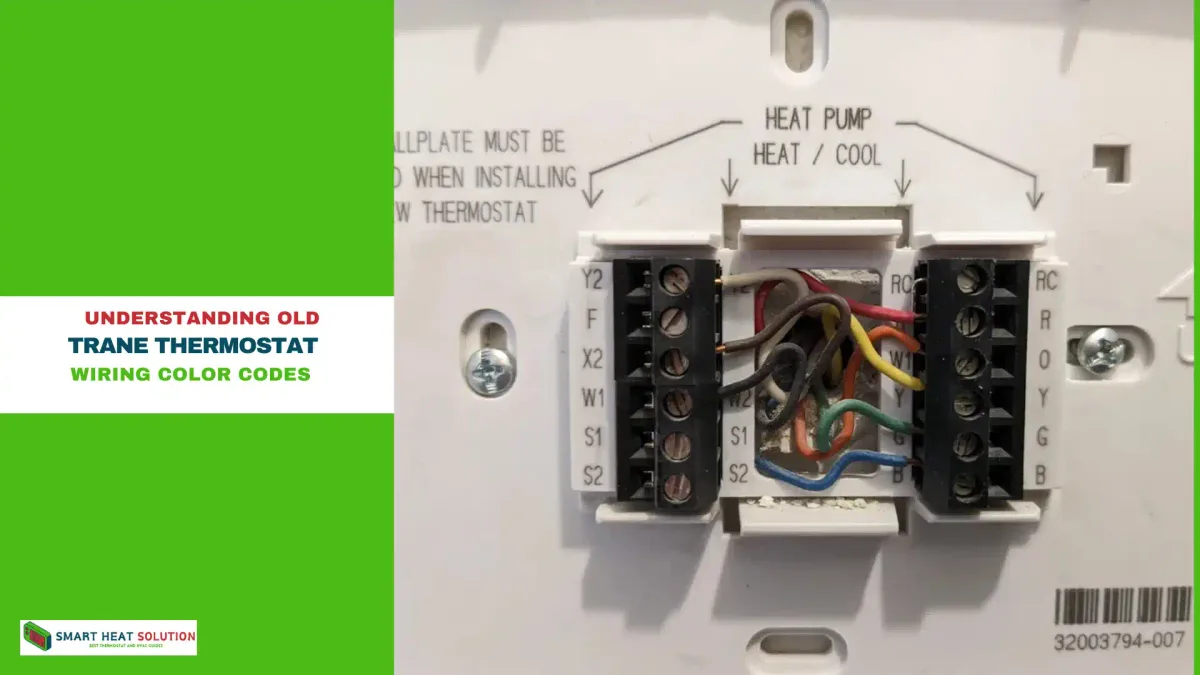
Image source: Bing (Web (fair-use with source credit))
So your screen works fine, but the furnace just sits there. This is where decision-making starts. You've got two sub-branches: a settings problem or a hardware problem.
We'll rule out the cheap fixes first.
Rule out the obvious settings
Check the thermostat's system switch. It's usually a small toggle labeled Heat, Cool, Off, and sometimes Em Heat. Seems obvious, but you'd be shocked how many "broken" systems are just sitting in Off mode after someone bumped the switch while dusting.
Confirm the temperature setpoint too. If it's set to 62 and the room is 68, the furnace won't kick on because it's already satisfied. Bump the setpoint five degrees above the current room temperature and see if the system fires up.
Inspect the wiring connections
Remove the thermostat faceplate. You'll see a small terminal block with labeled screws: R, W, Y, G, C, and possibly others. Check that each wire is snug in its terminal.
Loose wires happen more often than you'd think, especially after a battery change or a paint job near the thermostat. Tug gently on each wire. If any pull out easily, reinsert them and tighten the screw down firmly.
The jumper test: Is it the thermostat or the furnace?
With the system switch set to Heat, jump the R terminal to the W terminal using a short piece of wire. If the furnace roars to life, the thermostat is the problem. If nothing happens, the issue is downstream, in the furnace itself.
Safety note: This test involves exposed 24V wiring. It won't shock you like 120V house current, but it's not a toy either. If you're not comfortable handling wires, skip this step and call a professional.
When the furnace runs but only blows cold air
This points to the reversing valve on a heat pump system or a gas valve issue on a furnace. On a heat pump, your thermostat's O/B wire tells the reversing valve which mode to use. If that wire is loose, the valve stays in cooling position.
Check that the O/B wire is snug in its terminal.
On a gas furnace, cold air usually means the gas valve didn't open, which is a combustion issue. That's beyond DIY territory. You'll need a licensed HVAC technician for this one.
Fan Runs Constantly or Won't Stop: Common Causes
A fan that never shuts off is annoying, and honestly, it wastes electricity. But it's rarely a serious problem. Your thermostat has a fan mode switch with three positions: Auto, On, and sometimes Circulate.
In Auto, the fan runs only when heating or cooling is active. In On, the fan runs continuously. If it's stuck in On, that's the simplest fix in the book.
Switch it to Auto and see if the fan stops within a minute or two. If it does, you're done.
Fan runs but the system won't heat or cool
This is a classic wiring problem. The G terminal controls the fan. The W terminal controls heat.
The Y terminal controls cooling. If the G wire is touching the R terminal somewhere, the fan gets constant power. Inspect the thermostat wiring for loose strands that might be bridging two terminals.
This happens more often than you'd think, especially after a homeowner replaced the battery and shoved the faceplate back on crooked.
When the fan runs after the system shuts off
Some furnaces have a built-in delay that keeps the fan running for one to two minutes after a heating cycle to use residual heat. That's normal. If it runs for five or ten minutes after shutdown, the fan limit switch on the furnace is likely stuck closed.
That's a furnace-side fix, not a thermostat fix. You can temporarily shut it down via the breaker, but you'll need a tech to replace the limit switch.
Wi-Fi and App Connection Issues: Getting Online
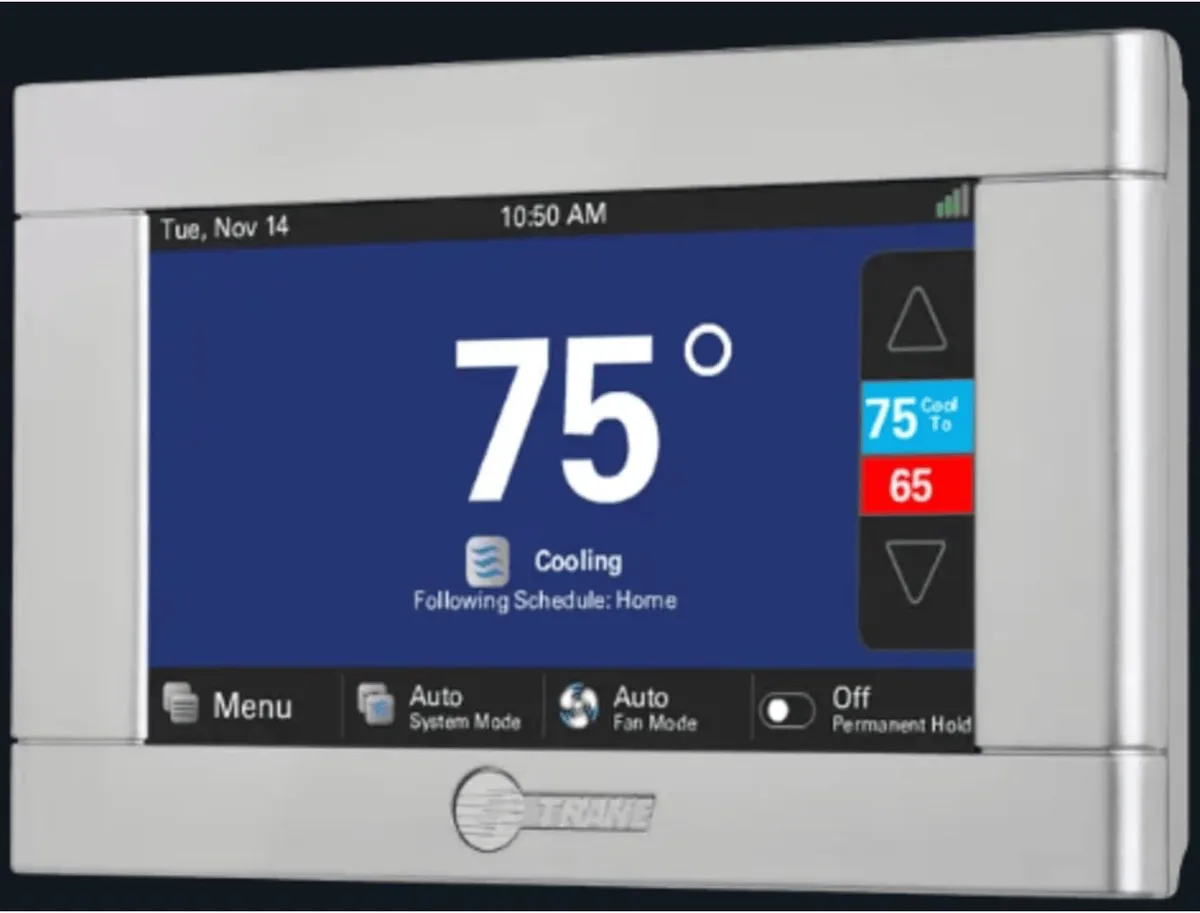
Image source: Bing (Web (fair-use with source credit))
Modern Trane thermostats, especially the models that work with the Trane Home app, live and die by their Wi-Fi connection. If the app won't connect, the thermostat is still controlling your HVAC fine. You're just locked out of remote control, scheduling, and energy reports.
The fix is almost always on the network side, not the thermostat side.
The 2.4 GHz band problem
Start by confirming your router is broadcasting on 2.4 GHz. Most smart thermostats only support the 2.4 GHz band for connectivity, not the faster 5 GHz band. If your router broadcasts both bands under a single network name, some thermostats get confused.
Log into your router settings and create a dedicated 2.4 GHz network, then reconnect the thermostat to that one. The process takes about five minutes.
Thermostat says "No Network" or "Connection Lost"
The thermostat drops the network for a few reasons: the router rebooted, the signal is weak, or the Wi-Fi password changed. The fastest fix is a full power cycle. Pull the thermostat off the wall, wait 60 seconds, put it back on.
This forces the Wi-Fi radio to reboot and reacquire the network. Then restart your router. Wait three minutes for it to fully boot, then let the thermostat reconnect.
App says "Offline" but the thermostat works fine
This mismatch usually means the thermostat is on Wi-Fi, but its connection to the Trane cloud service is stale. Open the Trane Home app, go to settings, and force a refresh. If that doesn't work, delete the thermostat from the app, then add it again using the pairing code on the thermostat's display.
This re-authenticates the connection and clears up any cloud-side sync errors.
Weak signal troubleshooting
If the thermostat is more than 30 feet from your router, or separated by multiple walls, signal strength is likely your culprit. A Wi-Fi extender or mesh router placed about halfway between the thermostat and the main router usually solves it. You don't need a fancy one; a basic 2.4 GHz extender does the job as long as your router and thermostat are on the same network.
If the router is brand new
New routers often come with WPA3 security enabled by default. Many thermostats built before 2022 only support WPA2. If your thermostat connects to your phone's hotspot but not your new router, this is the reason.
Log into the router's security settings and switch from WPA3 to WPA2-PSK. It's a five-minute change that fixes a lot of stubborn connection problems.
When to Call a Professional
Some situations genuinely require a technician. Here's when to stop troubleshooting and make the call:
- The breaker trips repeatedly after resetting it
- The furnace makes popping, banging, or screeching noises
- You smell gas or burning odors near the HVAC equipment
- The furnace blows cold air and you don't have a heat pump
- Multiple thermostat resets haven't fixed the issue
These signs point to hardware failures inside the furnace or air handler, transformer shorts, failed gas valves, or seized blower motors. Those are not DIY repairs. A licensed technician will have the diagnostic tools and parts on hand to fix it properly.
Preventing Future Problems
A few simple habits keep your Trane thermostat running smoothly for years:
- Replace batteries annually. Do this even if the display still works. Low battery voltage causes hiccups long before the screen dies.
- Dust the thermostat monthly. Hair and dust build up on the terminal screws and can cause intermittent connections. Use a dry brush or compressed air.
- Secure wires during the winter. Heating cycles cause wires to expand and contract. Check the terminal screws twice a year, once before summer and once before winter.
- Keep the router close. If you have a smart thermostat, a strong 2.4 GHz signal prevents most connection complaints.
- Update firmware when prompted. Trane periodically pushes firmware updates that improve Wi-Fi stability and temperature accuracy.
Bottom Line
Most Trane thermostat problems fall into two buckets: no power or no brain. No power means check the breaker, the fuse, and the batteries. No brain means check the wiring, the settings, and the Wi-Fi.
Work through these steps in order, and you'll fix the majority of issues yourself in under fifteen minutes.
If you've checked everything above and the problem persists, you're likely looking at a furnace-side failure, not a thermostat failure. That's when you call the pros. But give the easy stuff a shot first.
You might just save yourself a service call fee and a weekend of waiting.

Similar Posts