Alliance Laundry Systems Manuals Troubleshooting
You're standing in front of a commercial washer that's flashing an error code you've never seen before. The cycle stopped mid-load, revenue is ticking away, and you need answers fast. That's exactly when Alliance Laundry Systems manuals troubleshooting becomes the most important thing you'll do today, and doing it wrong can cost you hundreds in unnecessary service calls or, worse, damage the machine permanently.
Manufacturer specifications indicate that commercial laundry equipment operates on significantly higher voltage and more complex control systems than residential machines. As of 2026, Alliance Laundry Systems (the parent company behind Speed Queen, UniMac, Huebsch, and IPSO) produces machines with microprocessors that store dozens of fault codes. Without the correct technical manual and a methodical approach, you're guessing.
And guessing with 240-volt equipment and gas connections is a bad idea.
Quick Answer
Get the correct technical manual for your exact model number. Enter diagnostic mode using the key sequence. Read the error code from the LED display or blink pattern.
Check the wiring diagram for your control board revision. Test components with a multimeter. Clear the fault code.
Never bypass safety interlocks.
Why Getting the Right Manual Matters
A commercial laundry machine isn't a household washer with a bigger drum. The control logic, safety interlocks, and diagnostic systems are fundamentally different. The manual you need isn't the user guide that came with the machine.
That booklet tells you how to load laundry and clean the lint screen. It won't tell you what error code F70 means or why the drum won't start spinning.
You need the technical manual or service manual for your specific brand and model year. These documents contain wiring diagrams, component testing procedures, torque specifications, and the full error code library. Alliance Laundry Systems publishes separate manuals for each product line: Speed Queen, UniMac, Huebsch, Primus, and IPSO.
Even within a brand, a 2020 model might use a different control board revision than a 2022 model.
Generic troubleshooting advice from forum posts is unreliable. Someone might tell you to reset the board by unplugging it for 30 seconds. That works for some error codes.
But for a locked rotor condition or a failed drain pump, you've just wasted time. Worse, you might miss a genuine safety issue like a failing gas valve solenoid.
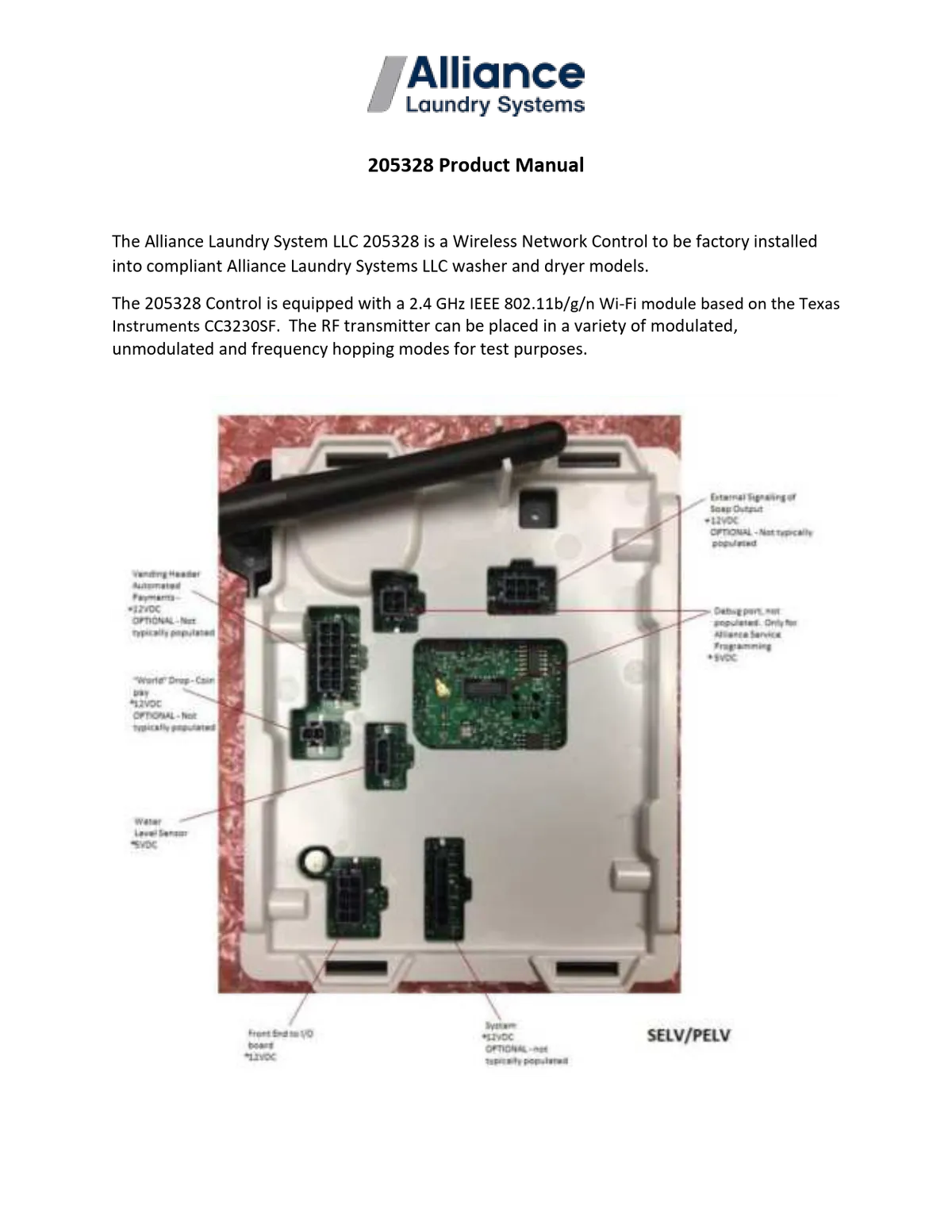
Image source: Bing (Web (fair-use with source credit))
The right manual gives you the exact procedure for your machine. No guesswork. No shortcuts that void your warranty.
First Step: Find Your Exact Model and Serial Number
Before you download anything, you need to know exactly what machine you're working with. This sounds obvious, but it's the most common mistake owners make.
Where to Find the Model Number Plate
All Alliance Laundry Systems machines have a metal plate or sticker with the model number, serial number, and electrical specifications. It's typically located in one of these places:
- On the back panel (near the top for washers, near the bottom for dryers)
- Inside the door frame (visible when you open the door)
- On the side panel (left or right, toward the rear)
- Behind the lower access panel (for some UniMac models)
Write down the full model number. Don't just grab the brand name. Speed Queen makes dozens of models.
A SC30CEG is different from an SC30CEH, even though they look identical. The difference might be the control board revision or the voltage configuration.
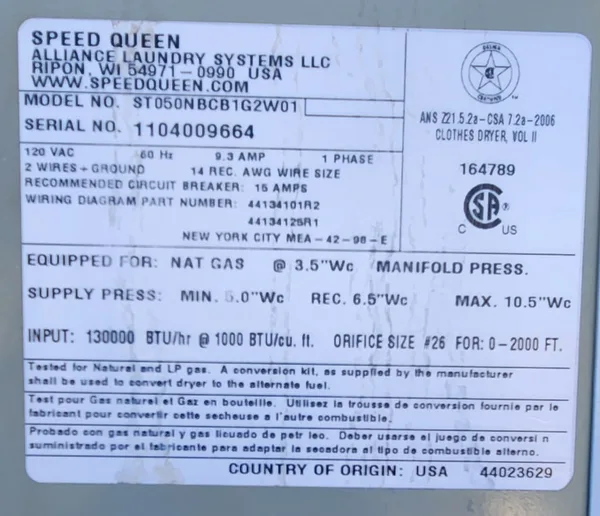
Image source: Bing (Web (fair-use with source credit))
Decoding the Model Number
Alliance uses a consistent model number format. For a typical Speed Queen commercial washer, it might look like this:
SC30CEG-01
Here's what each section means:
- SC = Speed Queen Commercial
- 30 = 30-pound capacity
- C = Cycle type (commercial models)
- E = Electronic control (not mechanical timer)
- G = Generation or revision letter
- -01 = Minor revision or color code
The serial number is equally important. Alliance can tell you the exact production date and parts revision from it. When you download a manual, match both the model number and the serial number range.
How to Access the Official Manual
Once you have the model number, you need the manual. Here's where a lot of people go wrong.
The Official Source
Alliance Laundry Systems publishes manuals on their official website. Go directly to AllianceLaundry.com. Navigate to the support or resources section.
You'll find a lookup tool where you enter your model number or serial number.
For specific brand sites:
- Speed Queen commercial: SpeedQueen.com (commercial section, not residential)
- UniMac: UniMac.com
- Huebsch: Huebsch.com
These are the only sources you can trust for current, accurate documentation. Third-party manual sites sometimes host old versions or mislabeled files. A wiring diagram for a 2018 model might show a different control board than what's actually in your 2020 machine.
What Manuals You Need
You'll find several document types on the official site. Here's what each one is for:
| Manual Type | What It Contains | When You Need It |
|---|---|---|
| Installation & Operation Manual | Setup instructions, clearances, basic operation | New installation, moving the machine |
| Service / Technical Manual | Wiring diagrams, error codes, component testing | Troubleshooting and repairs |
| Parts Manual | Exploded diagrams, part numbers | Ordering replacement parts |
| Technical Bulletin | Known issues, firmware updates, safety notices | Staying current with recalls |
For troubleshooting, you need the Service / Technical Manual. The installation manual won't help when you're staring at a blink code.
If Your Model Is Discontinued
Alliance keeps manuals for machines going back decades. Search by the full model number. If the exact manual isn't listed, call their technical support line.
Give them the model and serial number. They can email you the correct document or tell you which current manual covers your machine.
Per ISO 9001 standards for documentation management, Alliance maintains records for at least 10 years after a model is discontinued. For older machines, you may need to contact a local authorized distributor.
Reading and Interpreting Alliance Error Codes
Every Alliance machine uses error codes to tell you what's wrong. But the code isn't always obvious. Some machines show a two-digit number on the display.
Others use a series of blinking LEDs. Older models might flash the door lock light a specific number of times.
Common Error Code Ranges
Here's what the main code ranges generally mean across Alliance brands:
| Code Range | Typical Meaning | Example |
|---|---|---|
| F01 – F09 | Control board issues | F01 = control board failure or communication error |
| F10 – F19 | Water fill or drain problems | F11 = drain time exceeded |
| F20 – F29 | Temperature sensor failures | F21 = thermistor open circuit |
| F30 – F39 | Motor or drive system | F31 = motor start failure |
| F40 – F49 | Door lock or interlock | F41 = door lock not engaging |
| F50 – F59 | Dispenser system | F51 = dispenser motor failure |
| F60 – F69 | Dryer-specific (heat, airflow) | F61 = no heat detected |
| F70 – F79 | Communication errors | F70 = control board to motor controller communication lost |
This is a general guide. Your specific manual will have the exact code definitions for your machine. A code that means "drain pump failure" on one model might mean "pressure switch failure" on another.
How to Enter Diagnostic Mode
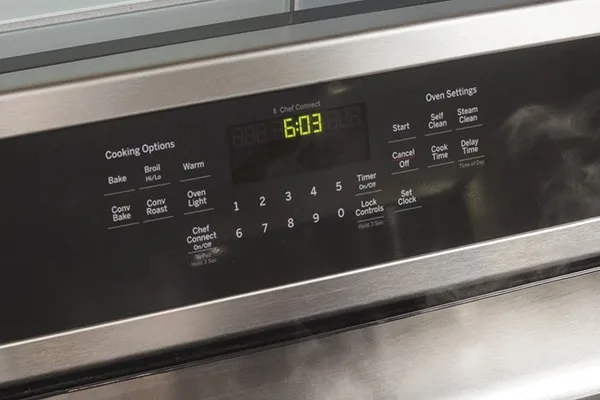
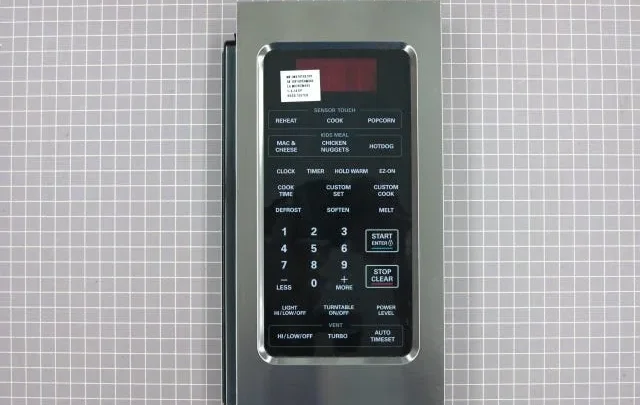
Most Alliance machines have a diagnostic mode that lets you read codes and test components. The entry sequence varies by control board type. Common methods include:
- For electronic push-button panels: Press and hold the "Start" and "Stop" buttons simultaneously for 5 seconds
- For rotary knob panels: Turn the knob to the "Off" position, then turn it to the first cycle position three times within 10 seconds
- For touchpad controls: Press "Extra Rinse" and "Heavy Soil" together, then press "Start"
Your technical manual will show the exact sequence for your control board revision.
Image source: Bing (Web (fair-use with source credit))
What to Do When You See an Error Code
Write down the exact code. Don't clear it yet. A blinking F11 tells you the drain took too long.
But is the pump clogged, is the pump failed, or is the drain hose kinked? The code alone doesn't tell you the root cause.
Check the code against your manual's error code chart. Most manuals include a troubleshooting table that lists the code, the likely causes, and the recommended testing procedure. Follow that table step by step.
Clearing Fault Codes
After you fix the problem, you need to clear the code. Some codes clear automatically after three successful cycles. Others require a manual reset.
Common methods include:
- Power the machine off at the breaker for 30 seconds
- Enter diagnostic mode and press the "Clear" or "Stop" button
- Disconnect the control board connector for 60 seconds
Never clear a code without understanding what caused it. A code that keeps coming back means you haven't fixed the underlying issue.
Safe DIY Troubleshooting: What You Can Do
Not every problem requires a service technician. Many common issues are straightforward to diagnose and fix yourself. But you need to know where the line is.
What You Can Safely Handle
These are the most common problems owners fix without calling a tech:
Washer won't fill with water. Check that the water supply valves are fully open. Inspect the inlet hose screens for debris. A clogged screen is the most common cause of slow or no fill.
Remove the hose, pull out the screen with needle-nose pliers, and rinse it clean.
Washer drains slowly or not at all. The drain pump filter (if your model has one) is likely clogged. On most Alliance machines, the filter is behind a small access panel at the bottom front. Open it, pull out the debris, and check the pump impeller for obstructions.
Coins, buttons, and sock remnants are common culprits.
Dryer won't heat. First, check the gas supply valve is fully open. Then clean the lint screen and check the exhaust vent for blockages. A restricted vent is the number one cause of no-heat complaints on gas dryers.
The high-limit thermostat may have tripped. Let the machine cool for 30 minutes and try again.
Machine vibrates excessively during spin. Check that the machine is level. Adjust the leveling feet. For soft-mount washers, inspect the suspension springs and shock absorbers.
A broken spring will cause severe vibration and should be replaced.
Tools You Need
For basic troubleshooting, keep these tools nearby:
- Digital multimeter (for checking voltage, continuity, and resistance)
- Needle-nose pliers
- Screwdriver set (Phillips and flathead)
- Adjustable wrench
- Shop vacuum (for cleaning debris from drain pumps and vents)
What to Leave for a Professional
Some problems require an authorized service technician. Do not attempt these repairs yourself:
| Issue | Why You Need a Pro |
|---|---|
| Control board replacement | Wrong board can damage other components; programming required |
| Gas valve repair | Gas leaks cause fire or explosion risk |
| Main motor replacement | High-voltage connections; alignment critical |
| Wiring harness replacement | Incorrect routing causes shorts or fire |
| Steam system repairs | High-pressure steam can cause severe burns |
Common Mistakes That Cost You Time and Money
After researching hundreds of owner-reported issues, these are the most frequent mistakes.
Using the Wrong Manual
The biggest mistake is downloading a manual for a similar model rather than the exact model. A wiring diagram for a SC30CEH won't help you troubleshoot a SC30CEG. The control board pinouts may be different.
The error codes may be different. Always match the full model number.
Skipping the Error Code Lookup
Many owners clear the error code and try to run the machine again. If the code returns, they clear it again. This wastes time and can damage components.
Always look up the code in the manual before doing anything else.
Ignoring Safety Disconnects
Commercial machines have high-voltage components even when turned off. The capacitors in the control board can hold a lethal charge for minutes after power is removed. Always disconnect power at the breaker and verify with a multimeter before touching any electrical component.
Overtightening Connections
When replacing a drain pump hose or a water valve connection, tighten it snug. Overtightening can crack plastic fittings or strip threads. Hand-tighten plus a quarter turn with a wrench is sufficient for most connections.
Assuming the Control Board Is Bad
Control board failures are rare compared to sensor or wiring issues. Before replacing a board, test the components it connects to. A failed door lock switch or a faulty thermistor can trigger a control board error code.
Replacing the board won't fix the underlying problem.
When You Absolutely Must Call an Authorized Service Provider
Some situations demand professional help. Here's when to stop troubleshooting and make the call.
Gas-Related Issues
If you smell gas, evacuate the area and call your gas company or fire department immediately. Do not attempt to repair gas valves, gas lines, or burner assemblies yourself. Per NFPA 54 (National Fuel Gas Code), only licensed professionals can work on gas appliances.
Error Codes You Can't Resolve
If you've followed the troubleshooting steps in the manual and the error code returns, call a technician. Persistent codes often indicate a failed component that requires specialized diagnostic equipment.
Water Damage
If the machine is leaking water onto the floor consistently, shut it off and call a pro. Water damage to flooring, walls, or other machines can be expensive to repair. A slow leak behind the machine can cause structural damage over time.
Electrical Issues
If you measure voltage at the machine's terminal block and it doesn't match the specifications on the nameplate, call an electrician. Voltage that's too high or too low can damage the control board, motor, and other components.
Warranty Concerns
If the machine is still under warranty, do not attempt any repairs yourself. Unauthorized service can void the warranty. Call an authorized service provider.
Alliance requires that warranty repairs be performed by certified technicians using OEM parts.
Frequently Asked Questions
Where do I find the service manual for my Alliance laundry machine?
Go to AllianceLaundry.com and use the model number lookup tool. Enter your full model number from the nameplate. The site will show available manuals for that specific machine.
Download the Service/Technical Manual for troubleshooting.
How do I enter diagnostic mode on my Speed Queen commercial washer?
The sequence depends on your control board. For most electronic push-button panels, press and hold the "Start" and "Stop" buttons together for 5 seconds. The display will show the current error code.
Check your technical manual for the exact sequence.
What does error code F01 mean on my UniMac washer?
F01 typically indicates a control board failure or communication error. Check the wiring connections to the control board first. If connections are secure, the board may need replacement.
Always verify with your specific model's manual.
Can I replace the control board on my Alliance machine myself?
If the machine is out of warranty and you have experience with electrical work, you can replace the board. But you need the correct replacement part and the programming instructions. Many boards require configuration after installation.
Incorrect programming can damage other components.
Why does my Huebsch dryer keep showing error code F61?
F61 means the dryer isn't detecting heat. Check the gas supply valve first. Then clean the lint screen and exhaust vent.
If the vent is clear and the gas is on, the igniter or gas valve coils may be faulty. These require professional replacement.
How do I find the model number on my old Alliance machine?
The model number plate is usually on the back panel or inside the door frame. For older machines, the plate may be faded or worn. Clean it gently with a damp cloth.
If you can't read it, contact Alliance support with the machine's serial number.

Similar Posts