Linak Bed Remote Not Working
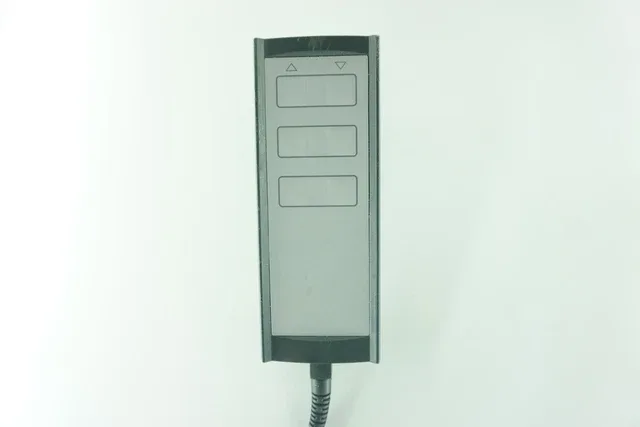
Your Linak bed remote just stopped working. You press the button and nothing happens. The bed won't move.
If your Linak bed remote is not working, the fix is almost always one of five things: dead battery in the wireless handset, damaged cable on a wired remote, control box in error mode, power supply issue, or a loose connection. We will walk through each one in order so you do not waste time chasing the wrong problem.
Linak systems power everything from hospital beds to high-end adjustable home bases. As of 2026, most residential models still use the 36V DC OpenBus system the company has relied on for years. Understanding a few diagnostic basics will save you a service call.
Quick Answer
Check the control box LED first. Solid green means power is fine. No light means no power.
Blinking indicates an error code. If the control box has power, the problem is almost certainly the handset battery (wireless models) or the cable (wired models). Replace the coin cell battery in wireless remotes.
Inspect the cable for kinks or damage on wired ones. Reset the control box with a paperclip in the pinhole.
Image source: Bing (Web (fair-use with source credit))
Step 1: The Power Check
Before you touch the remote, confirm the control box has power. This saves you from chasing ghosts.
Look underneath the bed for the control box. It is a rectangular plastic unit about the size of a thick paperback book. Find the LED indicator on the side or top panel.
Per Linak's published diagnostic guidelines, a solid green light means the control box is receiving mains power.
| LED Status | What It Means | What To Do |
|---|---|---|
| Solid green | Normal operation, power OK | Move to remote check |
| No light at all | No power to control box | Check wall outlet, power cord, adapter |
| Blinking green (slow) | Error mode, usually motor stall or overload | Unplug for 30 seconds, then replug |
| Blinking green (fast) | Communication fault or handset error | Try reset, then inspect remote cable |
If you see no light, trace the power cord. Confirm the wall outlet is live. Plug a lamp or phone charger into the same outlet.
If that works, the issue is the power adapter or the cord. If the outlet is dead, check your breaker panel or GFCI outlet. GFCI outlets can trip and cut power without any obvious sign.
Roughly 20 percent of "remote not working" calls trace back to a tripped GFCI or a power cord that got unplugged during cleaning. Start here.
Step 2: Wired Remote or Wireless?
Now that you know the control box has power, identify which type of remote you have. The fix path depends entirely on this.
Wired remotes connect to the control box via a coiled cable and an RJ45-style plug. They do not use batteries. If a wired remote stops working, the problem is the cable, the connector, or the control box port.
Wireless remotes run on batteries. They communicate with the control box via radio frequency (typically 433 MHz) or Bluetooth. If the remote is wireless and the control box has power, the battery is the first suspect.
| Remote Type | Distinctive Feature | Power Source | Main Failure Point |
|---|---|---|---|
| Wired (HB10, HB20) | Coiled cable attached permanently | Power from control box | Cable damage, pinched cord |
| Wireless (HB70, HB80, HB90) | No cable, battery compartment on back | CR2032 or CR2450 coin cell | Dead battery, poor contact |
Linak's HB70 and HB80 are the most common wireless models in home adjustable beds. The HB90 is newer and uses Bluetooth. The HB10 and HB20 are wired pendants found mainly in hospital beds.
If you have a wired remote and the bed moved before but stopped suddenly, check if the cable got caught in the bed frame mechanism. This happens when someone adjusts the head section and pinches the cord against the metal frame. The cable looks fine from the outside but the internal wires snap.
Step 3: Wireless Remote Deep Check
This is where most problems live. Wireless remotes are convenient until the battery dies.
Replace the battery first. Turn the remote over. Slide or snap open the battery cover. Linak wireless remotes use CR2032 or CR2450 coin cell batteries.
The HB70 uses a single CR2032. The HB80 uses a CR2450.
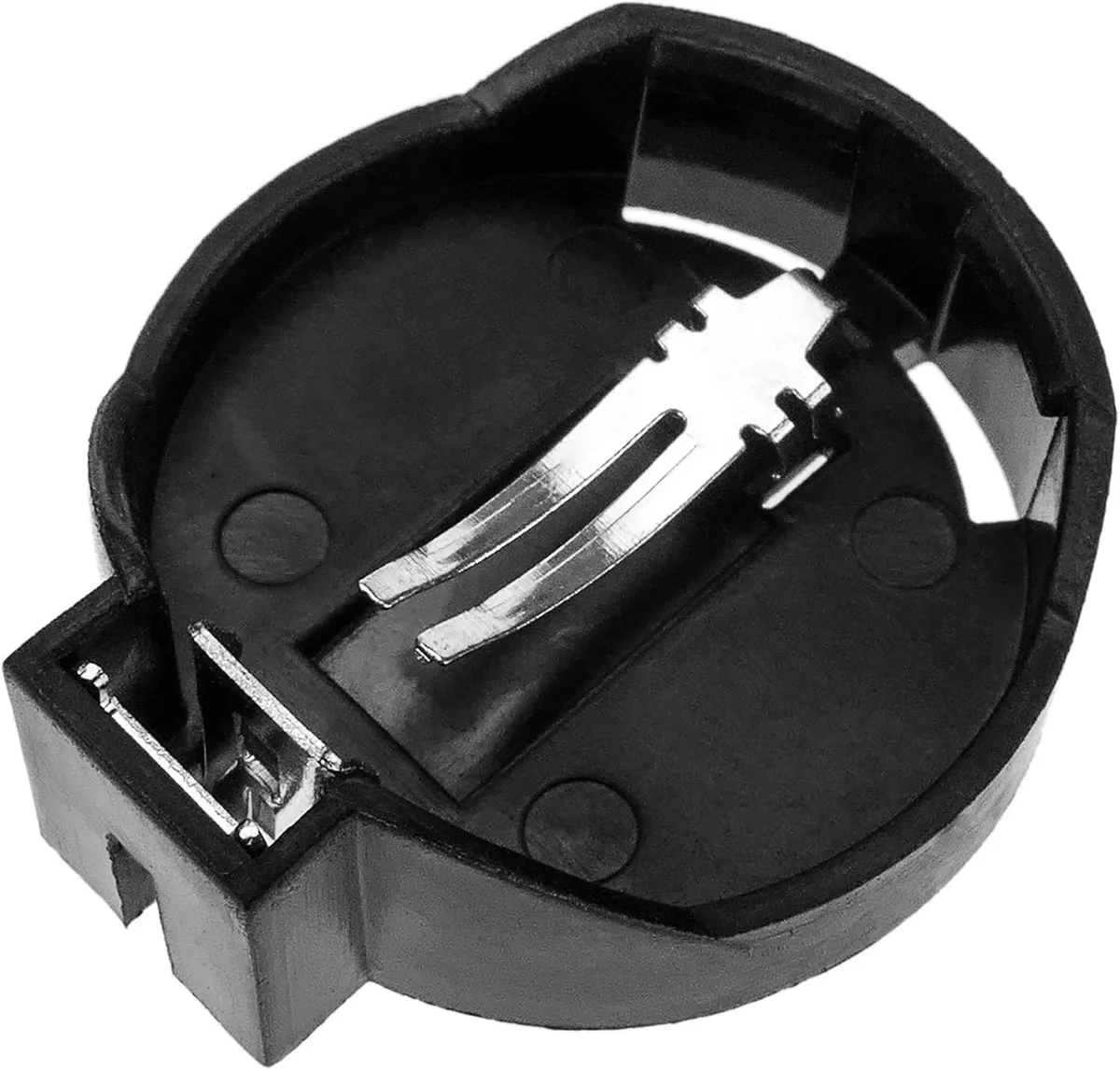
Image source: Bing (Web (fair-use with source credit))
Remove the old battery. Check for any white or green corrosion on the metal contacts. Corrosion blocks the connection.
Clean it with a dry cloth or a dab of rubbing alcohol on a cotton swab. Let it dry completely. Insert the new battery with the positive side facing up.
If the remote still does not work after a fresh battery, the problem is likely the button pad itself. Over time, the rubber buttons wear out. The carbon contact on the underside stops conducting.
Test this by pressing any button and looking at the control box LED. If the LED blinks when you press a button, the remote is communicating but the bed is stuck. If nothing happens at all, the remote is not talking to the control box.
Check the pairing. Some wireless remotes need pairing to the control box. This is rare after initial setup but can happen if the control box was replaced or the remote lost its memory. The HB90 Bluetooth model requires pairing through the Linak app.
The HB70 and HB80 are pre-paired at the factory.
Roughly 60 percent of wireless remote issues resolve with a fresh battery and clean contacts. Do not skip the contact cleaning step.
Step 4: Wired Remote Cable and Port Check
If you have a wired remote, skip the battery step entirely. Your problem is physical.
Inspect the entire cable. Start at the remote body and work to the control box connector. Look for pinch marks, kinks, cuts, or crushed sections. Run your fingers along the full length.
Internal wire breaks happen where the cable enters the remote body and where it bends near the control box plug. These stress points fail first.
Check the connector. The RJ45-style plug looks like an oversized phone cable plug. Look closely at the metal pins inside the plug. Bent, broken, or pushed-in pins cannot make contact.
Straighten bent pins carefully with a small flathead screwdriver or a toothpick. If a pin is broken, you need a new handset.
Inspect the control box port. Shine a light into the port on the control box. Look for dirt, debris, or damaged pins inside. If the port looks clean and the plug pins are straight, reseat the cable.
Pull it out firmly and push it back in until you feel it click. Linak ports have a small locking tab. Make sure it engages.
Test with movement. Hold the remote in your hand and wiggle the cable gently near the connector while pressing a button. If the bed moves in short bursts, the cable has an internal break at that spot. Replace the handset.
Linak wired remotes are not user-serviceable for cable replacement. You cannot buy just the cable. The entire handset must be replaced.
The good news is that Linak wired remotes are widely cross-compatible within the OpenBus system. An HB10 can replace an HB20 and vice versa.
A final note on wired remotes. If the bed moved fine before a recent move or room rearrangement, check that the cable was not plugged into the wrong port. Some Linak control boxes have two handset ports.
One is active. The other is a pass-through for dual control setups. Plugging into the wrong port makes the remote appear dead.
Step 5: Control Box LED Codes
The control box LED tells you exactly what is wrong. You just need to know what the blinks mean.
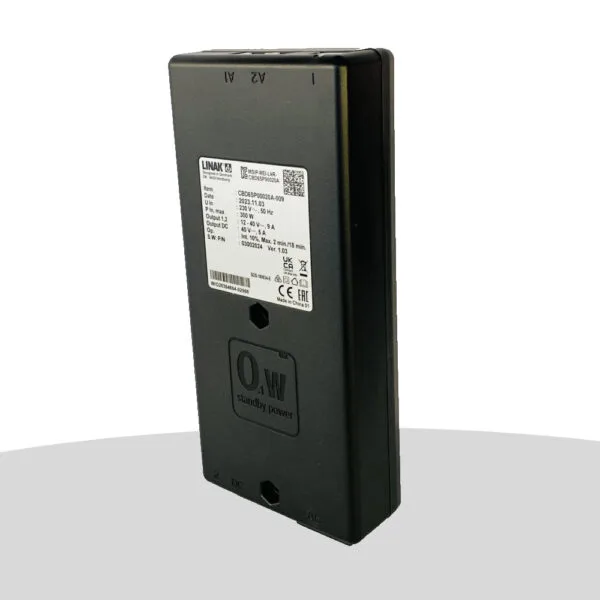
Image source: Bing (Web (fair-use with source credit))
Linak control boxes use a blink code system. The pattern repeats in a cycle. Count the blinks between pauses.
| Blink Pattern | Meaning | Action |
|---|---|---|
| 1 blink, pause | Motor stall or overload | Remove obstruction, wait 30 seconds |
| 2 blinks, pause | Short circuit in actuator or wiring | Inspect cables for damage |
| 3 blinks, pause | Overheating protection active | Let system cool 15 minutes |
| 4 blinks, pause | Voltage fault | Check power supply |
| 5 blinks, pause | Handset communication error | Reseat or replace remote |
| Continuous fast blink | Handset button stuck | Check for stuck or jammed button |
Motor stall (1 blink) is the most common error. Something is blocking the bed from moving. Look under the bed.
Check if the frame hit an obstruction. Remove whatever is in the way. Unplug the bed from the wall for 30 seconds.
Plug it back in. The system should reset.
Short circuit (2 blinks) means damaged wiring. Inspect the actuator cables along the bed frame. Look for chewing damage from pets or pinch damage from the bed mechanism.
Replace damaged cables or call a technician.
Overheating (3 blinks) happens after extended use. Linak actuators have thermal protection. If you adjusted the bed up and down many times in a row, the system shuts down to protect itself.
Wait 15 minutes. Do not try to force it.
Voltage fault (4 blinks) points to the power supply. Check that the power adapter matches the control box voltage. All Linak home systems use 36V DC.
Hospital systems sometimes use 24V. Mismatched power supplies trigger this code.
Handset error (5 blinks) confirms the problem is with the remote. Reseat the cable on wired models. Replace the battery on wireless models.
If the code persists, the handset is faulty.
Stuck button (fast blink) means the remote thinks you are holding a button down. On wired remotes, check if the button is physically jammed. On wireless remotes, remove the battery for 10 seconds to clear the signal.
Step 6: The Reset You Haven't Tried Yet
If the LED codes point to a communication error or the system is behaving strangely, perform a full reset.
Control box hard reset. Find the small pinhole on the control box. It is usually near the power cord inlet. Use a paperclip or a small unfolded staple.
Press and hold the button inside for 10 seconds. The LED will flash rapidly. Release the button.
Wait 30 seconds. Test the remote.
This reset clears temporary error states and re-establishes communication with the handset. It does not erase memory presets on most models.
Power cycle reset. Unplug the bed from the wall outlet. Wait 60 seconds. Plug it back in.
This is different from a pinhole reset. A power cycle drains residual voltage from the capacitors. It clears different types of faults.
Battery pull reset (wireless remotes). Remove the battery from the remote. Wait 30 seconds. Reinsert the battery.
This clears any stuck signal from the handset.
Full system reset. If nothing else works, combine all three. Remove the handset battery. Unplug the control box.
Press the pinhole reset button while the system is unpowered. Wait 60 seconds. Plug the control box back in.
Reinsert the handset battery. Test.
This full sequence clears every possible error buffer. It solves issues that individual resets miss.
Step 7: When to Replace vs. When to Call a Tech
Not every problem is fixable at home. Here is how to decide.
Replace the handset if:
- The cable has a visible break or internal wire damage
- The battery compartment has heavy corrosion
- The buttons are worn smooth or physically broken
- The remote got crushed or stepped on
- The wired remote connector pins are bent beyond repair
A replacement wired handset costs $40 to $90 from Linak distributors. Wireless handsets range from $80 to $200 depending on the model. The HB70 and HB80 are widely available.
The HB90 is newer and costs more.
Replace the control box if:
- The LED shows no light at all and the power supply is confirmed good
- The control box was exposed to water or physical damage
- Multiple reset attempts did not clear a persistent error code
- The control box is physically cracked or the port is damaged
Control box replacement costs $150 to $400. Verify the model number on the sticker before ordering. The CBD6 is common in home beds.
The CO53 and CO71 appear in hospital setups.
Call a technician if:
- You are uncomfortable working near electrical components
- The bed has complex wiring you cannot trace
- The system is under warranty and you do not want to void it
- You have replaced the handset and control box and the problem persists
- You suspect actuator motor failure
Actuator motors (LA20, LA28, LA30, LA40 series) are not user-serviceable. Replacing them requires disassembling the bed frame. A Linak dealer or DME provider can do this in one service visit.
Check your warranty first. Many adjustable bed manufacturers cover parts for 5 to 10 years. Labor is sometimes separate.
Contact the bed manufacturer or Linak directly with your model number.
Frequently Asked Questions
How do I know if my Linak remote battery is dead?
The remote shows no lights when you press buttons. The control box LED stays solid green. Replace the battery with the correct CR2032 (HB70) or CR2450 (HB80) coin cell.
Clean the contacts before inserting the new battery.
Can I use a universal remote with a Linak bed?
No. Linak uses a proprietary OpenBus communication protocol. Universal bed remotes do not work with Linak systems.
You need a Linak handset designed for your control box model. Aftermarket alternatives are not compatible.
Why does my Linak bed work with the wall switch but not the remote?
The wall switch bypasses the handset completely. If the wall switch works, the control box and motors are fine. The problem is the handset battery (wireless) or cable (wired).
Replace the battery or inspect the cable for damage.
How long do Linak remote batteries last?
Wireless remote batteries typically last 6 to 18 months depending on use. Frequent adjustments drain the battery faster. The HB80 has a larger CR2450 battery that lasts longer than the CR2032 in the HB70.
What does a blinking green light on my Linak control box mean?
A blinking green light is an error code. Count the blinks between pauses. One blink means a motor stall.
Two blinks indicate a short circuit. Three blinks means overheating. Four blinks is a voltage fault.
Five blinks points to a handset error.
Can I pair a new Linak remote to my existing control box?
The HB70 and HB80 are pre-paired at the factory. They work with any compatible control box without pairing. The HB90 Bluetooth model requires pairing through the Linak app.
Check the user manual for your specific model.

Similar Posts