5 Best AI Smart Glasses: Top Picks For Every Budget
The best AI smart glasses blend clear audio, useful AI tools, good cameras, comfort, and simple daily control.
You may want to capture a trip without holding your phone, hear directions while walking, or ask a quick question while your hands are busy. That is where AI smart glasses can help. They place a camera, microphone, speaker, and voice assistant in a familiar frame. Still, every pair makes trade-offs. Some focus on video, some on translation, and others on comfort and style. I reviewed the key features, likely strengths, and practical limits of five popular options so you can choose the best AI smart glasses for your needs.
Coucur AI Smart Glasses with…
EIS+OIS Video Recording Glasses – Capture smoother hands-free 1200P POV videos on weekend trips, city walks, commutes, and outdoor moments. Electronic and optical image stabilization with a 6-axis gyroscope helps…

AI Smart Glasses with Camera,…
【AI Real-Time Translation & ChatGPT Assistant】AI glasses break language barriers instantly with AI real-time translation. The built-in ChatGPT voice assistant helps you communicate, learn, and handle travel or business conversations…

Meta Ray-Ban (Gen 2) Wayfarer…
#1 SELLING AI GLASSES – Tap into iconic style for men and women, and advanced technology with the newest generation of Ray-Ban Meta smart AI glasses. Capture photos and video…
Coucur AI Smart Glasses With 4K Camera

The Coucur AI Smart Glasses stand out for shoppers who want camera glasses with a strong video focus. The listing highlights 4K video recording and a three-lens design. That setup may appeal to travelers, creators, and anyone who wants a first-person view without holding a phone. In this price class, I would treat the 4K claim as a listed recording mode, not a promise of cinema-quality footage.
The frame also aims to combine smart features with the shape of everyday eyewear. That makes it more discreet and easier to carry than a separate action camera. Before buying, check the current listing for storage, battery life, app support, lens type, and charging details. Those points often matter more than resolution when you use camera glasses on a long day.
Pros:
- 4K recording mode offers detailed video potential
- Three-lens design may support a wider view or added camera functions
- Hands-free capture helps during travel and outdoor activities
- Eyewear form feels easier to carry than a separate camera
- Useful choice for first-person clips and quick memories
- Bluetooth support can reduce the need to reach for a phone
Cons:
- Higher resolution may use more storage and battery power
- Actual image quality can change in low light or motion
- Camera privacy may concern people nearby
- App and phone compatibility should be confirmed before purchase
AI Smart Glasses With 4K Video and Translation
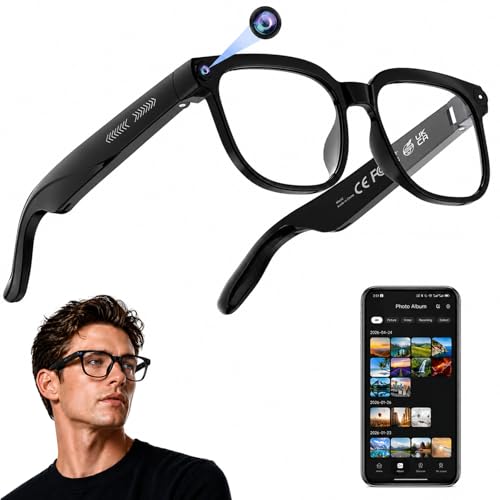
This model targets people who want more than a wearable camera. Its listing calls out 4K photo and video capture, real-time translation, an AI assistant, open-ear audio, and object recognition. That combination gives it a broad feature list for travel. It could help you hear an answer, record a short clip, or get visual help without pulling out your phone.
Open-ear audio is one of its most practical features. You can hear sound while keeping some awareness of traffic, people, and your surroundings. That does not make the glasses safe for every road or work site, so I would still follow local rules and use care near vehicles. Translation and object recognition also depend on the companion app, internet access, language support, and the quality of the AI service.
Pros:
- Combines camera, audio, and AI tools in one frame
- 4K capture can produce sharp clips in good light
- Real-time translation may help during travel
- Open-ear audio keeps the ears free from sealed earbuds
- Object recognition can support quick visual questions
- Voice control may reduce phone handling
Cons:
- AI features may require a phone, app, or internet connection
- Translation results can vary by language and background noise
- Open speakers may be hard to hear in loud places
- The long feature list may increase setup time and battery demands
Meta Ray-Ban Gen 2 Wayfarer Smart Glasses

The Meta Ray-Ban Gen 2 Wayfarer smart glasses are the most style-led option in this group. The Matte Black frame with clear lenses looks closer to normal Ray-Ban eyewear than to a small electronics project. That matters because comfort and willingness to wear a product often decide whether its smart features become part of your routine. A device left in a drawer cannot be the best AI smart glasses for you.
Meta’s Ray-Ban smart glasses line is known for hands-free photos, video, calls, music, and voice features through a connected phone and Meta View software. Exact functions can depend on the generation, region, phone, software version, and account settings. I recommend checking the current Amazon listing and Meta’s official support pages for Gen 2 battery, camera, AI, water-resistance, and compatibility details. Clear lenses also make this pair a better fit for indoor use or prescription-lens planning than dark sunglasses.
Pros:
- Classic Wayfarer styling is easy to wear every day
- Clear lenses suit indoor use and many lighting conditions
- Hands-free photos and video can feel natural during daily life
- Open-ear speakers support music, calls, and spoken answers
- Established Meta and Ray-Ban brands may offer stronger app support
- Familiar frame design makes a good gift for style-conscious users
Cons:
- Many smart functions depend on a phone and Meta software
- Privacy lights and camera etiquette require care in public
- Premium branding may raise the purchase price
- Clear lenses do not provide built-in sun protection unless replaced
AI Smart Glasses With 8MP Bluetooth Camera

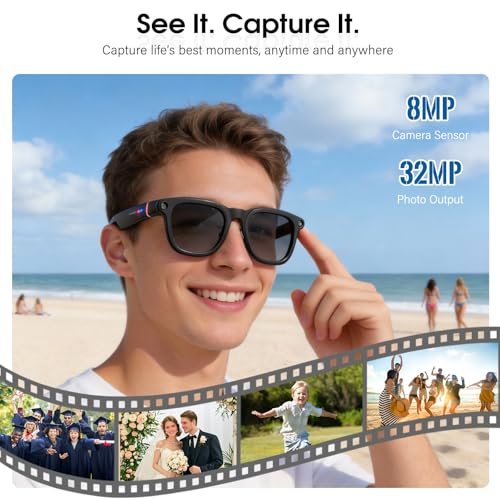
These AI smart glasses take a simpler camera-first approach with an advertised 8MP camera and Bluetooth connectivity. They may suit shoppers who want quick photos and video in a wearable frame without paying for a large ecosystem. The design is listed for both women and men, which suggests a general-use fit rather than a specialist sports shape. I would focus on frame measurements before ordering, since lens width and temple length affect comfort more than marketing language.
Bluetooth can make pairing convenient for calls or audio, but it does not automatically mean the glasses have full AI access. Confirm whether the product uses a dedicated app, a phone assistant, onboard controls, or a mix of these systems. Also check how files move from the glasses to your phone. A camera can capture a good moment, yet a slow transfer process can make the whole experience feel like a locked door.
Pros:
- 8MP camera provides a clear target for casual image capture
- Bluetooth support may simplify audio and phone pairing
- Wearable design keeps hands free for daily tasks
- General styling can work for a wide range of users
- May cost less than a large branded smart-glasses platform
- Useful for short clips, snapshots, and hands-free records
Cons:
- Camera resolution alone does not confirm strong video quality
- AI functions and app features need careful listing review
- Battery life may limit long recording sessions
- Bluetooth range and phone support can affect reliability
8MP AI Camera Glasses With Photochromic Lenses

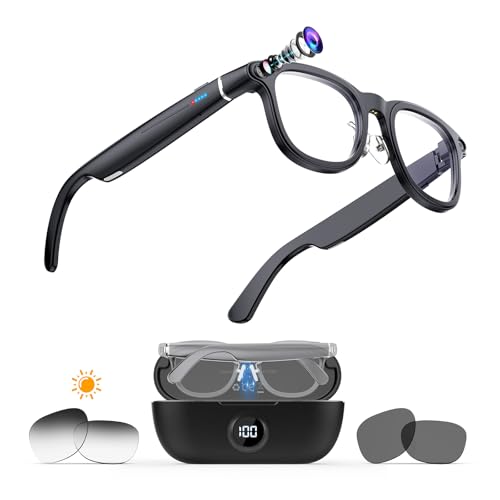
This pair adds photochromic lenses to an 8MP camera-glasses design. Photochromic lenses are intended to change tint in response to light, which can help when you move between indoor and outdoor areas. The listing also highlights 1080p anti-shake video, real-time translation, an AI voice assistant, object recognition, and Bluetooth. For a commuter or traveler, that is a useful blend of daily eyewear and smart functions.
The 1080p mode may be a sensible choice when you want smaller files and lower battery use than a high-resolution setting. Anti-shake claims are helpful, but electronic stabilization cannot remove every bump from walking footage. Photochromic lenses also may not darken the same way inside a vehicle or behind some windows because many windows block ultraviolet light. I would view this model as a flexible everyday option, not a replacement for a dedicated action camera.
Pros:
- Photochromic lenses can adapt to changing light outdoors
- 1080p recording may save storage compared with higher modes
- Anti-shake support can make walking clips easier to watch
- Translation and object recognition add travel value
- Voice assistant access supports hands-free control
- Bluetooth enables connection to a compatible phone or device
Cons:
- Photochromic lenses may react slowly or weakly behind glass
- 1080p is less detailed than the advertised 4K alternatives
- AI tools may rely on an app and an internet connection
- Recording, Bluetooth, and lens functions can reduce battery life
What Are AI Smart Glasses?
AI smart glasses are wearable frames with small electronics built into the temples or bridge. Depending on the model, they may include cameras, microphones, speakers, Bluetooth, touch controls, and a voice assistant. Some process simple commands on the glasses. Others send audio, photos, or questions to a phone and cloud service.
The term “AI” covers several different tools. A voice assistant may answer questions or start a recording. Object recognition may describe a scene or identify an item. Translation may turn spoken words into text or audio. These tools can be useful, but they are not perfect. AI can misunderstand speech, miss visual details, or give an incorrect answer, so I never treat it as a substitute for judgment in health, safety, legal, or urgent situations.
The best AI smart glasses should feel useful even when the AI is not active. Good sound, a stable fit, easy controls, a simple app, and reliable charging create the base experience. If those basics fail, advanced features become decoration. Think of the glasses as a small bridge between your senses and your phone, not as a full computer that replaces every device.
How I Evaluated the Best AI Smart Glasses
I started with the features that affect daily use. A camera needs more than a high megapixel number. Lens quality, stabilization, exposure, microphone performance, file transfer, and storage all shape the final result. A bright 4K clip can look worse than a steady 1080p clip if the camera struggles with glare or movement.
I also looked at audio design. Open-ear speakers can help you stay aware of your surroundings, but they leak sound and may struggle in wind or traffic. Microphones must separate your voice from background noise. Bluetooth compatibility matters too, since a pair may work well with one phone but offer fewer controls on another.
Comfort received equal weight. Smart glasses sit on your nose and ears for hours, so weight balance matters. Thick temples may press against your head. A large camera may feel awkward when you lie down or wear a hat. If you need prescription lenses, confirm that the frame accepts them and ask an eye-care professional or approved lens provider about the process.
Finally, I considered privacy and support. Camera glasses can record people who do not expect it. The Federal Trade Commission recommends clear, honest privacy practices for connected products, and the National Institute of Standards and Technology stresses strong security habits for smart devices. Use the camera indicator, ask before recording, and review app permissions. Also check the return policy, warranty, firmware support, and privacy policy before purchase.
Key Features to Compare Before Buying
Camera Quality and Video Format
Camera resolution tells only part of the story. A 4K mode can preserve more detail, while 1080p can produce smaller files and use less power. For walking tours, family clips, and casual memories, stabilization and good exposure often matter most. Look for sample photos from independent reviewers when possible, and remember that Amazon images may not show real output.
Ask how the camera starts recording. A physical button gives clear control. A voice command feels convenient but may fail in noise. Check if the glasses save files locally, stream them to a phone, or use both methods. Storage capacity and transfer speed can decide whether you capture one more important moment or see a low-battery warning.
AI Assistant and Translation
AI assistants work best with short, clear requests. You might ask for a timer, a weather update, a description of an object, or a translation. The answer may need a data connection. Some features may launch first in limited regions or support only selected languages.
Do not assume every pair with “AI” in its name offers the same service. Read the listing for supported apps, subscriptions, phone systems, language packs, and account requirements. If travel is your main goal, test translation in a quiet place before relying on it abroad. Keep a regular translation app as a backup.
Audio and Call Performance
Open-ear sound can feel more natural than earbuds because nothing seals the ear canal. It may work well for podcasts, directions, and short calls. Yet people nearby may hear your audio, and loud streets can overpower small speakers. An adjustable volume control is helpful, but safe listening still matters.
Microphone quality can make or break calls. Wind, traffic, and crowded rooms challenge tiny microphones. Read user feedback for real call examples instead of trusting a single product phrase. If calls are central to your work, use a normal headset as your dependable backup.
Battery Life and Charging
Manufacturers often measure battery life with light use. Recording video, playing audio, making calls, and using AI can drain a small battery much faster. Charging cases can extend the day, but they also add weight and another item to carry.
Check the charging port or case design. A proprietary cable may be harder to replace during travel. A clear battery indicator is valuable because surprise shutdowns are frustrating. If you plan long hikes or tours, carry a power bank and avoid starting the day with a half-charged pair.
Comfort, Fit, and Lens Choice
Look for a frame that sits level without squeezing your temples. The camera should not pull the front down. Nose pads and temple tips can improve grip, but they may also collect sweat during exercise. Try the glasses at home during the return period, and keep the packaging until you know the fit works.
Clear lenses suit indoor use. Tinted lenses help in bright sun. Photochromic lenses can be convenient when light changes, though their performance depends on the environment. If you need prescription lenses, confirm the frame’s lens limits before buying. Smart features do not matter if the view is blurry.
Which Product Fits Your Needs?
Each pair has a different reason to exist. The Coucur model is aimed at shoppers who place 4K capture and its multi-lens design first. The second AI model offers the broadest feature mix on paper, including translation, object recognition, and open-ear audio. Meta Ray-Ban Gen 2 focuses on a familiar premium frame and a more established smart-glasses ecosystem.
The 8MP Bluetooth model makes sense for buyers who want a basic camera-glasses format and do not need every advanced feature. The photochromic model is more attractive for people who move between indoors and outdoors. I would not choose by megapixels alone. Instead, match the product to the way you spend a normal day.
Best for Travel
The second AI smart-glasses model is the strongest travel-focused choice based on its listed features. Real-time translation, object recognition, voice help, and open-ear audio can reduce the number of times you reach for your phone. Still, download important maps and keep your phone available. AI translation can help with simple exchanges, but it should not replace a human interpreter for important matters.
Best for Style and Daily Wear
The Meta Ray-Ban Gen 2 Wayfarer is the natural choice for shoppers who care about appearance. The familiar silhouette may encourage more frequent use than a bulky technology frame. Its clear lenses also work well in homes, offices, and shops. Check the exact Gen 2 specifications, region support, and prescription options before ordering.
Best for First-Person Video
The Coucur model is the most appealing option for a buyer focused on high-resolution recording. The three-lens layout and advertised 4K mode give it a strong feature hook. I would use it for short travel clips, events where recording is allowed, and hands-free memories. For professional production, a dedicated camera still offers better control, battery options, and audio accessories.
Best for Changing Light
The photochromic 8MP model is a good fit for commuters, walkers, and travelers who move through different light levels. Its advertised 1080p anti-shake mode may also keep file sizes manageable. Remember that photochromic lenses may not darken well inside a car. If you spend a lot of time driving, choose lenses made for that setting instead.
Best for a Simple Camera Option
The 8MP Bluetooth camera glasses are worth considering when you want a more direct camera-and-connectivity setup. They may suit casual use, short recordings, and buyers who do not need translation. Because product apps can vary, review the setup instructions and recent buyer feedback before you commit. Simplicity is valuable only when the basic controls work well.
My Recommendation
I recommend the Meta Ray-Ban Gen 2 Wayfarer for most buyers who want the best AI smart glasses for regular daily wear. Its biggest advantage is balance. A familiar frame, clear lenses, hands-free capture, audio, and a known brand can make the product easier to use often. It is not automatically the best choice for every person, especially if you want the highest listed camera resolution or a lower price.
Choose the second AI smart-glasses model if travel tools are your top need. Pick Coucur if 4K recording and the three-lens design matter most. Choose the photochromic pair for changing light, or the 8MP Bluetooth model for a simpler camera option. Prices and stock can change, so compare the current Amazon listing, seller details, return terms, and user reviews before checkout.
| Best for | Why |
|---|---|
| Daily style and clear lenses | Meta Ray-Ban Gen 2 offers a familiar Wayfarer look and a broad smart-wearable appeal. |
| Travel and hands-free help | The 4K AI model lists translation, object recognition, voice help, and open-ear audio. |
| Outdoor light changes | The photochromic AI glasses can adapt their lens tint and include listed anti-shake video. |
Privacy and Safety Tips for Camera Glasses
Camera glasses deserve more care than ordinary eyewear. Tell people when you record them, and avoid recording in private places. Do not use the camera in changing rooms, medical visits, classrooms, or any setting where people have a strong expectation of privacy. A recording light helps, but it does not replace clear consent.
Review the companion app’s permissions. A camera app may request access to photos, a microphone, Bluetooth, location, or contacts. Grant only what the feature needs. Use a strong account password, install firmware updates from the official app, and avoid pairing on unknown public devices.
Sound safety also matters. Open-ear audio can improve awareness, but it cannot make walking or cycling risk-free. Keep the volume low enough to hear important sounds. Never let an AI answer distract you near traffic, stairs, machinery, or water. Follow local laws for recording and distracted-device use.
How to Set Up AI Smart Glasses
Start by charging the glasses and case fully. Install the official app from a trusted app store, then pair the glasses through the app rather than random Bluetooth menus. Allow only the permissions you understand. Update the firmware before testing the camera, calls, and assistant.
Next, learn the physical controls. Find the power switch, camera button, volume control, and privacy indicator. Take a short test photo and video. Confirm where the files go, how long transfers take, and whether the app compresses the original file.
Test audio in a quiet room and then in a safe outdoor setting. Ask a basic voice question. Try a call. If the assistant misunderstands you, move the microphone closer to your voice, reduce background noise, or speak with shorter phrases. Small setup steps can turn a frustrating gadget into a useful daily tool.
Common Buying Mistakes to Avoid
The first mistake is trusting one headline number. “4K,” “8MP,” and “AI” sound impressive, but they do not tell you about stabilization, battery life, app quality, or privacy controls. Read the full listing and recent reviews. Look for comments about actual use, not only first impressions.
The second mistake is ignoring phone support. Some glasses work with Android and iPhone, while others offer limited features on one platform. App updates can also change the experience. Confirm the required operating system before you buy, especially if you use an older phone.
The third mistake is overlooking fit. A frame can look attractive online but feel heavy after an hour. Check measurements and return terms. If you wear prescription lenses, confirm compatibility before you order custom lenses.
The fourth mistake is expecting a private cinema. Open-ear speakers are convenient, not silent. People nearby may hear some sound. If privacy matters, use earbuds or a regular headset for sensitive calls.
The final mistake is treating AI output as fact. AI can make errors. It may misread a sign, mistranslate a phrase, or describe an object incorrectly. Use it as a quick aid, then verify important information with a trusted source.
FAQs Of Best AI Smart Glasses
What are the best AI smart glasses for most people?
The Meta Ray-Ban Gen 2 Wayfarer is the best overall fit for many users because it combines familiar styling, clear lenses, audio, and smart features. Your best choice may change if you care more about 4K video, translation, or photochromic lenses.
Do AI smart glasses need a phone?
Most models need a phone for setup, file transfer, app control, internet access, or advanced AI features. Bluetooth alone does not guarantee full assistant access. Check the product requirements for your exact phone model and operating system.
Can AI smart glasses translate languages?
Some models list real-time translation, but language support and accuracy can vary. Translation may need an app and internet access. Use it for simple help, and keep a backup translation method for important conversations.
Are camera smart glasses legal to use in public?
Laws vary by location and situation. Public recording may still create privacy concerns, and some places ban cameras or recording devices. Ask for consent when possible, avoid private areas, and follow local rules.
Are open-ear smart glasses safe?
Open-ear audio can help you hear your surroundings, but it does not remove all risk. Keep volume low and stay alert near traffic, bikes, water, and machinery. Do not use AI features when they could distract you from a safety task.
Final Verdict: Which Should You Buy?
For most buyers, the Meta Ray-Ban Gen 2 Wayfarer is the best AI smart glasses choice because it balances style, comfort, clear lenses, audio, and smart functions. Choose Coucur for 4K capture or the second model for travel-focused AI tools.
The right pair should fit your face, phone, budget, and daily habits. Compare current features, privacy terms, battery details, and return policies before buying the Best AI Smart Glasses for you.

Similar Posts
































