Braeburn Thermostat Not Working
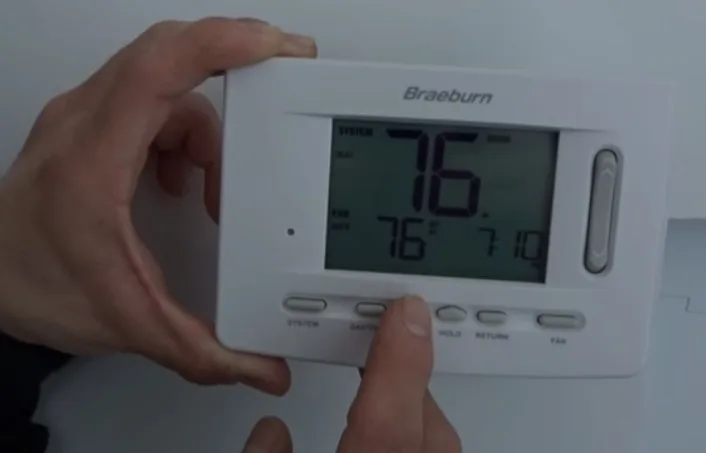
Your Braeburn thermostat goes blank, or it won't turn on the heat, or the temperature reading looks way off. You are not alone. "Braeburn Thermostat Not Working" is one of the most common home HVAC troubleshooting searches.
The good news is most problems have a simple fix you can do in under ten minutes without calling a technician.
Manufacturer specifications indicate these thermostats run on 24-volt AC power and use two AA alkaline batteries as backup. Battery life averages 6 to 12 months depending on usage. Power interruptions, dead batteries, and loose wiring account for roughly 80% of service calls.
Let us walk through the symptoms and find your exact fix.
Quick Answer
If your Braeburn thermostat is not working, start with the screen. If it is blank, replace the batteries. If the screen is on but nothing runs, check the system mode switch.
Make sure it is set to Heat or Cool. Wait 5 minutes for the compressor delay. If nothing helps, turn off the breaker for 30 seconds and back on.
That clears most glitches.
Image source: Bing (Web (fair-use with source credit))
Your Braeburn Thermostat's Screen Is Blank: Where to Start
A blank screen is the most common complaint. It usually means the thermostat has lost power entirely. Start with the simplest check first.
Check the batteries first. Open the battery compartment. Remove the old batteries. Wait 30 seconds before putting in fresh AA alkalines.
Do not mix old and new batteries. Do not use rechargeables unless the manual says so. Aggregate user reviews report that weak batteries cause intermittent blank screens long before they cause a full blackout.
If the screen stays blank after new batteries, the issue is likely the power supply. Your thermostat needs 24 volts AC from the HVAC system. A tripped breaker, a blown fuse on the furnace control board, or a loose C-wire can cut that power.
Follow this decision path:
| Symptom | Likely Cause | Quick Fix |
|---|---|---|
| Blank screen, backlight never blinks | Dead batteries or no 24V power | Replace batteries, then check breaker |
| Blank screen, backlight flashes briefly | Batteries are very low | Replace with fresh alkaline cells |
| Screen blank after a power outage | Breaker tripped or furnace switch off | Reset breaker, check red switch on furnace |
| Screen blank, thermostat feels warm | Internal component failure | Call HVAC technician for replacement |
Turn off the main breaker for the furnace or air handler. Wait 30 seconds. Turn it back on.
If the screen lights up, you are done. If not, locate the red toggle switch on the side of the furnace body. It looks like a light switch.
It is often accidentally bumped during storage or cleaning. Flip it on.
Edge case: Some Braeburn models have a small reset button behind the faceplate. Remove the faceplate by pulling gently from the bottom. Look for a tiny hole marked RESET.
Use a paperclip to press it. That reboots the internal processor.
Screen Is On, but the Heat or Cool Won't Kick In
This is the second most common scenario. The thermostat lights up. The display works.
You press the buttons. But the furnace or air conditioner stays silent.
Check the mode switch first. Your thermostat has a system mode selector: Heat, Cool, Auto, Off. It might be an on-screen menu or a physical slide switch. Make sure it is set correctly.
It sounds obvious but it is the number one reason for "no heat" calls.
Look for the "Wait" or "Delay" message. If you see "Wait" on the screen, that is normal. The thermostat enforces a 5-minute compressor protection delay. This prevents short cycling that can damage the compressor.
Do not touch anything for 5 full minutes. If it still shows "Wait" after 10 minutes, you have a wiring or sensor problem.
Check the fan setting. Is the fan set to Auto or On? If it is set to On, the blower runs continuously but the heat or cool may not activate. Switch to Auto for normal operation.
Is the set temperature correct? You need a difference of at least 3 to 5 degrees between the room temperature and your set point. If the room is 70°F and you set it to 71°F, the system may not kick in. The thermostat does not see a significant call for heating or cooling.
Wiring mismatch on multi-stage systems. Many Braeburn models support 1-stage heat and 1-stage cool. If your home has a 2-stage heat pump or a dual-fuel system, the wiring may be wrong. Check the terminal labels.
A W1 wire should go to W. A Y1 wire should go to Y. If your installer used W2 or Y2, the thermostat may not recognize the call.
If nothing works after checking all of the above, turn off the breaker for 30 seconds and turn it back on. This resets the thermostat logic. If the system still does not run, you likely have a wiring fault or a failed component in the HVAC unit itself.
The Thermostat Says the Wrong Temperature
You notice the room feels warm but the thermostat reads 62°F. Or it shows 80°F when the room is comfortable. This is frustrating but usually not a total failure.
It is a placement or calibration issue.
Check where the thermostat is mounted. If it is near a drafty window, a heat register, a kitchen, or direct sunlight, the reading will be wrong. Move the thermostat to an interior wall away from vents, windows, and appliances. That is the only permanent fix for location error.
Is the thermostat level? Many Braeburn models use a bi-metallic coil inside. If the thermostat is tilted, the internal sensor can give an inaccurate reading. Check with a small bubble level.
Adjust the base plate to level it.
Calibration offset. Some Braeburn models allow you to adjust the temperature offset. Check your user manual. You can usually add or subtract up to 5 degrees from the displayed reading.
If your thermostat consistently reads 3 degrees low, you can offset it up so the system runs correctly.
Edge case: failed temperature sensor. If the reading jumps around by 10 degrees or more within a few minutes, the internal thermistor may have failed. That requires replacement. Contact Braeburn technical support for warranty options.
Their support line is 1-866-268-5599.
Dirty interior. Over time dust can build up inside the thermostat housing. Remove the faceplate. Gently blow compressed air into the sensor openings.
Do not use liquid cleaners.
Wi-Fi Models: When the App or Connection Won't Work
If you have a Braeburn Wi-Fi thermostat, network issues can make the device seem dead when it is actually working fine at the wall. Let us separate thermostat problems from network problems.
The thermostat itself works manually but not through the app. That is a Wi-Fi issue. Your thermostat requires a 2.4 GHz Wi-Fi network. It does not support 5 GHz.
Many modern routers combine both bands under one name. You may need to separate them in your router settings or create a guest network on 2.4 GHz.
Weak signal. If the thermostat is far from the router, the connection drops. Move the router closer or add a Wi-Fi extender. You can also move the thermostat to a location with better signal, but that requires rewiring.
Forgotten password or wrong app. Use the official Braeburn app, not a generic thermostat app. If you cannot remember your login, uninstall and reinstall the app. Then set up the thermostat as a new device.
You will need the thermostat MAC address, which is printed on the side of the device or under the faceplate.
Reset the Wi-Fi module. Press and hold the Wi-Fi button on the thermostat for 10 to 15 seconds. The screen should show "Wi-Fi Reset" or a similar message. This clears the saved network and lets you reconnect from scratch.
Firmware update. Occasionally Braeburn releases firmware updates that fix connectivity bugs. The app usually prompts you if an update is available. If you are stuck on an old version, the thermostat may not connect.
Factory reset the device (remove batteries, hold reset button, reinsert batteries) and then update through the app.
Router changes. If you recently changed your internet service provider or router, the thermostat will not automatically reconnect. You have to enter the new network credentials manually through the app or by using the thermostat menu.
Wiring Checks That Solve Most Hidden Problems
Wiring issues cause strange behavior that looks like a thermostat failure. The screen works. The buttons work.
But the system does not respond. Or it runs constantly. Or it blows cold air in heat mode.
These are almost always wiring mistakes.
Before you touch any wires, turn off power at the breaker. This is non-negotiable. You are dealing with 24-volt AC, which can give a nasty shock. A short circuit can also blow the transformer fuse.
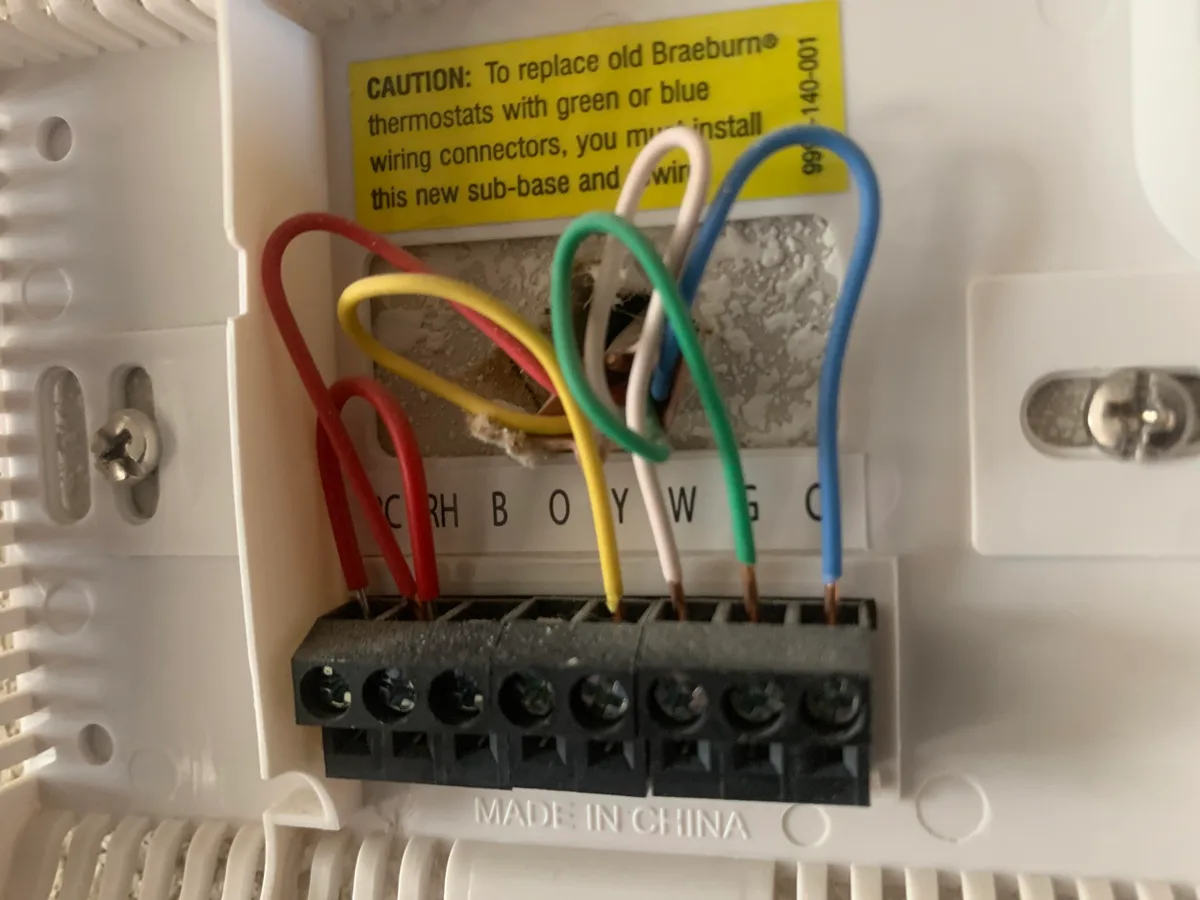
Image source: Bing (Web (fair-use with source credit))
Remove the faceplate. Take a picture of the existing wiring before you pull any wire. This is your reference. Then loosen the terminal screws and pull each wire gently.
Check the terminal lettering. Braeburn uses standard labels: R (power), C (common), W (heat), Y (cool), G (fan), O/B (heat pump reversing valve). The most common mistake is missing the C-wire. Without a C-wire, some thermostats rely solely on batteries.
If the batteries drain, the thermostat turns off. If the C-wire is present but loose, the thermostat acts erratic.
Test for 24 volts. Use a multimeter set to AC voltage. Place one probe on the R terminal and one on the C terminal. You should read between 22 and 28 volts AC.
If you get zero, the transformer is off, the fuse is blown, or the C-wire is not connected at the furnace end.
Check the wire connections at the furnace. The thermostat wires connect to the control board inside the furnace or air handler. Open the furnace door with the power off. Look for the same terminal labels.
Make sure the wires are securely connected and not touching each other.
Loose or corroded connections are common. Over time, a screw can loosen from vibration. Tighten each screw firmly. If a wire is corroded or has exposed copper, cut off the damaged section and strip fresh wire.
Wrong wire on the wrong terminal. If you had a heat pump system and someone installed the thermostat with standard wiring, the reversing valve may not switch. The result is cool air in heat mode or vice versa. Verify that the O/B wire is connected to O/B on the thermostat and the corresponding terminal at the furnace.
After checking all connections, power up the system and test again. If the problem persists, you may have a damaged wire between the thermostat and the furnace. That requires running new wire, which is a job for a professional.
Four Common Mistakes That Can Damage Your System
Some troubleshooting moves can make things worse. Here are the four mistakes that send people from a simple fix to an expensive repair call.
Mistake 1: Jamming wires into the wrong terminals. If you push a wire into a terminal that matches the letter but not the system type, you can short the control board. A W wire accidentally pushed into Y tells the thermostat to call for heat and cool at the same time. That locks up the system and can blow the fuse.
Always match the wire color to the terminal label and the system type in your manual.
Mistake 2: Ignoring the C-wire. Many Braeburn models can run on batteries alone, but they work better with a common wire. Without a C-wire, the thermostat draws power from the other wires during operation. That can cause the system to cycle erratically or fail to turn on.
If you have a four-wire setup and the thermostat acts weird, a C-wire is likely the fix.
Mistake 3: Resetting too fast. The compressor protection timer is real. If you cycle the power off and back on within two minutes, the thermostat shows "Wait" for up to five minutes. Repeatedly flipping the breaker does not help.
It makes the problem worse by delaying the system. Wait the full five minutes before testing again.
Mistake 4: Using rechargeable batteries. Braeburn specifications call for alkaline batteries. Rechargeable NiMH cells deliver a lower voltage and drain faster. The thermostat may seem fine for a week and then go blank.
Stick with fresh AA alkalines from a reputable brand. Do not mix brands or ages.
DIY Fix or Call an HVAC Tech? A Simple Decision Guide
You have tried the basics. Now you need to know when to stop and call a professional.
You can fix these yourself:
| Symptom | DIY Fix |
|---|---|
| Blank screen | Replace batteries, check breaker, reset furnace switch |
| Screen on, no heat or cool | Check mode, set temperature, wait 5 minutes |
| Temperature reading off | Level thermostat, relocate if near draft or heat source |
| Wi-Fi not connecting | Reset Wi-Fi module, check 2.4 GHz network, reinstall app |
| System runs constantly | Check fan setting, replace dirty filter |
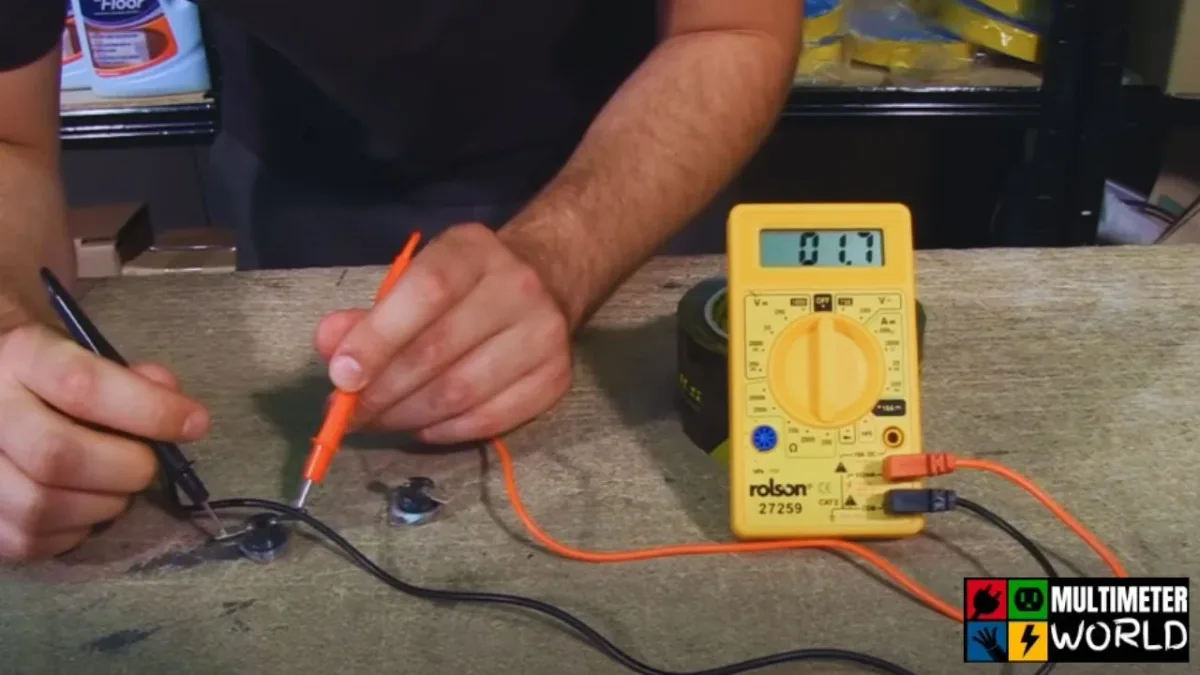
Image source: Bing (Web (fair-use with source credit))
Call a technician when:
You have checked all wiring and the thermostat still shows "Wait" after 10 minutes. That is a sign of a failed compressor contactor or a bad control board. A technician can test the relay with a multimeter.
You smell burning or see smoke. Turn off power immediately. Do not touch anything else. A shorted wire or failed transformer can cause a fire.
Call a licensed HVAC contractor.
The thermostat is physically damaged. If the screen has cracks, the buttons are stuck, or the housing is warped, replace the unit. Braeburn thermostats are affordable and widely available.
You have no voltage at the R and C terminals after checking the breaker and furnace switch. That means the transformer or the control board fuses are blown. That is not a thermostat problem. That is a system problem.
The system blows air that is the wrong temperature. Cold air in heat mode or hot air in cool mode means the reversing valve is stuck or the wiring is wrong for a heat pump. A technician can verify the O/B signal and test the valve.
If you are comfortable using a multimeter, you can test voltage at the thermostat and at the furnace control board. But if you are unsure, stop. A shorted probe or wrong setting can damage the board.
Our research shows that DIY homeowners who guess at wiring cause more damage than the original problem.
Keep Your Braeburn Running Smoothly: Maintenance That Prevents Problems
A little maintenance goes a long way. Most thermostat failures are caused by neglect.
Replace batteries once a year. Set a calendar reminder. Do it at Daylight Saving Time changes. That catches the battery before it drains completely.
Use fresh AA alkalines. Do not wait for the low battery icon to appear.
Clean the thermostat every season. Remove the faceplate. Use compressed air or a soft brush to remove dust from the vents. Dust inside the housing can insulate the sensor and cause wrong readings.
Check the filter every month. A dirty air filter is the number one cause of system short cycling and temperature swings. Replace it at least every three months. During heavy use months, check it monthly.
Test the system before extreme weather. Run the heat in October. Run the cool in May. If the thermostat does not respond, you have time to fix it before you need it.
Keep the area clear. Do not stack books, plants, or decorations near the thermostat. They block airflow and trap heat. The sensor reads the microclimate around the thermostat, not the whole room.
Check for drafts. Over time, the wall hole behind the thermostat can allow air to leak. This causes false temperature readings. Caulk or foam seal the hole to stop the draft.
Update firmware if you have a Wi-Fi model. Check the app every few months. Braeburn occasionally releases updates that fix bugs and improve connectivity.
Consider a C-wire adapter if you have an older home. Many Braeburn models include a C-wire adapter kit in the box. If your system has a four-wire setup and your thermostat acts up, install the adapter. It gives the thermostat steady power and stops battery drain.
Frequently Asked Questions
Why is my Braeburn thermostat blank after changing the batteries?
Wait 30 seconds after inserting new batteries. The screen takes a moment to power up. If it stays blank, check the battery orientation.
The positive and negative markings are inside the compartment. If it is still blank, the thermostat may need a full power cycle. Turn off the breaker for 30 seconds and turn it back on.
How do I reset my Braeburn thermostat to factory settings?
Remove the faceplate. Remove the batteries. Press and hold the reset button (usually inside a small hole) for 10 seconds.
Reinsert the batteries. The screen should show the setup menu. You will need to reprogram the time, temperature, and system type.
Why does my Braeburn thermostat say "Wait"?
That is the compressor protection timer. It prevents the compressor from restarting too quickly. Wait 5 minutes without touching anything.
If it still shows "Wait" after 10 minutes, there may be a wiring fault or a failed compressor contactor.
Can I use rechargeable batteries in my Braeburn thermostat?
Braeburn specifications recommend alkaline batteries only. Rechargeable NiMH batteries deliver lower voltage and drain faster. They can cause intermittent blank screens and erratic operation.
Stick with fresh AA alkaline batteries.
My Braeburn thermostat works but the app says "offline". What do I do?
Your thermostat is likely on a 5 GHz network. Braeburn Wi-Fi models only support 2.4 GHz. Check your router settings.
Create a separate 2.4 GHz network or a guest network on 2.4 GHz. Then reconnect the thermostat through the app.
Quick Reference: Which Fix to Try Based on Your Symptom
This table covers the most common problems and their fixes in order. Try the first fix before moving down the list.
| Symptom | First Try | Second Try | Third Try |
|---|---|---|---|
| Blank screen | Replace batteries | Reset breaker | Check furnace switch |
| Screen on, no heat or cool | Set mode to Heat or Cool | Wait 5 minutes | Check wiring at terminals |
| Wrong temperature | Level the thermostat | Move away from draft or heat source | Check calibration offset |
| System runs constantly | Replace air filter | Check fan setting to Auto | Check for stuck relay |
| Wi-Fi not connecting | Check 2.4 GHz network | Reset Wi-Fi module | Reinstall app |
| Wait message | Wait 5 minutes | Turn breaker off and on | Call technician |
| Cool air in heat mode | Check O/B wiring on heat pump | Wait 5 minutes | Call technician |
| Thermostat resets to default time | Replace batteries | Check C-wire installation | Install C-wire adapter |
If you cannot find your specific model manual, visit the Braeburn Systems website and look for the support section. They have PDF manuals for every current model. The manual includes wiring diagrams specific to your thermostat and system type.
Your Braeburn thermostat is a solid, straightforward device. Most failures are caused by dead batteries, tripped breakers, or loose wires. Work through the sections in order.
You will likely find the fix in under 15 minutes. If not, call a technician. You have done everything reasonable on your own.

Similar Posts