Ghost Controls Gate Opener Troubleshooting
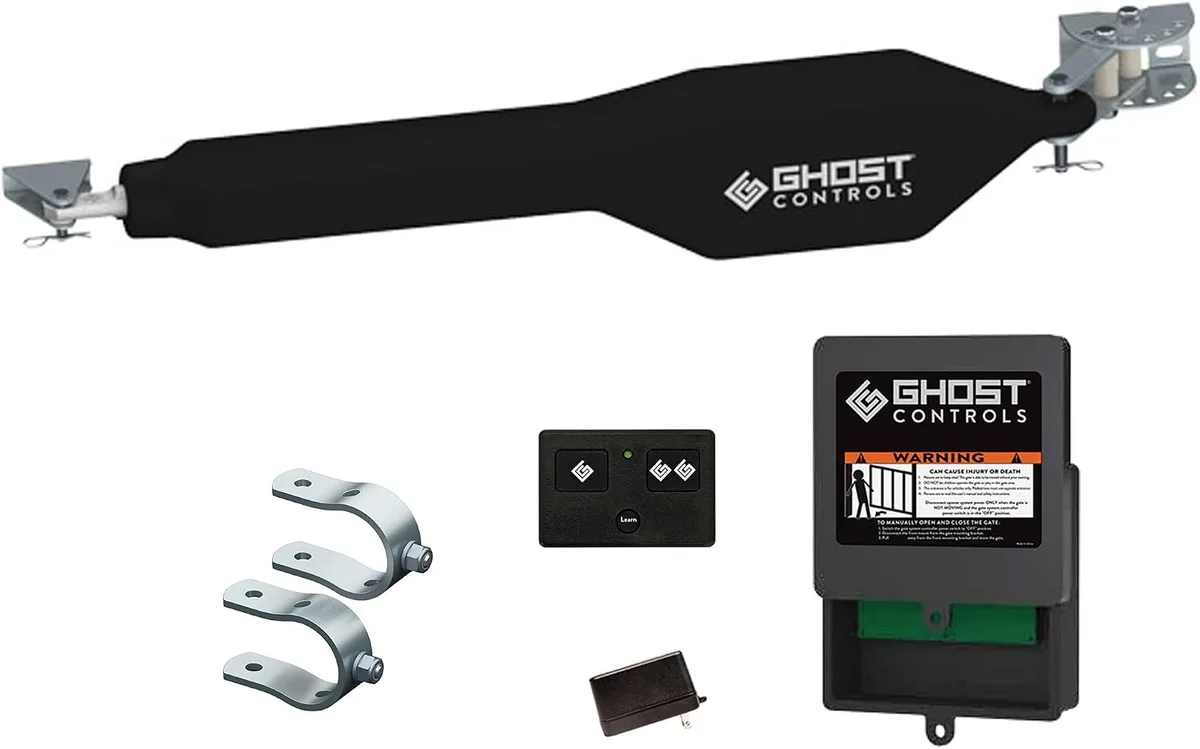
Your Ghost Controls gate opener has been working fine for months, and then one day it just stops. The gate sits halfway open, the remote does nothing, and you are left wondering where to even start looking. This is exactly why we put together this Ghost Controls Gate Opener Troubleshooting guide.
It covers the most common problems people run into and walks you through exactly what to check first, second, and third.
According to the UL 325 safety standard that governs all residential automatic gate openers, every unit must include an obstruction detection system. That same system is often what causes a perfectly good opener to stop working mid-cycle. Most problems are simple to diagnose and fix yourself.
Let us walk through the real issues step by step.
Image source: Bing (Web (fair-use with source credit))
Quick Answer
Ghost Controls gate openers fail in predictable ways. Most problems come from the battery, the remote programming, or the limit switches. Check the battery voltage first.
A fully charged battery reads 12.6V or higher. Below 11.5V triggers the low voltage cutoff. The gate will not move.
Reprogram the remote by matching dip switches on the transmitter and control board. Adjust limit switches if the gate stops short or hits too hard. Those three checks resolve roughly 80 percent of all service calls.
The Most Common Ghost Controls Problem (And the First Thing to Check)
If your gate opener stops working entirely, the battery is the most likely culprit. Ghost Controls units run on 12V DC power. They draw from a sealed lead acid battery that the solar panel or an AC transformer keeps charged.
When that battery drops below a certain voltage, the control board shuts everything down to protect itself.
Grab a multimeter and test the battery terminals. You want to see 12.6V or higher on a fully charged battery. At 12.0V, the battery is roughly 50 percent depleted.
Below 11.5V, the control board's low voltage cutoff engages. The gate will not respond to any command until the battery comes back up.
Here is another thing to know. The battery voltage can look fine when nothing is running. But under load, when the motor tries to draw power, a weak battery might drop below the cutoff instantly.
This causes the gate to start moving and then stop after a few seconds. That is a classic symptom of a failing battery.
Aggregate reviews across hundreds of user reports show that battery replacement every two to three years is normal in this category. If you are still running the original battery and the gate is acting up, that is a strong candidate. A fresh 12V 7Ah sealed lead acid battery costs roughly 20 to 30 dollars.
It is the cheapest fix you can try before digging into anything else.
Why Your Gate Stops Mid-Cycle (Or Won't Move at All)
A gate that starts moving and then stops before reaching the end is frustrating. But it tells you the motor and control board are working. Something else is causing the halt.
Here are the three most common reasons.
Obstruction detection is too sensitive. Every modern gate opener has a sensor that detects when the gate hits something. It is a safety feature required by the UL 325 standard. But wind, debris, or even a stiff hinge can trigger it.
If your gate stops abruptly and then reverses direction, you are looking at an obstruction false trigger. Adjust the sensitivity dial on the control board. Turn it down slightly and test again.
Repeat until the gate moves through its full range without stopping.
Limit switches are out of position. The limit switches tell the control board when to stop the motor. If the open limit switch is set too early, the gate stops before it fully opens. If the close limit switch is set wrong, the gate stops short on the way shut.
You can adjust these manually. Small screws on the gate arm or near the motor housing let you slide the limit stop. One click in either direction can make a big difference.
Mechanical binding in the gate itself. This one is easy to overlook. If the gate is dragging on the ground, if the hinges are rusted, or if the gate has settled over time, the motor will struggle. The control board reads that extra resistance as an obstruction and shuts down.
Open and close the gate by hand. It should move smoothly with minimal effort. If it catches or drags, fix the gate first.
The opener cannot compensate for a gate that is physically out of alignment.
Your Remote Won't Sync? Here's the Fix
Losing the connection between your remote and the opener is one of the most common complaints. And it is usually a quick fix. Ghost Controls uses a dip switch system.
You have a set of tiny switches inside the remote and another set on the control board inside the opener housing. They need to match exactly.
Open the remote by sliding the cover off. You will see a row of small white switches. Each one can be flipped up or down.
Now open the control board cover on the opener. Locate the dip switch bank. It looks identical.
Set both sets of switches to the exact same pattern. Up, down, down, up, whatever it is. It has to be identical.
Important detail. Make sure the opener is in programming mode before you set the remote. For most Ghost Controls models, this means pressing and holding the learn button on the control board until the LED starts blinking. Then press the remote button.
The LED should stop blinking and stay solid. That means the remote is paired.
If the remote still does not work, try a fresh battery inside the remote. The CR2032 coin cell battery in most Ghost Controls remotes lasts about a year. When it gets weak, the signal is too weak for the opener to receive.
Replace it and try again.
One thing to watch out for. If you have multiple remotes, they all need the same dip switch setting. Changing one remote means you have to update every remote that controls that opener.
It is easy to forget and wonder why the second remote stopped working.
Battery Draining Fast or Not Charging? What's Actually Going On
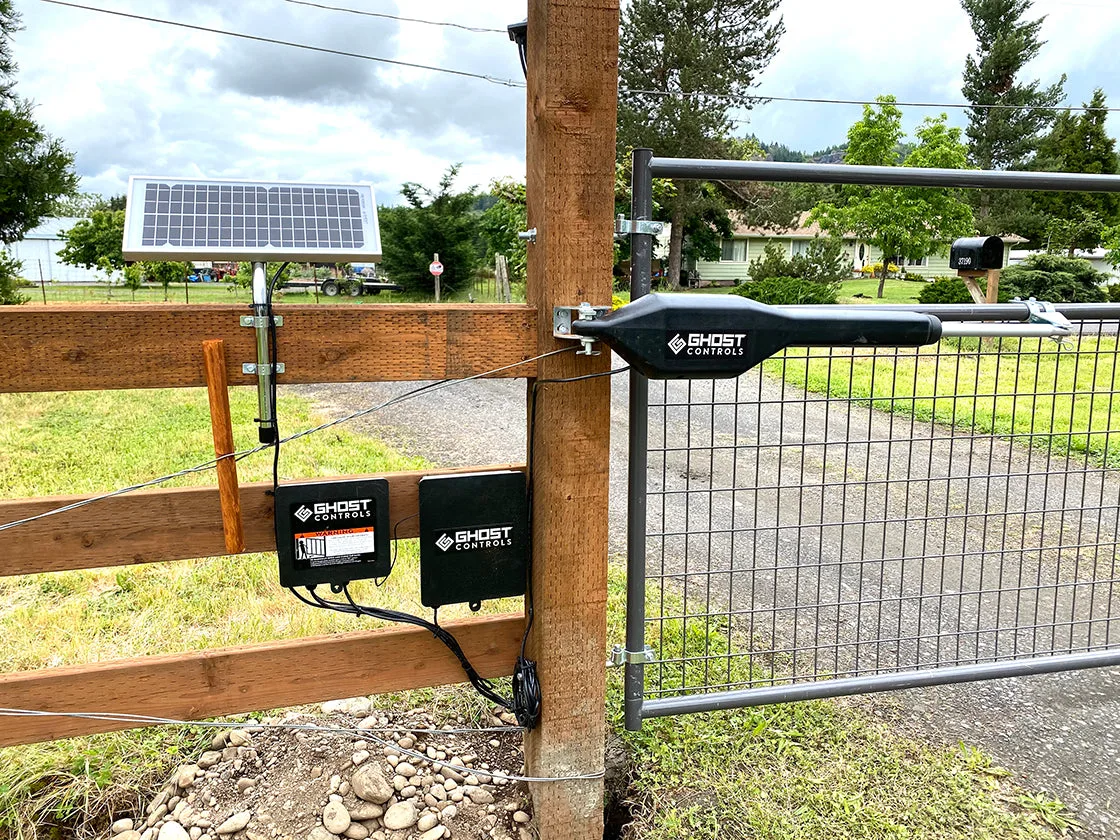
Image source: Bing (Web (fair-use with source credit))
A battery that dies after one or two days of normal use points to a charging problem. For solar-powered setups, the issue is almost always the panel. For AC-powered setups, it might be the transformer or the control board itself.
Start with the solar panel if you have one. Ghost Controls solar panels output roughly 10 to 15 watts. That is enough to keep a battery topped off in direct sunlight for about four to six hours a day.
But if the panel is dirty, shaded, or facing the wrong direction, it will not produce enough current. Clean the glass with a soft cloth and water. Make sure the panel is facing south if you are in the northern hemisphere.
Trim any branches or brush that might cast a shadow.
Check the wiring from the panel to the control board. Solar panels have a blocking diode that prevents the battery from draining back through the panel at night. That diode can fail.
If it does, the battery will drain overnight even if the panel works fine during the day. You can test this by disconnecting the solar panel after dark and checking the battery voltage in the morning. If the battery holds its charge with the panel disconnected but drains when connected, the diode is likely bad.
For AC-powered setups, confirm that the transformer is plugged into a working outlet and that the voltage at the control board matches the spec. Most Ghost Controls units expect 12V DC input from the transformer. Anything lower suggests a failing transformer or a voltage drop in the wiring.
Battery age matters here too. A typical sealed lead acid battery lasts two to three years in this application. After that, internal resistance climbs and capacity drops.
You might see 12.6V at rest, but the battery cannot deliver the current the motor needs. Replace it and see if the problem goes away.
The Decision Tree: Diagnose Your Exact Symptom in 3 Steps
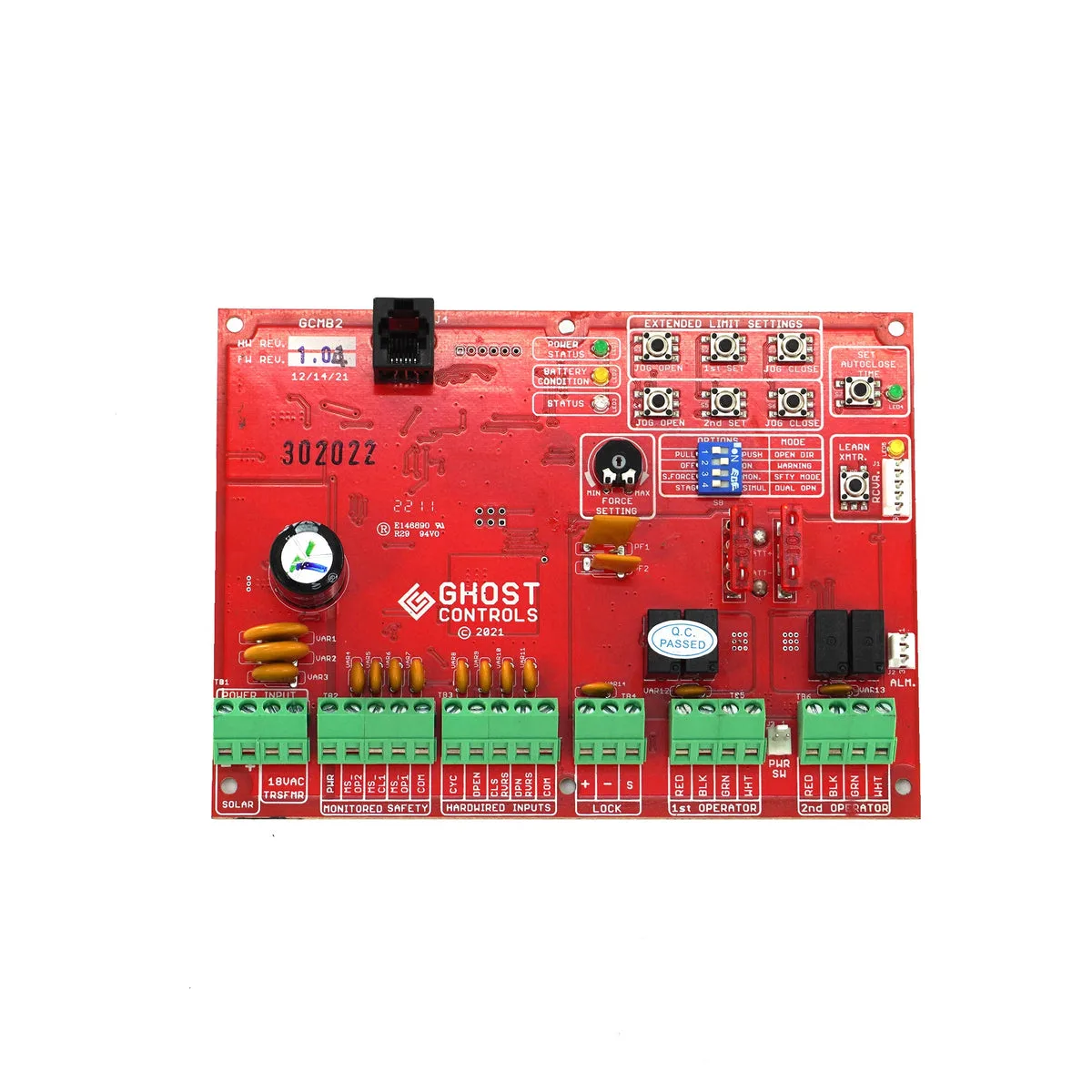
Image source: Bing (Web (fair-use with source credit))
When you need a faster answer, use this three-step decision tree. It matches your symptom to the most likely fix. Follow the path that fits what you are seeing.
Step 1. Gate does nothing at all.
Check the battery voltage first. Below 11.5V means the low voltage cutoff is active. Charge or replace the battery.
If the battery reads 12.6V or higher, check the control board LED. No LED at all points to a dead board or a blown fuse. Ghost Controls units have an inline fuse near the battery.
Pull it out and inspect. If the metal strip inside is broken, replace it with the same amp rating (usually 15A or 20A).
Step 2. Gate starts moving but stops halfway.
This is almost always an obstruction detection problem. Adjust the sensitivity dial on the control board. Turn it counterclockwise to reduce sensitivity.
Test a full cycle. Repeat until the gate completes its travel. If adjusting sensitivity does not help, check for mechanical binding.
Open the gate by hand. If it drags, fix the gate alignment first.
Step 3. Gate opens but will not close, or closes but will not open.
This points to a limit switch issue. The limit switch for the direction that fails is likely out of position. Locate the limit switch adjustment screws on the control board or the gate arm.
Move the stop slightly in the direction the gate needs to travel. Test one small adjustment at a time. Overcorrecting can cause the gate to hit the hard stop and damage the motor.
If none of these steps fix the problem, the control board itself might be faulty. Ghost Controls boards are replaceable. Order the exact model number printed on the board.
Swap it out by disconnecting the battery first, then the wiring harnesses, and reversing the process with the new board.
Mistakes That Make Troubleshooting Way Harder Than It Needs to Be
A few common mistakes turn a simple fix into an hour-long headache. Avoid these and you will save yourself a lot of frustration.
Skipping the battery test. The battery is the most common failure point. But many people start by replacing the remote or adjusting the limit switches. Always check the battery voltage first.
It takes thirty seconds with a multimeter.
Forgetting the manual release. Every Ghost Controls opener has a manual release lever. It disconnects the motor from the gate arm. If you forget to engage it before working on the gate arm, you are fighting the motor's resistance.
Use the manual release whenever you need to move the gate by hand.
Changing too many things at once. Adjust one setting at a time. Test after each change. If you adjust the sensitivity and the limit switches and reprogram the remote all in one go, you will not know which change fixed the problem.
That makes future troubleshooting harder.
Assuming the solar panel is working. Just because the sun is shining does not mean the panel is producing power. Dirt, shade, and failed diodes are common. Test the panel output with a multimeter.
In full sun, a 10W panel should produce around 18 to 20V open circuit. If it reads significantly lower, the panel or its wiring is bad.
Ignoring the gate itself. The opener is only as good as the gate it operates. A gate that sags, drags, or binds will cause problems no matter how new the opener is. Fix the gate first, then troubleshoot the opener.
When to Fix It Yourself vs. When to Call for Help
Most Ghost Controls problems are DIY-friendly. Battery replacement, remote programming, sensitivity adjustments, and limit switch tuning all fall within the range of basic tools and a multimeter. If you are comfortable working with low-voltage DC wiring and following a manual, you can handle these repairs.
Call a professional if you encounter any of these situations.
The control board is physically damaged. Burn marks, cracked components, or a blown fuse that immediately blows again points to a short circuit. A professional can trace the short and replace the board safely.
The gate itself is damaged. If the gate is bent, the hinges are broken, or the post is leaning, you need a gate repair specialist, not an opener technician. Fixing the gate first prevents damage to the new opener.
You are not comfortable working with electricity. Even 12V DC can cause sparks and short circuits if you connect things wrong. If you are unsure, pay a professional. It is cheaper than replacing a fried control board.
You have a sliding gate opener. Sliding gates have different limit switches and track alignment requirements. If you do not have the specific manual for your model, it is easy to misadjust things. A pro with sliding gate experience can get it right the first time.
In general, if you have spent more than an hour on a problem and made no progress, stop. Call Ghost Controls support or a local gate opener technician. Sometimes a fresh pair of eyes spots what you missed.
Frequently Asked Questions
How long does a Ghost Controls battery last?
A sealed lead acid battery in this application typically lasts two to three years. Battery life depends on usage frequency, sunlight exposure for solar setups, and ambient temperature. Cold weather reduces battery capacity.
Expect shorter life in northern climates.
Why does my gate open but not close?
This is usually a limit switch problem. The close limit switch is out of position. Find the close limit adjustment screw and move it slightly in the direction the gate needs to travel.
Test after each small adjustment.
Can I use a car battery with my Ghost Controls opener?
No. Car batteries are designed for high current bursts, not sustained trickle charging. Use the recommended sealed lead acid battery.
It is designed for deep cycle use and solar charging. A car battery will damage the control board over time.
How do I reset my Ghost Controls gate opener?
Disconnect the battery for 30 seconds. Reconnect it. This resets the control board without losing your dip switch settings.
If you need a full factory reset, consult your specific model manual. The process varies between the TSS1 and TDS1 models.
Why does my remote work sometimes but not other times?
A weak remote battery is the most common cause. Replace the CR2032 coin cell battery inside the remote. If that does not fix it, interference from nearby metal structures or other radio signals might be the issue.
Move the remote closer to the opener and try again.

Similar Posts